-
-
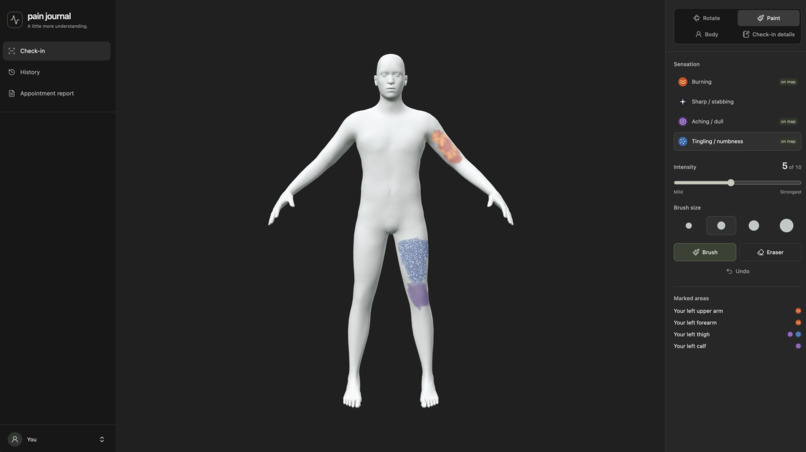
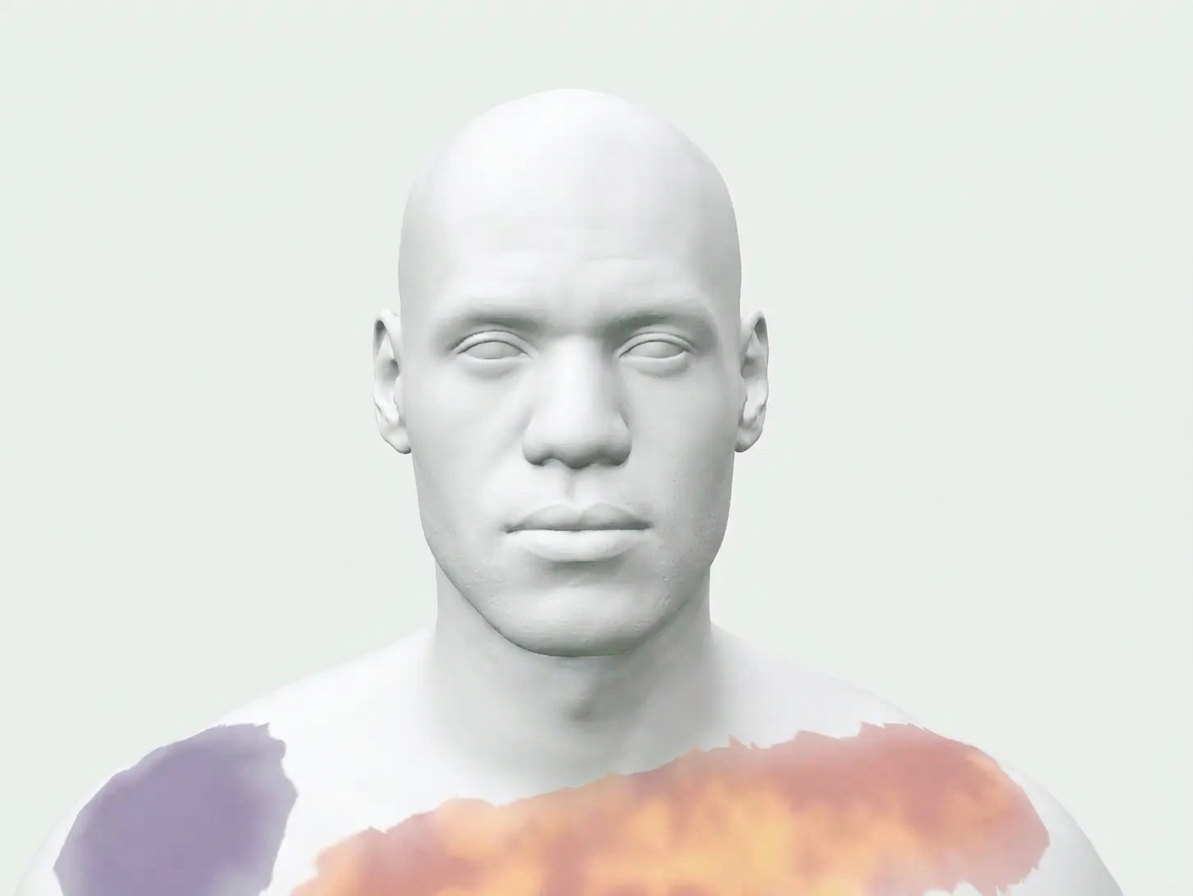
Check-in page
-
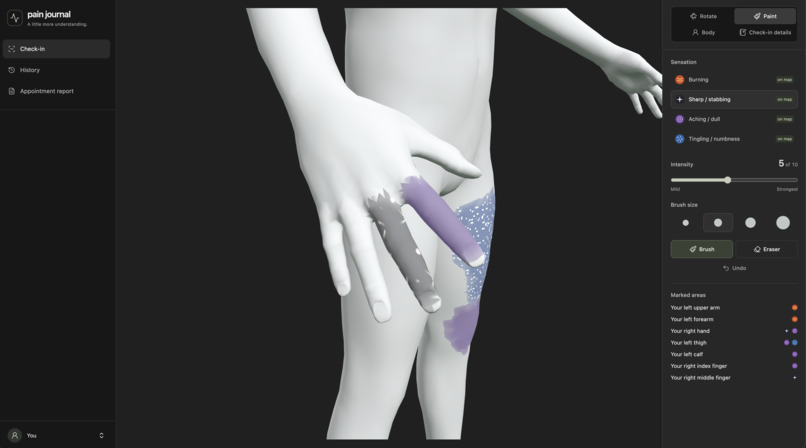
Close up of hand
-
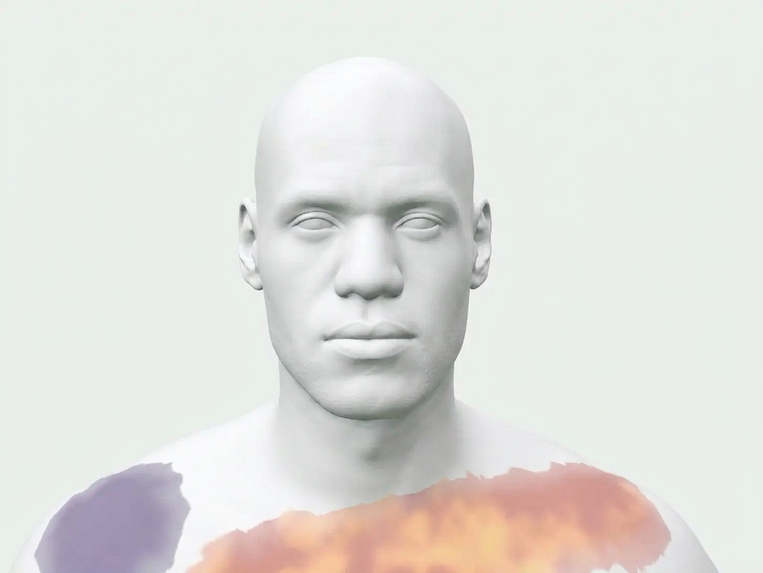
Close up of face
-
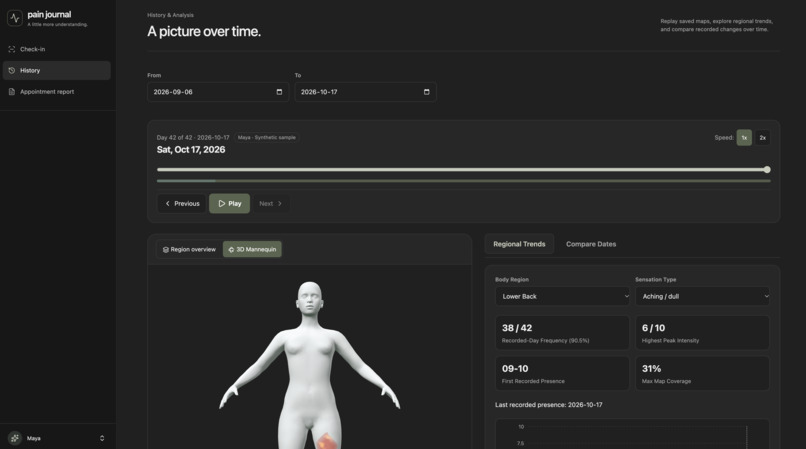
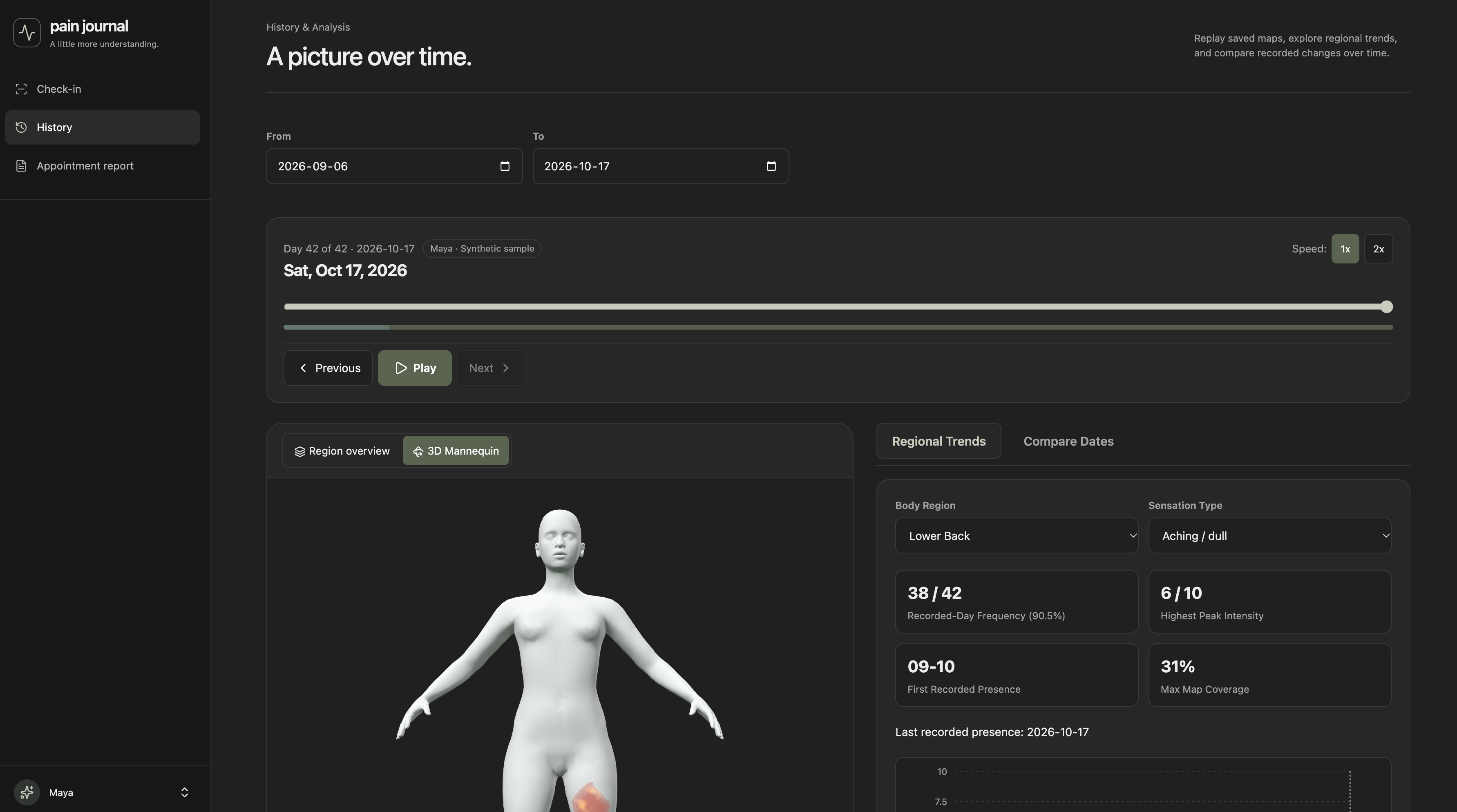
History page
-
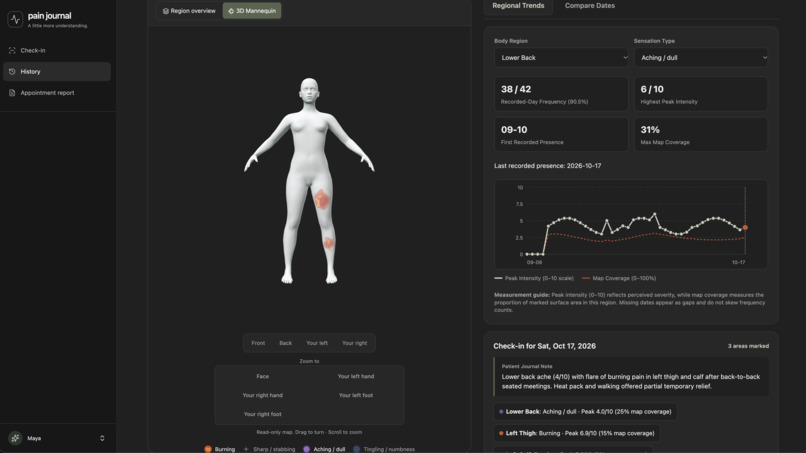
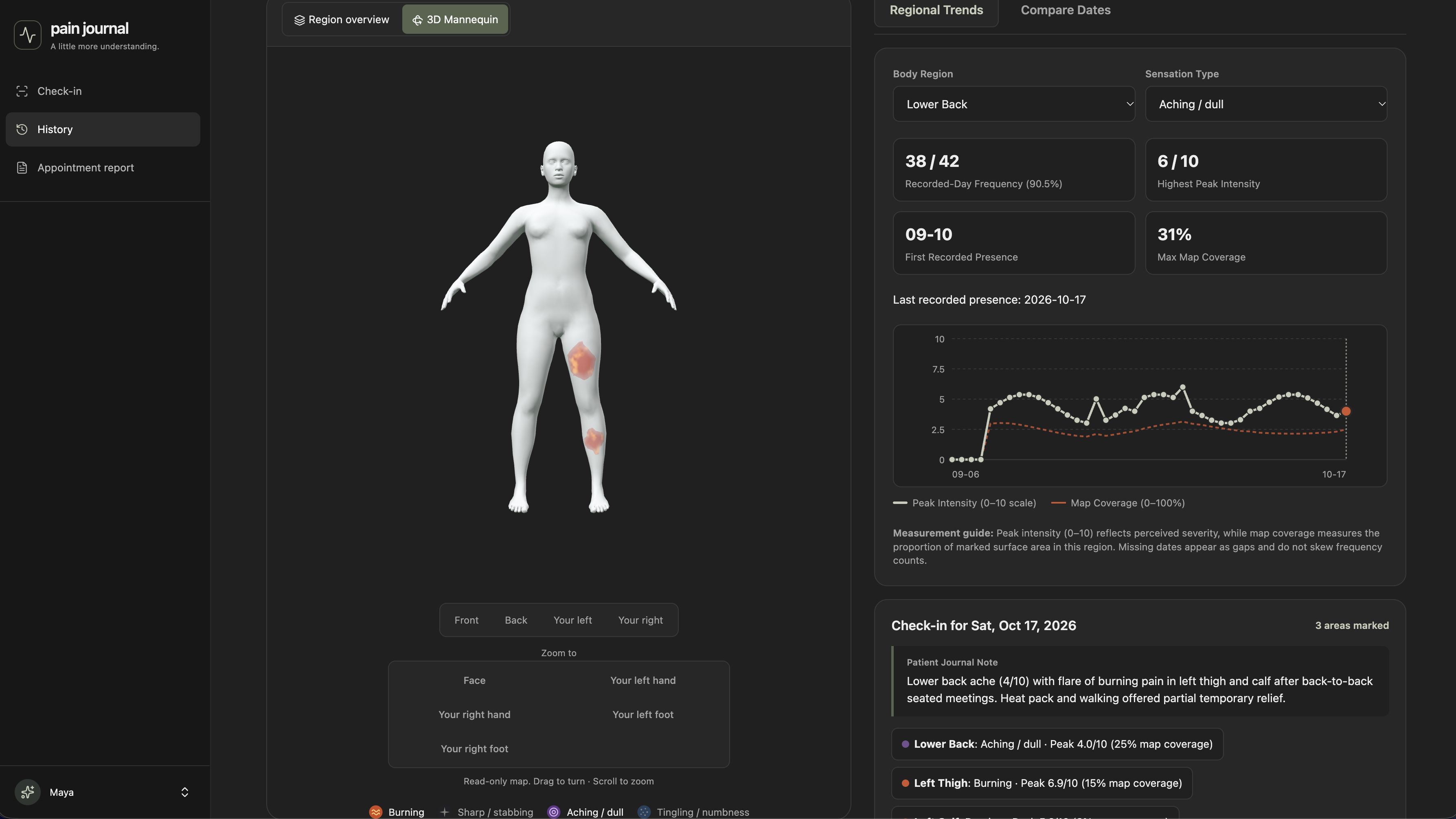
Trends tracked based on historical data
-
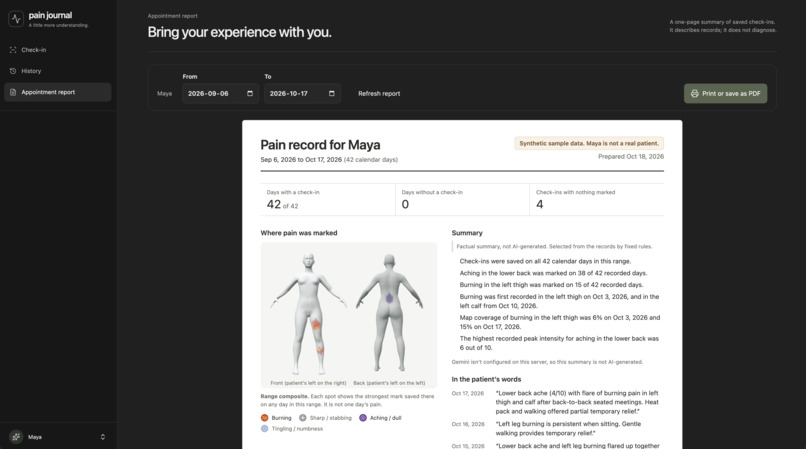
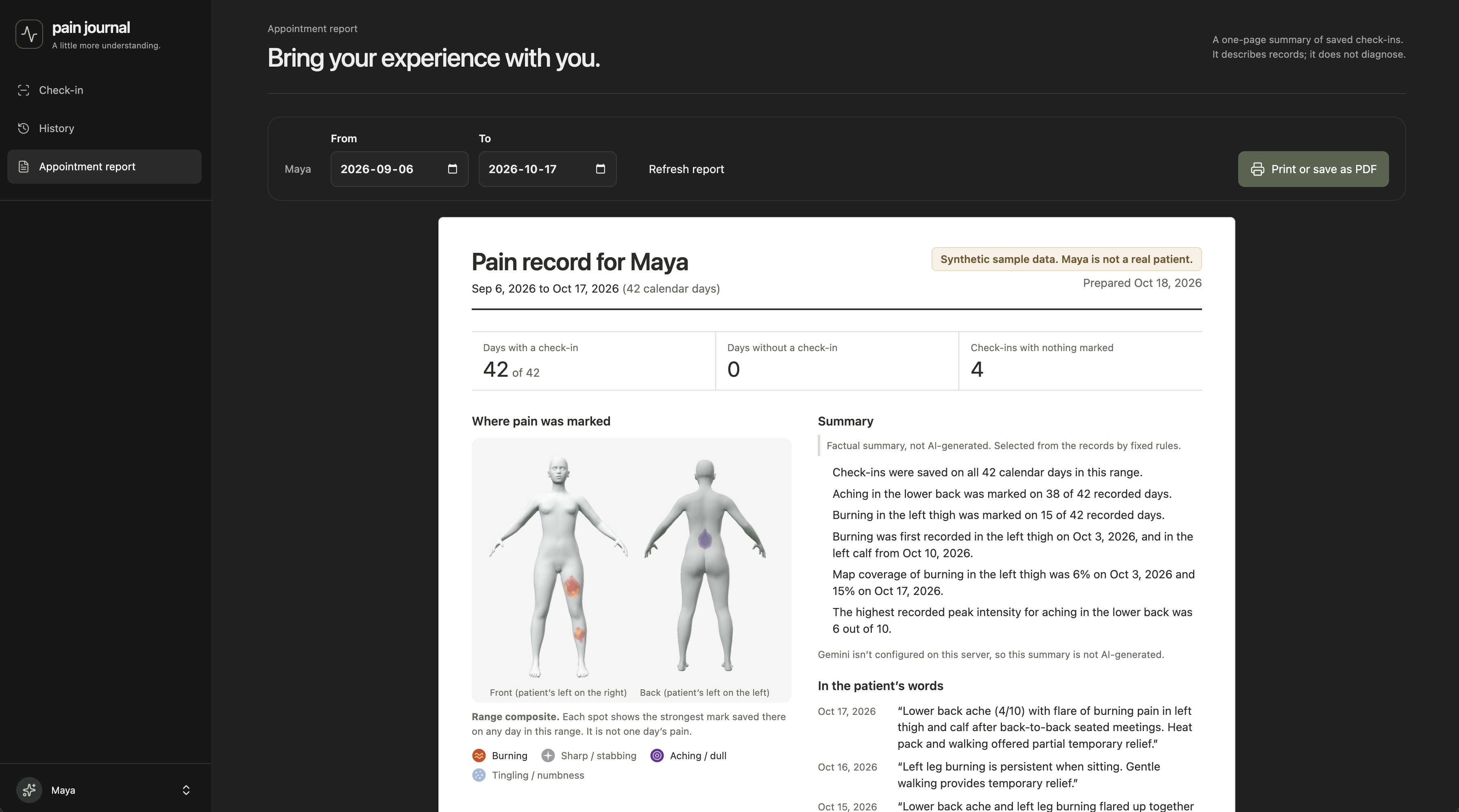
Report generation
Inspiration
Doctors usually ask about pain with one question: "On a scale of 1 to 10, how bad is it?" That single number misses most of what matters: where the pain is, what it feels like (burning, stabbing, aching or tingling), and how it has changed since the last appointment. People living with chronic or changing pain end up describing weeks of symptoms from memory in a 10-minute visit. We wanted to replace that number with a picture: a body you can paint on each day, and a record that shows how the pain moved, spread or faded over time.
What it does
feel is a browser-based pain journal built around two things: painting pain directly on a 3D body and seeing how that pain changes over time.
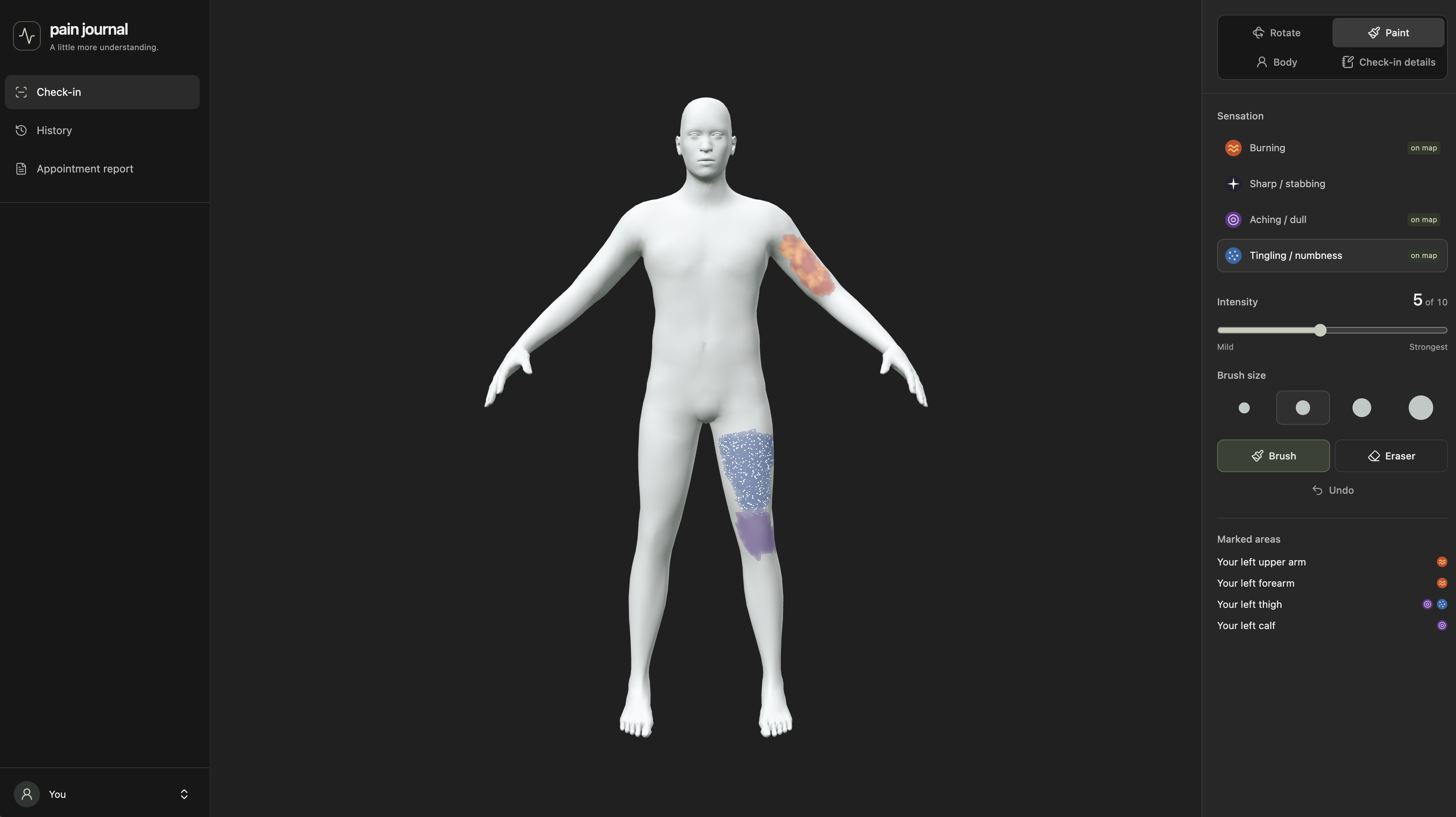
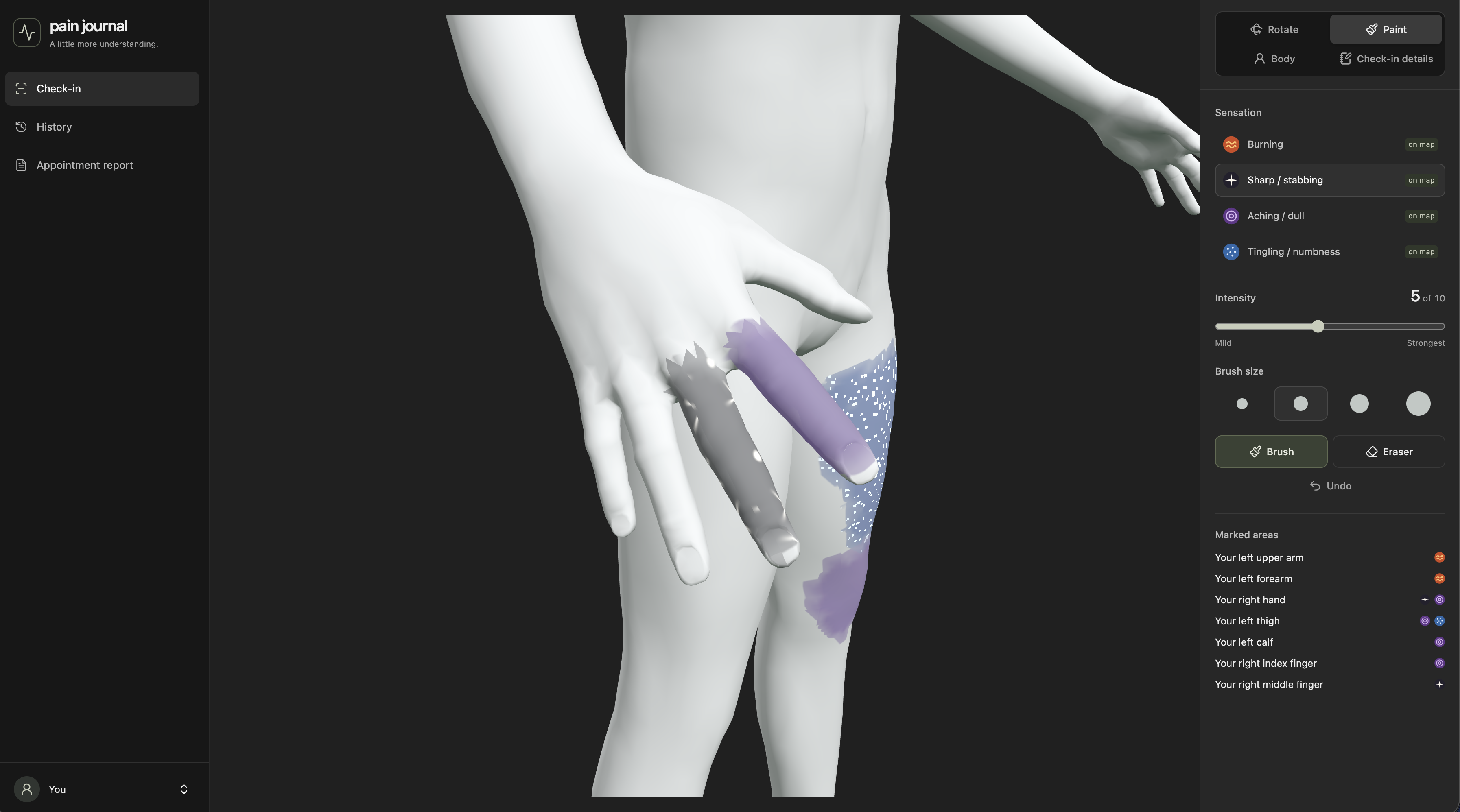
- Paint on a 3D body. Rotate a realistic mannequin and paint where it hurts. Choose a sensation, an intensity from 1 to 10 and a brush size. There are close-up views of the face, hands and feet, so you can mark a single finger or toe.
- Four animated pain types. Each sensation has its own shader effect:
- Burning: red-orange heat shimmer
- Sharp/stabbing: flickering white-hot spikes
- Aching/dull: a slow purple pulse
- Tingling/numbness: blue static sparkles
Each sensation also has its own pattern, so they can be told apart without relying on color. All motion stops for users who have reduced-motion turned on.
- Daily check-ins. Save the day's map with an optional written note, or start from a copy of yesterday's map. The exact paint maps are saved, along with measurements for 45 body regions (peak intensity, average intensity and coverage).
- History and trends. Scrub through a calendar or play the days back in order on the 3D body. Trend charts show peak intensity and coverage for each region. They also show how often each pain was recorded and when it was first and last marked.
- Compare two dates side by side. Each region is labeled as newly marked, no longer marked or still present, with the change in intensity and coverage.
- Honest data handling. A day you skipped is shown as a gap. A day you saved with no pain marked is recorded as zero. The two are never confused.
- Appointment report. A one-page report you can print or save as a PDF. It includes front and back views of every area marked during the range, a day-by-day grid, regional observations and quotes from your own notes. An optional Gemini summary organizes these facts, and every statement it makes is checked against your actual records before it is shown. The report never diagnoses or recommends treatment.
- Maya, a clearly labeled synthetic patient, provides six weeks of example history:
- Lower-back aching starts September 10.
- Burning appears in her left thigh on October 3.
- The burning spreads to her left calf by October 10.
How we built it
- Next.js (App Router), React and TypeScript in one app. Route handlers on the Node.js runtime handle saving, loading, analysis and Gemini calls, so database access and API keys stay on the server.
- Three.js with custom GLSL shaders. All four pain layers are stored in one RGBA texture, one sensation per channel, and a single shader draws all four animated effects with blending where they overlap.
The body comes from the CC0 MakeHuman base mesh. Our own build scripts:
- scale and orient the mesh
- divide its triangles into 45 patient-relative regions using the skeleton and facial landmarks
- lay it out flat as a 512×512 texture where each texel covers about 4.5 mm of skin
- generate a matching 2D body diagram
Body-shape sliders (sex, height, weight, muscle, age and more) use MakeHuman's CC0 shape targets. They move only the vertices, so a saved map looks and measures the same on every body shape.
Painting that follows the skin. Each brush stroke runs a bounded Dijkstra search over the mesh surface, so paint spreads by distance along the skin, not straight-line distance in 3D. Paint crosses texture seams cleanly but never jumps the gap between two fingers.
PostgreSQL (with the plain pg driver and SQL migrations) stores each day's four paint layers as lossless PNGs, together with the region measurements and notes. The server decodes every map and recalculates its measurements itself instead of trusting the browser.
One shared analysis engine feeds the history screen, the date comparison and the report, so all three always show the same numbers.
Gemini returns a structured JSON "plan", not free text. Each statement cites evidence IDs and repeats the values it relies on. Our validator rejects the whole plan if any number, date or quote doesn't match the records. If that happens, the app falls back to a factual summary and labels it as not AI-generated.
Maya's data is generated by the same painting, measurement and encoding code as real check-ins. Tests decode all 42 days and confirm each one measures exactly as stored.
We planned the work as spec-driven development with OpenSpec: a proposal, a design document and an ordered task list split across four feature owners. We used AI coding agents throughout. Playwright browser tests cover painting, playback, saving and reloading, and printing.
Challenges we ran into
- Painting a 3D surface well. Our first approaches made paint bleed between fingers or break at texture seams. Measuring distance along the skin fixed this, but it meant rebuilding how the body is laid out flat: one flat patch per region, with no overlap or mirroring.
- Getting left and right right. The body is labeled from the patient's point of view, not the screen's. "Your left calf" has to stay correct while the model rotates, in the region list, the 2D diagram and the report.
- Switching to a realistic body partway through meant rebuilding the regions and texture layout, versioning the map format so older maps are rejected instead of misread, and regenerating Maya.
- Making the mannequin neutral. We removed hair, clothing and anatomical details. Smoothing the chest so it looks seamless on every body shape took a surface-distance blur filter.
- Keeping AI honest in a health context. We wanted Gemini's help organizing the report without risking invented facts or diagnoses. A strict structured format plus checking every statement against the records was our answer.
- Missing versus empty days. A skipped day and a "no pain today" day mean very different things, and treating them the same would distort trends and frequency. We had to keep that distinction in storage, analysis, charts and the report.
- Playback performance. Smooth playback needed decoded-map caching, prefetching the next days, cancelling outdated loads and keeping the 3D scene mounted between days.
Accomplishments that we're proud of
- Painting feels natural: soft brushes, pen pressure support, undo, close-ups down to individual fingers and toes, and four animated sensations that are easy to tell apart.
- Maya's six-week playback clearly shows a pain story: aching in the lower back, then burning that spreads down the left leg.
- Playback shows the exact saved markings, not a simplified version.
- The report fits on one page, quotes the patient's own words, and only shows AI statements that passed a check against the data.
- Accessibility: large tap targets, keyboard camera controls, visible focus outlines, patterns as well as colors, and support for reduced motion.
What we learned
- How to lay out a 3D mesh as a flat texture, how to raycast onto it, and how to measure distance along a surface, which is what makes painting on a body work.
- How to write custom shaders that pack several data layers into one texture and still look good.
- Designing health data has small details that matter a lot: missing versus empty days, patient-relative sides, and saying "map coverage" rather than "skin area".
- AI is most trustworthy when it organizes facts it has been given and every claim can be checked. A good fallback matters as much as the AI feature.
- Agreeing on shared formats and a spec up front made it possible for four people to build separate parts at the same time.
What's next for feel
- Voice check-ins that turn spoken notes into context (for example "worse after sitting" or "heat helped"). The patient would confirm each item before anything is saved.
- Accounts and secure syncing across devices, so the journal works on a phone during the day and a laptop at an appointment.
- Richer reports with more charts and a sharing flow designed with clinicians.
- Reminders and patterns: gentle check-in reminders and an optional log of sleep, activity or medication alongside pain maps. These would stay descriptive and never diagnose.
- User testing with chronic pain patients and physiotherapists.


Log in or sign up for Devpost to join the conversation.