-
-
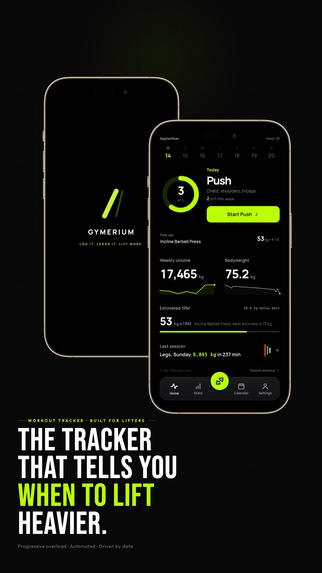
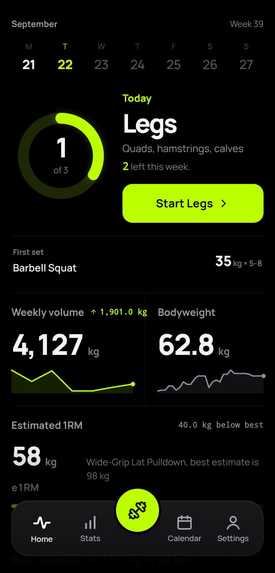
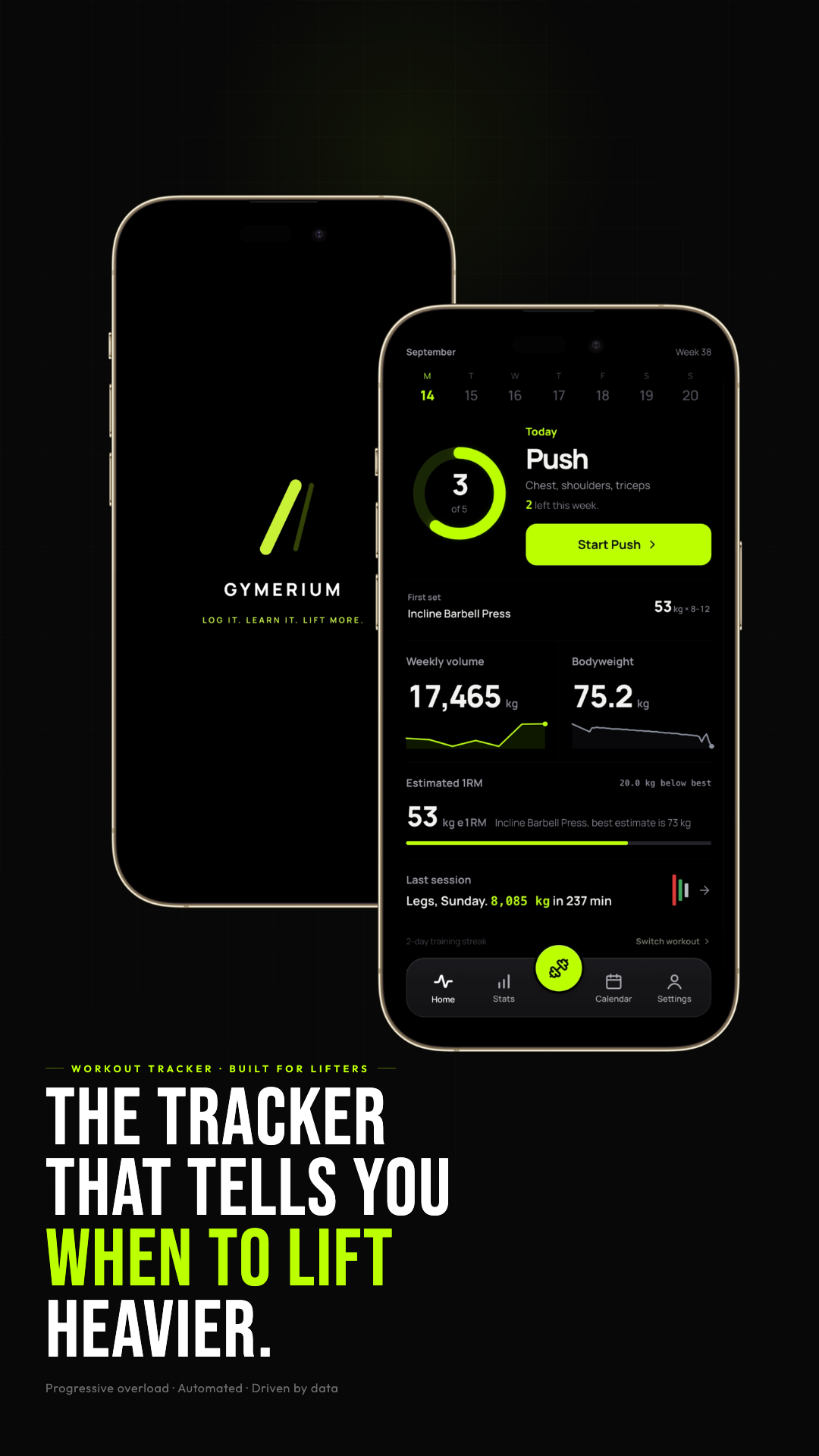
Gymerium turns your workout history into clear guidance on what to train, when to progress, and when to recover.
-
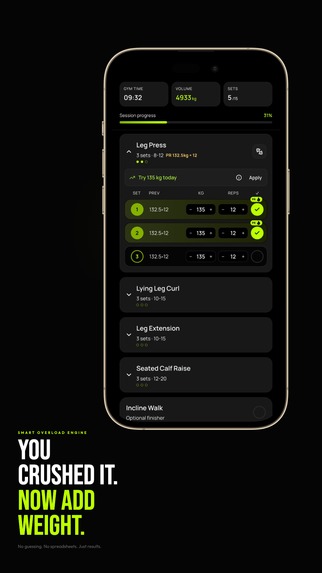
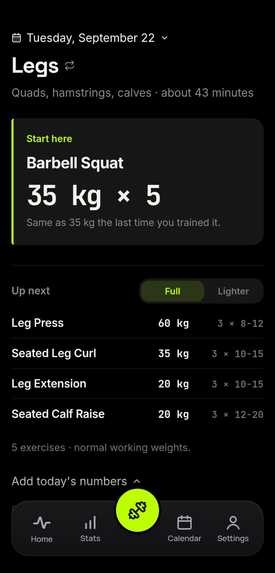
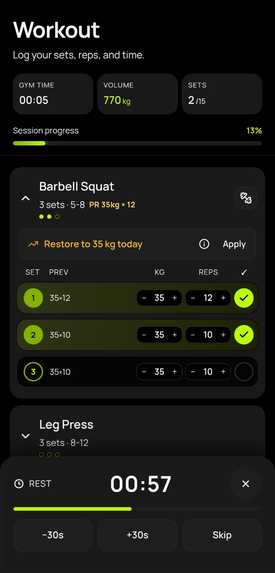
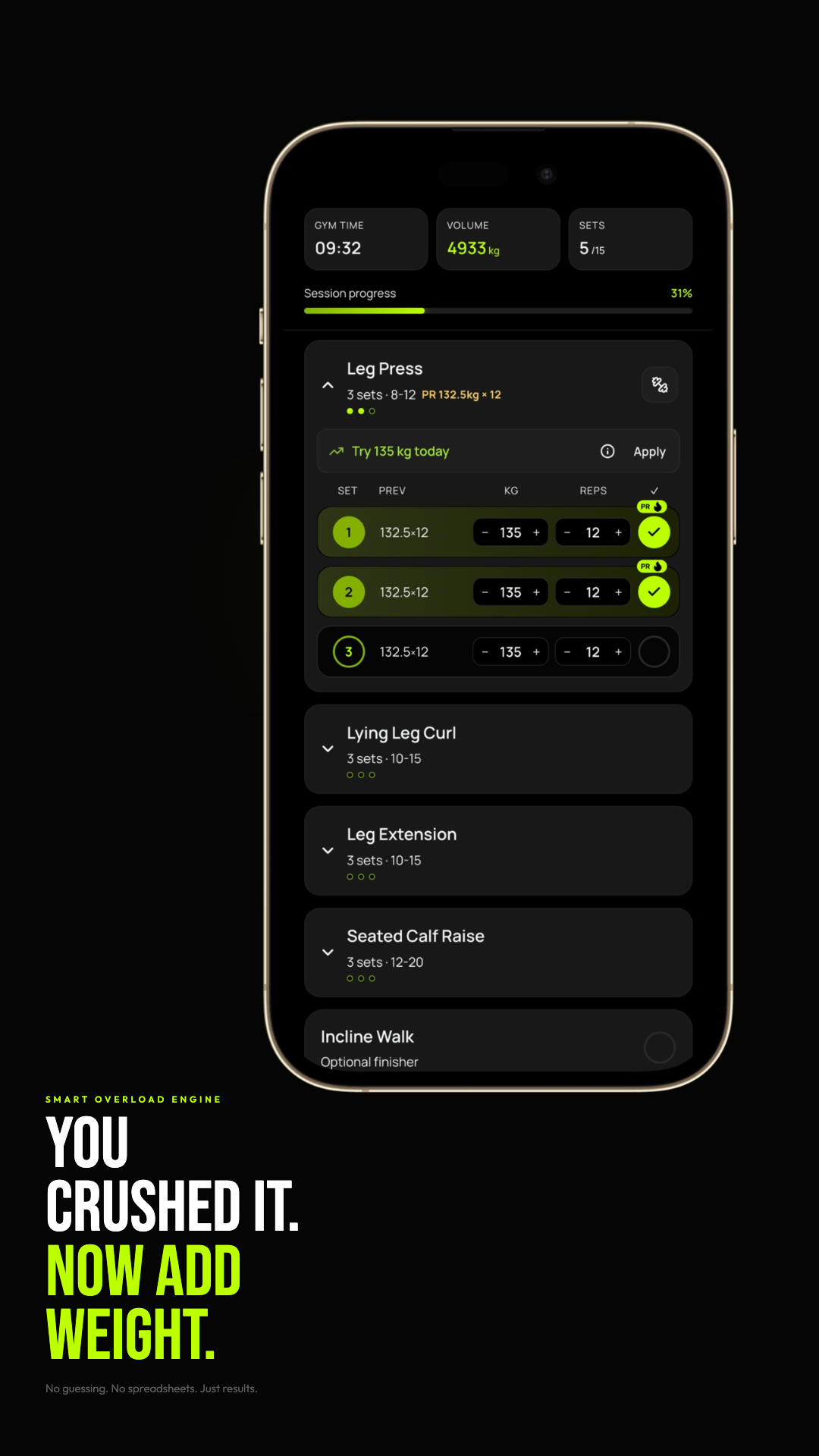
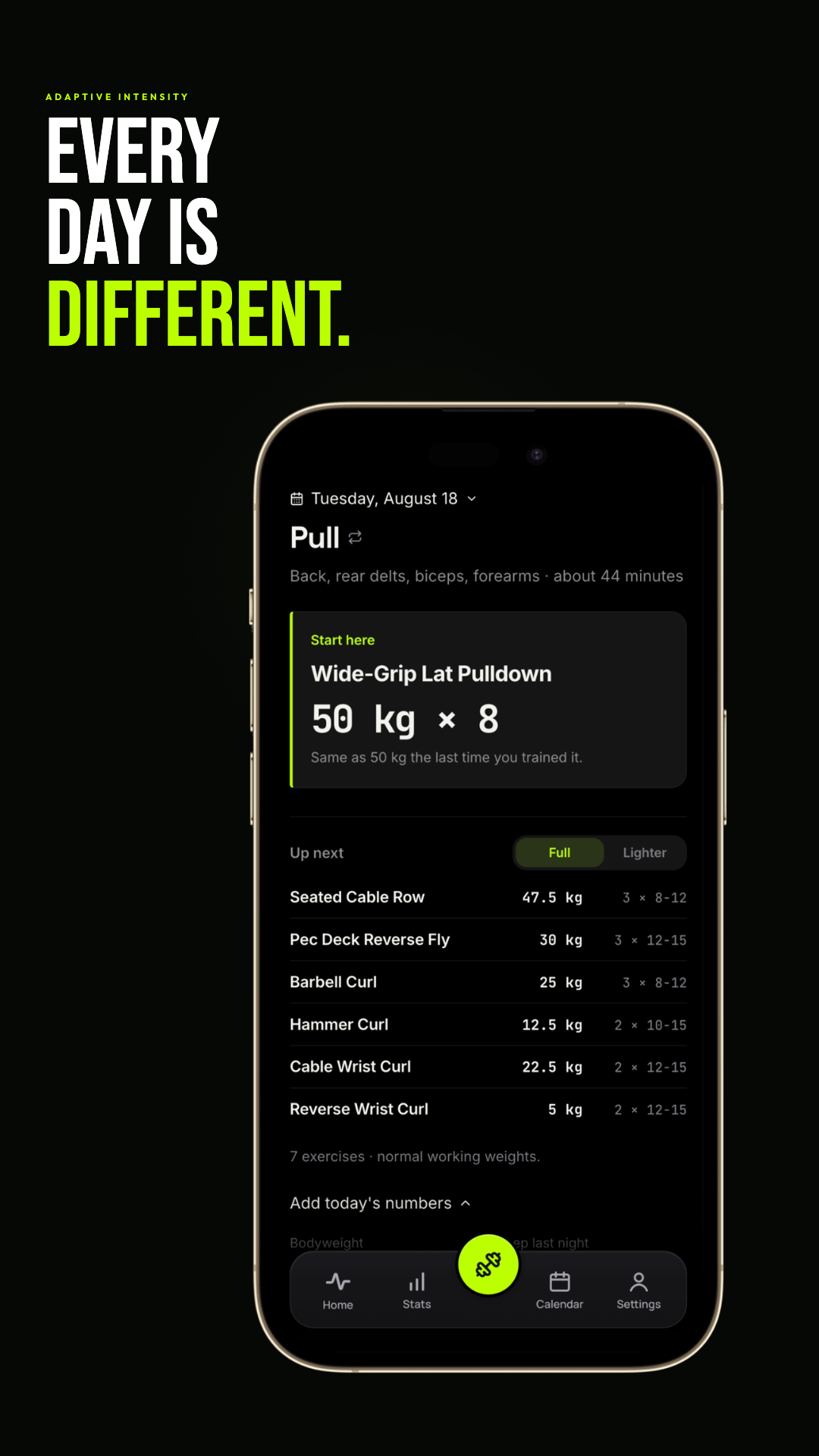
Smart Overload detects when you hit your targets and automatically recommends the next weight increase.
-
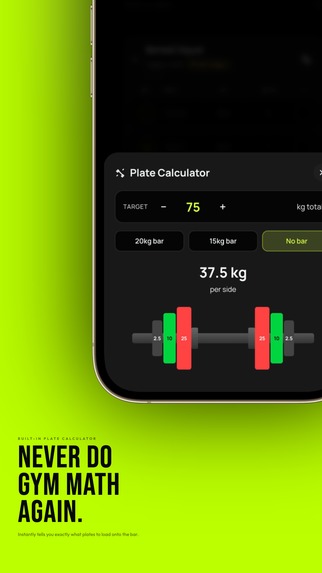
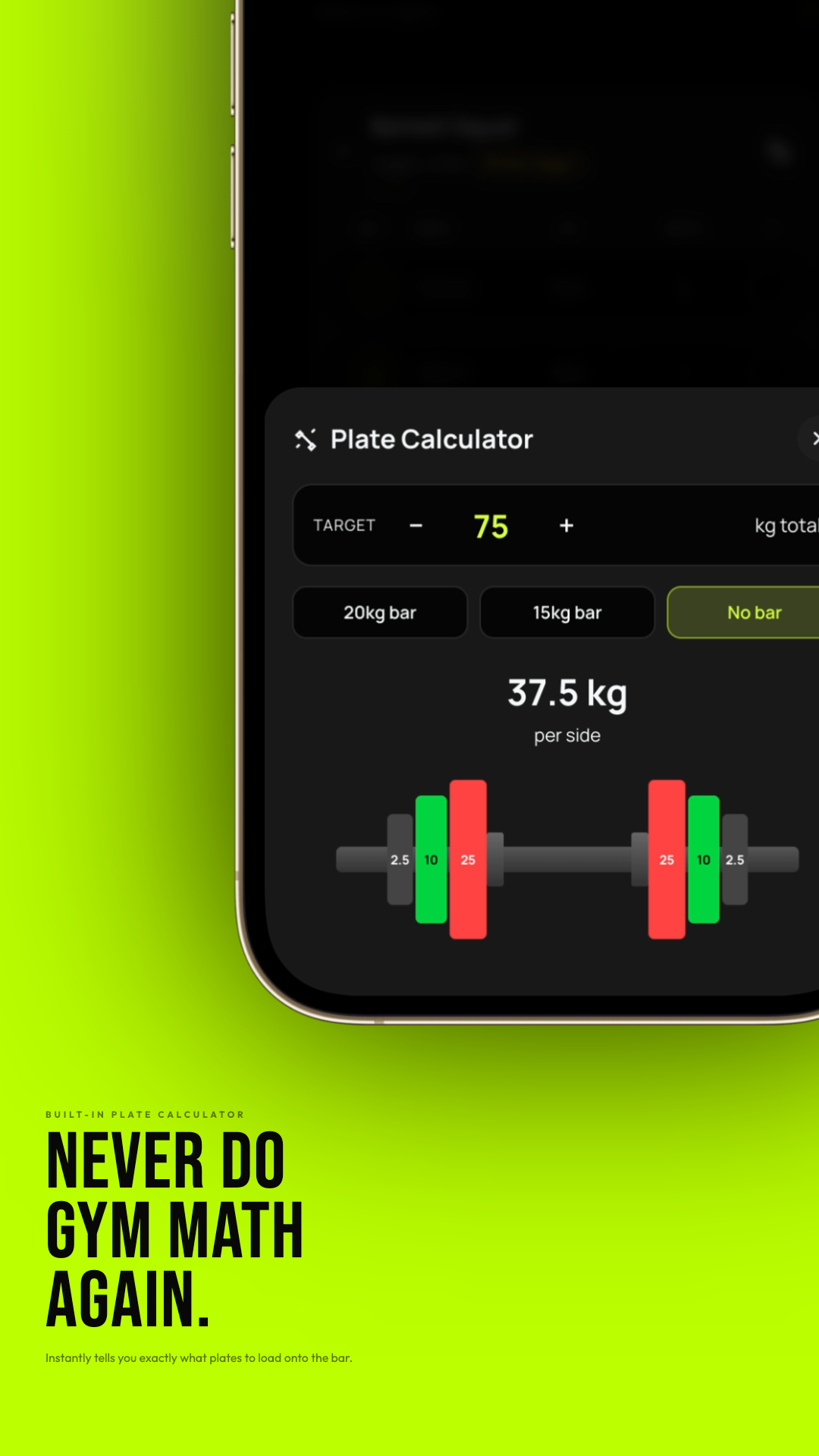
Plate Calculator instantly shows exactly which plates to load on each side of the bar.
-
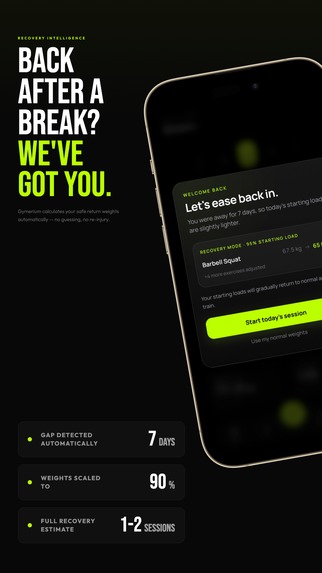
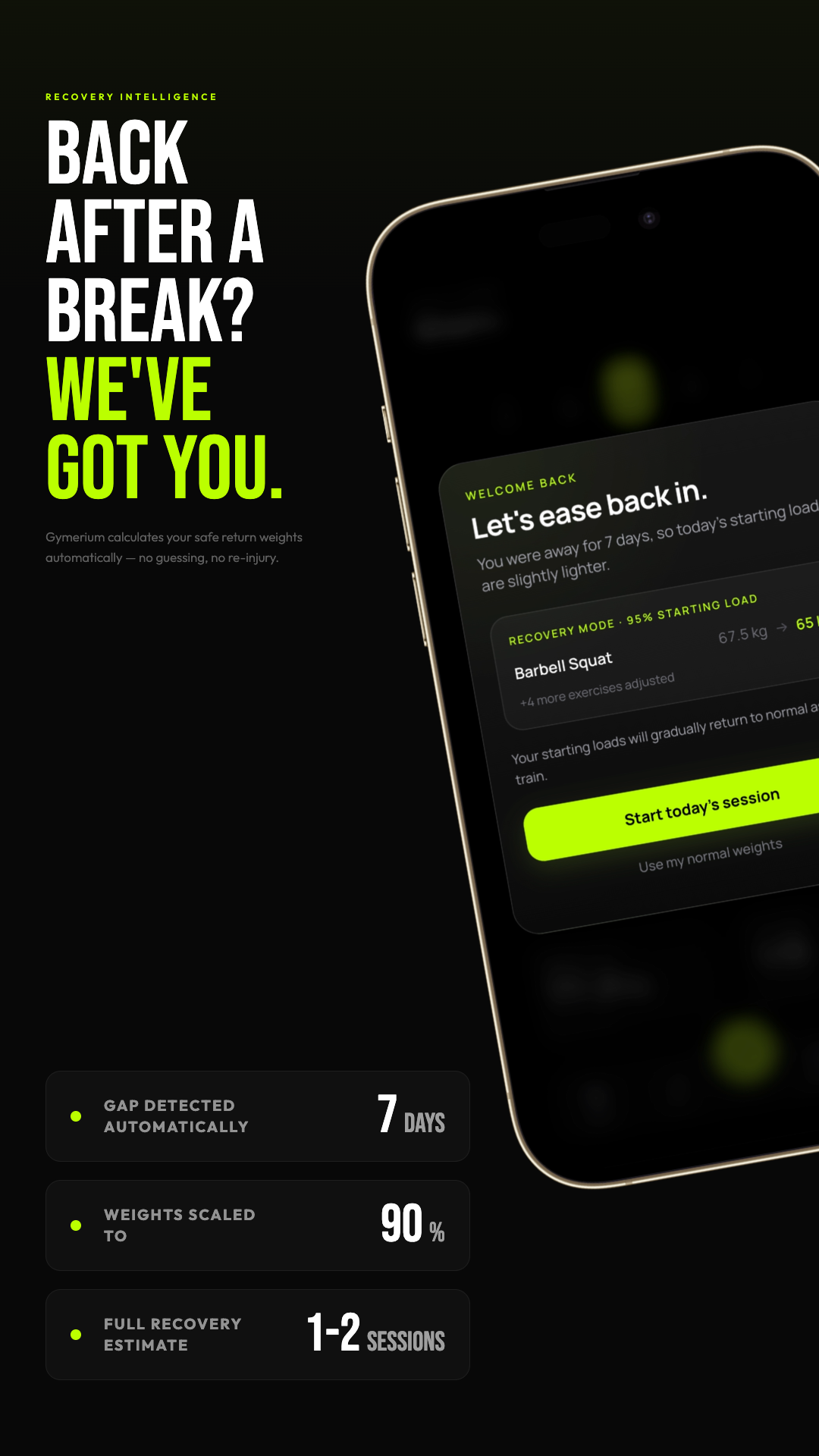
Recovery Mode detects time away from training and scales your return weights for a safer, smoother comeback.
-
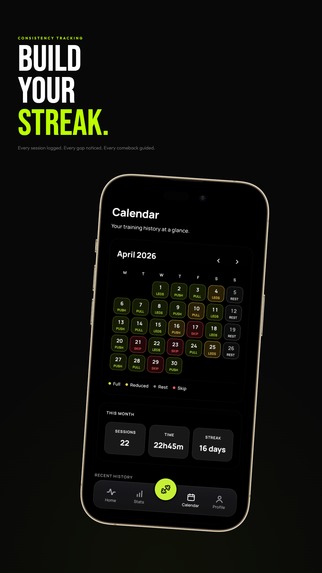
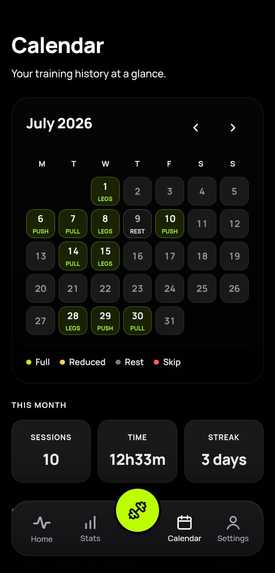
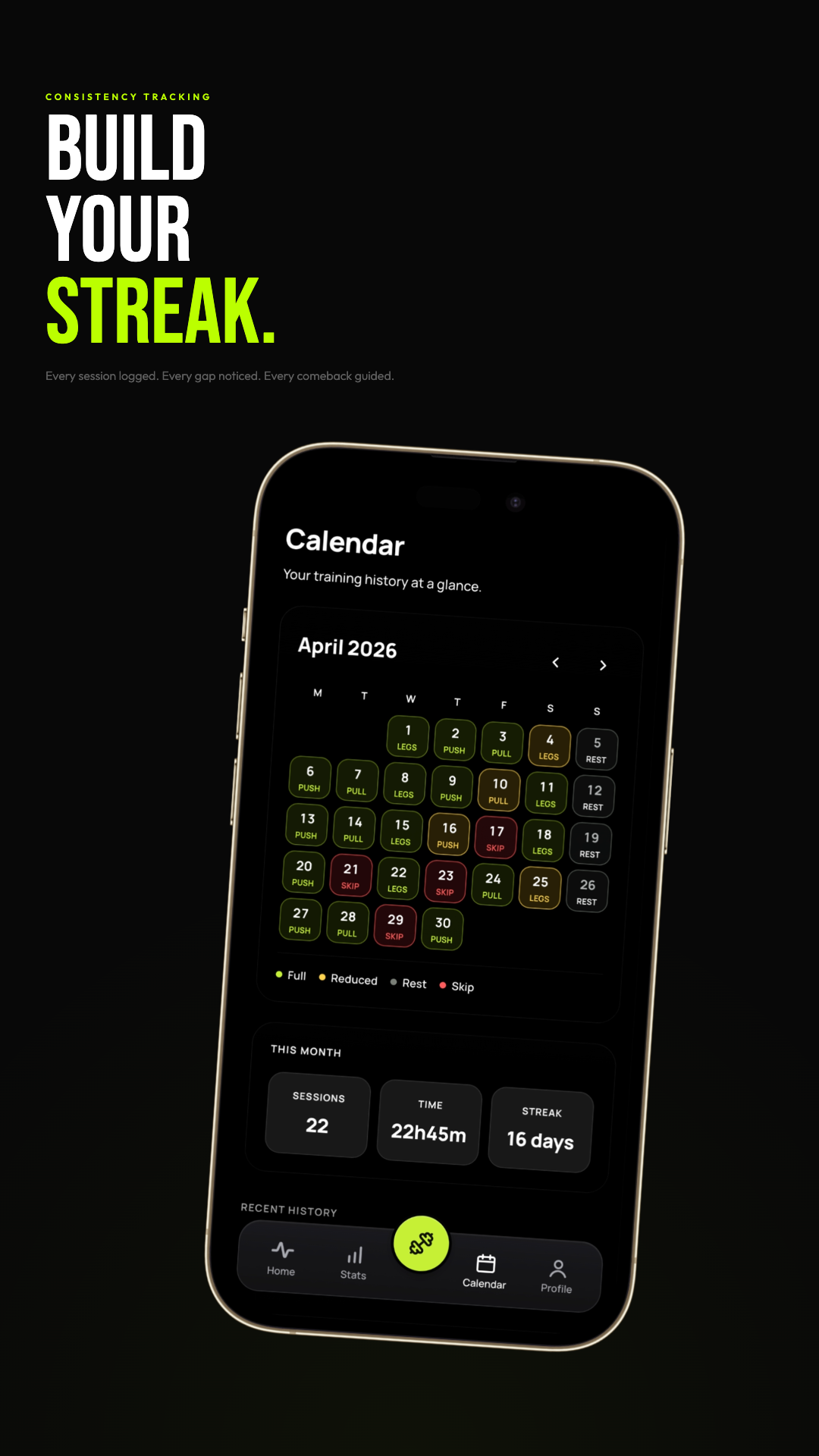
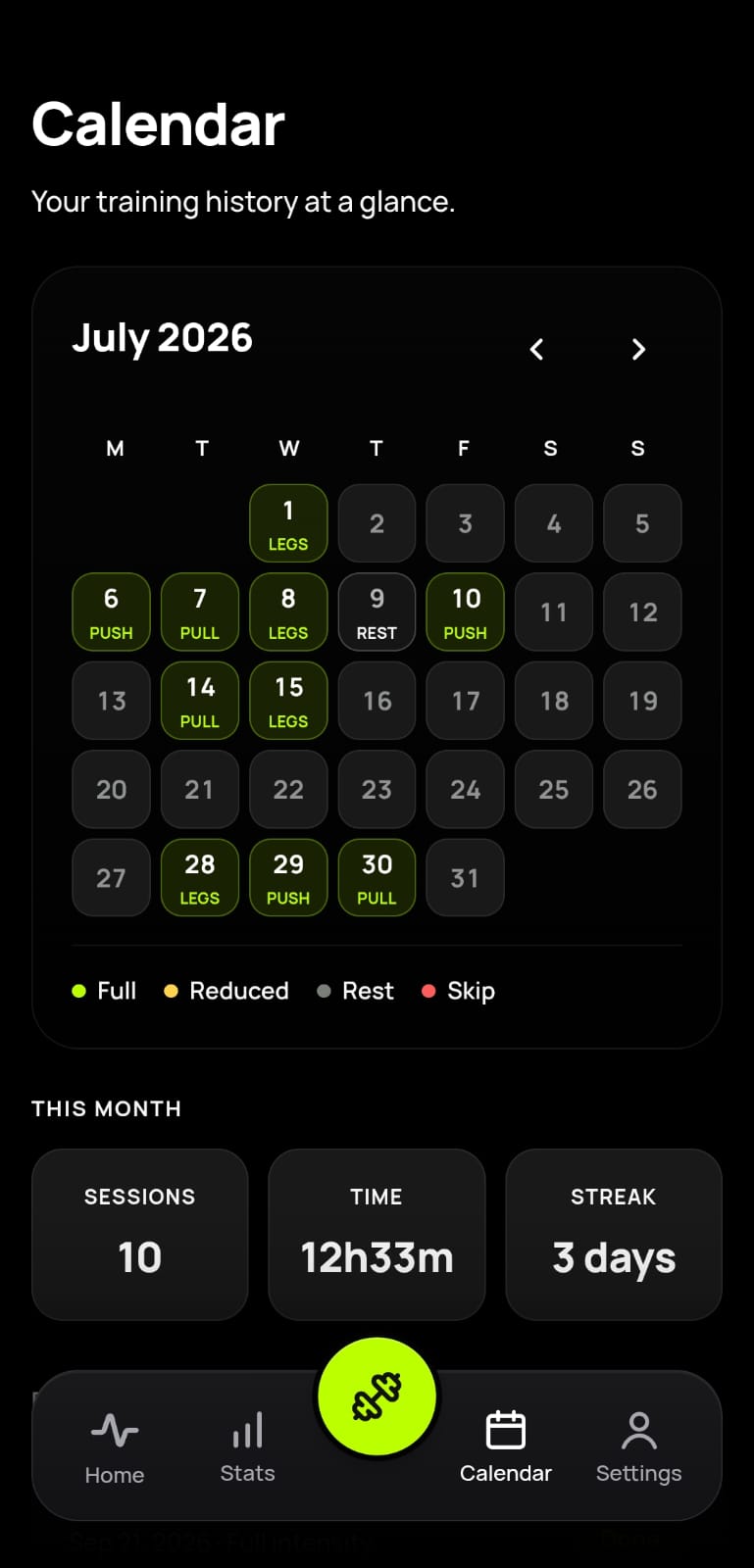
Calendar and streak tracking make consistency visible across full sessions, reduced days, skips, and rest days.
-
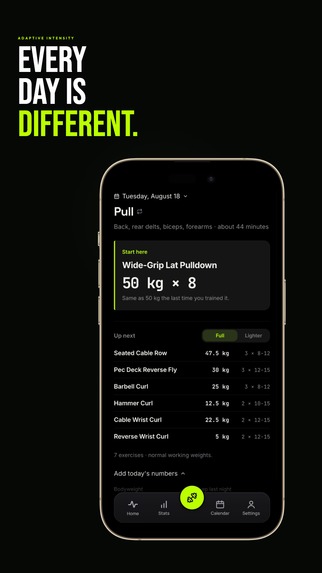
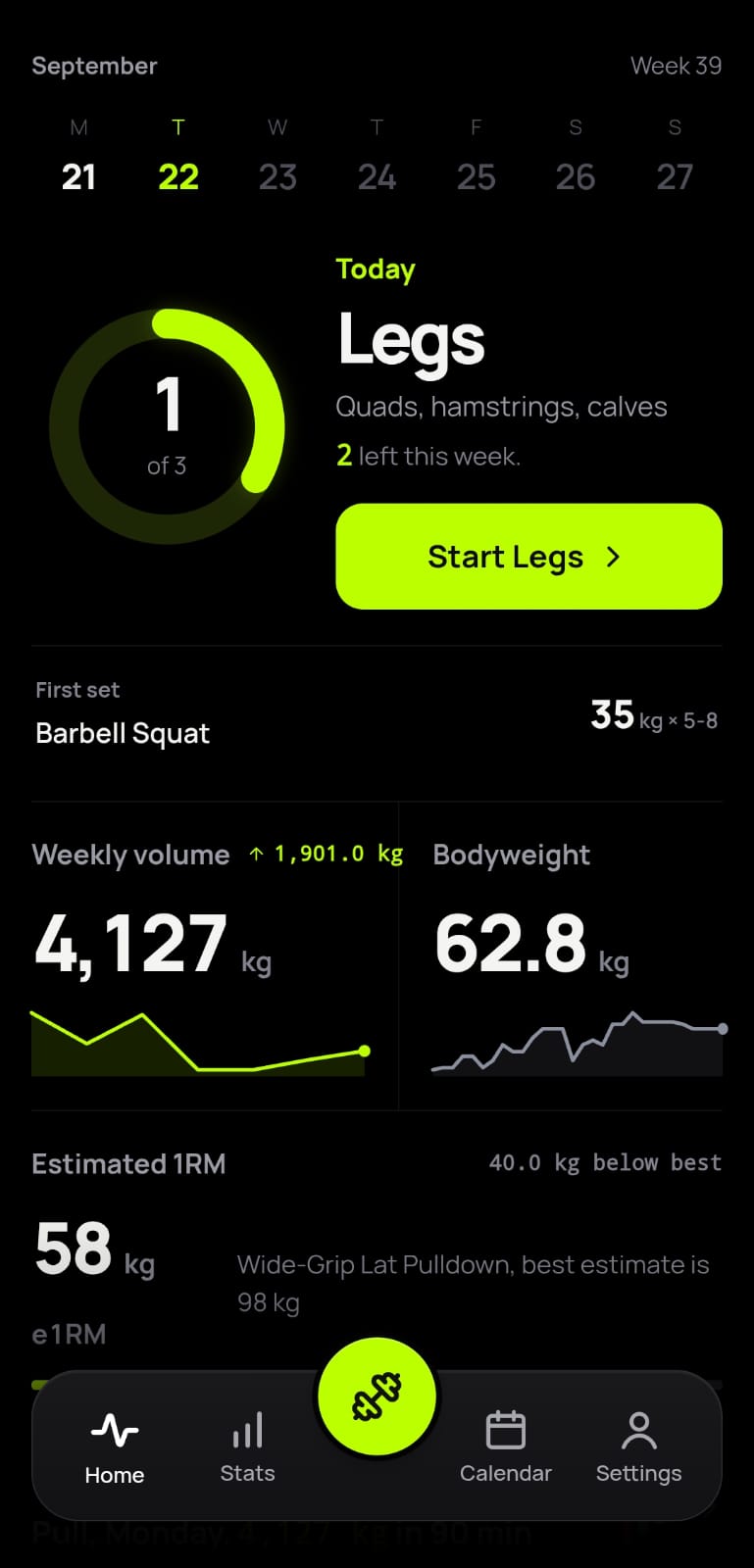
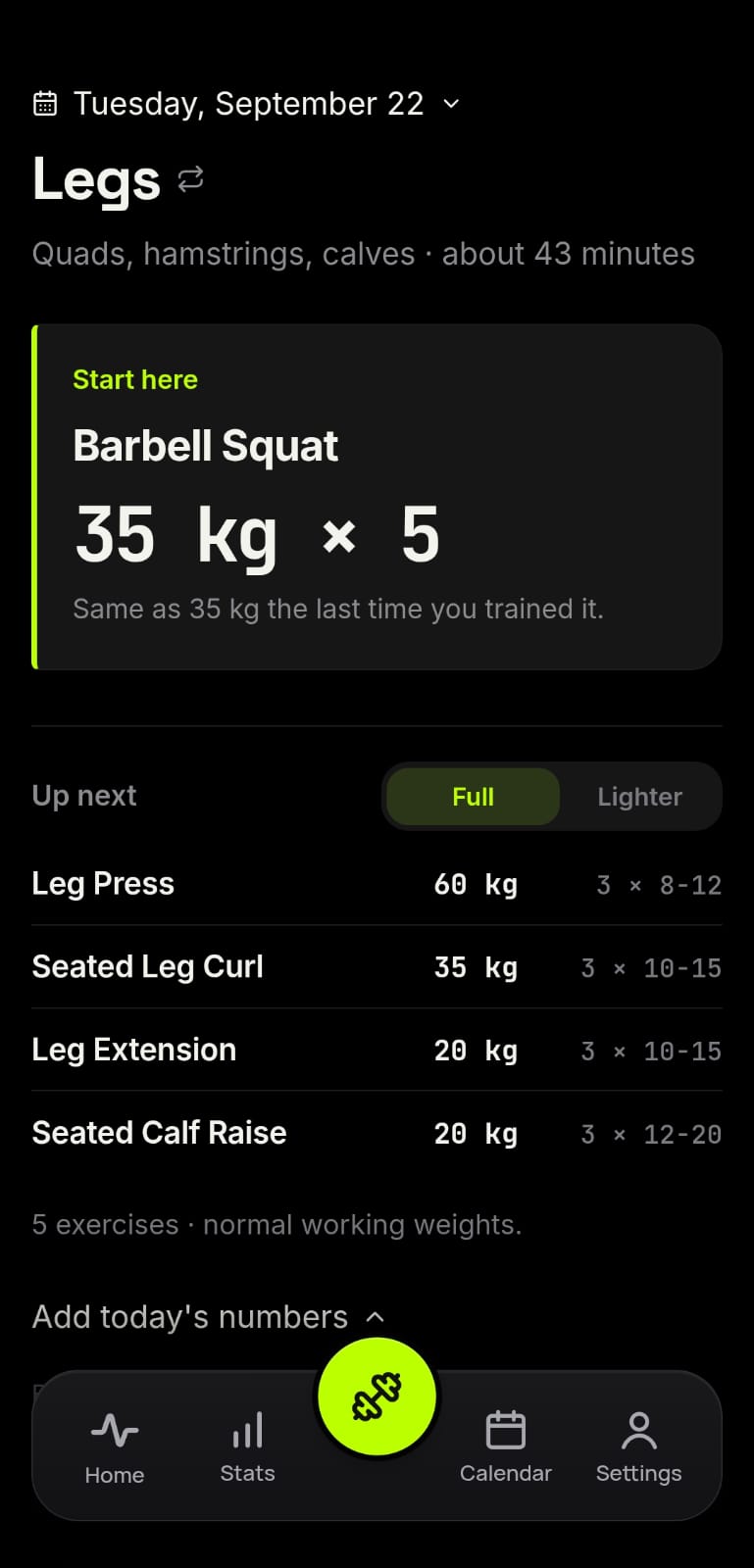
Adaptive sessions adjust your plan around the day - train full, go lighter, rest, or skip when needed.
-
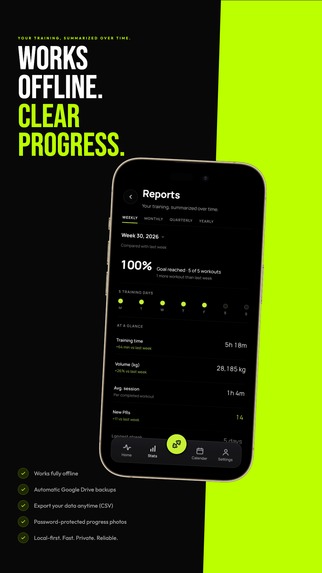
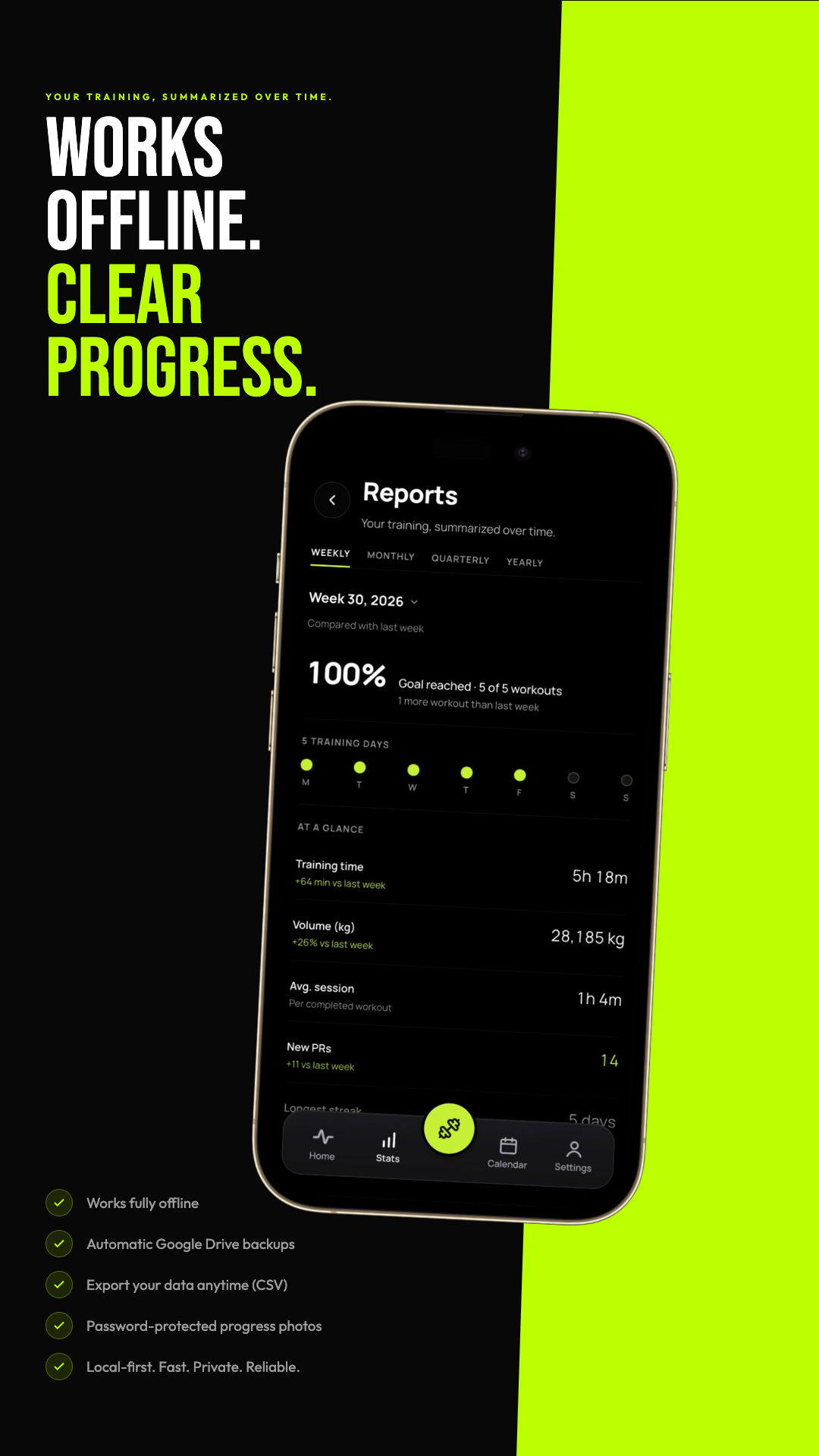
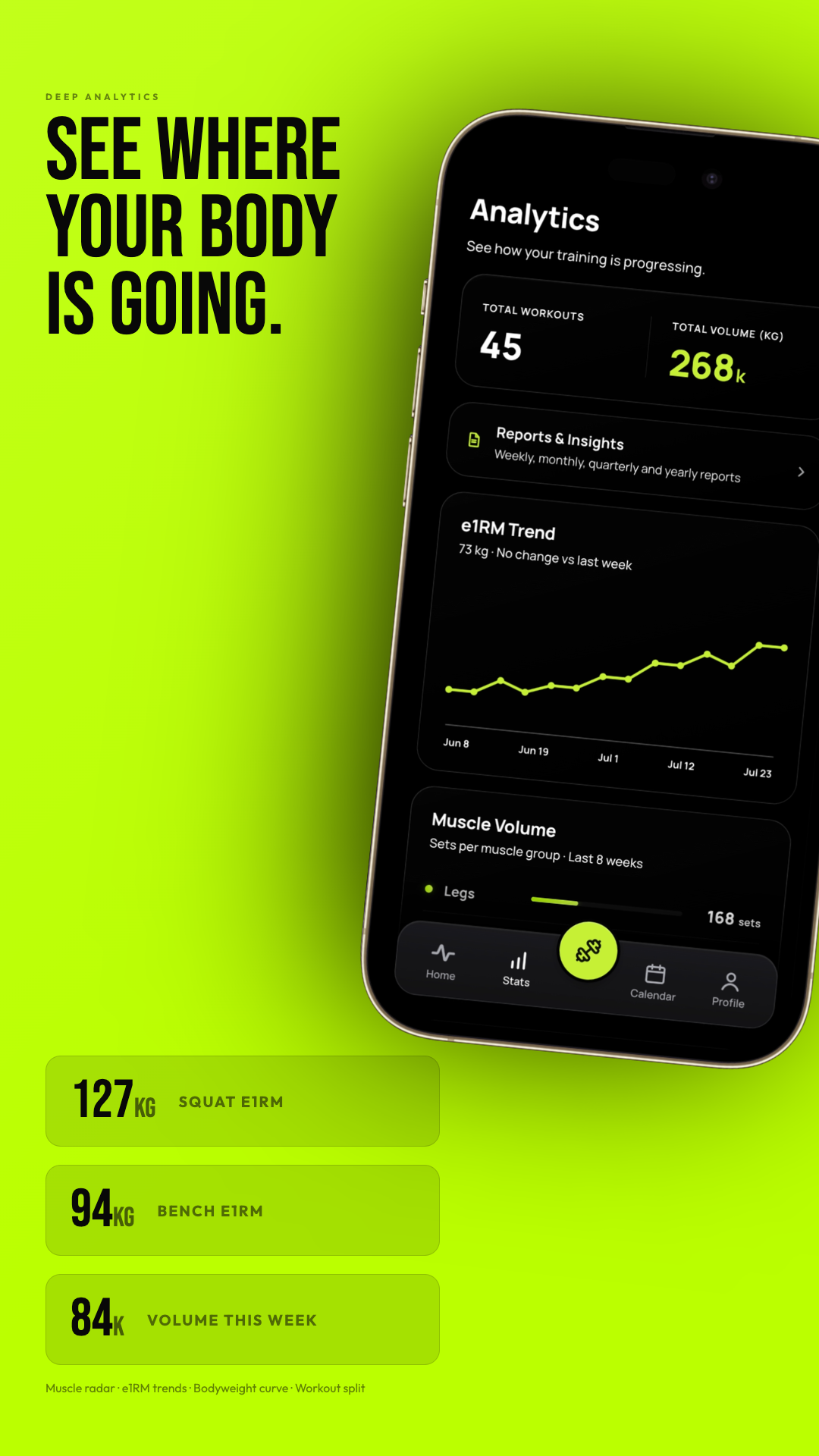
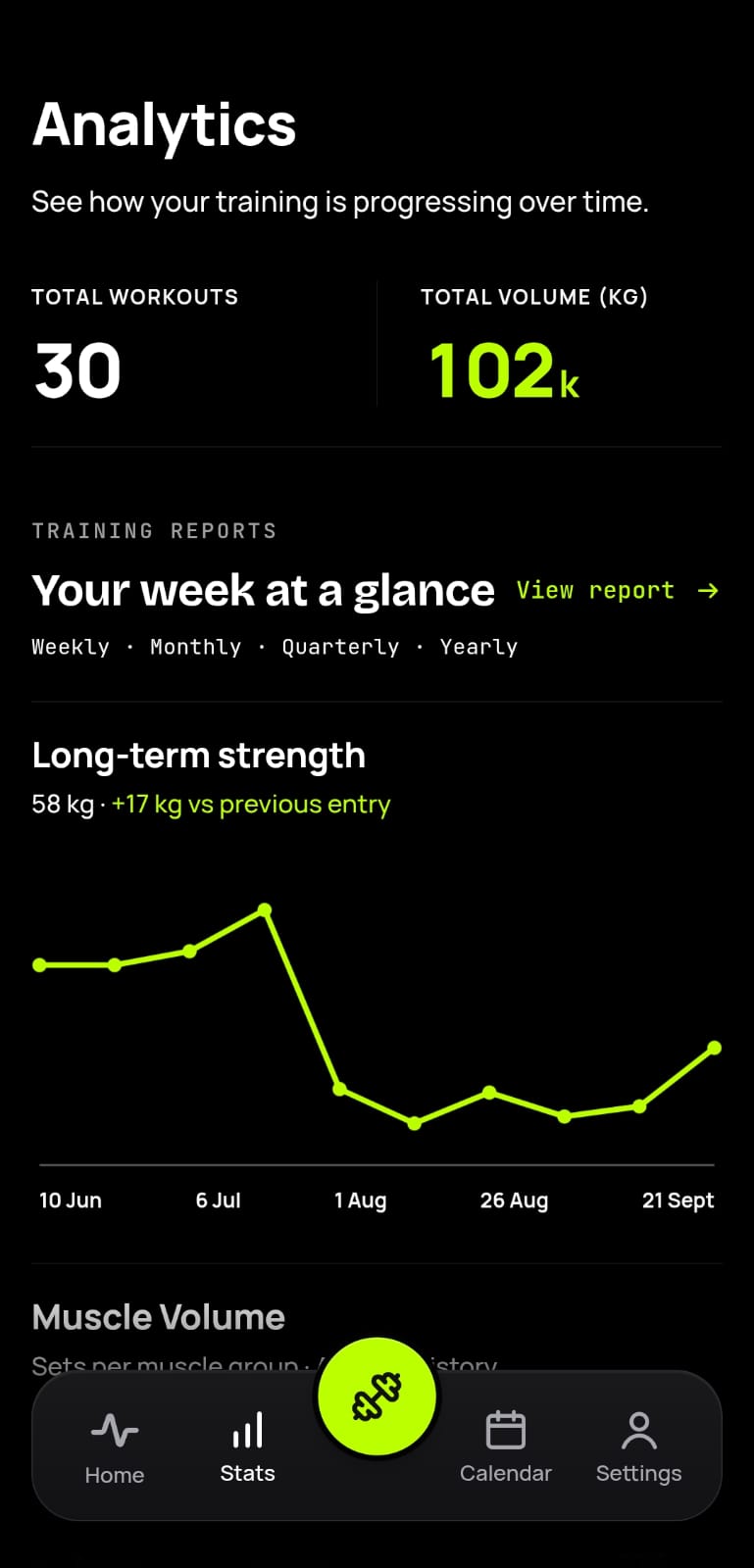
Weekly, monthly, quarterly, and yearly reports summarize your progress and generate shareable report cards.
-
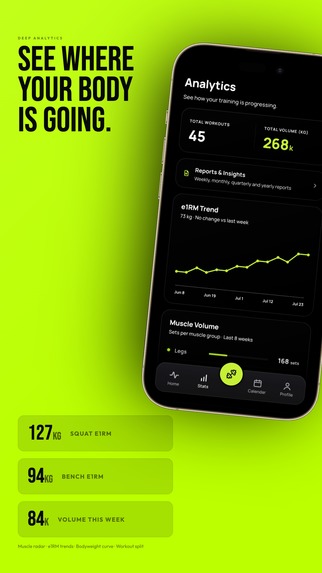
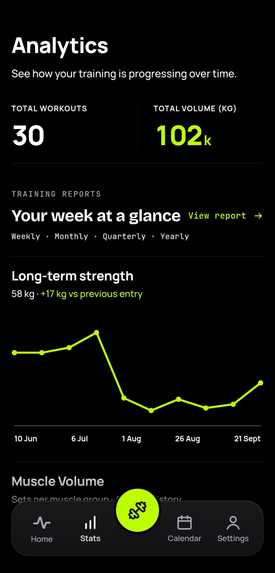
Deep analytics track e1RM trends, muscle volume, bodyweight, workout history, and long-term progress.
-
-
-
-
-
Inspiration
Gymerium started as a personal project.
I had been inconsistent with the gym for a long time, and when I decided to start training seriously again, I wanted a workout tracker that felt simple, fast, and visually matched the kind of apps I enjoy using.
Most trackers I tried either felt cluttered, locked useful features behind subscriptions, or made logging a workout feel like extra work. I originally built Gymerium only for myself: a free tracker that worked offline and made it easy to record sets, follow progress, and stay consistent.
As I kept using and improving it, the project slowly became much more complete. I realized it could be useful to other people who also wanted a straightforward workout tracker, so I decided to prepare it for a real Google Play release.
What it does
Gymerium is an offline-first workout tracker designed to make logging and understanding training progress simple.
Users can:
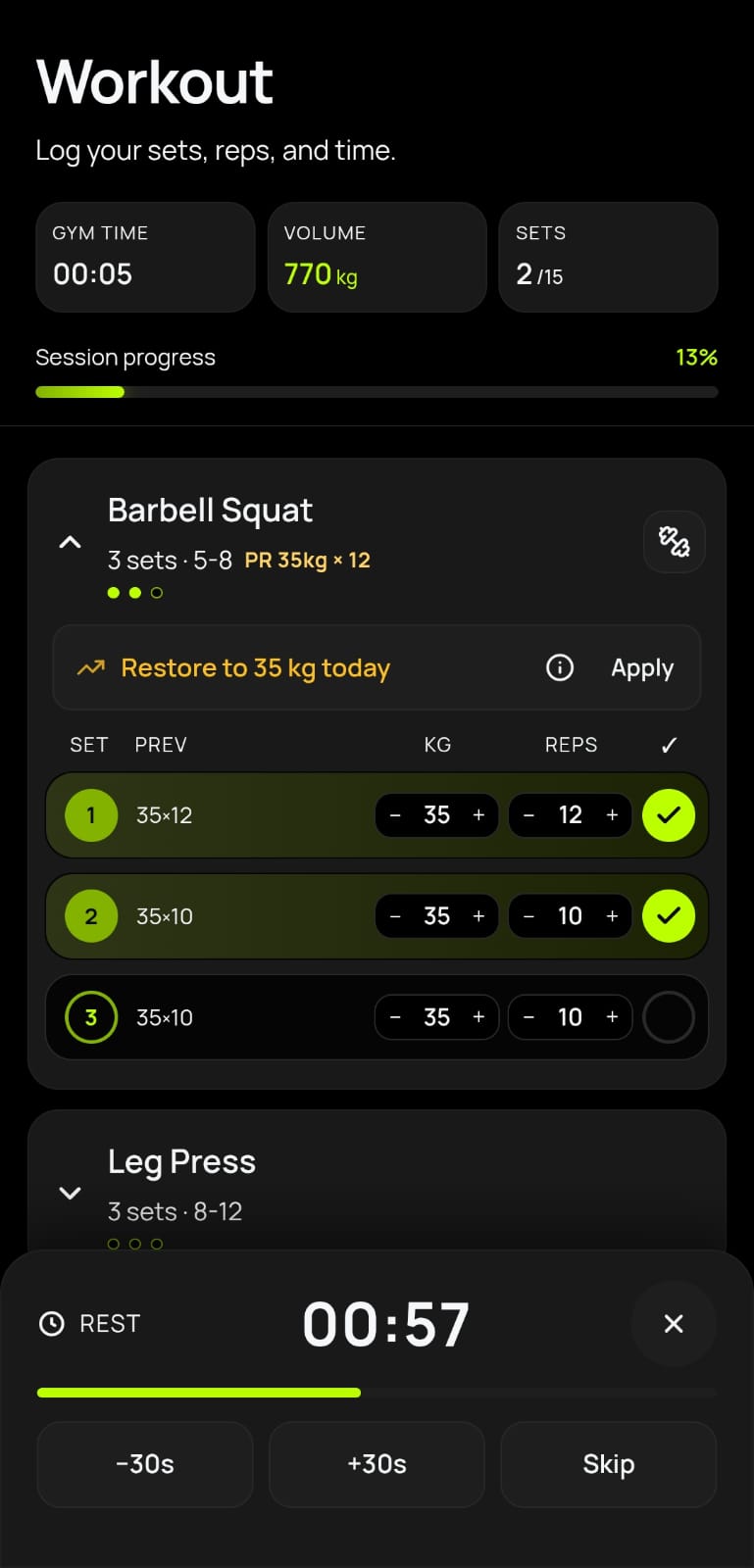
- Create and log workouts, exercises, sets, reps, and weight
- Review previous performance while training
- Track personal records and estimated strength progress
- View weekly training volume and muscle-group balance
- Receive progressive-overload and deload guidance
- Use Recovery Mode when returning after a break
- Track bodyweight and cardio exercises
- Generate weekly, monthly, quarterly, and yearly reports
- Create shareable workout report cards
- Sync data across devices with an optional account
- Export workout data as CSV
- Back up data to Google Drive with Premium
Core workout logging works offline, so users do not need an account or internet connection to begin using the app.
How I built it
Gymerium is built with React, TypeScript, Vite, and Capacitor.
The application uses an offline-first architecture where workout data is stored locally on the device. Supabase provides optional authentication, multi-device synchronization, secure gift-code redemption, and supporting backend functions.
The Android version uses Capacitor to package the web application as a native app. I also added Android-specific features such as ongoing workout and rest-timer notifications.
RevenueCat manages the Google Play subscription products and Premium entitlement. Gymerium keeps its existing custom paywall and uses RevenueCat to handle purchases, restoration, subscription status, and access to Premium features.
Challenges
One of the biggest challenges was keeping the app reliable while offline.
Subscription access, account switching, data synchronization, backups, and workout logging all needed to behave correctly without making an internet connection mandatory. I had to carefully separate local workout data from account-based services and make sure one user's Premium access could never leak into another account.
Another challenge was turning a personal project into something suitable for a public release. That involved improving accessibility, handling Android back navigation, testing purchase and restore flows, protecting user data, polishing reports, supporting different screen sizes, and working through Google Play requirements.
Design was also an ongoing challenge. I wanted the app to feel polished without becoming visually noisy or slowing down the workout-logging experience. Many screens went through several revisions before reaching their current form.
What I learned
Building Gymerium taught me that completing a product involves much more than implementing features.
I learned about:
- Offline-first application architecture
- Mobile subscription lifecycles
- Google Play Billing and RevenueCat
- Account isolation and entitlement security
- Supabase authentication and Edge Functions
- Android and Capacitor integration
- Accessible mobile interaction design
- Designing useful fitness analytics
- Preparing an application for a real store launch
I also learned how important it is to reduce friction. A fitness app cannot help someone remain consistent if logging a workout feels harder than the workout itself.
What's next
The immediate goal is to launch Gymerium on Google Play, collect real user feedback, and continue improving the workout experience.
Future plans include:
- Improving training insights using real usage feedback
- Expanding reporting and progress analysis
- Adding more Android widgets and platform integrations
- Testing different Premium packages and onboarding flows
- Bringing Gymerium to iOS when the resources are available
- Continuing to improve performance, accessibility, and offline reliability
What began as a tracker built to help me become consistent has grown into a complete fitness product that I hope can help others do the same.
Built With
- android
- api
- billing
- capacitor
- cloudflare
- css3
- drive
- github
- html5
- java
- javascript
- mobile
- offline
- pages
- postgresql
- pwa
- react
- rest
- revenuecat
- supabase
- typescript
- vite

Log in or sign up for Devpost to join the conversation.