Inspiration
We both lift alone. Four to five sessions a week, no coach, no training partner, just a phone propped against a water bottle filming sets that sit in our camera rolls unwatched.
The problem hit home when Shayan strained his lower back on a squat that felt fine in the moment but was drifting forward by nearly 3 centimetres at the bottom of every rep. He only found out by rewatching the footage a week later. That 3 cm was invisible in real time. A coach would have caught it on the first set, but coaches cost $80–150 per session and neither of us can afford that five days a week.
We looked for an app that could just tell us where the bar went and what to fix. Everything we found either required wearable sensors, showed us a graph we didn't know how to read, or gave us ten metrics when we needed one sentence.
So we built the app we actually wanted: film the set, get one fix, apply it next set.
What it does
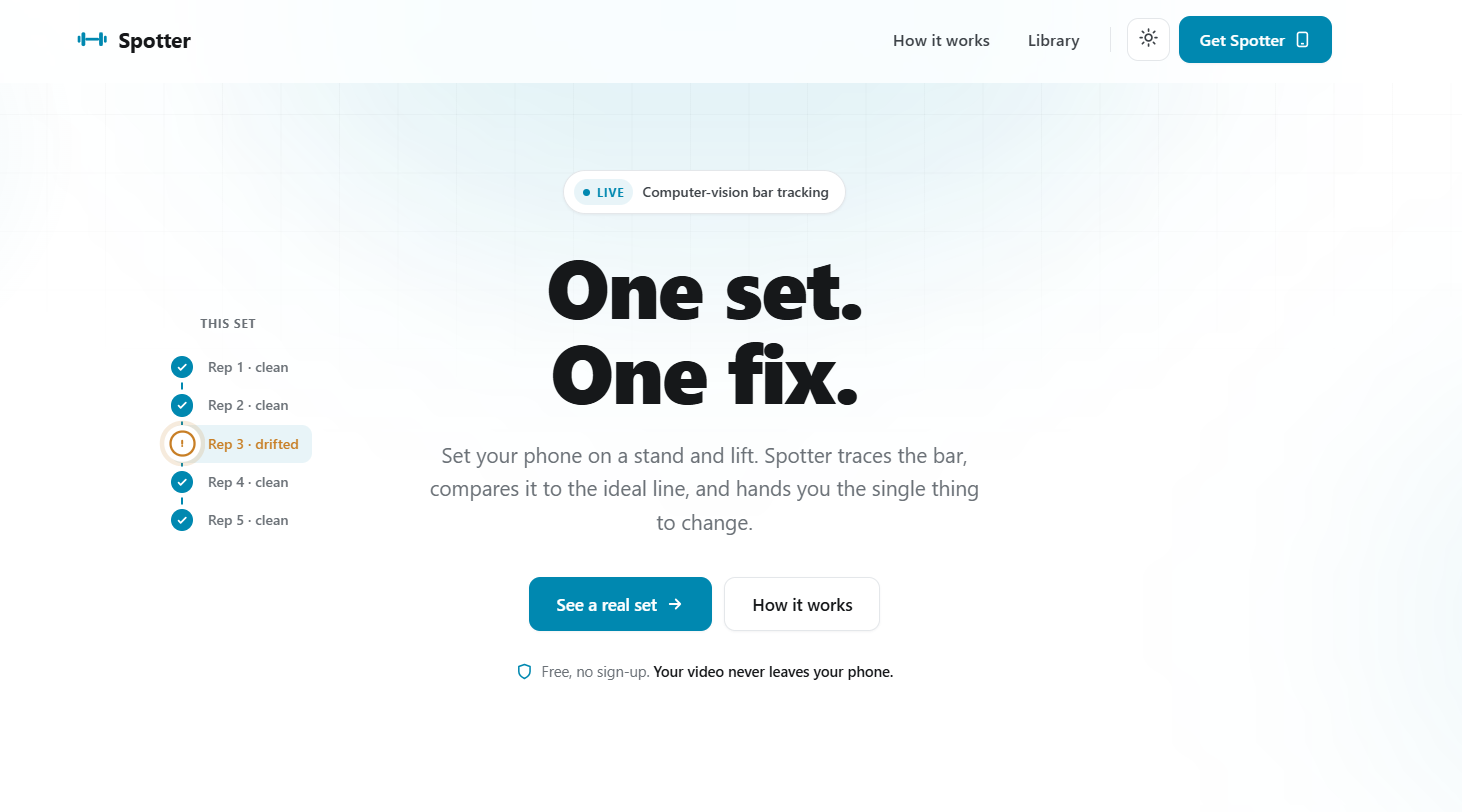
Spotter uses your phone camera to trace the barbell's path during a set, compares it to the biomechanically ideal line for that specific lift, and tells you the one thing to change in plain language.
The workflow is three steps:
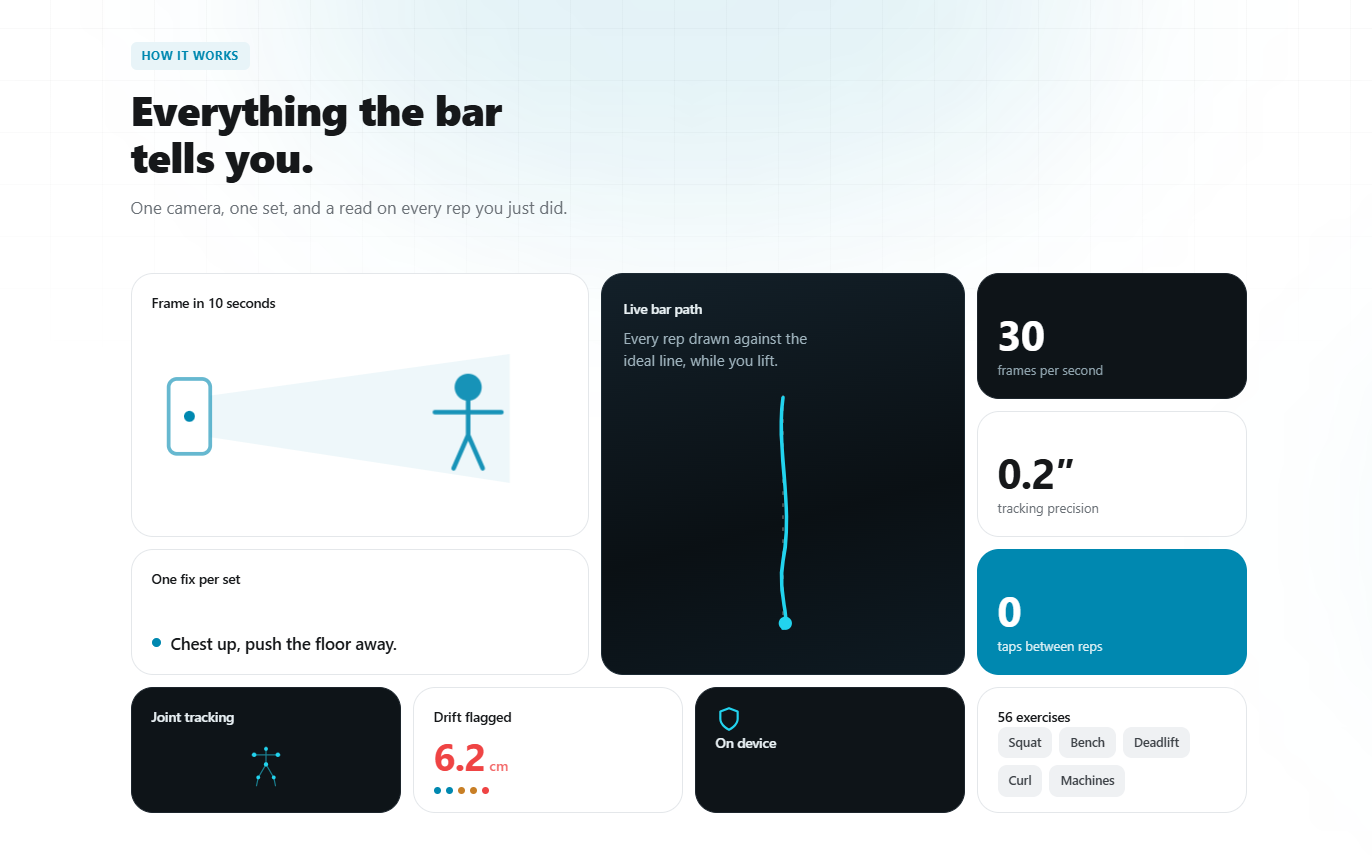
- Frame — Prop your phone against any surface. 10 seconds, no tripod, no calibration.
- Lift — CV tracks at 30 fps. Nothing to tap between reps.
- Read — One coaching cue the moment the set ends.
Under the hood:
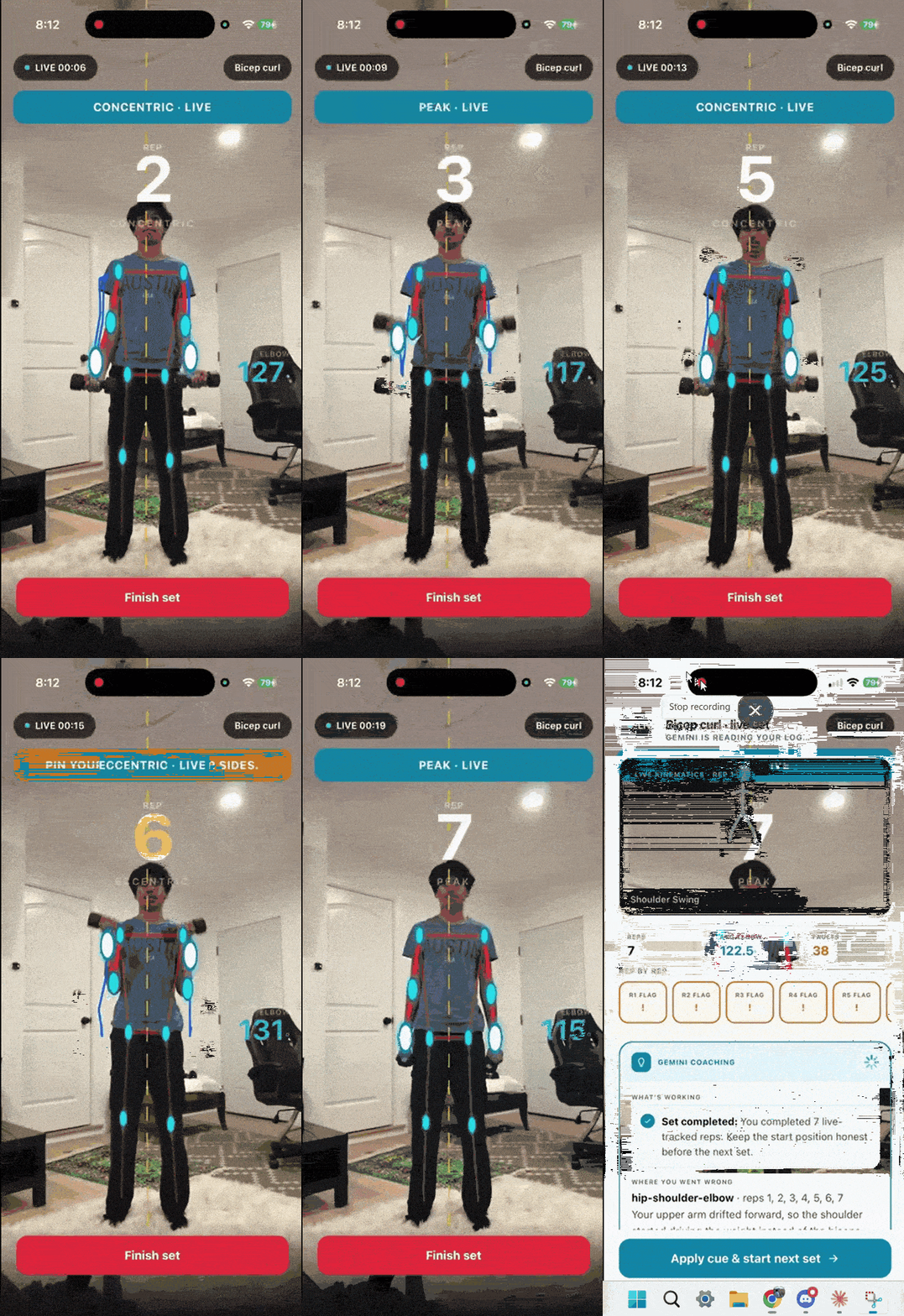
- Tracks 6+ joint keypoints and both bar collars at 30 fps
- Supports 56 exercises, each with their own ideal path shape
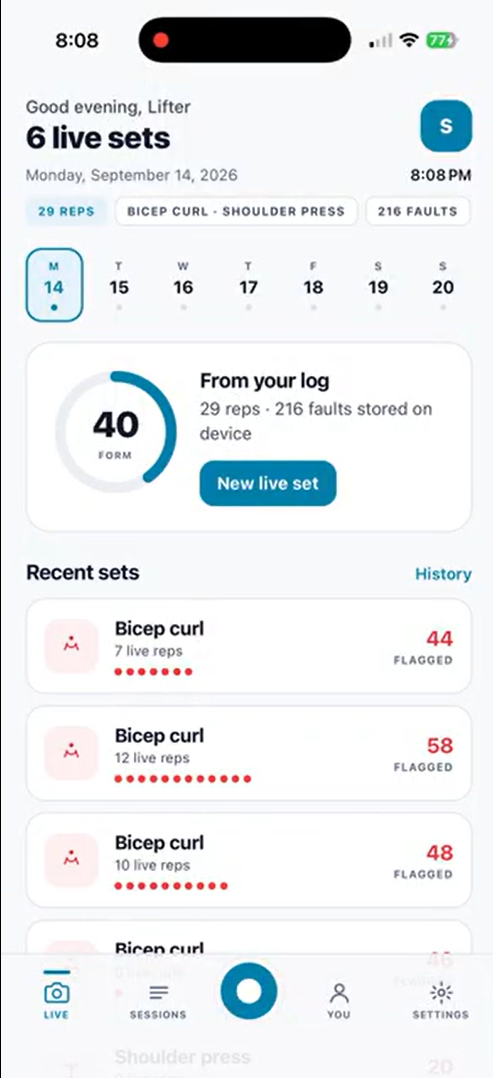
- Flags per-rep drift with colour-coded status: 🟢 clean, 🟡 drifted, 🔴 flagged
- Presents diagnosis as one actionable sentence
Privacy by default:
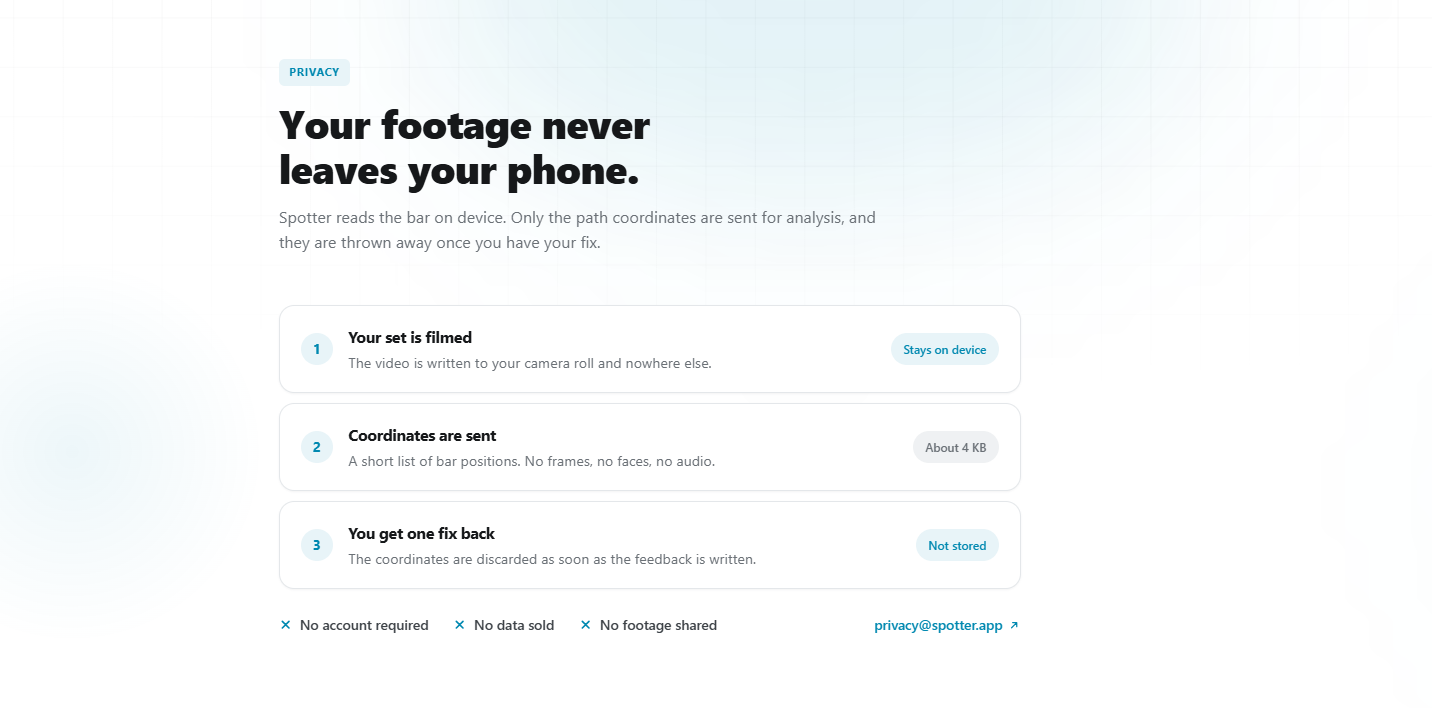
- Video is processed entirely on-device and never uploaded
- Only ~4 KB of coordinate data leaves the phone
- Data is discarded once the fix is generated
- No account required, no subscription, no ads
How we built it
Stack
- Frontend: React Native (iOS + Android from one codebase)
- CV Pipeline: Pose estimation tracking joints + bar collars at 30 fps from the RGB camera — no depth sensor, no markers
- Backend: Python FastAPI receiving coordinate data (not video), running path analysis against 56 lift-specific ideal trajectories
- AI Coaching: Deviation data fed to an LLM that generates one plain-language fix calibrated to the lift and failure mode
Prototype
We built a full interactive prototype as self-contained HTML with:
- All 56 exercises with category filtering and search
- Working recording flow — countdown, live HUD with skeleton overlay, rep counter, drift/velocity readouts
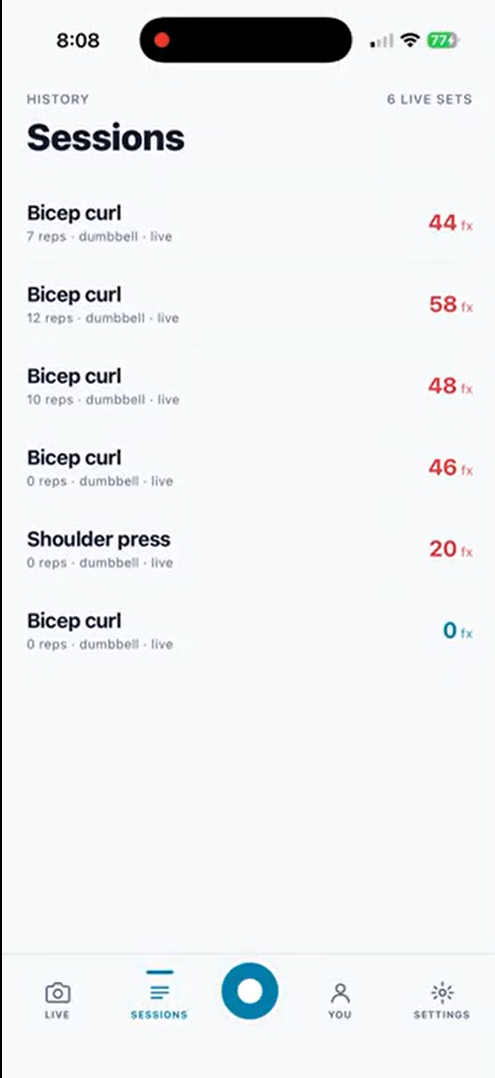
- Results screen with per-rep telemetry, bar path visualization, and AI diagnosis
- Units conversion that actually converts (cm ↔ in, kg ↔ lb)
- Light and dark mode
Landing page
Self-contained HTML, no build step, no dependencies. Features a bento grid with animated exercise figures, an iPhone mockup showing real product output, privacy breakdown, exercise library, and developer credits. Deploys by dragging one file onto Netlify.
Everything was designed around one constraint: a lifter mid-set cannot interact with their phone. That drove the zero-tap recording flow and the decision to output one fix instead of a dashboard.
Challenges we ran into
The animation physics problem
We have five distinct figure types (squat, bench, hinge, curl, machine) that each animate differently because the biomechanics are different. A squat compresses vertically with the bar staying rigid and horizontal. A bench press pumps the arms while lying flat. A hinge rotates at the hips.
Our first squat figure rotated the upper body at the shoulders, which made the barbell tilt diagonally mid-rep — a physics violation any lifter would spot instantly. We rebuilt it to use vertical compression so the bar stays level throughout.
The CSS cascade problem
The landing page was rebuilt from scratch multiple times. CSS edits that replaced one section's styles would silently delete another section's styles because of string-slice boundaries, causing entire sections to render as unstyled text. We learned to verify every change with automated tests rather than trusting screenshots.
The timer leak
Abandoning a recording mid-set left setInterval timers alive. The next session inherited the old rep count and clock. We only caught this because we wrote a test for it — 6 tests specifically covering abandoned-set cleanup. It never showed up in manual testing because we always finished our sets.
By the end we had 28 automated tests covering the scanning state machine, recording logic, and timer leak detection.
Accomplishments that we're proud of
The "one fix" decision
Every fitness app we looked at gives you a wall of numbers. We deliberately constrained our output to a single coaching sentence because motor learning research shows that single-cue, external-focus feedback produces faster skill acquisition than multi-cue feedback.
That constraint shaped every product decision: the zero-tap recording flow, the per-rep status dots instead of a per-rep essay, the diagnosis card that says "Chest tall, push the floor away" instead of showing six graphs.
Designing for less was harder than designing for more.
The privacy architecture
Most fitness apps upload body video to cloud servers as a default. Spotter processes video on-device, sends only ~4 KB of coordinate data (the size of a text message), and deletes it after the fix is returned.
We think this should be the baseline for any app that points a camera at someone's body — not a premium feature behind a paywall.
The interactive prototype
A judge can tap through the entire user journey without hitting a dead end: browse 56 exercises across 9 categories, search, filter, start a recording, watch the countdown, see the live HUD with a tracked skeleton, get results with per-rep telemetry, read the AI diagnosis, toggle units, switch themes. All functional.
What we learned
The hardest part of a product isn't the technology — it's the decision about what to leave out.
We spent more time arguing about whether to show two fixes or one than we spent on the entire CV pipeline. We learned that "one fix" sounds like a limitation until you try to use an app that gives you ten fixes and you apply zero of them.
We also learned that a landing page is a product in itself. The number of times we rebuilt sections, fixed CSS that broke other CSS, restored animations that had been silently deleted, and re-verified responsive layouts at five different widths taught us that frontend work compounds in complexity far faster than it appears.
Automated testing saved us repeatedly. The timer leak bug — where abandoned recording sessions left intervals running that corrupted the next session's rep count — would have shipped if we hadn't written a specific test for it.
Build the test before you trust the demo.
What's next for Spotter
Now — Launch 56 exercises, single-camera tracking, one-fix feedback loop. Free, no account.
Q1 2027 — Go deeper Multi-angle camera support for 3D path reconstruction. Session history with rep-over-rep trend tracking. Progressive overload recommendations based on concentric bar speed decline.
Q2 2027 — Go social Coach dashboard so trainers receive client set data in real time. Team-level analytics for strength programs. Exportable PDF reports for physiotherapy documentation.
Q3 2027 — Go wide Apple Watch companion for wrist-based rep detection. Gym-screen mode for wall-mounted displays. Public API so third-party fitness platforms can plug into Spotter's analysis engine.
The long-term vision: bar path feedback becomes as standard as a rep counter, and "I can't afford a coach" stops being a reason to train blind.
Built With
- computervision
- fastapi
- gemini
- reactnative


Log in or sign up for Devpost to join the conversation.