Inspiration
Kids need to learn how to tell time from an analog clock. This app is a quiz game for kids to play to say the analog clock time displayed on the app. Whenever the kids enter the correct time, they gain 1 point. If they get enough points, they get certain toys. Stuffed animals are rewards for girls, and robot toys are rewards for boys.
What it does
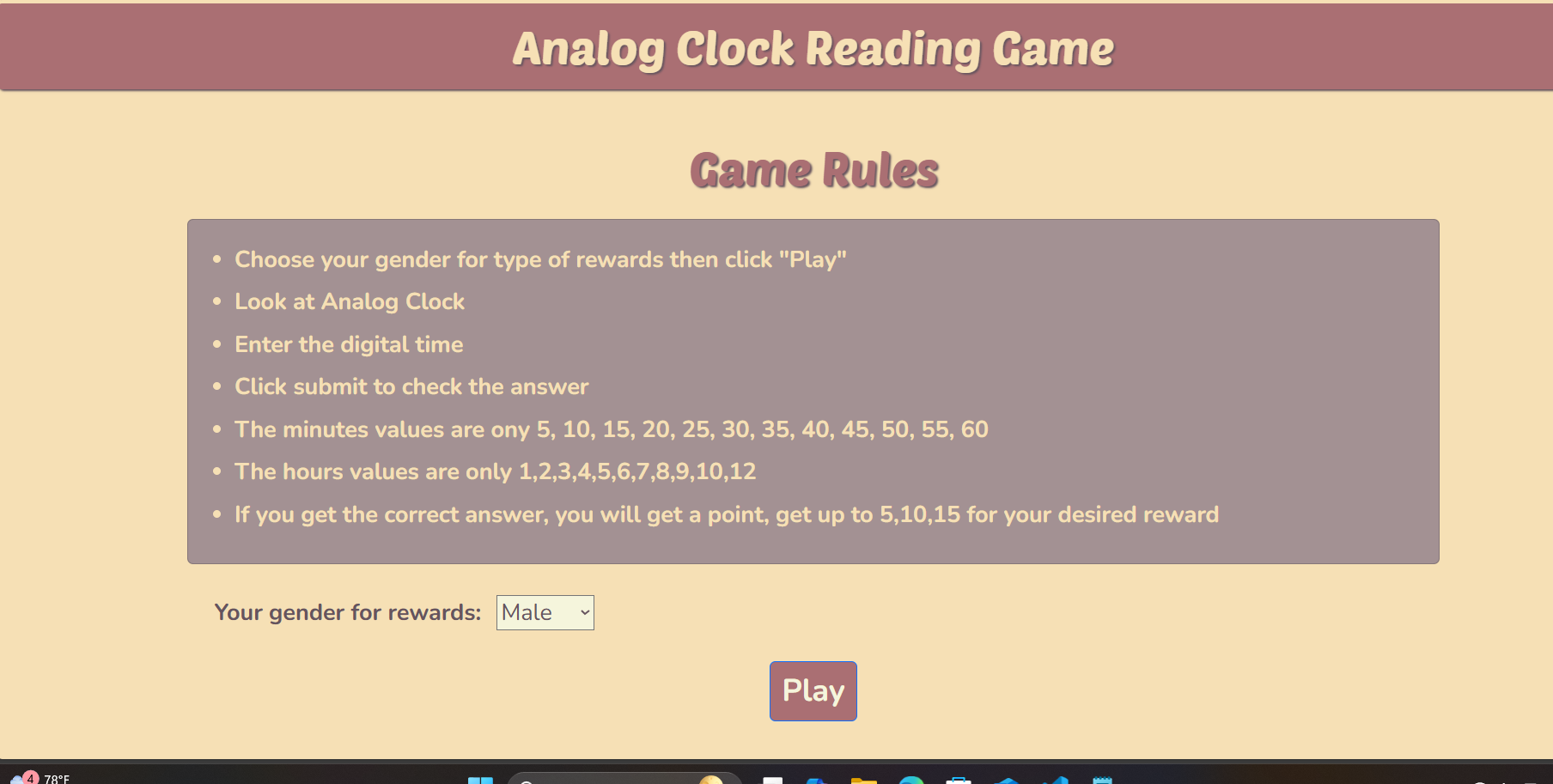
- The app displays the game rules
- The app asks users their gender for the rewards they get. If the user didn't choose, it automatically gives the user the stuffed animals.
- The users click Play, and the app displays the game screen.
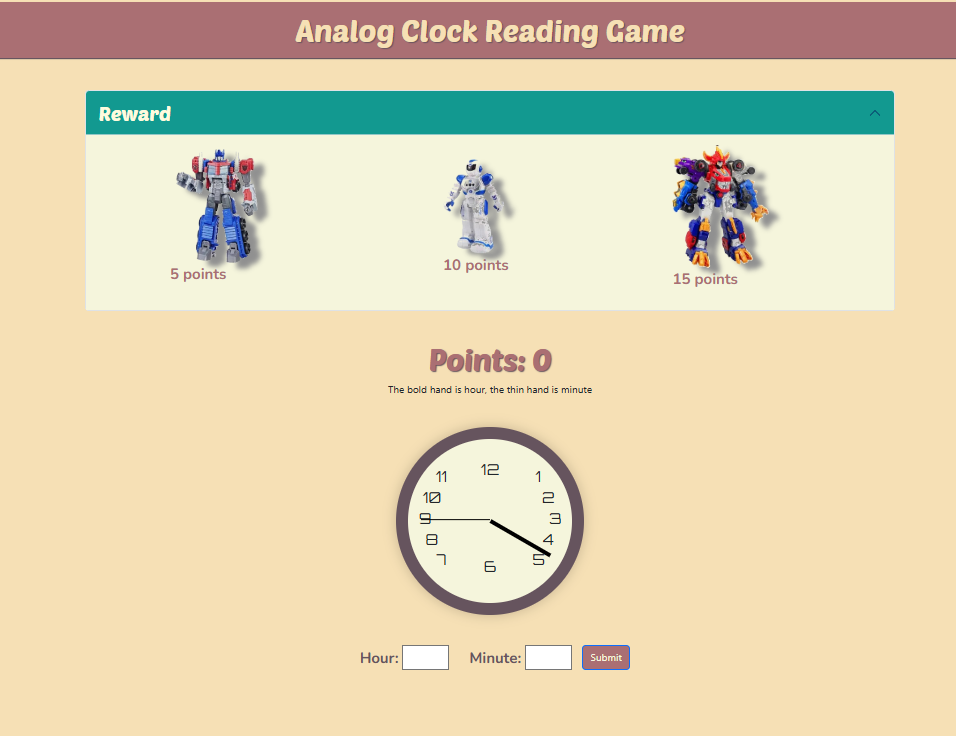
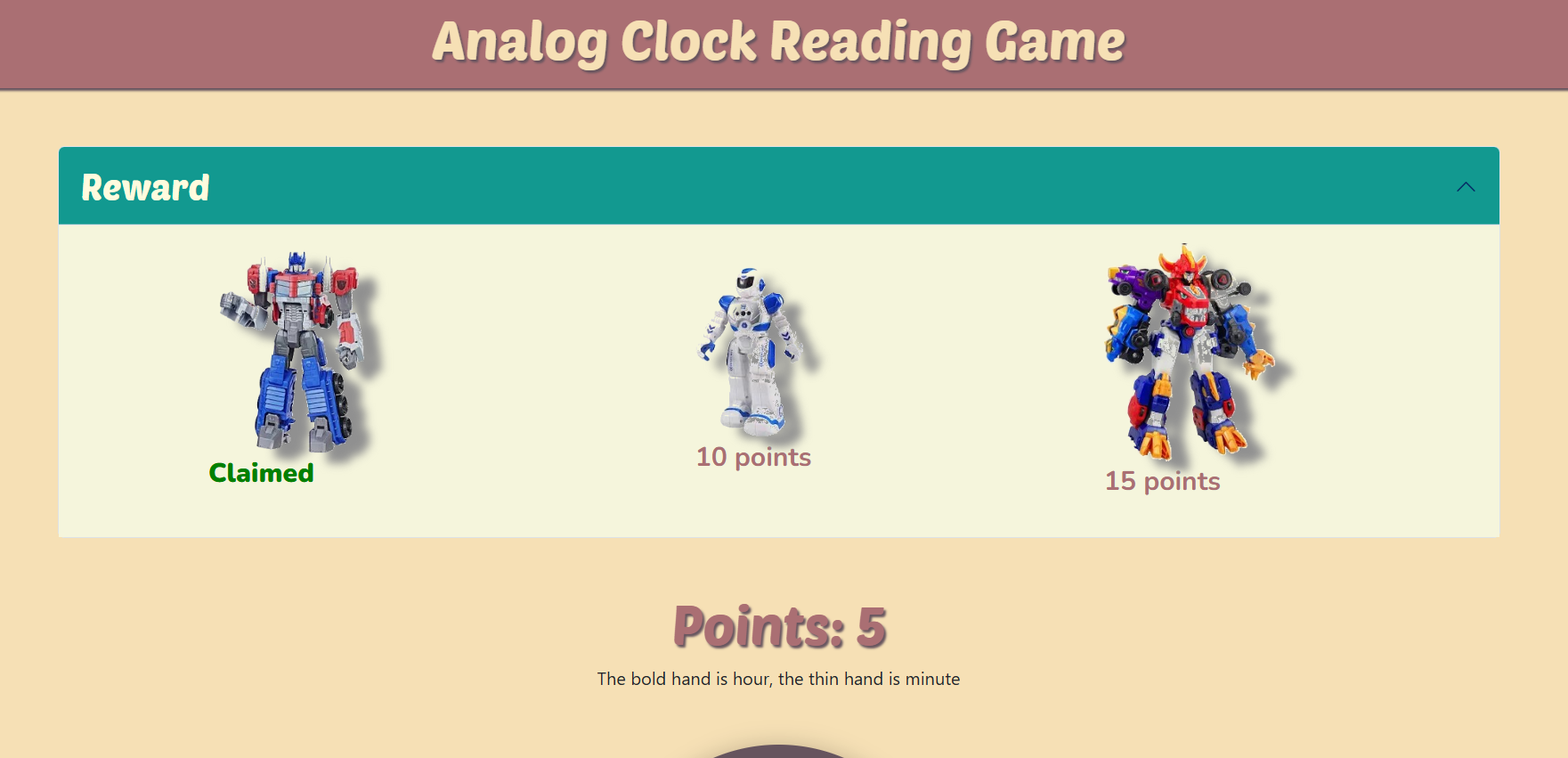
- The game screen displays an accordion that shows the reward the user will get once they get enough points
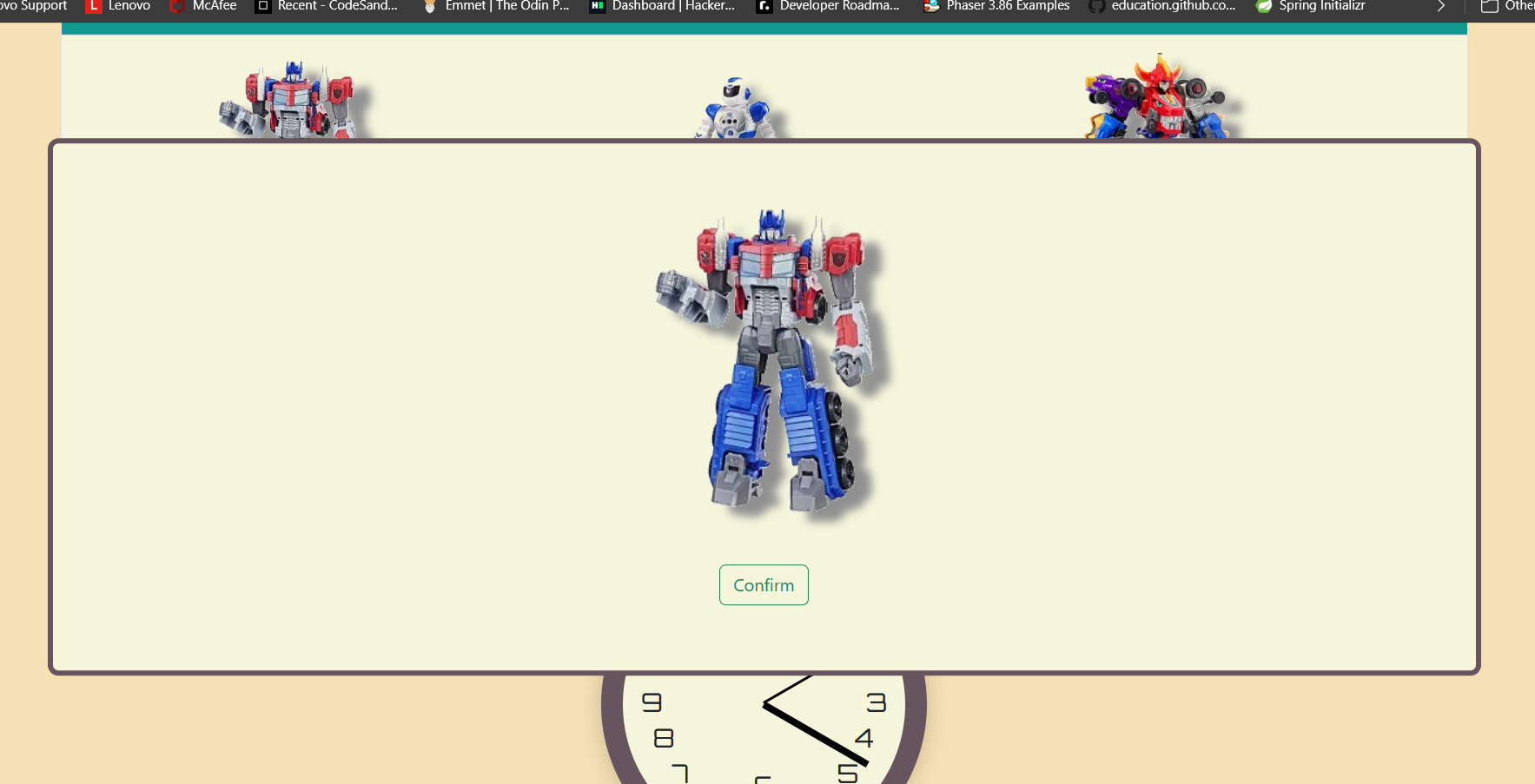
- Once the user gets to a certain point, the app displays a window showing that the user has claimed the reward, and the user has to click Confirm to close the window.
- The user can continue playing until they get all the rewards.
How we built it
- Create a React.js app and integrate Bootstrap CSS into the app.
- Used React to create different components.
- The first component includes the game title and its background.
- Used React DOM to create a route and a path that can be clicked to direct to a component.
- The second component is the game rule screen.
- This component displays the game rules, prompts users for gender, and includes a Play button.
- If the user clicks the Play button, the user will be directed to the Game screen with the gender selected by the user being passed over, which is also the Game component.
- The Game component contains Reward and AnalogClock components.
- The Game component tracks the hours, minutes, and score.
- Every time the Game component renders, it generates a random hour (1-12) and minutes (0-55).
- We pass the gender and score to the Reward component, and the Reward component shows the list of rewards depending on the gender passed over (Stuff animals if Female, Robots if Male) that the user can get for 5,10,15 points.
- The Game component displays the score.
- The Game component passes in the random hour and minute to the AnalogClock component, and the AnalogClock component displays the Analog Clock with the random hour and minute.
- The Game component prompts for user input for the minute and hour
- After the User enters the minute and hour, the Game component compares it with the random hour and minute. If they both match, then update the score
- Use GitHub gh-pages to host the React App.
Challenges we ran into
- How do you make the analog clock with a specific hand for hours and minutes?
- Thanks to GeeksForGeeks, I created my analog clock and set the hour and minute hands with the generated random hour and minute. Link is link
- I didn't know how to pass gender through the Navlink in React DOM. So I had to Google it and find the answer.
- I struggled to display a reward window when the user hit 5, 10, or 15 points as the score. I have figured out how to use the React useEffect() hook to set the visibility/display property of the window every time the score changes.
- I didn't know how to host the React App on Github, so I googled it and thanks to this link, I can deploy it link
- I followed the instructions, and it still does not work for gh-pages, so I look for the fix. The solution is to use HashRouter. link.
- Another challenge was to style the application using HashRouter; I had to apply a more specific style for the page to deploy the CSS color correctly.
Accomplishments that we're proud of
- I created an analog clock that displays random times for kids to read and answer. What time is it in terms of hours and minutes? Also, the reward for the kids should be displayed so that the game is more fun. I accomplished what I expected the app to turn out to be.
What we learned
- I have learned how to make an Analog Clock using HTML, CSS, and JavaScript and customize it into my desired app.
- I have learned how to pass input data through navigation from React DOM.
- I have learned how to pass data into each component effectively.
- I have learned how to separate React components for easier management.
- I have learned how to apply the useEffect hook effectively.
- I have learned how to deploy a React app to be hosted on GitHub.
What's next for Analog Clock Reader Game For Kids
- We can add more levels to the game, story lines, and rewards.
Built With
- bootstrap
- css
- html
- javascript
- react
- react-dom
- react.js


Log in or sign up for Devpost to join the conversation.