-
-
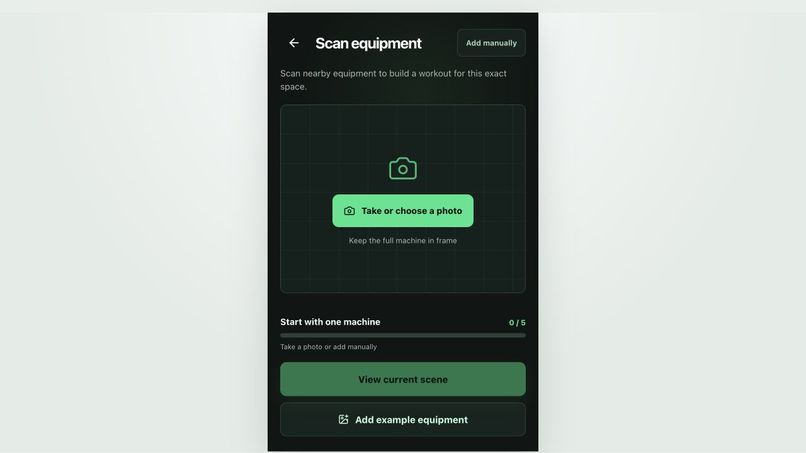
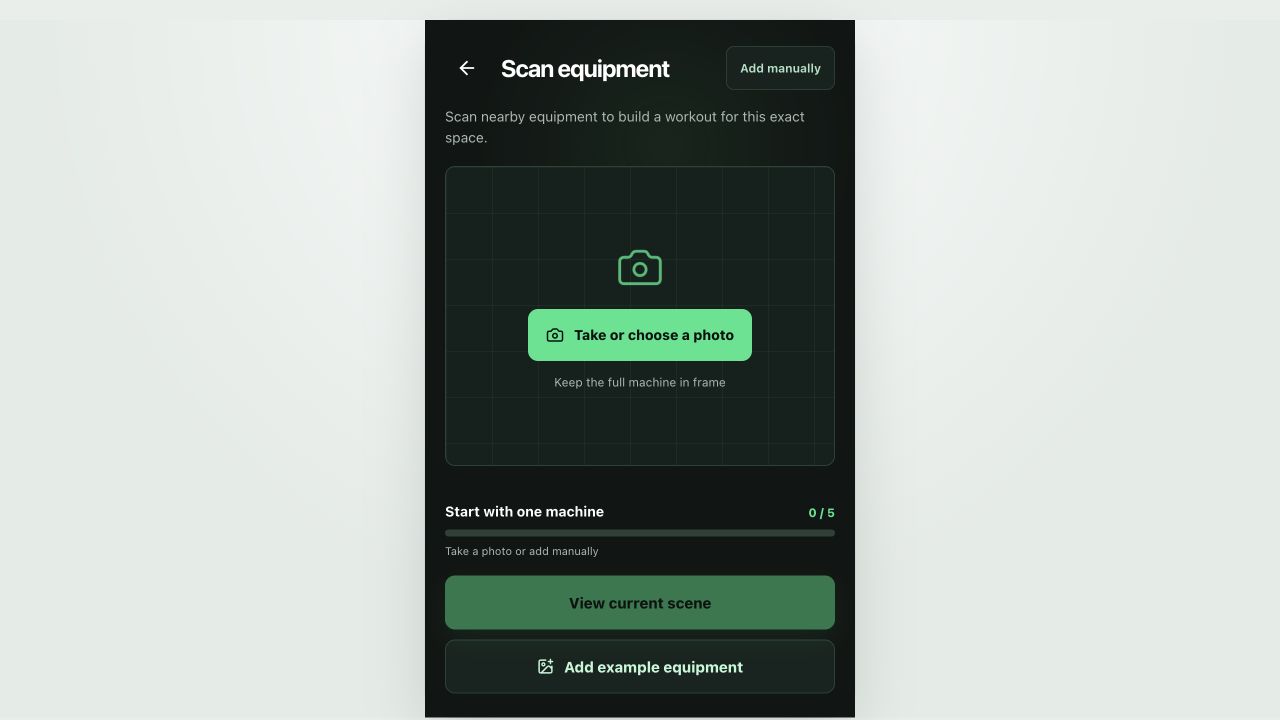
GymPilot starts by scanning nearby gym equipment to build a workout for the current space.
-
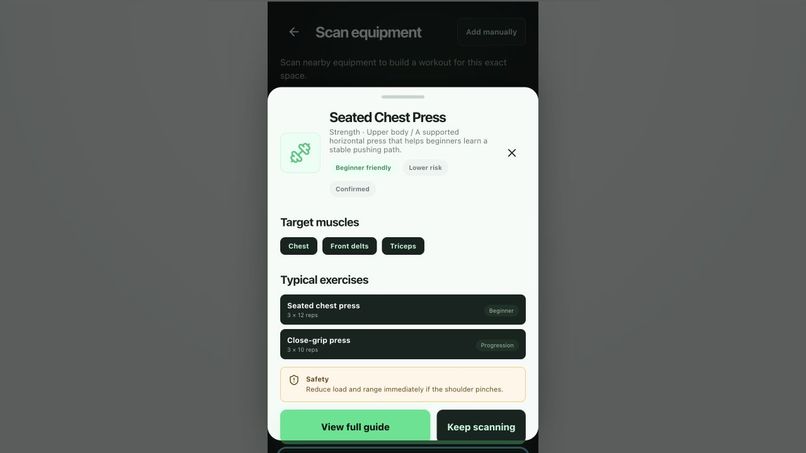
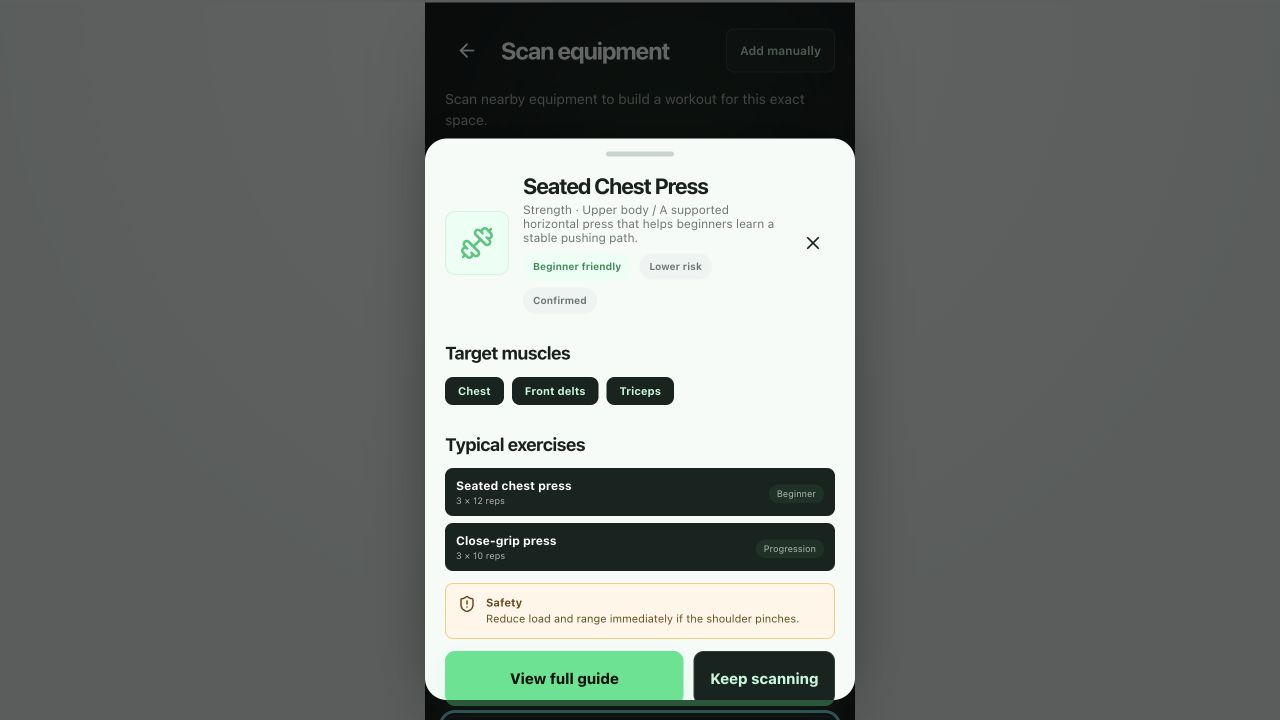
After a machine is recognized, GymPilot shows target muscles, typical exercises, and safety tips.
-
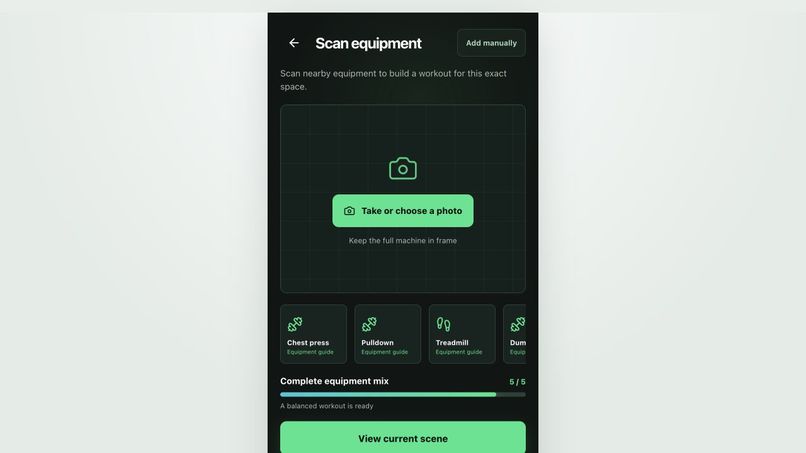
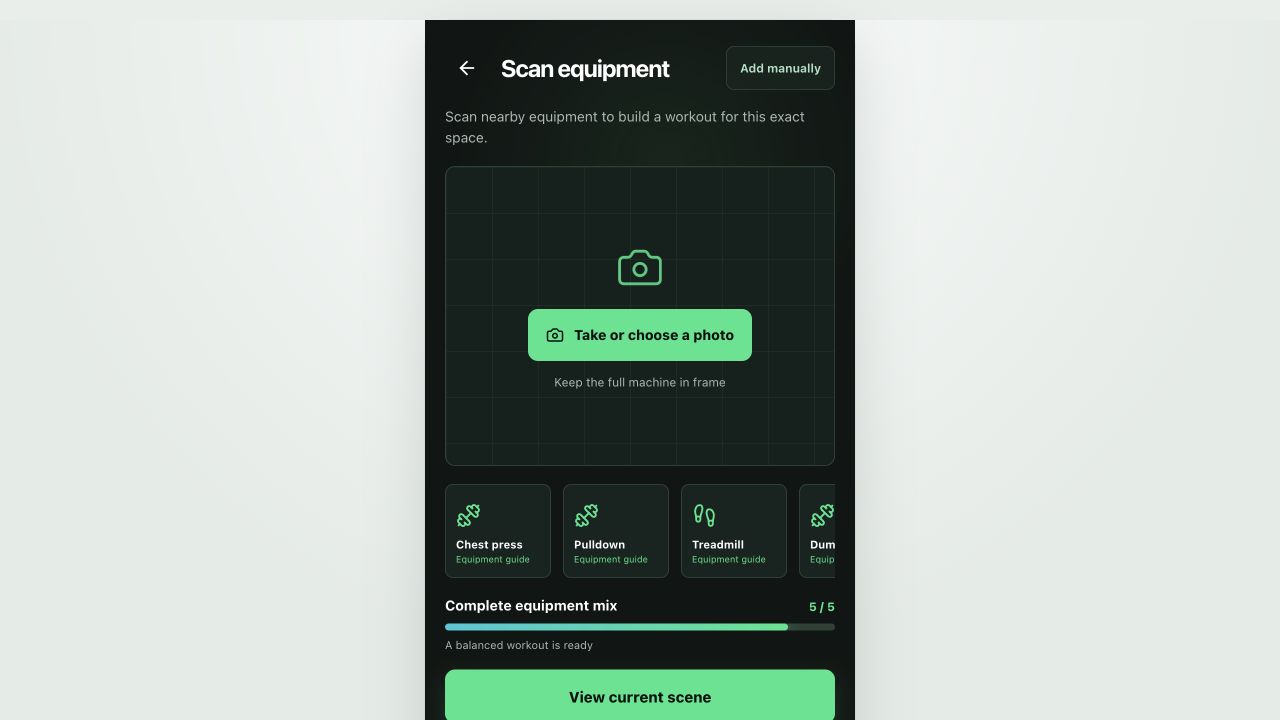
With five machines confirmed, GymPilot marks the equipment mix as complete and ready for a balanced plan.
-
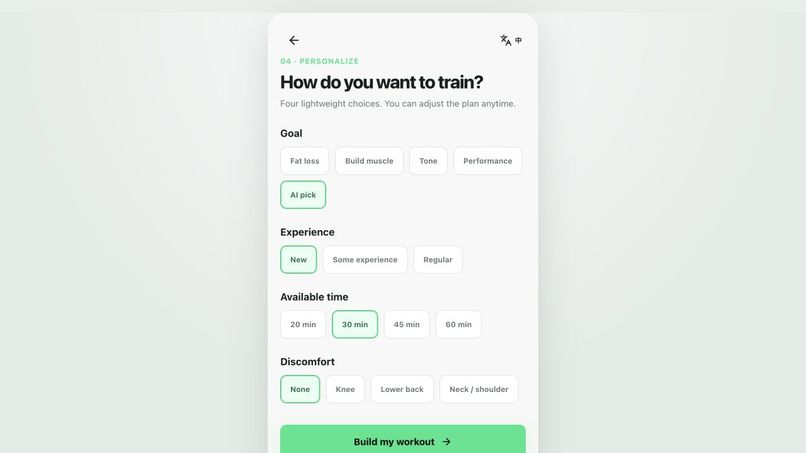
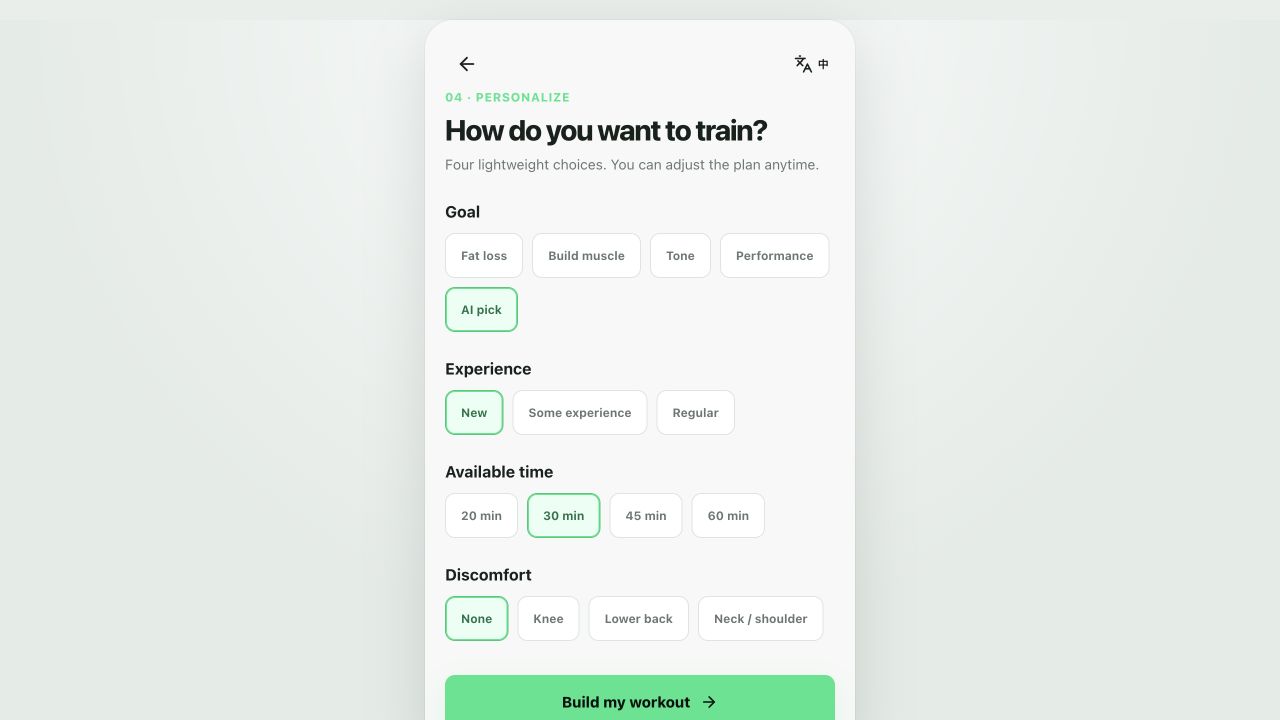
Users personalize the workout with four lightweight choices: goal, experience, time, and discomfort.
-
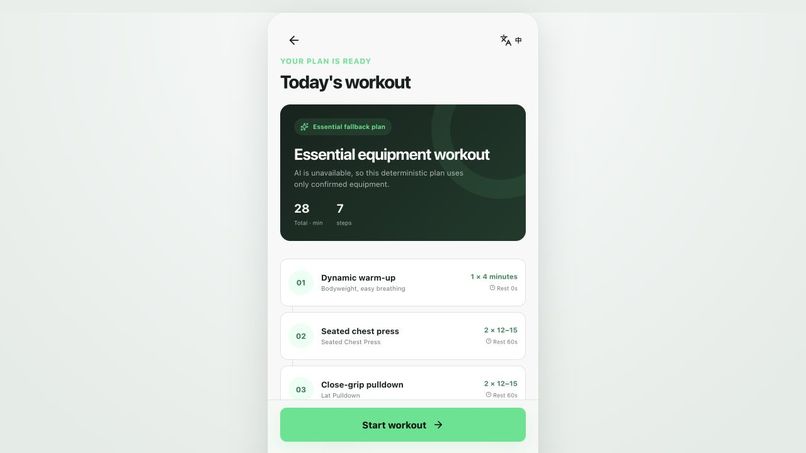
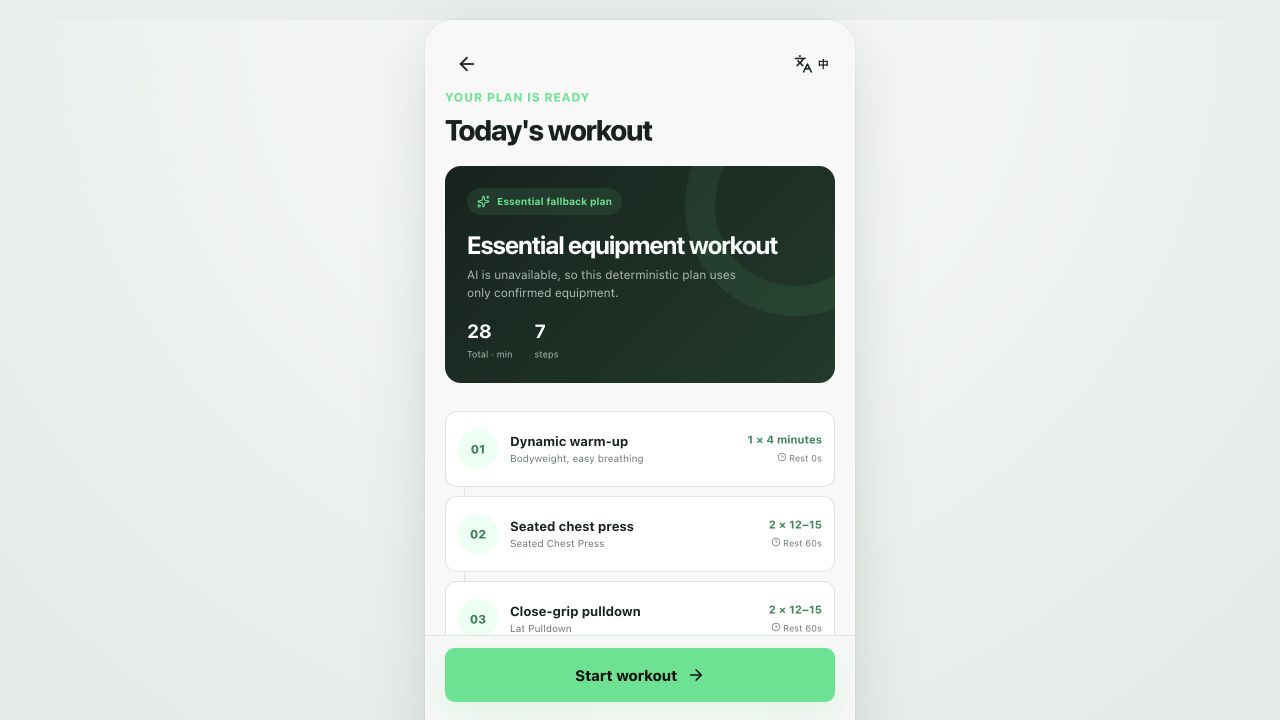
GymPilot generates a step-by-step workout plan using only the confirmed equipment in the scene.
-
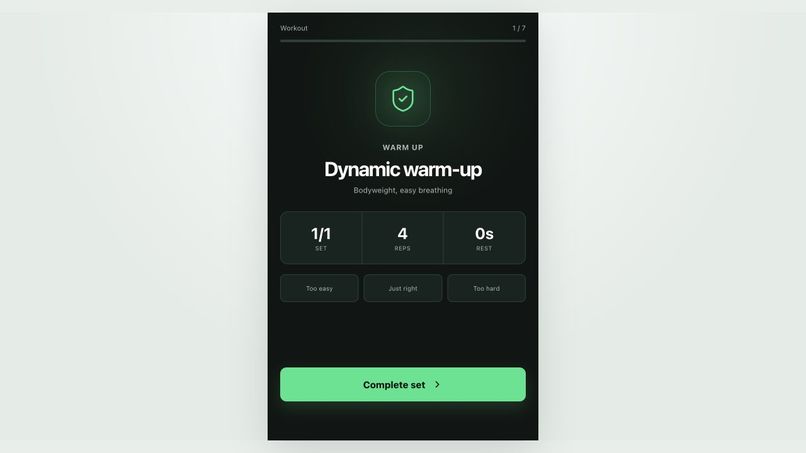
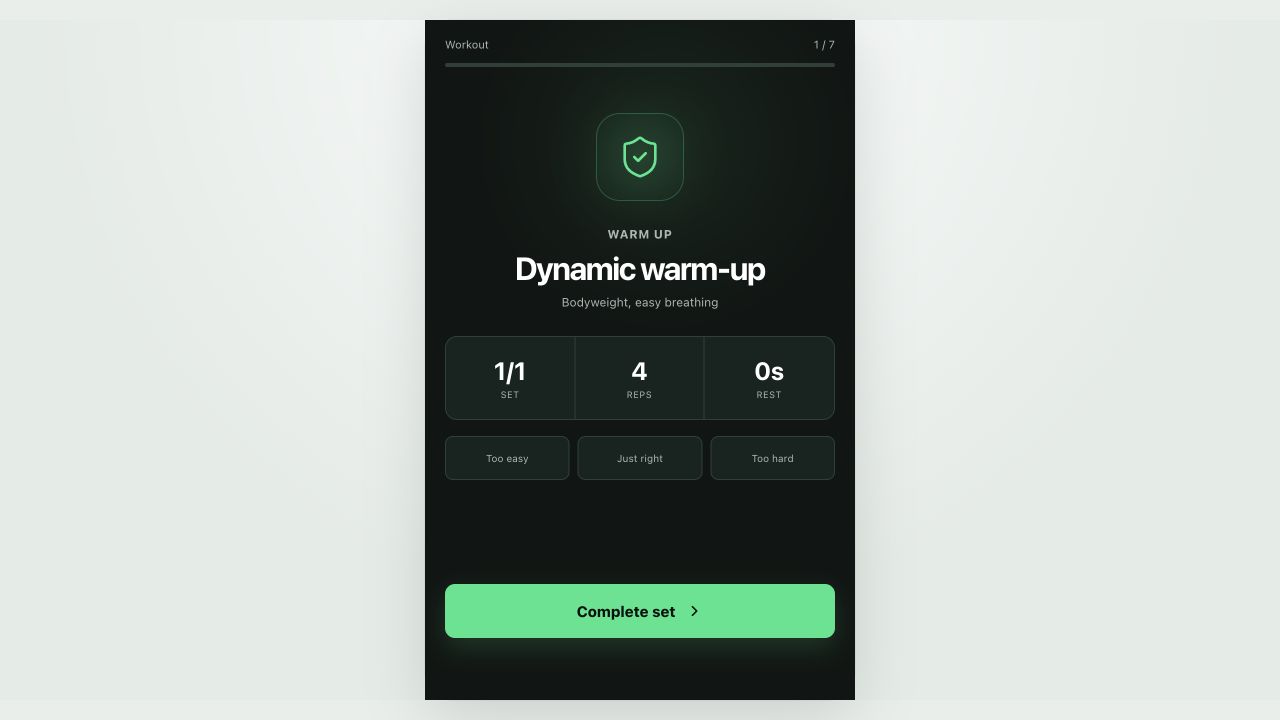
Workout mode guides users through each set with reps, rest time, and quick difficulty feedback.
-
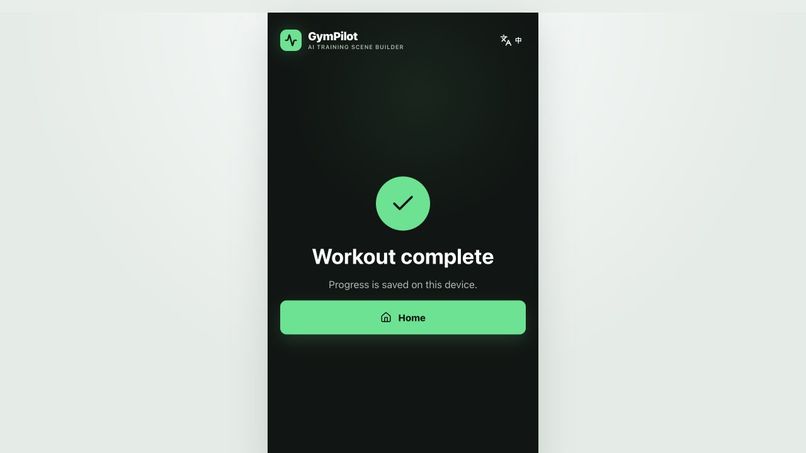
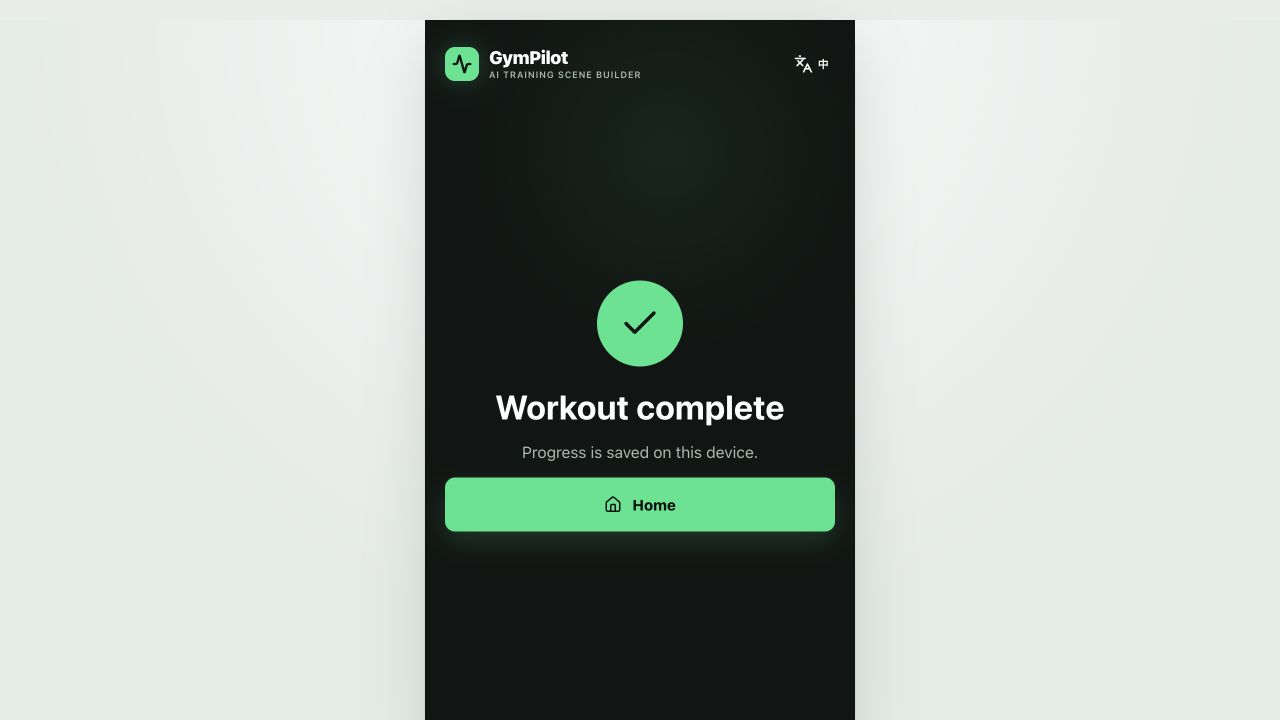
After the session, GymPilot confirms that the workout is complete and progress is saved locally.
-
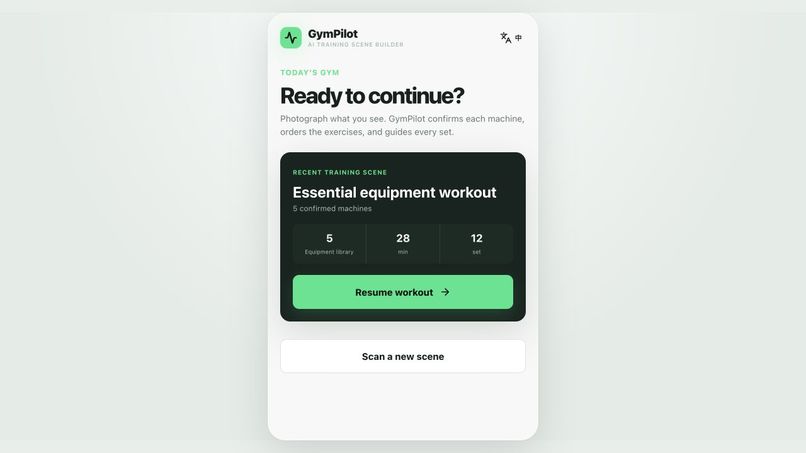
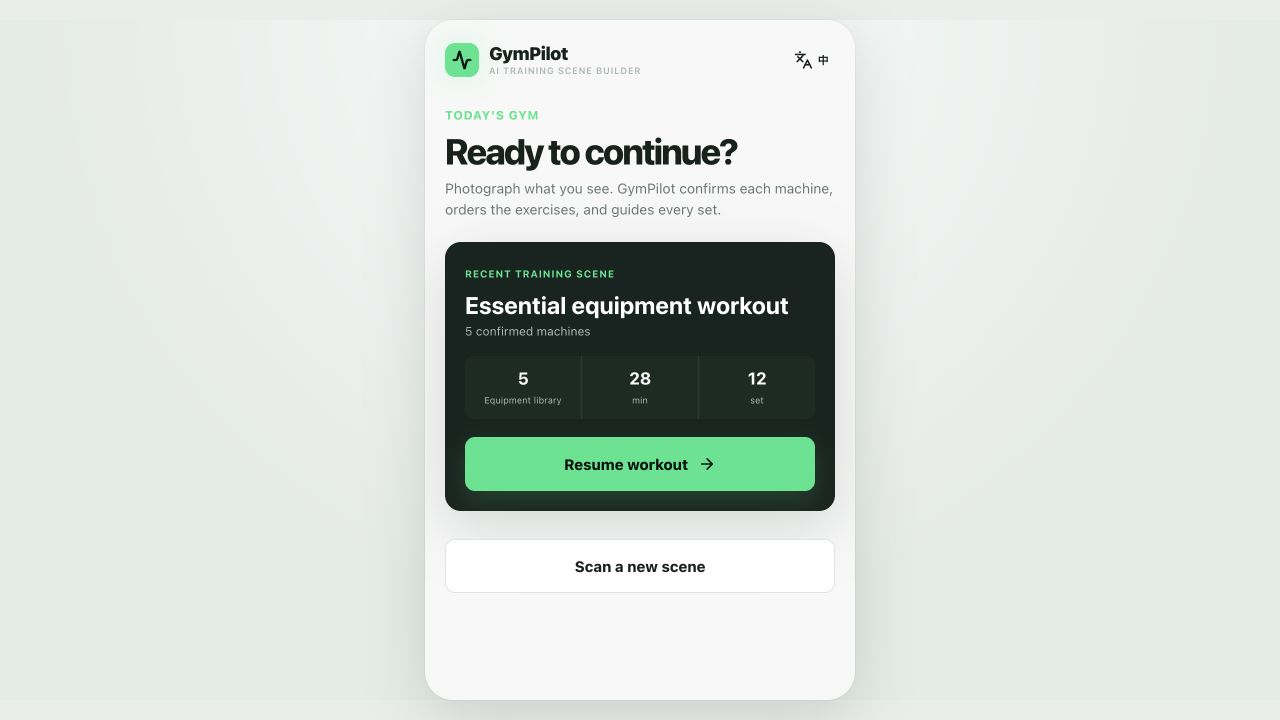
Returning users can resume their saved training scene or scan a new gym space.
Inspiration
We were inspired by a simple problem we kept seeing in real fitness spaces: many people have access to equipment, but not access to guidance.
Hotel gyms, apartment gyms, company gyms, and small self-service fitness rooms are everywhere. They usually have enough equipment for a good workout, but beginners often do not know what each machine is for, how to use it safely, or how to combine limited equipment into a complete session.
So we built GymPilot around one core idea:
Scan the equipment around you, and turn the current gym space into a personalized workout plan.
What it does
GymPilot helps users generate workout plans based on the equipment that is actually available in front of them.
The core flow is:
- The user scans or selects gym equipment.
- GymPilot recognizes each machine and adds it to the current training scene.
- The app shows target muscles, typical exercises, and safety notes for each piece of equipment.
- GymPilot checks whether the equipment mix is enough for a balanced workout.
- The user chooses a goal, experience level, available time, and any discomfort.
- GymPilot generates a workout plan using only the confirmed equipment.
- During training, the app guides the user step by step through sets, reps, rest, and feedback.
- Progress is saved locally so the user can continue later or scan a new gym space.
For the demo, we used local equipment images instead of live camera scanning. The intended product experience is the same: GymPilot understands the current training environment and builds a plan from it.
How we built it
We designed GymPilot as a mobile-first web app with a local-first demo flow.
The demo includes:
- An equipment scanning and recognition flow
- A current training scene with confirmed machines
- Equipment detail sheets with target muscles, exercises, and safety tips
- A readiness score that tells users when they have enough equipment
- A lightweight personalization form
- A deterministic fallback workout generator
- A workout mode with set-by-set guidance
- Local progress saving for returning users
We focused on making the product feel useful immediately. Instead of asking users to create a gym profile or fill out a long onboarding form, GymPilot starts with the real-world context: the equipment nearby.
Challenges we ran into
One challenge was simplifying the user flow. Early ideas involved creating a “training scene” first, but that felt too abstract. We realized the user should not need to understand that concept upfront. The scene should be created automatically as the user scans equipment.
Another challenge was making the demo reliable. AI-based recognition and plan generation can depend on external services, so we built a local-only demo mode and a deterministic fallback plan generator. This allowed the product to remain functional even when cloud AI is unavailable.
We also had to balance fitness guidance with safety. GymPilot should feel helpful and confident, but it should not pretend to replace a doctor or professional coach. That is why the app includes safety notes, beginner-friendly labels, and discomfort constraints.
Accomplishments that we're proud of
We are proud that GymPilot demonstrates a complete end-to-end experience:
- A user can start from an empty gym space
- Confirm multiple pieces of equipment
- Review the current training scene
- Personalize the workout
- Generate a real plan
- Follow the plan step by step
- Finish the workout
- Return later and continue from the saved scene
We are especially proud of the “equipment-first” workflow. It makes the app feel grounded in the user’s actual environment, instead of giving generic workout advice.
What we learned
We learned that the most important part of an AI fitness product is not just generating a plan. It is building trust before the plan appears.
Users need to see that the app understands:
- What equipment is available
- What each machine is used for
- Whether the equipment mix is enough
- What safety constraints matter
- How today’s workout can actually be performed
We also learned that a strong fallback experience matters. Even if advanced AI features are unavailable, the app should still provide a useful, safe, and understandable result.
What's next for GymPilot
Next, we want to connect GymPilot to real video-based exercise guidance, so users can follow professional movement demonstrations during each workout.
We also plan to improve:
- Real-time camera-based equipment recognition
- More personalized progression across multiple weeks
- Smarter intensity adjustment based on user feedback
- Better support for hotel gyms, apartment gyms, and small fitness spaces
- Saved gym scenes for users who train in multiple locations
Our long-term vision is to make GymPilot a lightweight AI coach for any fitness space: scan what is around you, understand what you can do, and start training safely.
Built With
- javascript
- nuxt.js
- onnx

Log in or sign up for Devpost to join the conversation.