-
-
FreeWili
-
-
-
-
-
-
-
-
-
-
-
-
-
-
Inspiration
Buying groceries for one person often means buying more than you need. A bunch of bananas, a bag of tomatoes, or a loaf of bread can become waste before you finish it. Meanwhile, someone nearby is paying full price for the same food.
As college students, we’ve seen this in our own kitchens and across campus. Grocery budgets are tight, schedules change, and food gets forgotten. We built Gusto primarily for students to sell what they won’t use, buy groceries for less, and keep track of what’s fresh.
What it does
Sell food you won’t use, buy groceries for less, and keep track of what’s fresh.
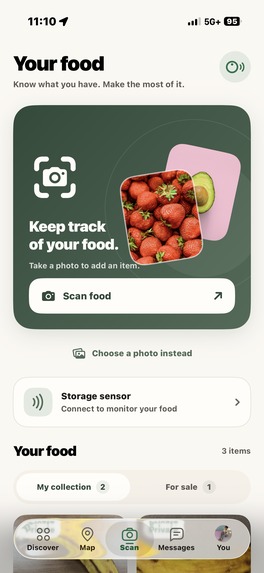
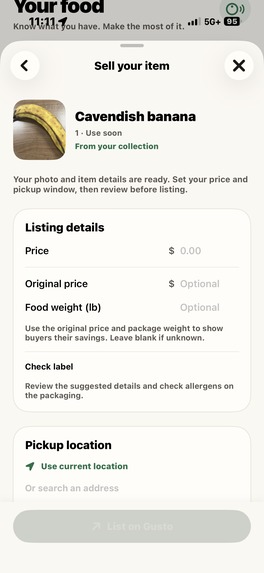
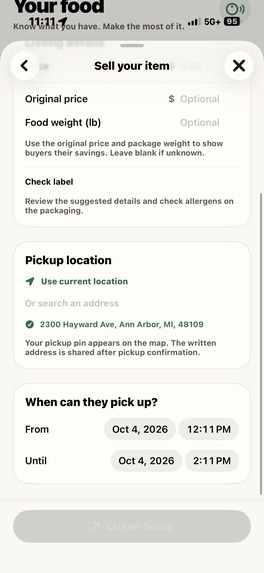
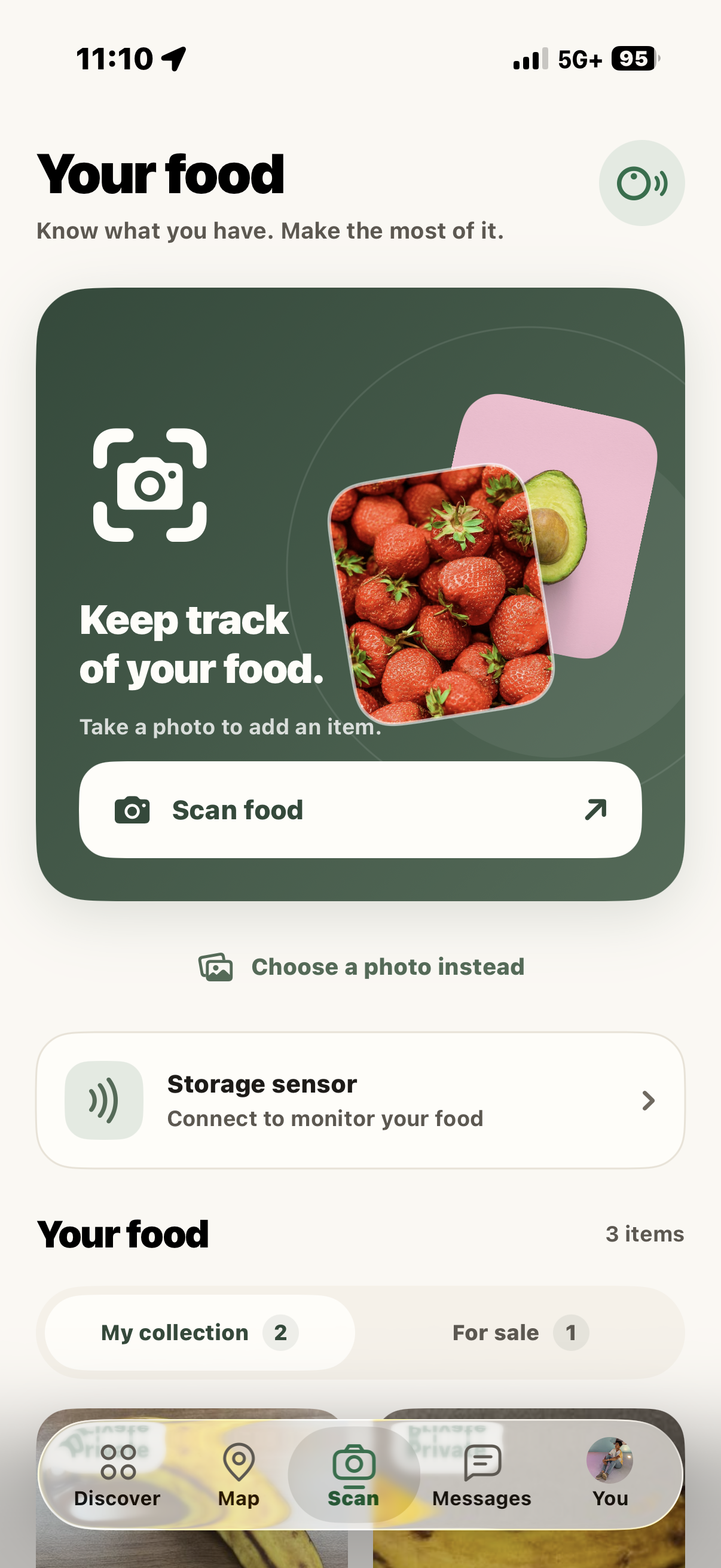
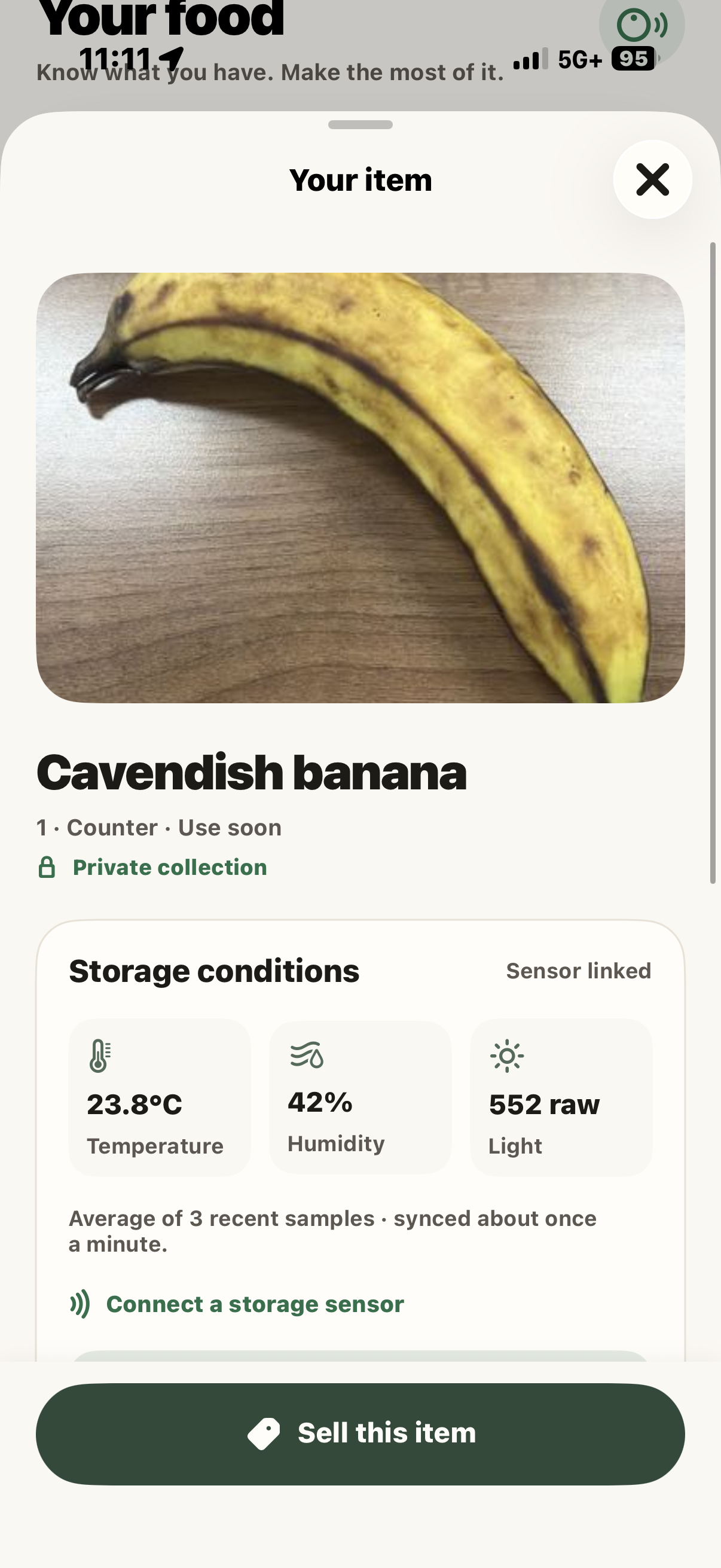
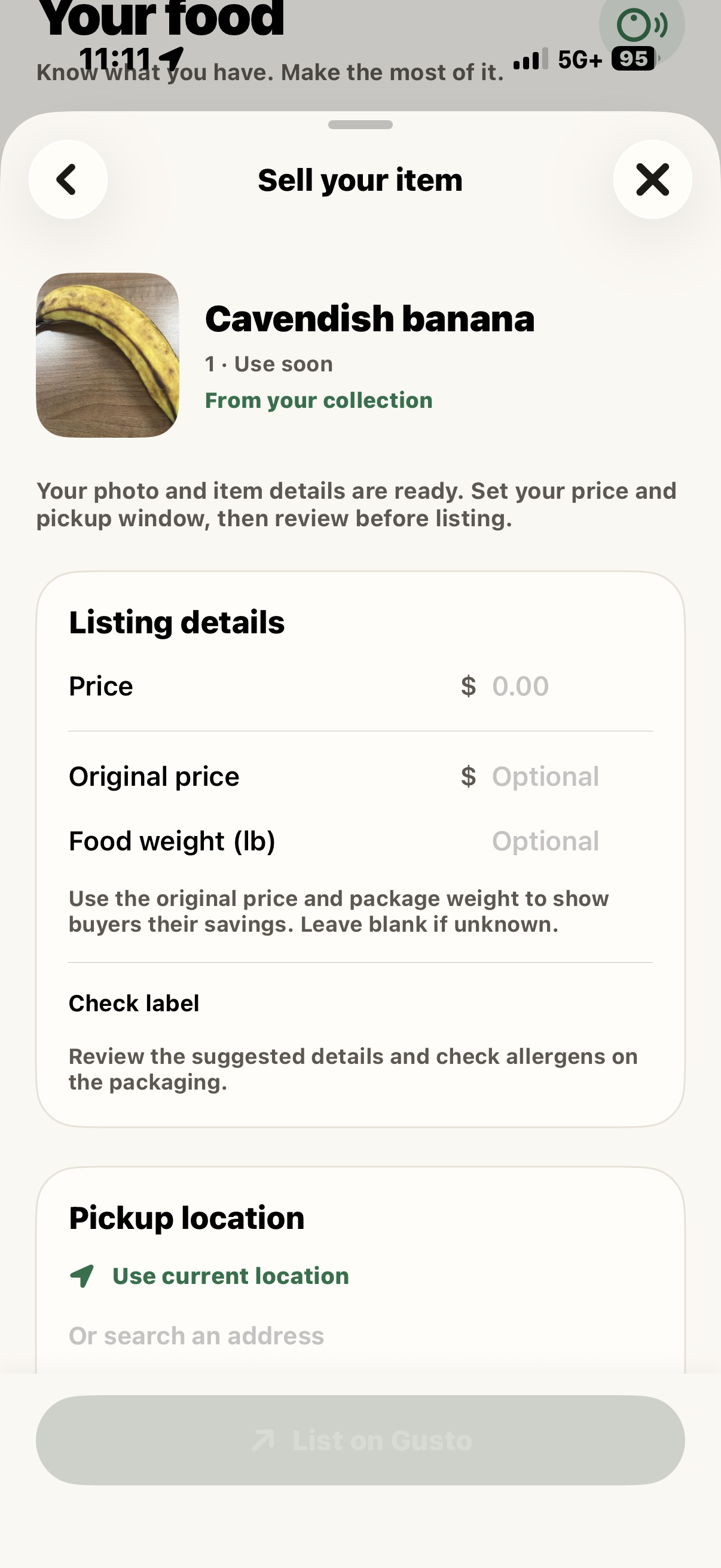
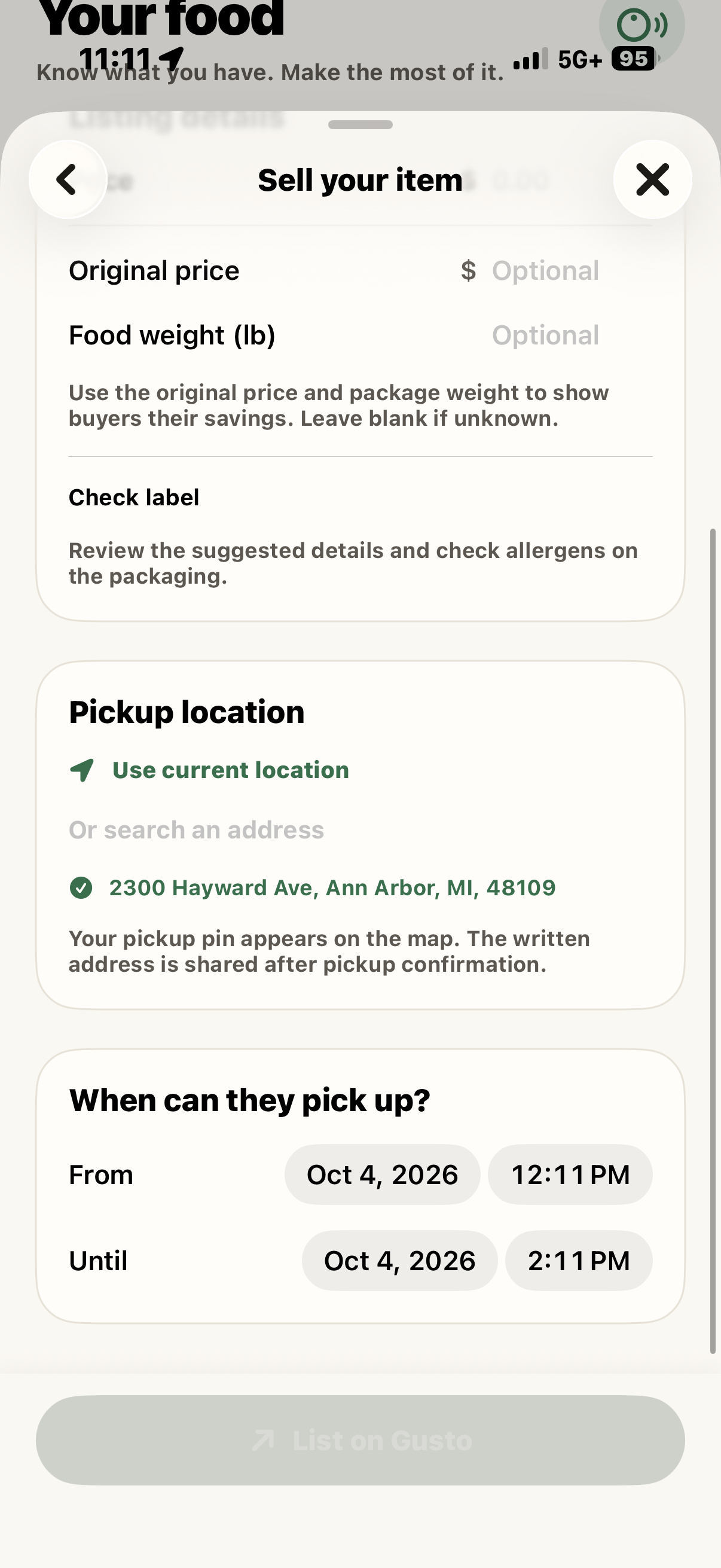
Scan a food item to identify it and save it to your collection. If you want to sell it, Gusto fills in the item details from the scan. You review them, set a price and pickup time, and publish it to the nearby marketplace.
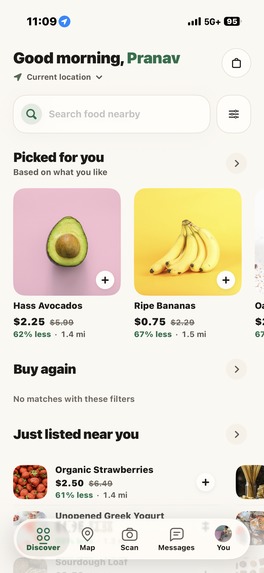
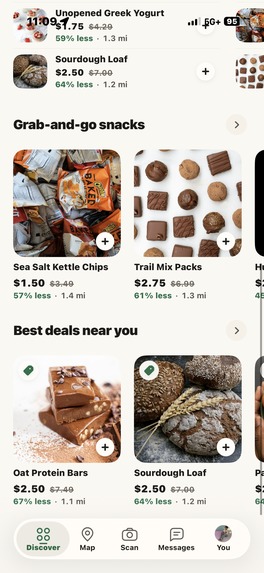
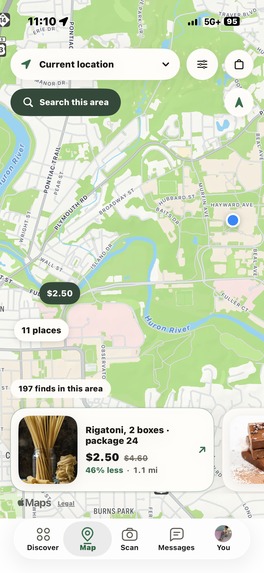
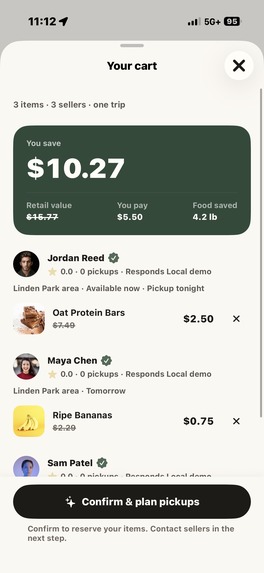
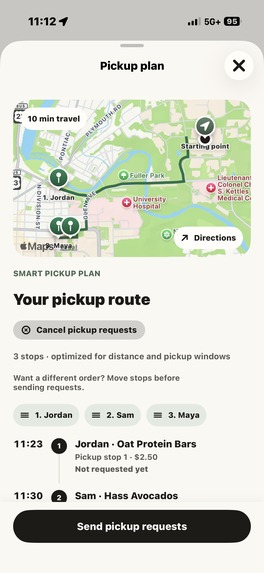
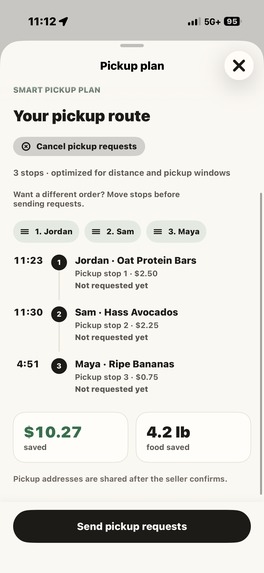
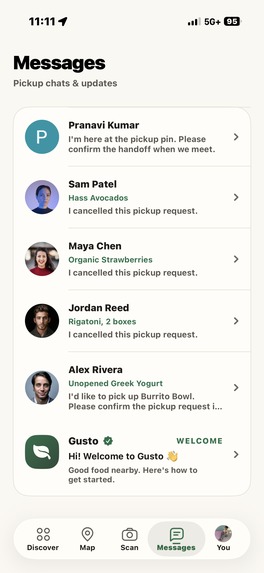
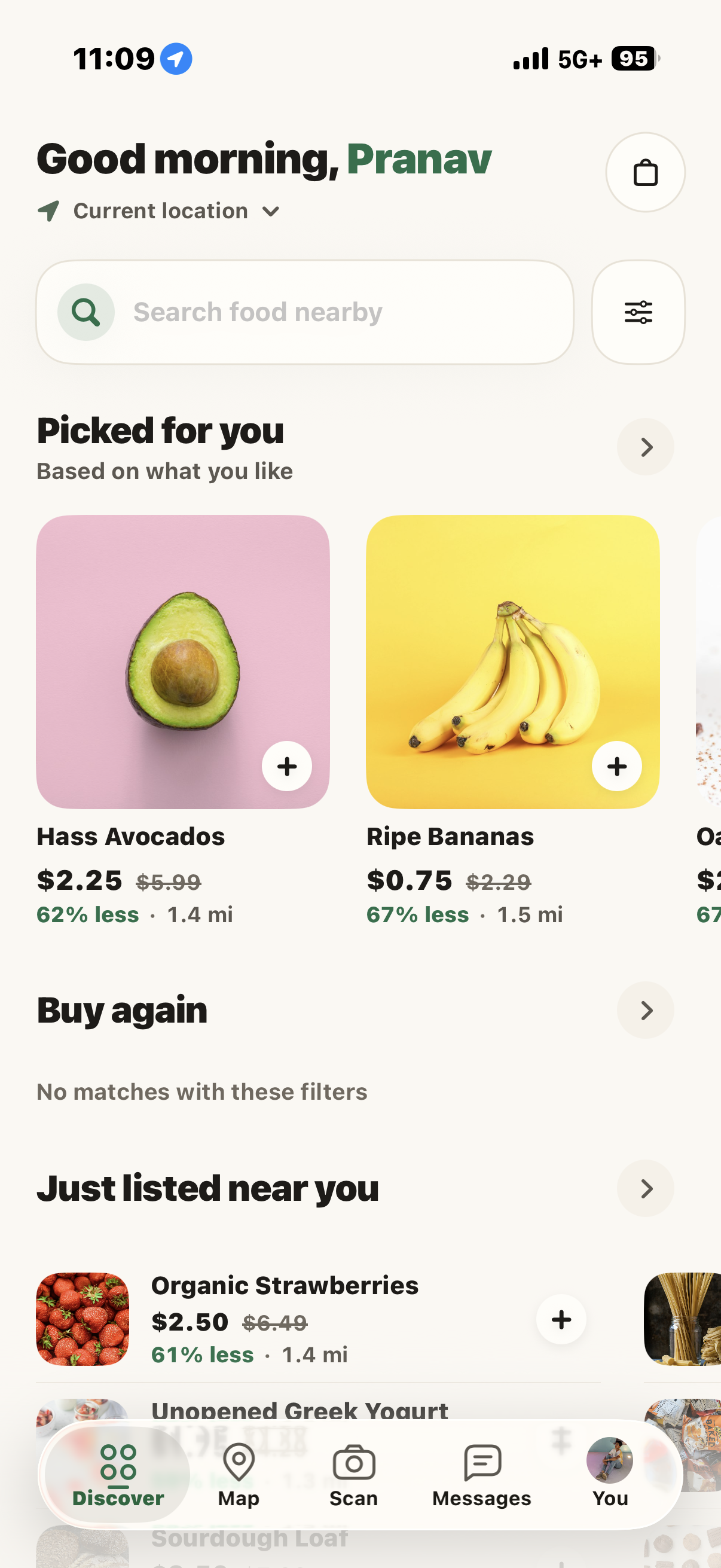
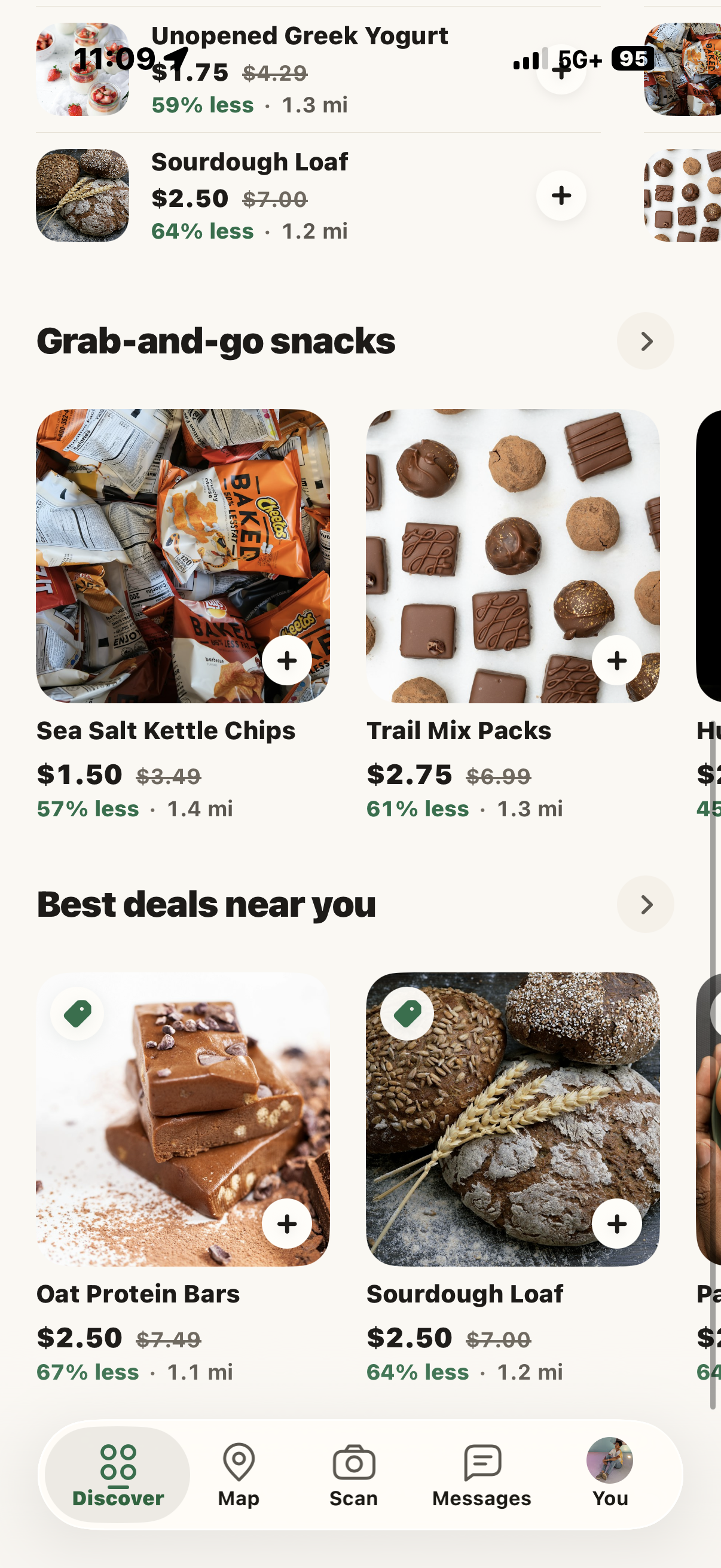
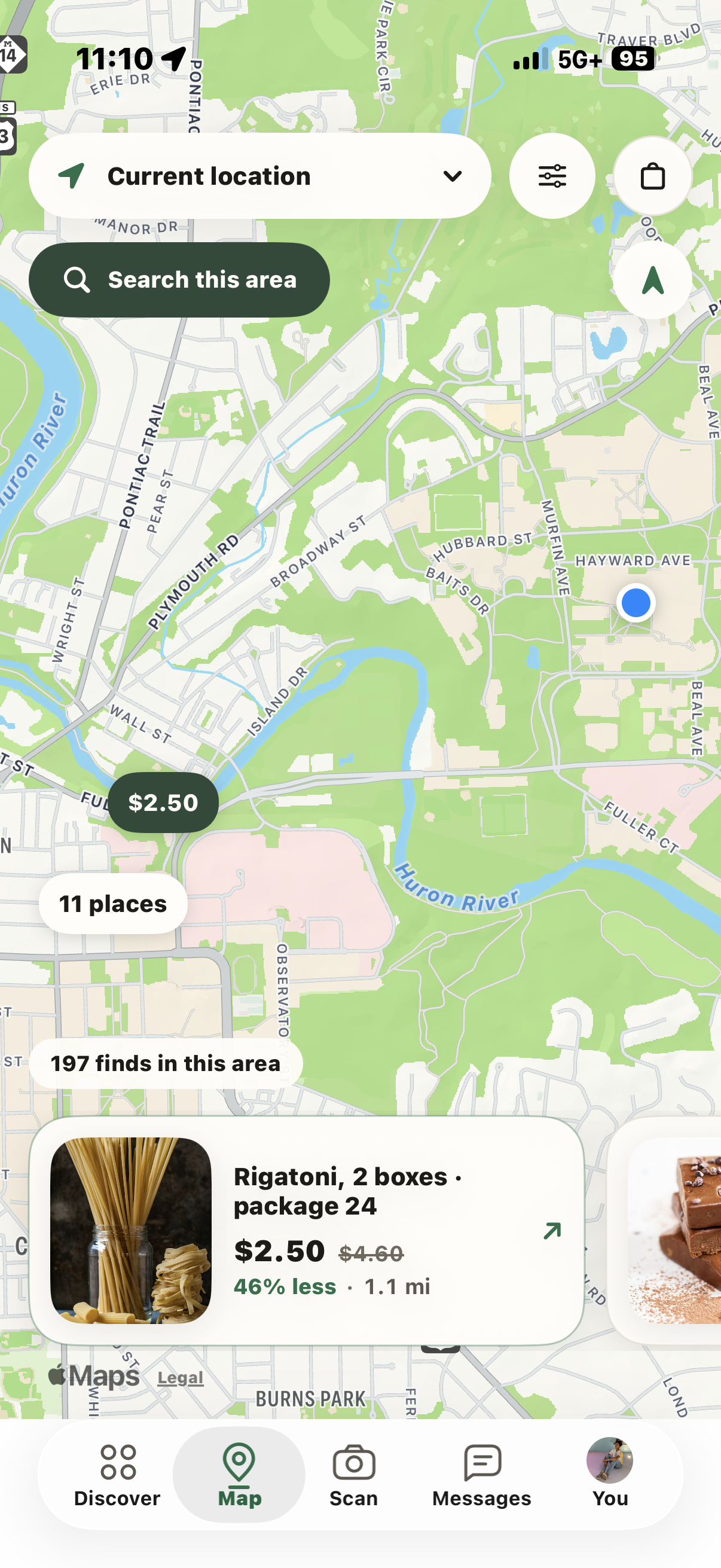
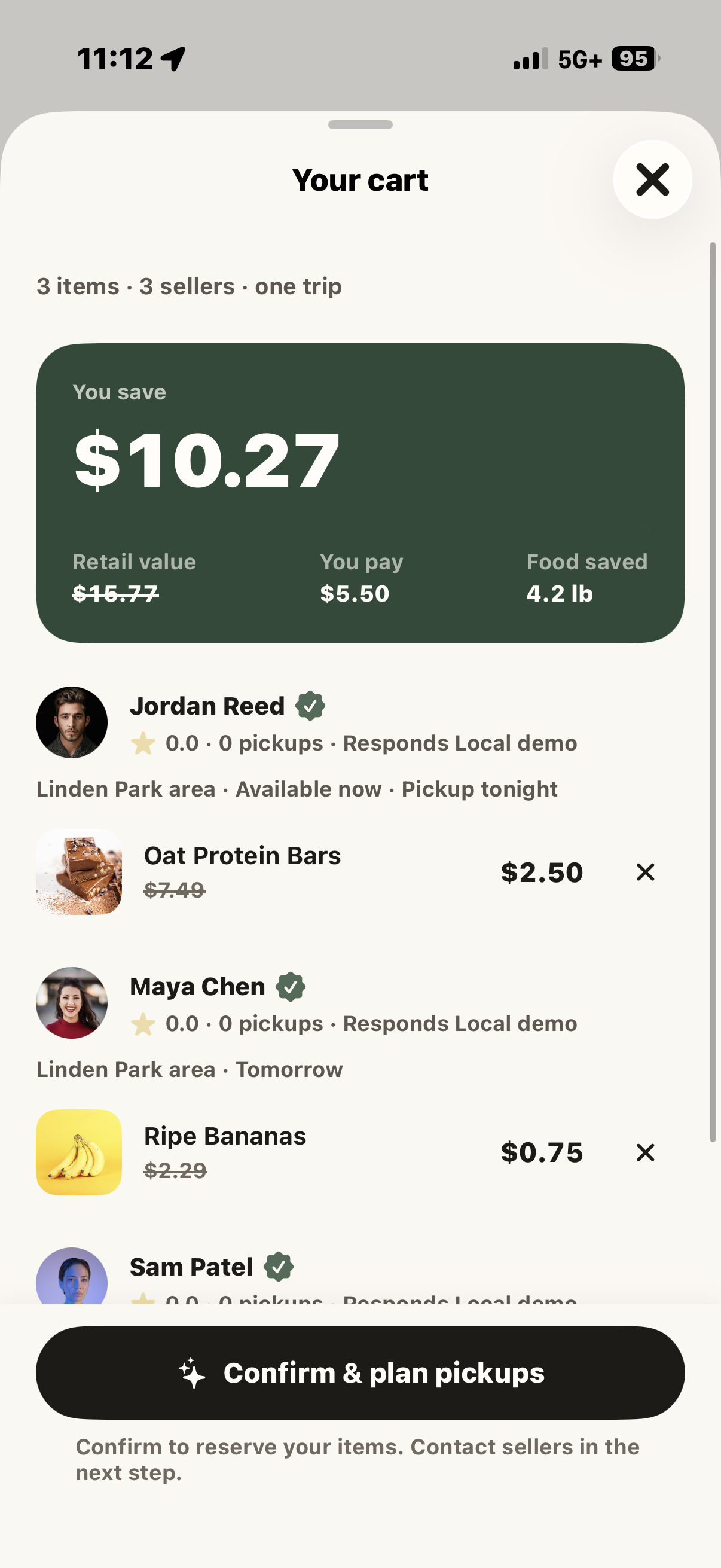
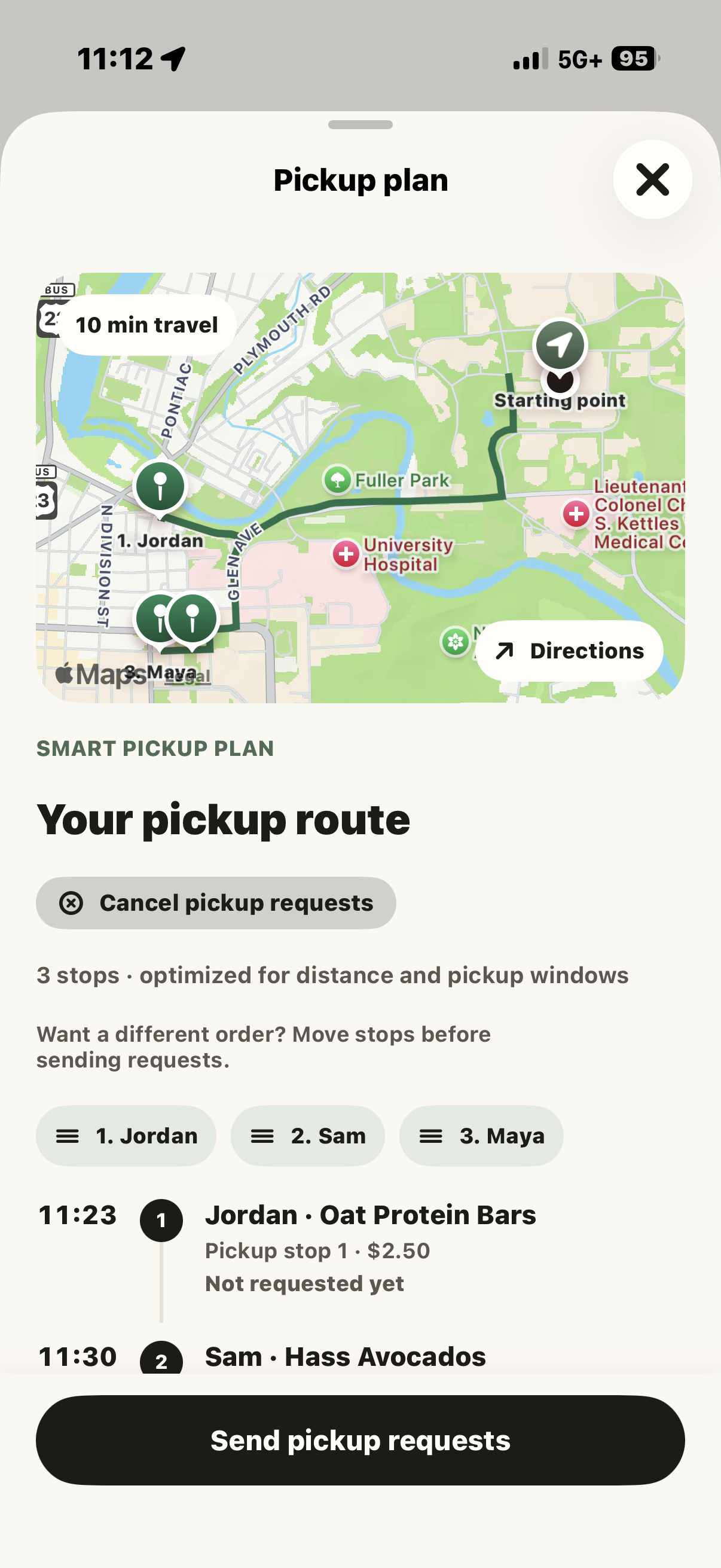
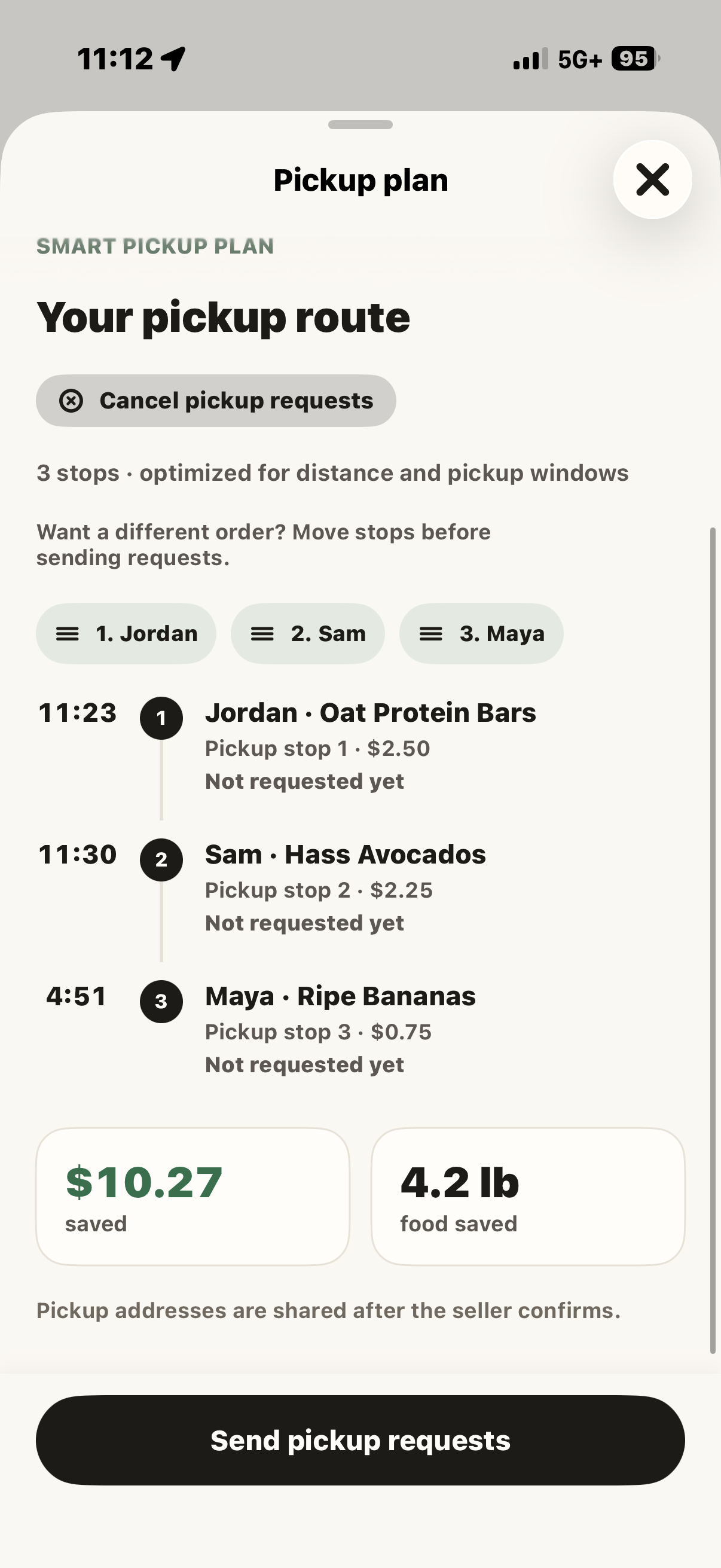
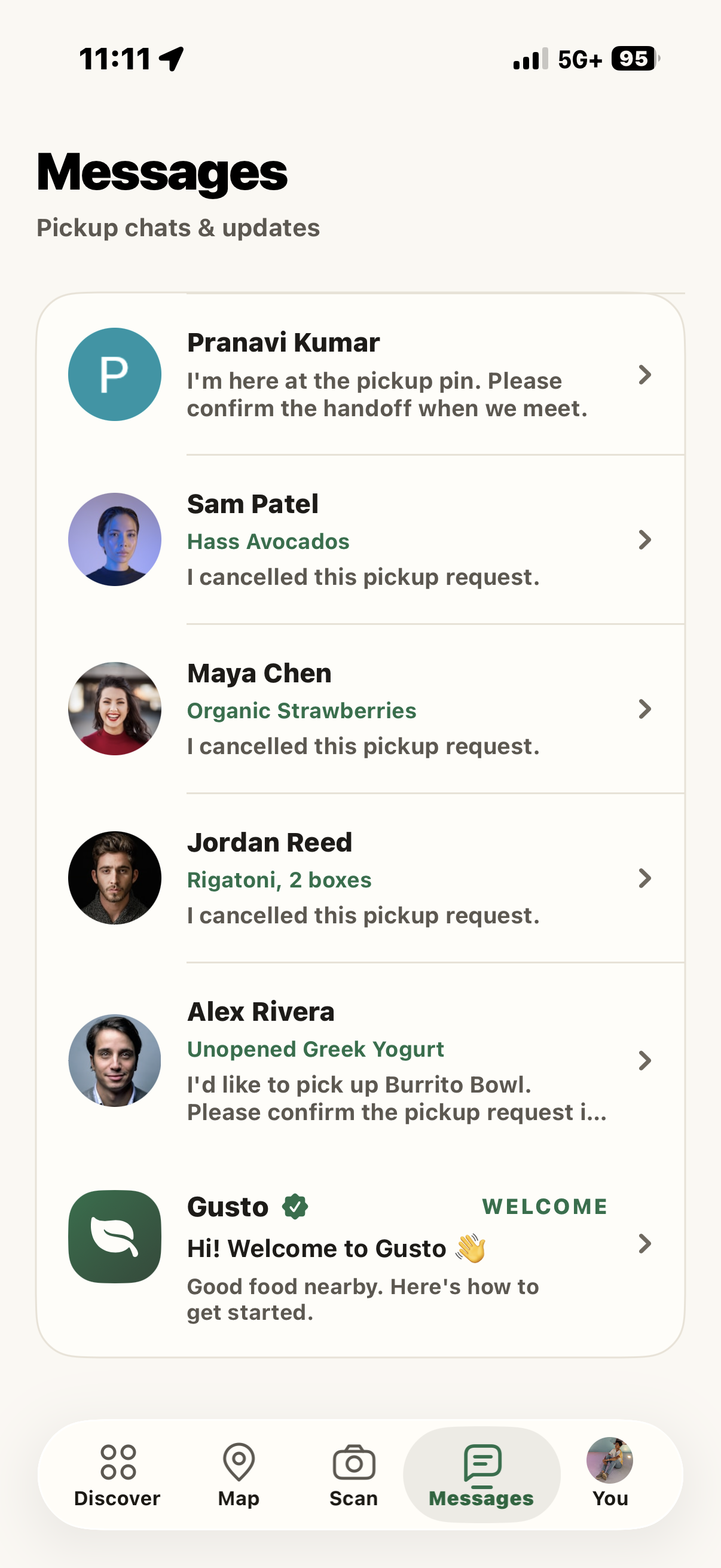
Buyers can browse discounted groceries, message sellers, request a fresh photo, and arrange pickups. For multiple purchases, Gusto plans a pickup route with Apple Maps. Sellers confirm requests, buyers mark their arrival, and both follow the handoff through to completion. Payment is simulated in this prototype.
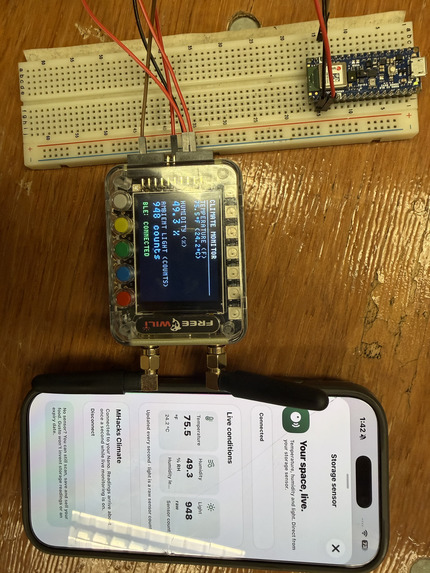
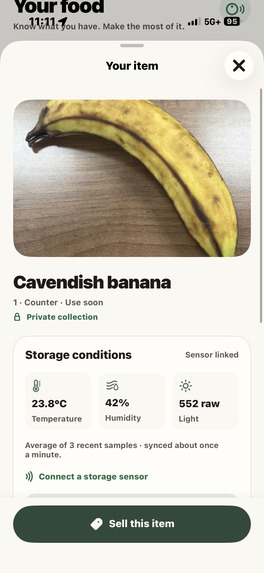
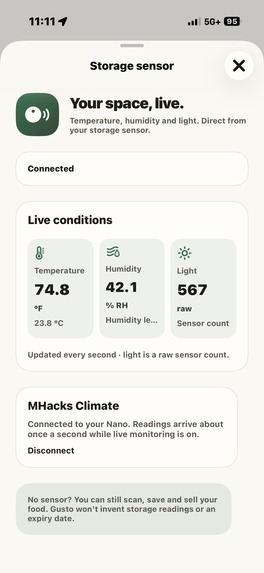
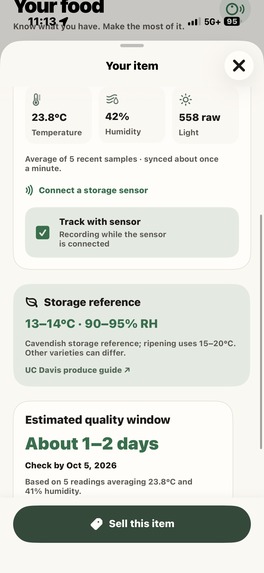
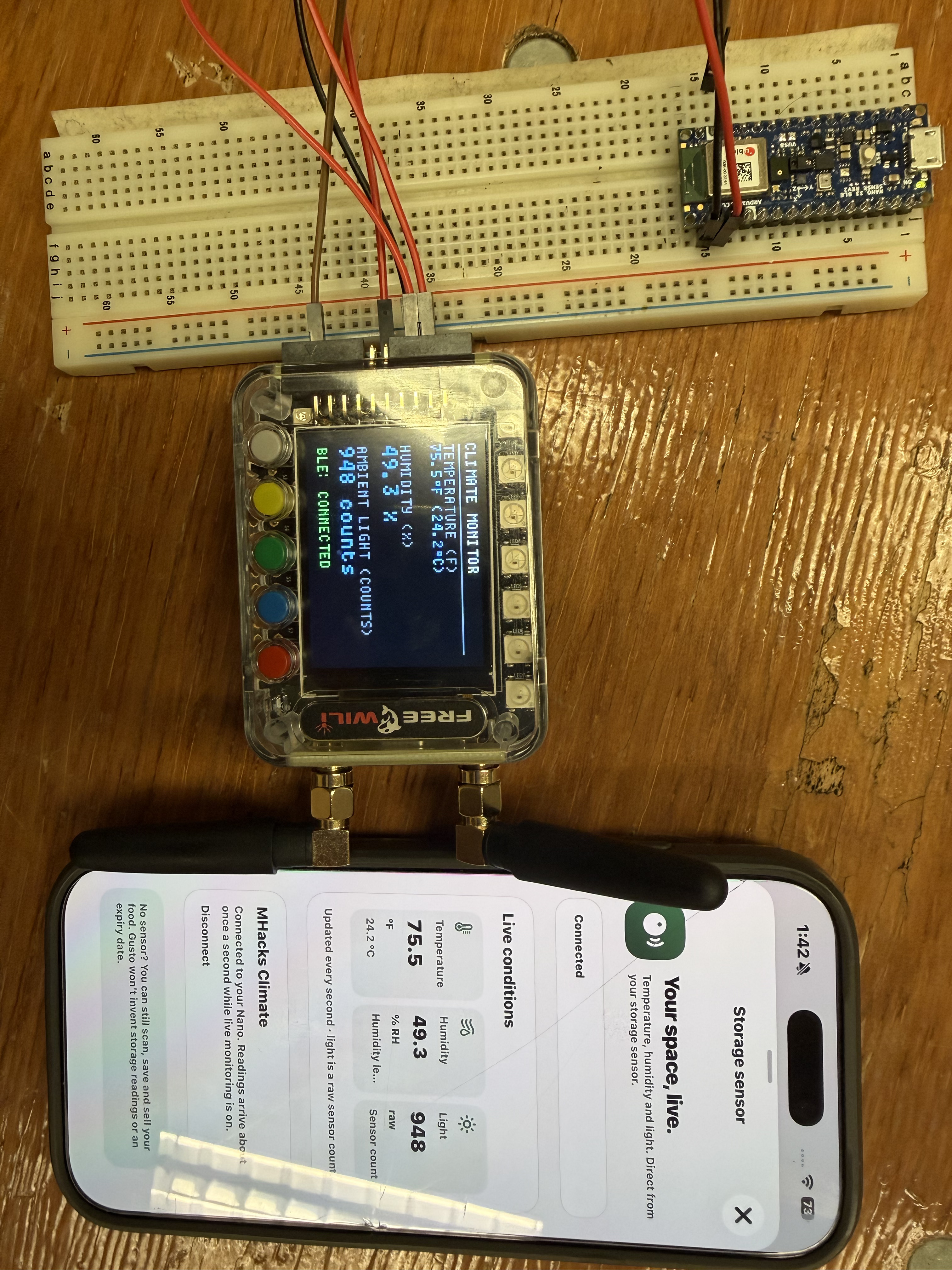
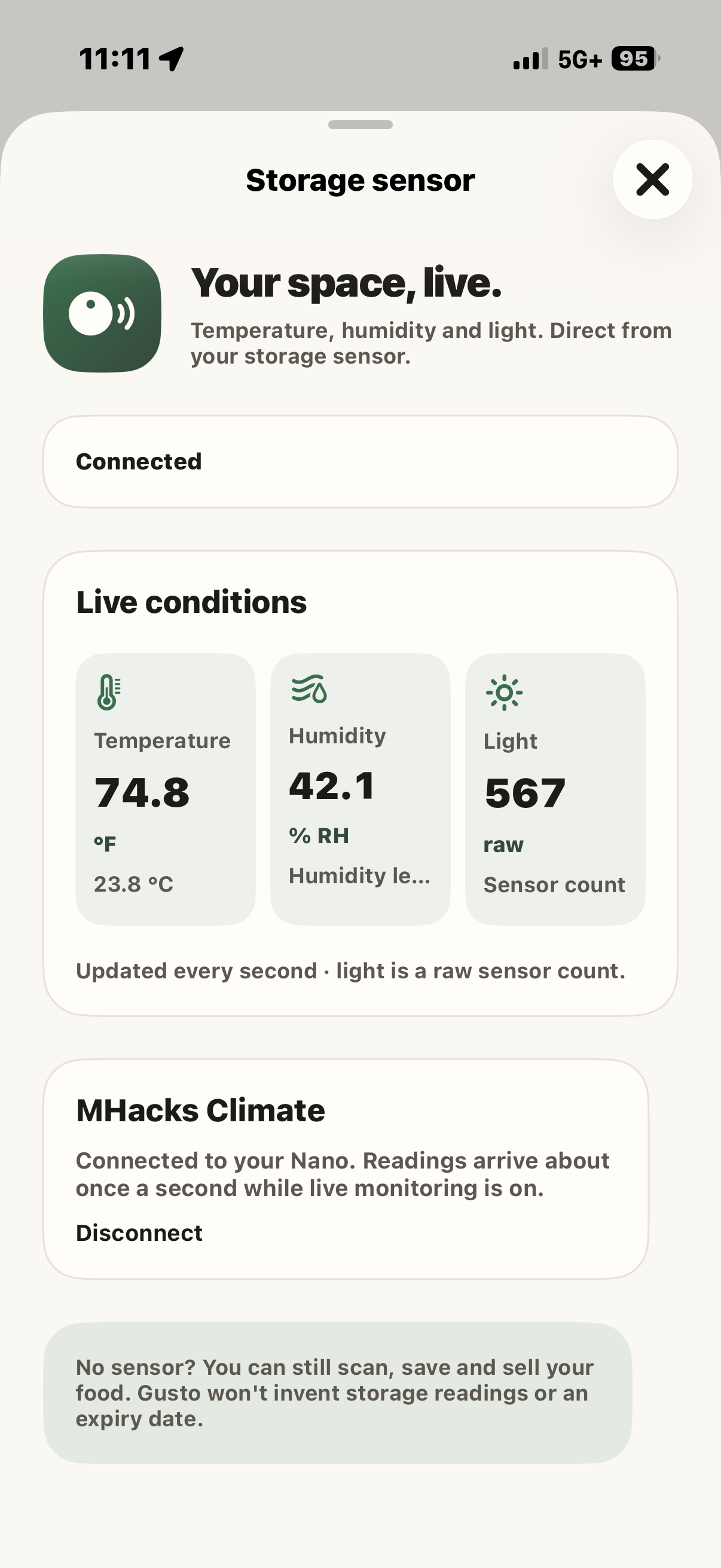
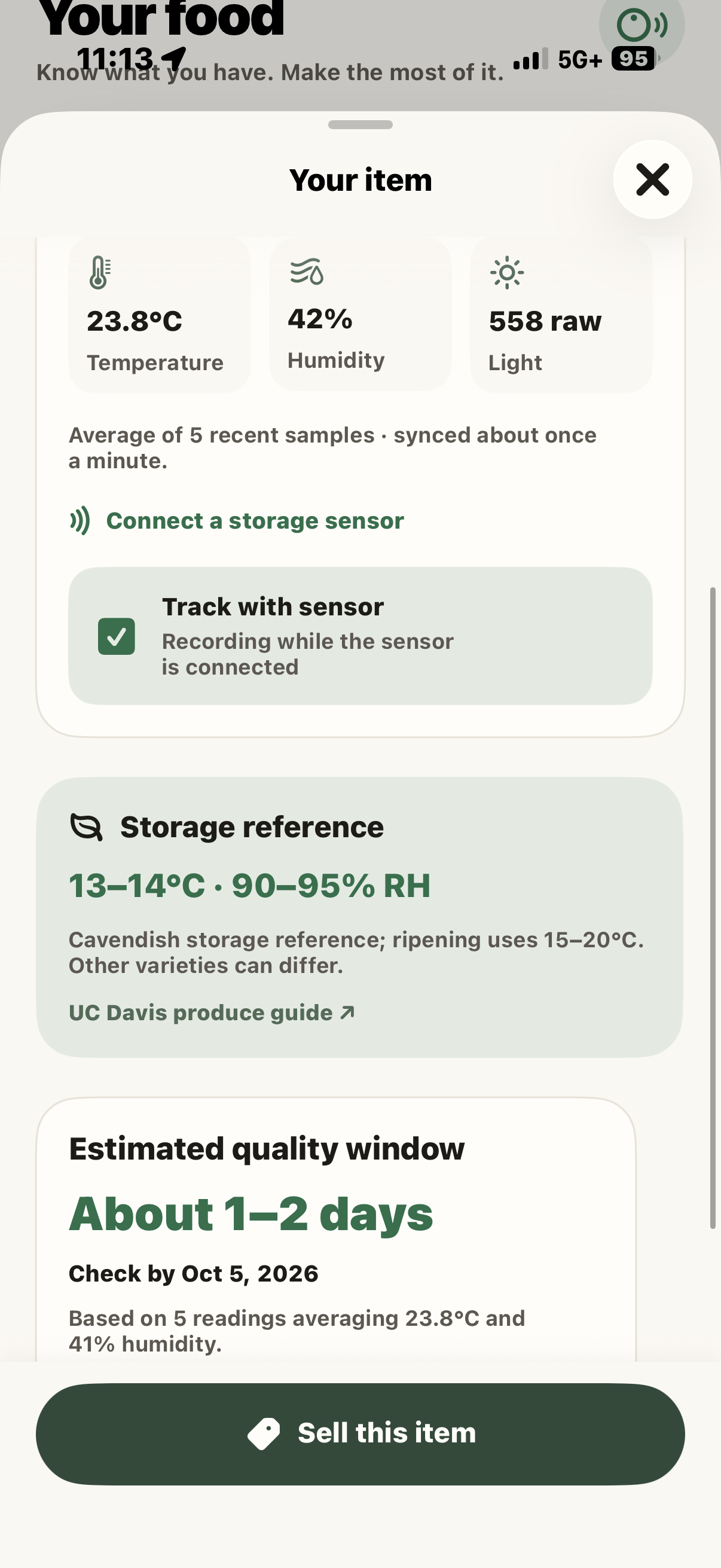
We also built a Bluetooth storage sensor connection that streams temperature, humidity, and light into the app. Users can link food to the sensor to record storage conditions and see a provisional estimate of how much freshness remains.
Why it matters
Food that one person won’t finish can become someone else’s next meal.
For sellers, that means recovering some of what they spent. For buyers, it means cheaper groceries nearby. For both, it means food gets used instead of thrown away.
Gusto addresses waste before and after someone decides to sell. Scanning helps people remember what they have. Storage tracking helps them decide what to use sooner. The marketplace gives extras somewhere to go.
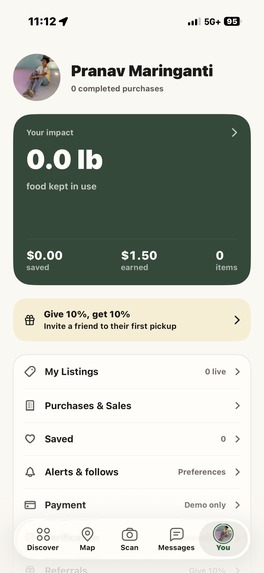
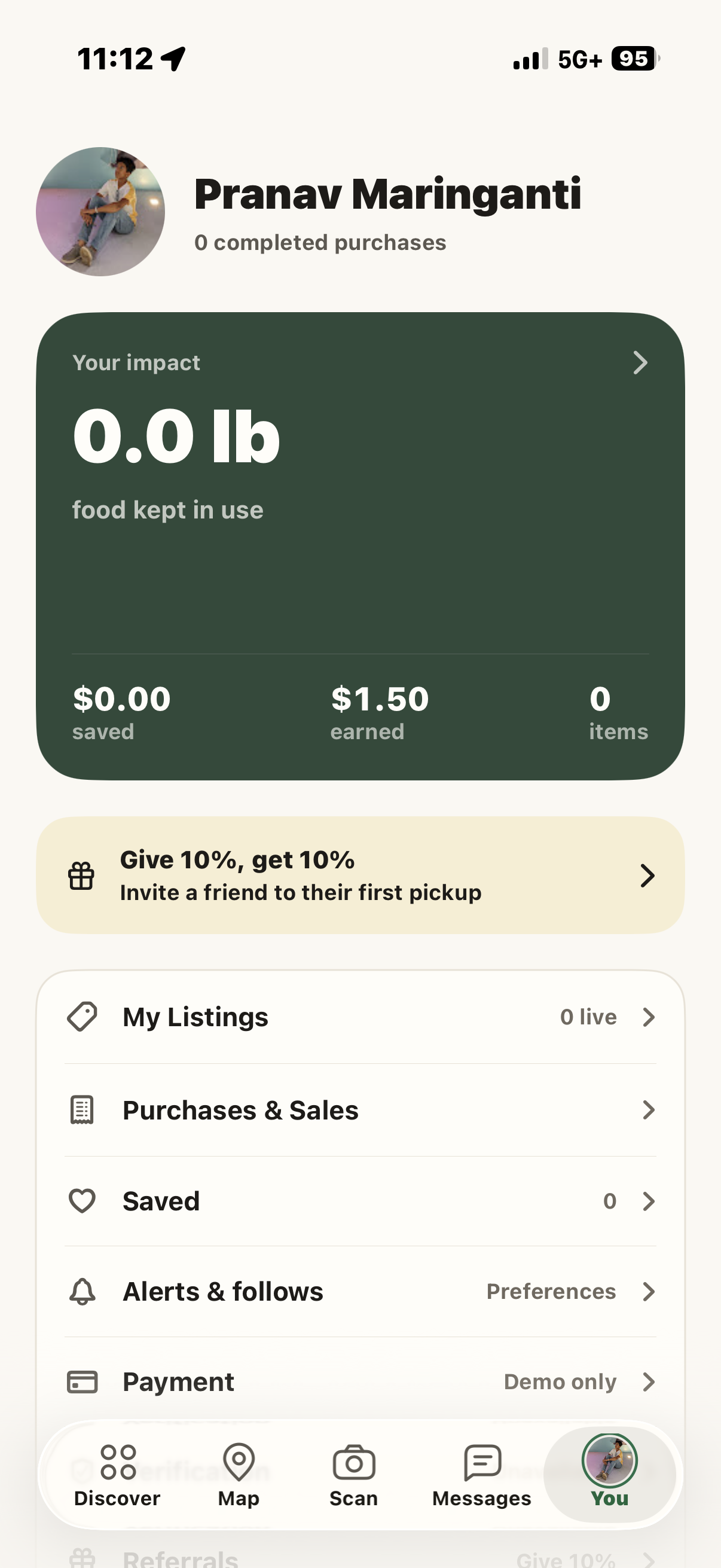
Completed pickups show the money saved and food weight collected, using recorded prices and weights rather than invented impact numbers. We haven’t measured long-term waste reduction yet, but we built the transaction records needed to start measuring it.
How we built it
We built a native iPhone app with SwiftUI, using SpacetimeDB for shared accounts, listings, messages, inventory, and pickup state.
Gemini analyzes food photos and suggests item details for users to review. Scans stay in a private collection until the owner chooses to publish them. Once listed, other accounts can find the item through Discover, search, and the map.
We used CoreBluetooth to receive readings from the storage hardware, CoreLocation for pickup pins, and MapKit for maps and directions. The sensor dashboard displays live measurements, while linked items retain a history of their storage conditions.
Challenges we faced
The hardest part was making the whole exchange work between two people. A listing appearing on another phone is only the beginning: pickup requests, seller confirmations, message previews, cancellations, and completed handoffs all need to stay consistent.
Location was another challenge. An address lookup could return a nearby building or just “United States.” We changed the flow to preserve the phone’s GPS coordinates and use a dropped pin when a useful street address isn’t available.
We also had to separate an AI suggestion from a verified fact. Users review scan results before listing. Sensor readings describe storage conditions; they do not certify that food is safe. Our freshness estimates are provisional, not safety guarantees.
What we learned
A food marketplace needs more than a good browsing screen. People need to know where to go, whether the seller confirmed, what happens when they arrive, and how to cancel when plans change.
We learned to build around that complete exchange. We tested separate buyer and seller accounts, reservation conflicts, incoming messages, cancellation, and repeated payment taps. Those details make the difference between showing a listing and helping someone actually pick it up.
What’s next
We want to test Gusto with students buying and selling nearby, improve freshness estimates with measured food data, and add real payments and background notifications.
The goal is straightforward: help people spend less on groceries and throw away less of the food they buy.
Built With
- arduino
- codex
- core-location
- corebluetooth
- figma
- freewili
- geminiapi
- google-oauth
- ios
- iot
- mapkit
- spacetime
- swift
- swiftui
- typescript
- xcode


Log in or sign up for Devpost to join the conversation.