-
-
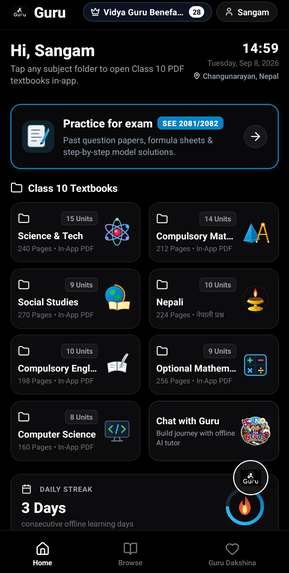
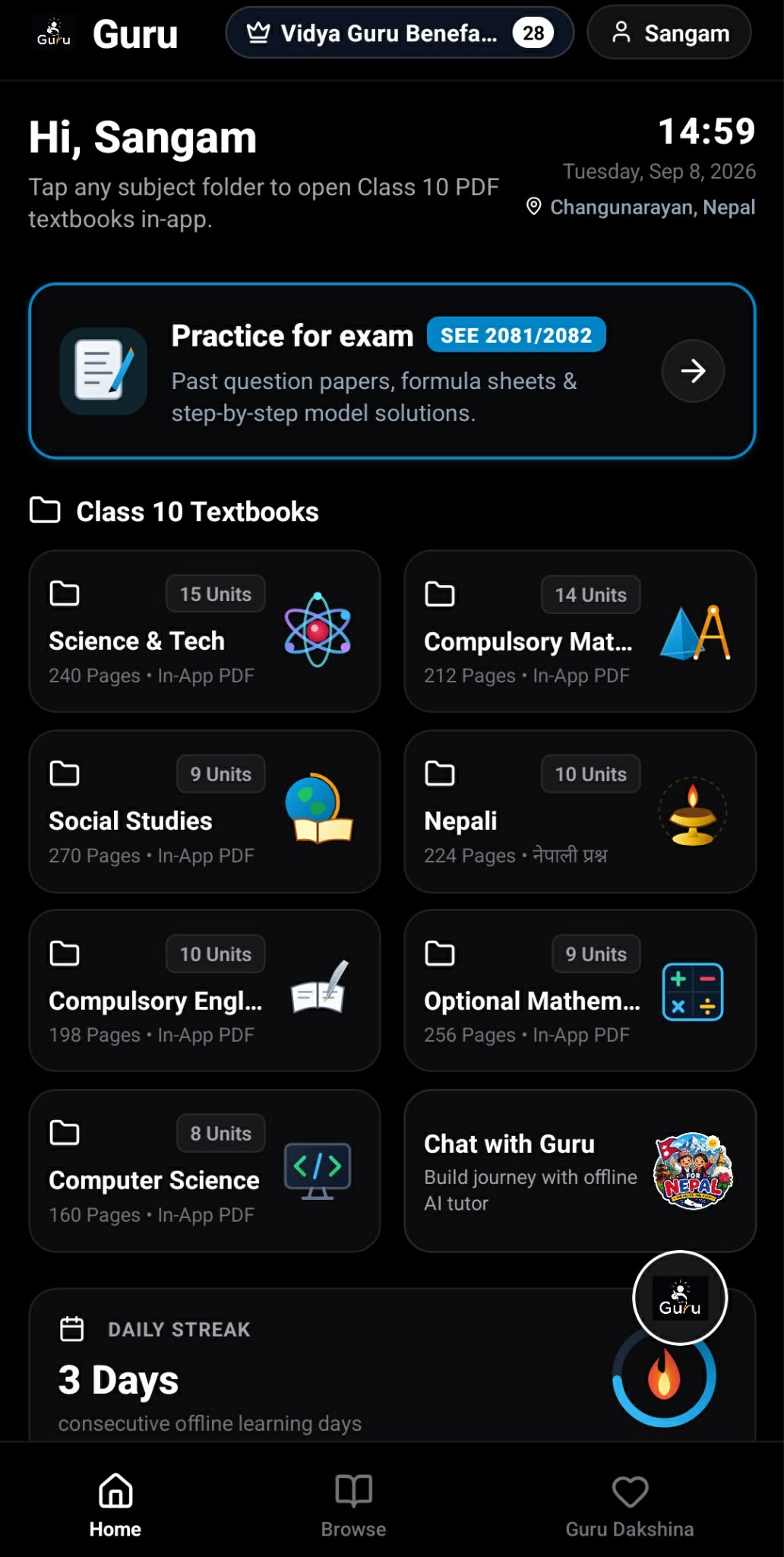
Guru home dashboard: offline Class 10 textbooks, board exam papers, daily streak, and instant AI tutor access.
-
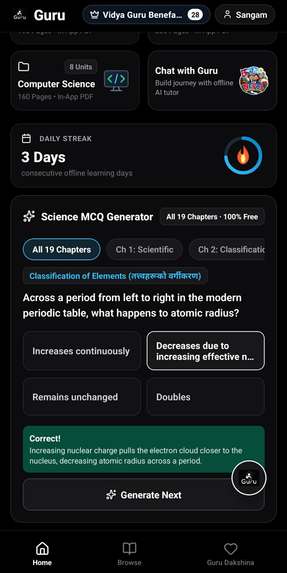
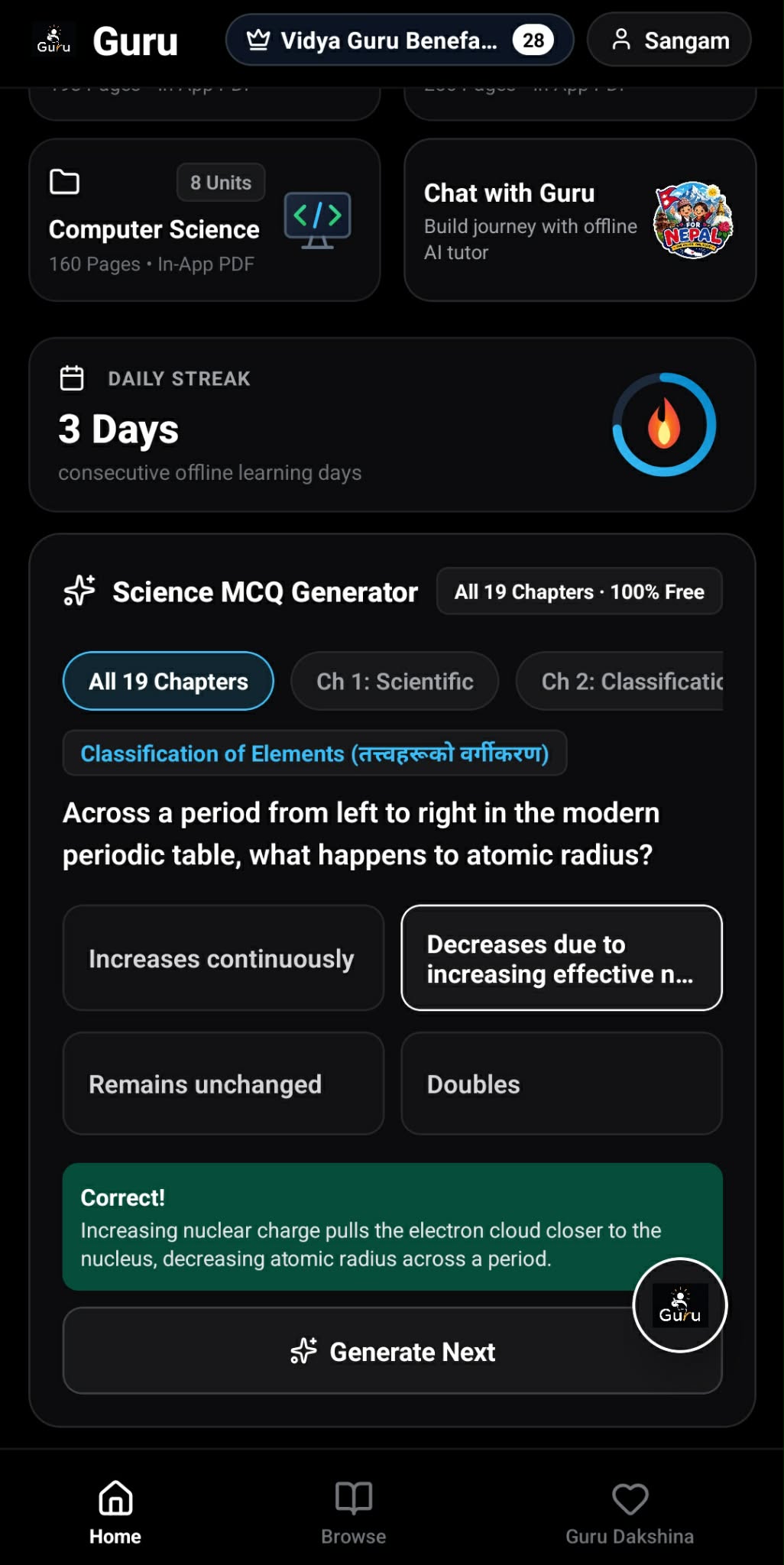
Instant 19-chapter Science MCQ practice
-
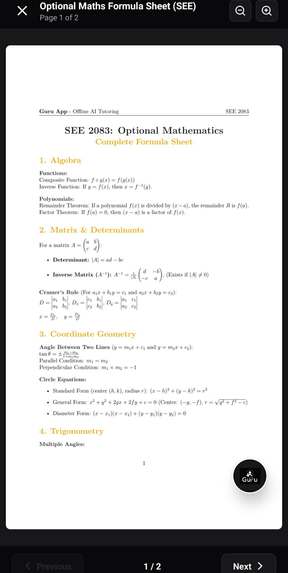
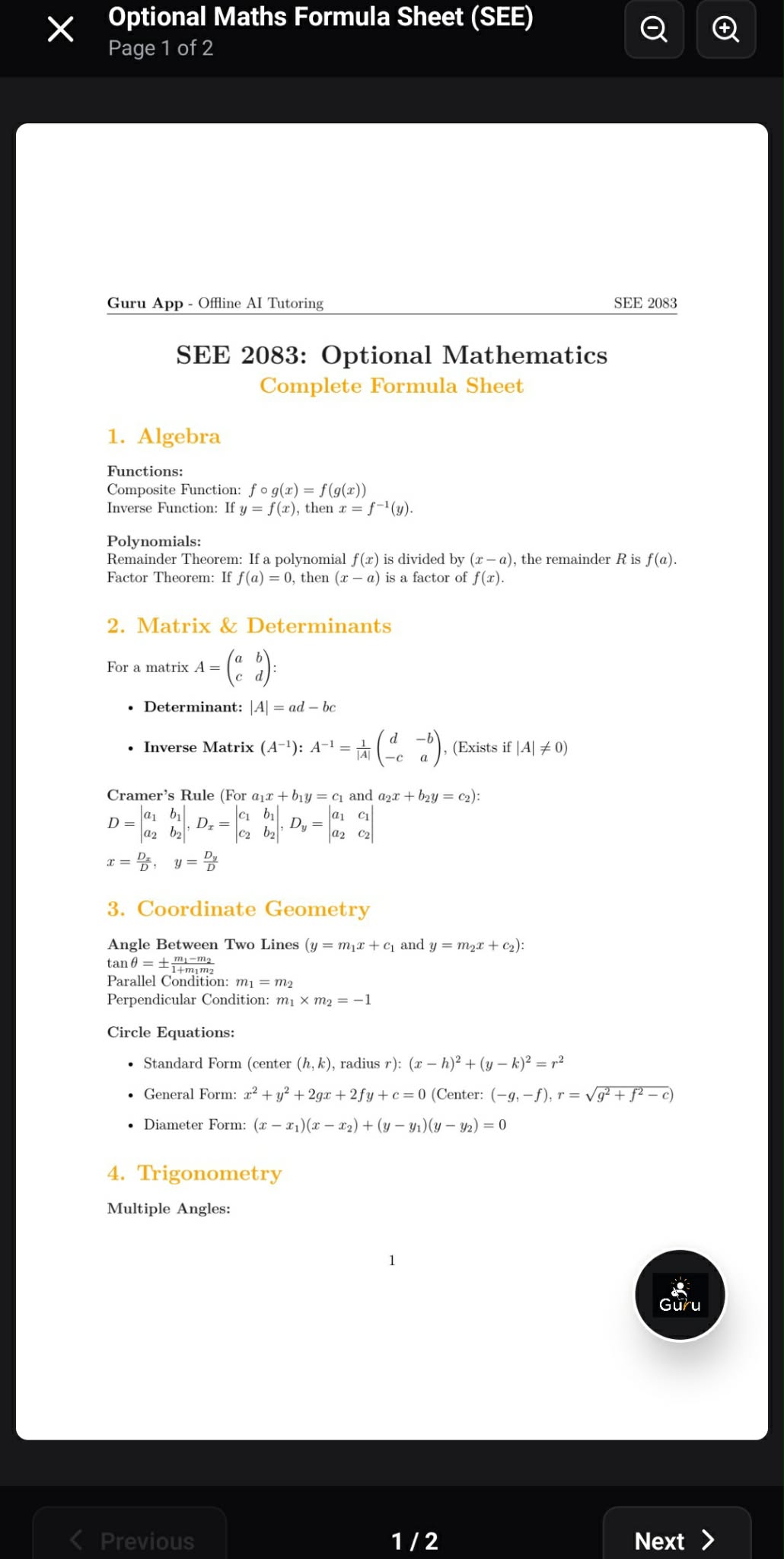
Built-in native PDF reader: studying Optional Maths formula sheet.
-
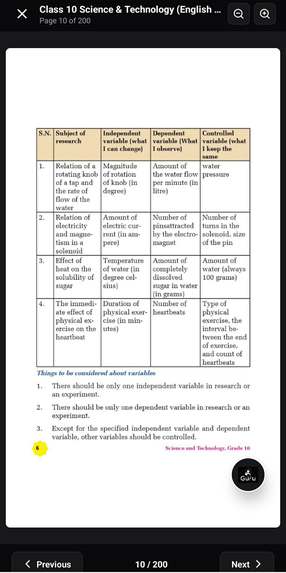
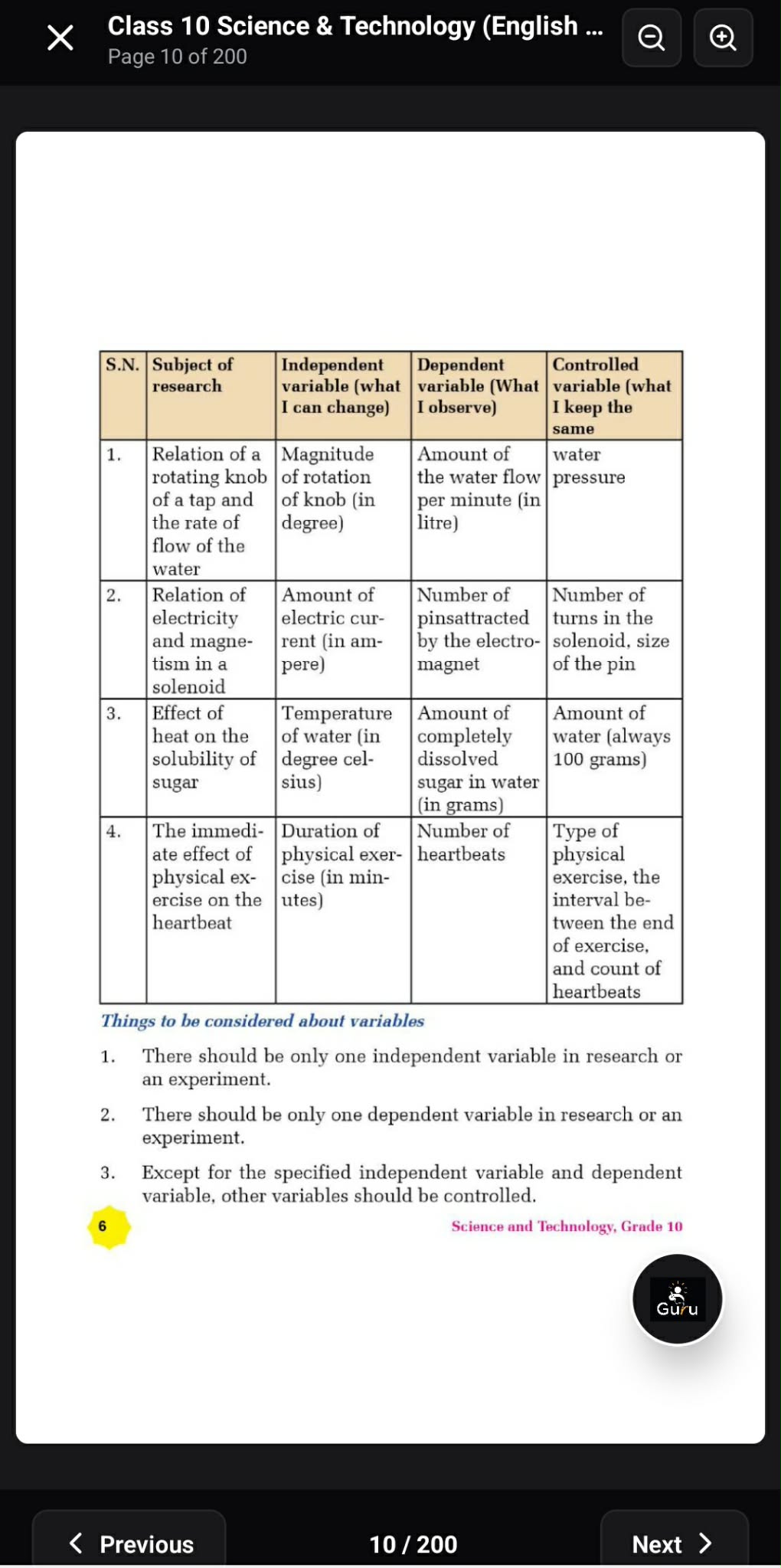
Reading the official Class 10 Science textbook offline .
-
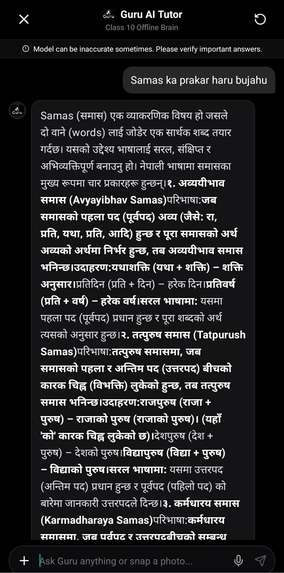
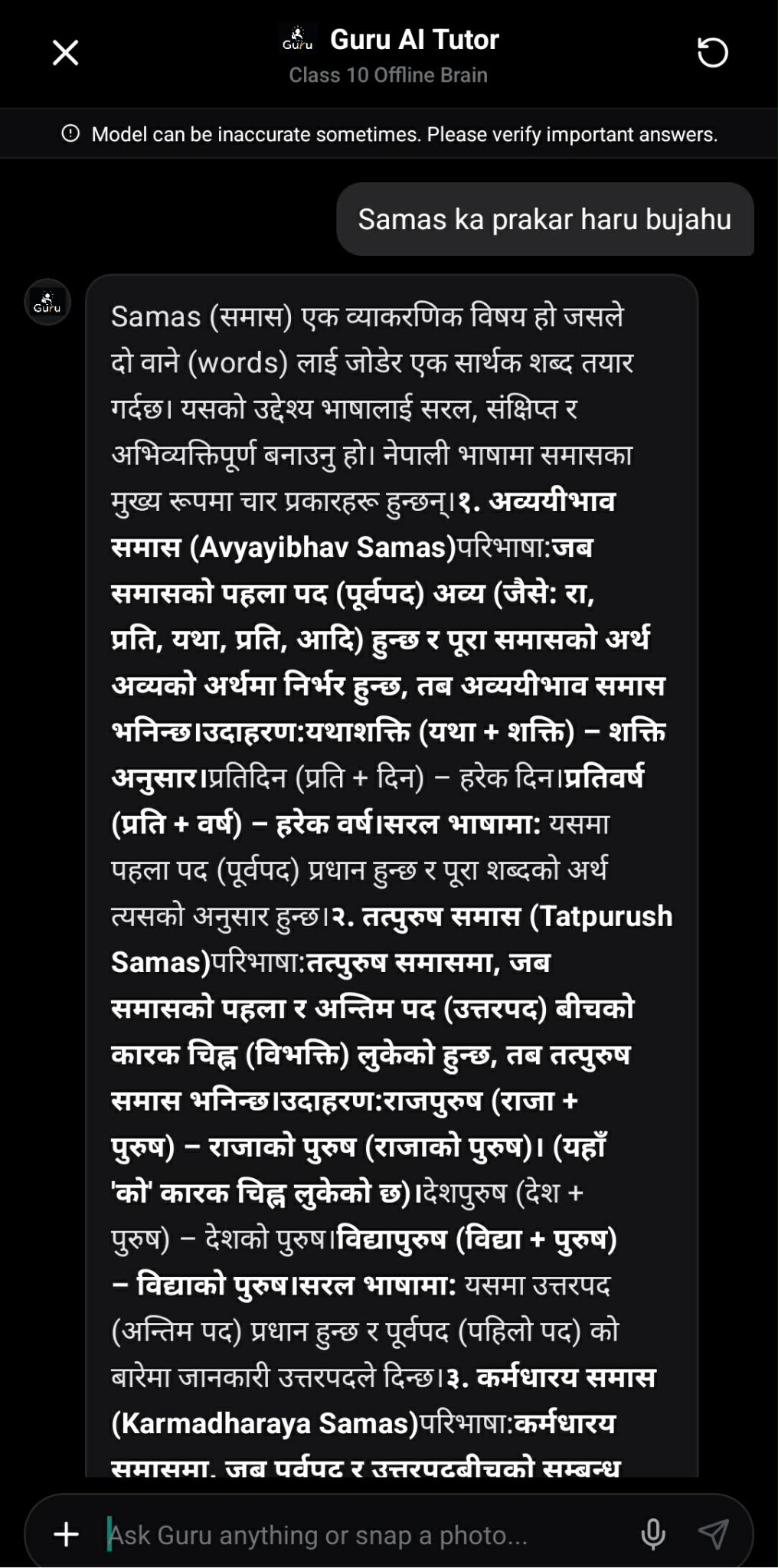
Guru explaining Class 10 Nepali Grammar.
-
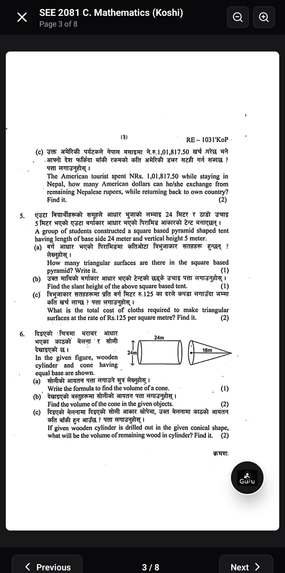
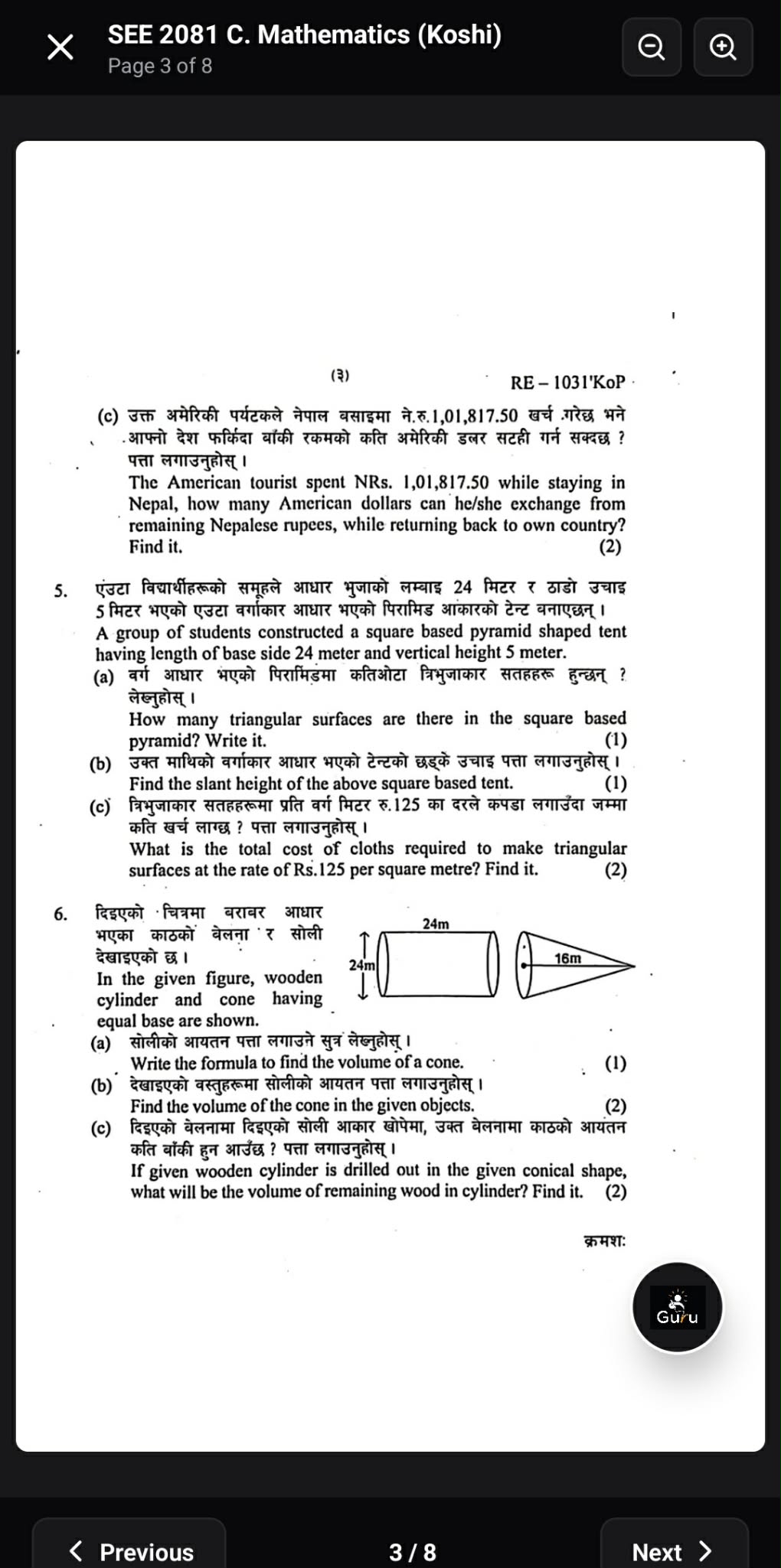
Practicing official SEE board exam Mathematics question papers completely offline.
-
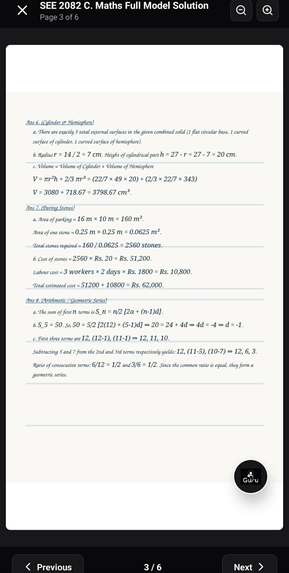
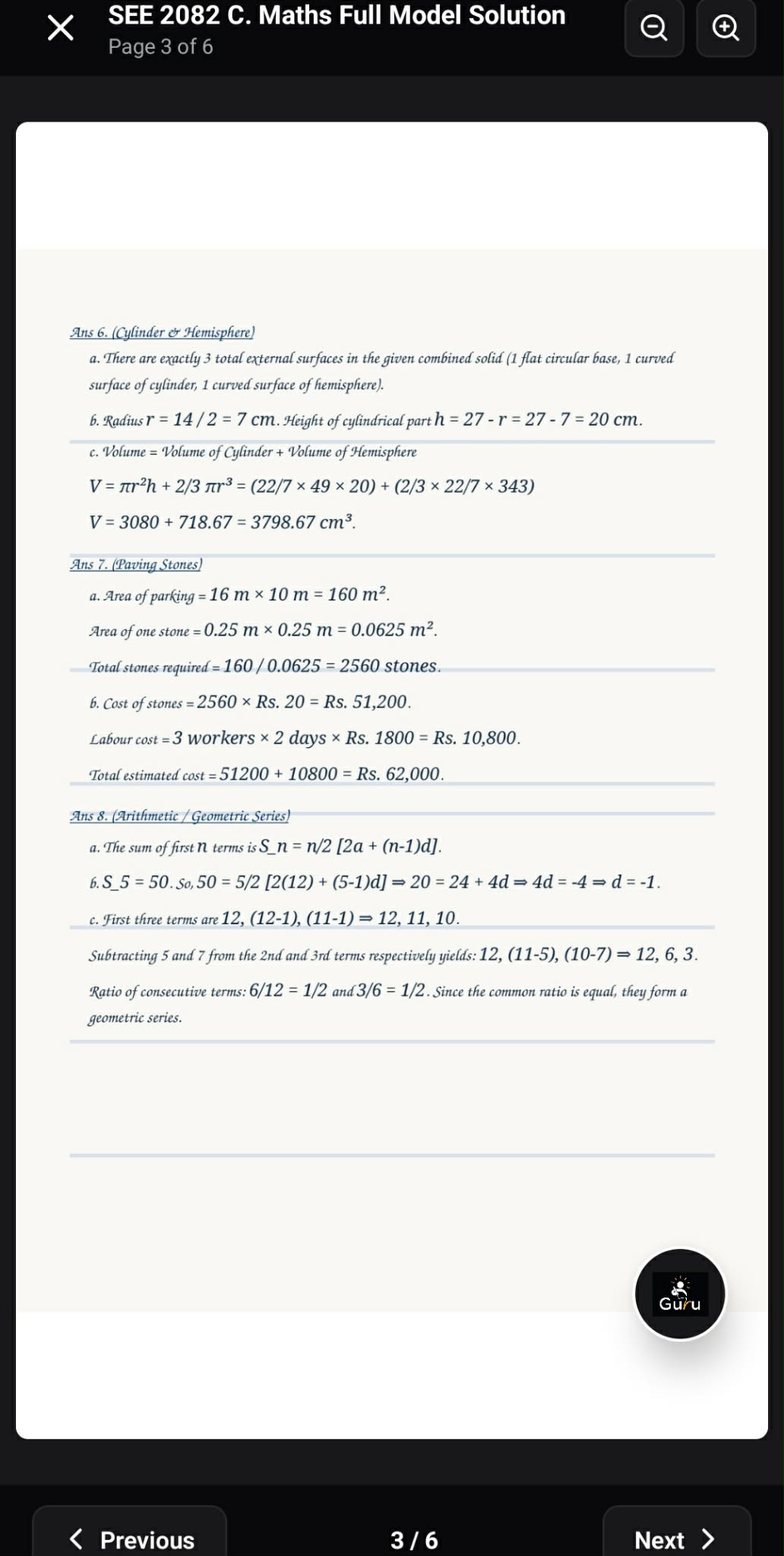
Studying official board exam answer keys.
-
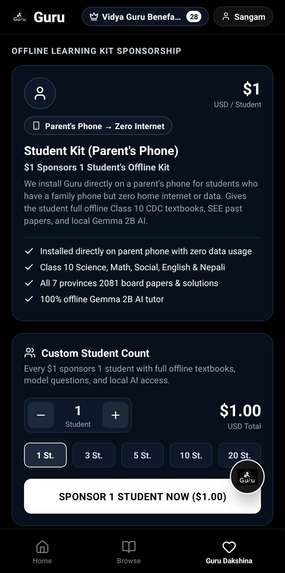
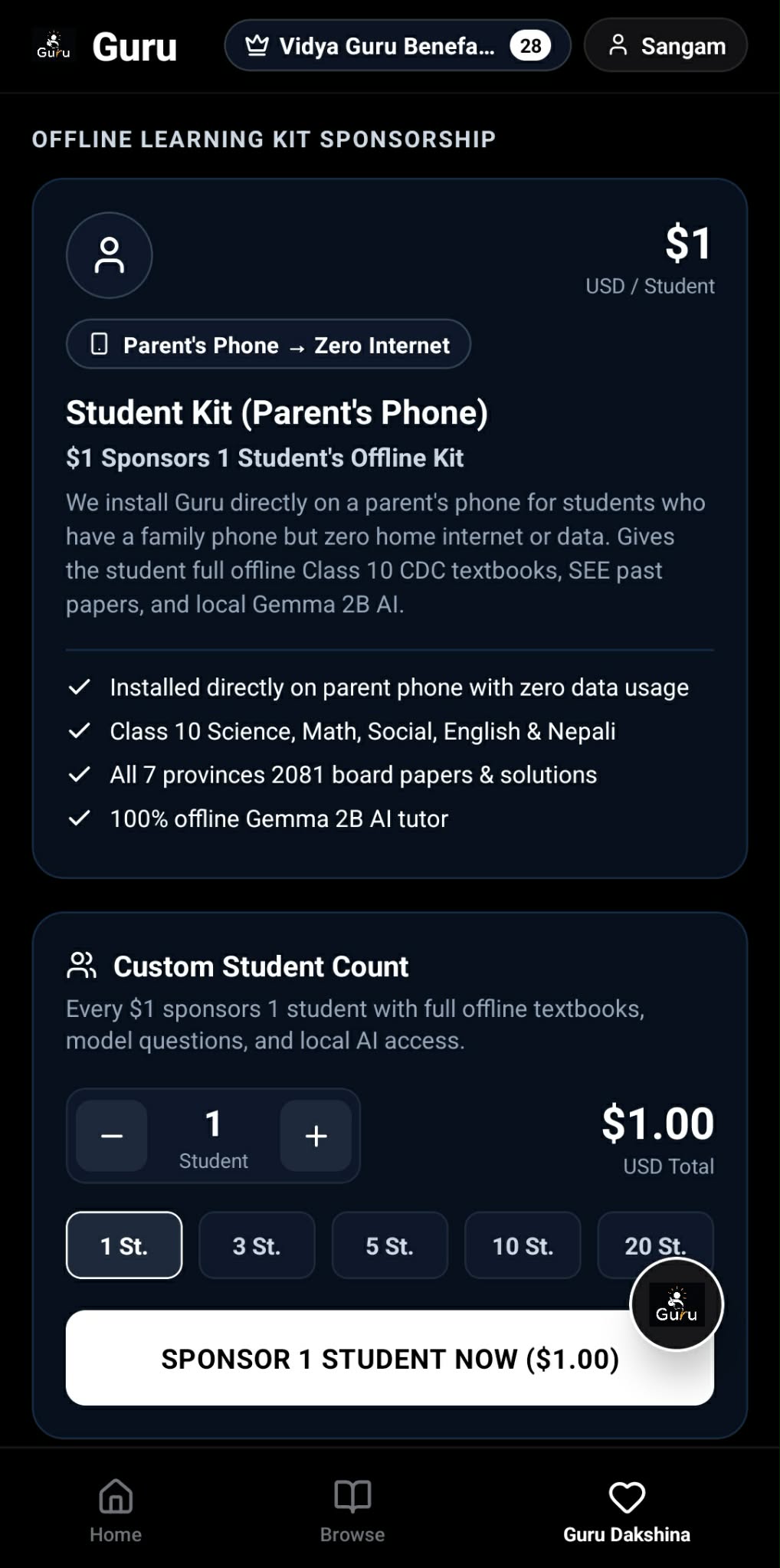
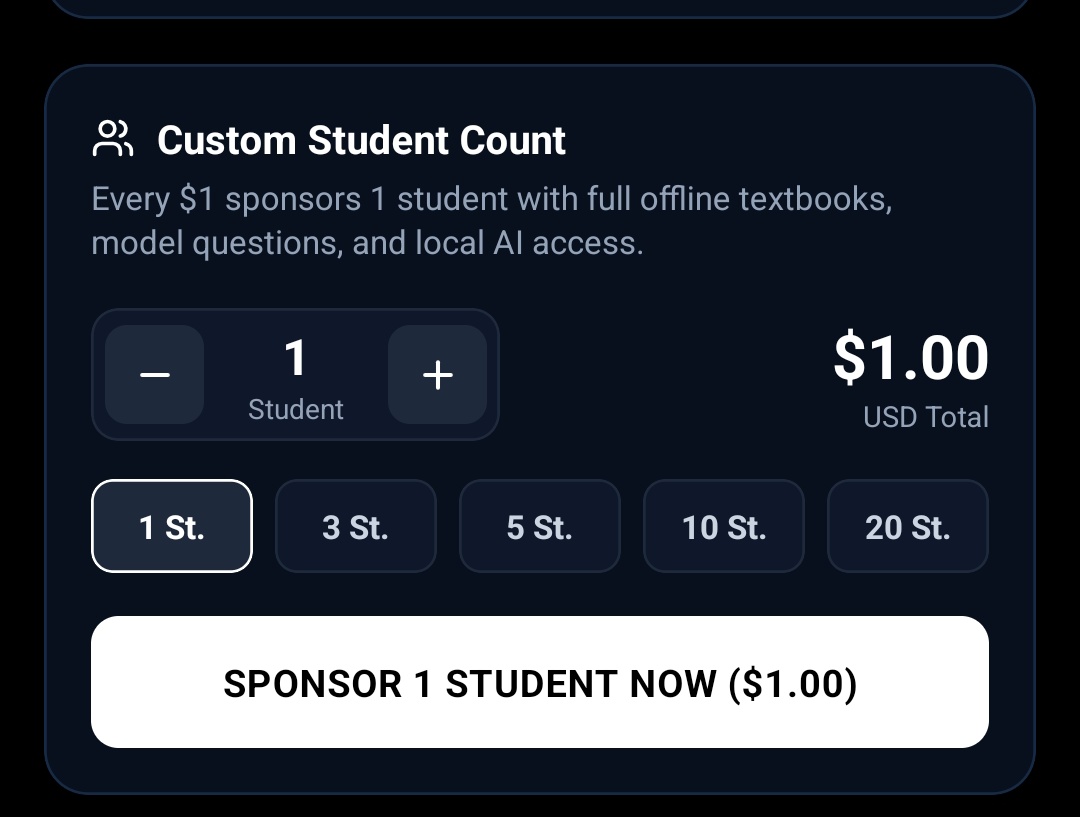
Community sponsorship powered by RevenueCat: $1 funds full offline textbooks and AI access on a family phone.
-
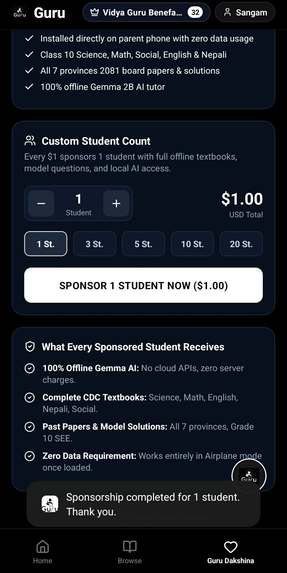
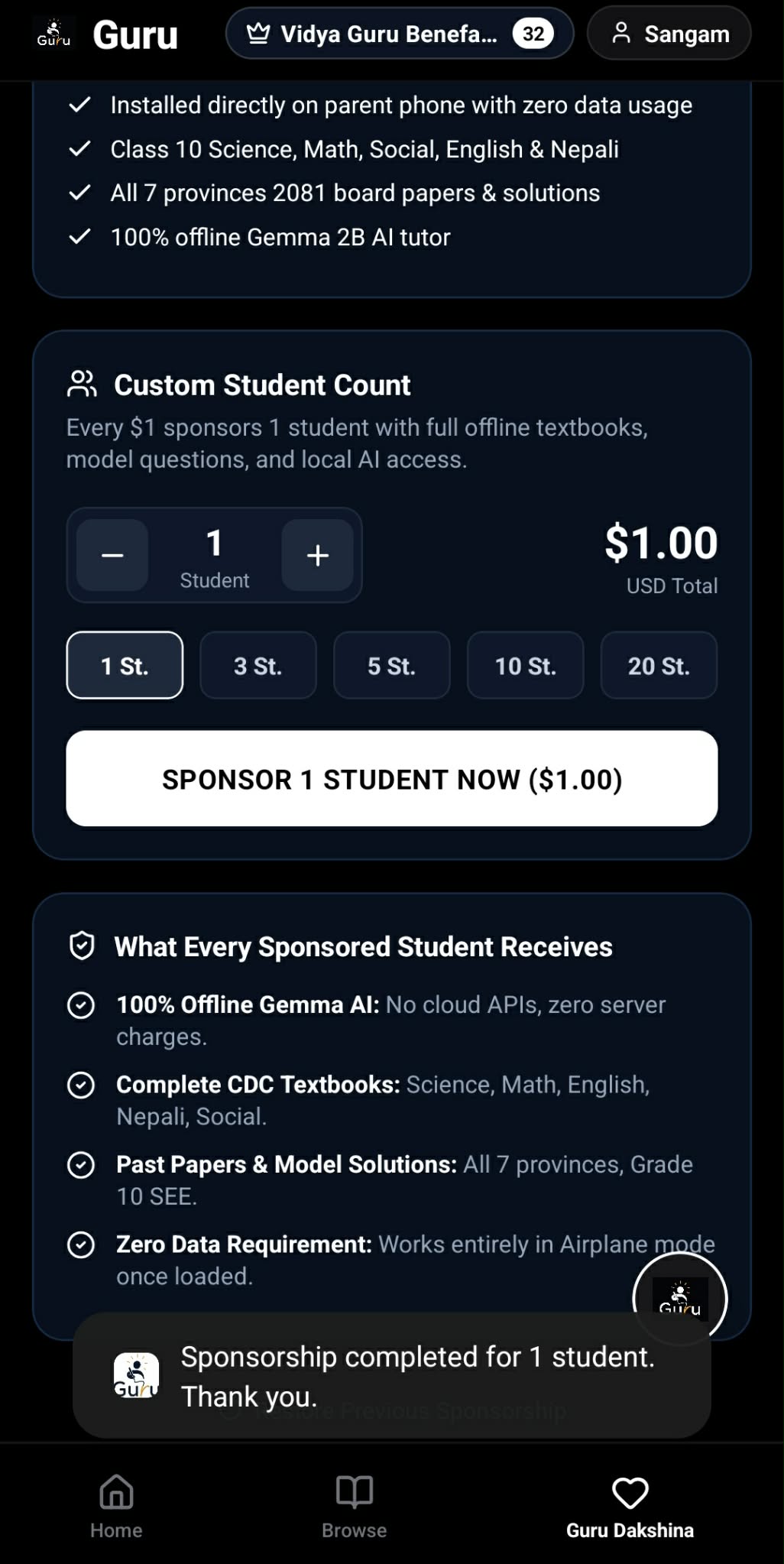
ive supporter badge counter update.
-

app icon

Inspiration
One night, I was studying for my Grade 10 SEE exams and the power went out. No light, no internet — I just sat there. Couldn't study for the rest of the night.
That's when it hit me: what if there was an AI tutor that could teach you even when the internet is gone? I looked it up later — UNICEF says over a billion kids worldwide don't have reliable internet, and South Asia and Africa are the worst hit.
But thinking about a billion people felt too big. So I focused on what I actually know — Nepal. I went to Kavre, my village, and talked to a student named Milan. I asked him what his biggest problem with studying was. He said:
"Whenever I have doubts in my studies, it is difficult to find answers by searching the internet or using AI, because internet access is limited in our village."

That gave me the clarity I needed. I'm 14, and I knew exactly what had to be built. I picked Google's Gemma 4 E2B (INT4 quantized edge model via litert-community) and ran it through LiteRT-LM — it can run even on cheap phones with low RAM, the kind of phones students in these areas actually have.
That's how Guru started.
What it does
Guru is an offline AI tutor and a full curriculum library that runs entirely on a student's Android phone — no internet needed after a one-time model download.
Here's what you can do with it:
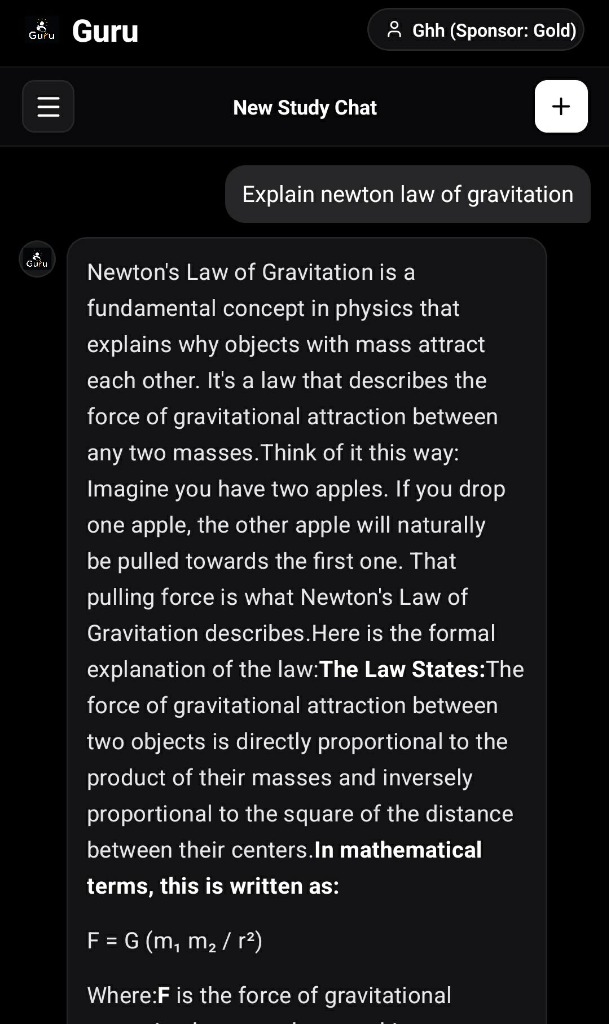
Ask by typing — type questions about Science, Math, English, Nepali, Social Studies, Optional Math, or Computer Science and get step-by-step answers with clean LaTeX math formatting
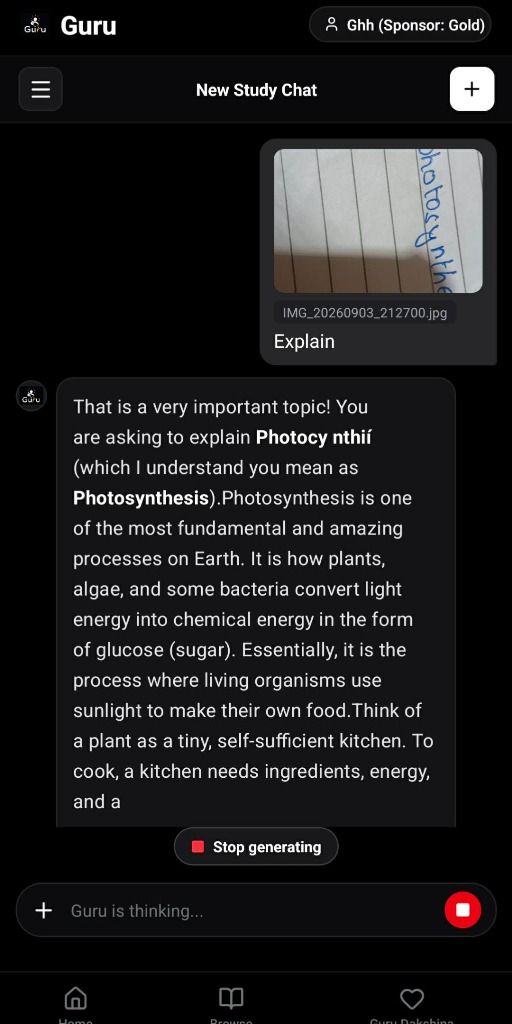
Ask by photo — snap a picture of a textbook problem with your camera; the app reads it using on-device OCR and explains the solution
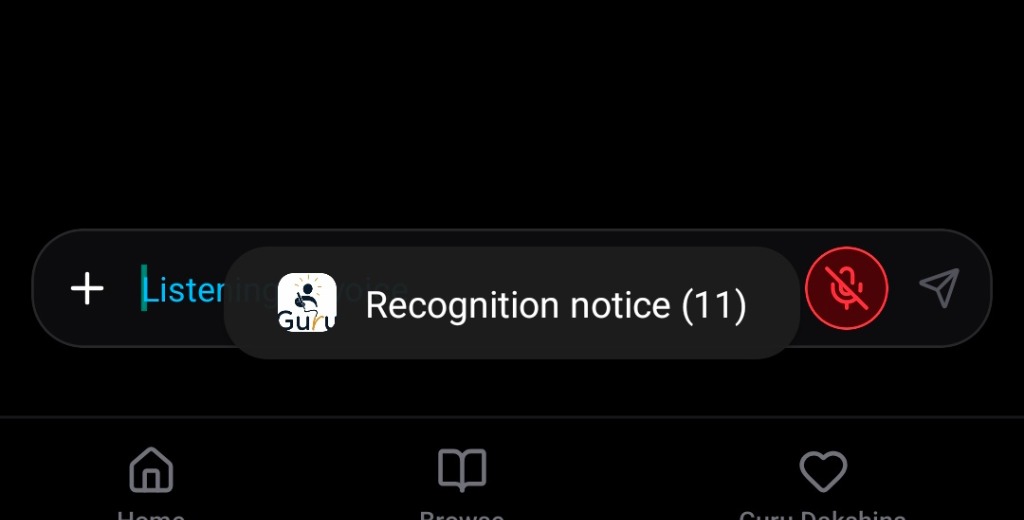
Ask by voice — just speak your question through the mic using offline Whisper speech recognition
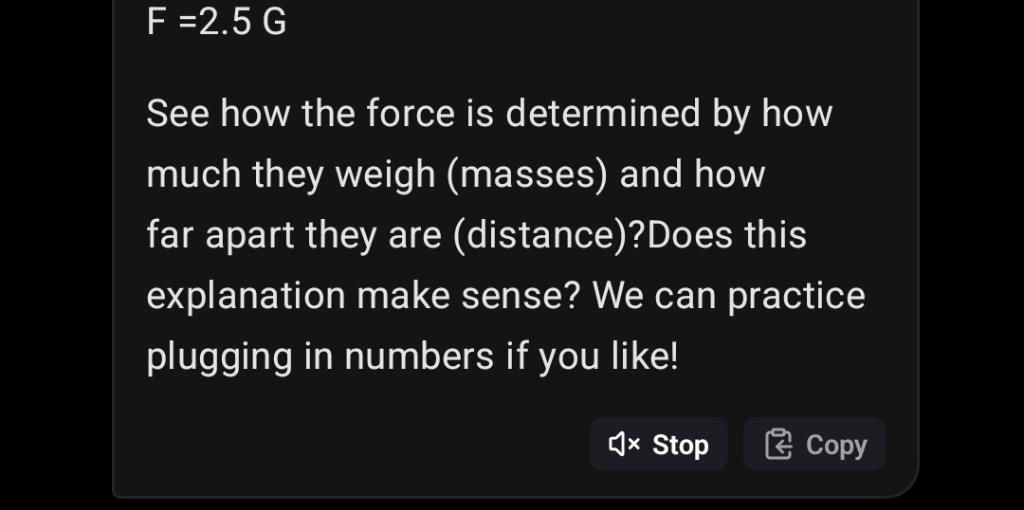
Listen to answers — the app reads solutions out loud using neural text-to-speech
Practice 19-chapter Science MCQs — chapter-wise quizzes with immediate answer checking and explanations covering all 19 Class 10 Science chapters
Built-in Class 10 textbooks — official CDC curriculum textbooks for Science, Math, Social Studies, Nepali, English, Optional Math, and Computer Science in both English and Nepali medium, using publicly released government materials for free, non-commercial student access
SEE 2081 past papers & model solutions — official board exam papers from all 7 provinces of Nepal, with step-by-step solved answer keys (English, Computer Science, Bagmati Province, GI Bonus)
SEE 2082 model solutions — full step-by-step solutions with diagrams and derivations for Science & Tech, Compulsory Maths, English, Nepali, and Social Studies
Built-in PDF reader — zoom, navigate, and study without needing any external app
Daily study streaks — on-device tracking to keep you consistent
Guru Dakshina (RevenueCat Sponsorship): In Nepali tradition, Guru Dakshina is a token of gratitude given to a teacher. Guru is completely free for students — zero paywalls, ever. Instead, this section lets parents, alumni, and community supporters with internet sponsor a $1 offline learning kit — installed directly on a family phone — for a rural child. Sponsors unlock visual badges (Study Supporter, Classroom Patron, Vidya Guru Benefactor) synced to RevenueCat Customer Attributes.
Everything runs on the phone itself. No cloud APIs, no server costs, no internet needed after the model download.
How I built it
Building an AI tutor that runs completely inside a phone with no servers was honestly the hardest thing I've done:
The AI Engine: I used Google's LiteRT-LM runtime to run Gemma 4 E2B (
gemma-4-E2B-it.litertlm) directly on the phone's CPU and GPU. With 4-bit quantization, the 2.5 GB model fits into mobile RAM and streams answers without overheating the device.The Native Kotlin Bridge: React Native handles the UI, but it can't run local ML models on its own. So I wrote custom native Kotlin code with JNI bridges (
LLMInferenceModule.kt) to connect React Native to Google's LiteRT C++ runtime, streaming tokens to the screen in real time.Voice and Camera: Nobody wants to type a long math equation on a small phone keyboard. I added on-device Whisper for voice and Google ML Kit for camera OCR so students can just snap a photo of their textbook or ask out loud.
Keeping the code organized: I split everything into separate pieces so each part does one job — custom hooks (
useDakshina,useChat,useVoiceMode,usePdfViewer), isolated data files, and dedicated native service layers (RevenueCatService,GemmaRunner) with strict TypeScript typing.Making it work without waiting: Instead of forcing students to sit through a 2.5 GB download just to open the app, all Class 10 textbooks and past board exam papers are bundled and open instantly on first launch without any download. When a student wants to chat with the AI tutor or practice chapter MCQs, the app downloads Gemma 4 E2B and Whisper in the background with auto-resume and Android wake-locks, so spotty Wi-Fi doesn't lose progress.
Textbooks, Model Papers, and Solutions: I collected and organized all official Class 10 curriculum textbooks (English & Nepali medium), SEE 2081 board exam papers from all 7 provinces, and both SEE 2081 and 2082 model solutions into a lightweight bundled offline reader.
Guru Dakshina (RevenueCat Integration): For the Next Gen Track, I integrated the RevenueCat SDK (
react-native-purchases) using my production Google Play public API key to power the sponsorship system. I built a custom React Native UI for one-time consumable in-app purchases ($1 to $20+ kits). It queries offerings, handles native purchase sheets, verifies receipts, syncs lifetime donor metrics to customer attributes, and has pre-flight connectivity checks. Sideloaded demo builds include a sandbox fallback so anyone can test the full sponsorship flow and badge unlocks without an active Google Play Billing account.
Challenges I ran into
Making AI run on low-RAM phones: Most students in Nepal use budget phones with only 3–4 GB of RAM. The first time I tried loading the model, it just crashed — Out of Memory. I had to tune memory budgets, set dynamic token context limits (1,536 to 2,048 tokens depending on available RAM), and make sure LiteRT-LM properly frees memory after each session.
Downloads failing on bad Wi-Fi: Downloading 2.5 GB on slow village Wi-Fi in Nepal is painful. It fails halfway all the time. And when the screen locks, Android kills the download process. I had to build a native foreground service (
ModelDownloadService.kt) with Android partial wake-locks and HTTP byte-range resume so it picks up right where it left off instead of starting from zero.Connecting React Native to Google's engine: React Native had no native bindings for Google's LiteRT C++ runtime. I had to learn JNI and native Android thread pools from scratch to stream tokens word-by-word without freezing the JavaScript UI thread.
RevenueCat crashing on release builds: When I first built the release APK (
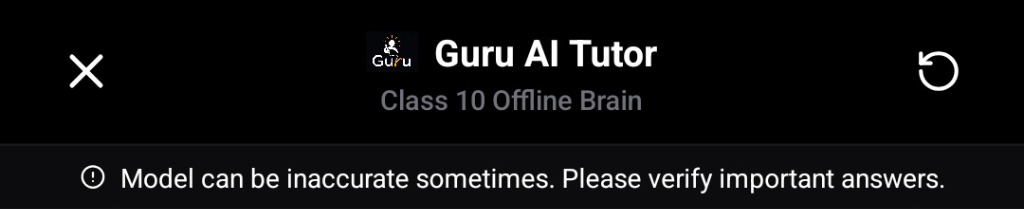
assembleRelease), the app crashed immediately on boot. Turns out RevenueCat's Android SDK blocks test keys in production builds to prevent fake store deployments. I had to switch to my official Google Play public key and build a graceful offline check so the app doesn't throw unhandled errors when students have no internet.Trusting a small model with real exam answers: This worried me more than any crash. A 2B-parameter model on a budget phone is not going to be right every time, and a kid could be trusting Guru the night before a board exam. So I built a persistent warning banner at the top of every chat session: "Model can be inaccurate sometimes. Please verify important answers." It's directly visible so students see it every time they open Guru. The banner has an alert icon so it catches attention without being annoying. It's not a complete fix — getting Guru to flag its own uncertainty instead of always sounding confident is something I'm still working on — but it makes the limitation clear from the start.
Accomplishments that I'm proud of
Building this at 14: An idea that started during a power outage turned into a real, working app that answers questions offline on my phone.
Real student feedback: The most rewarding moment was hearing directly from Grade 10 students testing Guru:
"I used to go to my neighbor's house to study. But now, because of the Guru app, I can comfortably sit in my own home and study without internet."
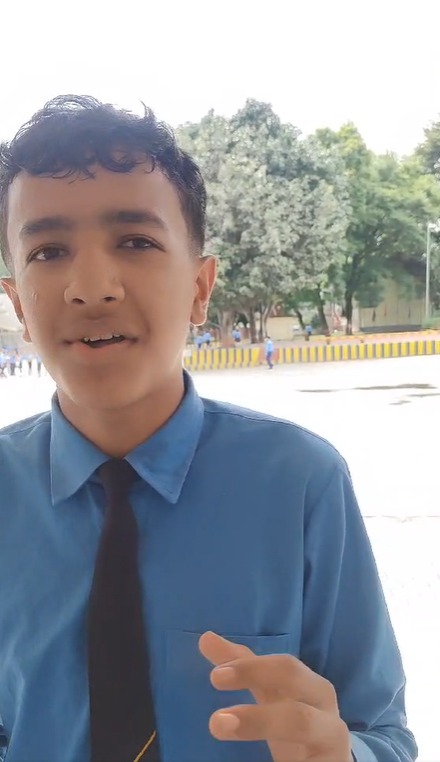
"Because of the Guru app, I am able to study. Earlier, without the Guru app, we faced a lot of difficulty. The questions used to be very hard, it was difficult to solve them, and we needed the internet. Around our homes, we didn't have much access to internet facilities. Because of that, when we used the Guru app and started studying without the internet, the Guru app helped us a lot. Thank you so much to the Guru app."
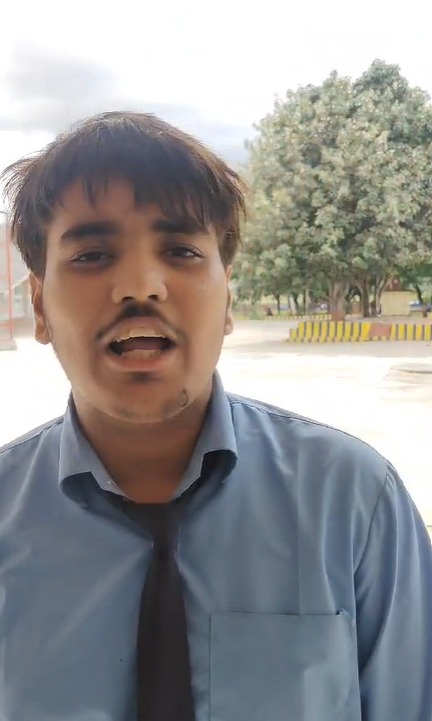
"Because of the internet, we were not able to study properly. But thanks to the Guru app, we are able to study easily even without the internet. Thank you."
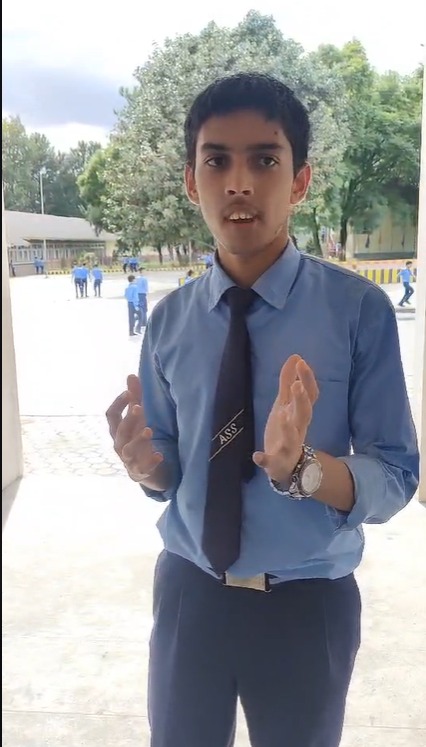
Recognize him? Yes, that's Milan.
The exact same student from Kavre who told me at the start: "It is difficult to find answers because internet access is limited in our village."
Coming back to him with a working app, handing him the phone, and watching his reaction the second the AI generated the first step-by-step Science answer right in his hands… hearing him whisper "Yes…" with a huge smile was unforgettable. ❤️
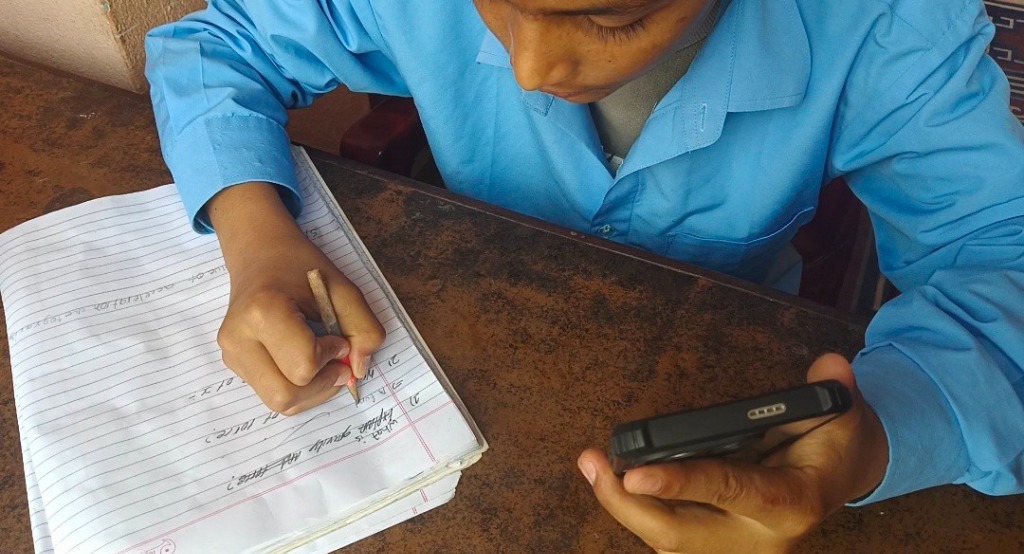
- Used in a real classroom: A secondary school teacher in Nepal projected Guru onto a classroom screen and used it to explain English grammar step-by-step to SEE students — completely offline, because the school had no internet that day:
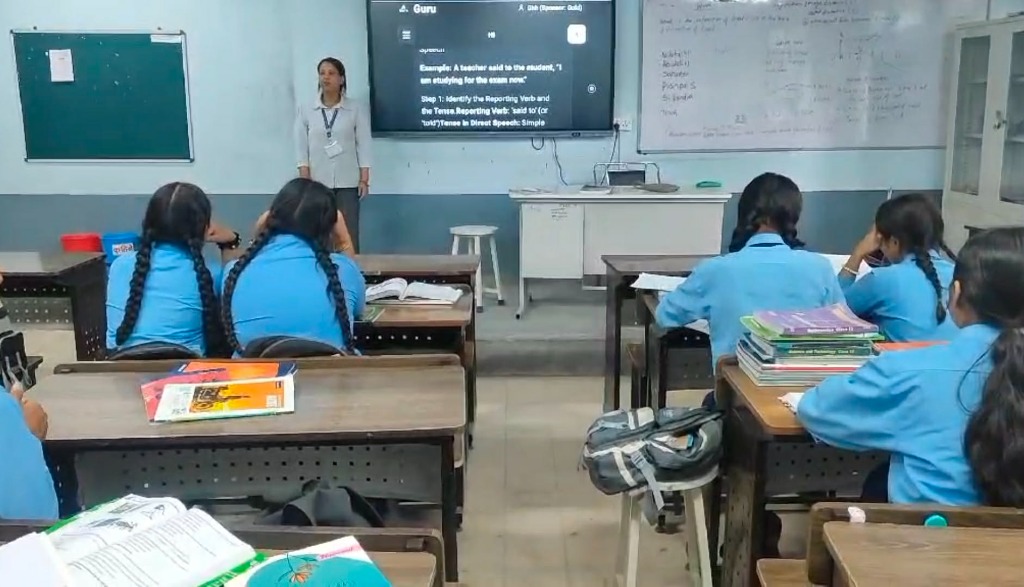
📹 Watch Teacher Feedback Video (Direct MP4) — Real educator feedback on how Guru helps Grade 10 SEE students in rural Nepal.
- Tested on real phones people actually use: I didn't just test on my own phone. I got my hands on four different budget devices to see how Guru performs on real hardware:
| Phone | Chipset | RAM | AI Speed | How it runs |
|---|---|---|---|---|
| Vivo Y27 5G | MediaTek Dimensity 6020 | 8 GB | ~5.0 tok/s | GPU acceleration (Mali OpenCL) |
| Realme C51/C53 | Unisoc Tiger T612 | 4 GB | ~1.6 tok/s | GPU acceleration (Mali OpenCL, 1.67 GB PSS) |
| Redmi A4 5G | Snapdragon 4s Gen 2 | 8 GB | ~1.8 tok/s | CPU fallback (Qualcomm OpenCL limit) |
| OPPO A18 | MediaTek Helio G85 | 4 GB | ~1.6 tok/s | CPU mode (safe for 4GB RAM) |
- GPU mode: On phones with capable GPUs (like the Dimensity 6020 and Unisoc T612 with Mali-G57), the model runs directly on the GPU using OpenCL.
- CPU fallback: On budget Qualcomm phones (like the Redmi A4) where the GPU has driver limits, the app automatically switches over to ARM NEON CPU execution without dropping requests, generating at around 1.8 tokens per second.
- Offline testing: All tests were done with airplane mode enabled (zero Wi-Fi and zero mobile data).
- Ethical monetization with RevenueCat: Setting up the RevenueCat SDK so anyone with internet can sponsor an offline learning kit for a rural student who doesn't have one. Students never pay anything.
What I learned
On-device AI is the only way for students like us. Cloud AI is great if you have good internet. But in Nepal, when the power cuts or the Wi-Fi drops, having the model run directly on the phone is the only way you can keep studying.
RAM management matters more than model size. AI isn't just about picking the smartest model. On budget phones, memory allocation, 4-bit quantization, and background thread management decide whether the app runs or just crashes.
In-app purchases don't have to be paywalls. Building the RevenueCat integration showed me that you can redesign purchases into something meaningful — letting someone with internet sponsor an offline kit for a student who can't afford one.
What's next for Guru
Offline Phone-to-Phone Model Sharing: Adding Wi-Fi Direct or Bluetooth transfer so one student who downloaded the model can share it to classmates' phones in minutes — no internet needed at all.
Expanding Beyond Class 10: Adding textbooks, syllabus notes, and past papers for Grades 8, 9, 11, and 12.
Natural Nepali Voice Engine: Adding an offline Nepali neural voice engine so Guru can explain concepts out loud in natural Nepali.
Testing in More Schools: Getting Guru into the hands of more students in Kavre and other remote districts to improve based on their actual daily study needs.
Doing Right by the Source Material: Right now Guru uses publicly released official textbooks and past papers for free student access. As it grows past a hackathon prototype, I want to formally reach out to Nepal's Curriculum Development Centre and the exam boards to properly license the content for wider distribution.
Bringing Guru to iOS: All the native work so far is Kotlin and JNI, so Android came first. Getting the same LiteRT-LM pipeline running through a Swift bridge on iOS is the next big goal.
Built With
google-litert-lm · gemma-4-e2b · react-native · kotlin · jni · revenuecat · whisper · google-ml-kit · android · typescript
Links & Resources
- Demo Video (YouTube): https://youtu.be/pWdVwdpM14A?si=C1DBu188Hd0A6RmA
- Teacher Feedback Video (MP4): https://github.com/sangamgautam1111/guru/releases/download/v1.3.0/teacher_feedback.mp4
- Source Code: https://github.com/sangamgautam1111/guru
- Latest Release APK (v1.3.0): https://github.com/sangamgautam1111/guru/releases/latest
- Direct APK Download: https://github.com/sangamgautam1111/guru/releases/download/v1.3.0/app-release.apk
- RevenueCat Integration Code:
src/services/RevenueCatService.tsandsrc/hooks/useDakshina.ts
Submitted for the RevenueCat Ship-a-ton 2026 (Next Gen Track)
Built With
- android
- gemma-4-e2b
- google-litert-lm
- google-ml-kit
- jni
- kotlin
- react-native
- revenuecat
- typescript
- whisper


Log in or sign up for Devpost to join the conversation.