Inspiration
We wanted to build something that could actually be useful in day-to-day life, an assistant that runs in the background while you work and makes your workflow smoother. We wanted an assistant who wouldn't just be loud, but also smart enough to know when to be quiet.
What it does
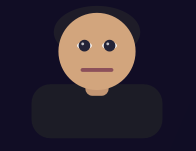
Our desktop AI runs in the background, or the foreground if you prefer (with an avatar). It listens to real system notifications in real time, whether they're messages or device issues, and uses a ruleset to determine what decision to make, such as one click actions or automatic calendar updates. It also supports Voice input and output. Example of tools we implemented: Calendar tool
- Adds events
- Modifies existing events
- Deletes events
- Parses natural dates from notifications such as "Meeting tomorrow at 5" into a calendar event Weather tool
- Uses latitude and longitude to get weather at location, including temperature, feels-like temperature, humidity, pressure, wind speed and clouds
How we built it
We used Flask and PyQt for the UI, OpenAI whisper/TTS for real-time speech, Anthropic Claude 3 Haiku for reasoning and tool calling, QPainter for the avatar, Google Api for the map and openweathermap for the weather. We made a custom notification pipeline to capture Windows notifications straight from the bar and format them for the AI, and a strict system prompt to avoid verbosity and hallucinations.
Challenges we ran into
Accomplishments that we're proud of
We are proud that we made a fully functioning desktop assistant that can actually improve your workflow instead of just talking. The real-time voice input and output also worked smoothly, and the UI felt professional.
What we learned
- How to control LLM behaviour with system prompts
- How to handle system events and pipe them into AI running on a webserver
- How to design a UI that feels friendly and easy to use
- How to build tools for AI to use ## What's next for Gurt Email integration, morning summaries, filesystem agent or even a browser extension. Multi-device synchronisation might also be useful, and allowing plugins such as music apps or github, and having a user profile for each user.

Log in or sign up for Devpost to join the conversation.