-
-
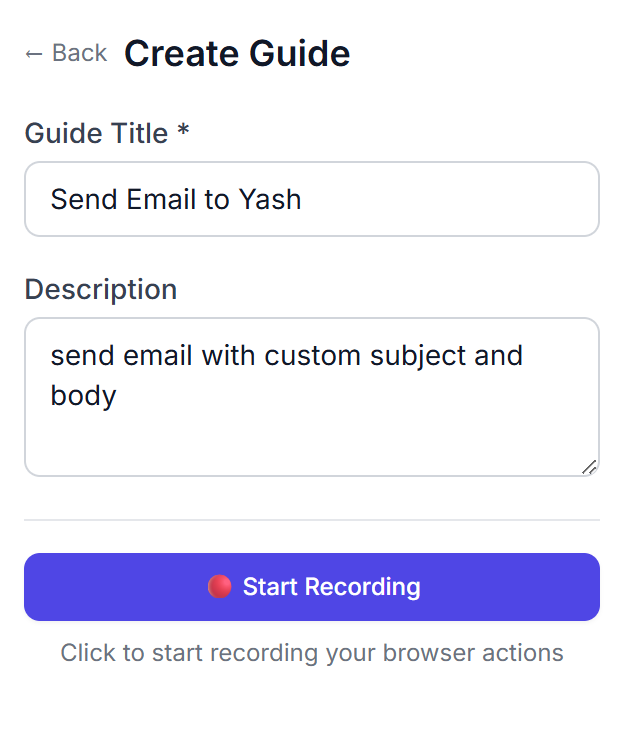
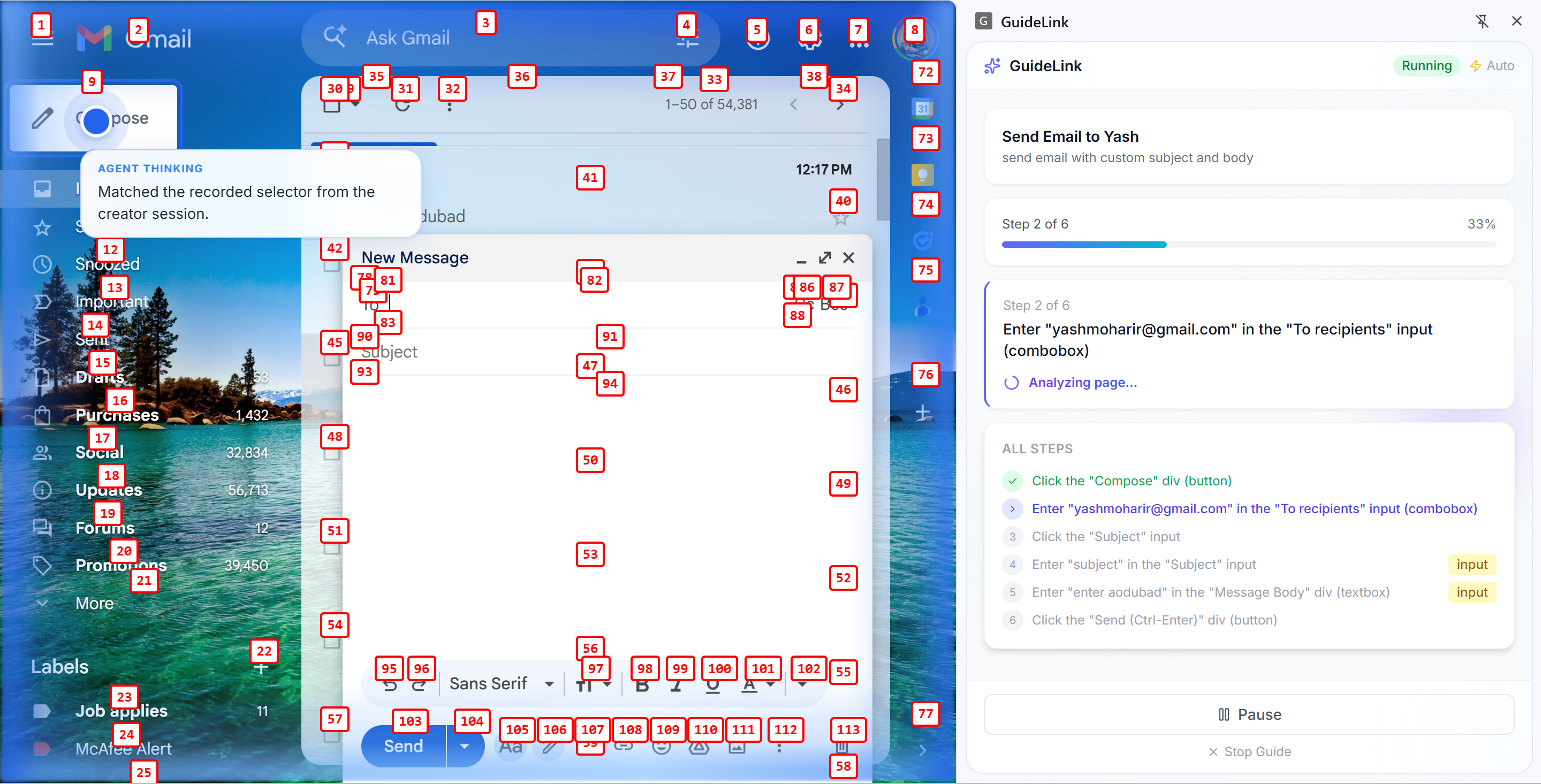
Reccording Task
-
-
-
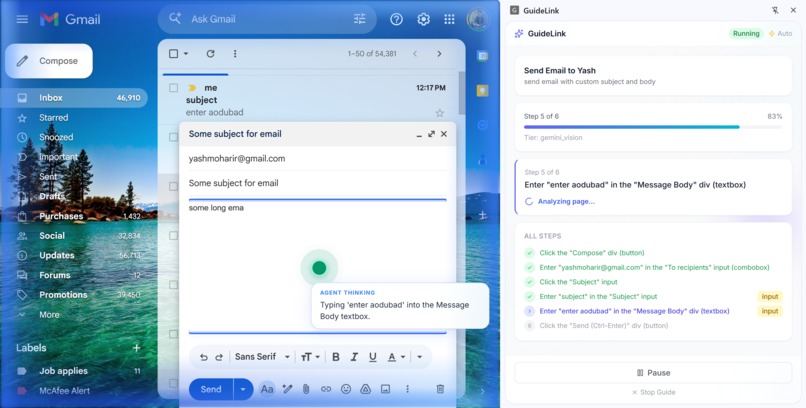
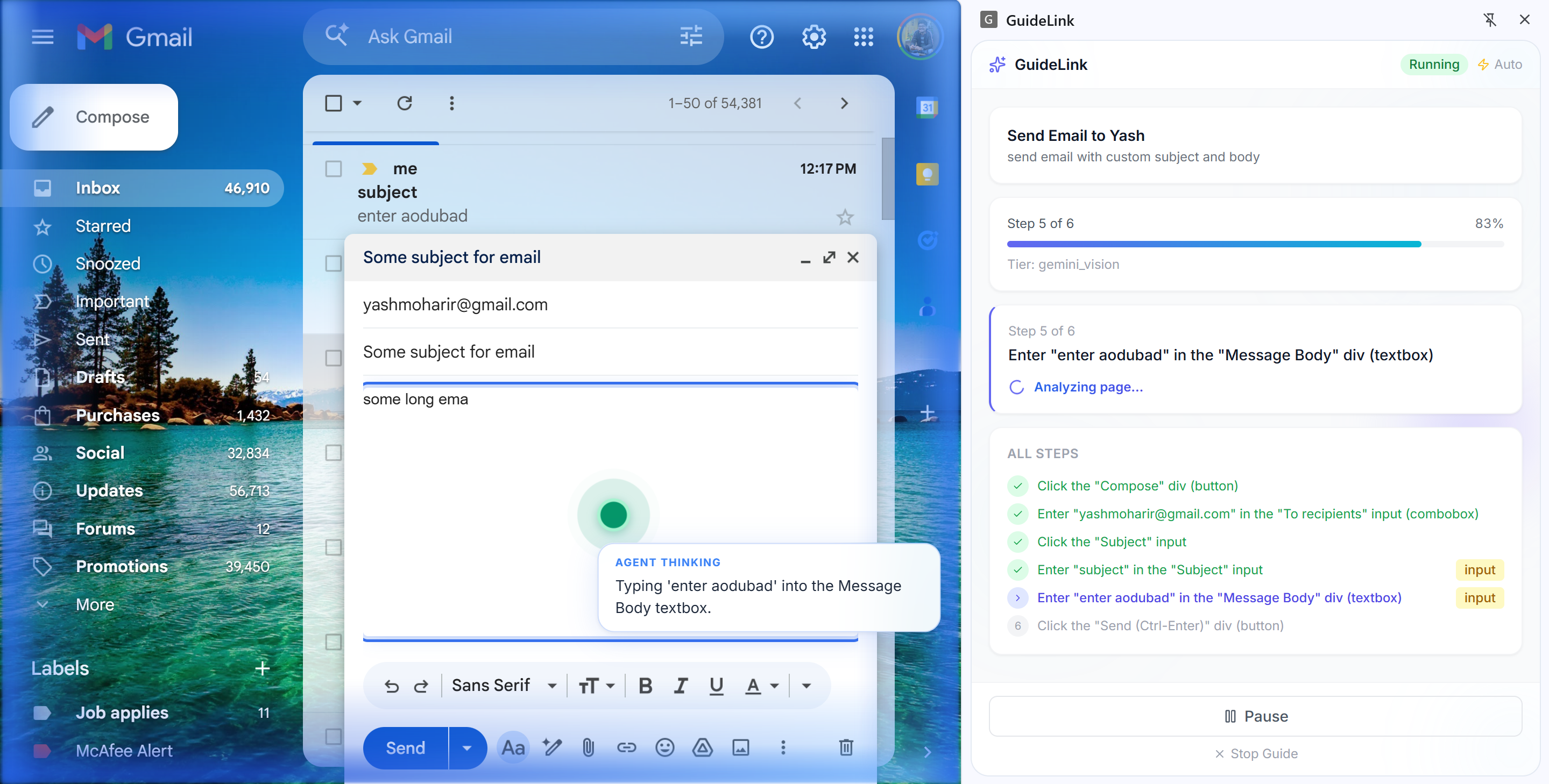
Agent Typing in input
-
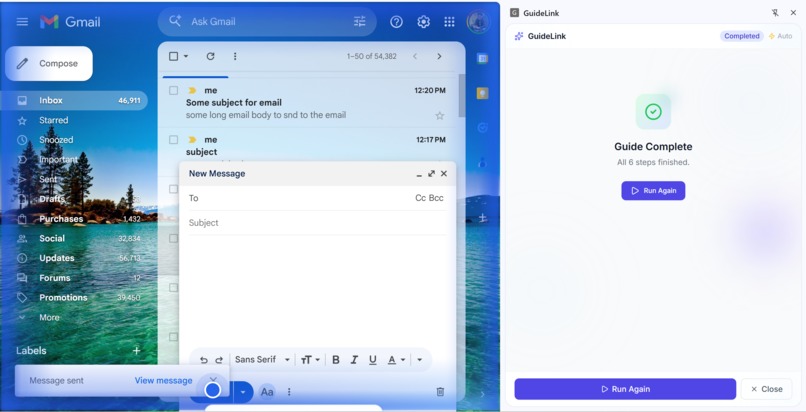
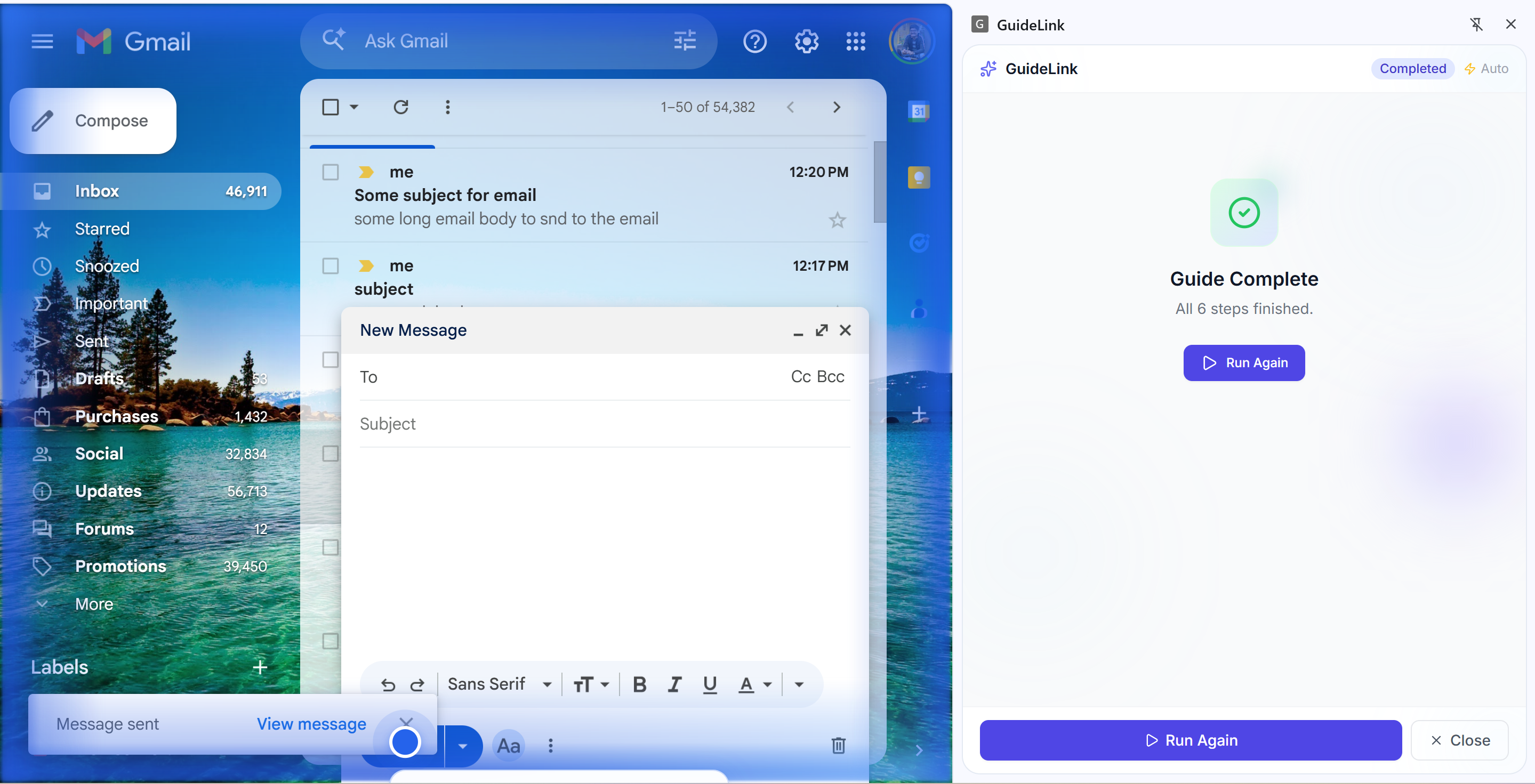
Task completion
-
GuideLink — Devpost Submission Copy
Inspiration
We kept running into the same problem: people asking "how do I do X on this site?" or needing to repeat the same browser workflow over and over, filling forms, checking dashboards, walking through onboarding. Written instructions go stale the moment the UI changes. Screen shares don't scale. We wanted something that could record once, share a link, and let anyone run the same steps with an AI that actually "sees" the page and clicks or types in the right place, even when the layout shifts a bit. That's how GuideLink was born: shareable, AI-powered browser automation that feels like having a teammate who already knows the steps.
What it does
GuideLink is a Chrome extension that lets you create and share step-by-step browser automation guides.
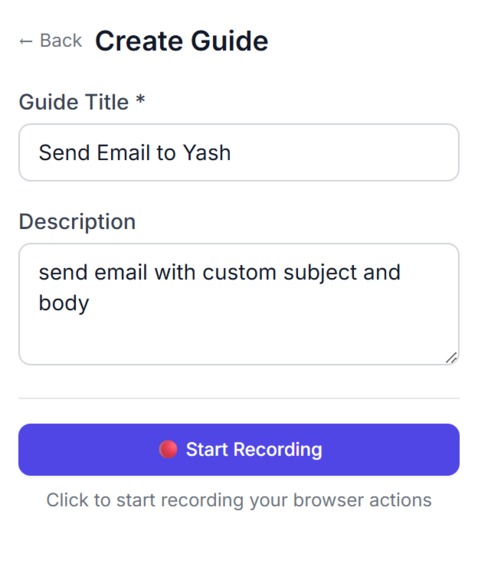
Creators record a task (clicks, typing, scrolling, navigation) in the browser. The extension captures every action and turns them into a guide.
Runners get a share link or 6-character short code. They open the guide in the extension and run it in guided mode (confirm each step) or autonomous mode (AI runs the steps automatically).
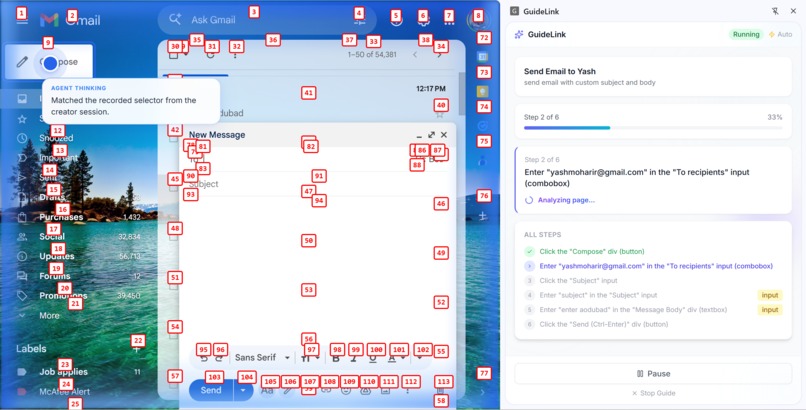
A Gemini-powered agent uses vision to understand the current screen: we show it a screenshot with numbered labels on each interactive element and ask "which number?" instead of "where exactly?" so the AI picks the right element reliably (~89% accuracy) without fragile coordinate guessing.
Share links point to a landing page; if the runner has the extension, they can launch the guide in one click. User-specific fields (email, password, etc.) are detected automatically so runners are prompted to enter their own values instead of replaying recorded secrets.
Error recovery (retries, scroll-into-view, alternative click methods) kicks in when a step fails, so guides are robust across small UI changes.
How we built it
Chrome extension (Manifest V3): TypeScript, React, Vite, CRXJS, Tailwind. The extension has a Creator flow (record, review steps, save) and a Runner flow (load guide by link or short code, execute). Content scripts handle DOM indexing, injecting numbered labels (Set-of-Marks), capturing screenshots, and executing clicks/typing. The service worker coordinates with our backend.
Backend: Node.js, Express, TypeScript (tsx). It exposes REST APIs for guides (create, get by ID/short code, generate steps from recorded actions) and for the agent (execute one step: receive screenshot + element index, call Gemini Vision, return which element to act on). We use a three-tier execution strategy: try deterministic selectors first, then fuzzy DOM matching, then Gemini Vision so we only call the model when we need it.
Google AI (Gemini): We use the Generative AI API (@google/generative-ai) with a vision-capable model. For each step, the backend sends the annotated screenshot and element list; Gemini returns the element index and optional scroll/input. We also use the text model optionally to turn raw recorded actions into cleaner step descriptions and user-facing hints.
Google Cloud: The backend runs on Cloud Run. Guides are stored in Firestore. The Gemini API key lives in Secret Manager and is injected at runtime. We use Cloud Build to build the Docker image from our monorepo and Artifact Registry to store it. Deployment is fully scripted: infra/setup-gcp.sh for one-time setup and infra/deploy.sh for every deploy.
Monorepo: We use npm workspaces with a shared package for types and Zod schemas so the extension and backend stay in sync.
Challenges we ran into
Getting AI to hit the right element. Asking Gemini for pixel coordinates was unreliable (DPI, viewport, etc.). We switched to the Set-of-Marks approach: label elements with numbers, send the screenshot + index, and ask "which number?" That turned a hard spatial problem into a multiple-choice task and made execution much more reliable.
Typing in React/Vue apps. Content scripts run in an isolated context. Setting element.value from there often doesn't update React's state. We had to run type actions in the main world (e.g. scripting.executeScript with world: 'MAIN') so inputs update correctly.
Deploying a monorepo to Cloud Run. Our backend depends on a shared/ package. Initially we only uploaded the backend/ folder, so the Docker build failed (no shared/). We changed the deploy to use the repo root as the build context so the Dockerfile has access to shared/, backend/, and the root package.json.
Recording autocomplete and chips. Capturing the final value when users select from an autocomplete dropdown or add chips (e.g. Gmail recipients) required debouncing, tracking focus, and merging related events so one logical "type" step had the committed value instead of intermediate keystrokes.
Accomplishments that we're proud of
End-to-end flow. Record in the browser, save to our backend, share link/short code, someone else runs the same guide with AI executing the steps. No mockups; it's all real.
Vision-based element selection that works across different screen sizes and minor UI changes, using the Set-of-Marks pattern and Gemini instead of brittle coordinates.
Three-tier execution so we minimize Gemini calls (cost and latency) while still falling back to vision when selectors or fuzzy match aren't enough.
Fully automated deployment. One script for GCP setup, one for deploy. Anyone with the repo and gcloud can reproduce our Cloud Run + Firestore + Secret Manager setup.
User-specific field detection so email, password, and similar fields prompt the runner for their own value instead of replaying recorded data, giving better security and UX.
What we learned
DOM Index + Set-of-Marks is a proven pattern (e.g. Browser Use, Project Mariner) for making vision models reliable at "which element?" instead of "where exactly?"
Tiered execution (deterministic, then fuzzy, then Gemini) gives a good balance of speed, cost, and accuracy; we use Gemini where it matters most (e.g. type/select steps where the wrong field is costly).
Main-world injection is necessary for typing in many modern web apps; content-script-only automation often breaks on React/Vue.
Monorepo + Cloud Run works well if the build context is the repo root so the Dockerfile can see all workspaces; our deploy script and Dockerfile are set up for that.
Chrome extension + external backend stays clean when the backend URL is stored in extension storage and the landing page uses externally_connectable to launch the extension from share links.
What's next for GuideLink
Chrome Web Store. Publish the extension so users can install with one click instead of loading unpacked.
More AI features. Optional natural-language step editing ("change step 3 to say..."), smarter step merging and deduping, and better recovery suggestions when a step fails.
Auth and privacy. Optional sign-in, private guides, and team/organization support so teams can share guides internally.
Analytics and feedback. See which steps fail most often, collect runner feedback, and use that to improve default recovery and prompts.
Support for more browsers. Explore a similar approach for Edge or other Chromium-based browsers so more people can run guides without switching to Chrome.

Log in or sign up for Devpost to join the conversation.