GuideLink — Devpost Submission Copy (Amazon Nova AI Hackathon)
Inspiration
We kept running into the same problem: people asking "how do I do X on this site?" or needing to repeat the same browser workflow over and over, filling forms, checking dashboards, walking through onboarding. Written instructions go stale the moment the UI changes. Screen shares don't scale. We wanted something that could record once, share a link, and let anyone run the same steps with an AI that actually "sees" the page and clicks or types in the right place, even when the layout shifts a bit. That's how GuideLink was born: shareable, AI-powered browser automation that feels like having a teammate who already knows the steps.
What it does
GuideLink is a Chrome extension that lets you create and share step-by-step browser automation guides.
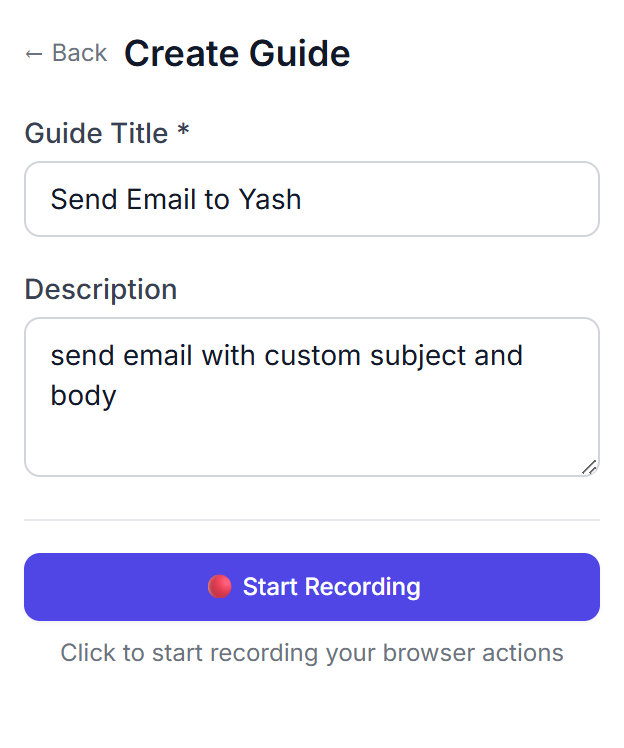
Creators record a task (clicks, typing, scrolling, navigation) in the browser. The extension captures every action along with rich element metadata and turns them into a guide with natural language step descriptions.
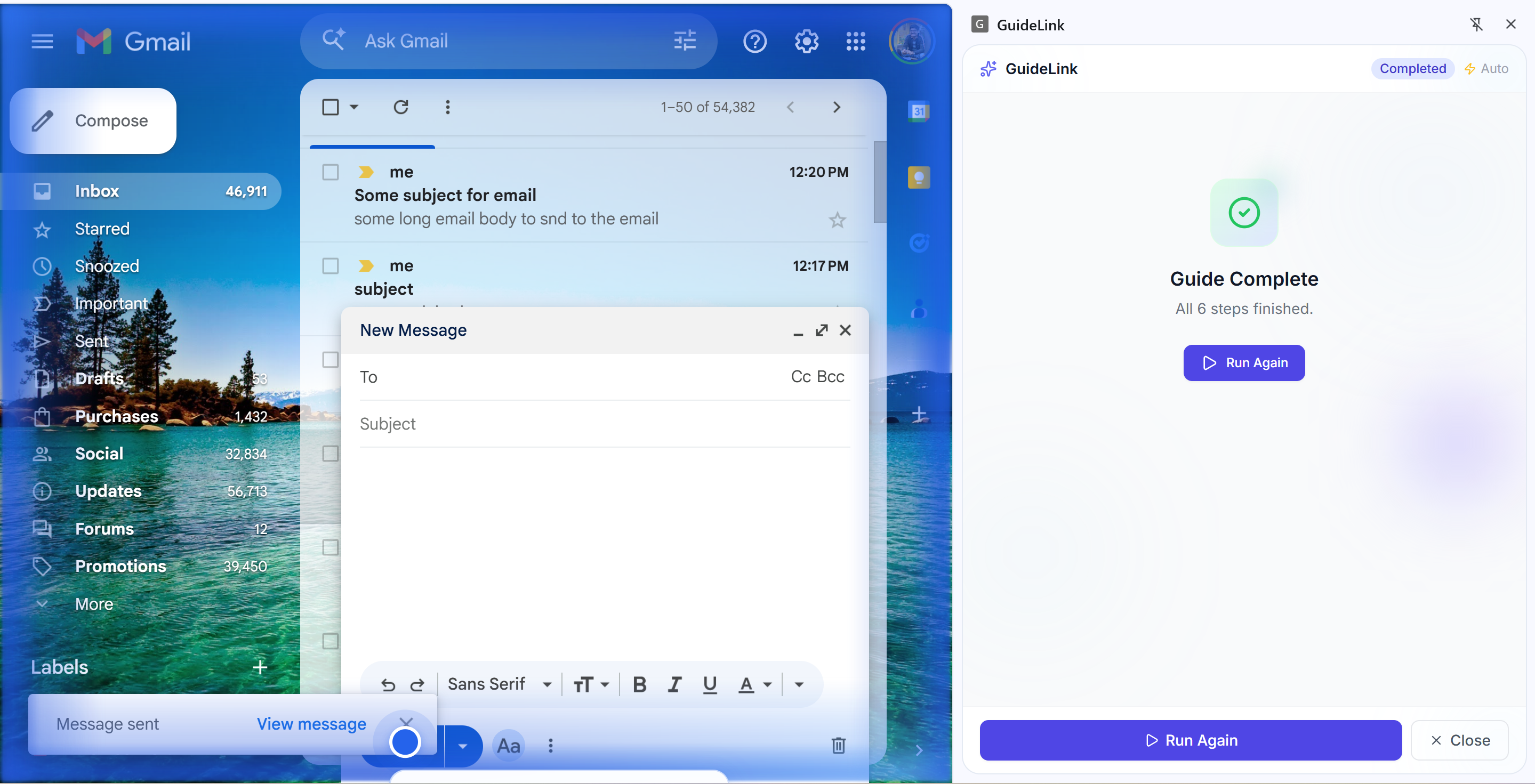
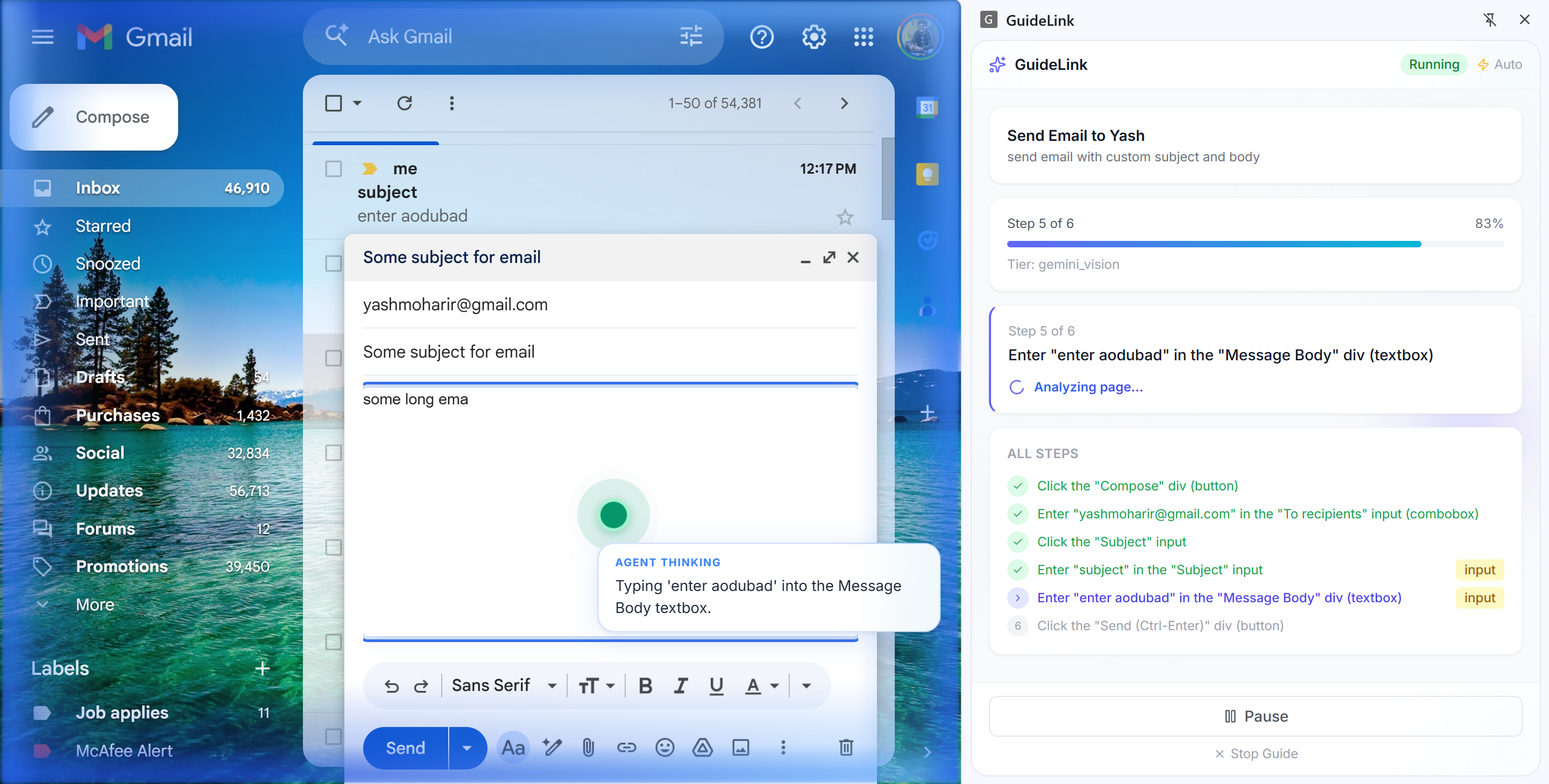
Runners get a share link or 6 character short code. They fill in their personal details upfront (email, name, etc.) and hit Start. The steps are sent to our backend where Amazon Nova Act takes over, opening a browser, visually understanding each page, and executing the actions automatically.
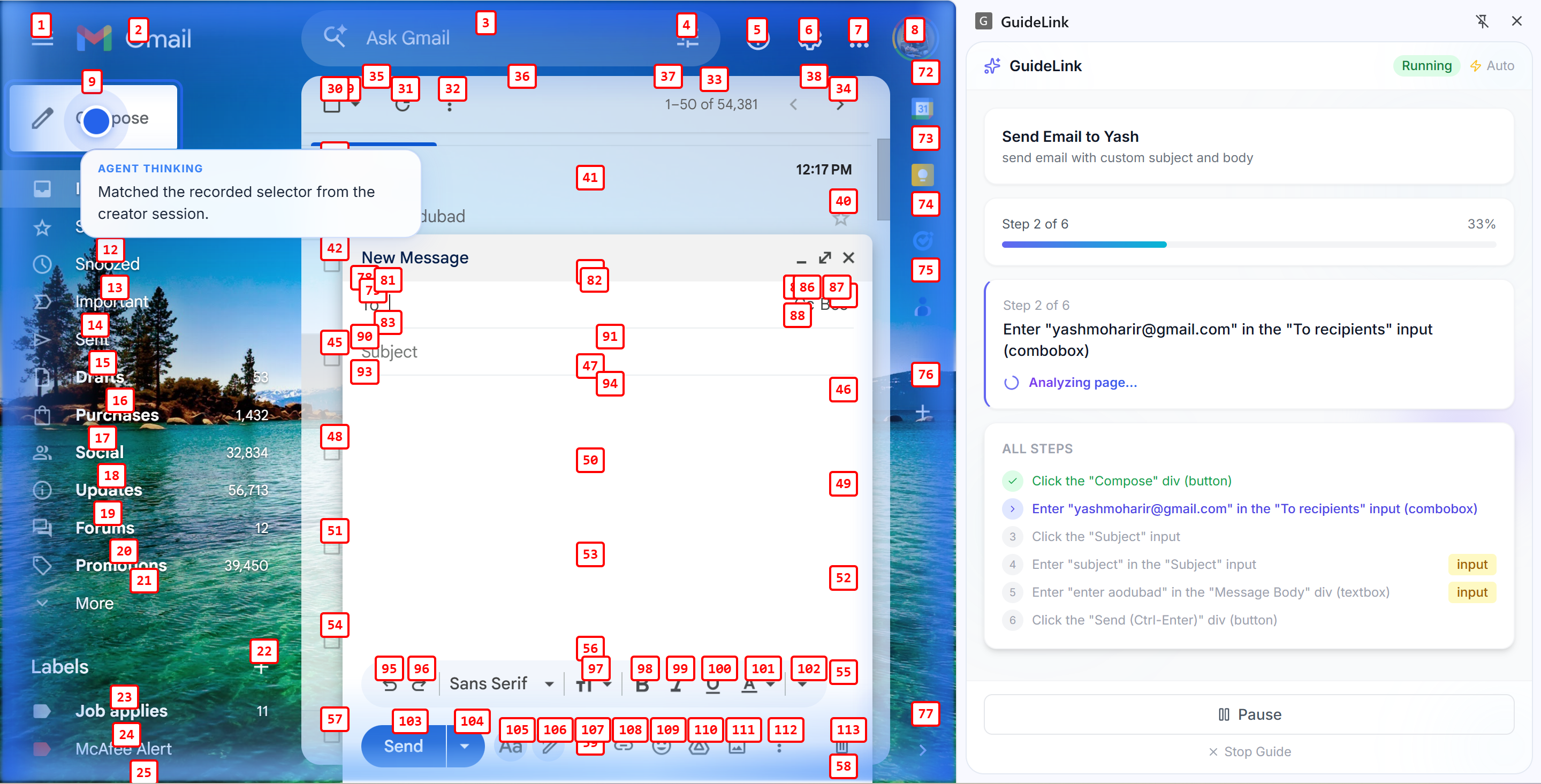
Nova Act's custom foundation model uses visual UI understanding to find and interact with the correct elements on every page, even when layouts shift or elements move. Each step maps to one nova.act() call with a detailed natural language prompt built from the recording's metadata.
User specific fields (email, password, etc.) are detected automatically during recording so runners are prompted for their own values instead of replaying the creator's data. Sensitive fields like passwords are typed directly via Playwright, never sent through the AI model.
Share links point to a landing page that detects whether the extension is installed and either auto launches the guide or shows install instructions with the short code as a fallback.
How we built it
Chrome extension (Manifest V3): TypeScript, React, Vite, CRXJS, Tailwind. The extension has a Creator flow (record, review steps, save) and a Runner flow (load guide by link or short code, submit to backend for execution). Content scripts handle DOM event capture, element metadata extraction, selector generation, and screenshot capture. The service worker coordinates recording state and communicates with our backend.
Backend: Python, FastAPI, Uvicorn, Pydantic. It exposes REST APIs for guides (create, get by ID/short code, generate steps from recorded actions) and for execution (receive a guide and variable values, replay via Nova Act, return results). The guide generator converts raw recorded actions into clean structured steps with natural language descriptions. The variable detector scans for user specific fields using input types and keyword matching.
Amazon Nova Act: The execution engine. For each guide step, our prompt builder constructs a detailed natural language command from the step's metadata (target description, element text, ARIA label, placeholder, role) and calls nova.act(prompt). Nova Act handles the full observe, reason, act loop internally using its custom Nova 2 Lite foundation model trained via reinforcement learning in synthetic browser environments. We use nova.go_to_url() for navigation steps and nova.page.keyboard.type() for sensitive fields like passwords.
AWS Infrastructure: The backend runs on EC2 (t3.medium) since Nova Act needs a persistent browser process. Guides are stored in DynamoDB with a partition key on guide ID and a Global Secondary Index on short code for fast lookups. The Nova Act API key is stored in AWS Secrets Manager and never committed to code.
Challenges we ran into
Prompt quality determines everything. Nova Act's reliability depends entirely on how well you describe each step. Early versions with vague prompts like "click the button" failed frequently. Adding element text, ARIA labels, placeholder values, and position context to every prompt dramatically improved success rates.
Keeping steps atomic. Asking Nova Act to do compound actions ("compose and send an email") was unreliable. Breaking every step into exactly one UI interaction ("click Compose," "type in the To field," "click Send") brought per step success rates above 90%.
Recording autocomplete and chips. Capturing the final value when users select from an autocomplete dropdown or add chips (e.g. Gmail recipients) required debouncing, tracking focus, and merging related events so one logical "type" step had the committed value instead of intermediate keystrokes.
Cold start latency. The first Nova Act run takes 1 to 2 minutes to initialize Playwright and Chrome. We pre warm the instance before demos and designed the UX to show a loading state so users know the agent is preparing.
Sensitive data handling. Passwords and credit card numbers should never go through the AI model. We split these steps into two calls: nova.act() to focus the field, then nova.page.keyboard.type() to enter the value directly via Playwright.
Accomplishments that we're proud of
End to end flow. Record in the browser, save to our backend, share link/short code, someone else runs the same guide with Nova Act executing the steps in a real browser. No mockups; it's all real.
Rich prompt generation from recording metadata. Every element's text, ARIA label, placeholder, role, and position context feeds into Nova Act prompts, giving reliable execution across different pages and screen sizes.
Automatic variable detection so email, password, and similar fields prompt the runner for their own value instead of replaying recorded data, giving better security and UX.
Sensitive field handling via direct Playwright typing so credentials never pass through the AI model.
Shareable landing page with extension detection, auto launch, Open Graph meta tags for rich link previews, and short code fallback.
What we learned
Nova Act works best with atomic steps. One UI interaction per nova.act() call. Compound instructions fail more often than sequential single action prompts.
Prompt detail determines reliability. The difference between 70% and 95% success on a step is often just adding the element's placeholder text or ARIA label. Our recording system captures this metadata specifically so execution prompts can be rich and specific.
Collect variables upfront. Our first prototype paused mid execution to ask for input. Pages would time out, context was lost. Moving all variable collection to a form before execution started made everything smooth and predictable.
Use Playwright directly for sensitive data. Nova Act exposes nova.page for direct browser manipulation. Passwords and credentials should always go through this path, not through the AI model.
Recording quality is the bottleneck. With Nova Act handling execution reliably, the accuracy of the overall system depends on how well the Chrome extension captures actions and generates step descriptions. Investing in better recording (autocomplete handling, debouncing, deduplication) pays off more than any execution side improvement.
What's next for GuideLink
Chrome Web Store. Publish the extension so users can install with one click instead of loading unpacked.
Natural language guide creation. Instead of recording, just describe what you want ("send an email to X about Y") and let Nova Act generate and validate the steps automatically.
Parallel execution. Nova Act supports multiple browser sessions via ThreadPoolExecutor. We could replay multiple guides simultaneously for batch operations like updating 50 product listings.
Human in the loop. Leverage Nova Act's HITL callbacks so the agent can pause and ask for human approval on critical steps like payments or account changes.
Auth and privacy. Optional sign in, private guides, and team support so organizations can share guides internally.
Analytics. Track which steps fail most often and use that data to improve prompt generation and suggest better recording practices.
Built With
- html5
- kiro

Log in or sign up for Devpost to join the conversation.