-
-
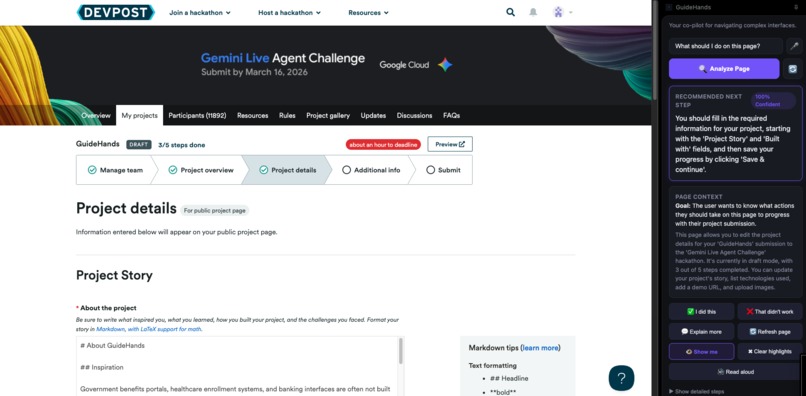
guidehands analysis
-
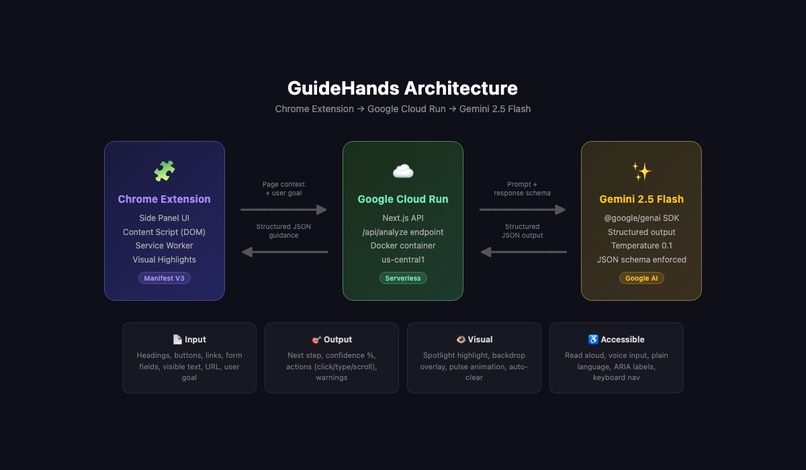
guidehands diagram
-
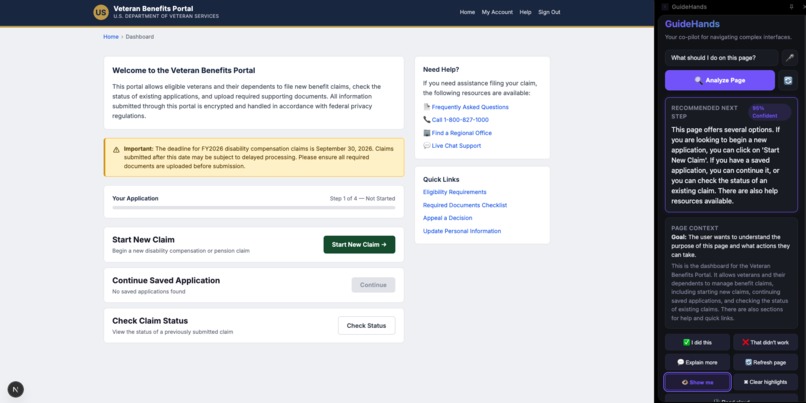
guidhands analyze
-
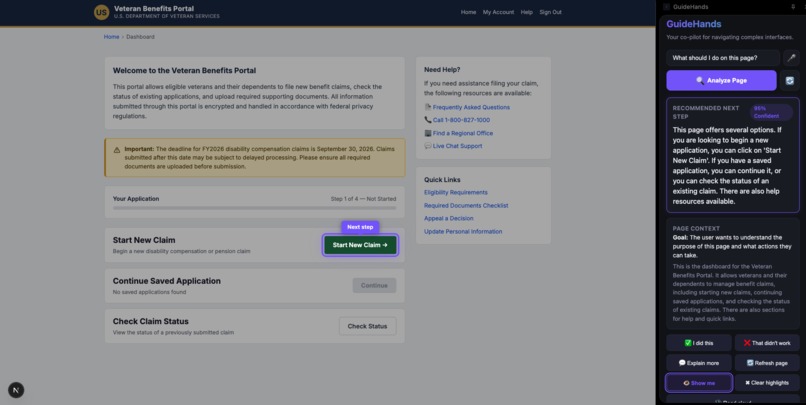
guidehands show me
-
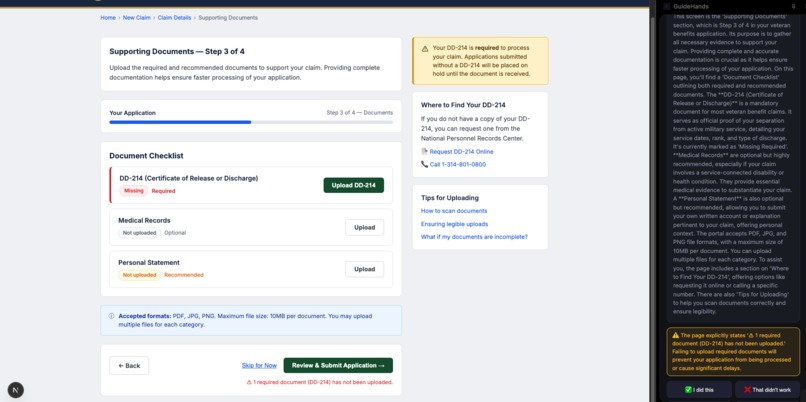
explain more
-
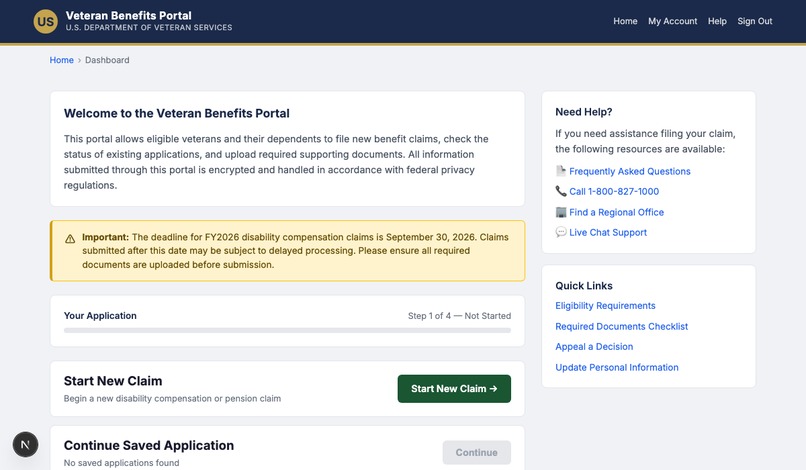
demo portal page 1
-
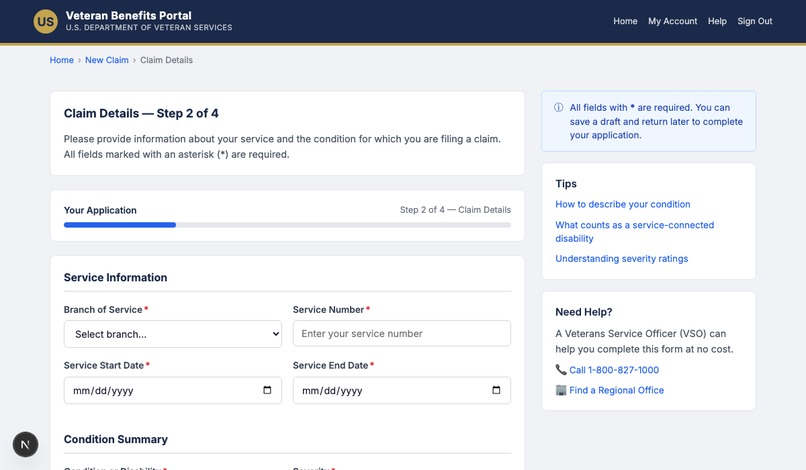
demo portal page 2
-
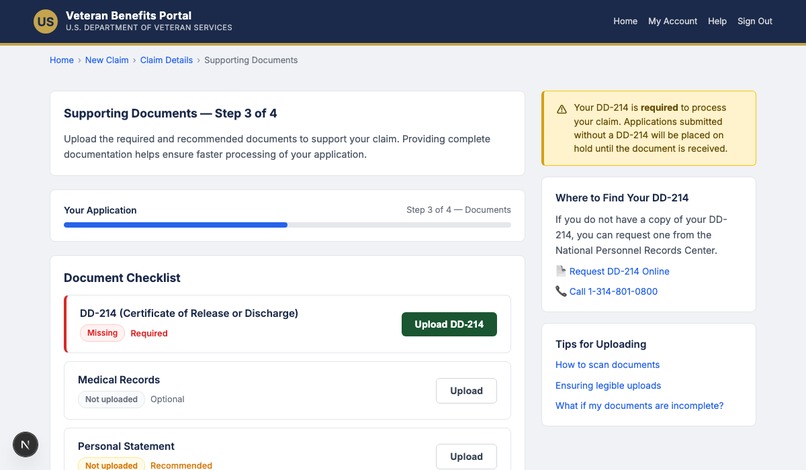
demo portal page 3
-

guidehands logo

About GuideHands
Inspiration
Government benefits portals, healthcare enrollment systems, and banking interfaces are often not built for the people who need them most. A veteran filing a disability claim for the first time faces dozens of unfamiliar fields, acronyms like “DD-214,” and multi-step workflows with no one to ask for help. For users with cognitive disabilities, low digital literacy, or limited English proficiency, these systems can become barriers instead of tools.
We wanted to build something that sits right beside you in the browser — not a chatbot in another tab, not a help article to read, but a co-pilot that sees the same page you see and tells you, in plain language, what to do next.
What it does
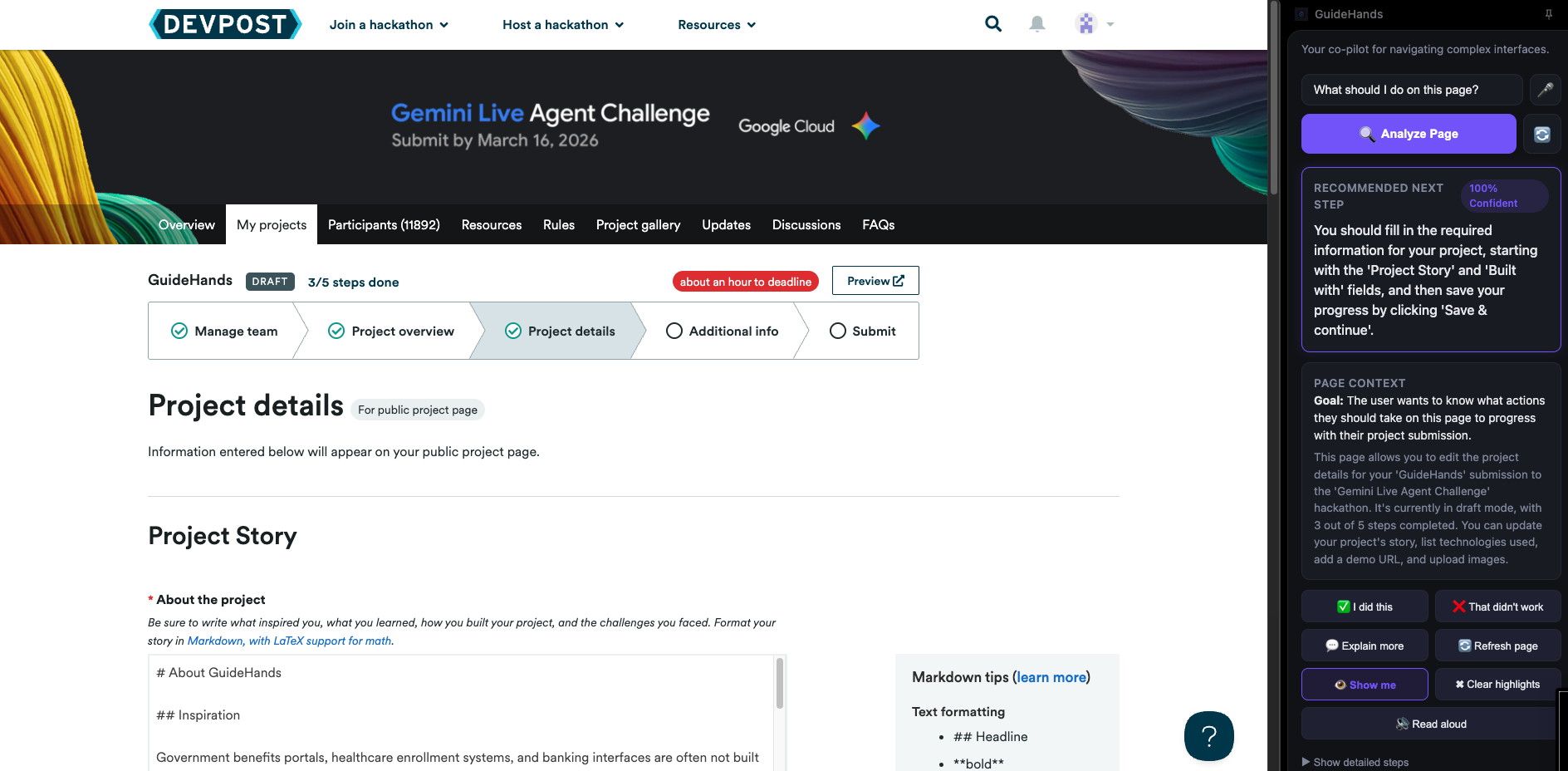
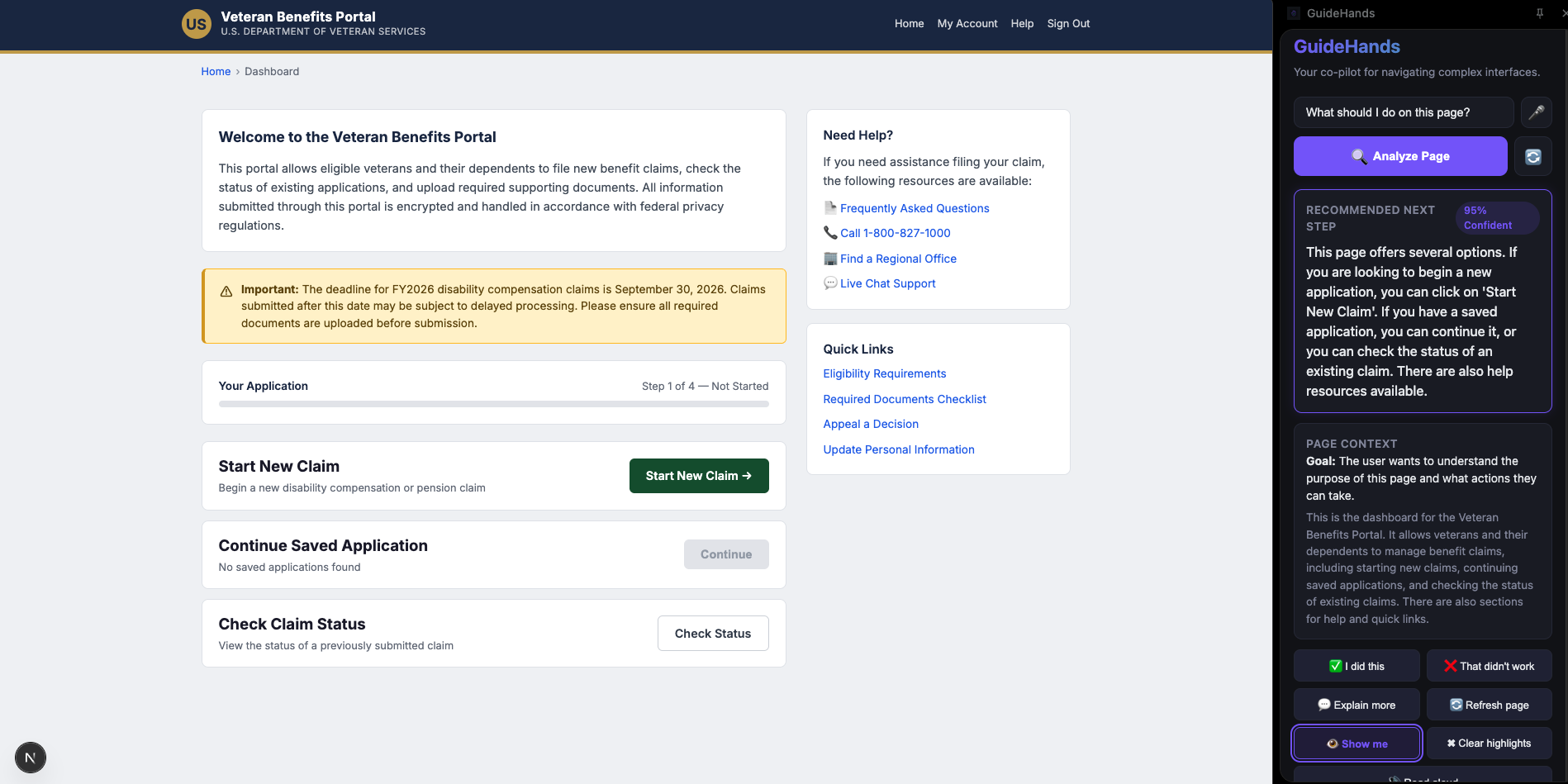
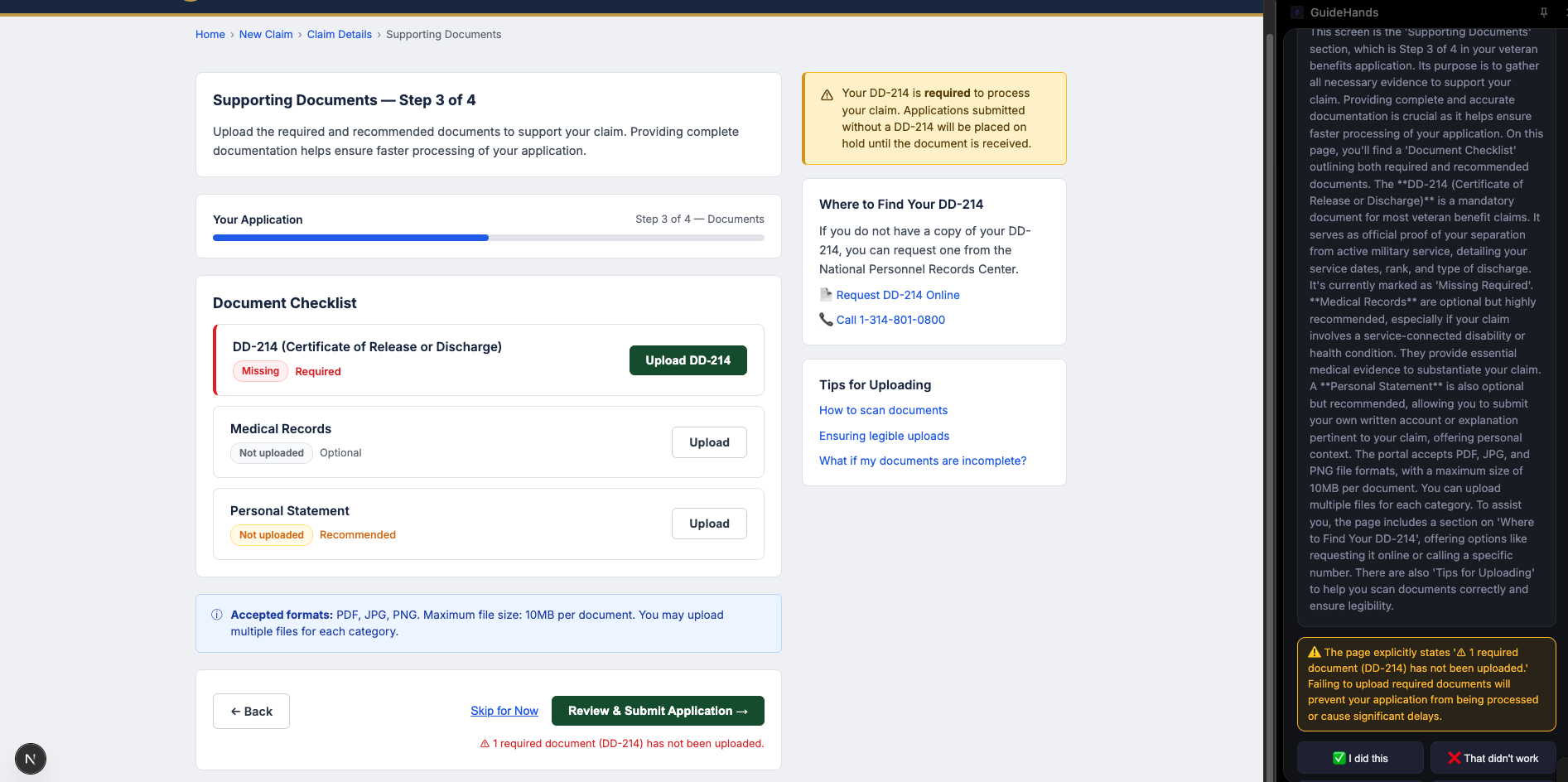
GuideHands is a Chrome extension that opens as a side panel alongside any website. You type your goal in plain language — “I want to file a new disability benefits claim” — and it reads the page, analyzes what’s on screen, and gives you a single clear recommendation for your next step.
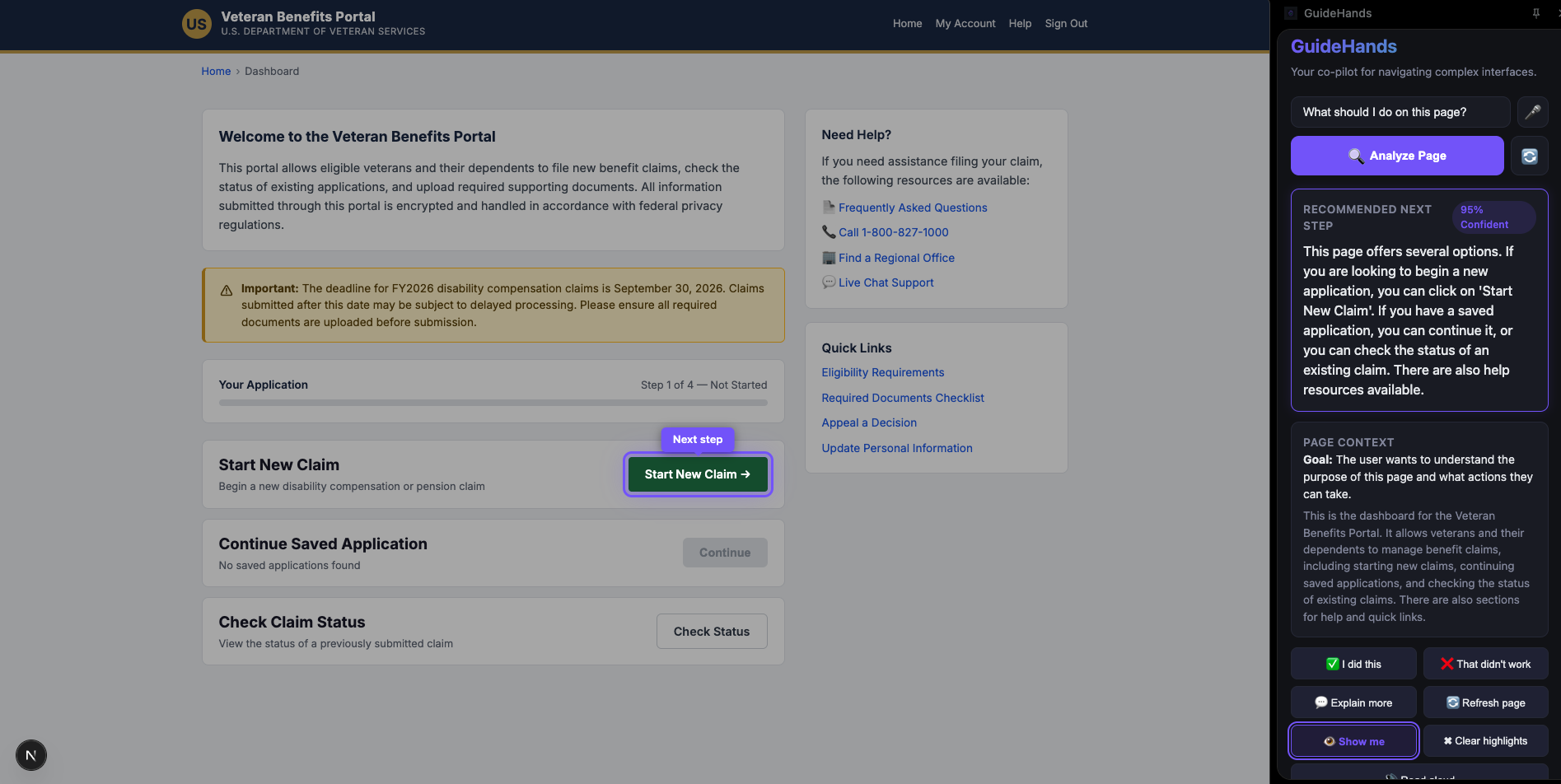
When you click Show me, GuideHands dims the rest of the page and spotlights the exact element you need to interact with — a pulsing purple outline with a floating label that says Next step. When you complete that step and navigate to a new page, GuideHands can follow the flow and re-analyze the updated context.
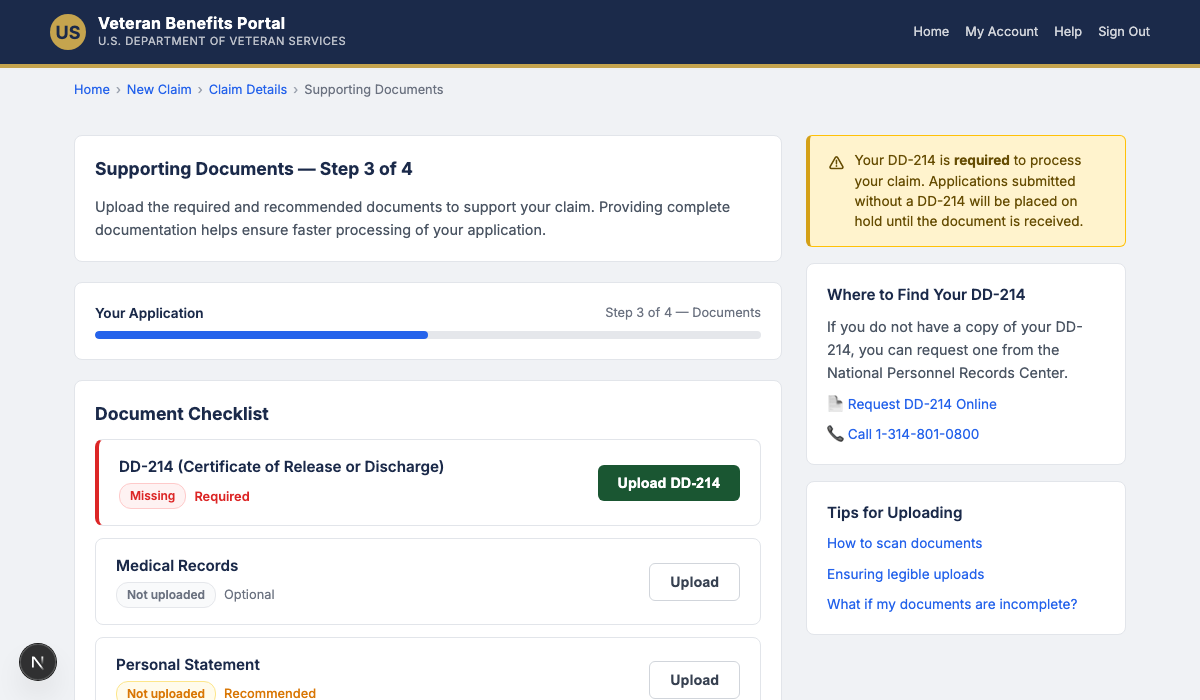
If you encounter unfamiliar terminology — like “DD-214” on a veteran benefits form — you can click Explain more and get a real explanation: what the document is, why it matters, and where to find it. Not just a simpler restatement, but actual context.
The extension also reads guidance aloud using the Web Speech API, accepts voice input for hands-free goal entry, and shows a confidence score so you know how certain the AI is about its recommendation.
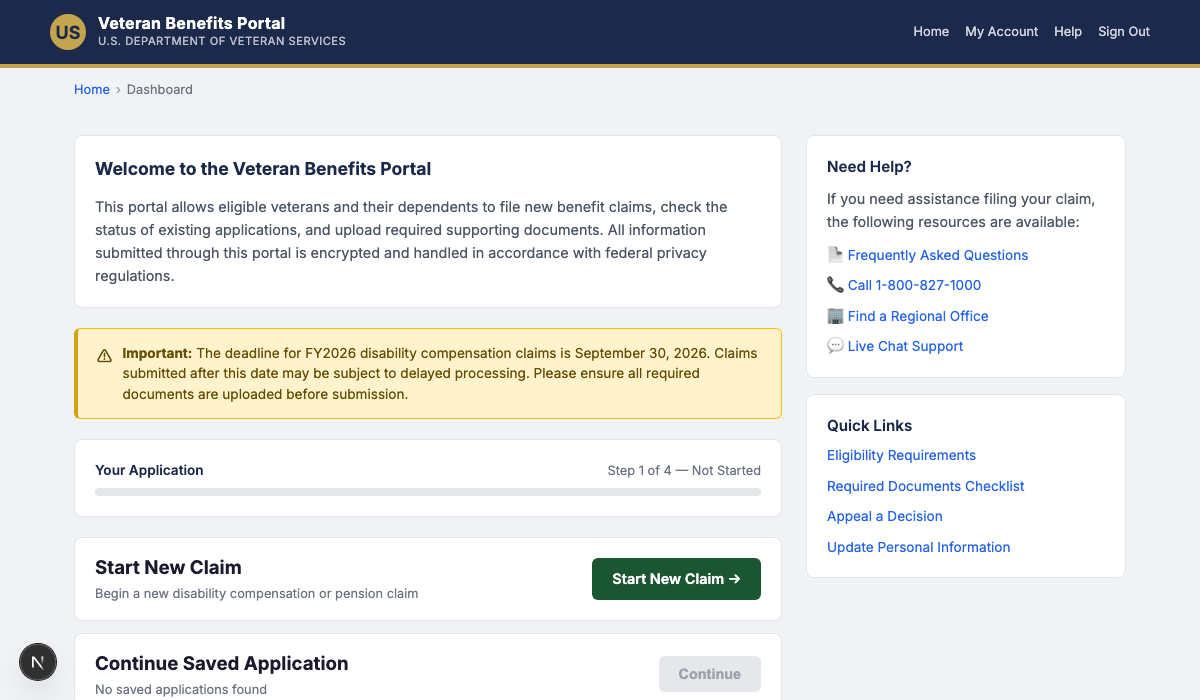
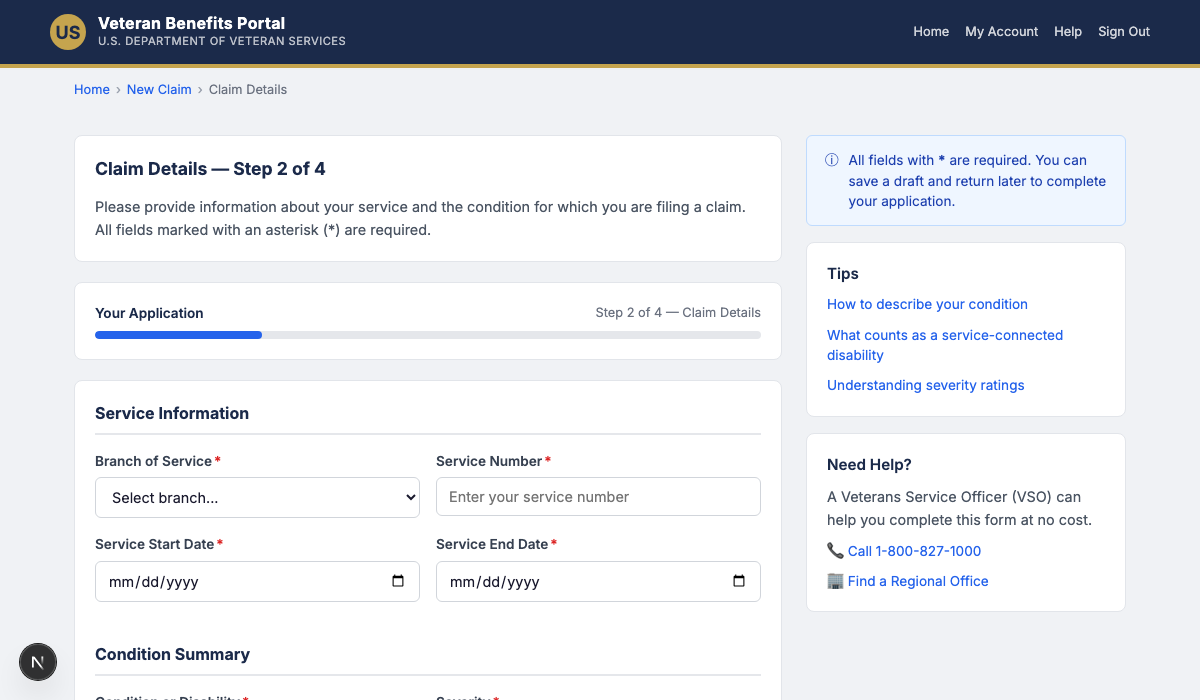
We built the demo around a fictional veteran benefits portal — a 3-page workflow covering a dashboard, a claim details form, and a document upload checklist — but GuideHands is designed as a general-purpose architecture for complex websites.
How we built it
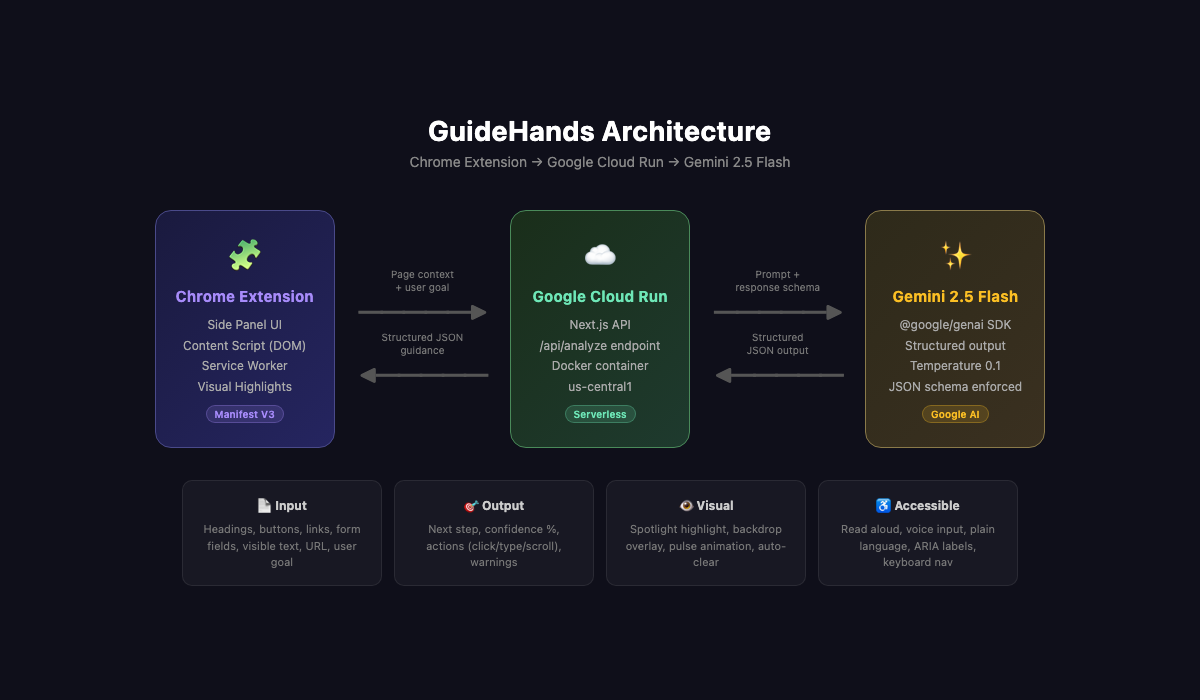
GuideHands has three main layers:
Chrome Extension (Manifest V3)
A content script extracts structured page context from the DOM: headings, buttons, links, form fields, and visible text. A service worker relays messages between the content script and the side panel UI, and handles navigation detection via chrome.tabs.onUpdated. The side panel runs a state machine with five states — idle, analyzing, result_ready, awaiting_next_page, and recoverable_error — to manage the guided flow across pages.
Next.js API on Google Cloud Run
A single /api/analyze endpoint receives the page context and the user’s goal, constructs a detailed prompt, and calls Gemini with a strict JSON response schema. The schema enforces structured output: screen summary, user goal interpretation, recommended next step, confidence score, warnings, and an ordered list of UI actions (click, type, scroll, select, wait) with target descriptions and reasons.
Google Gemini 2.5 Flash via @google/genai
We use structured output with a response schema so every response is reliably parseable. Temperature is set to 0.1 to keep recommendations consistent and grounded. The prompt includes a hard constraint: the model must never make medical, legal, or eligibility decisions — only describe how to operate the interface.
The Show me feature uses a scoring-based fuzzy matcher on the client side. When Gemini says something like “click the Start New Claim button,” the content script scores interactive elements on the page against that description, weighing exact text matches, partial overlap, and semantic type bonuses. Elements above a threshold receive the spotlight treatment: a backdrop overlay, a pulsing outline, and a floating label. Highlights auto-clear after 8 seconds.
The backend is containerized with a multi-stage Docker build and deployed to Google Cloud Run in us-central1, with a public endpoint so the extension can securely call it cross-origin.
Challenges we ran into
Bridging natural language to DOM elements
Gemini describes UI elements in human terms — like “the green Submit button in the bottom right” — but the DOM does not have a concept of “bottom right.” We had to build a fuzzy scoring algorithm that combines text matching, quoted string extraction, HTML tag-type bonuses, and a confidence threshold to avoid false positives. Getting the threshold right took iteration: too low and we highlighted the wrong thing, too high and we highlighted nothing.
State continuity across page navigations
Multi-step flows are only useful if the assistant can stay with the user. We had to preserve context between pages so that when a user clicks I did this, the next analysis continues the same task instead of starting over from scratch.
Content script injection timing
Some pages take longer to fully render, and content scripts triggered too early can return incomplete context. We implemented retry logic with backoff to make page reading more reliable on slow or dynamic pages.
Cloud Run cold starts
The first request after inactivity can take noticeably longer than subsequent ones. To make the experience feel responsive, we added a fetch timeout and stepped loading messages like “Reading the page…”, “Understanding the layout…”, and “Preparing your guidance…”.
Accomplishments that we’re proud of
The Show me spotlight is the single most satisfying feature we built. When the page dims except for the one button you need — with a pulsing outline and a floating label — it genuinely feels like having someone point at your screen and say, “right there.”
Auto-follow across page transitions was another big milestone. Once GuideHands could preserve the user’s goal and continue offering guidance on the next page, it started to feel less like a tool and more like a co-pilot.
We are also proud of the Explain more feature. Instead of only simplifying text, it adds context. When a user does not know what a DD-214 is, GuideHands does not just restate the prompt — it explains what the document is, why it matters, and how it fits into the workflow.
What we learned
Structured output schemas are one of the most valuable parts of building with Gemini. By defining a strict JSON schema with required fields and enum types, every response becomes easier to trust, parse, and act on. We did not have to rely on fragile free-text parsing.
We also learned that structured DOM context can be better than screenshots for navigation guidance. We initially explored screenshot-based analysis, but sending structured page information — headings, buttons, form fields, and visible text — often produced faster and more actionable results. For this use case, the model does not just need to “see” the page. It needs to understand the page’s structure.
Finally, we learned that Chrome side panels are a strong interface for browser AI assistants. They stay visible alongside the page without covering it, which makes them meaningfully more useful than popups, separate tabs, or fully intrusive overlays.
What’s next for GuideHands
Better support for dynamic sites
Navigation detection currently works best when pages change in predictable ways. More robust support for single-page applications would make GuideHands more reliable across modern websites.
Multi-language support
Gemini can already interpret multilingual content, but the extension UI and prompt strategy are currently English-first. Expanding language support would make GuideHands more broadly accessible.
Persistent memory
Right now, each session is lightweight and task-focused. Adding optional memory across sessions could help users resume longer workflows without repeating context.
Organizational deployment
In the future, GuideHands could be adapted for organizations that want guided assistance on their own internal portals, benefits platforms, or customer workflows.
Built With
- chrome-extension-manifest-v3-cloud-services:-google-cloud-run
- chrome-scripting-api
- chrome-side-panel-api
- css-frameworks:-next.js-16
- google-cloud-build
- google-container-registry-apis:-google-gemini-2.5-flash
- google-genai-sdk-(@google/genai)
- html
- javascript
- node.js
- react-19
- typescript
- web-speech-api-(speechsynthesis-+-speechrecognition)-other:-docker


Log in or sign up for Devpost to join the conversation.