-
-
-
-
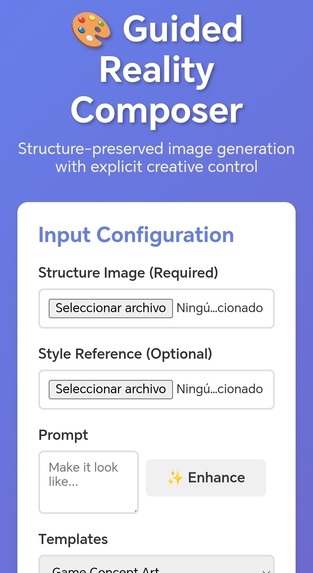
Mobile aspect
Inspiration
Guided Reality Composer was inspired by a gap we kept seeing in real-world workflows: designers, product teams, and architects loved AI images, but couldn’t control them. “Prompt harder” wasn’t a solution. Bria’s FIBO and control tools showed a path where structure, camera, lighting, and color could be disentangled and steered like a creative engine. We set out to build the demo we wished existed: something that feels like a professional Bria-native tool, not a toy image generator.
What it does
Guided Reality Composer turns Bria’s models into a controllable visual workspace.
You can:
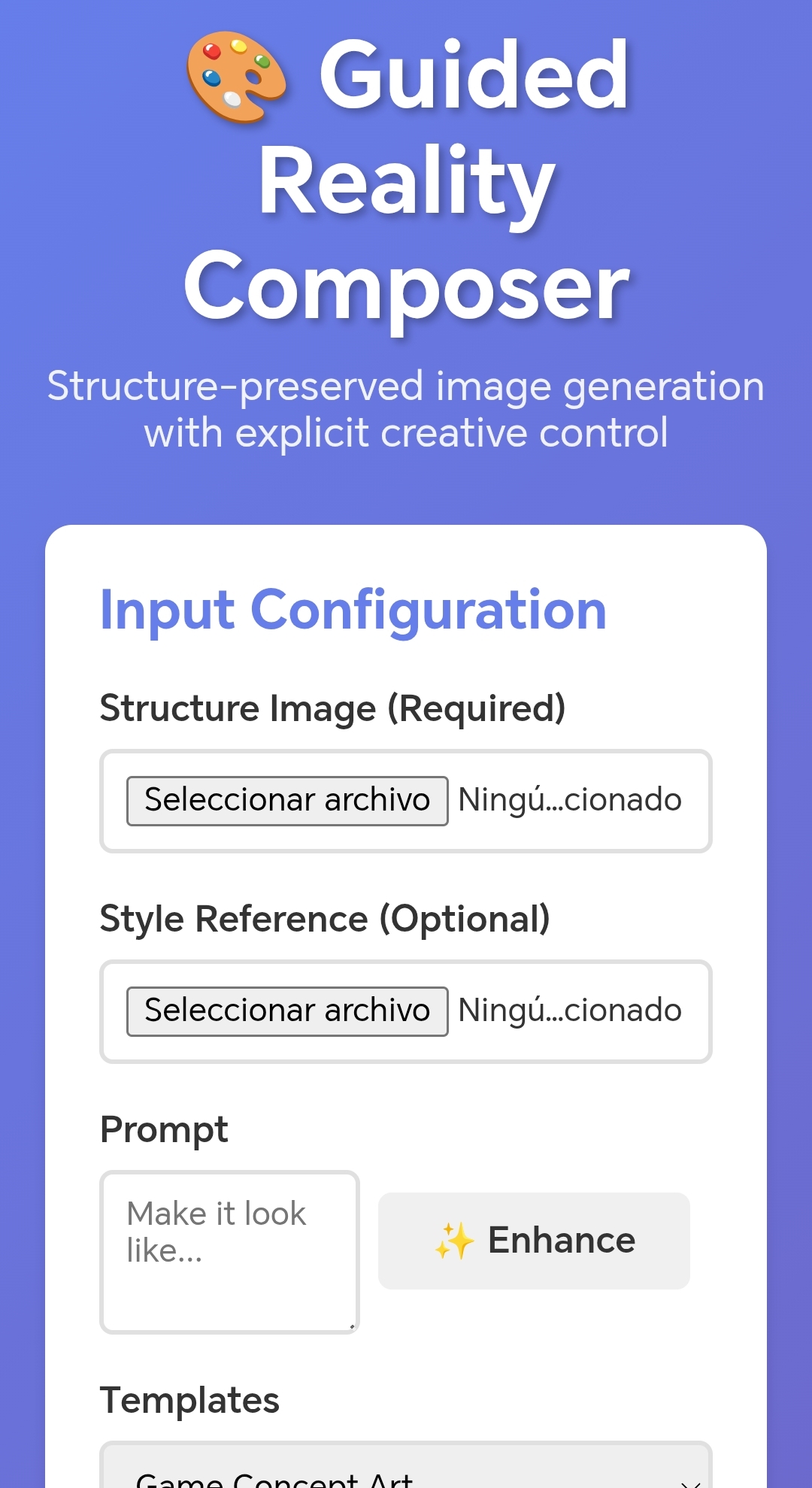
- Start from a structure image (wireframe, layout, sketch) and generate high-quality visuals that preserve geometry and composition.
- Use Camera & Framing, Color & Mood, and Lighting panels to explicitly steer perspective, palette, and lighting.
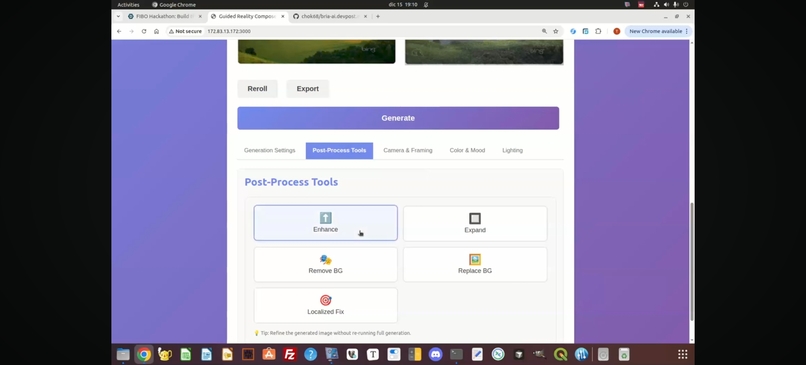
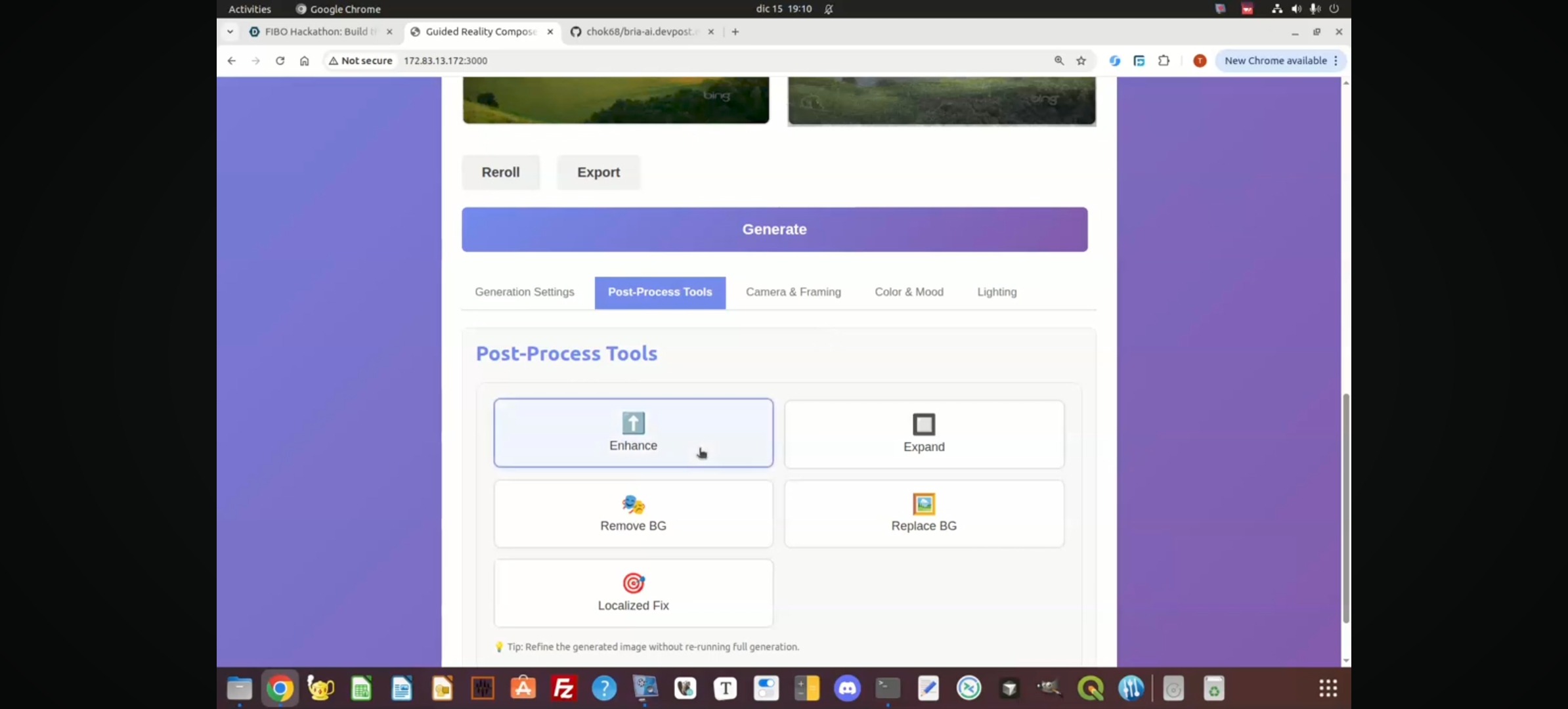
- Apply post-process tools like Replace Background, Enhance, Expand, Remove BG, and Localized Fix (mask + gen fill) for targeted edits.
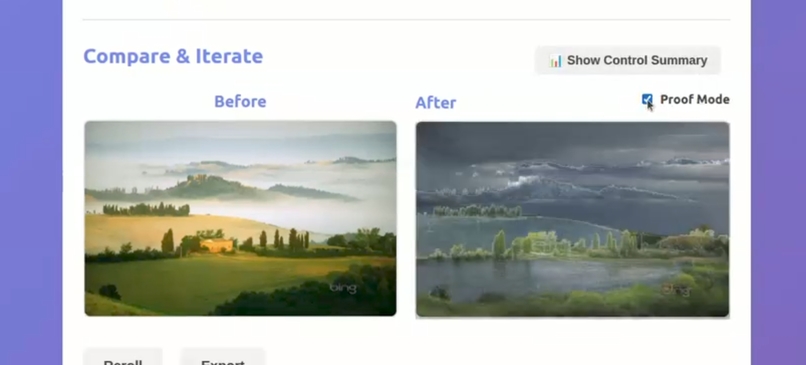
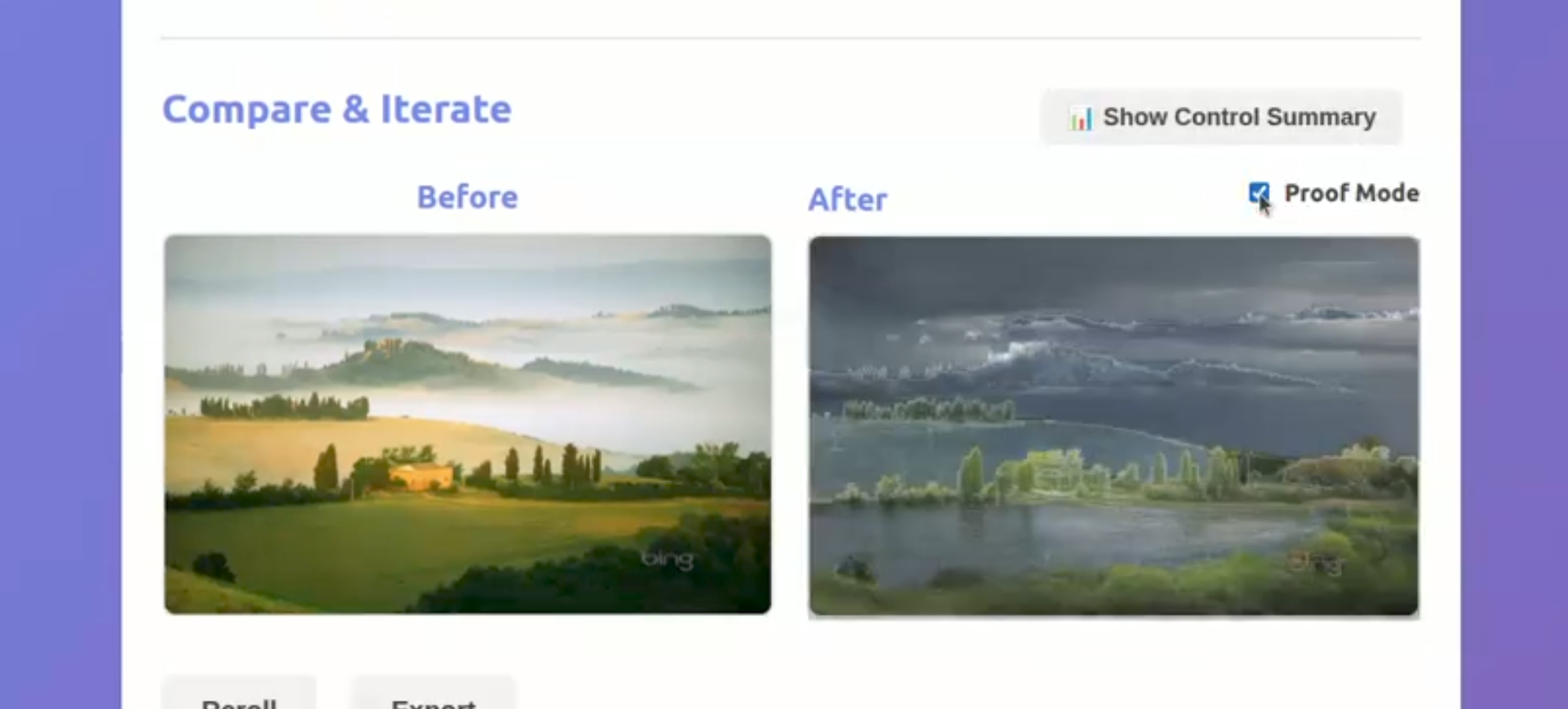
- Enable Proof Mode to overlay edges/depth on the generated image and visually prove structure consistency.
- Use Guided Templates (Architectural Render, Game Concept Art, UX Wireframe → Mockup) to instantly configure settings for different use cases.
- Inspect a Control Summary and parameter-aware compare badges so you can see exactly what controlled what in the final image.
How we built it
We built a React + Vite frontend that talks to a FastAPI backend powered by Bria’s APIs.
- The frontend handles:
- Image upload, preview, and before/after compare with smooth transitions.
- Structured prompt assembly that deterministically combines: user prompt → template scaffold → camera clause → lighting clause → color clause.
- A single-column, judge-friendly layout with tabbed advanced controls (Generation Settings, Post-Process Tools, Camera, Color, Lighting).
- Canvas-based overlays and masking for Proof Mode and Localized Fix.
- The backend (FastAPI + Pydantic) handles:
- Proxying generation and gen_fill calls to Bria with proper validation.
- Mask ingestion as base64 PNG for localized regeneration.
- Consistent parameter passing and logging so generations are reproducible.
- We wrapped everything with startup scripts (
start_backend.sh,start_all.sh) and Vite proxy config so the experience feels like a single, cohesive app.
Challenges we ran into
- Networking & environment quirks: Getting Vite, the FastAPI backend, and Bria’s APIs to play nicely in a remote environment (IPv4 vs IPv6, ports already in use, environment variables not picked up by shell scripts).
- JSX & state complexity: The UI evolved through many iterations (collapsibles → tabs, multi-column → single-column), and we hit subtle React/JSX bugs like missing tags, undefined handlers, and double state management for tools like Replace BG.
- UX vs complexity: We wanted professional-level parameters (camera, FOV, palette, lighting, templates, locks) without overwhelming users. Designing a layout that shows control but stays approachable was a constant tradeoff.
- Localized editing & overlays: Implementing selection rectangles, masks at native resolution, and structure overlays using canvas while keeping alignment and performance correct was non-trivial.
Accomplishments that we're proud of
- We turned a “prompt playground” into a true control surface where camera, lighting, and color are first-class, explainable parameters.
- We built Proof Mode: a structure consistency overlay that visually proves that the layout hasn’t drifted—exactly the story Bria and FIBO want to tell.
- We shipped Localized Fix (mask + gen fill) as an MVP that feels like a real image editor: select an area, describe the fix, and only that region regenerates.
- We added Guided Templates that instantly reconfigure the tool for architects, game artists, and product designers, making the demo narrative much stronger.
- We made the experience feel like a Bria-native creative tool through careful microcopy, loading states, tool dock UX, and parameter-aware compare overlays.
What we learned
- Controllability is a UX problem as much as a model problem. Clear panels, summaries, and “Affects / Does not affect” microcopy do as much to build trust as the underlying model.
- Small details—like lock icons for selective rerolls, parameter timelines, and metadata export—go a long way in making AI feel deterministic and professional.
- Tooling and infra (screen sessions, startup scripts, Node/Python version quirks) can easily derail momentum if you don’t tame them early.
- The best demos are not the most complex ones, but the ones where judges can immediately see: I change this control → that aspect of the image changes.
What's next for Guided Reality Composer
- Richer selection & masks: Move from simple rectangles to freeform brushes and polygonal selections for more surgical edits.
- Multi-shot workflows: Let users apply the same control setup across a series of images for campaigns or storyboards.
- Deeper metadata + versioning: Store every generation with full parameters, seeds, and structure inputs so teams can revisit and branch from any state.
- Team-ready features: Shareable links, comments, and preset libraries (e.g., brand kits with locked palettes and lighting profiles).
- Advanced proofing modes: Additional overlays (layout grids, semantic regions) to further demonstrate how FIBO maintains structure under creative changes.

Log in or sign up for Devpost to join the conversation.