Inspiration
As an engineering student, I am surrounded by passionate people who want to build technology. However, when I talked to them about any hands-on projects outside the classroom, many of them had little to no personal project experience. I asked why they hadn't built anything on their own, the answer was almost always the same: "I just don't know where to start." The barrier wasn't a lack of interest or drive, instead it was the overwhelming friction of navigating the seemingly infinite parts available and learning the technical, hands-on skills to complete their first project.
I realized this hurdle extends far beyond engineering majors. There are countless curious minds—hobbyists, students in other fields, or people simply fascinated by how the world works—who would love to build things but feel intimidated by hardware. They wonder what components actually go into the technology they use every day, but the gap between having a cool idea and knowing how to execute it is just too wide. However, leveraging smarter models like GPT 5.6, it is easier to bridge that divide, and make tech projects more accessible. My goal was to remove the friction of the planning phase, demystify the building process, and make the thrill of engineering accessible to anyone with a spark of curiosity.
What it does
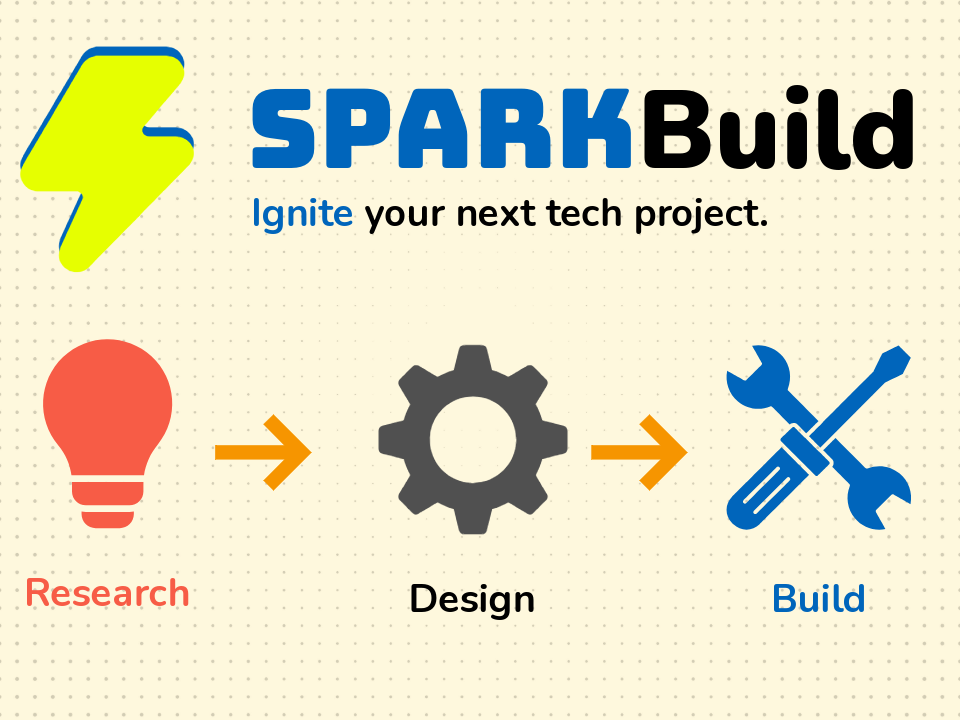
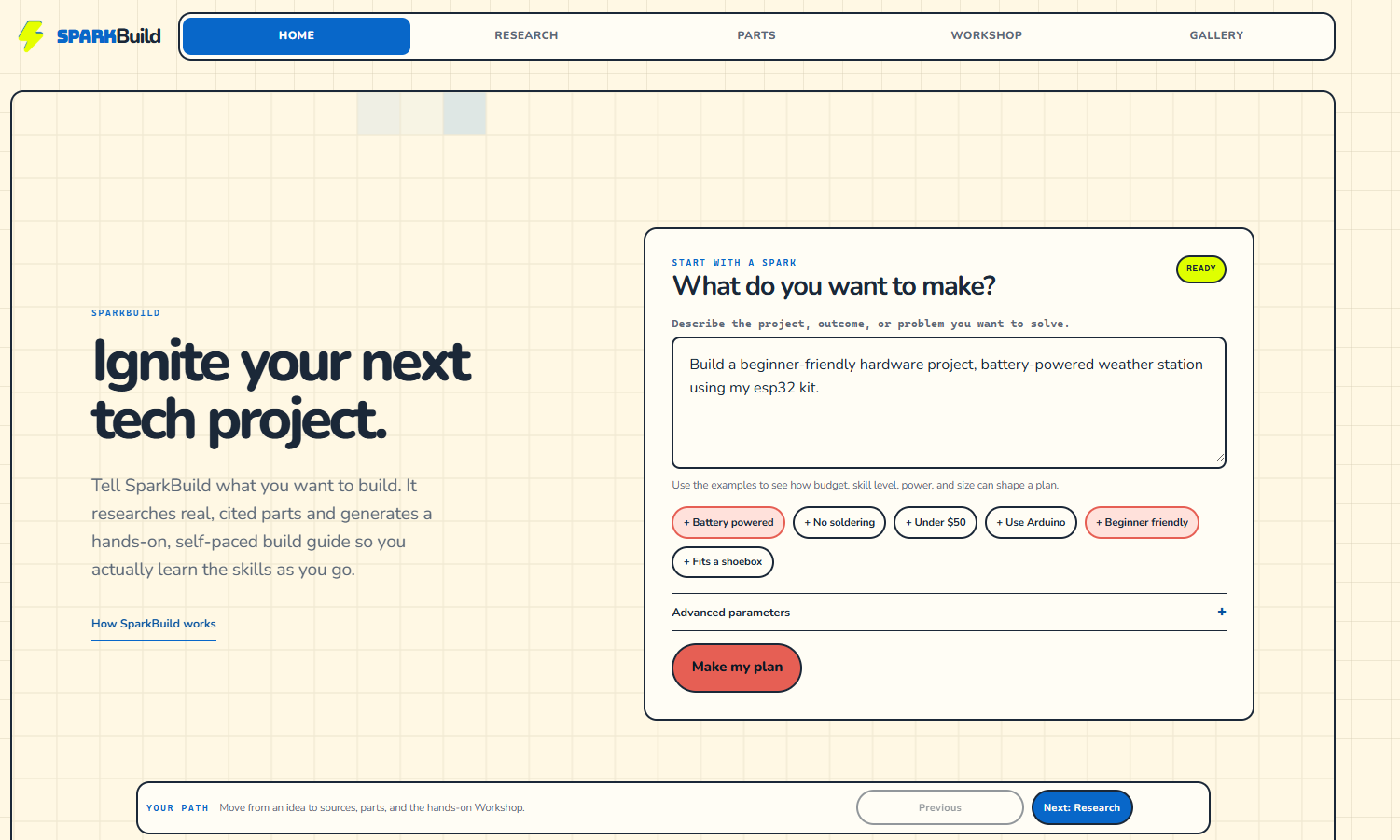
SparkBuild lets you speak in plain language and helps you turn any tech idea or deliverable into a planned out workflow, including research, a list of parts, and a custom made build lesson. Here is the breakdown of the pipeline:
- Discovery — A research agent interprets your goal and constraints (budget, parts you already own, experience level) and returns a typed, cited build proposal. Off-topic or malicious requests are rejected by a initial security and revelance agent.
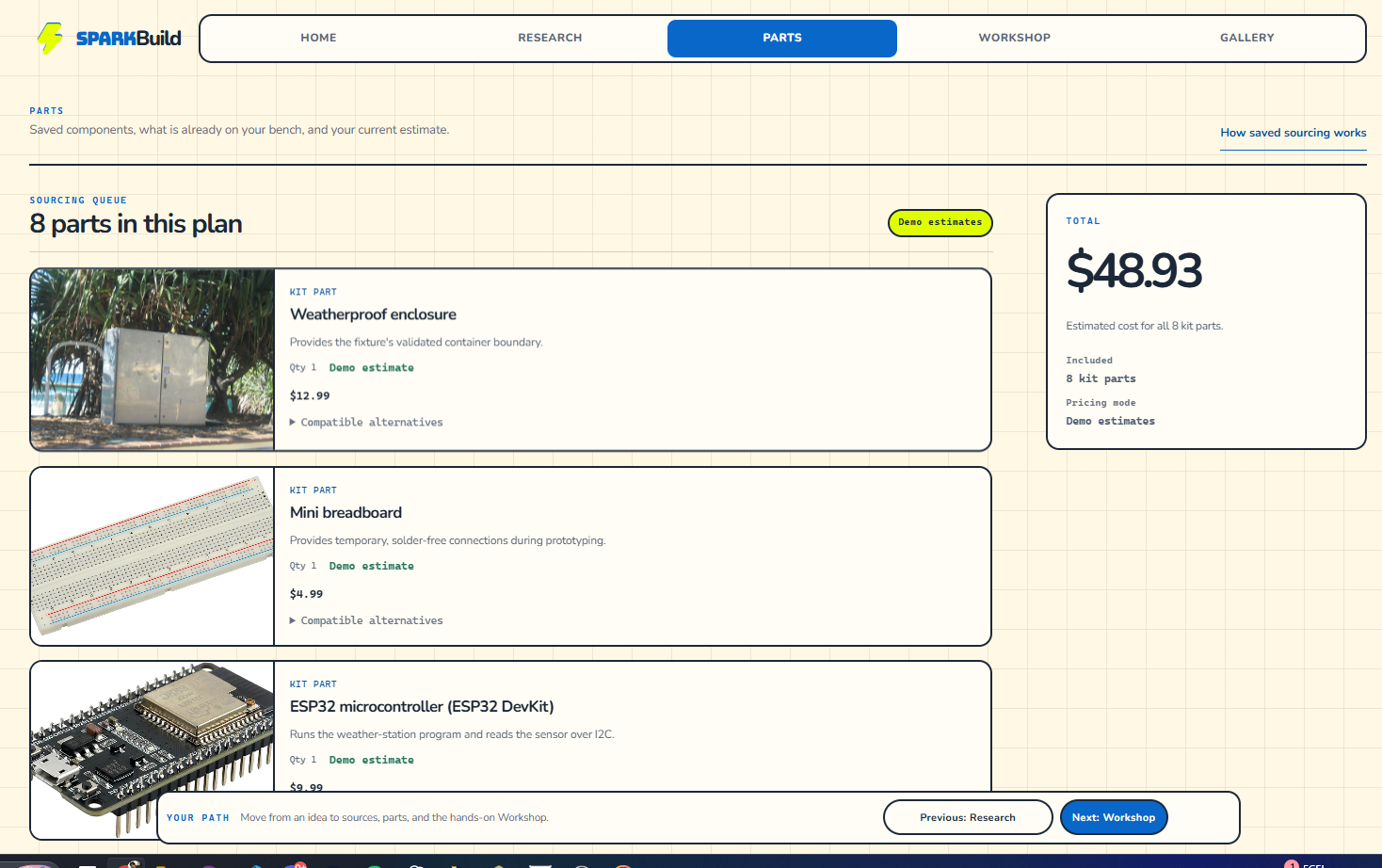
- Sourcing — A ranked bill of materials with real catalog parts, each with an image, description, and a shop link. Parts you already own are preferred and used first.
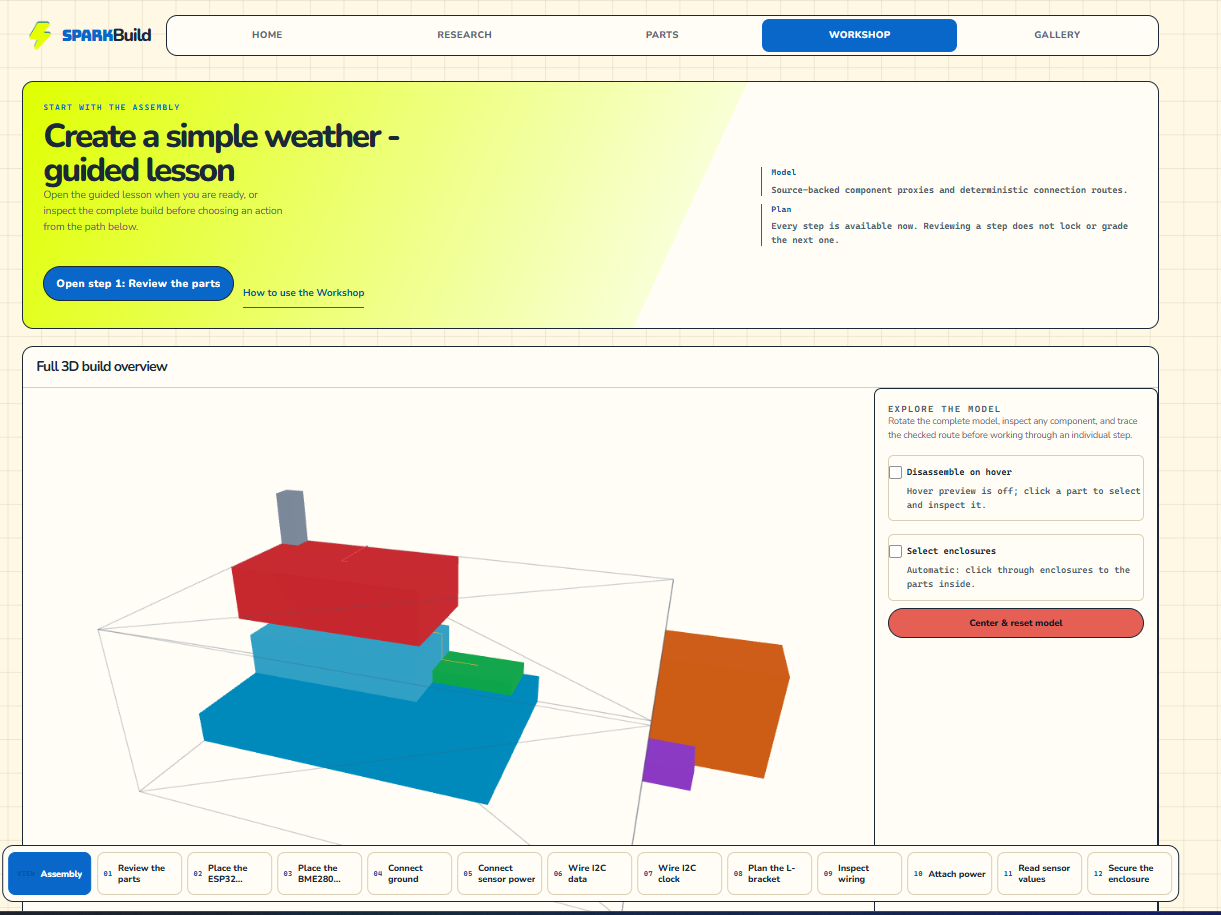
- Workshop — A freely navigable, self-paced set of cited build steps. Every step shows an explanation, a clear completion condition, and links into a skills library so you can learn an unfamiliar technique in context. It is built for beginners in mind, allowing them to have access to all information related to the project consolidated in one place. It features a 3D guide and circut diagrams at every step for a visual cue.
- 3D inspection — An interactive React/Three.js view of the assembly, where every position and transform comes from a deterministic pipeline. It is generated from your parts list, and allows for individual parts inspection and selection.
It runs local-first: a deterministic fixture mode delivers the full discovery-to-lesson flow with no Docker, GPU, cloud, or live model required, and a local stack adds real retrieval, inventory, and background ingestion.
How we built it
- A pnpm/TypeScript monorepo with a shared Zod-schema contract package used across every boundary (packages/schemas), a deterministic spatial solver (packages/solver), and an OpenSCAD validation adapter (packages/scad-service).
- A Node.js HTTP + SSE API and a React 19 / Three.js Workshop UI in apps/web, with typed streaming progress for anything over two seconds.
- PostgreSQL + pgvector as the sole datastore for cited research, catalog, and offers; Ollama for local LLM inference and embeddings (llama3.2:3b, llama3.1:8b, qwen2.5-coder:7b, nomic-embed-text).
- Background-only ingestion via n8n workflows constrained by an allowlist (ingestion/source-policy.yml) that submits through a single versioned, application-owned upsert endpoint — no browser scraping or direct DB credentials.
- Docker Compose for the optional full local stack, and a GPU-free tests cover discovery, typed SSE, the solver, and the four-tab shell.
Challenges we ran into
- Multi agent orchestration along with consistent output. LLMs sometimes invent part numbers and coordinates. To solve this, I drew a hard boundary: the model only makes symbolic, schema-validated choices, and the deterministic solver is the only thing allowed to produce spatial transforms. Every factual claim keeps its source URL, locator, and title.
- Making it demo without infrastructure. Judges and new contributors can't wait on a multi-gigabyte model download. Building a deterministic fixture mode that faithfully mirrors the live flow took real design discipline.
- Safety while having creative freedom. Early versions hard-blocked anything involving mains power or batteries. I reworked classification to reject only off-topic or malicious requests while letting genuine technical projects through, cited and explained.
- Keeping sourced data reliable. Sourcing, licensing, and availability had to be analyzed from parts so outdated or unlicensed offers wont be the recommended choice.
Accomplishments that we're proud of
- A complete idea → cited proposal → sourced parts → self-paced lesson → 3D view flow that runs with zero cloud dependencies.
- A genuinely local-first, private architecture — learner requests never leave the machine; the only external path is allowlisted background ingestion.
- A principled, semi-deterministic workflow and safety boundary that keeps the AI in check without letting it fabricate parts or geometry.
What we learned
- We can leverage and orchestrate agentic products to reproduce consistent results through typed contracts and citations.
- Local inference (Ollama + pgvector) can power a real, responsive learning experience while keeping user data private.
- Investing early in a deterministic fallback pays off constantly: it's the baseline acceptance path, the demo, and the test harness all at once.
- Drawing a clear line between "the model suggests" and "the solver decides" is what makes an AI hardware assistant safe to hand to a beginner.
What's next for SparkBuild
- Live-service rehearsal — pin and measure the local Ollama models end to end and validate the full Compose stack against disposable demo data.
- More build paths — add a second cited authored build (corpus, inventory, symbolic assembly, lessons, skills) through the shared schemas.
- Persistent learner projects — move from a single demo session to saved progress and inventory with clear reset and privacy behavior.
- Richer feedback — accessible step explanations, clearer solver-retry guidance, and testable 3D fallback states.
- Production readiness — authentication, data retention, observability, backups, and content/hardware safety-review gates.
Built With
- api
- docker
- ebay
- n8n
- node.js
- ollama
- openscad
- pgvector
- postgresql
- react
- three.js
- typescript
- vite
- zod

Log in or sign up for Devpost to join the conversation.