-
-
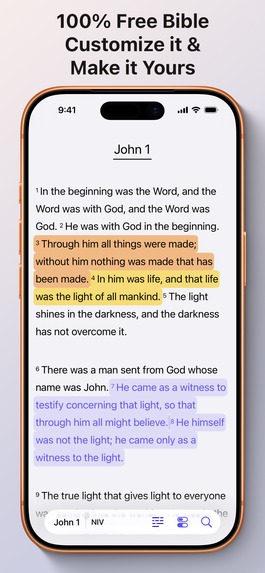
Main View
-
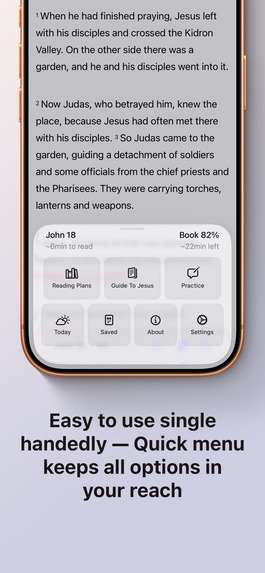
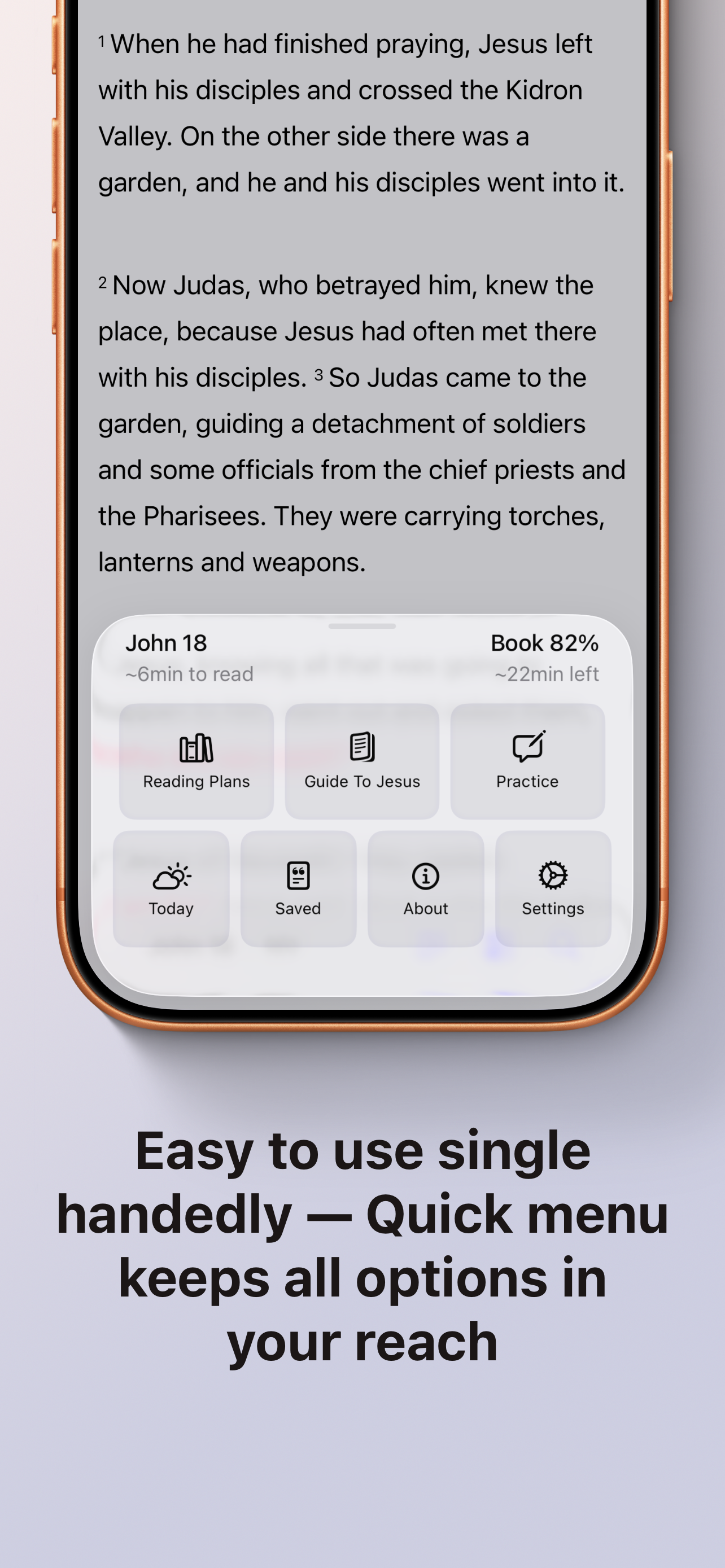
Main Menu Sheet
-
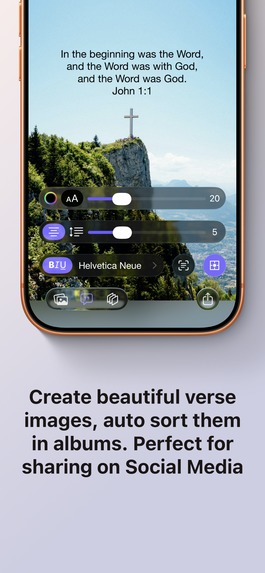
Custom Images
-
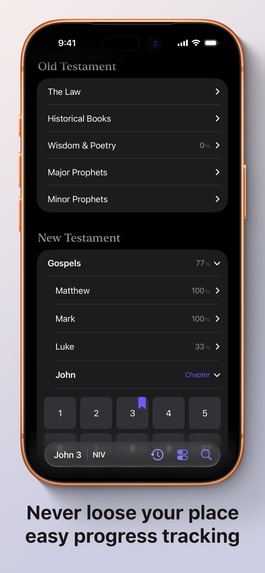
Books Selection
-
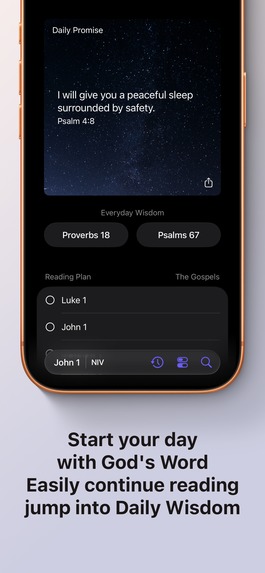
Today View
-
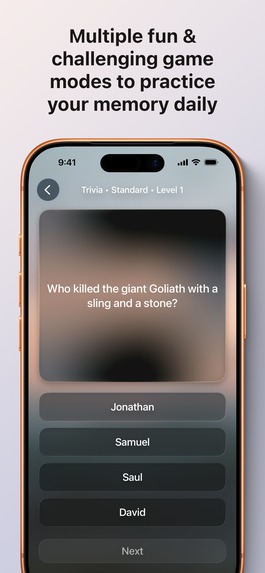
Fun Game modes
-
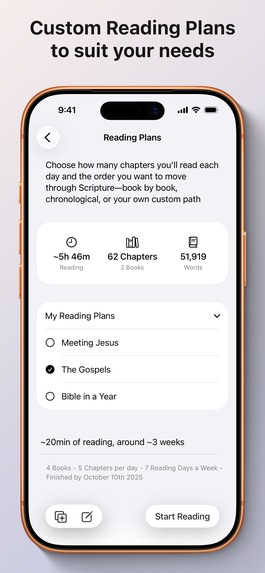
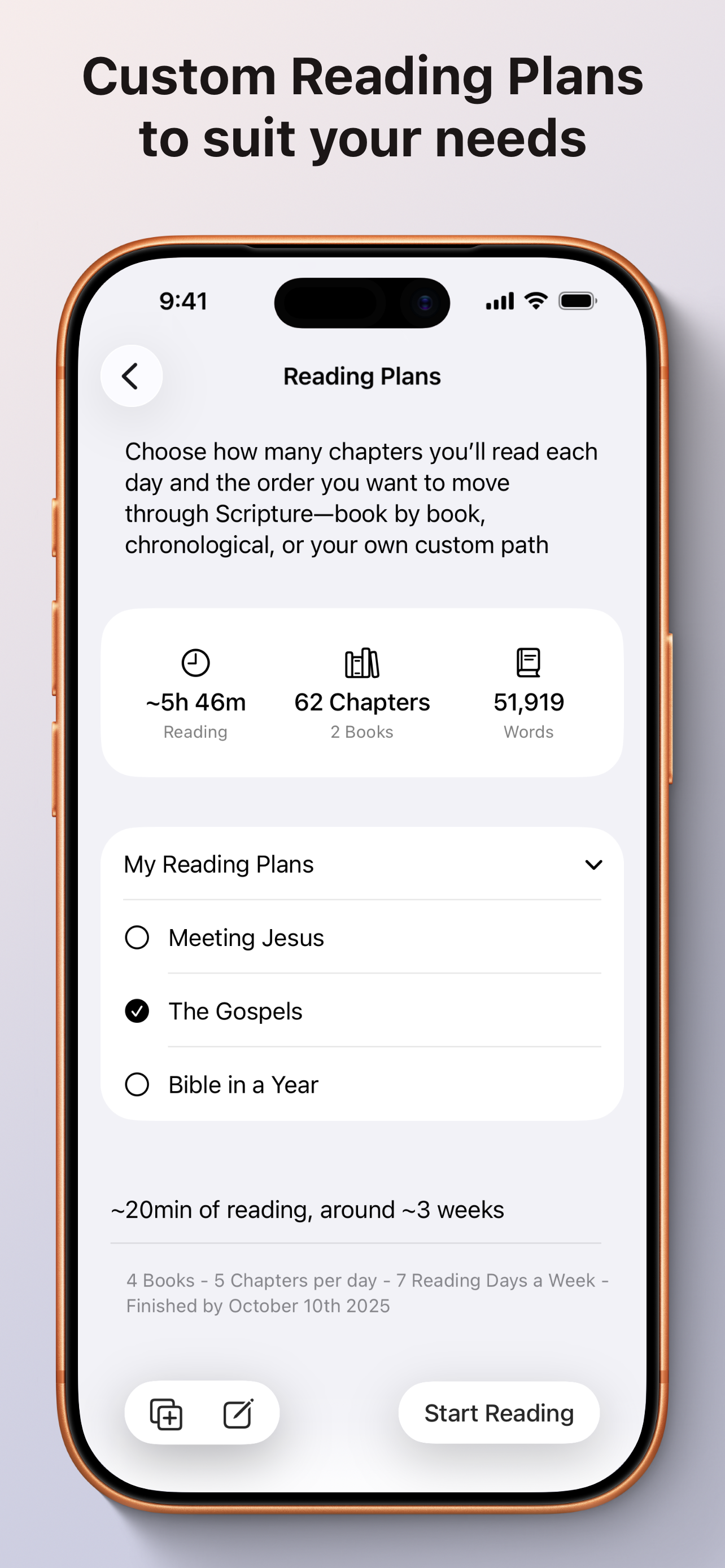
Reading Plans
-
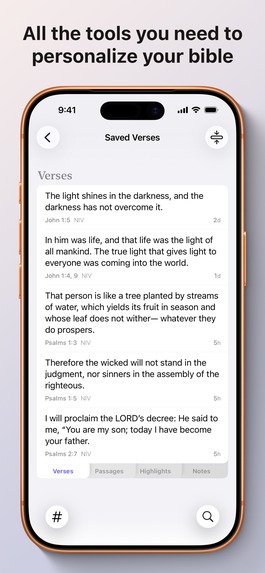
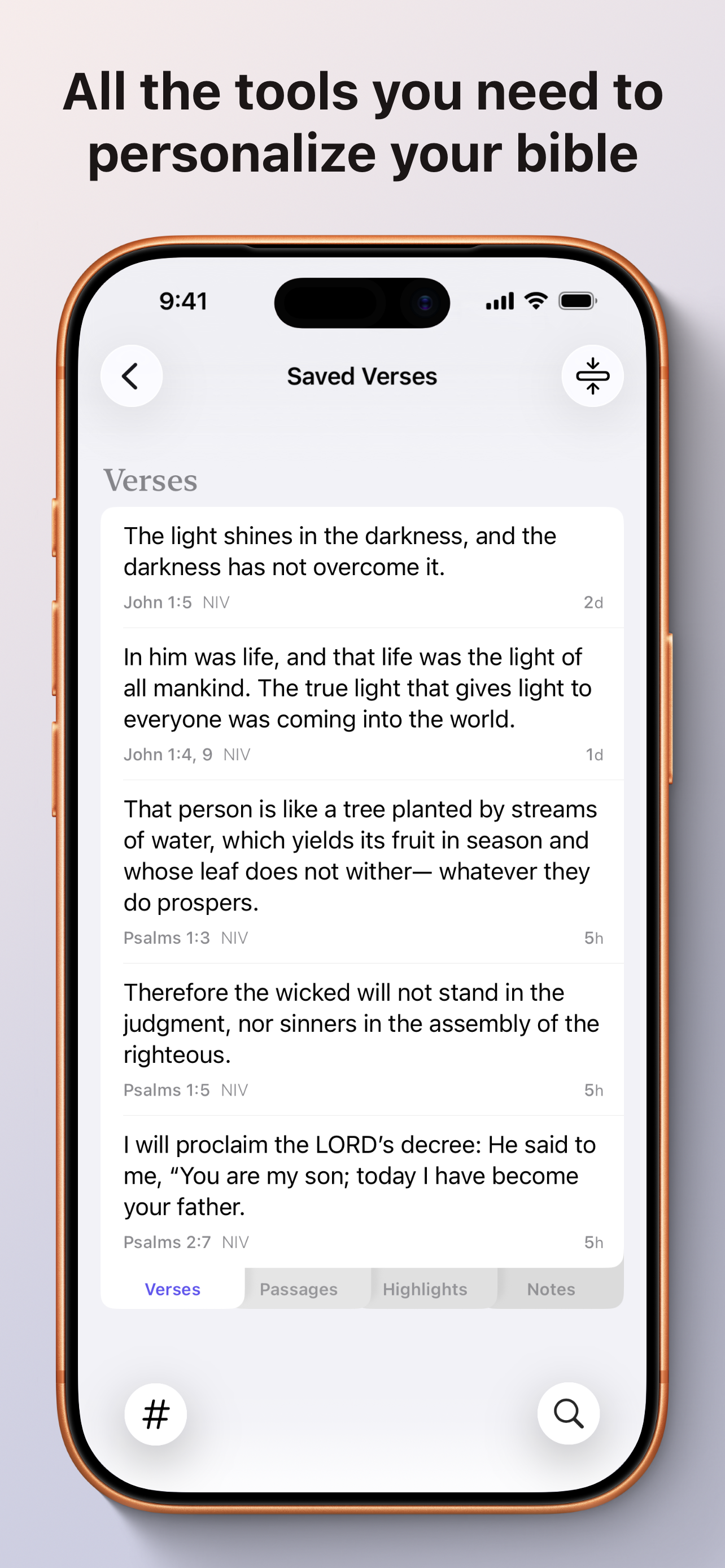
Saved section
-
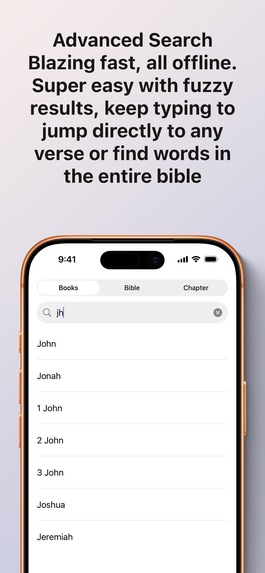
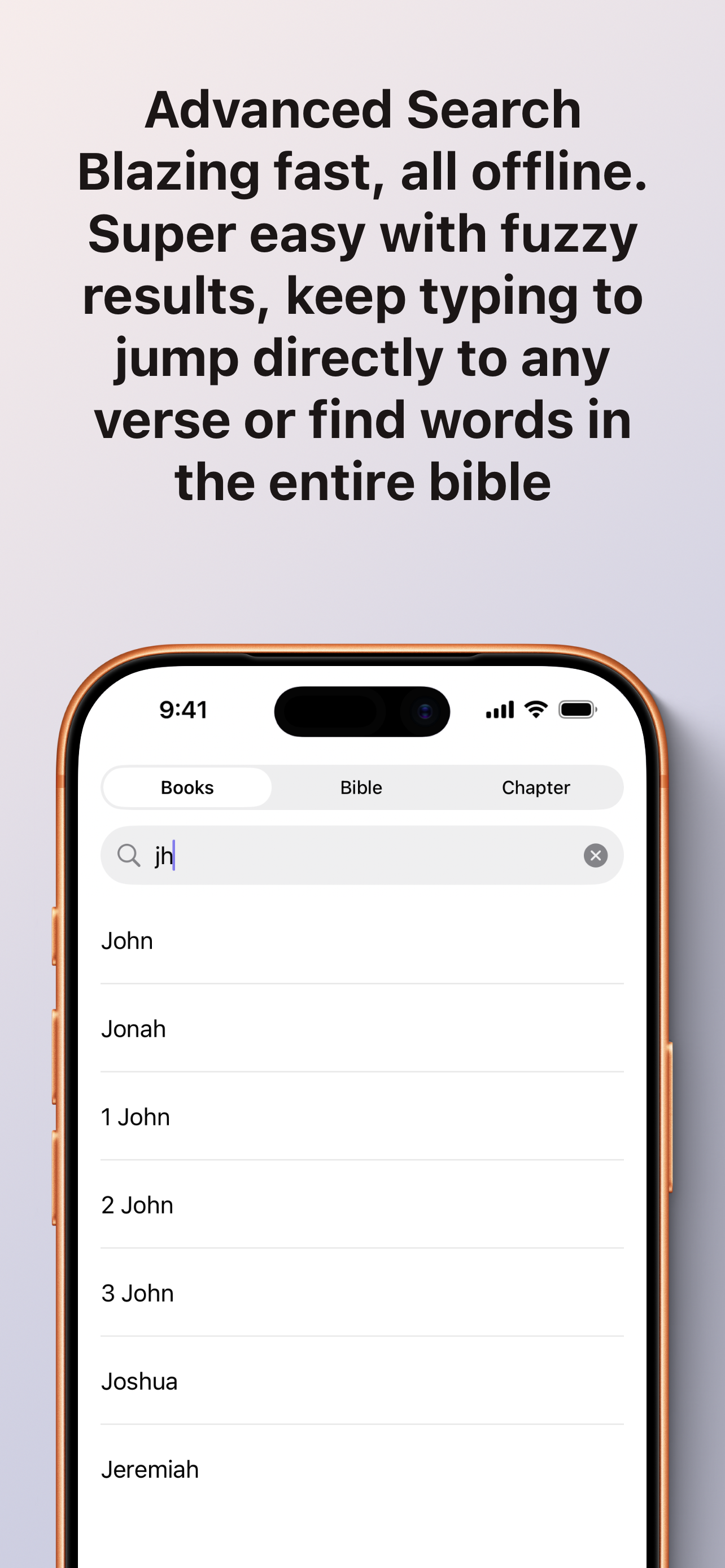
Searching example
-
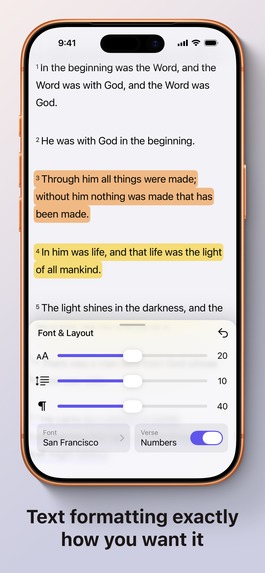
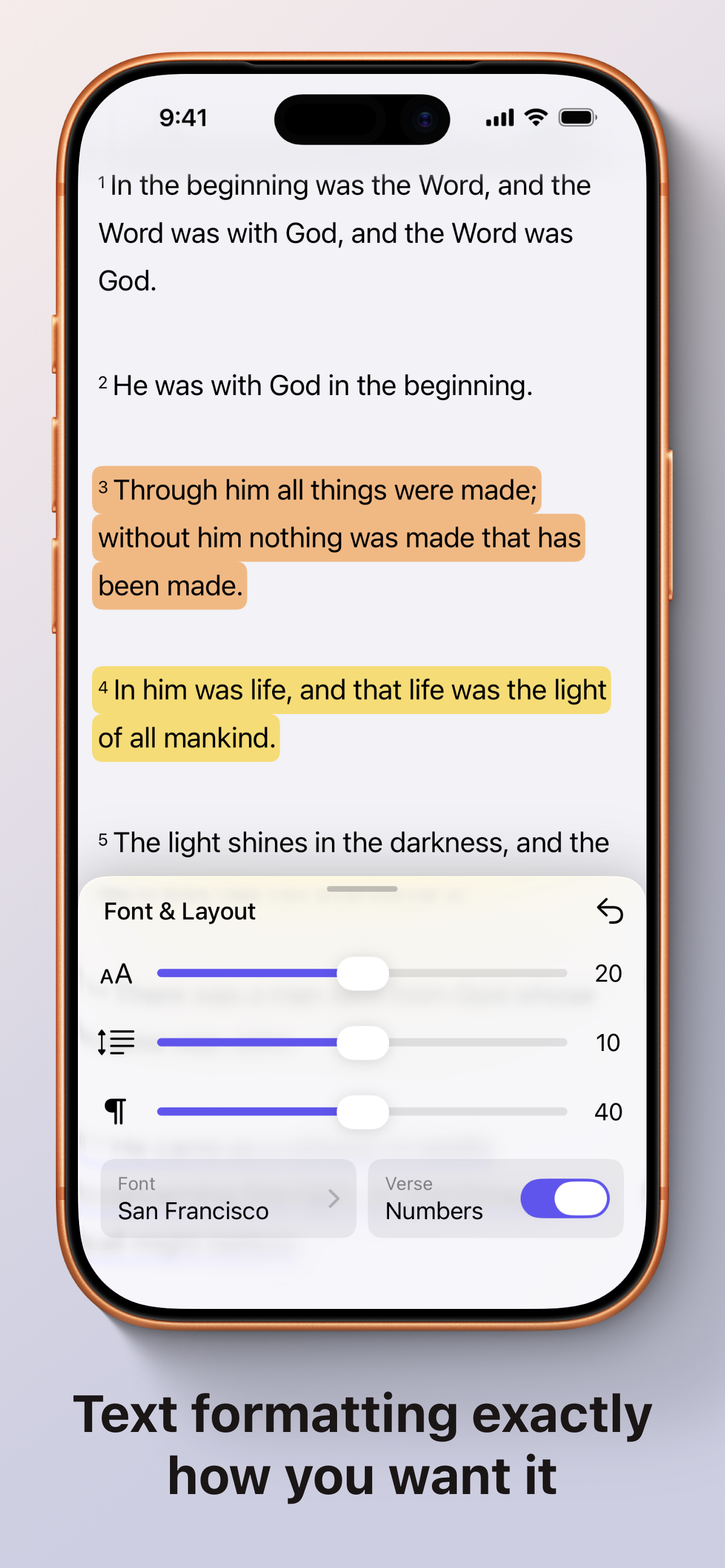
Customizations
Inspiration
When I first started my journey with Jesus, I experienced a lot of friction while reading the Bible. The most popular Bible apps had text that was visually hard to read, didn't track what I've read or where I left off in each book, offered confusing reading plans that made me feel guilty for missing a day, and showed no results for mistyped searches. Physical Bibles come with limits: saving verses means sticky notes or scribbles that’ll be very hard to retrieve later; finding passages takes time flipping; and the fixed font size can strain eyes. Etc…
So I had an idea: Why not create a simple, clean Bible app that's fully customizable, remembers completed books, and includes resources for common facts?
Six months ago, I paused development on my other app for a 7-Day Challenge to prototype this enhanced Bible app. After crunching for six days and resting on the seventh, I had a solid foundation: Bible text in a nice, readable format with translation options. It felt and looked great, But the challenge was over and it felt overwhelming to get over the next hurdle and I second guessed if this was viable. So I returned to my other app briefly. But I felt God nudging me to finish this one. I stopped the other app and committed full time to Guide To Jesus.
What it does
Guide To Jesus makes reading the Bible easier. It’s not just another Chatbot giving people what they want to hear. Don't rely on A.I to interpret and assume stuff from the Bible. Let's make reading accessible so the word of God can reach people. It has lots of features to do exactly that:
Customization Options
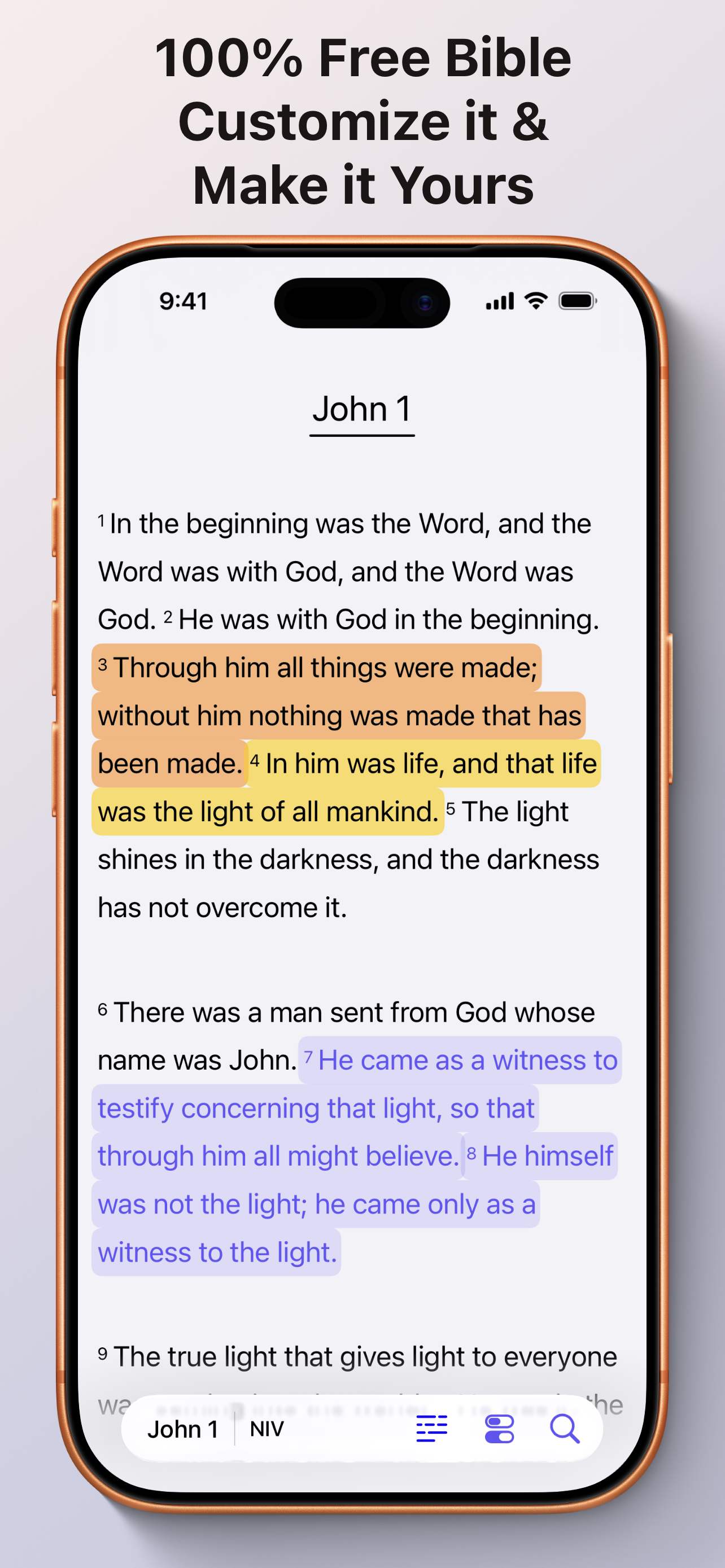
- Fully customize text appearance, including size, spacing, paragraph distance, font style, and hiding verse numbers.
- Choose between paragraph view or one verse per line.
- Use various color options for the background and toggle between having the font color match or stay solid black / white.
- Changed themes are saved per device settings so you can have different colors for Light mode and Dark mode. Optionally change mode based on screen brightness.
Highlighting and Marking
- Highlight verses in two styles with various colors that are optimized for light and dark modes.
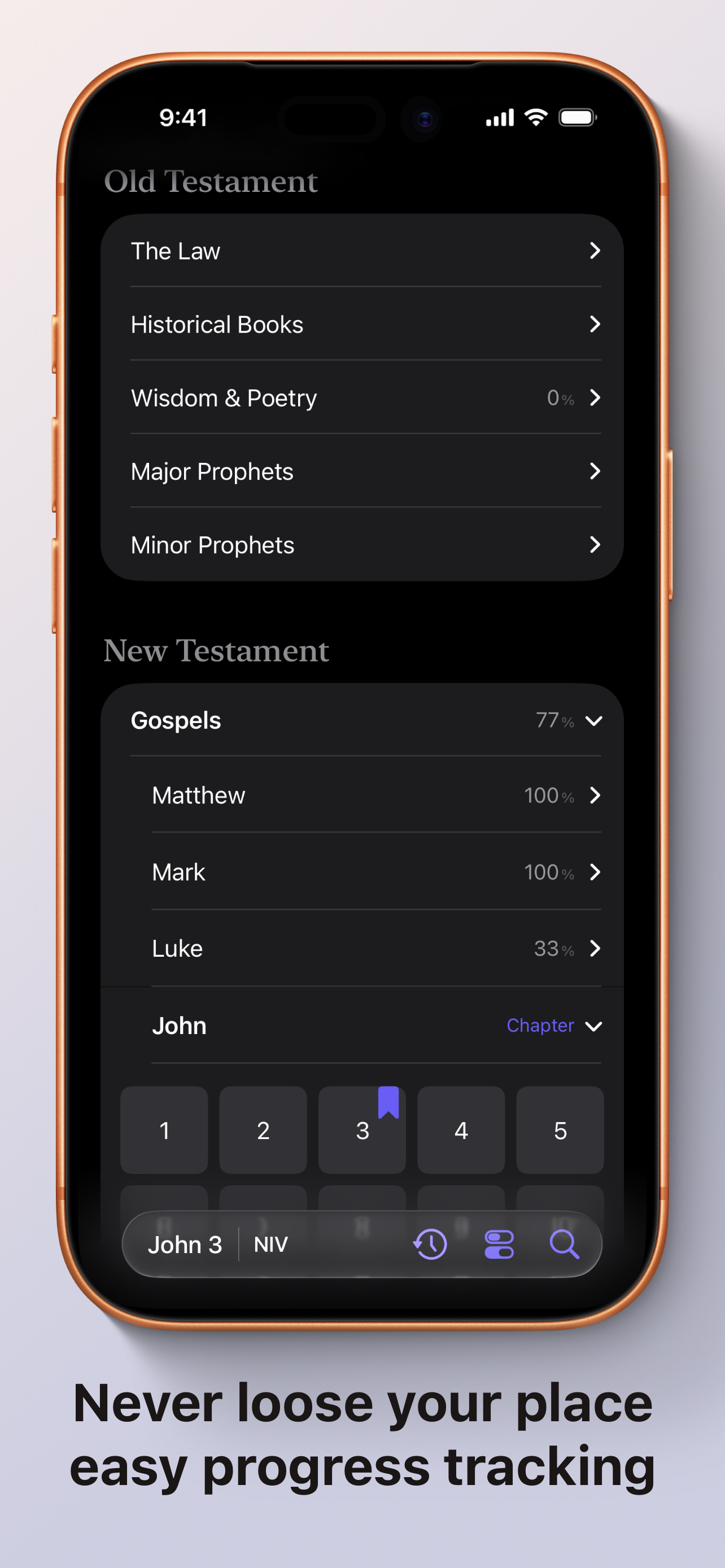
- Bookmark versus manually or automatically when changing chapters so you never lose where you left off.
Verse Comparison and Navigation
- Compare transactions like (NIV, ESV, KJV, NASB, BSB) verse by verse to see the differences in a sleek and modern way.
- All books are optionally sorted into divisions for quick access, with options to bypass verse selection, all via an intuitive UI.
- Fuzzy search books/verses (e.g., "jh116" for John 1:16), bookmark directly from search, spend less time on the phone and more time engaged in church.
Reading Plans
- Choose traditional or chronological orders, select books and order, set chapters per day and reading days.
- It calculates and updates days/weeks/months to finish, with a dynamic end date that adjusts for missed days.
Guide To Jesus Section
Offline articles on Bible facts like the Ten Commandments, Seven Deadly Sins, What is Grace?, evidence about The Shroud of Turin, and more. The premise is curated articles that puts together all the facts to have it all in one place. Why watch a video for 2hrs that keeps talking in circles about a subject when you can just condense it and read it in a few min.
Image Creation and Sharing
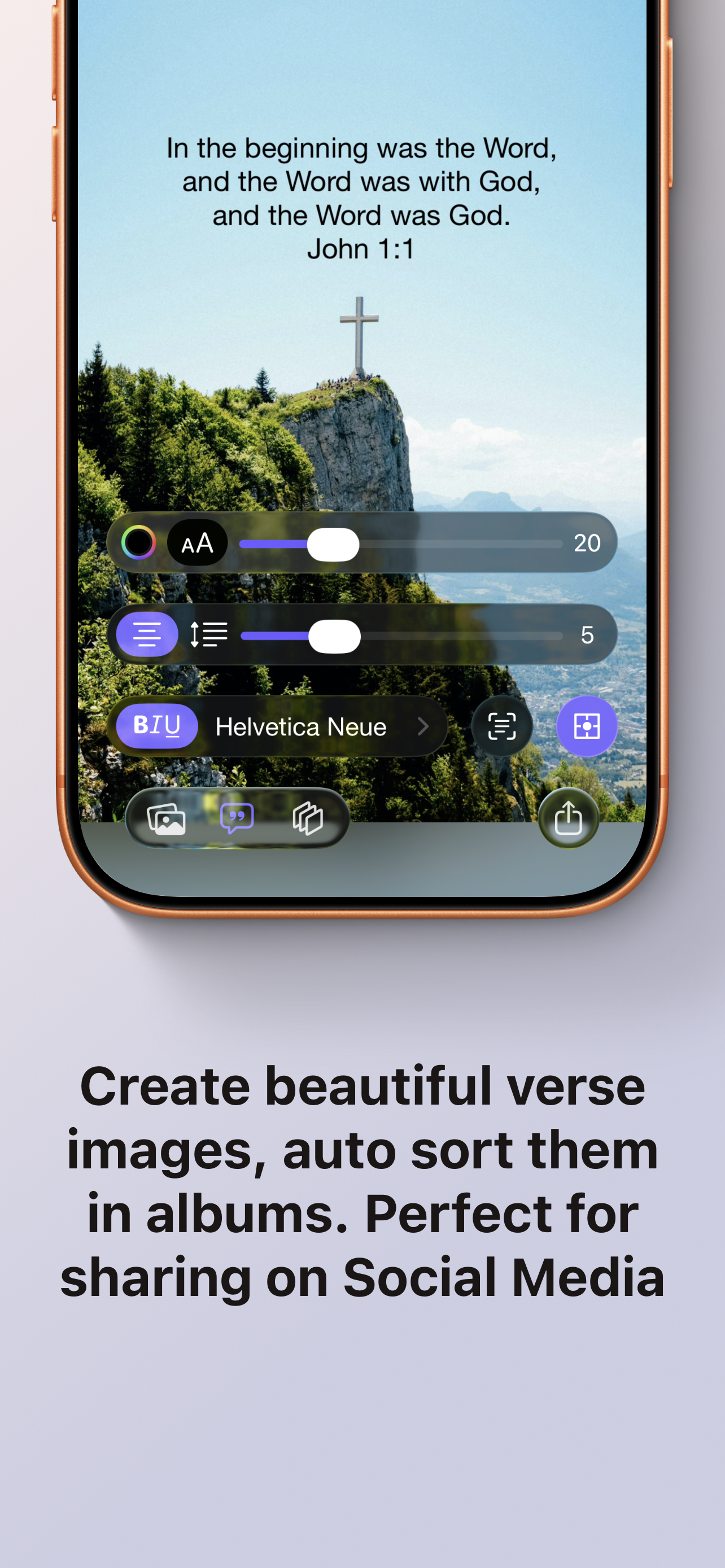
- Create images with verses using an amazing UI/UX.
- Optional auto sorting into an Album and contains metadata to help organize it all.
Landscape Support
- Full landscape mode where the app remains usable and looks great, with adaptive changes.
Saving and Organization
- Save verses, passages, notes, and tags for later retrieval.
- The Saved list allows one handed searching of all saved items.
History and Bookmarks
- History tracks navigation in a bottom up list so Bookmarks are at the bottom easy to reach in an expandable group
Daily Features
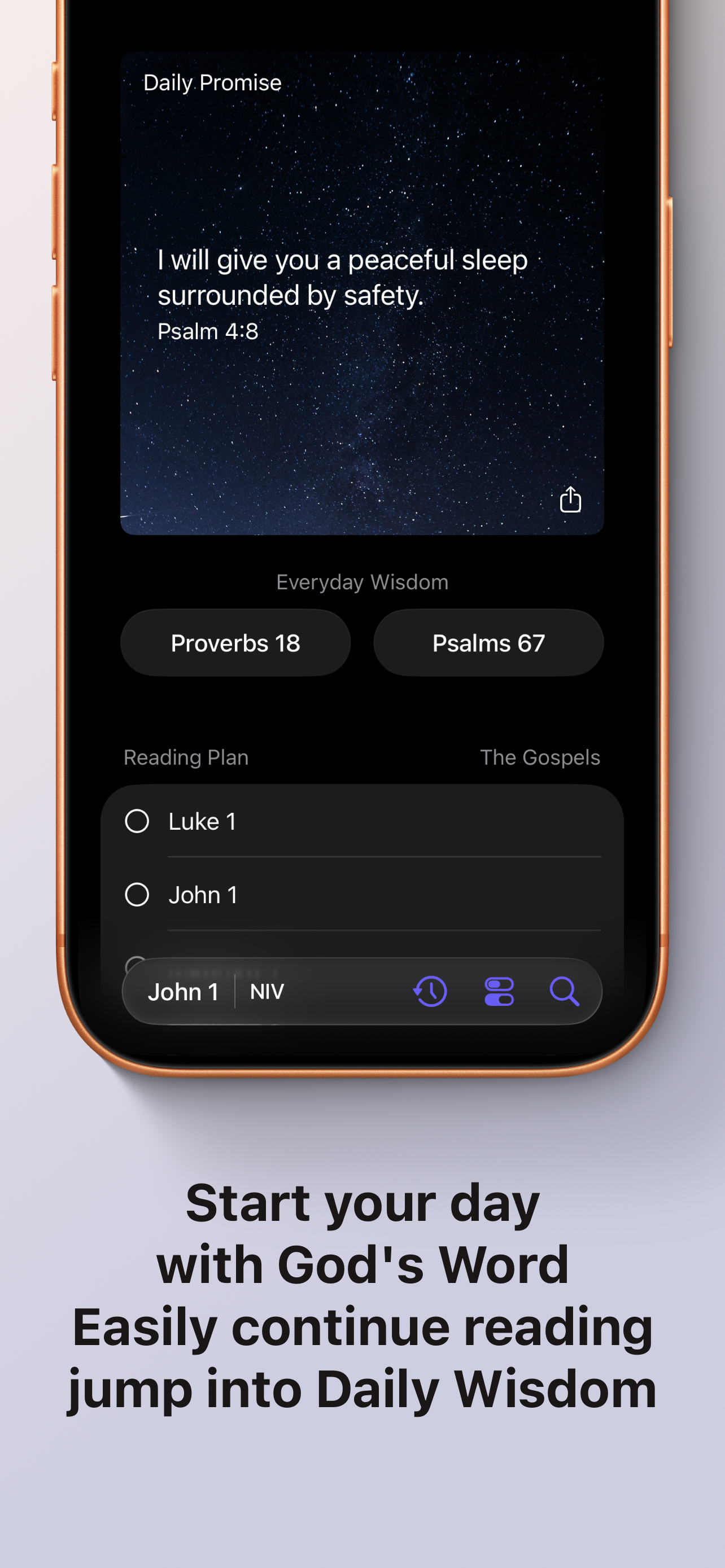
- Receive daily promise notifications.
- Add daily promises or custom text as widgets.
- The Today screen shows the daily promise on a nice photo, with buttons for Everyday Wisdom (random Proverbs or Psalms, synced across users, all offline), continuing reading plans, and options to open directly to the Bible.
App Personalization
- Change app icons and accent colors throughout.
Main Menu
- A bottom-sheet menu button enables one-handed navigation to all options.
Practice Mode
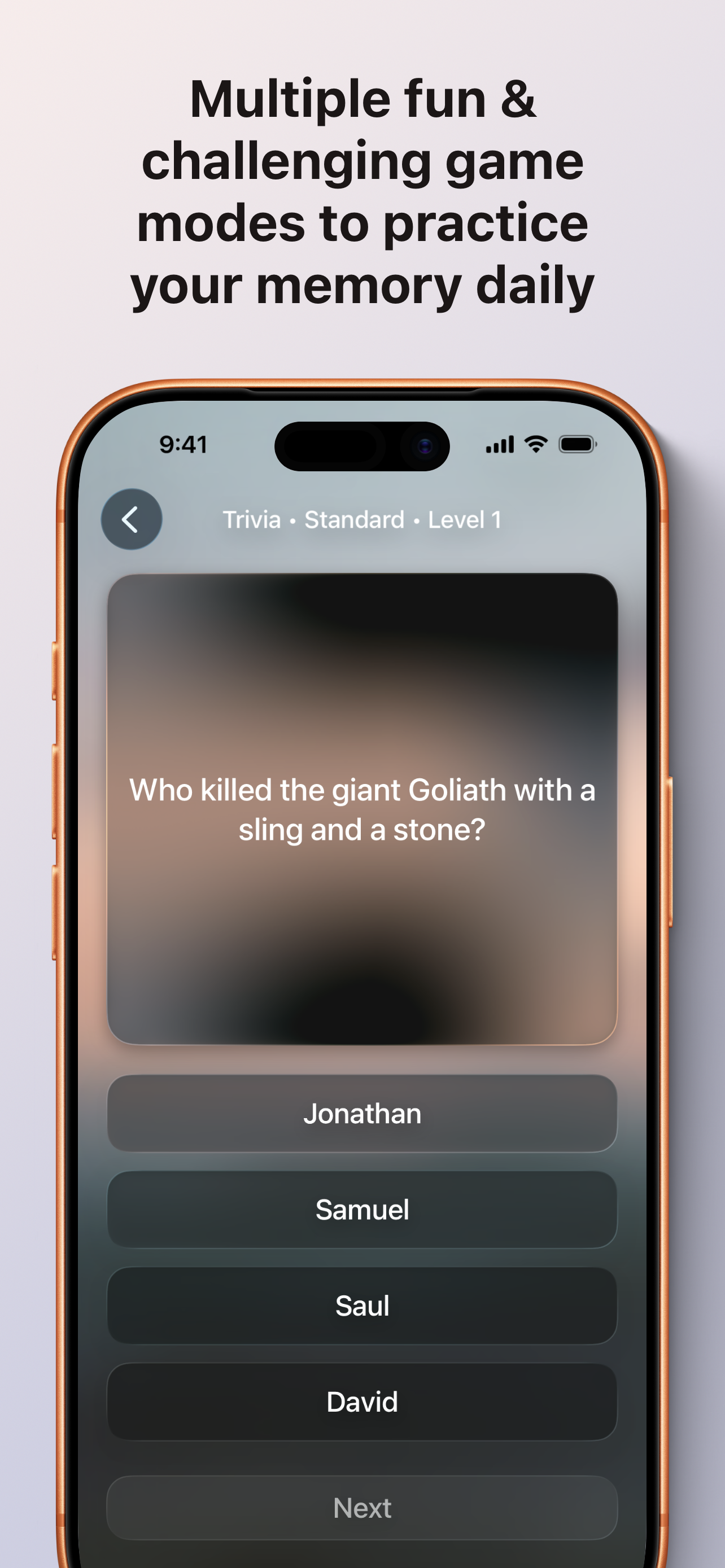
Fun learning with Trivia, Quiz, and Verses categories, each with multiple levels and difficulty levels. Earn bronze, silver, or gold. In three game modes:
- Multiple Choice: 4 options to pick from.
- Typed Response: Type in the correct answer.
- Flash Cards: Flip to reveal answers.
How we built it
Built in SwiftUI with Xcode, incorporating UIKit for specific challenges like seamless verse flow.
Challenges we ran into
Achieving seamless verse flow was tough; I tried various SwiftUI approaches but couldn't make it work at the time, so I integrated UIKit to get it right.
Accomplishments that we're proud of
- The UI/UX feels like stock iOS with custom elements, fully one-handed, and adapts beautifully in landscape.
- We're also proud of making the app fun and educational through practice modes, while keeping it accessible for beginners.
What we learned
SwiftData can be super annoying to work with, and sticking to built-in features pays off. I copied stock elements like Settings lists for a perfect match, but iOS 26 changes forced a revert to regular lists. Lesson learned the hard way.
What's next for Guide To Jesus
Loads of updates. I want to redesign some elements to make it visually more appealing and keep adding more features and polish. I want it to be the most accessible beginners' Bible to help people. And having all the factual evidence in one location is amazing. I want to expand this project to Android and I have some great ideas for a website. I would love to give out free shirts and stickers one day. Trusting in the Lord…

Log in or sign up for Devpost to join the conversation.