Inspiration
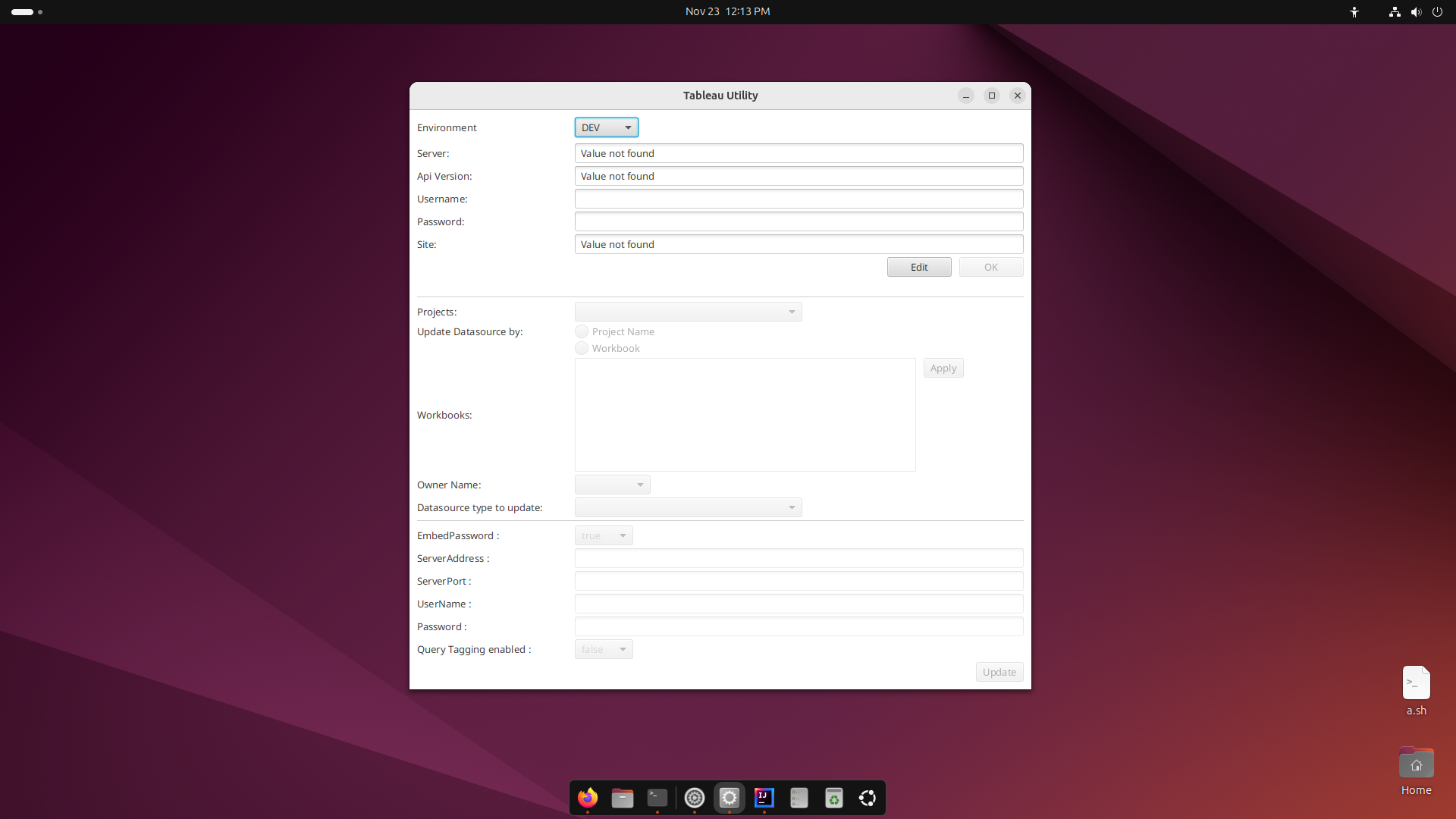
Update of data source properties requires manually editing in each workbook. It is nightmare for the user if there are many workbooks in a project and there are multiple such projects in an organization. Also, from the posts on the community (refer below), it is the similar case with many Tableau users as well. So, in our work we bring in a GUI based approach which updated all the data sources at workbook or project level just with a single click.
- How to update the database password for all published reports
- Changing database login credentials for multiple workbooks on Tableau Server
- How do I update all my workbooks with my new database password on Tableau 9?
What it does
- This work utilizes the REST APIs exposed by Tableau server to update the data source properties.
- As it is GUI based utility, hence it provides better user experience to the users along with the desired functionality.
How we built it
- We built it using Java, JavaFx and Tableau REST APIs.
- JavaFx is used to create GUI.
- Java uses REST APIs to fetch the required details and update the data source properties.
Challenges we ran into
- Fetching API version of the Tableau server
- Finding various APIs, but Tableau documentation helped us with that.
Accomplishments that we're proud of
- We're able to solve a problem, which is widely requested by the community.
What we learned
- Got to know various APIs exposed by Tableau and there by use them to solve the problem.
What's next for One-Click solution to update Tableau data properties
- We want to create a similar kind of utility using front end technology. So, that it can be hosted on the Tableau server and users can utilize the same to update the data source properties. Instead of each individual having a copy of the
Built With
- api
- java
- rest


Log in or sign up for Devpost to join the conversation.