-
-
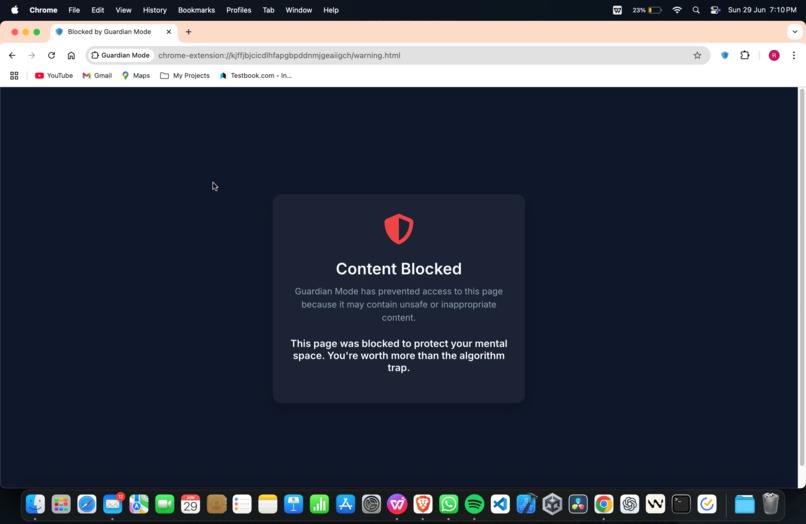
Warning.html
-
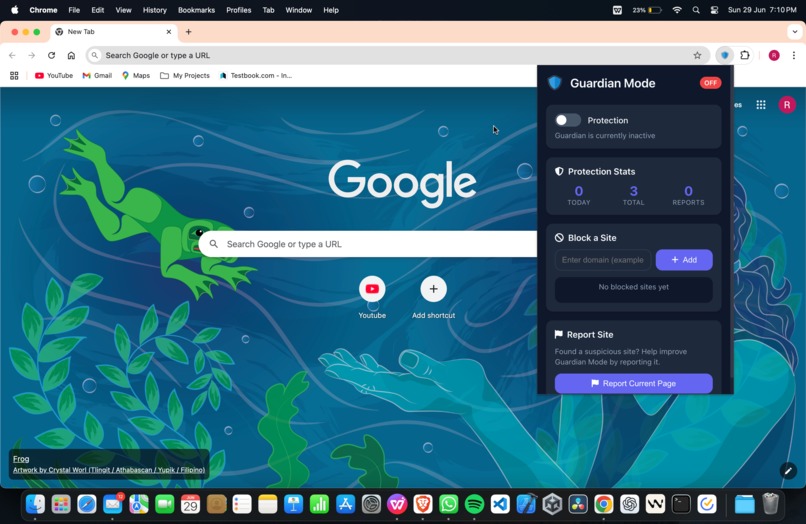
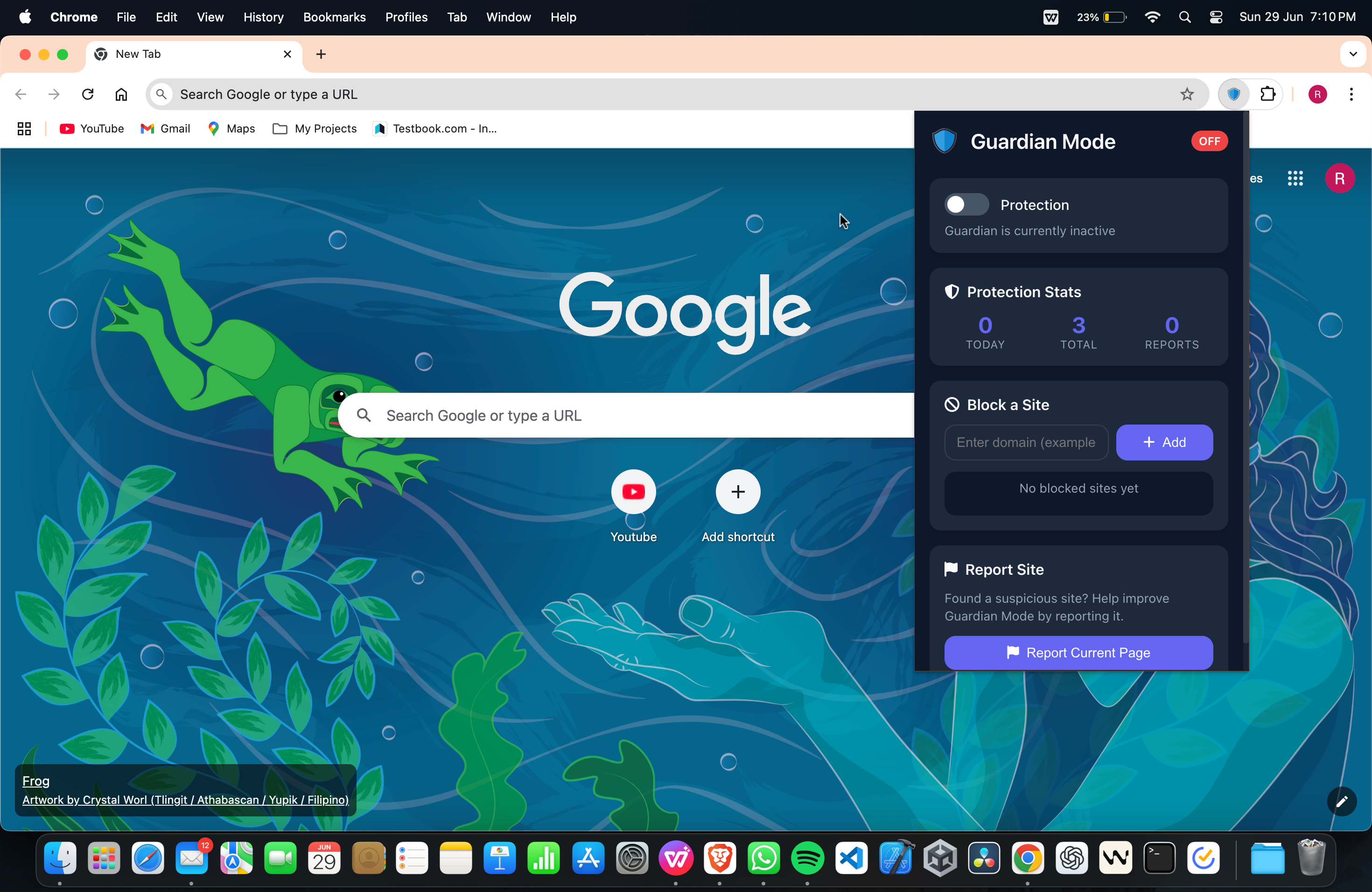
Toggle OFF
-
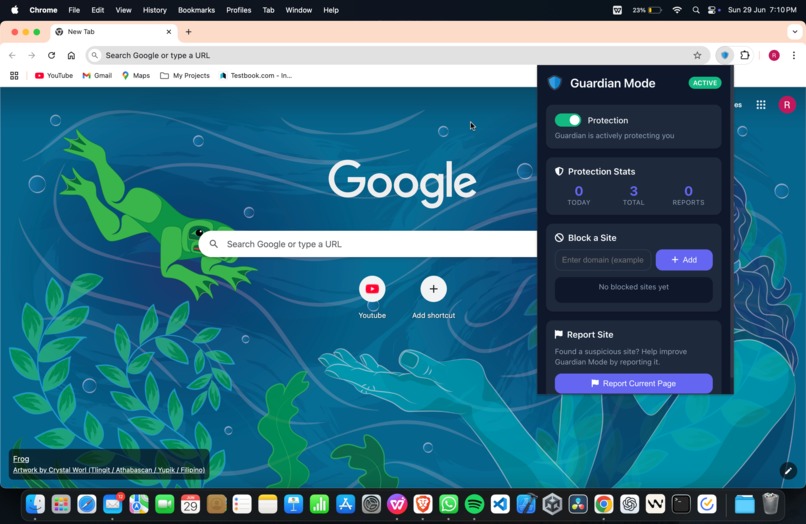
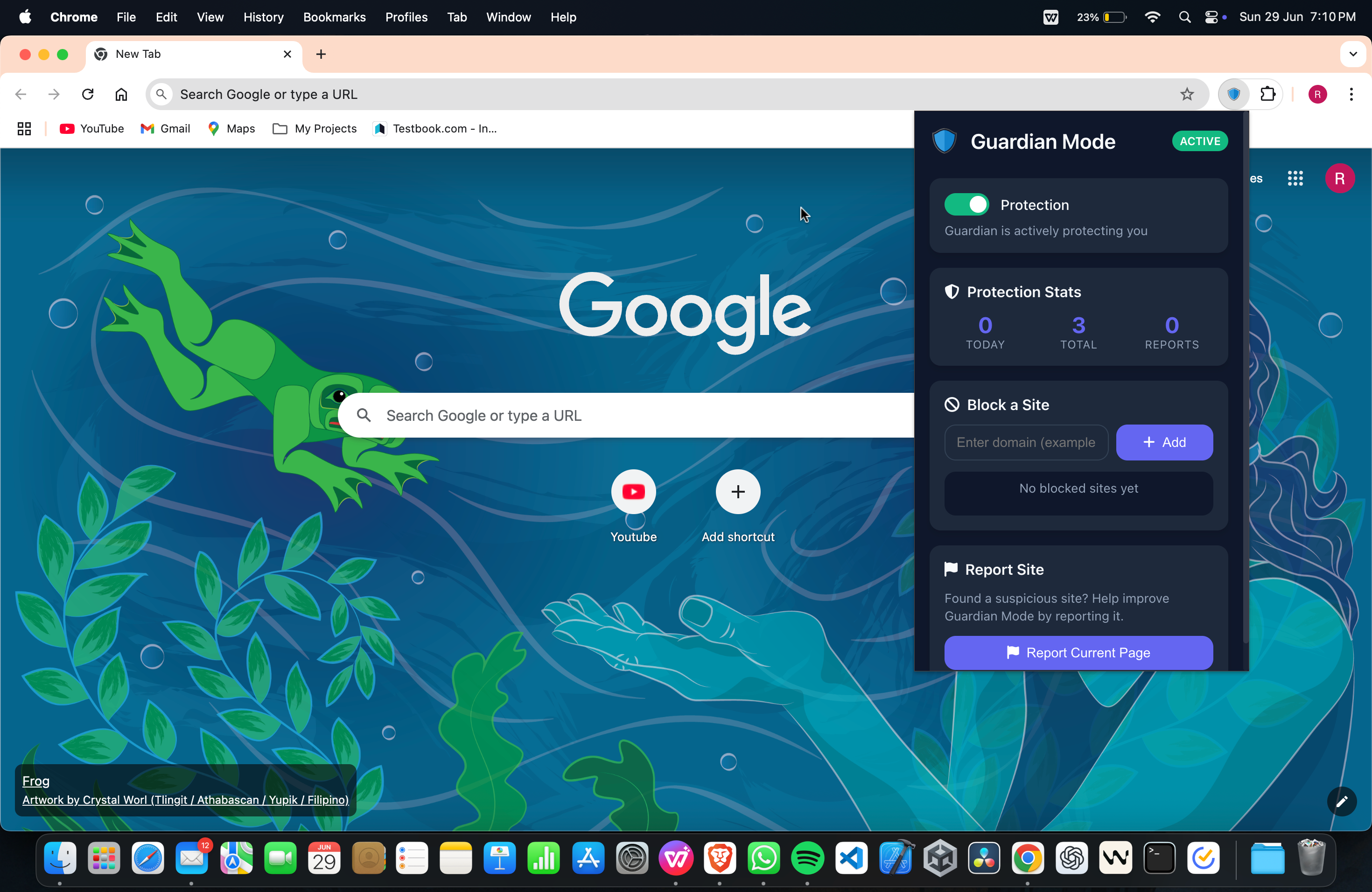
Toggle ON
Inspiration
The idea for Guardian Mode came from observing how easily harmful and adult content spreads online often through innocent searches or accidental clicks. As a student passionate about digital ethics, I realized that despite all the advancements in AI and computing, we still lack basic tools to stop such exposure before it happens. Most solutions today track user data or require server-side filters. I wanted to build something that worked locally, instantly, and with zero compromise on privacy — a tool that anyone, especially students and families, could use without setup or sign-in.
Guardian Mode was built out of the belief that access to the internet should come with built-in protection — not as a luxury, but as a default.
What it does
Guardian Mode is a Chrome extension that blocks adult and unsafe websites before they load in your browser.
Here’s what it does:
- Monitors all outgoing browser requests and searches.
- Detects harmful or inappropriate keywords in URLs or search queries.
- Instantly blocks access and redirects the user to a local warning.html page.
- Runs 100% offline, with no data logging or server dependency.
- Uses a customizable keyword list for future upgrades.
Whether you're a student, parent, teacher, or focus-driven individual — Guardian Mode offers a simple, powerful barrier against unsafe content online.
How we built it
- The extension was built using:
- JavaScript (Vanilla)
- Chrome Manifest v3 API
- HTML & CSS
- WebRequest and declarativeNetRequest APIs
The core logic is handled by a background script that listens to browser tab requests. If the URL or search contains a keyword from the internal siteList.js, it cancels the request and immediately loads a local warning.html page, preserving the user experience without disruption.
The extension popup (popup.html) acts as a clean dashboard to indicate whether Guardian Mode is active. Styling was kept minimal for performance and simplicity.
I completed the initial build in under one day, while also designing a presentable UI and folder structure for long-term scalability.
Challenges we ran into
- Intercepting requests before they load, without causing browser lag.
- Making the blocking logic completely local without external server checks.
- Designing a clear warning system that didn't feel aggressive or alarming.
- Ensuring that the extension wasn’t easy to bypass through search engines.
- Handling redirection while keeping Chrome security policies intact.
- Debugging the manifest file, setting up clean folder organization, and understanding how Chrome extensions handle request cancellation were some of the core technical hurdles.
Accomplishments that we're proud of
- Completed a fully working MVP in less than 24 hours.
- Achieved 100% offline functionality — no trackers, no external calls.
- Created a working UI with blocking, redirection, and customization logic.
- Maintained clean, readable code across multiple files.
- Built something meaningful, with real-world application and long-term potential.
- Documented the build fully with GitHub repo, YouTube video, screenshots, and Devpost story.
What we learned
- Deep understanding of Chrome extension lifecycle, especially background and UI scripts.
- Practical experience using the WebRequest API and managing URL-based filtering.
- The power of building simple tools with strong real-world use.
- How important user experience is — even in extensions meant for blocking content.
- That building for purpose, not just prize, creates deeper motivation and clarity.
- This project helped me connect my interest in ethical tech with my skills as a developer — and showed how software can reflect strong values.
What's next for Guardian Mode – Block Adult Sites Before They Load
The next steps in development:
- Add a user-facing dashboard to allow adding/removing keywords.
- Integrate AI/NLP models to detect harmful intent, not just keywords.
- Build a Firefox and Brave version.
- Package and publish the extension on the Chrome Web Store.
- Create a school/institution version with admin lock settings.
- Partner with NGOs to distribute in rural education setups as a safety tool.
Long-term, Guardian Mode could evolve into a suite of offline safety tools — combining browser extensions, mobile apps, and educational content around responsible browsing.
This is just the first step toward reimagining what a safer, more ethical internet could look like — without compromising user freedom or privacy.
Built With
- api
- chrome
- css
- extension
- html
- javascript
- webrequest

Log in or sign up for Devpost to join the conversation.