-
-

App icon
-
-
-
-
-
-

-
-

Inspiration
In India, almost every evening ends with the same four words from someone who loves you: "Text me when you reach."
Most safety apps answer that with a panic button. But the moments that go wrong rarely leave you a free hand: a crash on a scooter, a fall on a broken footpath, or a walk home where you suddenly feel you're being followed. We wanted an app that doesn't wait for you to press anything. It should notice when something is off, check on you gently, and make sure the right people know, fast.
That became Saathi (Hindi for companion): Always with you.
Why a phone call, not a notification
My first plan was to alert a person's circle with in-app notifications, SMS and WhatsApp. I built Saathi in public, posting daily on YouTube, Threads and LinkedIn, and the CEO of my company, who was following along, asked me one question: "If you get a notification in the middle of the night, will you check it instantly?"
The honest answer is no, and a safety alert sitting unread in a notification tray is worthless. So Saathi calls. When something goes wrong, an AI voice agent phones your close circle and tells them who needs help, where they were going and what happened. Running our own calling server and SIP trunk was too costly for a hackathon, but our company already runs Yandle, an AI call-agent and voice-blasting platform with APIs open to every customer. I signed up as a customer and adapted its agent to Saathi's use case. That turned out to be the game changer: no alert is missed, because it's always a call.
What it does
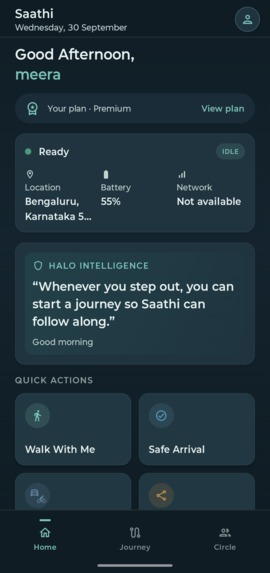
Saathi is a personal safety companion for walks and rides. It is not just an SOS button, and it is not a replacement for emergency services.
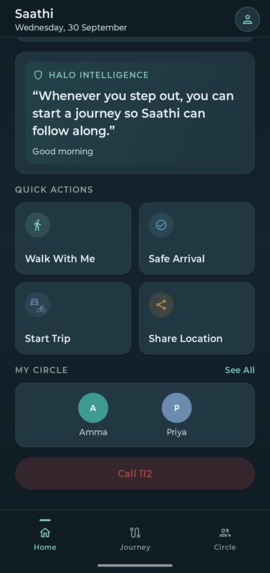
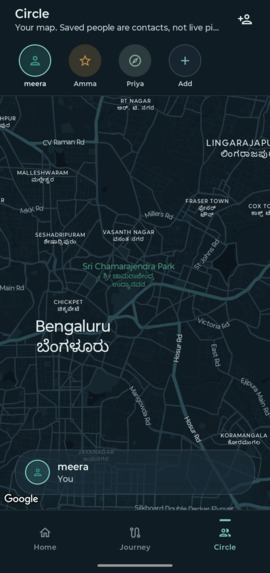
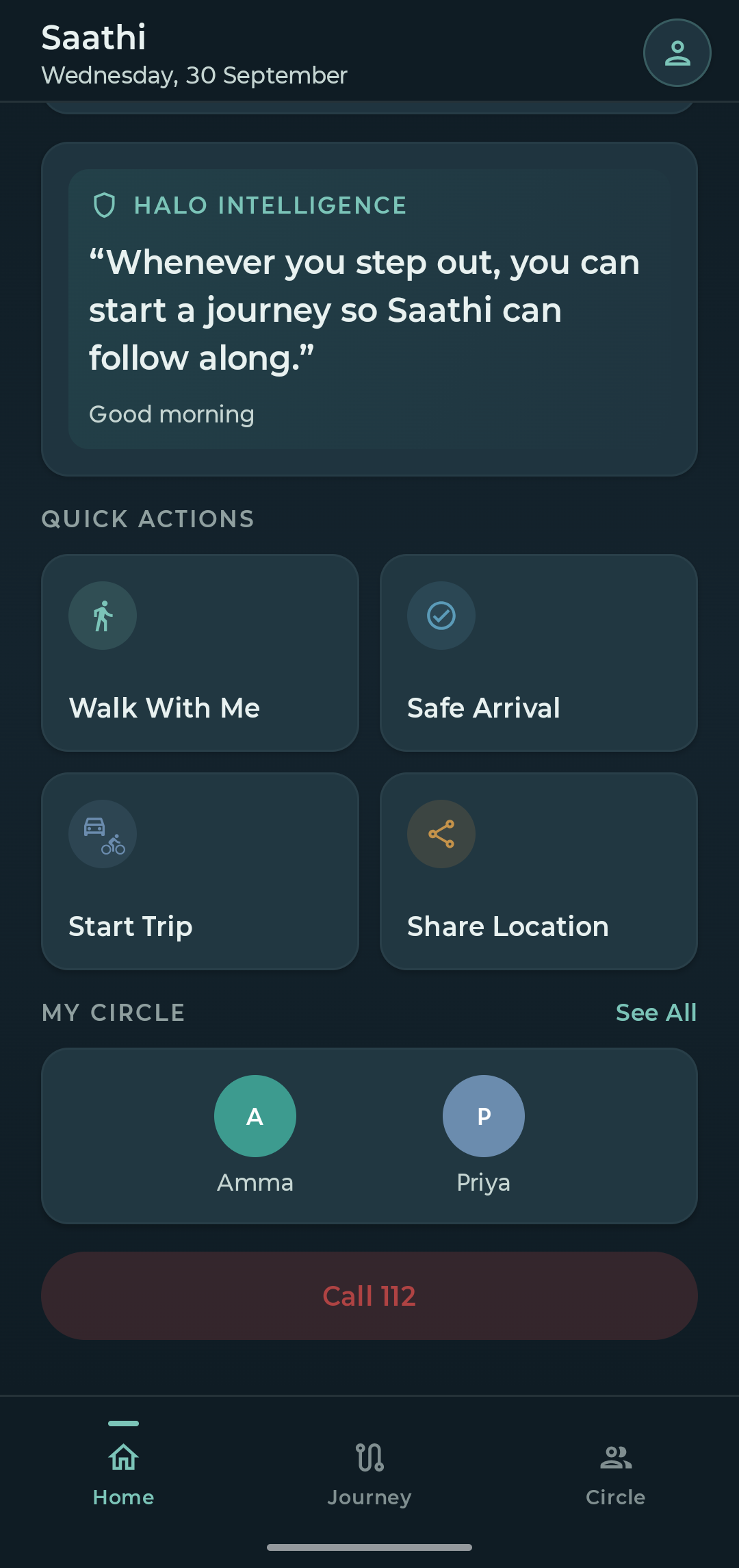
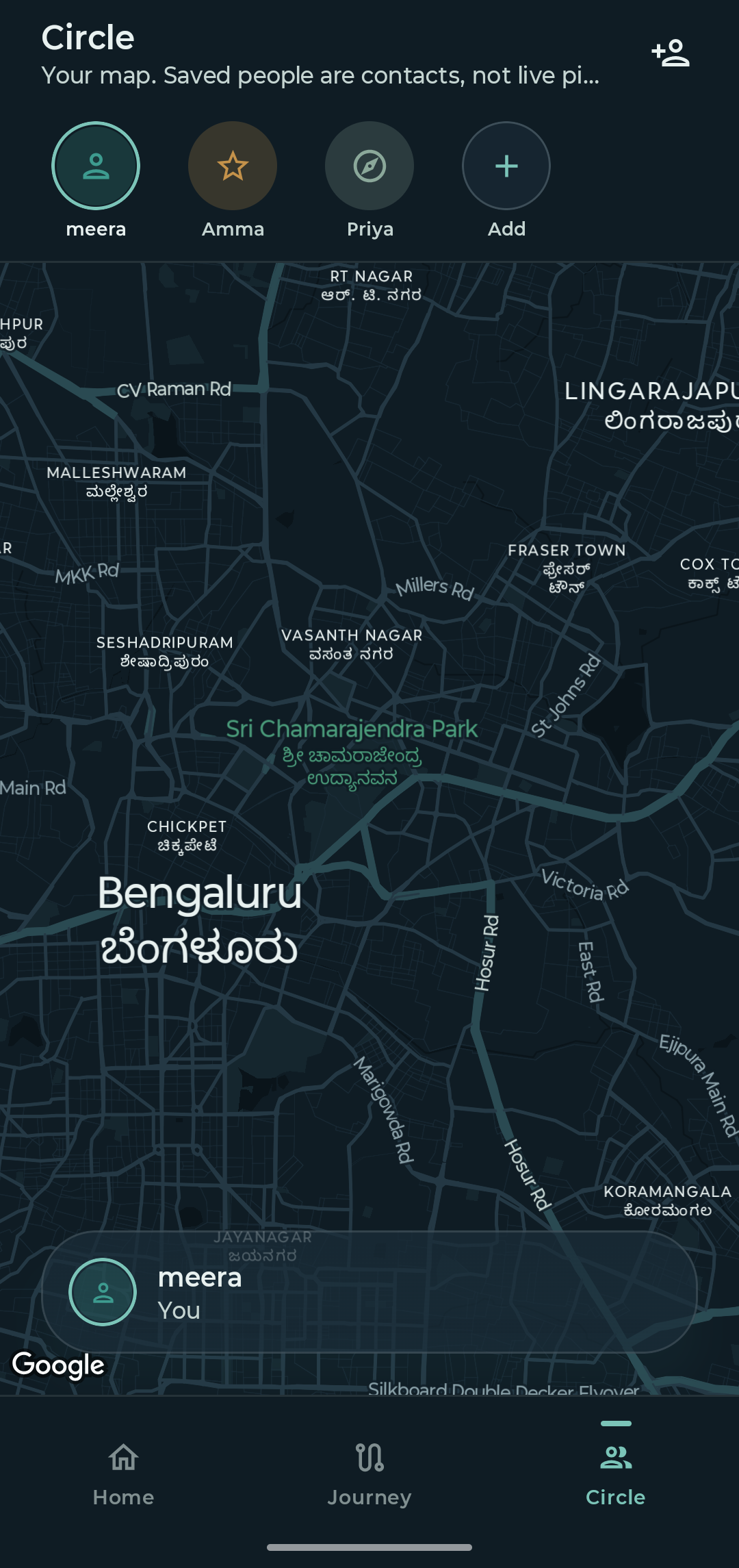
- Build your close circle. Save the people who should know if something goes wrong (family, a flatmate, a friend).
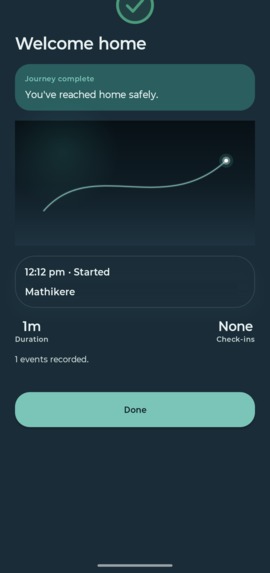
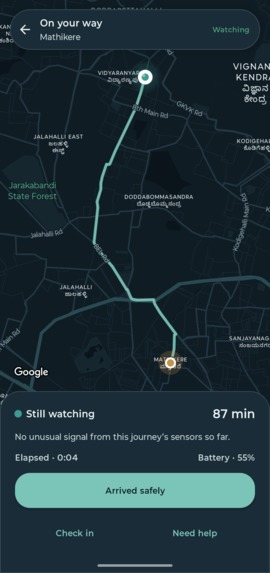
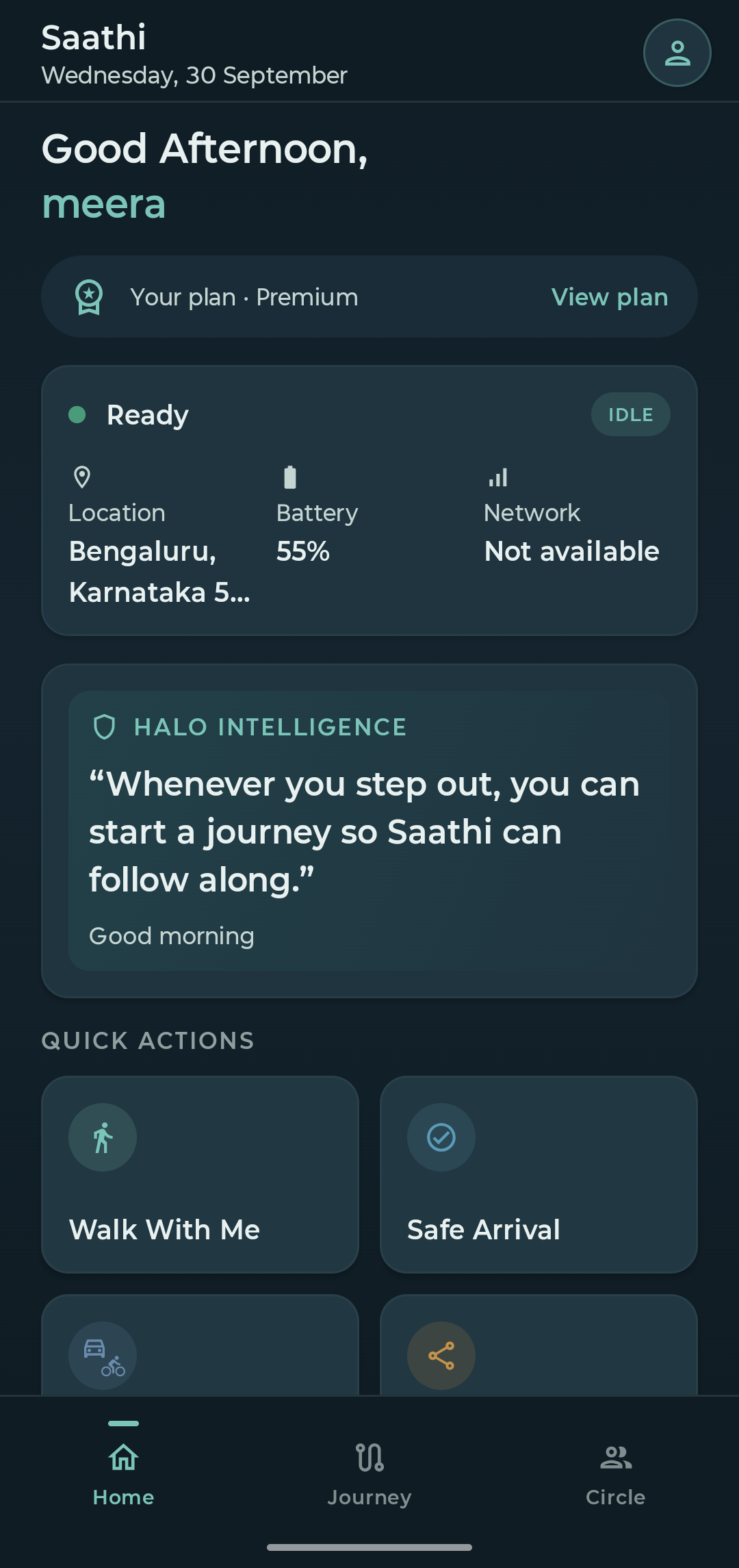
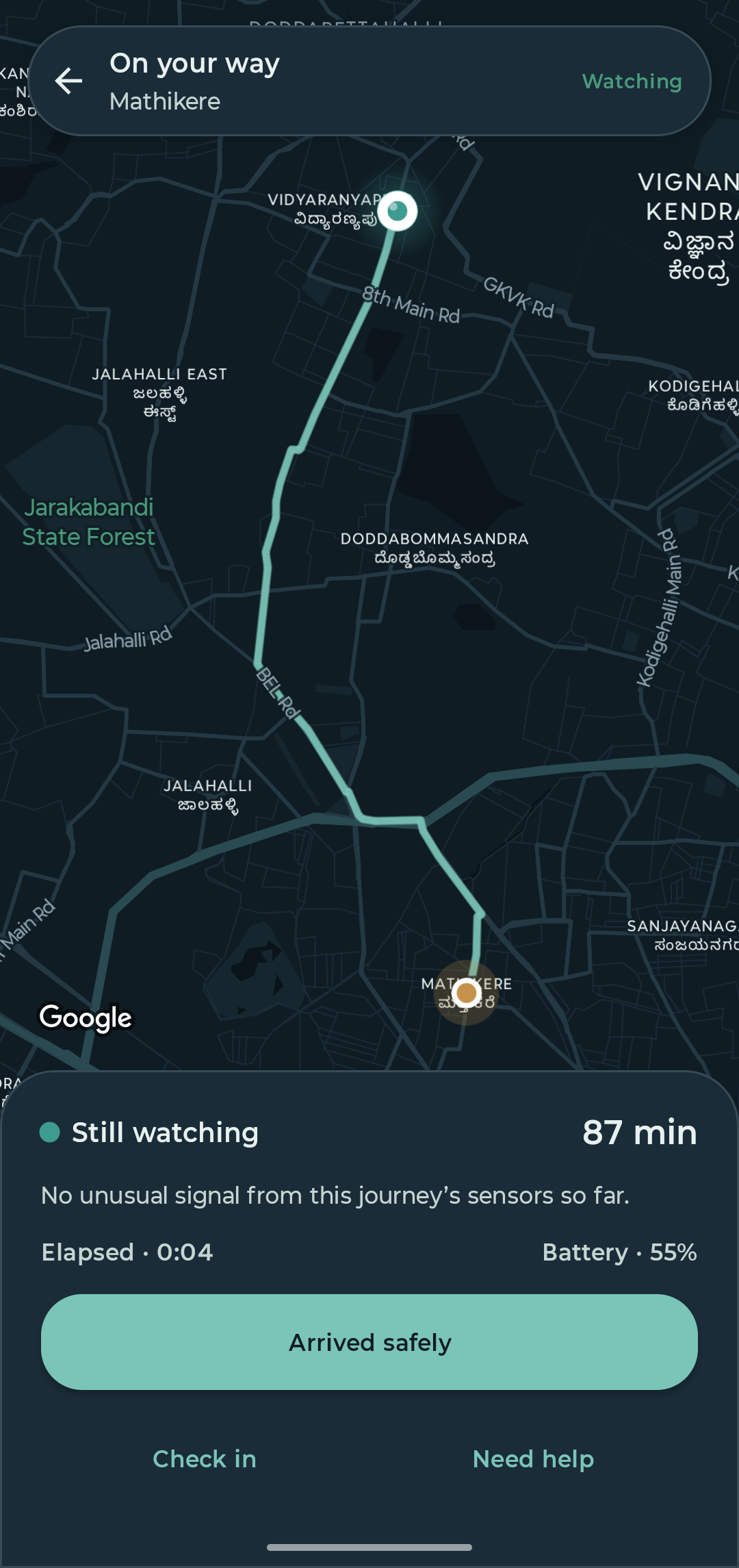
- Walk With Me / Start Trip. Set a destination and Saathi plans the route and ETA, then quietly keeps watch with the screen off.
- An on-device risk engine reads what the phone already feels: speed, progress against the route and ETA, and the motion sensors. It looks for a crash or hard impact, a fall while walking, a sudden stop, going off route, running late, or no movement for too long during a journey. Signals use hysteresis so a dropped phone or a red light doesn't set it off.
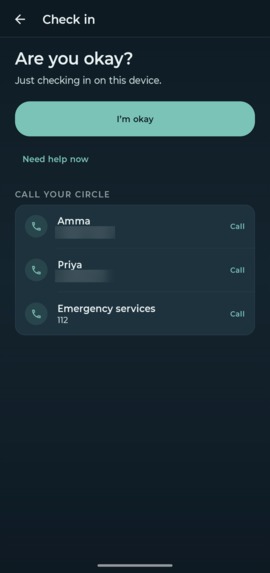
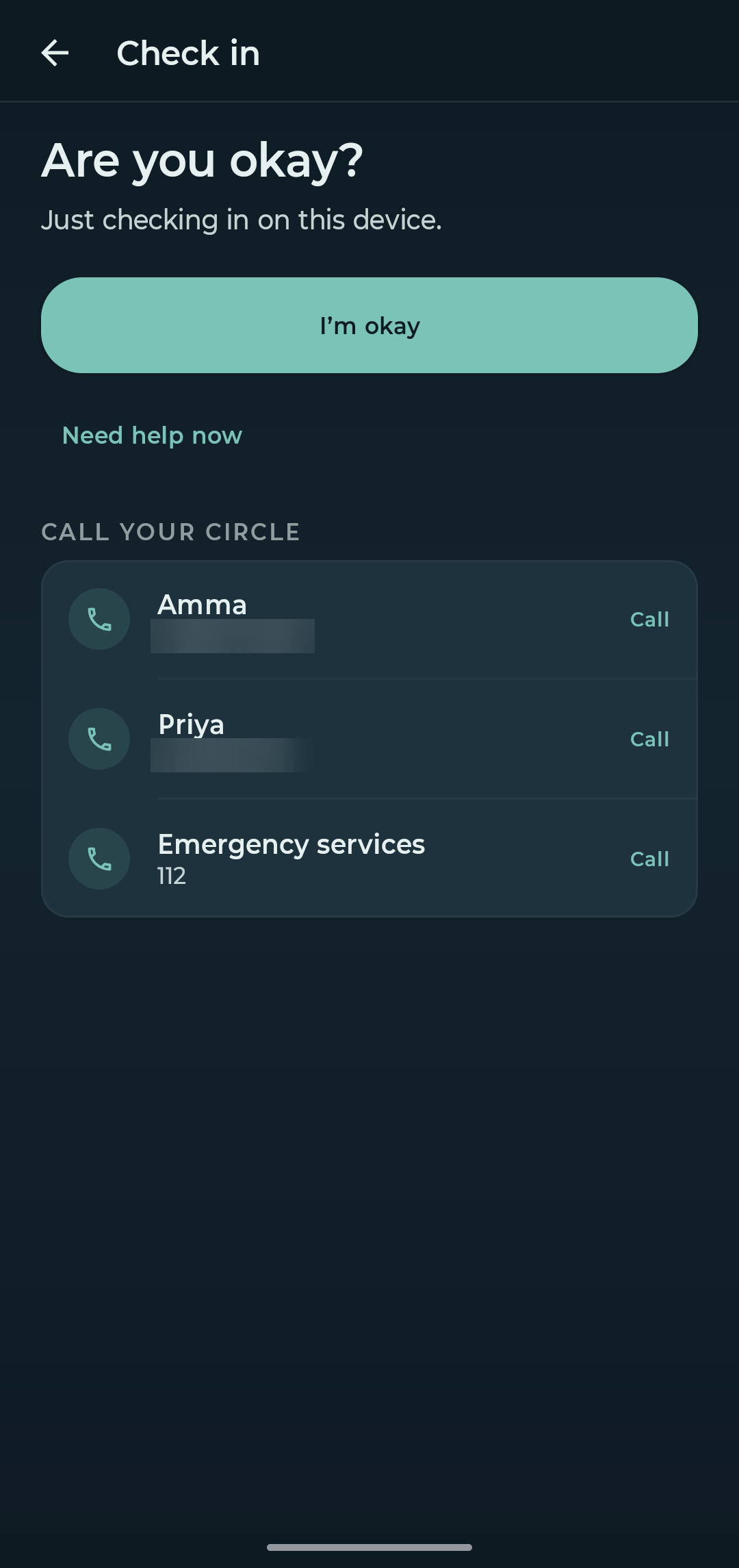
- It asks first. A soft "Are you okay?" check-in with a countdown on your own phone. One tap on I'm okay and it fades away.
- No answer? Saathi calls your circle. It places a real AI voice call to your circle. The call says who needs help, where they were going (from → to) and why (missed check-in, crash, or a Need help tap), and asks them to call you now.
- Need help right now? One tap calls your circle, or opens the phone dialer with your local emergency number (112 in India) ready. You confirm that call yourself, and Saathi never dials emergency services on its own.
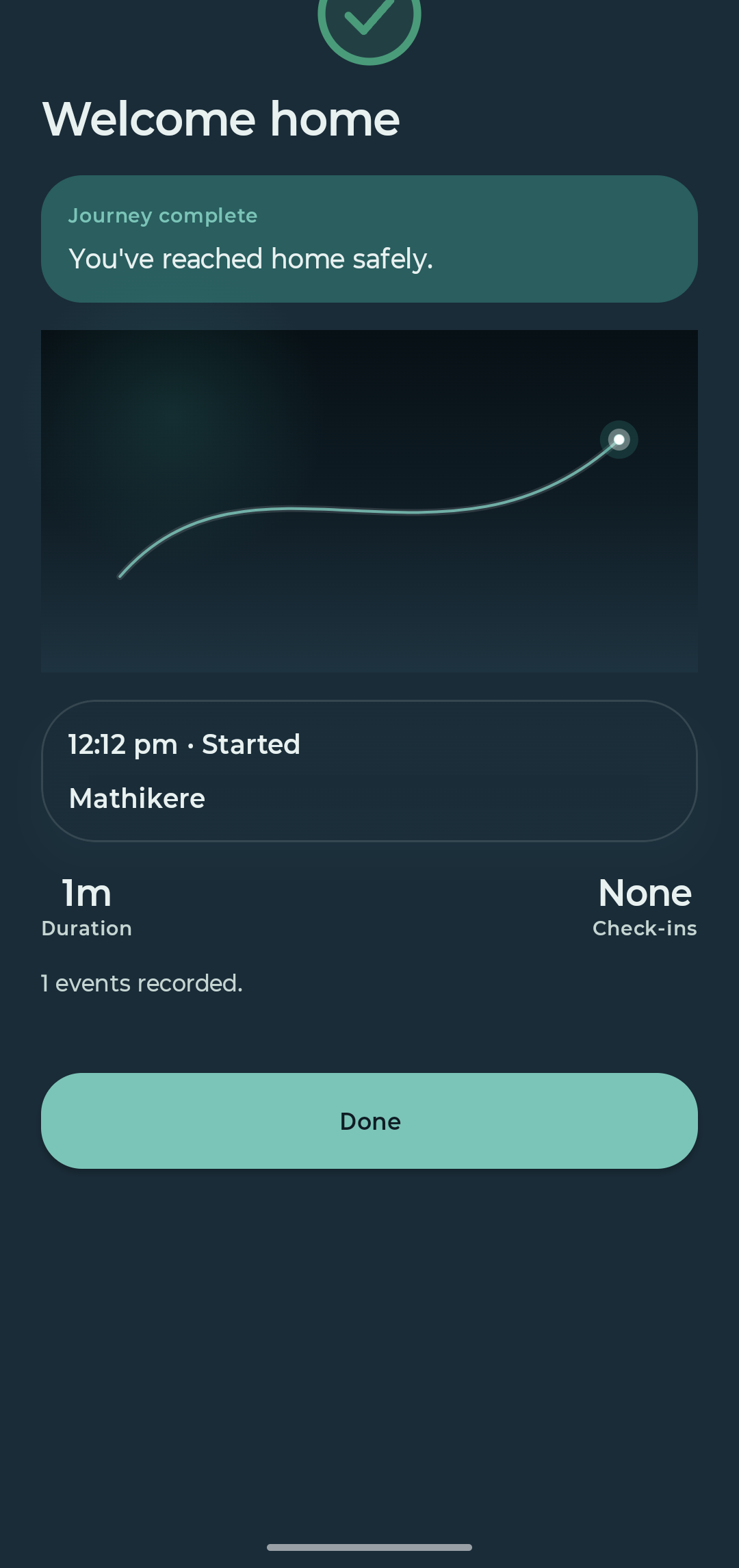
- Quick actions for everyday safety. Safe Arrival starts a journey to your saved home with an ETA, and Share Location sends your current location pin to someone, only when you tap it.
- Privacy by default. Location is used only while a journey is running. There is no background tracking outside a journey.
How we built it
- App: Kotlin Multiplatform and Compose Multiplatform, with one shared codebase for Android and iOS (a SwiftUI shell hosts the shared UI on iOS). The architecture uses Koin, Ktor, SQLDelight, coroutines and Google Maps Compose.
- Journey watch: an Android foreground service with fused location and motion sensors, and Core Location plus Core Motion on iOS. Risk scoring runs on the device.
- Backend (AWS): an AppSync GraphQL API, Node 20 Lambdas, DynamoDB (users, circle, journeys, journey events), Cognito (email, Google and Sign in with Apple) and SNS, deployed with SAM and nested CloudFormation through GitHub Actions.
- Voice escalation: the journey service hands an escalation to a Lambda that creates an outbound call through Yandle's AI voice agent, with the traveller's name, route and reason passed into the call script.
- Monetization: RevenueCat. We used the
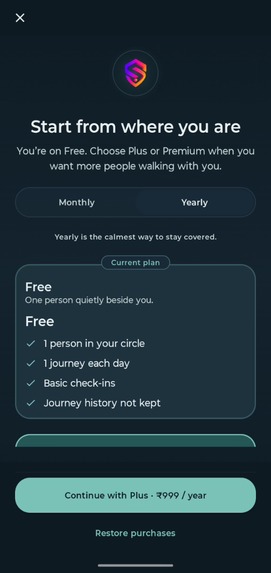
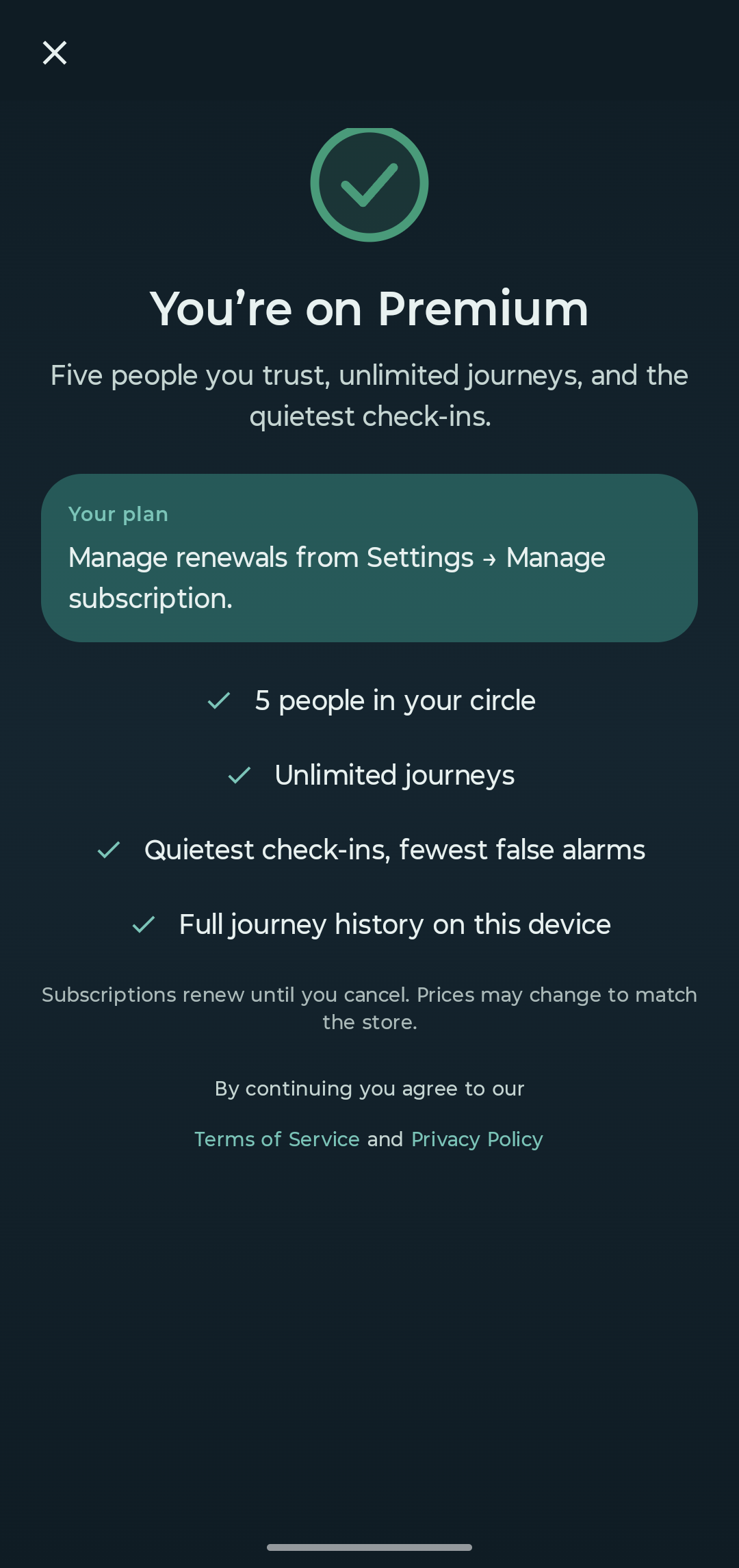
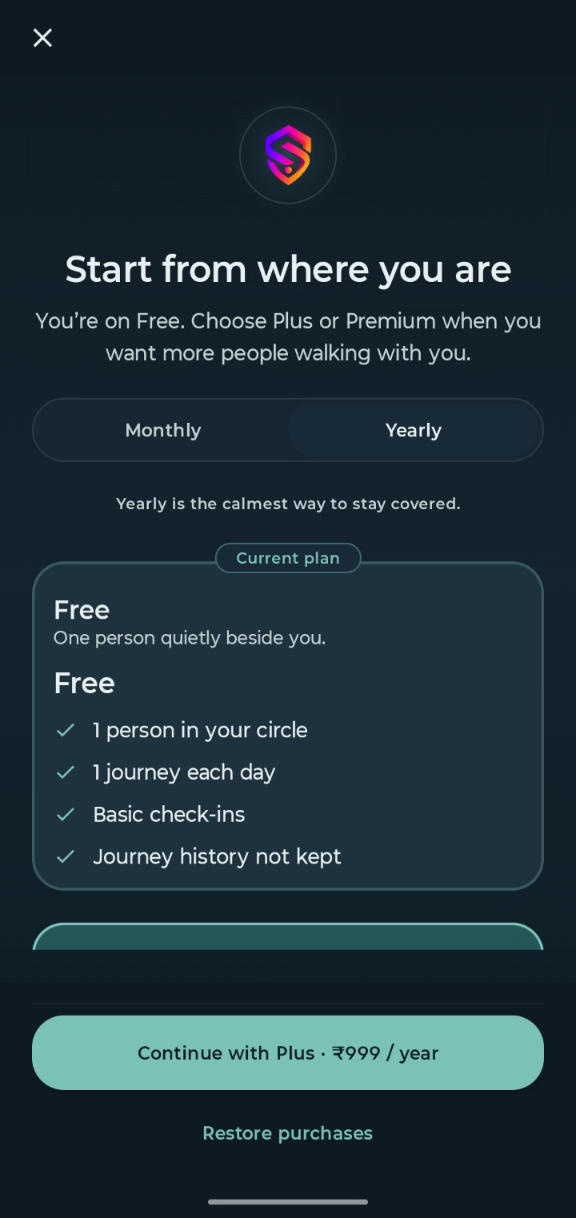
purchases-kmpSDK with Plus and Premium entitlements and monthly and annual offerings, all managed from RevenueCat. Entitlements drive the product limits: circle size, journeys per day, journey history, and how long a check-in waits before escalating.
Who it's for
Saathi is for anyone who walks, rides or travels alone: women heading home after a late shift, students walking back to a hostel, solo travellers, people commuting late, elderly parents and anyone who lives alone, along with the family and friends who worry about them. There's no age or user restriction. We're launching in India first: the AI safety calls currently reach Indian (+91) numbers, and the app is in English.
How the risk engine works
Everything runs on the phone, and only while a journey (Walk With Me or Start Trip) is active.
Sensors
- Accelerometer (linear acceleration on Android, Core Motion on iOS) measures the g-force of an impact.
- Gyroscope tells a tumble (fast, sustained rotation) apart from a phone that was simply dropped.
- Barometer / altimeter spots a sudden change in height that can come with a fall.
- GPS / fused location (high accuracy, about every 15 seconds) gives speed, progress along the route and the ETA.
Signals it watches
- Hard impact: 2 g and above raises attention; 4 g on its own is treated as serious.
- Sudden stop: moving faster than 5 m/s, then suddenly dropping below about 1.2 m/s.
- Not moving: no movement beyond 25 m for 3, 8 or 15 minutes.
- Off route: 120, 400 or 900 m away from the planned route.
- Running late: past the ETA, scored by how far past it.
From signals to a check-in. Each signal adds points to a risk score from 0 to 100, which maps to four calm levels: Still watching, Checking in, Still waiting for you and Needs your response. When the level rises, Saathi shows the "Are you okay?" check-in. If there's no answer in 30 seconds, it calls the close circle.
Guards against false alarms
- A new level has to hold for 10 seconds (5 seconds for clear emergencies, such as an impact followed by a sudden stop) before it takes effect, so one noisy reading can't set anything off.
- An impact with very little rotation is scored down as a likely dropped phone; an impact with a tumble is scored up.
- The barometer only counts together with an impact, and rotation on its own never counts.
- After you tap "I'm okay", Saathi stays quiet for 3 minutes.
- And it always asks you first, before anyone is called.
Plans
| Free | Plus | Premium | |
|---|---|---|---|
| People in your circle | 1 | 3 | 5 |
| Journeys per day | 1 | 3 | Unlimited |
| Journey history | none | Last 7 | Last 20 |
| Price (India) | Free | ₹129/mo · ₹999/yr | ₹199/mo · ₹1,499/yr |
Challenges we ran into
- False alarms vs. missed emergencies. A phone dropped on a sofa and a scooter crash both look like "impact". We combined impact, rotation and stillness with hysteresis, and always ask first before involving anyone.
- Staying alive in the background under Android's background-execution limits and iOS background location, without draining the battery.
- Emergency dialing done right. Android refuses
ACTION_CALLfor emergency numbers, and VoIP apps can hijacktel:intents. We open the system dialer for 112 and place circle calls throughTelecomManager. - Notifications weren't enough. We started with SMS and in-app notifications, but in testing they simply didn't work well: they were easy to miss, especially at night. That's why we moved escalation to an AI voice call agent.
- Getting the AI agent to say the right thing. Even the calls were tough at first. The agent had to reach the right person in the circle and clearly tell them who needed help, where they were going and what happened. Prompting it was a balancing act: with too much in the prompt, the agent rambled or got confused; with too little, it didn't speak up clearly or left out the details that matter. It took many rounds of tuning the prompt, and the details we pass into each call, before it got this right in the first few seconds of every call.
- Server-authoritative circles. Keeping the circle in sync across devices, and making sure removing a person only ever touches your own circle.
Accomplishments that we're proud of
- Live on Google Play. The iOS build, from the same codebase, is submitted to the App Store and has been stuck in review for more than 14 days.
- Real end-to-end escalations: in testing, a Need help tap produced a real phone call to a circle member, who heard the traveller's name and route within seconds.
- A calm, non-scary design that respects privacy, and a subscription model where paying unlocks protection for more people rather than basic safety.
Built in public
I built Saathi in the open. Every day of Shipaton I posted a build video on YouTube and shared updates on Threads and LinkedIn, and the people who followed along ended up shaping the product.
The notification problem. My first version alerted a person's circle with in-app notifications and SMS. Testing showed the gap quickly: notifications get buried or silenced, especially at night, and SMS was slow and easy to miss among OTPs and promotions. For an app whose whole job is to reach someone fast, that wasn't good enough.
One question from my CEO. The CEO of my company was following my updates on LinkedIn and YouTube. He asked me: "If you get a notification in the middle of the night, will you check it instantly?" The honest answer was no. His suggestion was an AI call agent, so that when something goes wrong, Saathi phones the circle instead. Our company already runs Yandle, an AI calling platform with public APIs, so I signed up as a customer and adapted its agent for Saathi. That became the heart of the app: a real call that tells the circle who needs help, where they were going and what happened.
Ideas from my professor. A professor from my undergrad college saw my posts four years after I graduated and reached out to ask what I was building. I pitched him the idea, and he gave me detailed feedback on how the app should work.
A logo from a friend in the UK. A friend studying in the UK, who isn't from tech at all, called me after seeing my updates and said he wanted to help. He designed Saathi's logo, the shield-and-S mark you see in the app, on the Play Store and in the film.
Friends and family. My friends and family followed every post, sent feedback and cheered me on, especially on the days when nothing worked. That support kept me shipping every single day.
Building quietly, I would have shipped a notification app. Building in public, I shipped one that calls.
Follow the build:
What we learned
Safety features have to be designed for the worst moment, when you can't look at your phone. That means asking before alarming, escalating to people rather than just sending notifications, and being honest that an app is not an emergency service.
What's next for Saathi
- Saathi's own global SIP servers. Circle voice calls currently reach Indian (+91) numbers only. Next we build Saathi's own SIP servers worldwide, so anyone in any country can use it and their circle still gets the call.
- App Store release for iOS, as soon as review clears
- Voice calls in Hindi, Kannada and other Indian languages
- Opt-in live location sharing with the circle during an escalation
- Wearable support (fall and crash detection from the watch)
- Smarter, personalised risk models for regular routes
Built With
- amazon-cognito
- amazon-dynamodb
- amazon-sns
- amazon-web-services
- android
- aws-appsync
- aws-lambda
- aws-sam
- compose-multiplatform
- github-actions
- google-maps
- graphql
- ios
- jetpack-compose
- koin
- kotlin
- kotlin-multiplatform
- ktor
- node.js
- revenuecat
- sqldelight
- swiftui
- yandle


Log in or sign up for Devpost to join the conversation.