-
-
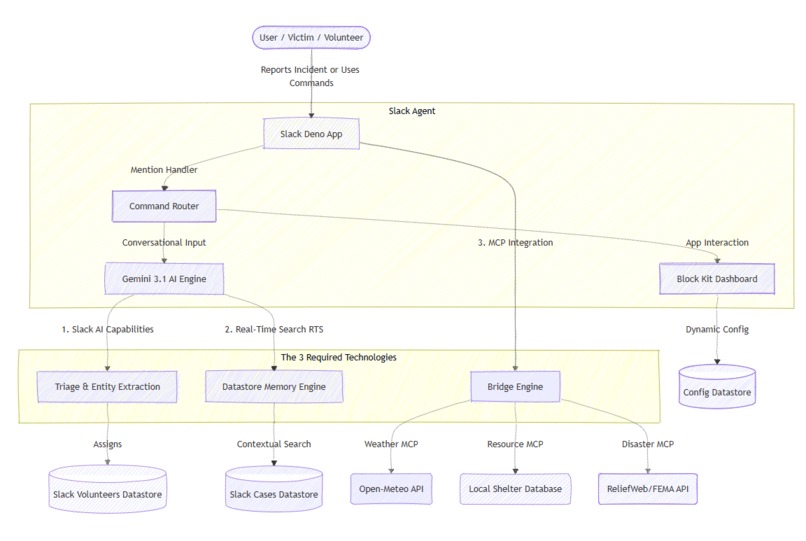
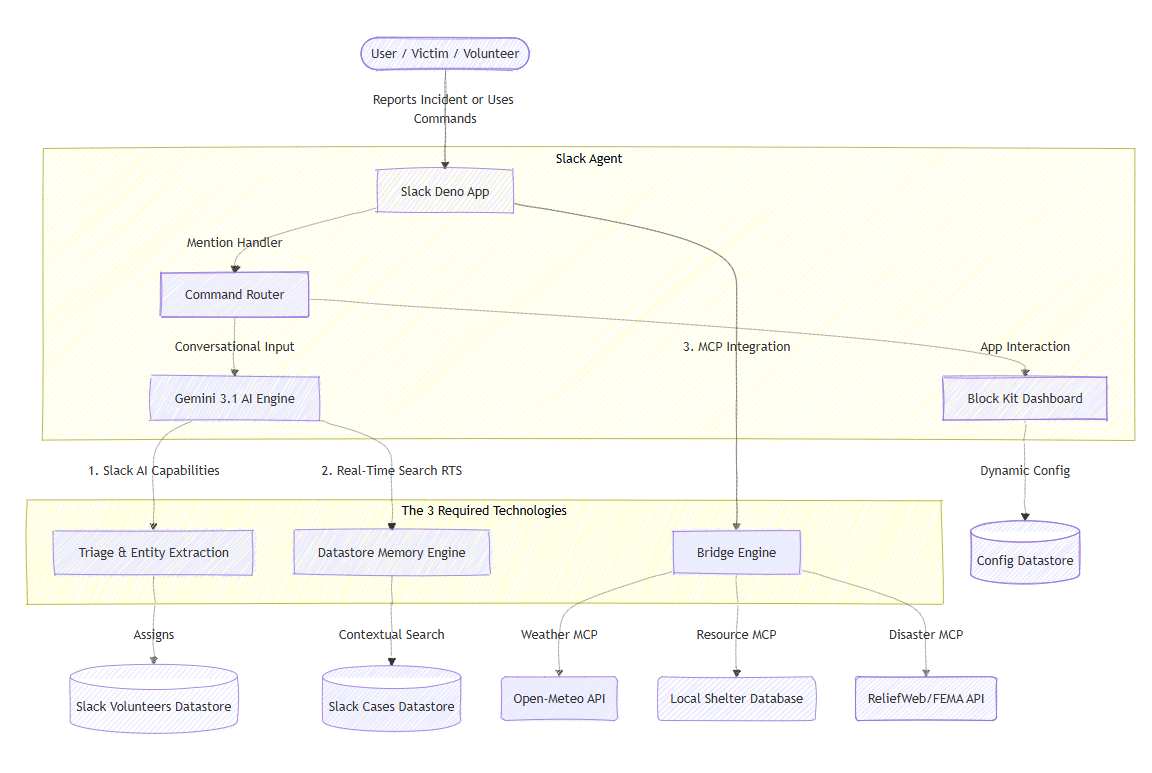
Lifeline's architecture: Built on Slack's Deno Runtime, integrating Gemini 3.1 Flash LLM, MCP tools, and Datastores for rapid response.
-
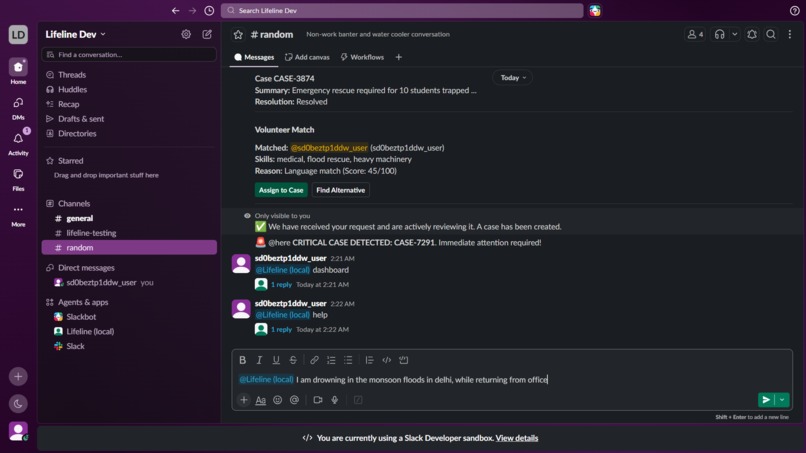
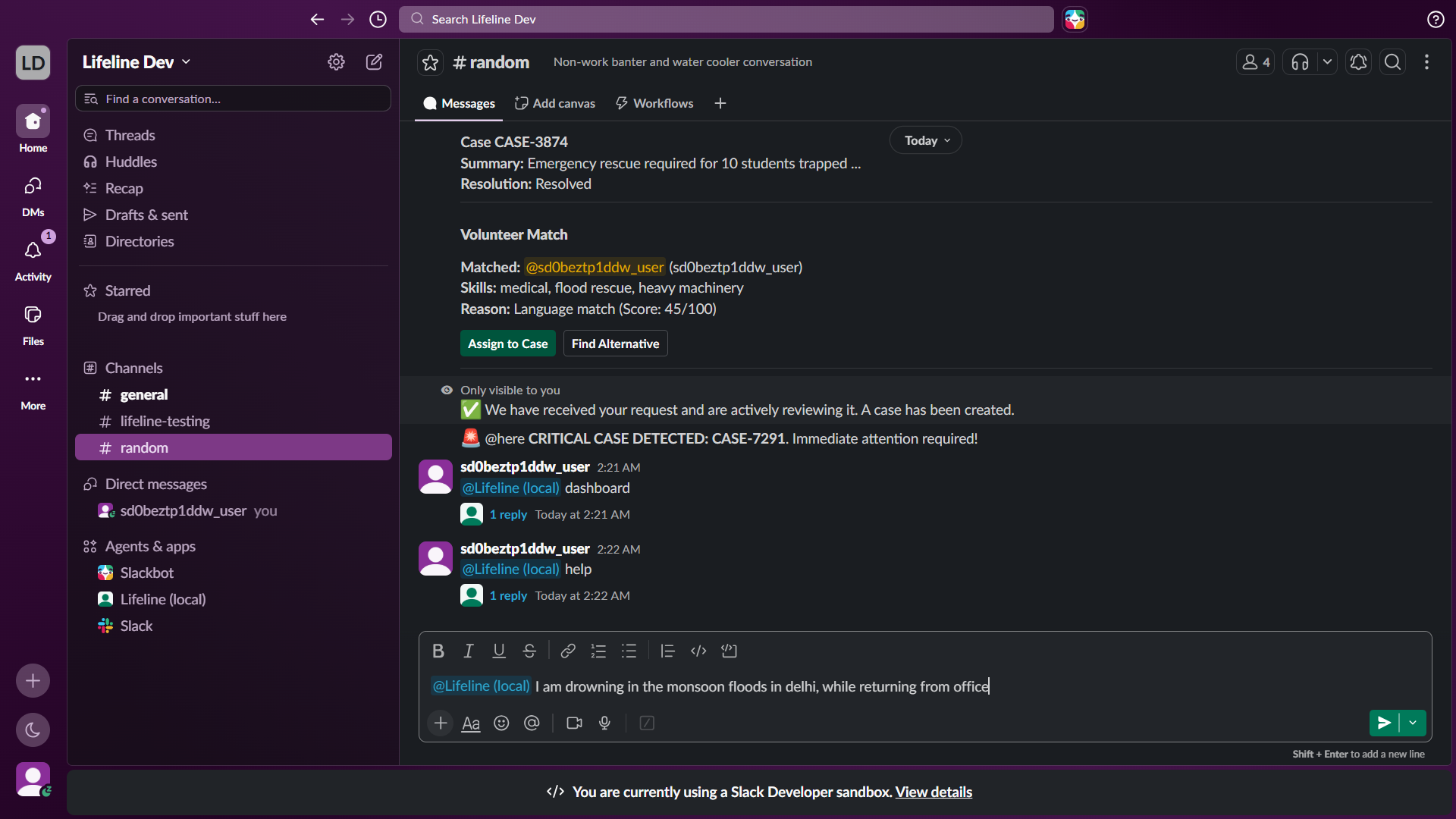
In an emergency, simply mention @Lifeline in any channel. Natural language input is all that's needed to trigger the triage agent.
-
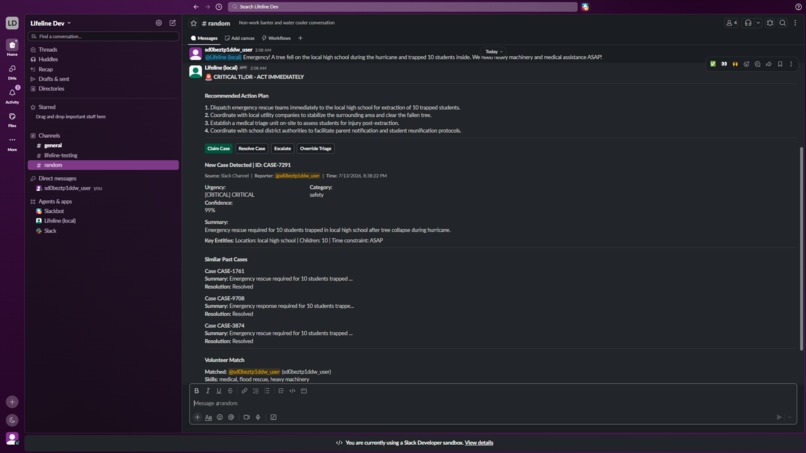
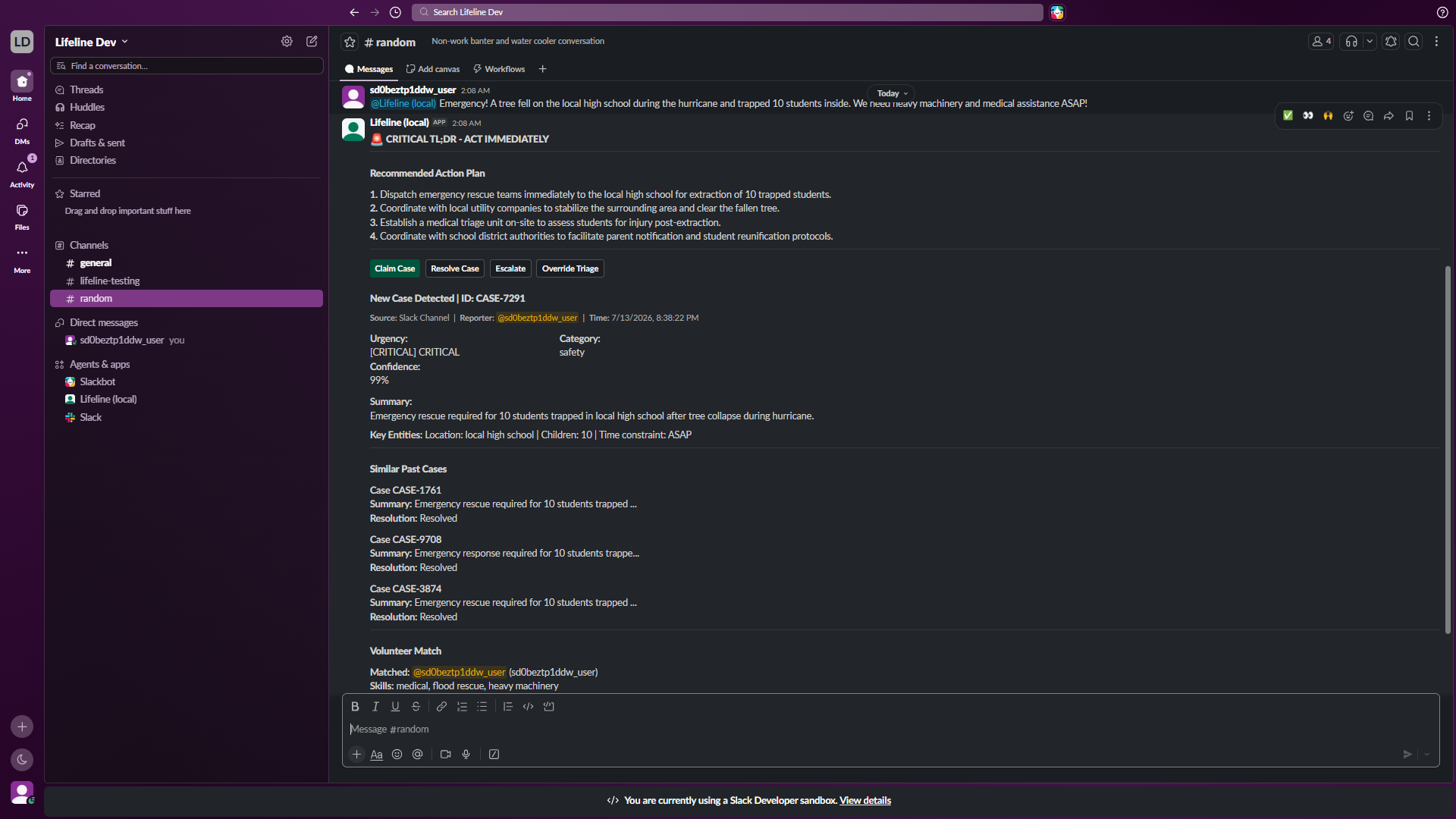
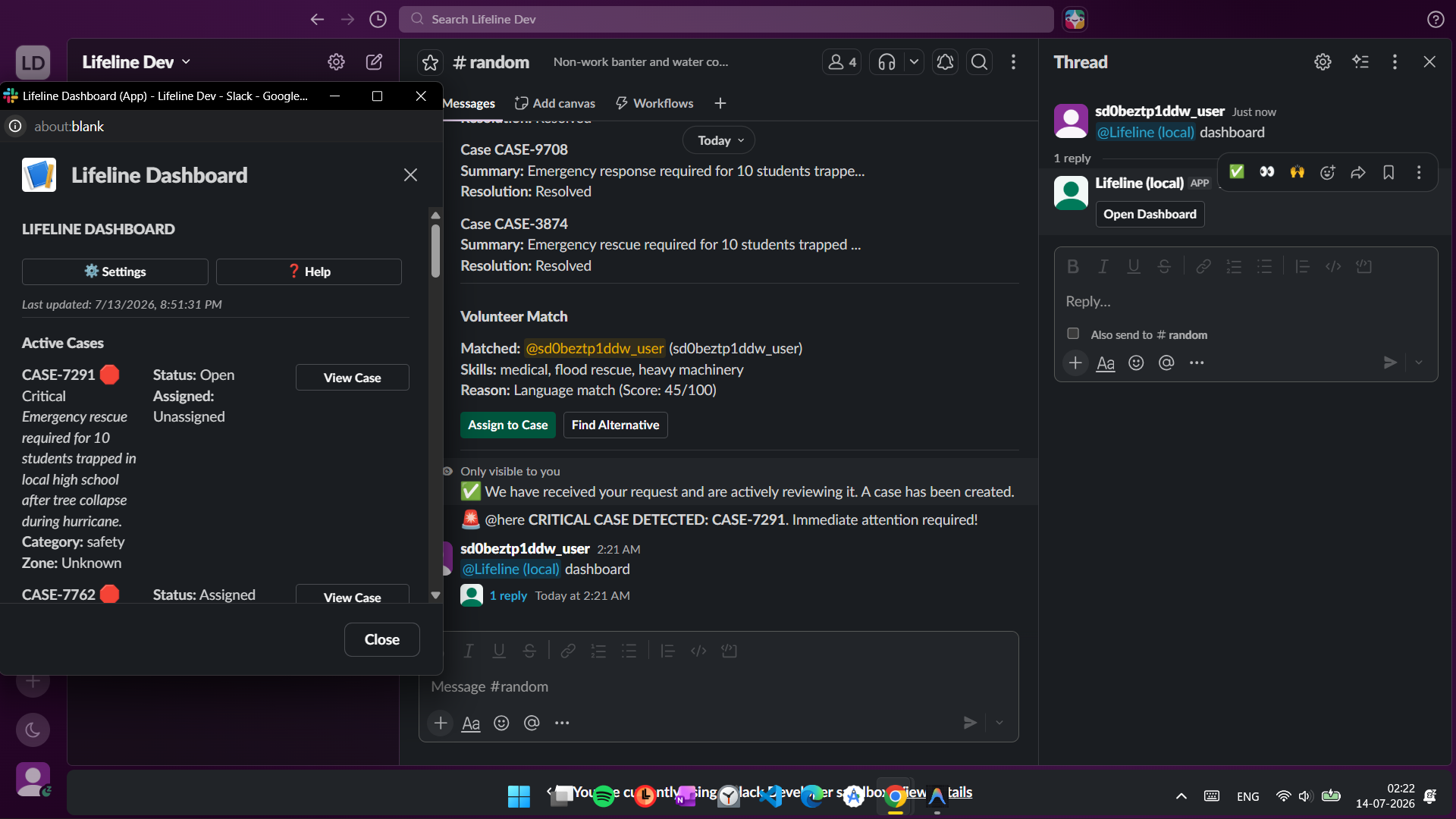
Lifeline structures chaos: instantly providing triage severity, an AI action plan, volunteer matching, and recalling similar past cases.
-
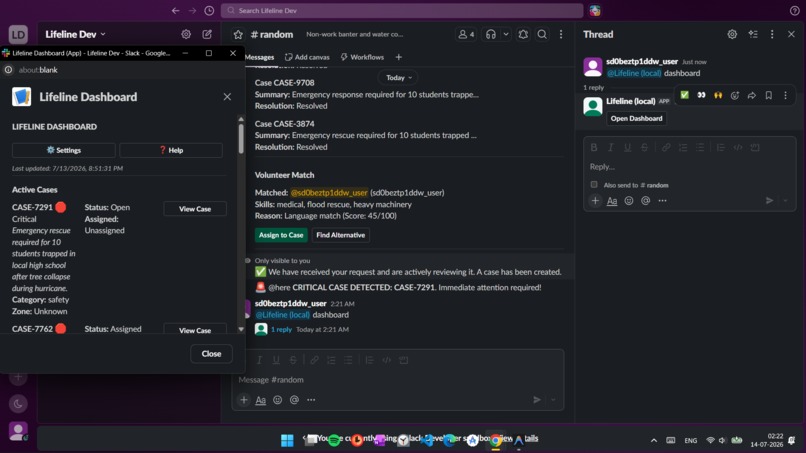
The Lifeline Dashboard gives command centers a birds-eye view of active emergencies, volunteer availability, and system configurations.
-
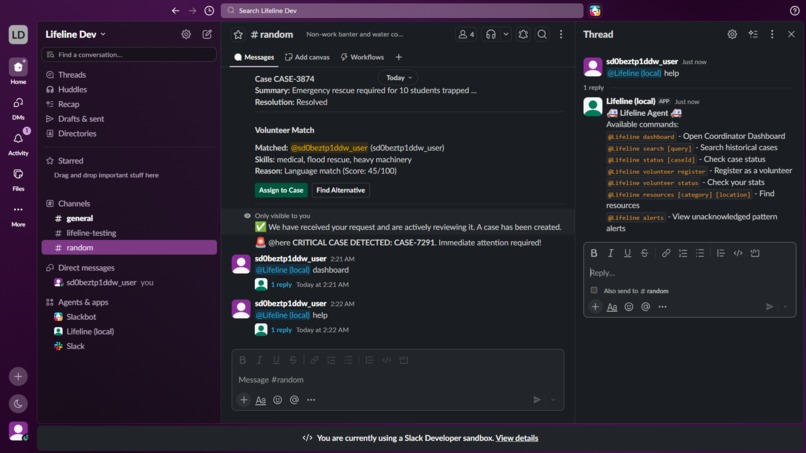
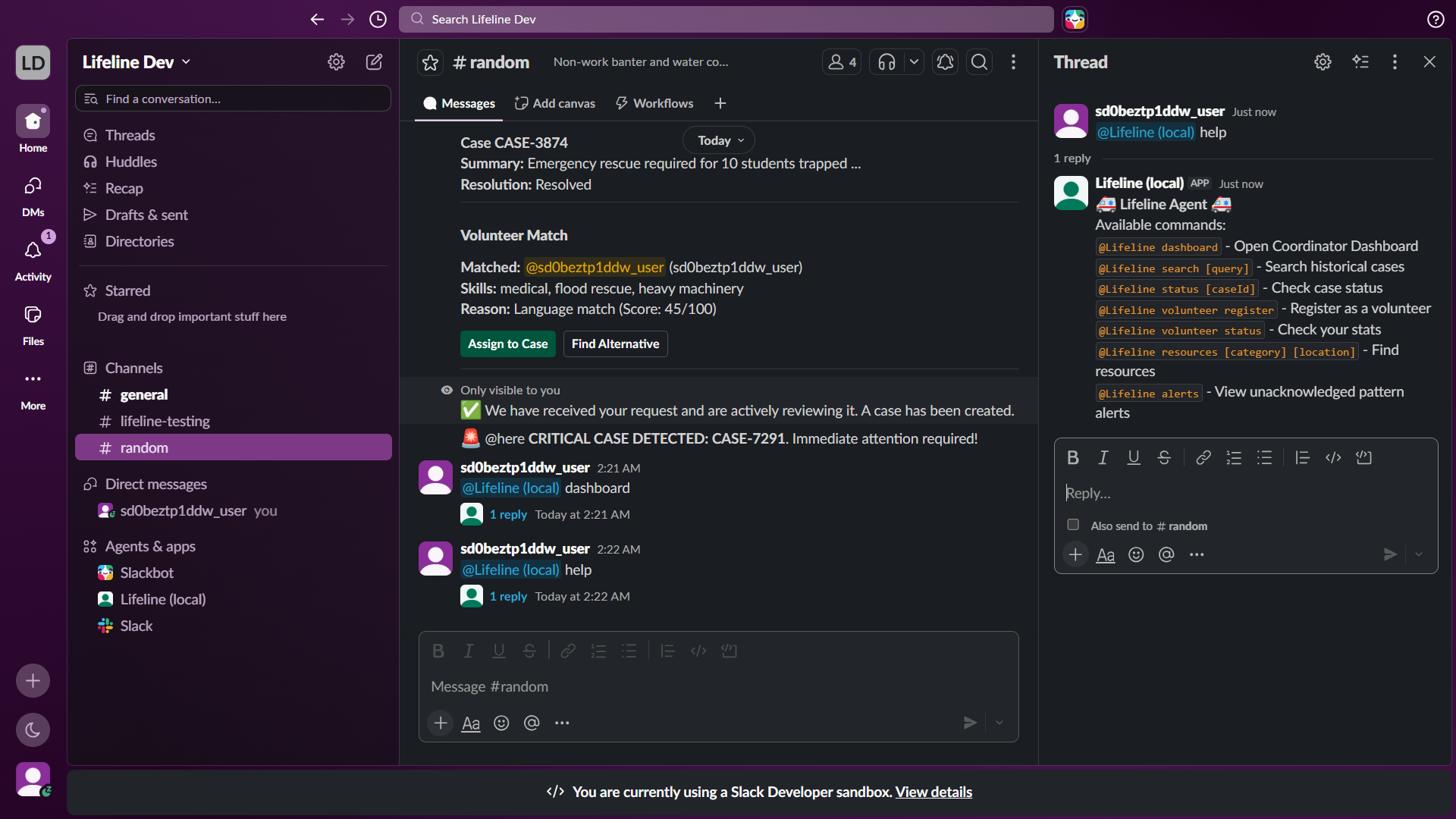
Easy to use: A built-in help menu ensures community organizers can quickly discover features and commands without leaving their workspace.
The Inspiration
During natural disasters and crises, communication channels become chaotic. Emergency responders and volunteer networks are often overwhelmed by fragmented messages, making it difficult to prioritize critical incidents or deploy the right people to the right places. We wanted to build a centralized, intelligent agent inside Slack—where teams already collaborate—that cuts through the noise, instantly triages emergencies, and provides actionable intelligence to responders on the ground.
What it does
Lifeline transforms a standard Slack workspace into a high-octane Crisis Command Center.
- Automated Triage & Case Intake: When a user reports an emergency (e.g.,
@Lifeline A tree fell on the high school...), Lifeline instantly parses the message using an LLM, determining the urgency, extracting key entities (location, injuries), and generating a formatted Case Intake Card in the channel. - Dynamic Volunteer Matching: The agent queries a datastore of available volunteers and intelligently assigns the best match based on skills (e.g., medical, heavy machinery) and location.
- Real-Time Hazard Intelligence (MCP Server Integration): Using a custom Model Context Protocol (MCP) server, Lifeline pulls in live weather data and active hazard alerts for the affected areas to give volunteers critical context before they deploy.
- Interactive Command Dashboard: Volunteers can open a unified Slack Dashboard to view their assigned cases, update their status, and monitor overall response metrics in real-time.
How we built it
- Framework: We used the Next-Gen Deno Slack SDK to build a modular, secure, and easily deployable Slack app.
- AI Brain: We integrated Google's Gemini 3.1 Flash Lite model to power the rapid triage, entity extraction, and intelligent volunteer matching.
- External Data via MCP: We built a custom
bridge_enginethat implements the Model Context Protocol (MCP), allowing the agent to securely fetch external live weather data and inject it into the AI's context window. - Data Persistence: We utilized Slack Datastores to persist volunteer profiles, case statuses, and metrics without needing an external database.
- UI/UX: We heavily utilized Slack Block Kit to create an accessible, highly readable, and interactive dashboard and case cards designed specifically for high-stress crisis environments.
Challenges we ran into
- Orchestrating Complex Workflows: Chaining together event triggers (like
@app_mention), LLM processing, datastore queries, and posting complex Block Kit UIs within the strict time limits of serverless functions was a major architectural challenge. - Slack Block Kit Constraints: Designing a UI that was both extremely dense with data (Action Plans, Historical Cases, Volunteer Matches) while remaining highly readable on mobile devices during a crisis required multiple iterations and strict adherence to accessibility guidelines.
- MCP Integration in Deno: Adapting the Model Context Protocol to run smoothly within the restricted Deno sandbox environment of the Slack SDK required custom bridging and careful dependency management.
Accomplishments that we're proud of
- Successfully integrating an MCP Server directly into a Next-Gen Slack Agent, proving that Slack apps can securely interact with live external data sources.
- Building a genuinely useful "Agent for Good" that handles end-to-end crisis management entirely within the Slack interface.
- Achieving incredibly fast triage times using Gemini Flash Lite, ensuring responders get actionable data in seconds.
What we learned
- The immense power and flexibility of the Next-Gen Slack SDK's Datastores and Triggers.
- How to effectively prompt and constrain LLMs to return strict, predictable JSON structures for integration into strict UI frameworks like Block Kit.
- The massive potential of the Model Context Protocol (MCP) to extend the capabilities of standard chatbots into fully-fledged, context-aware agents.
What's next for Lifeline
- Multi-lingual Support: Automatically translating crisis reports and action plans for international disaster relief efforts.
- Geospatial Mapping: Integrating an MCP server that generates dynamic maps showing the locations of all active cases and deployed volunteers.
- Automated Phone Dispatch: Using Twilio to automatically call or SMS matched volunteers if they don't respond on Slack within 5 minutes.
Built With
- deno
- gemini
- llm
- model-context-protocol
- slackblockkit
- typescript


Log in or sign up for Devpost to join the conversation.