Guardian Angel
An Android safety companion that puts discreet, voice-activated support within reach.
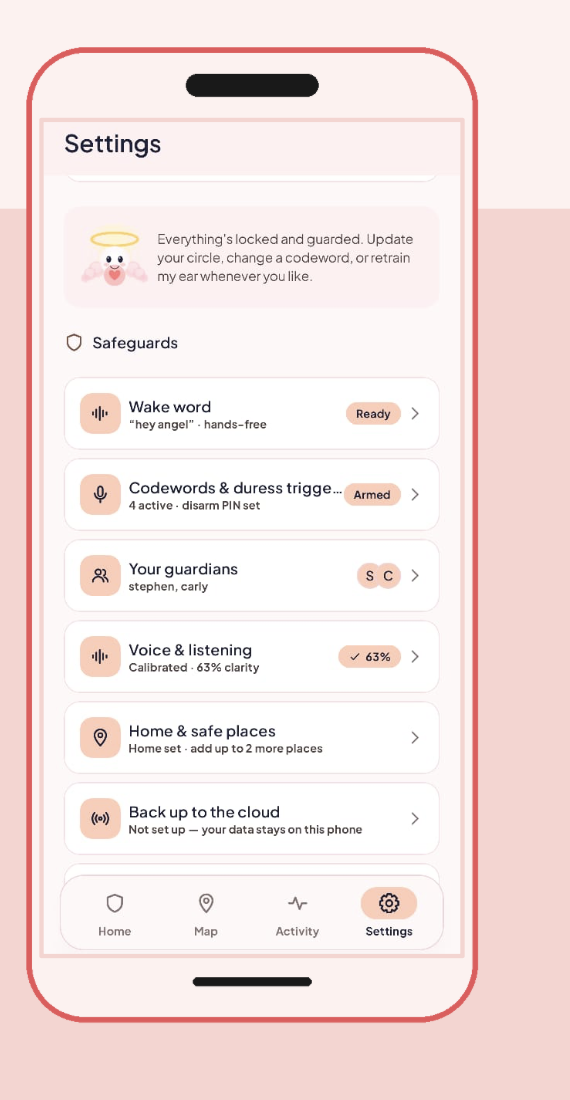
When a situation feels unsafe, reaching for your phone may be difficult. Guardian Angel lets you activate recording and transcription with a wake word, then use personal codewords to request help without navigating a screen.
Angel processes audio directly on your phone. It can assess signs of escalation and alert your chosen contacts with your location. You can also use codewords to explicitly trigger an alert, call your first guardian, or send an all-clear.
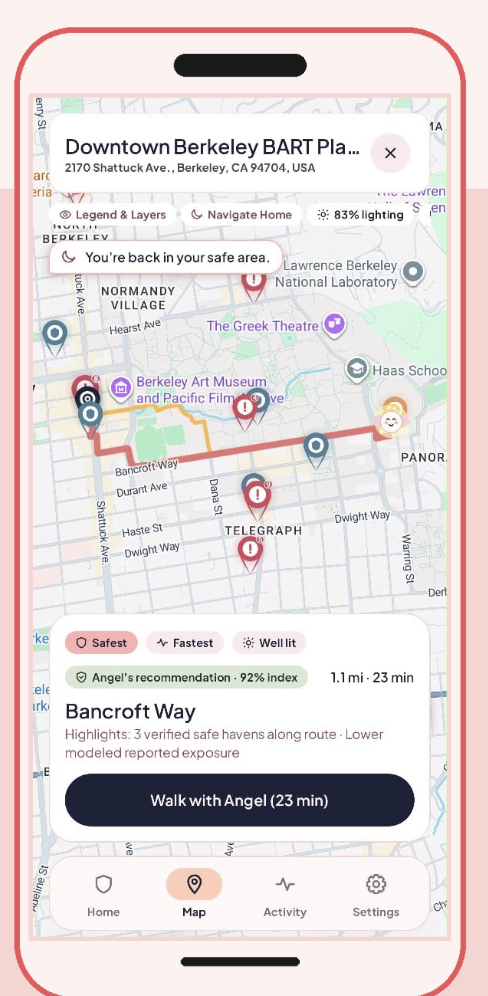
Before anything happens, Angel helps you make informed travel choices with safety estimates, reported-incident maps, and routes that consider lighting and nearby safe places.
All audio processing happens on your device. No audio is uploaded.
Who it’s for
Guardian Angel is designed for women navigating moments of uncertainty: walking home at night, meeting someone new, or finding themselves somewhere that no longer feels comfortable.
Its core interactions are built around a simple need: being able to ask for support without unlocking a phone or drawing attention to a screen.
Built for women, by women.
How it works
Plan your journey
- Safety estimates: View a live estimate based on reported crime data, time of day, street lighting, and distance from home. Scores include a band and an explanation to help you understand the estimate.
- Incident map: Explore Berkeley PD and UCPD incident clusters grouped into 150-meter privacy cells, alongside designated 24/7 safe havens and your saved safe places.
- Route comparison: Compare routes using safety indicators, lighting, nearby safe havens, and travel time.
Safety estimates reflect the available data. They do not guarantee that a location or route is safe.
Walk with Angel
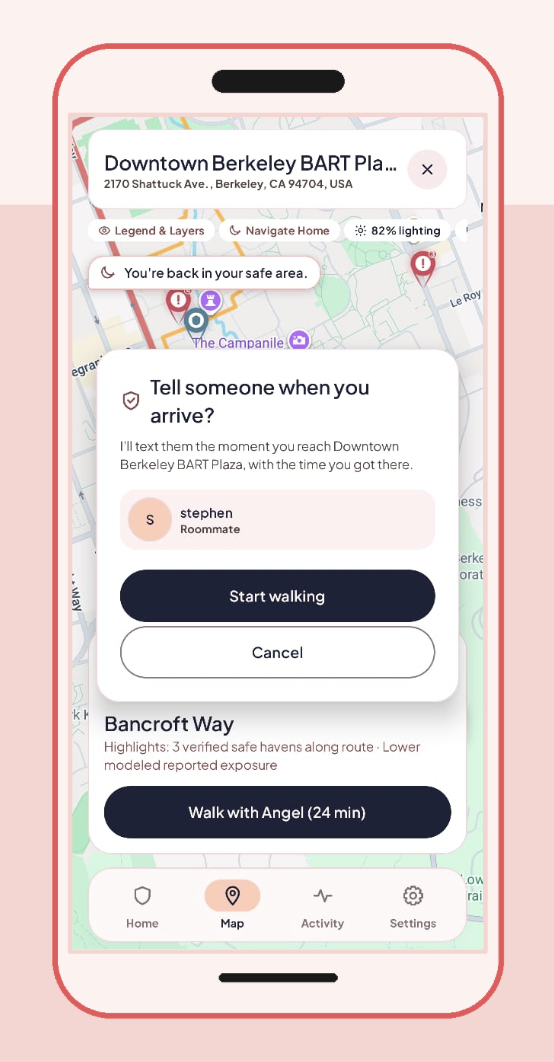
Choose a route and tap Walk with Angel to begin a guided journey. The map focuses on your selected route and displays one instruction at a time.
An Android foreground service keeps your journey active when you lock your phone, put it in your pocket, or switch apps. When you arrive, Angel can send your chosen contact an arrival message with the time you reached your destination.
Get support with your voice
Once Angel is listening, personal codewords let you choose the response you need.
| Your action | Angel’s response |
|---|---|
| Say your wake word | Starts recording and transcribing without an audible cue or opening an on-screen recording interface. |
| Say your Caution codeword | Keeps a record without notifying your contacts. |
| Say your Danger codeword or hold SOS | Sends your guardian circle an alert with a live map link. |
| Say your Emergency codeword | Sends the alert and calls your first guardian. |
| Say your Safe codeword | Cancels pending actions and sends an all-clear. |
Review your session
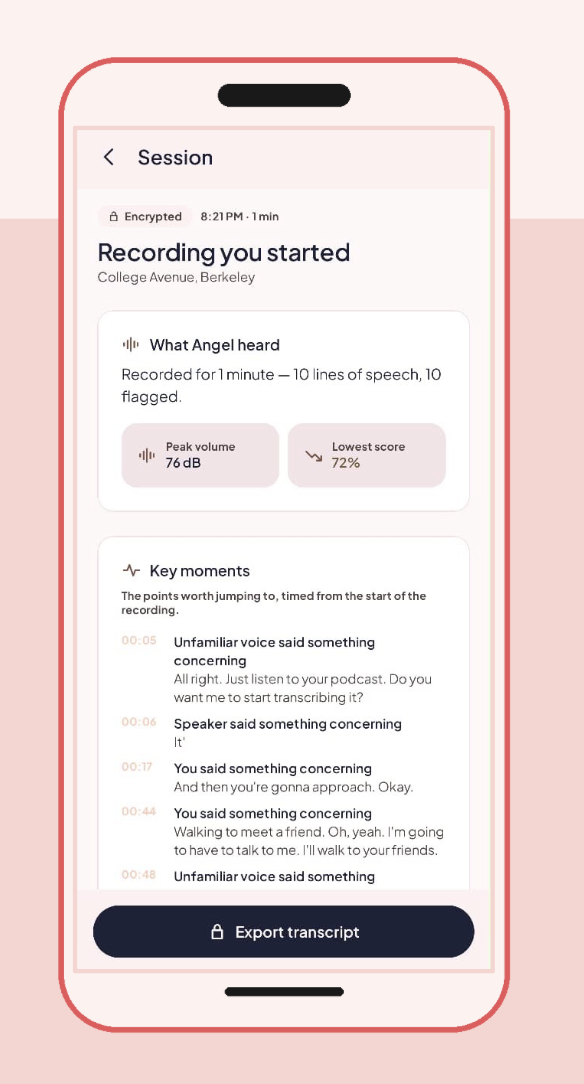
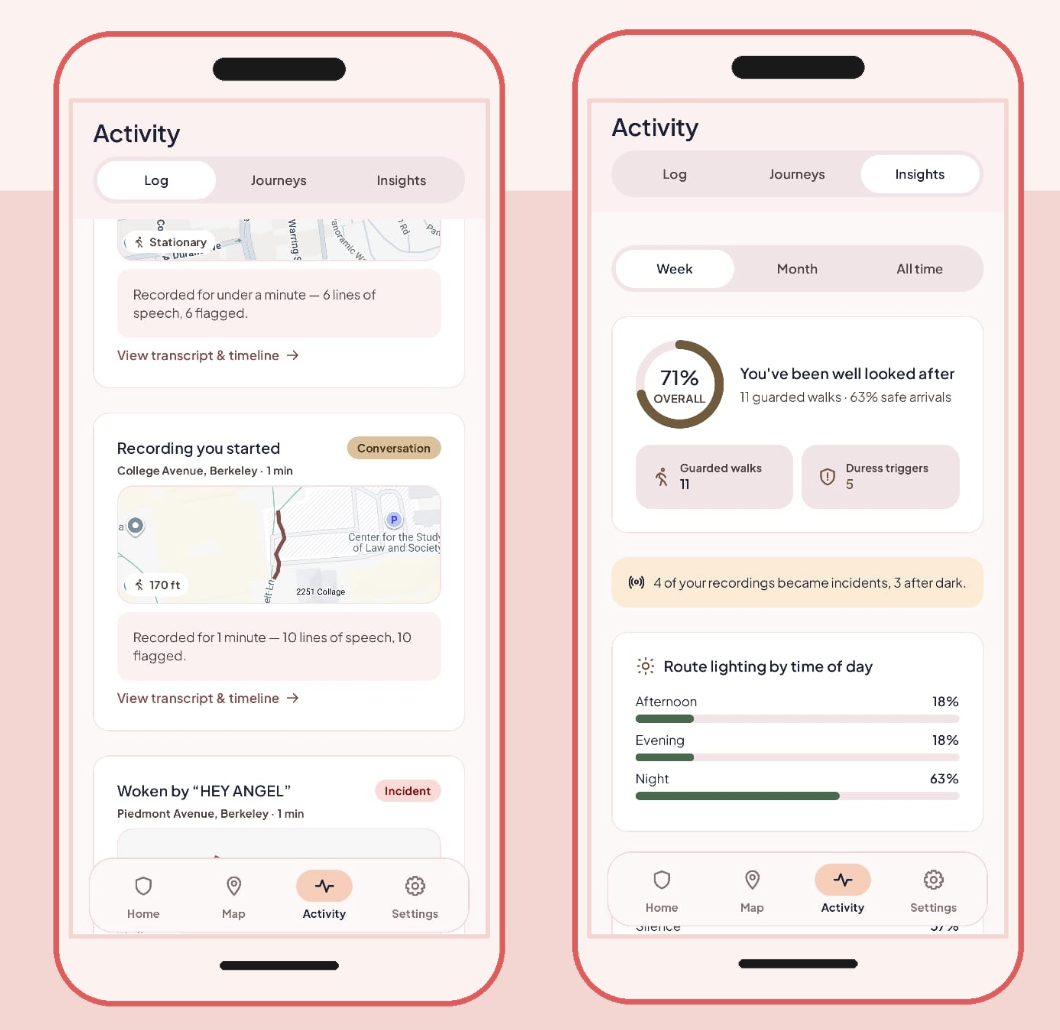
After a recording ends, Angel brings the session together in a timeline:
- A transcript with speaker labels.
- Detected sound events, such as screams, impacts, or breaking glass.
- Your recorded route, with relevant moments marked by location.
- A session title and summary.
You control whether to export or delete the session.
Technology
Wake-word detection, voice identification, transcription, and sound-event detection all run locally.
| Component | Technology |
|---|---|
| Wake-word detection | sherpa-onnx keyword spotting with Zipformer; supports custom phrases without retraining |
| Voice identification | CAM++ 512-dimensional voiceprint, protected with AES-GCM encryption using the Android Keystore |
| Transcription | Moonshine Tiny with Silero VAD for streaming, on-device speech recognition |
| Sound-event detection | YAMNet via LiteRT, covering 521 AudioSet classes |
| Android app | Kotlin, Jetpack Compose, Material 3, and Room v5 with database migrations |
| Maps and context | Google Maps Compose, fused location services, Berkeley PD/UCPD open data, and NWS |
Build and run
Configure maps
Add a Google Maps API key by following the Berkeley Maps setup guide.
The placeholder key does not load map content. If the map appears blank, check your API key configuration first.
Run the app and tests
# Build the debug APK
./gradlew :app:assembleDebug

# Run local unit tests
./gradlew :app:testDebugUnitTest

# Run instrumented tests on a connected device or emulator
./gradlew :app:connectedDebugAndroidTest

# Install on a connected device or emulator
./gradlew :app:installDebug
Enable SMS alerts
Guardian Angel requests the SEND_SMS permission when you add a guardian.
- With permission: Angel can send SMS alerts directly.
- Without permission: Angel opens a prefilled message that requires you to tap Send.
The app indicates which sending method is available.
Prototype status and limitations
Guardian Angel is a hackathon prototype. Its safety features need further validation before being relied on in real-world emergencies.
Current limitations include:
- Unencrypted transcripts: Voiceprints are encrypted, but stored transcripts are not yet encrypted.
- Wake-word calibration: Detection thresholds have not yet been tuned and validated across real-world voices, rooms, and background noise.
- App size: The APK is approximately 269 MB because audio models are bundled for local processing.
- Alert dependencies: Sending messages and sharing location depend on the required permissions, device capabilities, and connectivity.
Use controlled scenarios and non-sensitive recordings when evaluating the prototype.

Log in or sign up for Devpost to join the conversation.