-
-

The image of the Discord Bot: GU4U Bot
-
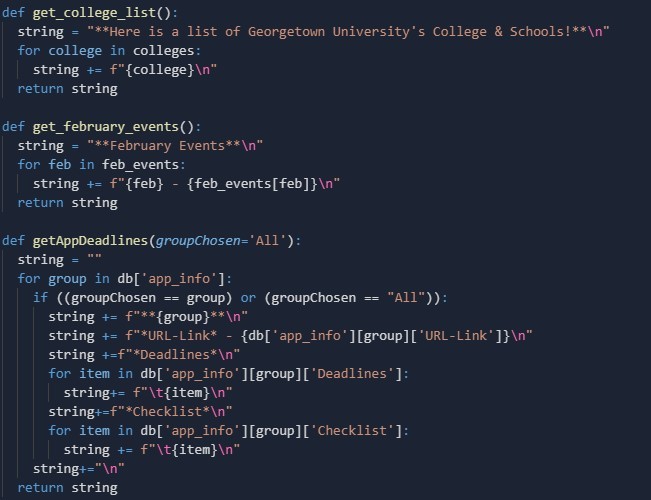
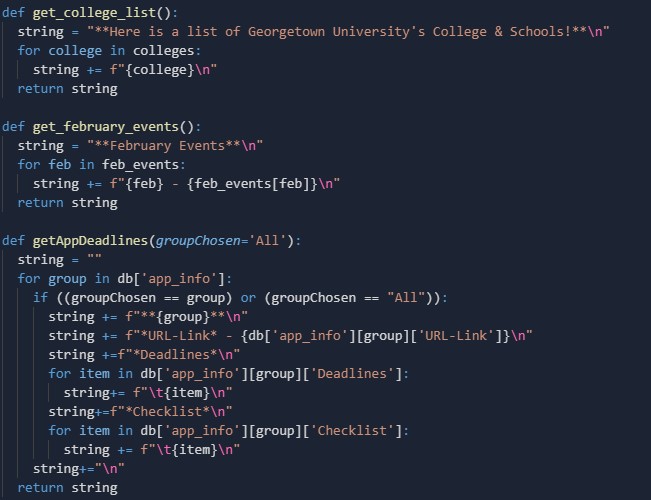
Function Calls for Commands
-
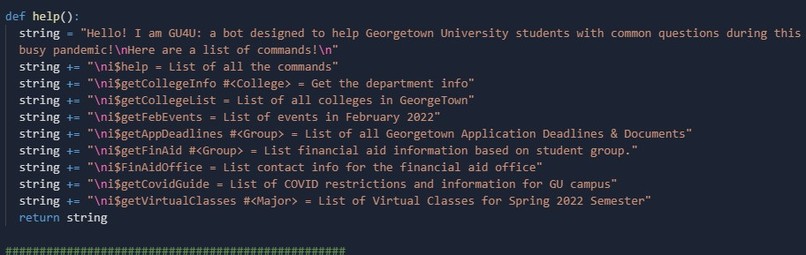
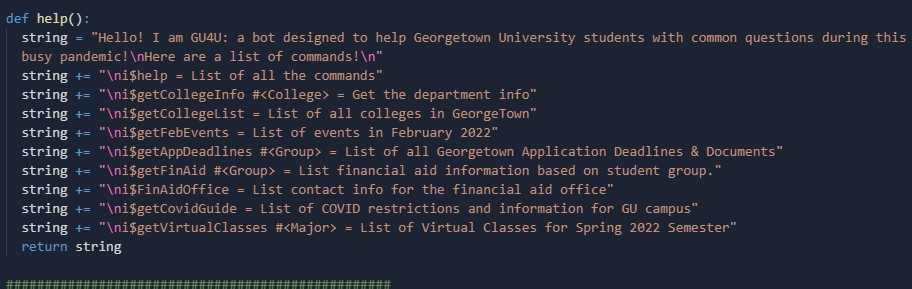
Help Commands
-
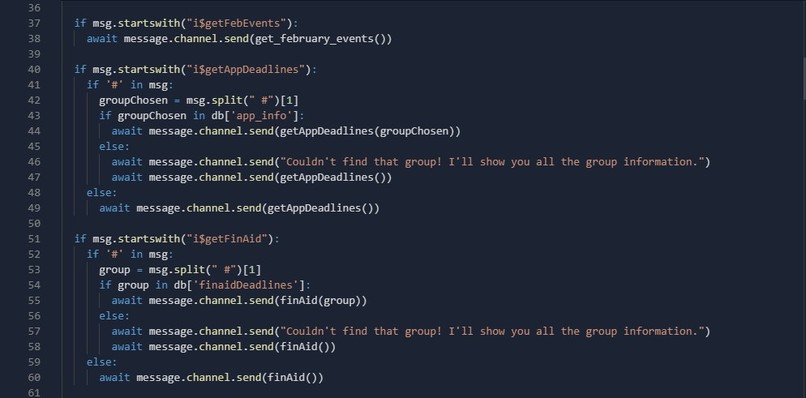
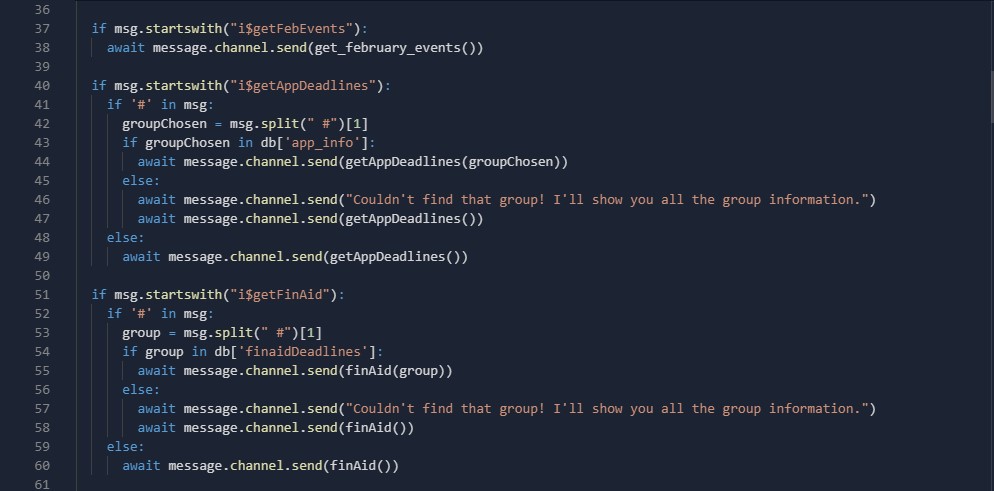
Function Reading Commands and Sending Messages

16 - KST
The GU4U Bot
Inspiration
It's 2022 and the pandemic still hasn't gone away. You have 34.2 tabs open with the college website for Georgetown. There's so much information. If only there was a way to get information you need fast and easy? Well, with the rise in remote classes, what is an online tool that students have been using more frequently? The first app that came in our minds was Discord! Discord is a messaging app that has helped students navigate the world of online learning by being an efficient supplement for interacting with your lecture neighbors, club members, and in some cases, even your professors! With this in mind, we thought of how we can use the Discord app to further connect student to their campus.
Purpose
Traditional college websites are very cluttered and confusing to navigate due to the large number of tabs and subpages. The bot provides a clean and simplified way to search for exactly what you need! The GU4U bot will greatly impact large amounts of college students, specifically at Georgetown, by making their life easier to find vital information. Especially with the pandemic's increase of the usage of Discord, this bot will make it easy to get information out quickly, rather than accessing a traditional website.
What it does
Since students are on Discord most of the time anyways, why not have the information they need readily available to them without the hassle of opening up a web browser and navigating through the dozens of web pages on the Georgetown website. This discord bot takes in commands from the user and outputs the information they need. For example, the command to display the important Georgetown COVID guidelines is "i$getCovidGuide" and once that is typed into the chat, the GU4U bot will print out urgent covid protocols for the student to know! There are many other commands, and using i$help will show them all!
How we built it
Since our team is all familiar and comfortable with the Python, we chose Python as the language to use for our project. Then, we used Replit to host our code and data. We went through the Discord Developer Platform and created the bot with an appropriate scope. Then, we created definitions for each command the bot listens to. Next, we created databases to store the information that we will be use to send to the chat. Finally, the bot waits for a message to send, reads the message to look for certain keywords, then sends the return statement of the function!
Challenges we ran into
We actually wanted to implement our project on Slack at first despite our idea using Discord. The Slack API was very new to all of us and we wanted to challenge ourselves; however, with the slight time crunch and our lack of knowledge with developing a Slack app, we thought it'd be better to continue our project on Discord, as to make it by the 9:30 deadline on Sunday. We also had a hard time with one of the functions, as the bot would have a callback error due to improper access of a dictionary/database. Finally, our last problem was due to circular keys, as some of the keys in different databases had the exact same names.
Accomplishments that we're proud of
Our team has very minimal experience with hackathons, thus we are just very proud to come together and build a project where we can see its functionality in real time. We are proud of the fact that all our commands work and are formatted beautifully. We are proud that you can actually interact with the bot in real time! We also like the breadth and specificity of the messages we send using the bot.
What we learned
During our early attempts on working with the Slack API, we were able to expand our knowledge on HTTP Post Requests, an area of web development that we have only scratched the surface of. While working on our Discord Bot, we were able to try out a different kind of IDE called Replit. It is a collaborative IDE that allowed us to work on our code at the same time. It was a new experience that we all had fun trying out. On that note, our team also learned some new skills in working as a team on a programming project - something that is quite foreign for us computer science students who are only exposed to individual projects in school. We learned good communication skills and coding practices so that everyone can be knowledgable about the codebase.
What's next for GU4U Bot
Currently, we use a database to store values of college information, but we want to use BeautifulSoup to webscrape off of the college websites in order to display the information, so if any information changes are captured in real time. Next, we want to be able to get information from BlackBoard courses so that a user in one course can view information without having to open BlackBoard. This feature may need single-sign-on. Finally, we realize that although this bot is specialized to the Georgetown campus, it would be amazing if the bot was degeneralized so that a campus was preset by the owner of a server and the bot could webscrape off of the respective college website and other supporting information. We would love if the bot could serve multiple communities of students!
Conclusion
If you want a bot that is concise, informative, and catered to providing you with the most vital information about your college campus, then add GU4U bot to your Discord Server!
Resources
Create A Discord Bot With Python - FreeCodeCamp This was the main link that helped us setup the initial bot and hosting. However, we created our own commands.
We also used the Georgetown University website for most of the information the bot sends (such as financial aid info, or a list of colleges).
Backup Video and Backup Links
If the video does not work, here is the video in Google Drive. You can download it and watch it. This is the same video as the YT video. Backup Video Link YT Link
Built With
- discord
- python
- replit


Log in or sign up for Devpost to join the conversation.