Inspiration
GT Scheduler is a popular open source application that is used by students at Georgia Tech to browse and schedule classes. It improves on the university-provided software by employing modern UI/UX practices while still sourcing the data from the same place (ensuring that it is accurate). On its days where its usage peaks (generally when class registration is going on), the app sees upwards of 5,000 visits, making it a valuable tool for many GT students.
For my HackGT project, I wanted to contribute new features to it, and the way I determined what to add was to see what the broader userbase most wanted in the app:

Because the app includes a small feedback form in the bottom right, it was easy to collate these responses into a short-list of the top requested features. Near the top of these was the ability to synchronize schedules between devices by logging in with an account, since normally each device has its own independent schedule storage. I figured I could implement this in a weekend, and so I set out to add account login/sync to GT Scheduler.
What it does
In this project, I created a PR to the existing open source repository containing my implementation of account login/sync. Specifically, it adds the following new features:
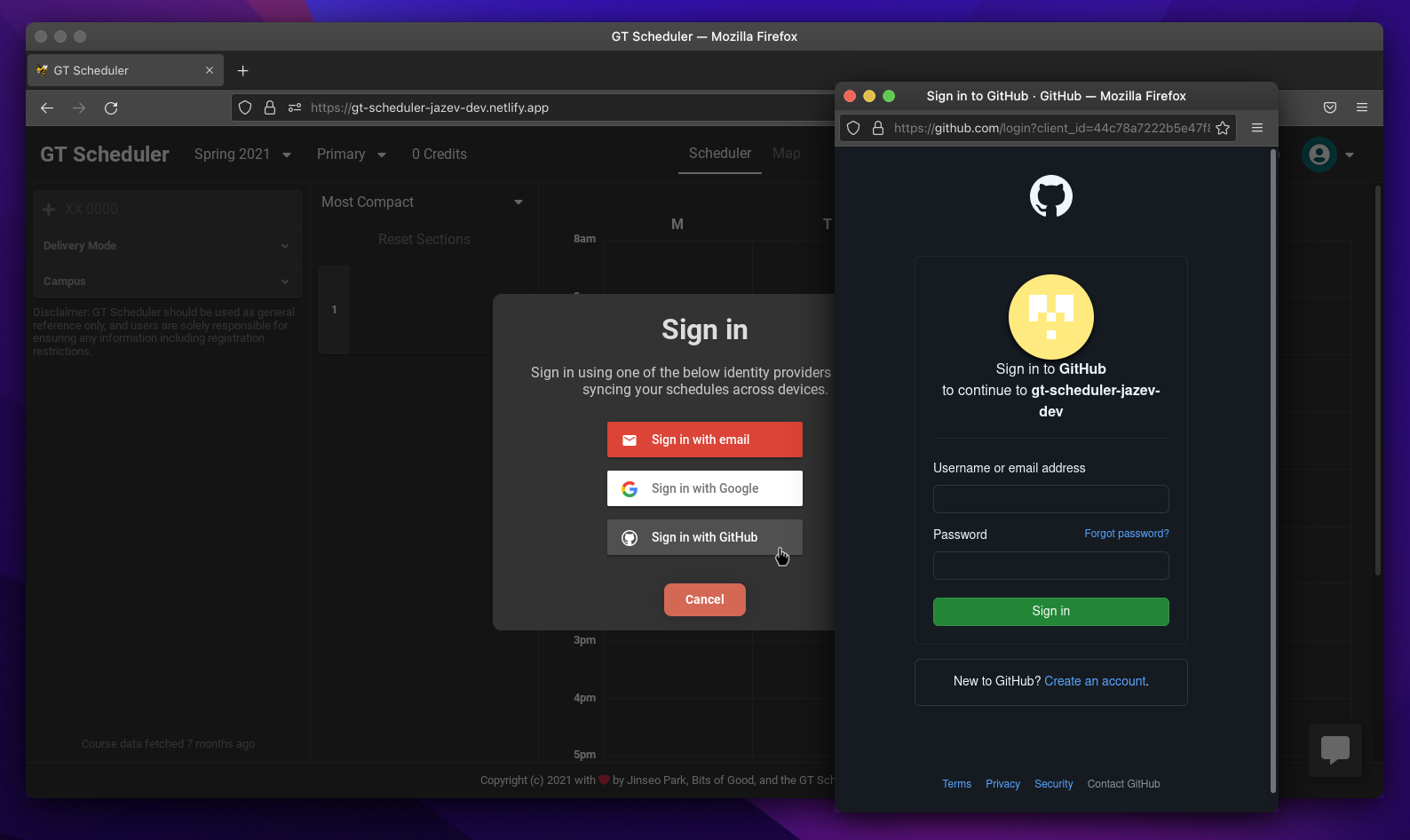
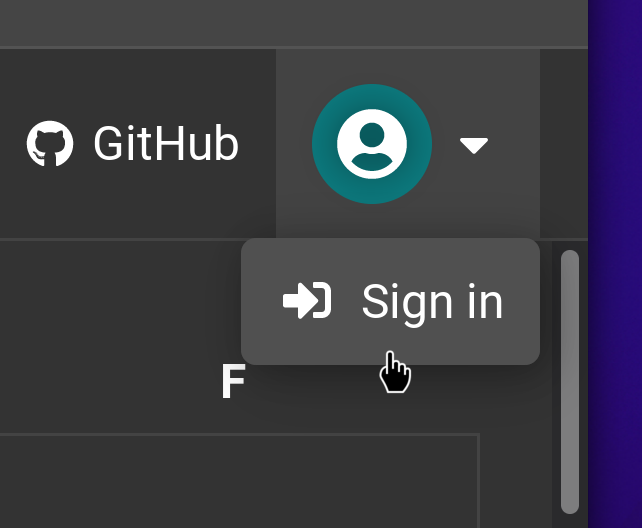
- In the top right, users now have the option to "Sign in." The app will continue to work as it does now, where it stores schedule data locally on the device, but if the user chooses to login, they will be presented with a login modal where they can select an identity provider:

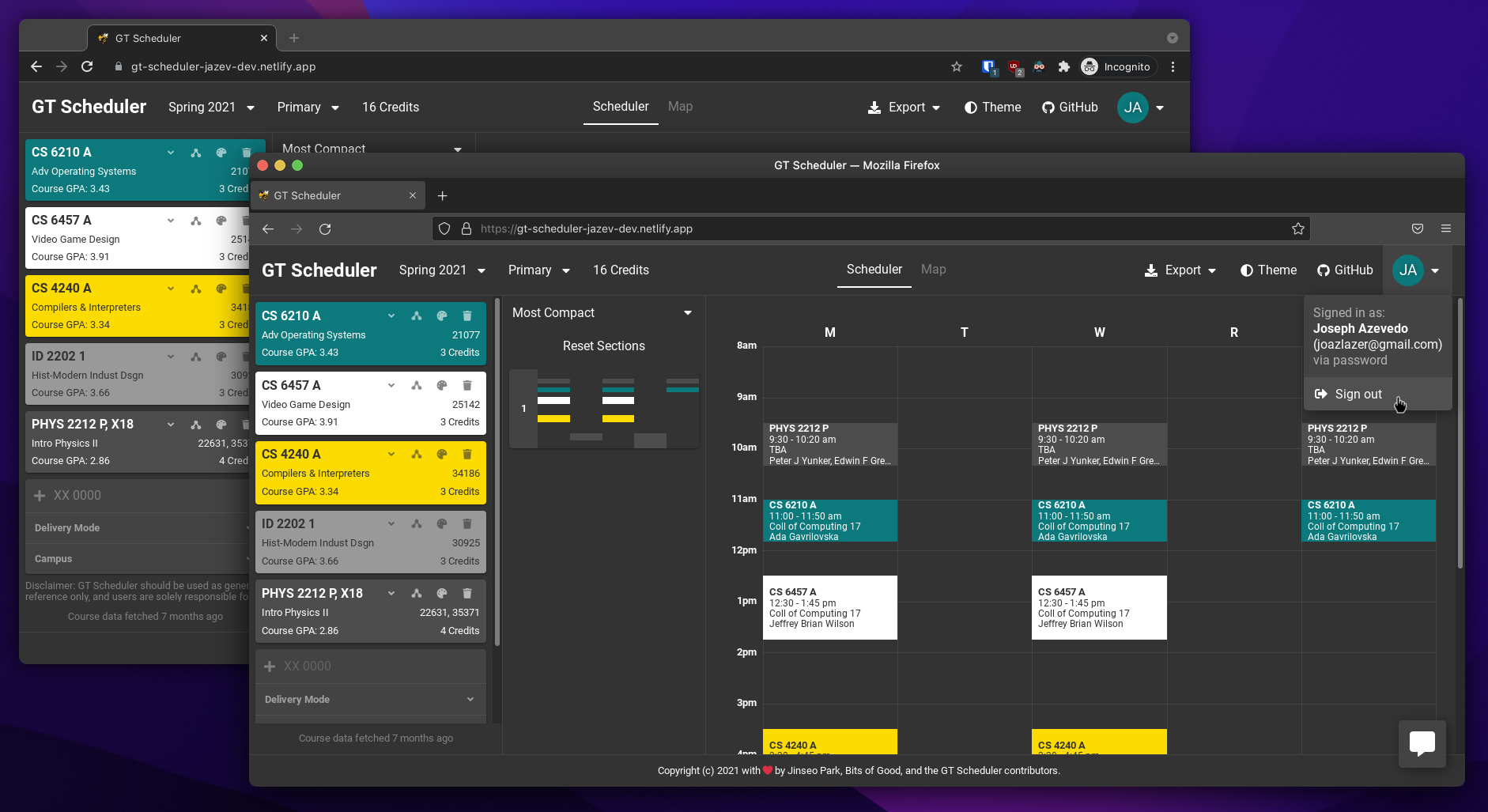
- Once they log in for the first time, the app will upload their schedule data to the cloud and associate it with their account, so that they can log in using the same account on other devices and see the same schedules:

- Whenever any changes are made to the schedule, they will be instantly synced to the cloud and will update any other devices that also have the app open.
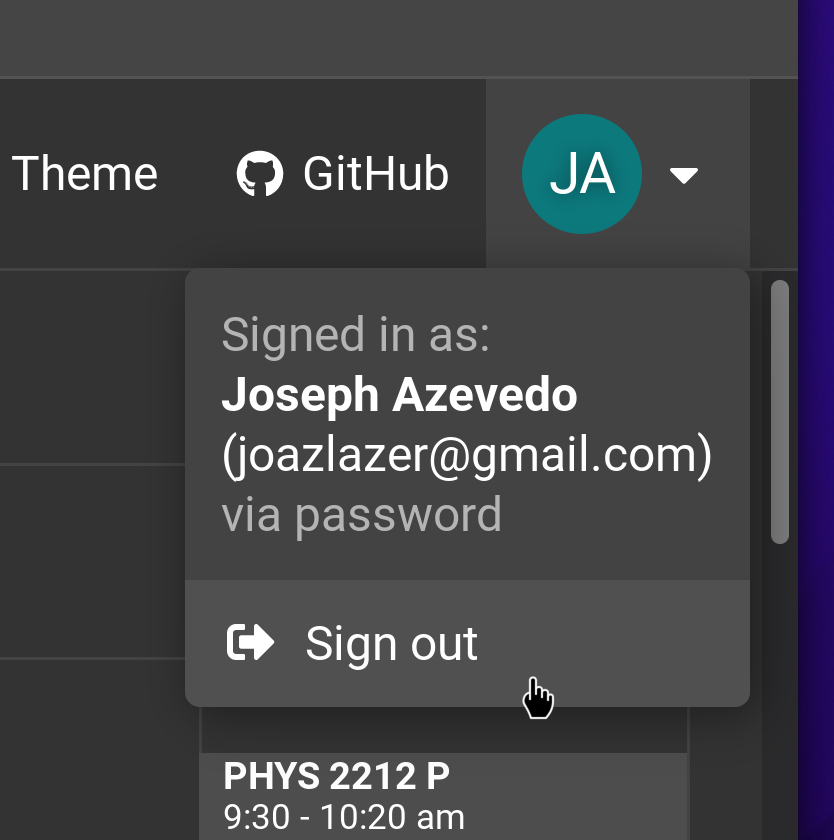
- If the user decides to switch accounts or stop using the cloud data syncing, they can log out of their account at any time, which will restore the app to its original behavior of storing schedule data locally:

How I built it
The existing GT Scheduler app is built using React and TypeScript, so this project involved using these same tools to build out the UI and business logic components of an account login/sync feature. Additionally, because the app already had structure in place for tasks like asynchronous data loading and organizing UI components, my implementation had to fit into the existing patterns. A short list of the most notable code-level changes this involved is:
- Splitting the UI State (the current semester/schedule version that is selected) and Account State (list of all schedule versions) so that the account state can be optionally uploaded to the cloud (while the UI state remains stored locally on the device)
- Pulling the schedule data migration logic (similar to database migrations) out into a re-usable component so that both the local data storage and the cloud data storage can gracefully handle future schema changes.
- Forking the graph of asynchronous data loading stages that the app uses to provide two paths to get the schedule data: the old method of local storage, and the new method of cloud storage via Firebase Cloud Firestore.
- Adding the "account drop-down" UI element in the top-right of the app, and ensuring that it looks acceptable in all contexts (such as in light/dark theme, or on different device screen sizes)
- Adding the "login modal" that can be opened to start the sign-in using Firebase Authentication
- Passing information about the currently logged-in user (or lack thereof) throughout the app so that it can be accessed in any location
Challenges I ran into
This project was well-scoped for this hackathon, and as a result, I was able to complete the work I had set out to do by the end of the weekend. As such, the challenges I ran into were mostly technical in nature. While most of them were easy to solve, one in particular stands out as a pain-point that hit me a few times.
Specifically, the library that the app uses for showing modals (dialogs) to the user is called SweetAlert, and is generally a convenient library to do so. However, when I was adding the login modal, I found out that SweetAlert's React wrapper is somewhat deceptive: while it provides a seamless integration with a React app by letting the developer pass in a React element as the modal content, the React element that is passed ends up behaving differently than it would normally. This breaks a lot of assumptions normally made when writing React code, and was in general a pain to work around.
Accomplishments that I'm proud of
I'm proud that I was able to implement this major feature over the course of a weekend, and use tools (Firebase auth and cloud firestore) that I hadn't used before. Hopefully this feature will be useful to other students in the future, and if the feedback given by the users is any indicator, it will be.
What's next for GT Scheduler Account Sync
Now that the main functionality has been implemented for account sync, I just need to add a few finishing touch-ups/clean-ups before the Pull Request (at gt-scheduler/website#93) is ready for review.
Afterwards, it will be time to launch the feature to the broader userbase. With the release of the Spring 2022 course schedule being imminent (at the time of writing this on October 24th, there are 3 days until the schedule is released), it's the perfect time to launch this feature so that users can test it out when making their Spring 2022 schedules. My plan for this is to make another PR to add a modal when users first open the app informing them of the new features, and I might also make a Reddit post to spread the word.
Built With
- figma
- firebase
- firebase-authentication
- firebase-cloud-firestore
- github
- google-account
- react
- typescript


Log in or sign up for Devpost to join the conversation.