GryphEats — Devpost Project Story
Inspiration
University dining should be simple. You show up, you eat, you get back to studying. But for most students at UofG, it's anything but. You're juggling a meal plan budget that runs out by Thursday, dietary restrictions that cut half the menu, protein goals from your gym routine, and the mental overhead of decoding a different menu board at every hall. You end up eating the same thing every day not because you want to, but because it's the only option you've memorized that works for you.
We wanted to fix that. Not with a generic food app, but with something built specifically for the 30,000 students on this campus — something that knows the actual menus, understands the meal plan system, and lets you search the way you actually think.
The idea started with a simple frustration: why can't I just type "cheap halal meal under $10" and get an answer? Every other part of student life has been digitized and made searchable. Campus dining hasn't. GryphEats is our answer to that gap.
What it does
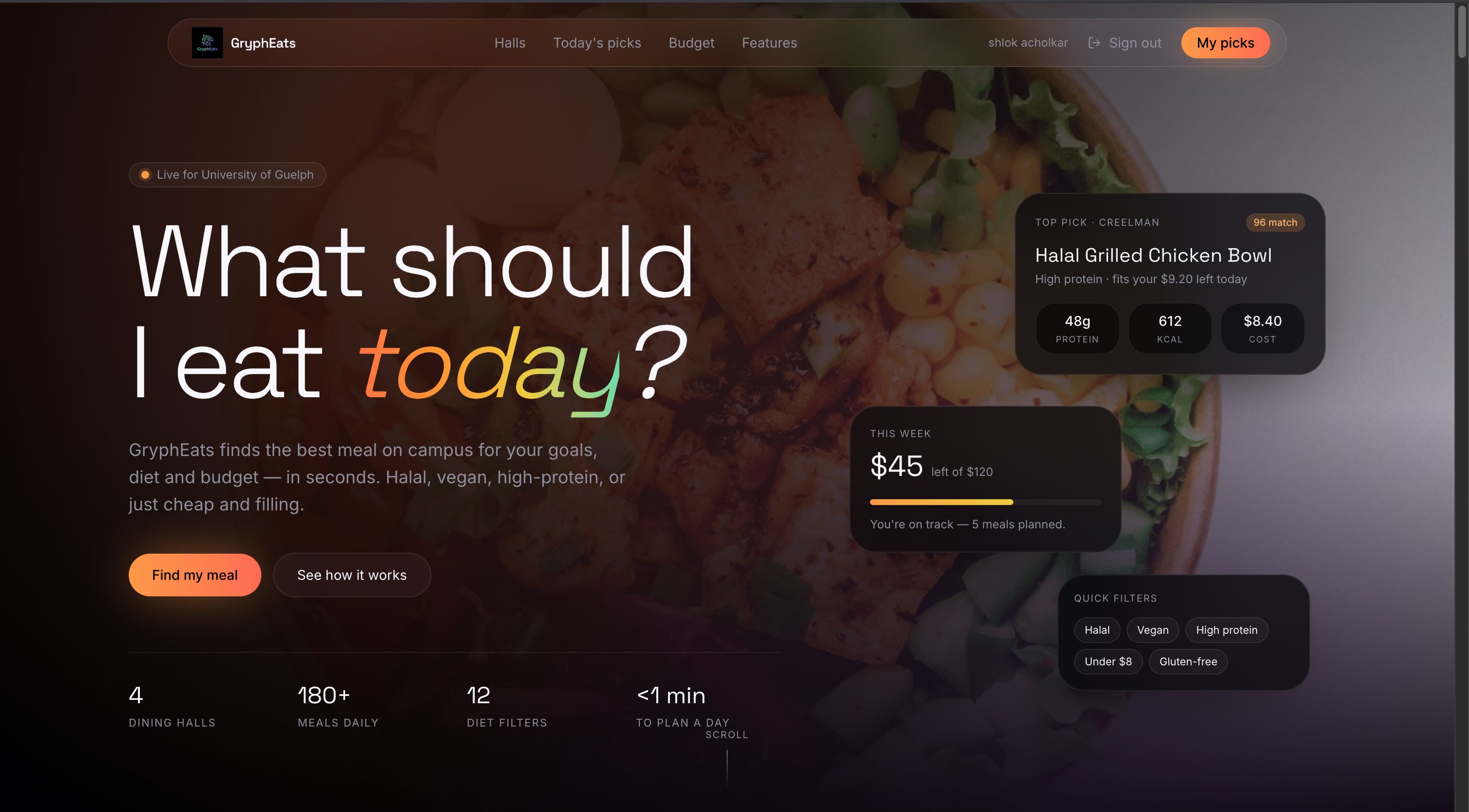
GryphEats is an AI-powered campus dining companion that helps UofG students find the right meal, at the right price, for their goals and diet — in seconds.
Natural-language search is the core feature. You type a plain-English request and the system parses your intent, searches all 173 real menu items across all 27 campus dining locations, and returns ranked results with reasons. It understands:
- Budget — "under $10", "cheap", "broke"
- Goals — "high protein", "post gym", "save money", "best value"
- Dietary restrictions — halal, vegan, vegetarian, gluten-free, dairy-free
- Cravings — "something sweet", "spicy food", "something filling", "coffee"
- Meal period — "breakfast", "late night", "lunch"
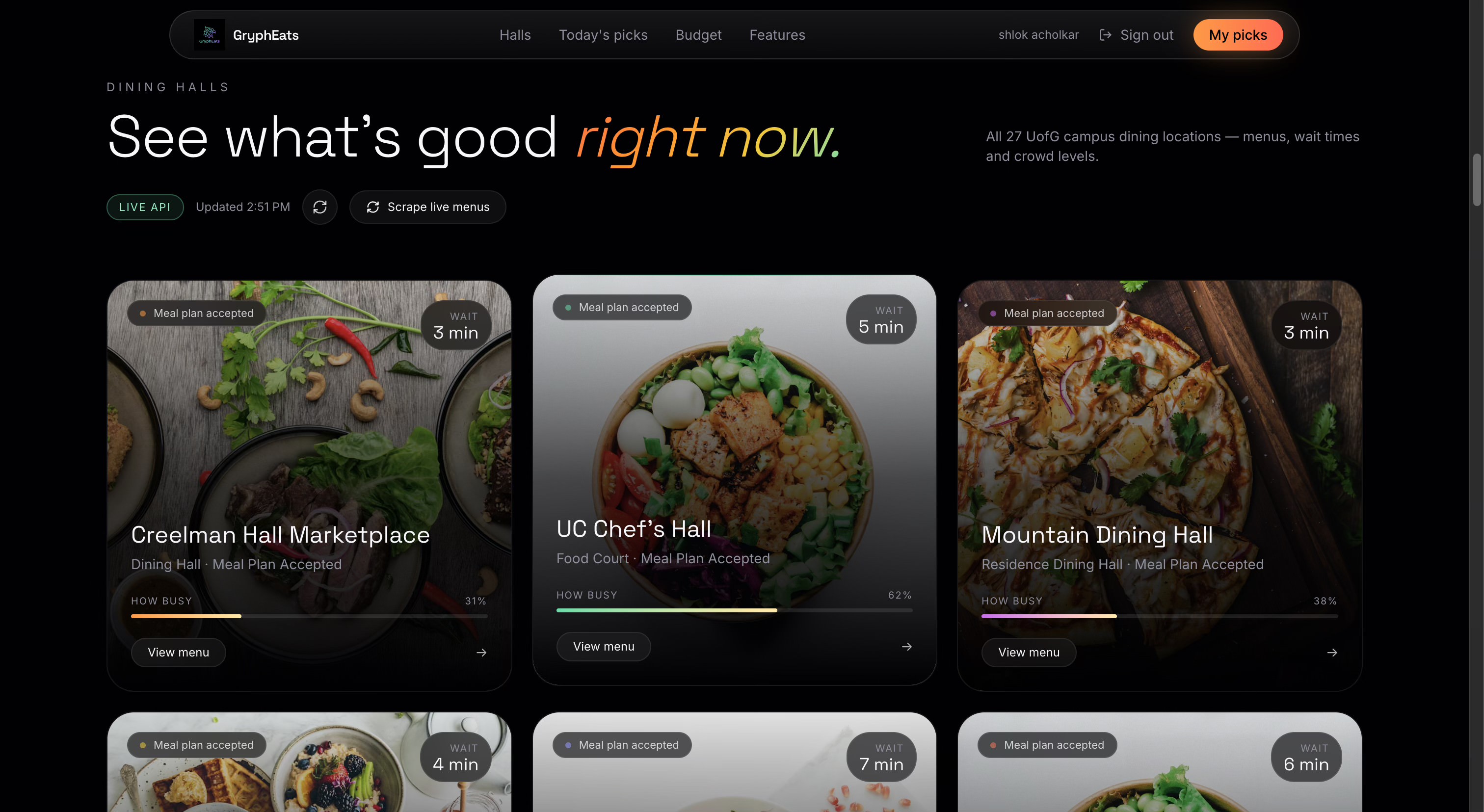
Dining hall explorer shows all 27 UofG locations with busyness levels, wait times, and full menus. You can select individual items and get an AI calorie and macro estimate for your exact combination.
Smart recommendations let you set filters — budget, goal, dietary preference, specific hall — and get a ranked list of the best matches with a "why this meal" explanation for each result.
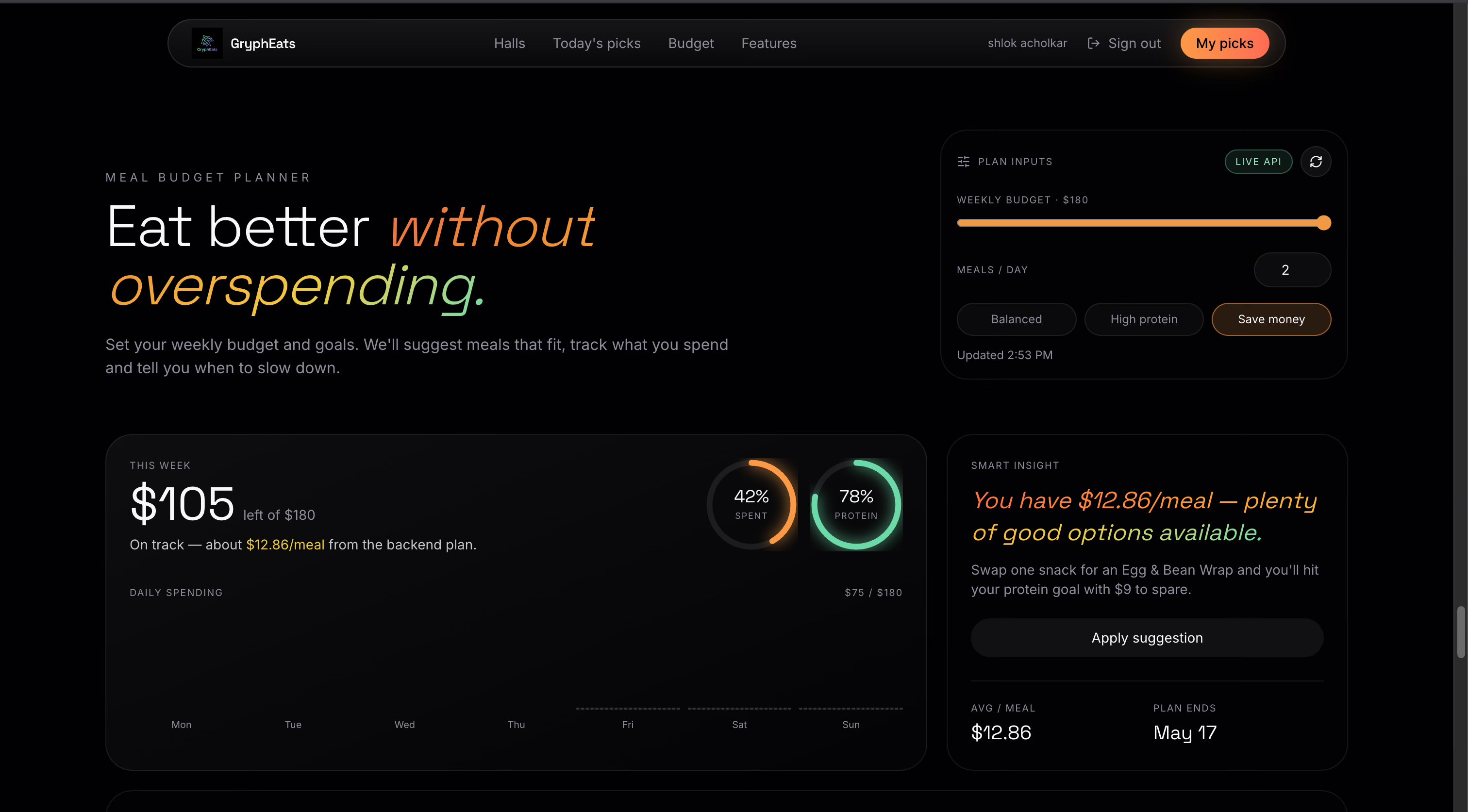
Budget planner tracks your weekly spending against your meal plan budget, shows daily spend bars, calculates your average cost per meal, and tells you when you're on track or running low. It also surfaces the best protein-per-dollar meals currently available on campus.
Cart calculator lets you build a meal across any hall, applies the 25% Hospitality meal plan discount automatically for eligible locations, and returns a full itemized breakdown with total calories.
Auth is restricted to @uoguelph.ca email addresses — this is a tool for Guelph students, and the data is campus-specific, so it doesn't make sense anywhere else.
How we built it
Backend — FastAPI + Python
The entire backend is built with FastAPI, chosen for its async support, automatic OpenAPI docs, and clean Pydantic validation. We keep two separate data layers:
SQLite + SQLAlchemy handles users and authentication. On startup, Base.metadata.create_all() creates all tables automatically — no migration tool needed for a hackathon scope. Passwords are hashed with PBKDF2-HMAC-SHA256 at 260,000 iterations. Tokens are HMAC-SHA256 JWTs built with Python's standard library — no external JWT package.
JSON dataset powers everything dining-related. We curated a seed file of 173 real menu items across 27 UofG campus locations — dining halls, food courts, cafés, and franchise locations (Starbucks, Tim Hortons, Subway, etc.). Each item includes name, description, category, price, dietary tags, portion size, availability, and whether it accepts the meal plan. This dataset is the single source of truth for all recommendations and search results.
Natural-language query parser
This was one of the most interesting engineering problems. We built a pure-Python parser in query_parser.py that uses regex patterns and keyword matching to extract structured intent from free text:
# "post gym halal meal under $12" parses to:
ParsedQuery(
  budget=12.0,
  goal="high_protein",
  dietary_prefs=["halal"],
  cravings=["protein"],
  search_keywords=["chicken", "beef", "lamb", "egg", "steak", ...]
)
No LLM involved in the search path — it's deterministic, fast, and never hallucinates a budget or misreads a dietary restriction.
Scoring engine
The recommendation engine scores every item in the dataset against the parsed query using a weighted formula:
score = (
  budget_ratio * 30     # how much budget is left after this meal
  + protein_proxy * 30  # estimated protein from name/tag heuristics
  + tag_count * 5       # dietary richness
  + keyword_boost       # up to +50 for craving keyword matches
  - drink_penalty       # -20 for beverages/snacks (disabled if craving matches)
)
The keyword boost was critical. Without it, a search for "something sweet" would return chicken bowls because they score well on protein and budget. With it, cookies, crepes and pastries jump to the top. The drink penalty disable was equally important — muffins are snacks by default, but when you ask for "sweet" you absolutely want them to appear.
AI calorie estimation
For calorie and macro data, we call a local LM Studio instance running a quantized language model. The estimator takes item names, descriptions, and tags, and returns calorie + macro estimates with a confidence level. If LM Studio isn't running, the service falls back gracefully — recommendations still work, calorie fields just come back null.
Frontend — TanStack Start + React 19
The frontend is built on TanStack Start, a full-stack SSR framework built on TanStack Router and Vite. This gave us file-based routing, server rendering, and a clean separation between client and server code.
The design system uses Tailwind CSS v4 with the OKLCH colour space throughout — a perceptually uniform colour model that makes gradients look better and makes it easy to maintain consistent contrast on a dark background. The aurora gradient that runs through the brand (oklch(0.72 0.22 35) amber → oklch(0.80 0.16 165) mint) is used consistently across headings, badges, and score indicators.
Framer Motion powers all animations — scroll-triggered card entrances, shimmer skeleton loaders during API calls, animated gradient background blobs on each section, hover lift effects, and press feedback on every interactive element.
Sonner handles toast notifications for every async action — loading, success, and error states are always communicated without blocking the UI.
Challenges
Making the search actually work
The dataset has no spicy tags. No sweetness scores. No explicit "dessert" flag on most items. Just names, descriptions, categories, and dietary tags. Teaching the engine to understand "I want something sweet" → cookies, crepes, pastries — and not chicken bowls — required careful design.
The biggest trap was the drink/snack penalty. We penalise beverages and snacks in the default scoring so that real meals rank higher. But that penalty was silently killing dessert results for sweet queries. The fix was a single condition: if an item matches the craving keywords, zero out the penalty. That one change made "sweet" queries go from returning nothing useful to returning exactly what you'd expect.
Dataset quality
173 items curated from real UofG menus sounds clean. It isn't. Prices are missing for some items. Dietary tags are inconsistent across halls — some use halal, others halal_options, others nothing at all. We built an alias system that maps user-facing preferences to multiple dataset tags:
"halal":       ["halal", "halal_options"]
"vegetarian":  ["vegetarian", "vegetarian_options", "vegan", "vegan_options"]
And a three-tier fallback: strict match → loose match → partial match → no filter. So a vegan search never returns zero results if there's anything close.
Honest search results
Spicy food is a great example of doing this right. The UofG dataset has essentially no spicy items. We could have faked it — returned random items and called them spicy. Instead, when zero items match the craving keywords, GryphEats returns the best available alternatives and clearly tells you:
"No exact craving matches found — showing best available meals."
Honesty beats hallucination every time.
Accomplishments we're proud of
- A natural-language search that returns real, relevant results without a single LLM call in the search path
- A recommendation engine that handles dietary filtering with graceful degradation — you always get something, never a blank screen
- A full JWT auth system built from Python's standard library with no external auth package
- An end-to-end cart calculator that correctly applies meal plan discounts for eligible Hospitality-managed locations and skips them for franchises
- A frontend that feels polished — shimmer skeletons, animated blobs, hover lift effects, toast notifications — built in a weekend
What we learned
Real data is the hardest part. We spent more time understanding the dataset — its inconsistencies, missing fields, edge cases — than we did writing any single feature. A clean API is only as good as the data behind it.
Scoring is a design problem, not just an engineering one. Every weight in the scoring formula is a product decision. Should budget matter more than protein? Should snacks be penalised? By how much? These aren't questions a model answers — they're questions you answer by thinking about what a student actually wants.
Graceful fallbacks are a feature. The LM Studio calorie estimator, the spicy query response, the dietary filter relaxation — every one of these was designed to degrade gracefully. A system that always returns something useful feels more trustworthy than one that occasionally returns nothing.
What's next
- Live menu scraping — automated daily scraper to keep the dataset current with what's actually being served
- Real meal plan balance integration — connect to the UofG student account API so the budget planner uses your actual balance
- Mobile app — React Native client with push notifications for budget alerts
- Social layer — see what your friends are eating, share meal picks, rate items
- Allergen alerts — flag items that contain specific allergens beyond the current dietary tag system
- Historical data — track what's been served over time and surface patterns ("Mountain Hall usually has X on Wednesdays")
Built With
- fastapi
- python
- react
- tanstack
- typescript


Log in or sign up for Devpost to join the conversation.