-
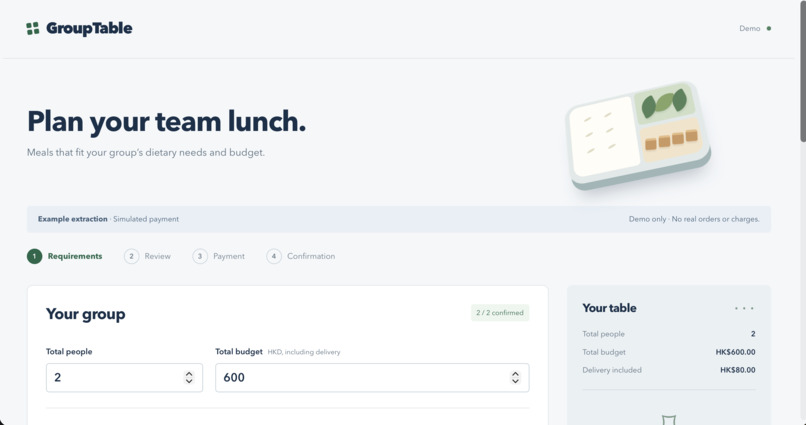
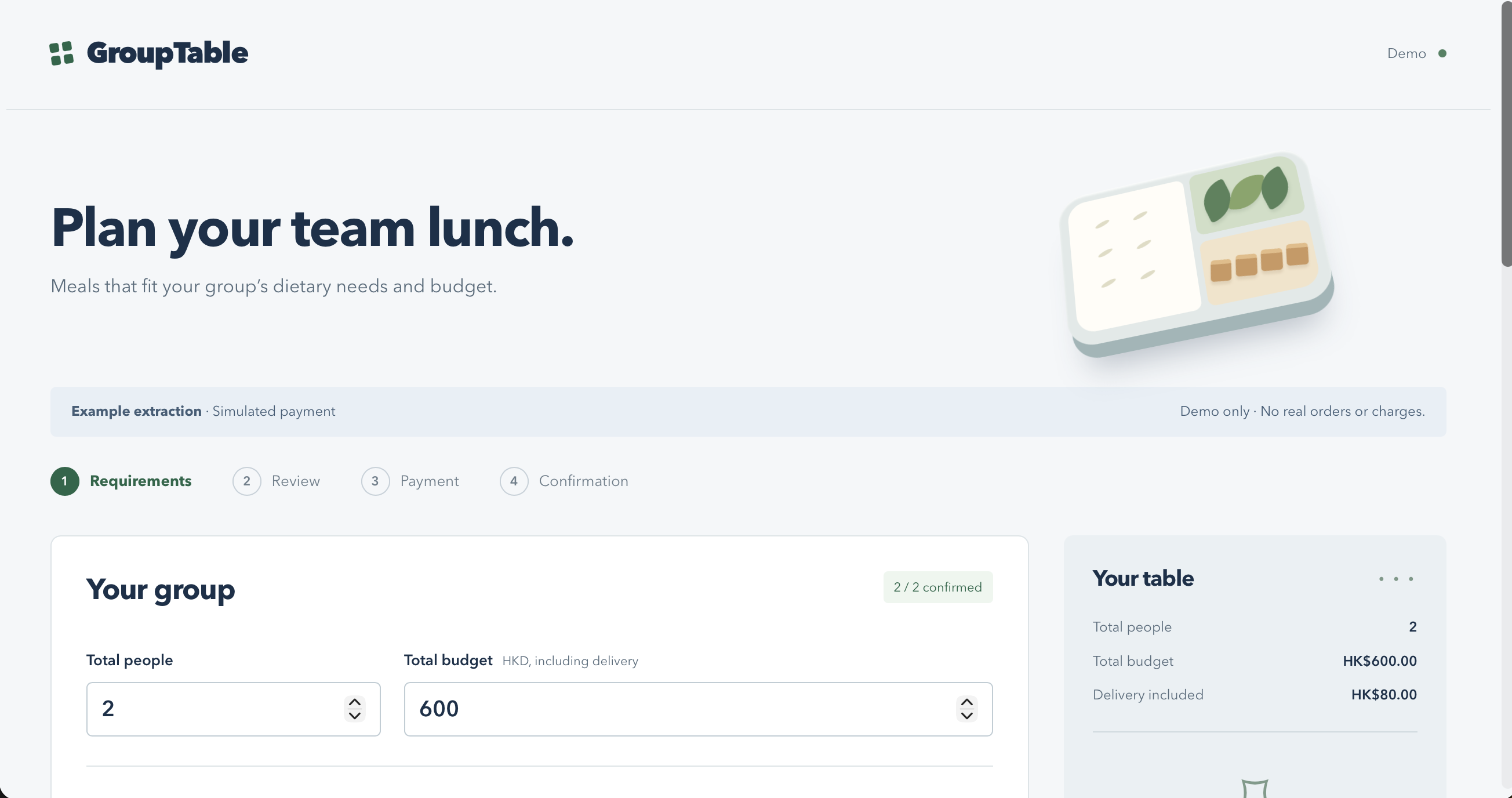
Plan a team lunch around confirmed dietary needs, restaurant preferences and a shared budget.
-
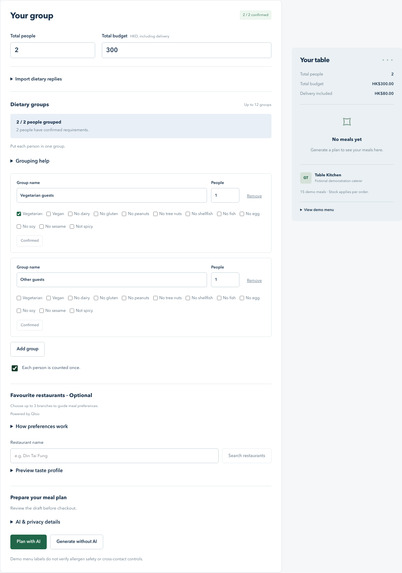
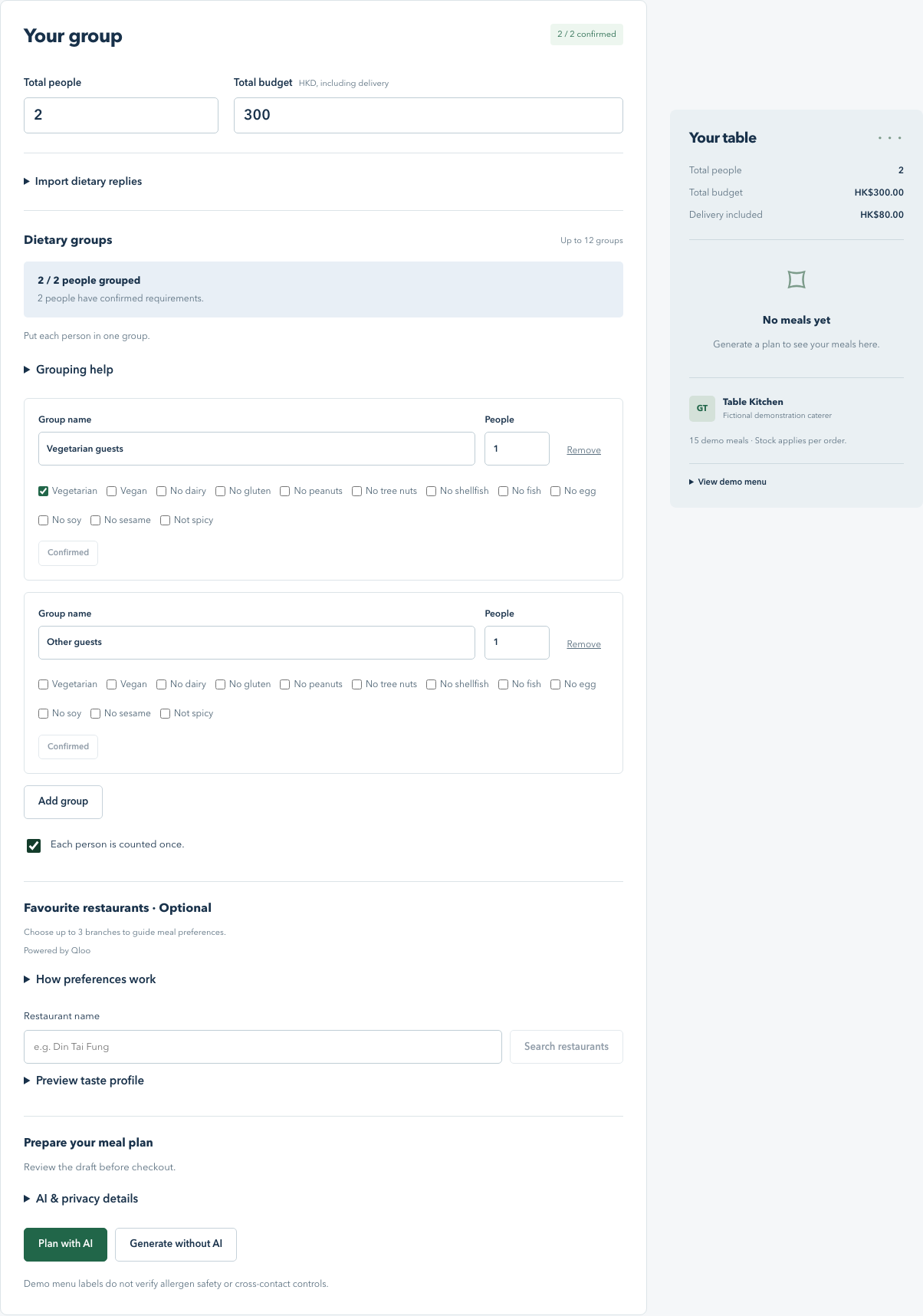
Confirm dietary groups and count each guest once before generating a meal plan.
-
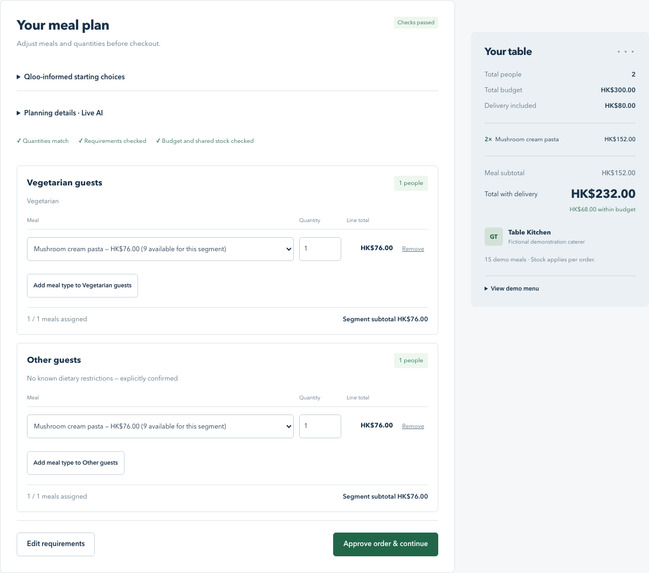
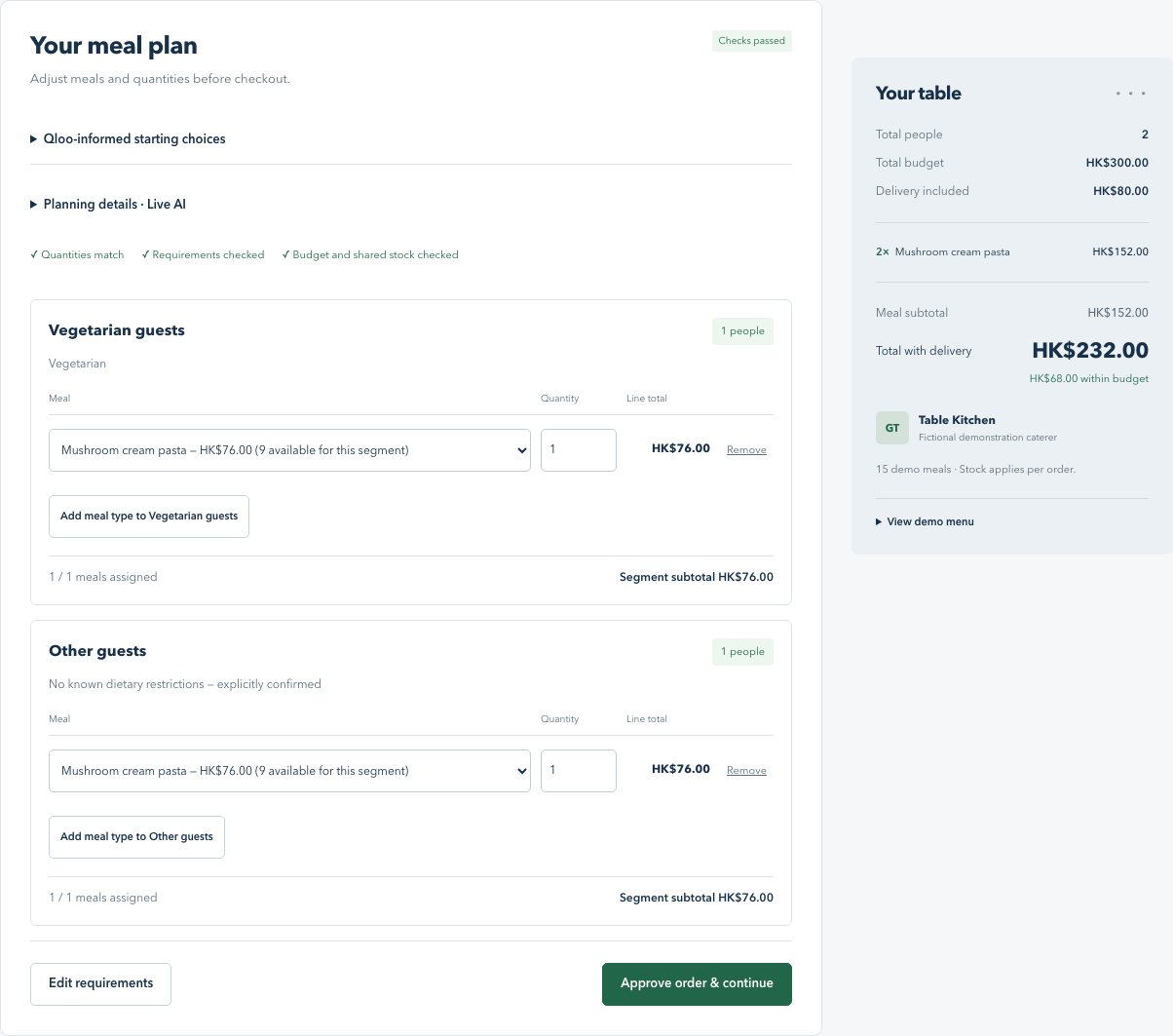
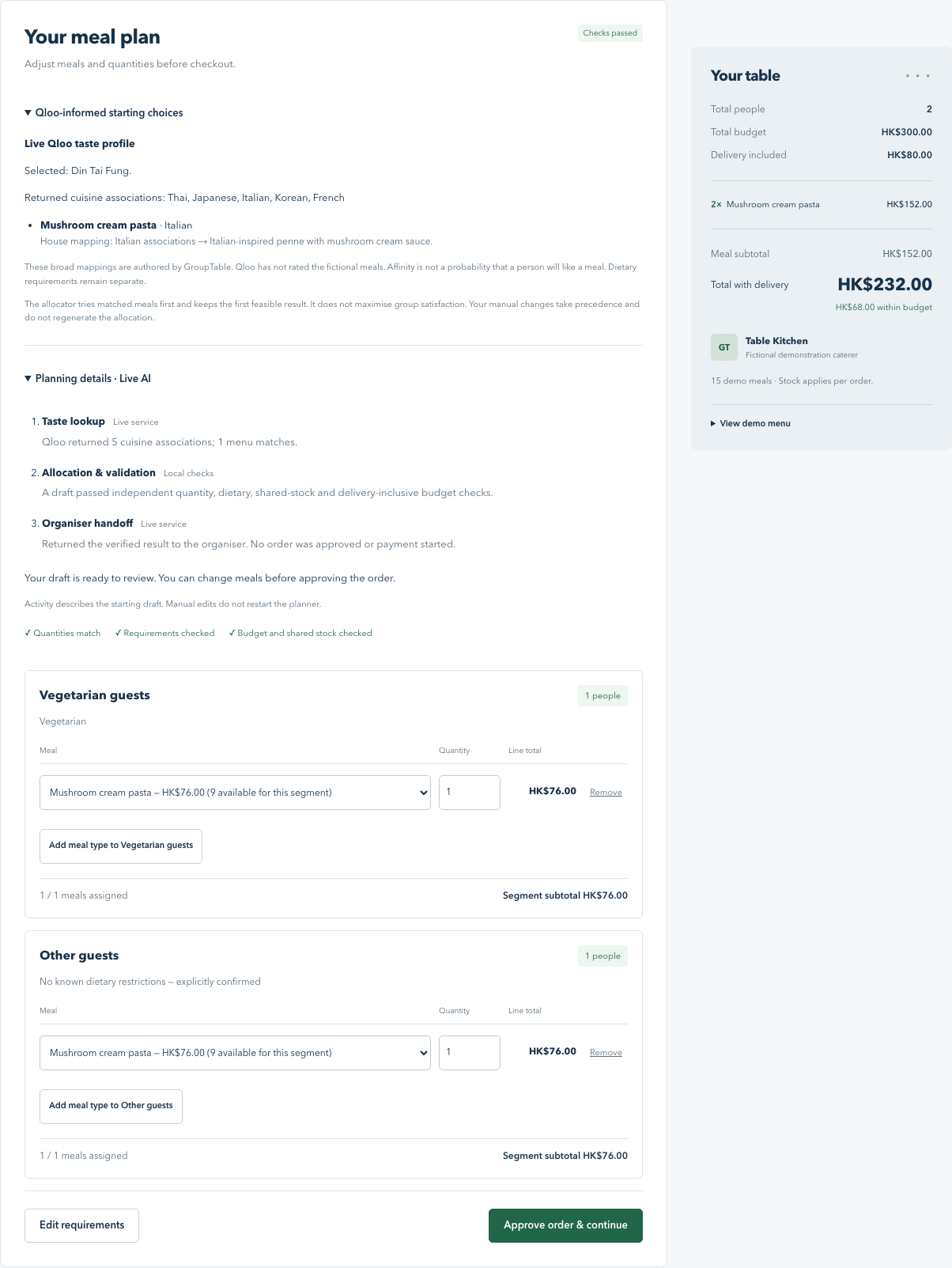
Live AI prepares a checked meal draft: two meals for HK$232, including delivery, within a HK$300 budget.
-
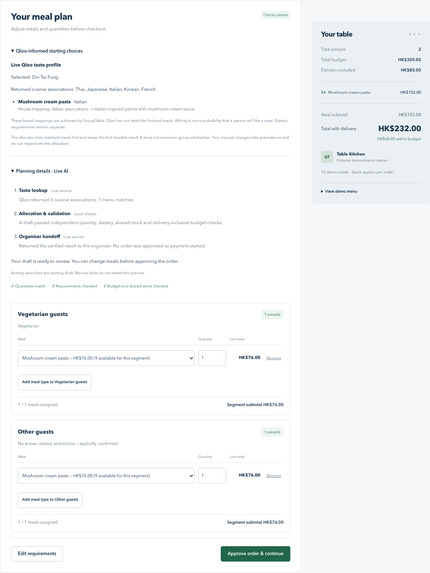
Inspect live Qloo cuisine associations, menu mappings and the agent's three restricted tool steps.
-
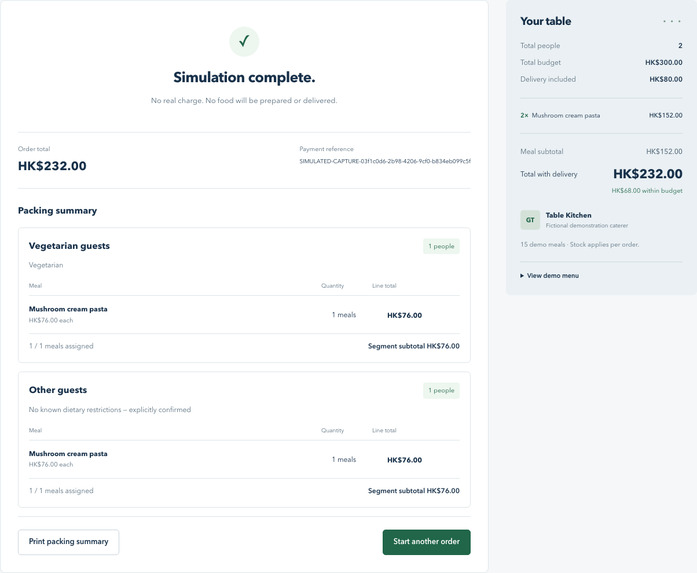
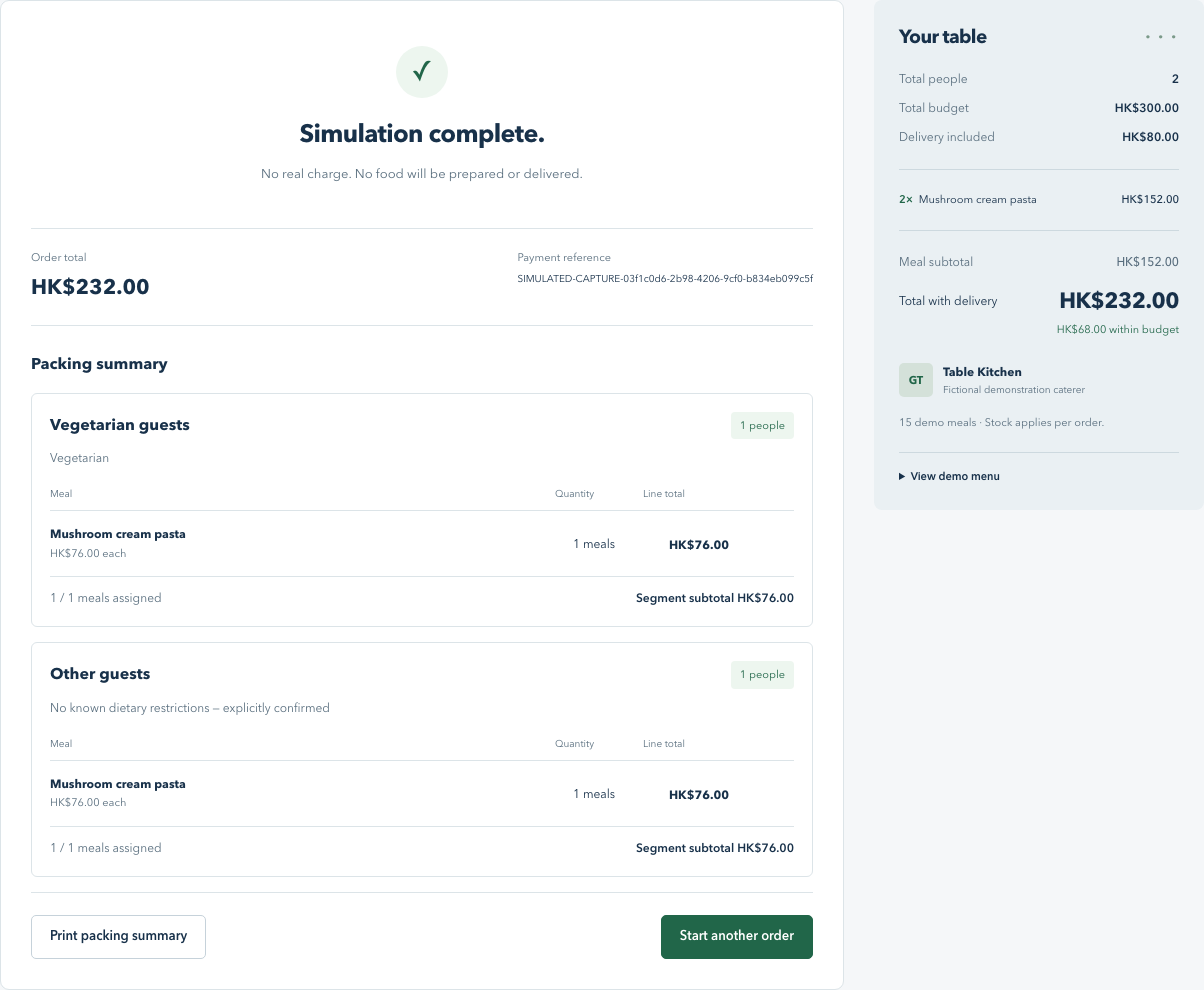
Simulated checkout retains approved meals in a packing summary. No real charge or food delivery.
Inspiration
Planning a group lunch means reconciling dietary needs, individual preferences and a shared budget. An organiser may know which restaurants people enjoy, but still has to translate those preferences into suitable meals and check every quantity manually.
We built GroupTable to bring those decisions into one reviewable workflow, using Qloo cuisine associations to inform meal suggestions while keeping dietary requirements and spending limits under explicit human control.
What it does
GroupTable helps an organiser prepare a group meal plan from confirmed dietary groups, a delivery-inclusive budget and optional favourite restaurant branches.
The organiser confirms each group's requirements and that everyone is counted once. A bounded AI agent then retrieves Qloo cuisine evidence, requests a validated meal allocation and returns a draft for review. The organiser can change meals and quantities before approving the order and completing a simulated checkout with a printable packing summary.
How Qloo is used
Qloo powers restaurant search and cuisine associations based on the selected restaurant branches. We map recognised cuisine tags to relevant meals in our fictional demonstration menu using visible, house-authored mappings.
These associations influence which compatible meals the allocator tries first. Dietary requirements, quantities, available stock and budget remain hard constraints. Qloo does not certify dietary safety or rate our fictional meals, and we do not claim that a cuisine association guarantees a diner will enjoy a dish.
How we built it
We used Next.js, React, TypeScript and Node.js, with SQLite for approved order snapshots. Qloo and OpenRouter requests run on the server.
The agent uses a fixed free model through OpenRouter and three restricted tools: get_cuisine_profile, allocate_meals and finish_plan. The server validates tool arguments and independently checks the resulting allocation. The agent cannot change confirmed requirements, approve an order or initiate payment.
Manual edits are checked immediately, and the server recalculates prices before accepting an approved order.
Challenges we faced
A central challenge was keeping taste preferences separate from dietary requirements. A preferred cuisine must never override an incompatible ingredient, insufficient stock or the event budget.
Another challenge was handling incomplete information. Missing dietary replies remain unconfirmed, and overlapping requirements belong within a single group so people are not counted twice.
We also needed to preserve the organiser's choices through review and checkout without allowing the agent to silently regenerate them.
Accomplishments
We completed a live browser flow from restaurant search through Qloo-informed AI planning, manual quantity validation, simulated checkout and confirmation after reload. In that test, the two-person order totalled HK$220 including delivery.
The application also blocks approval when meal quantities do not match the confirmed group sizes, and reports an infeasible budget without silently changing the event requirements.
What we learned
Taste evidence is useful when its effect is visible and its authority is limited. Combining Qloo associations with a deterministic allocator makes the recommendation process easier to inspect, while explicit confirmation keeps the organiser responsible for the final decision.
Current prototype limits
The demo uses 15 fictional meals from one supplier and a fixed HK$80 delivery fee. Dietary reply import uses labelled examples, and payment is simulated. No real money is charged and no food is ordered or delivered.
Dietary checks rely on demonstration menu labels and do not verify real-world allergen handling. Free hosting can take time to wake, saved orders use temporary hosting storage, and live services are subject to usage limits.
Try it
Open the live demo and set Total people to 2 and Total budget to HK$300. Create two groups of one person each: one vegetarian and one with no known restrictions. Confirm both groups and select Each person is counted once.
Search for a restaurant such as Din Tai Fung, select a returned branch and click Plan with AI. Review the meals and planning details. Temporarily increase one group's quantity to two to check that approval is blocked, then restore it to one.
Choose Approve order & continue, Simulate PayPal approval and Complete simulated payment. The confirmation should retain the approved meals after a refresh. Use synthetic information only.
What's next
We want to test the workflow with organisers who have not seen it before, improve menu coverage and taste mappings, and strengthen storage and service availability before considering real supplier or payment use.
Built With
- next.js
- node.js
- openroute
- qloo
- react
- render
- sqlite
- typescript
- zod

Log in or sign up for Devpost to join the conversation.