-
-
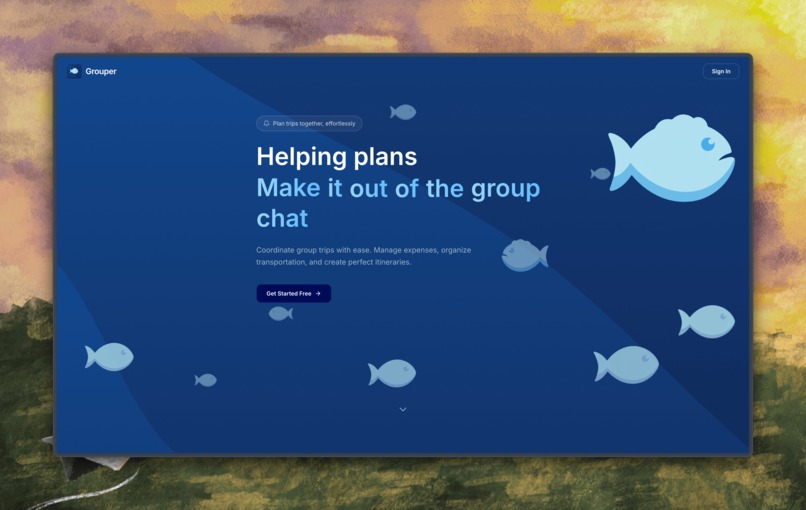
Landing
-
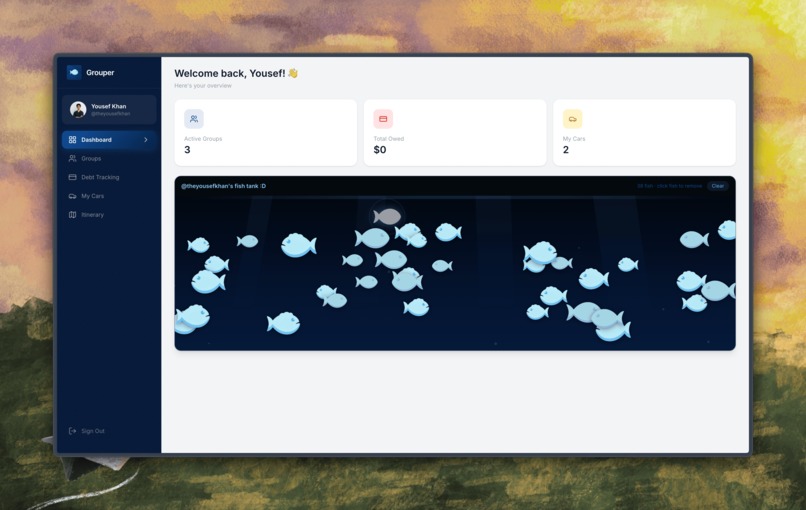
Home/Dashboard
-
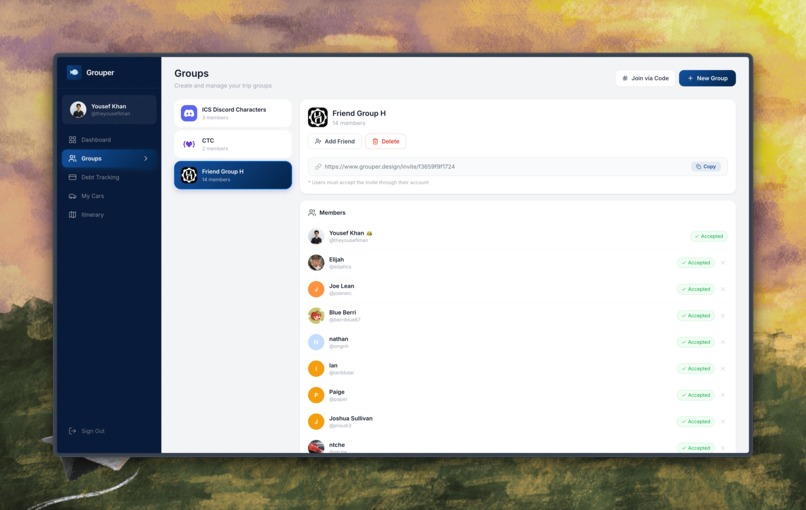
Groups
-
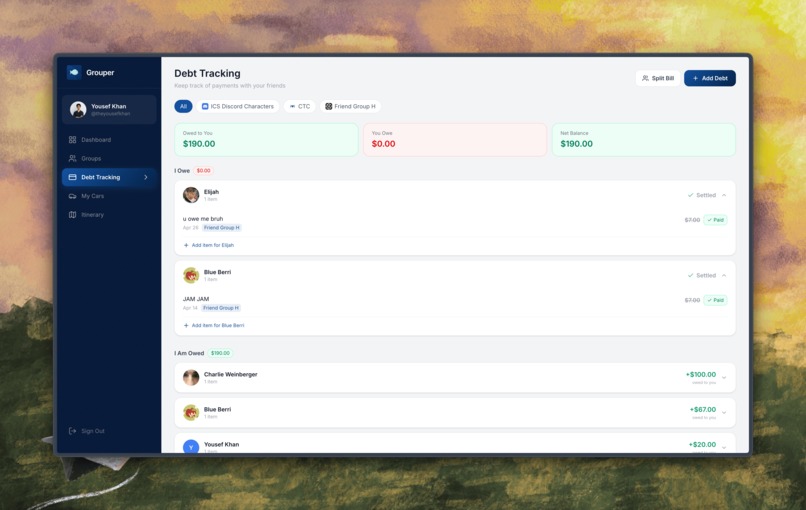
Debt Tracker
-
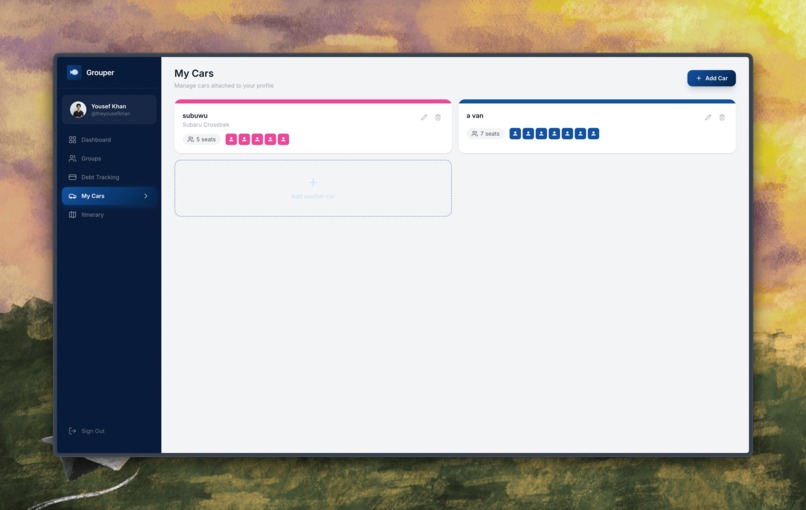
Cars
-
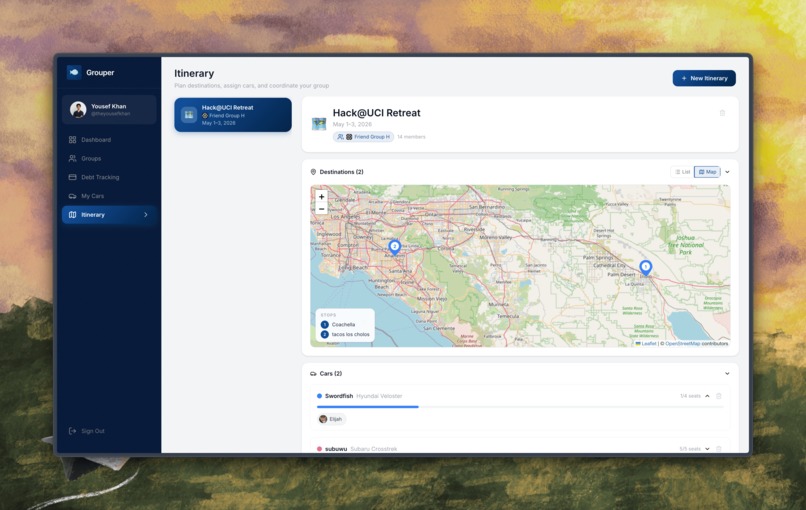
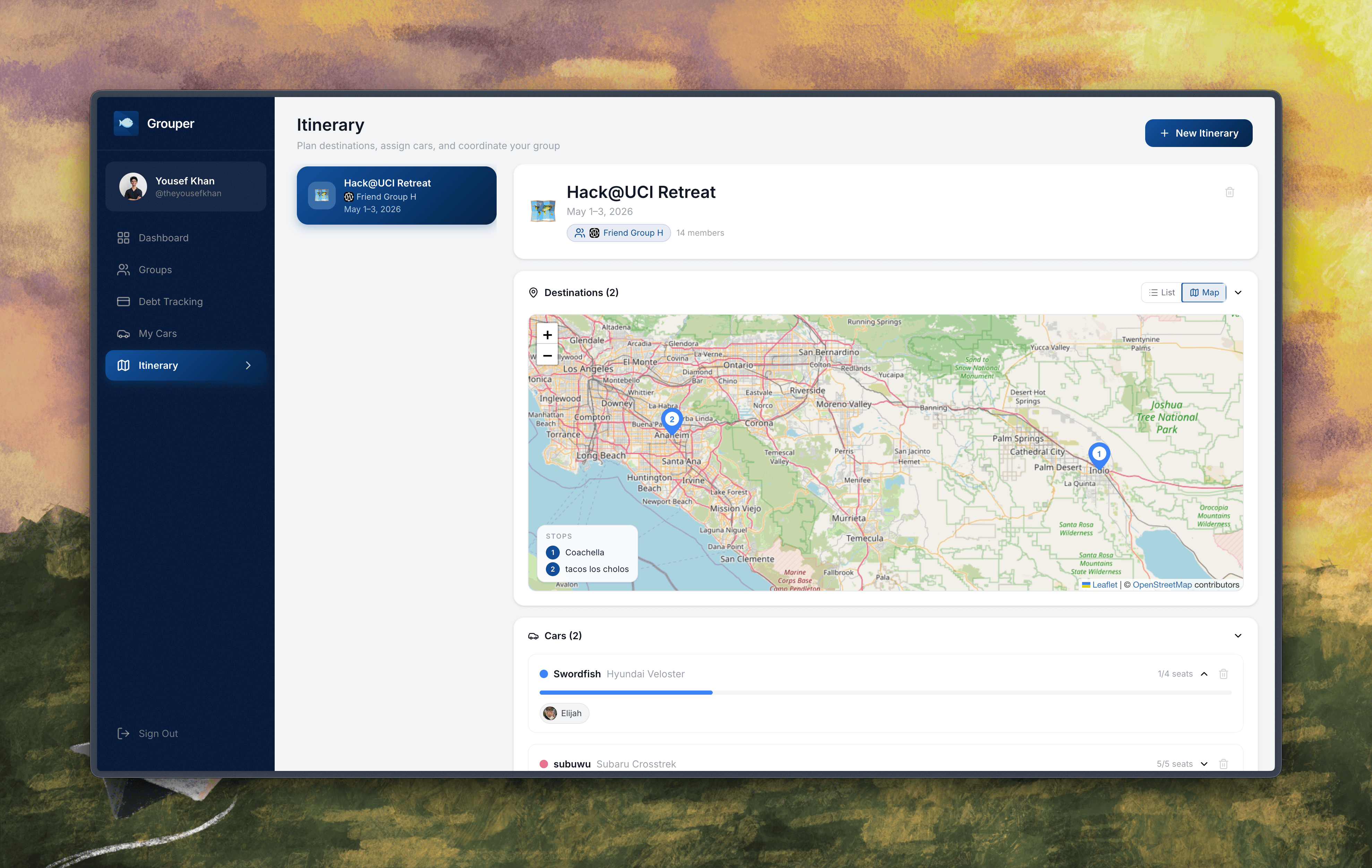
Itinerary—Map
-
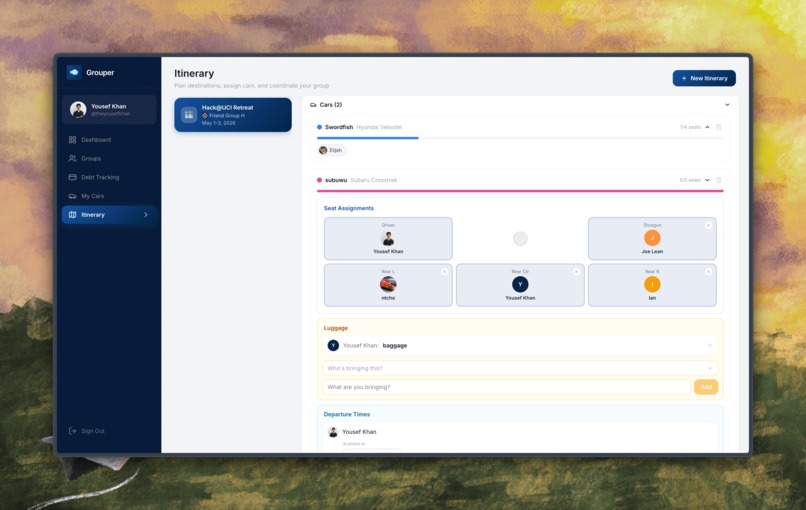
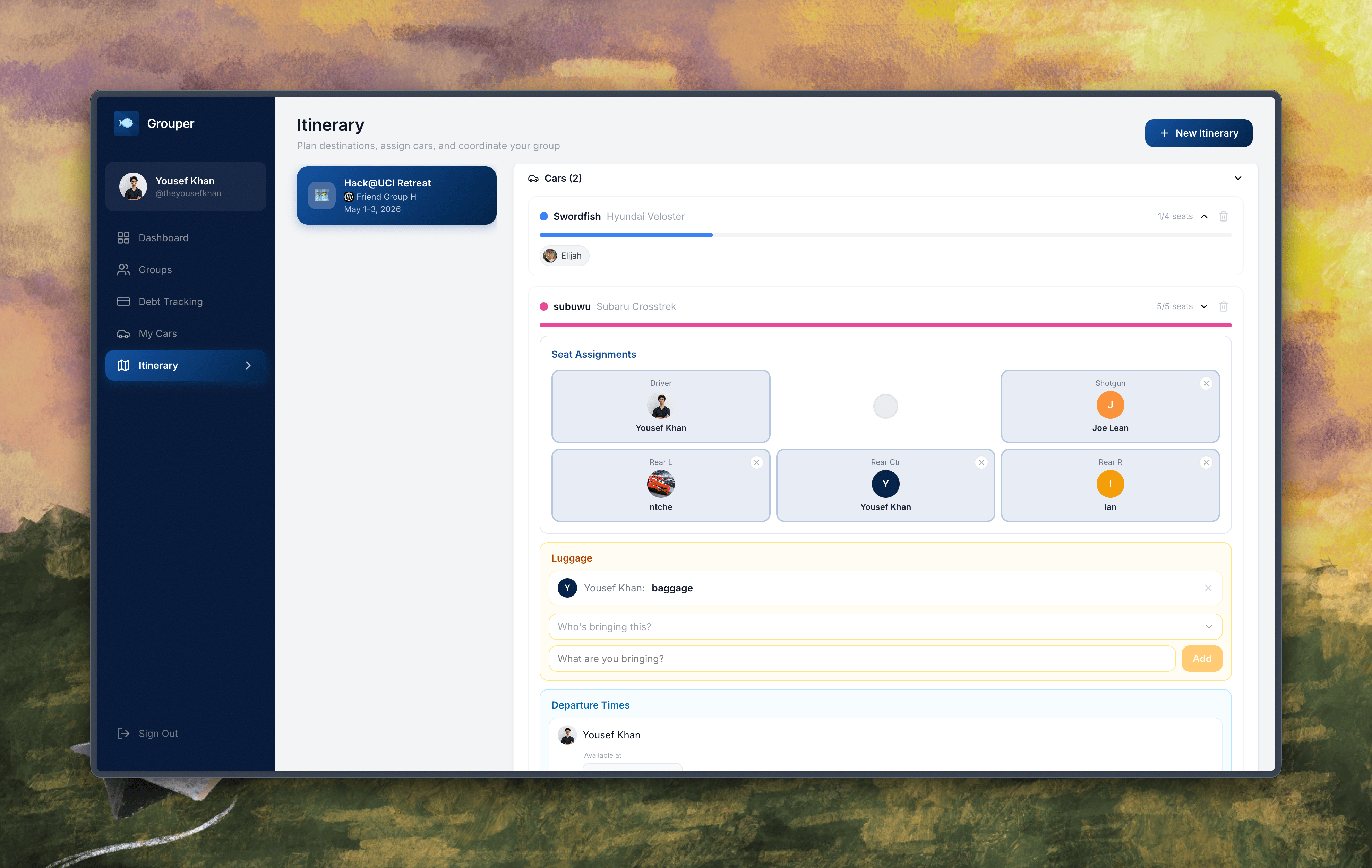
Itinerary—Car Assignments
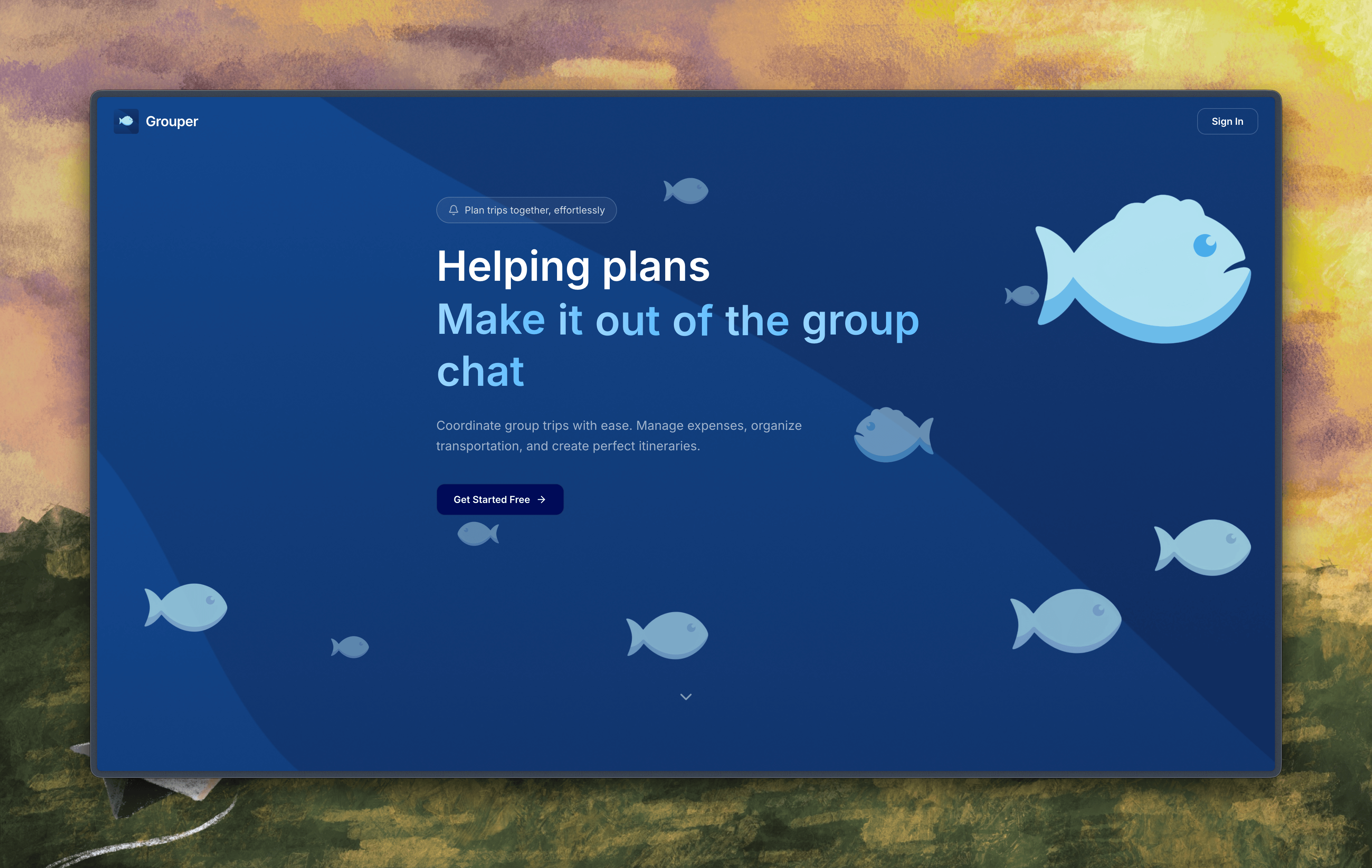
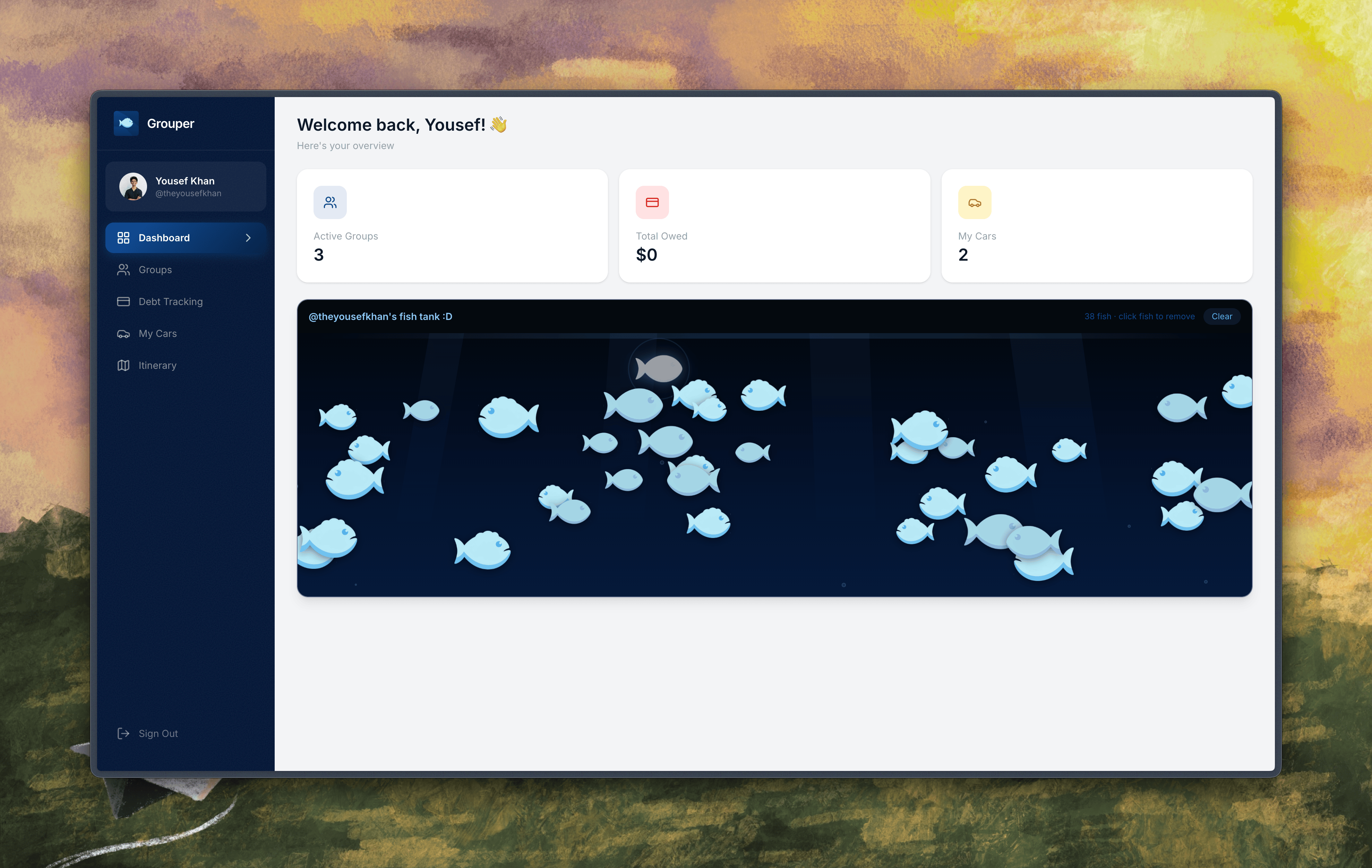
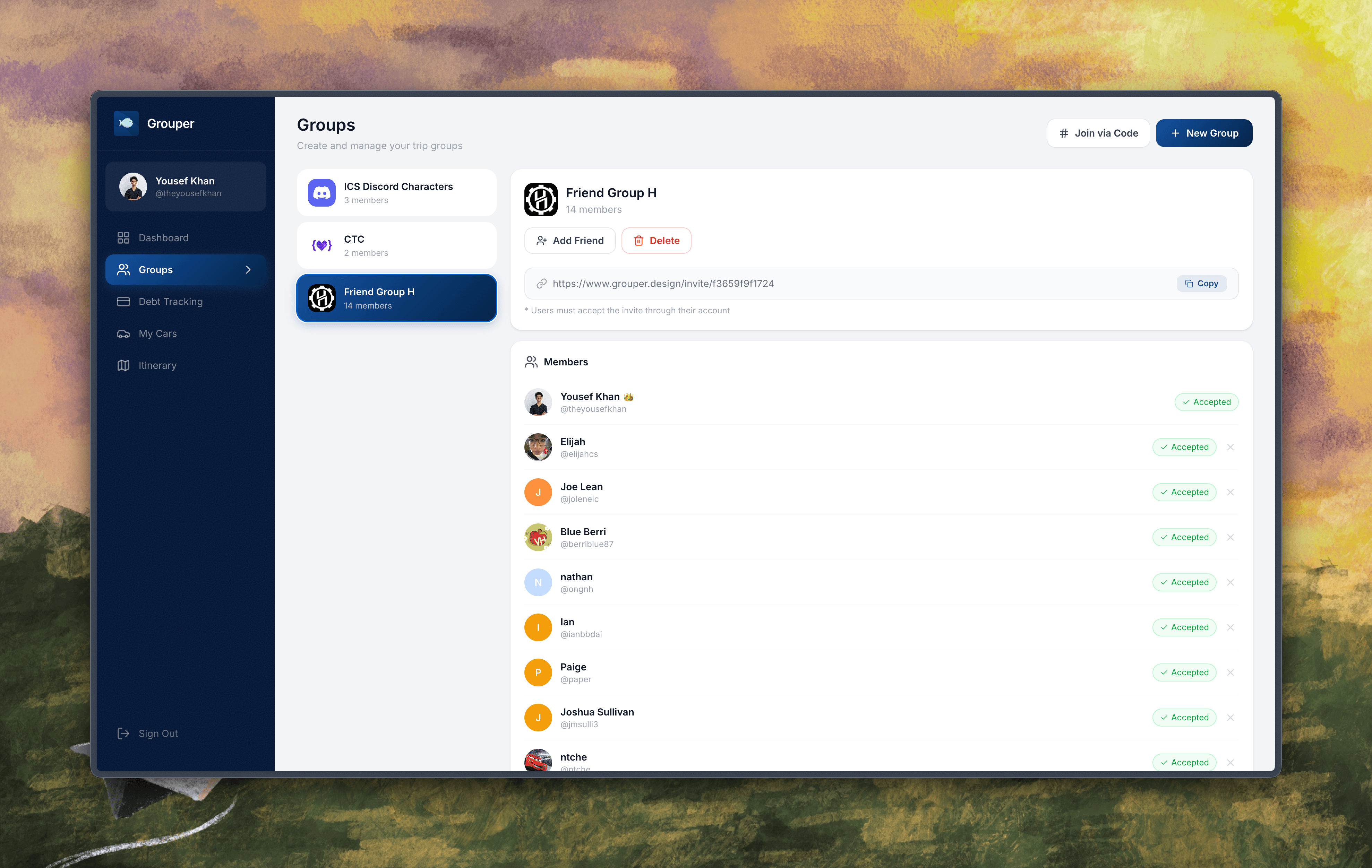
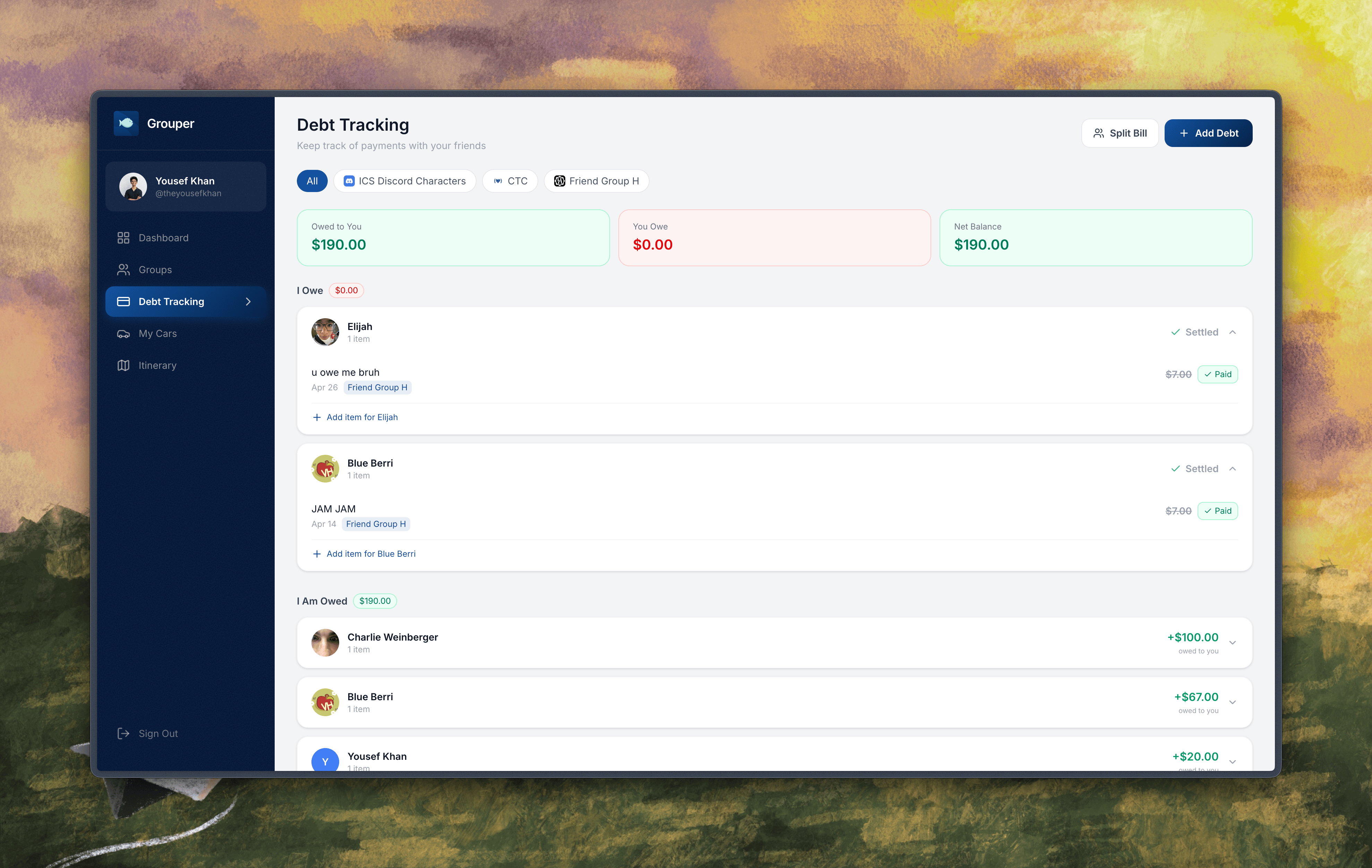
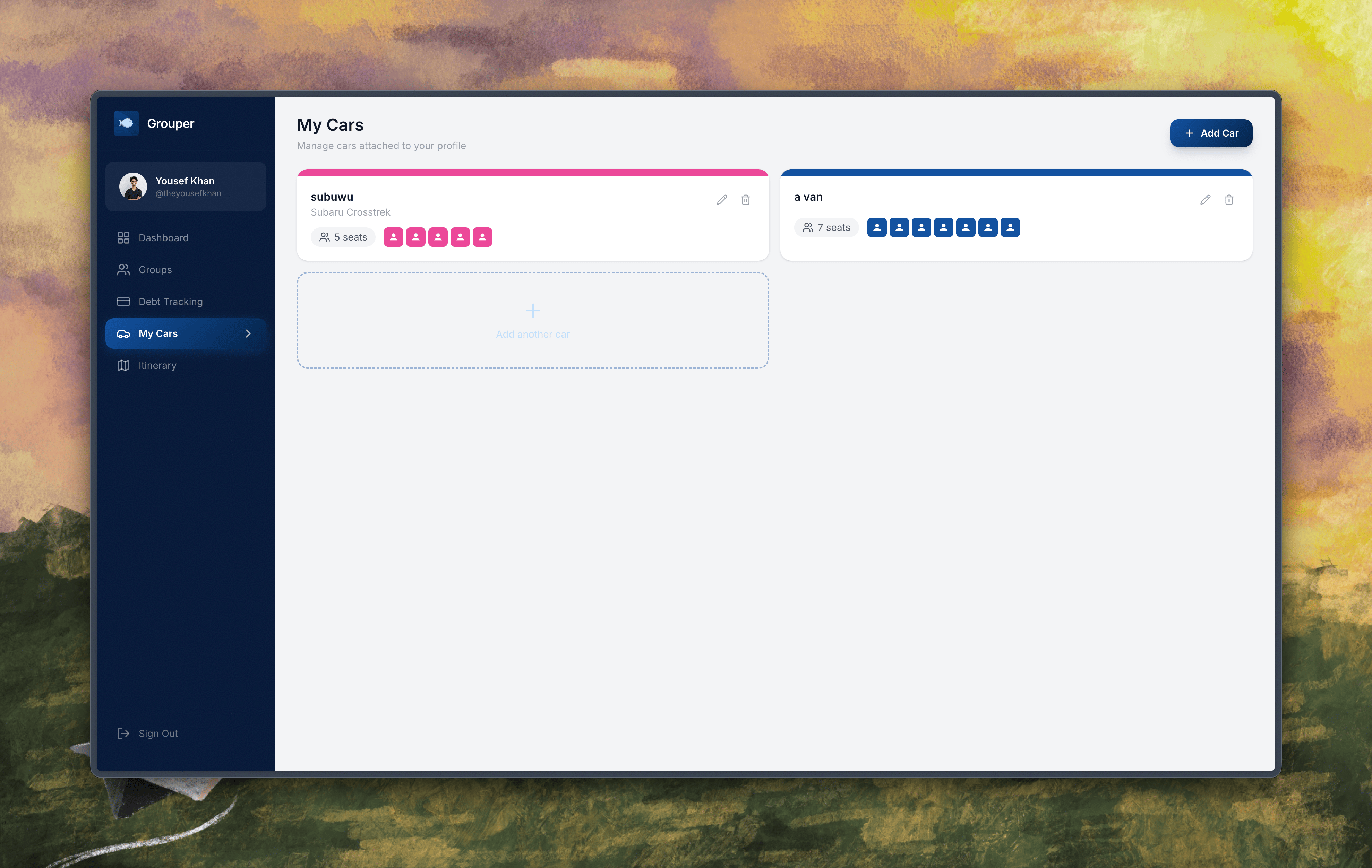
Grouper
Inspiration
We made this project because we needed it, not to win (although that would be awesome too!!). We constantly find ourselves having to deal with the logistics of planning hangouts, tracking payments (since we want our credit card points!), and planning who goes in what car (we're also the drivers for our group). While we've used spreadsheets before, which would get copied and pasted by the week for other groups, clubs, and more, we thought it'd be nice to finally have a unified platform to handle all of these things at once. In fact, if we're doing that—why not see how many things we can connect :)
What it Does
The app does a lot, and since it's a hub for multiple services, it relies strongly on the concept of a Group, which can represent a friend group, a club, or really any collection of people who may or may not know what to call themselves.
Payment Management
We wanted a way to track payments; there's a lot of user friction out there that handles collecting money from people after a dinner. The best it gets is scanning a receipt with a random app, screenshotting the output, and then sending it in a slack or discord channel hoping you get paid by your group (or just checking Zelle/Venmo every day). We wanted a solution that would handle logging payments, whether they are individual charges or even a split bill amongst people in a group, that would serve as an easy way to mark payments as complete.
Ride Sharing and Assignment
Right now the best way to plan rides, especially in a club, is to copy that one spreadsheet made every time you coordinate socials or events and hope people fill it out. In a friend group, it's even harder—you'll try to coordinate everyone over Discord, and no matter what you try, someone will get upset that something was lost in translation. We needed a place to visually assign people to cars (better yet, have passengers join cars themselves), and so we did just that.
Itinerary Planning
A big issue we've had in our groups is having to deal with unstructured day trips or general outings. We wanted an interface to combine the ride-assigning system with a day planner, with locations and a map. Our app allows the event creator to add locations with names to a list and then render them as pins on a map for all attendees to see. Views are different based on permissions, so attendees can't modify other people's car assignments or the locations but can intuitively figure out how to handle their own entries.
How we built it
Lots of Claude tokens. Being serious, though, we are both competent in our own area; we're a team of one full-stack developer (Yousef) and a seasoned designer (Elijah), and we were able to use many different tools to supercharge our process.
Figma Make was particularly helpful in the ideation process and throughout the hackathon, as we used it extensively to brainstorm ideas and see them come to life with little waiting time (more on that later).
Supabase was like coding with wings; we never thought authentication, SSO, and redirects could be so easy, and it was really well-suited for our needs in this hackathon. We've used Supabase before but had previously (perhaps dangerously) turned off Row-Level Security; we're happy to share that Grouper uses RLS throughout with only authenticated users able to update certain tables!! Connecting this to our application using hooks was seamless, and it was really nice having the database setup and connection so simple.
The project uses React + Vite + TailwindCSS, and we used a lot of custom components; we're hosting on Vercel and using the free GoDaddy domain from MLH!
Challenges, Accomplishments, and Learning
Design | FIGMA MAKE
What group could have possibly gotten the idea of fish for their project, more specifically, groupers? Were we hungry or delirious? The answer to that question was something that seemingly has no correlation to fish whatsoever, and that is AI powered design.
Over the course of this hackathon, Figma Make inspired our style guides, features, and overall user experience of our project. Make actually happened to inspire our name as well; we incorporated the idea of schools of fish, friendships, and the group planner, whom we’re calling "The Grouper." Planning should be easy, but most of the time it’s not. Fish seem to have it figured out and are always coordinated when it comes to moving in schools, and that’s how we wanted our project to feel. Using Make, we actually came up with the theme of fish swimming in schools because of the first thing it came up with, which was a navy blue theme. The navy blue theme turned into an ocean theme; that ocean theme brought us to the idea of fish, fish led us to a weird phase of searching for species of fish during our project and, finally, to groupers (a really, really large fish). As we iterated, and iterated, and iterated, we slowly started adding details to our project, launching it into something fully polished. All of that ideation stemmed from one Figma Make query, and of course, after our grand discoveries, we couldn’t stop at just an idea.
After ideation, we quickly came up with the User Requirements for our project, Grouper, a centralized hub for all of your friend groups' tedious, frustrating, and annoying planning to launch all of your plans out of the group chat. These requirements were used to create our initial prototyped mockup, which paved the way for the general vibe, look, and features of our project.
Figma Make is the reason we slept at night. We’re not joking; we literally saved hours of tedious design mockups and lo-fi generation because we were able to immediately workshop our ideas. While we didn’t have time to fully commit and perfect each stage of a standard design process (which would have included a lof-fi, mid-fi, and hi-fi design), Make allowed us to gain most of the benefits of a high-fidelity design at a fraction of the time (and mental cost!)
Development
[Developer Speaking!] I was scared to death of adding Google SSO, linking accounts where needed, and handling all of the data because I already knew the scope of the project would require a ton of intermediate tables. Luckily, using Supabase bypassed a lot of the SSO issues—I was able to find out how to link authentication methods/accounts as well, so if a user signed in with email/password and later Google SSO, they could use either to sign in (this also made things backward compatible for users that existed pre-SSO!). I was hesitant to add SSO at all because I thought it would take a while, but when I asked a bunch of friends to make accounts, all of them choose to Sign In With Google, so I knew it was a good feature :)
One of my favorite things to figure out was how to keep the user on the application after clicking an invite link (our groups have invite links that allow users to immediately join them). The challenge was that when users weren't authenticated already, they had to log in (or worse, go through our onboarding process to set a username), but once they were redirected, the context of the invite was lost, and they'd have to re-click the link (which would require them to navigate away from the app, killing engagement). I was able to find out how to store the invite code in sessionStorage so that regardless of redirect, the invite was extractable later (and this made the flow of joining a group or even the platform that much more buttery smooth).
A last note was learning about Optimistic Loading in applications—I noticed the actions on the Itinerary page were pretty slow and added some friction, so I changed the state of the frontend immediately and would revert to the previous state as needed if the backend failed (a fair assumption, since the backend should fail very rarely). This made the application insanely smooth and fun to use, even if I'm a bit biased!
What's next for Grouper
No matter how we fare at the hackathon level, we'll be using this app tomorrow (literally) to plan our ride back home, our hangout at night, and maybe our club retreats :)
Built With
- figma
- framer
- godaddy
- react
- supabase
- typescript
- vercel
- vite


Log in or sign up for Devpost to join the conversation.