-
-
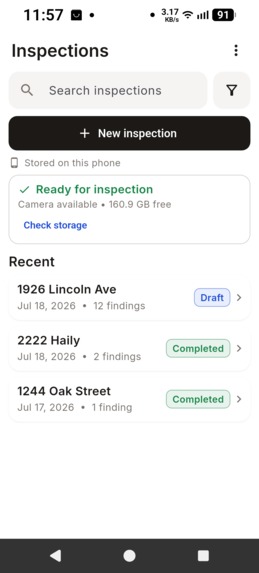
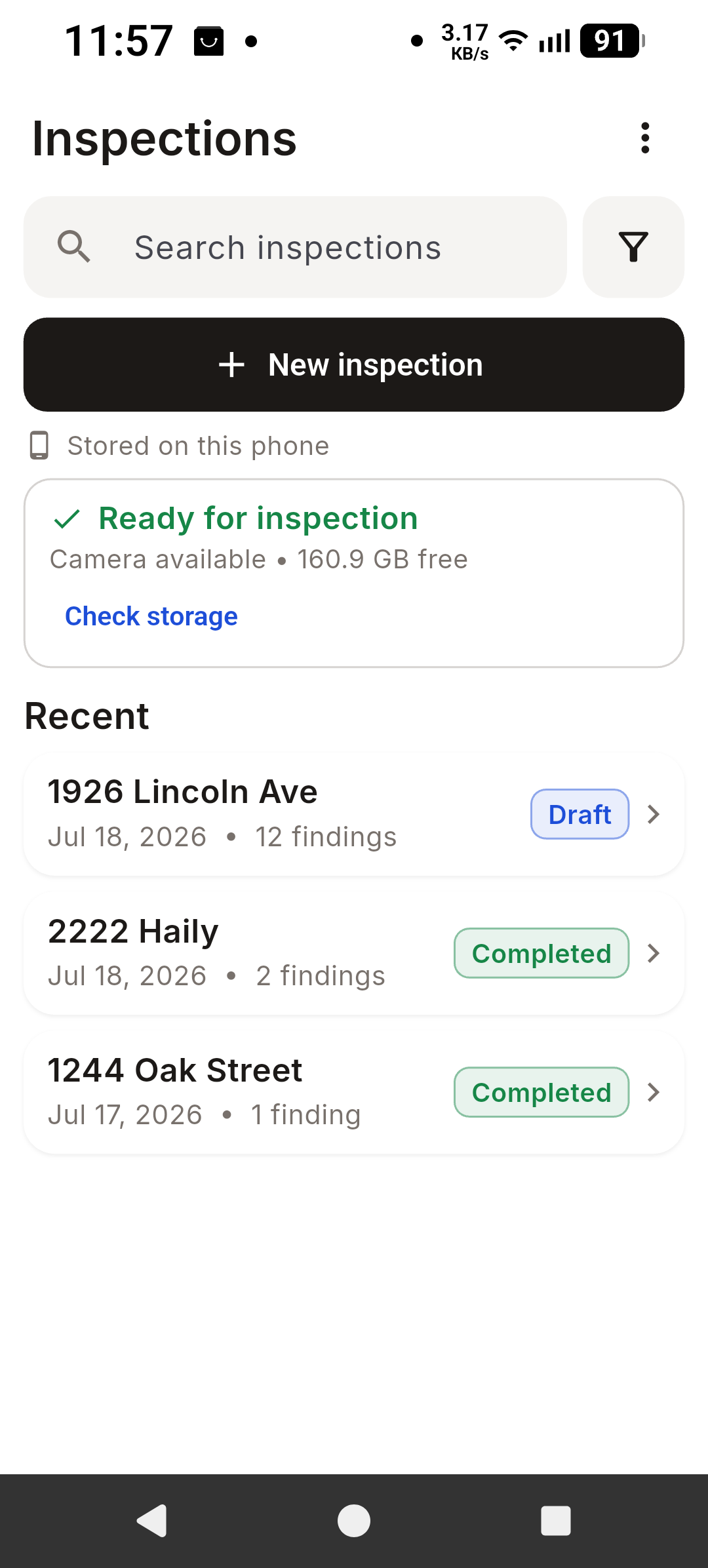
App entry-front page
-
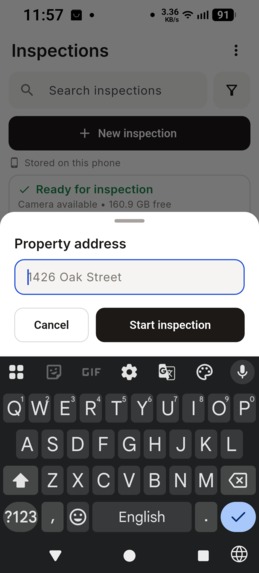
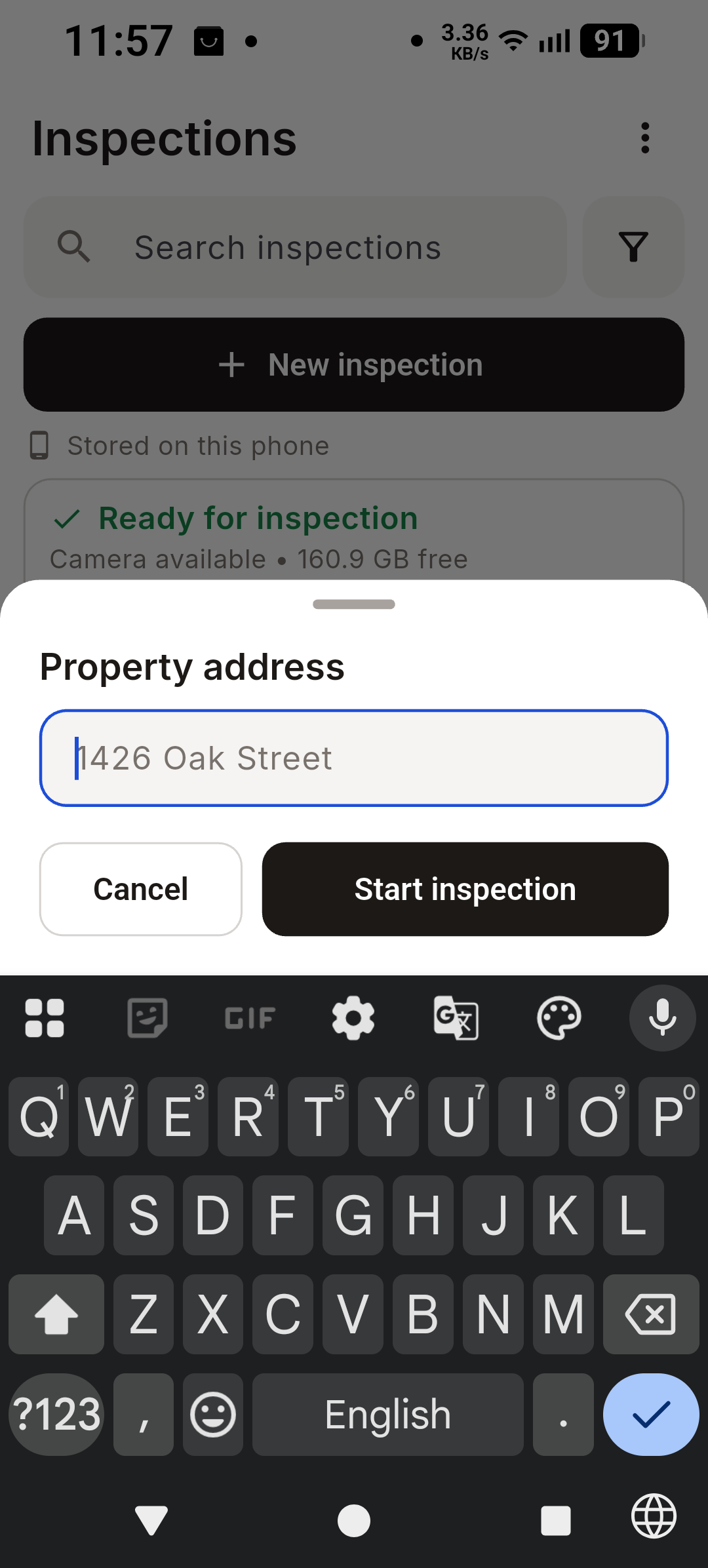
Start inspection by entering an address (All examples here are fake testing addresses)
-
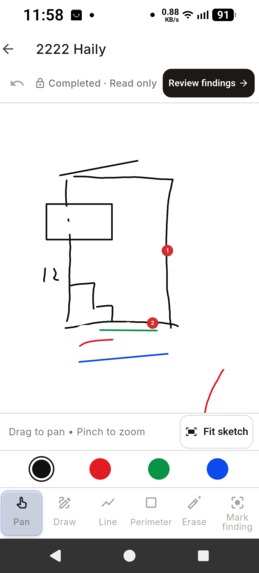
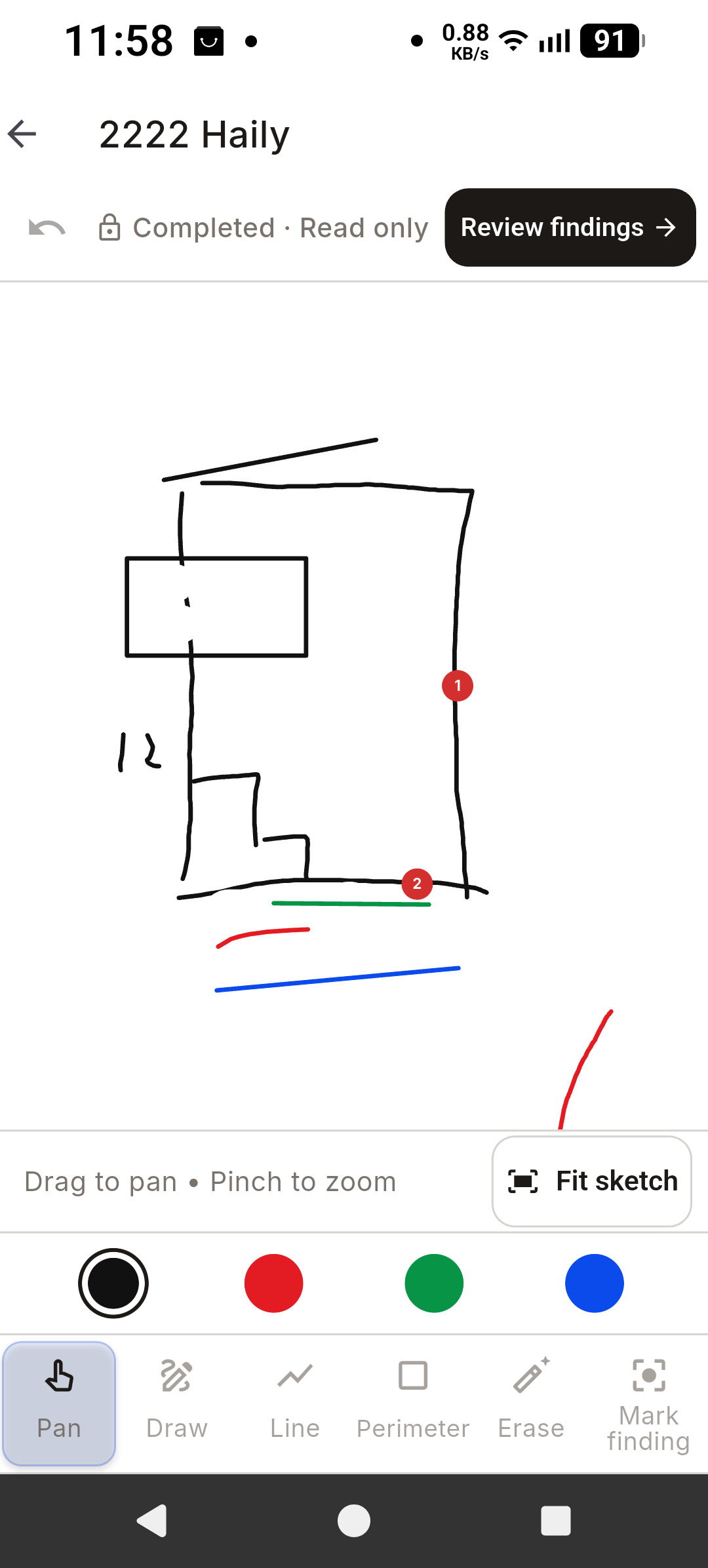
Opened a project that has completed (Already has report pdf generated)
-
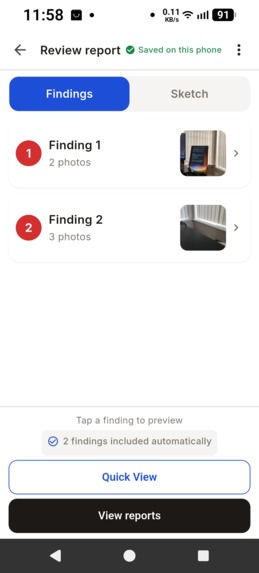
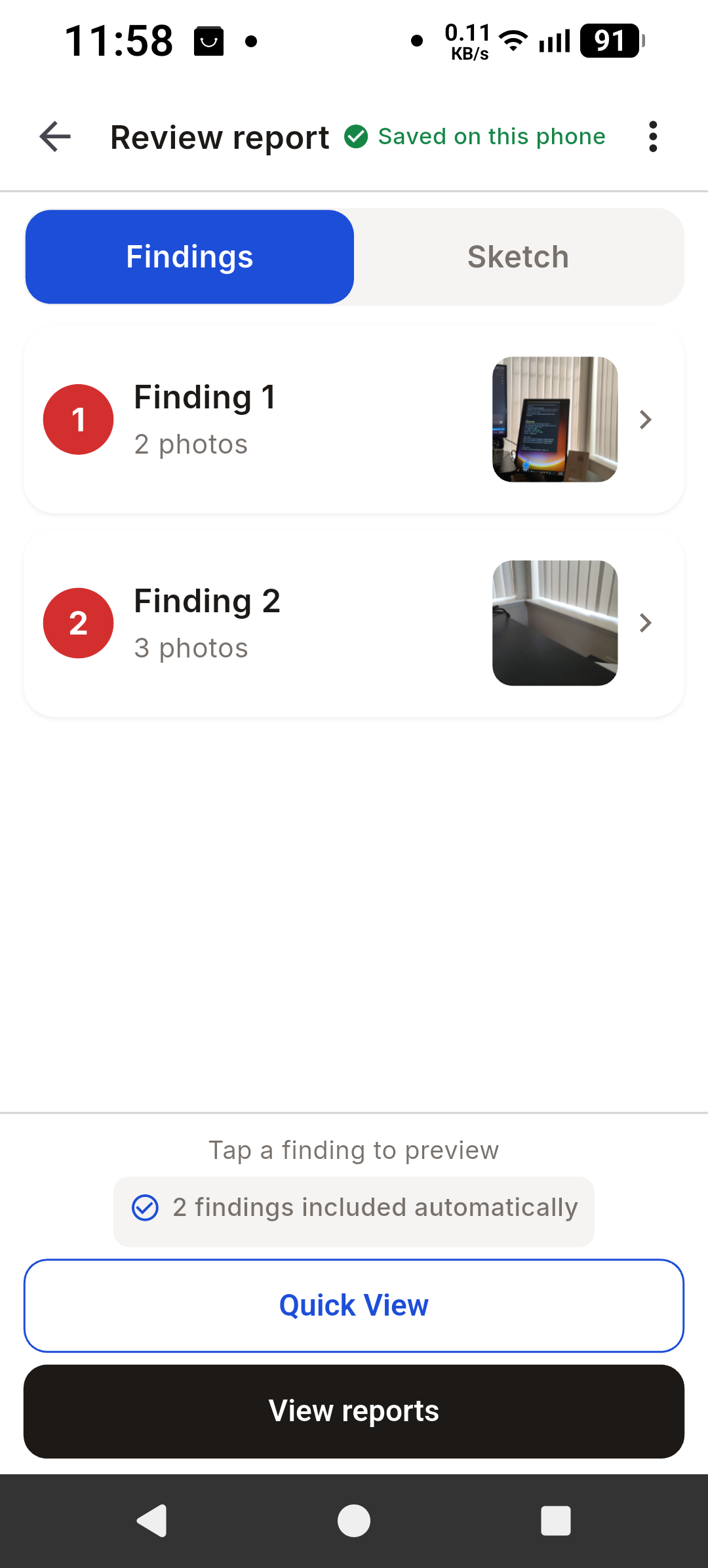
Review findings after the inspector completed the sketch and photo taking-completed the inspection and is about to present
-
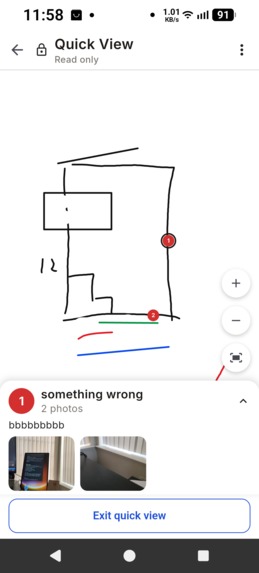
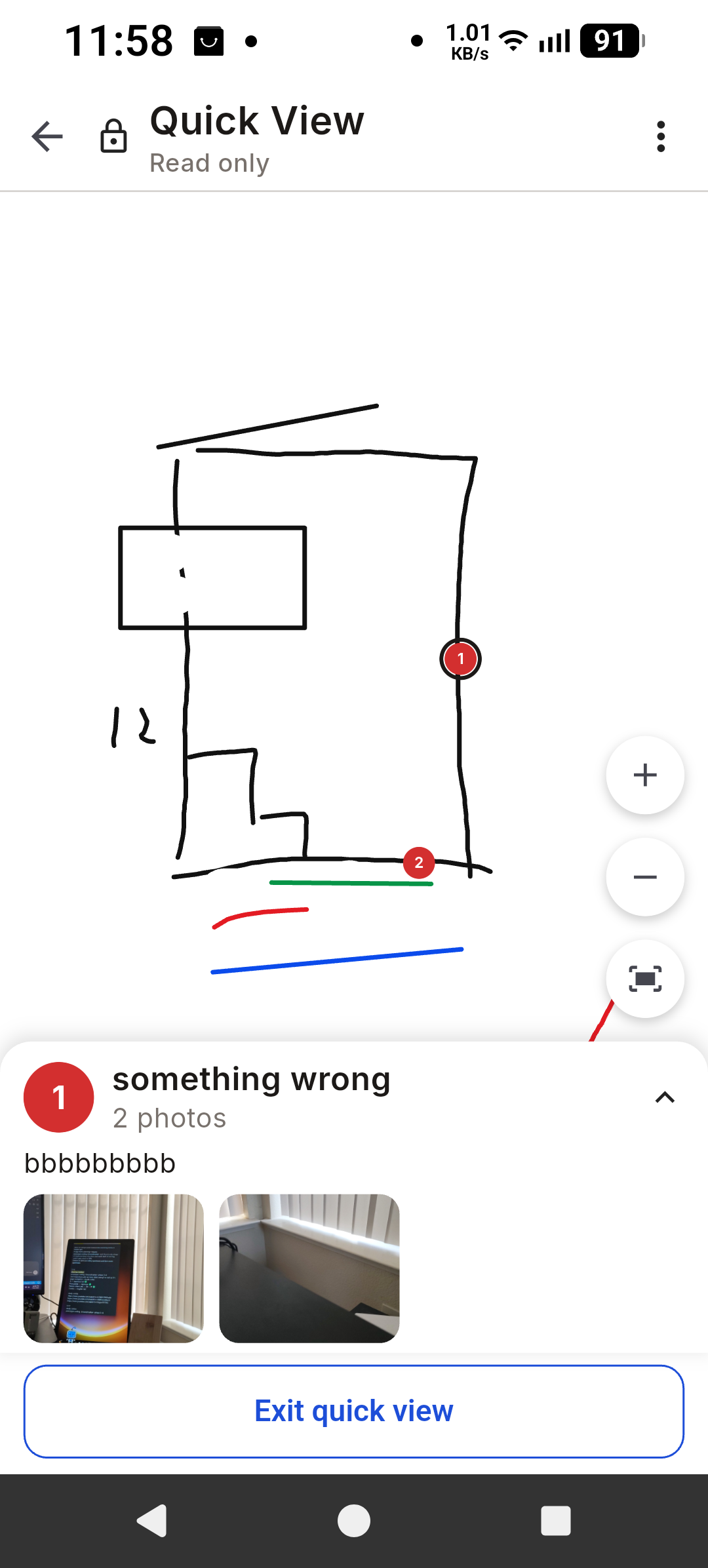
Quick view-client view where the inspector will present his findings to them in their home
-
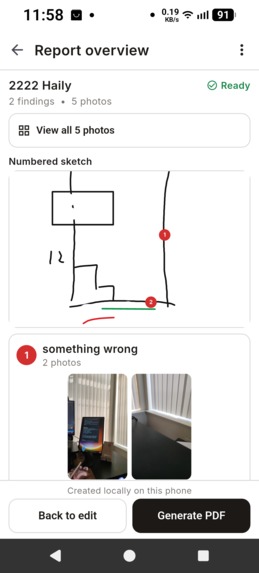
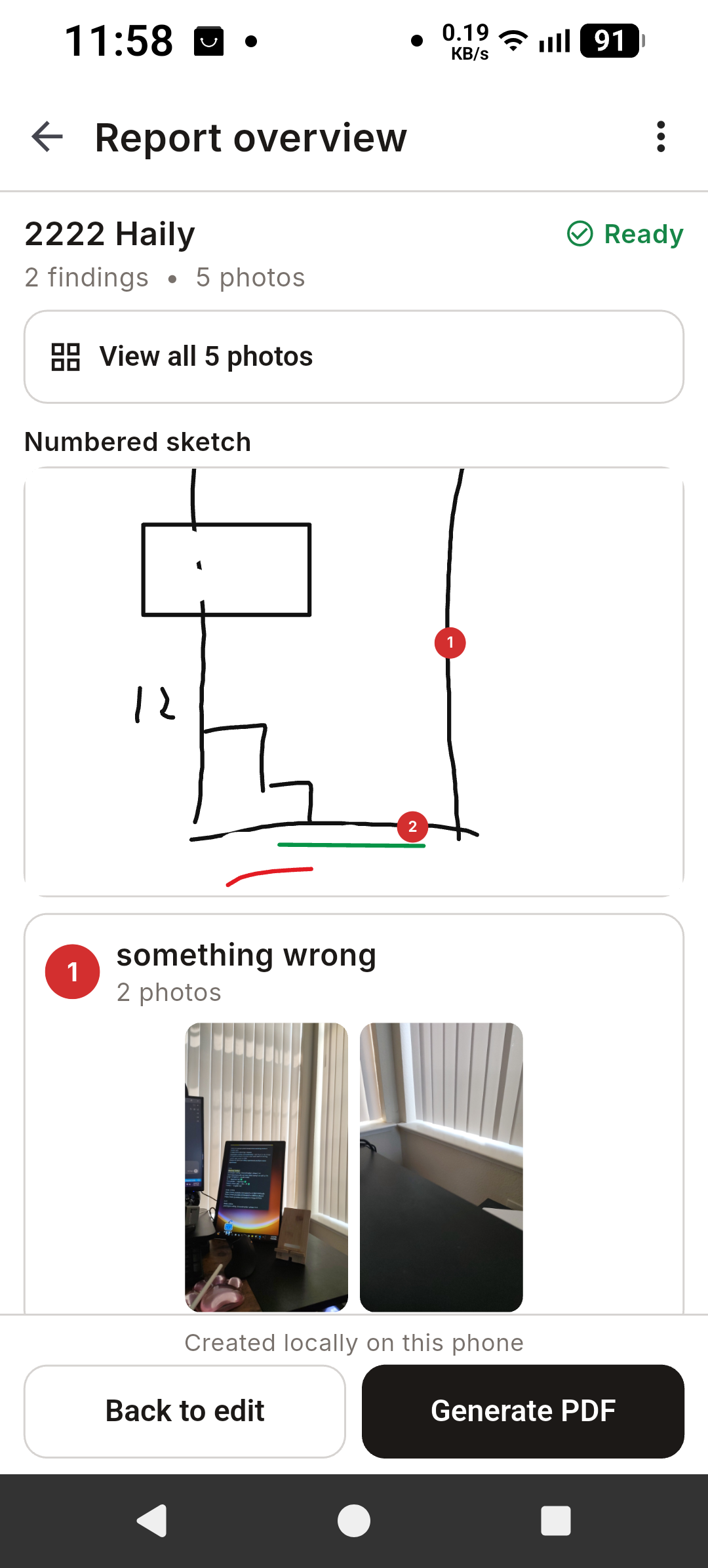
Generate report-after the quick view the inspector can generate a pdf report and send it to the client along with the full proposal
-
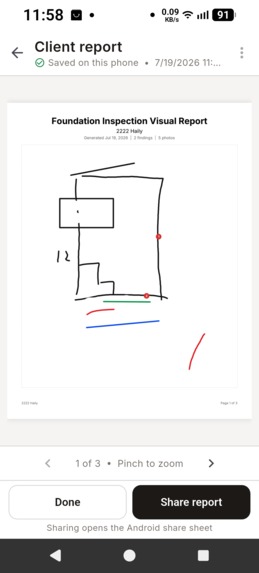
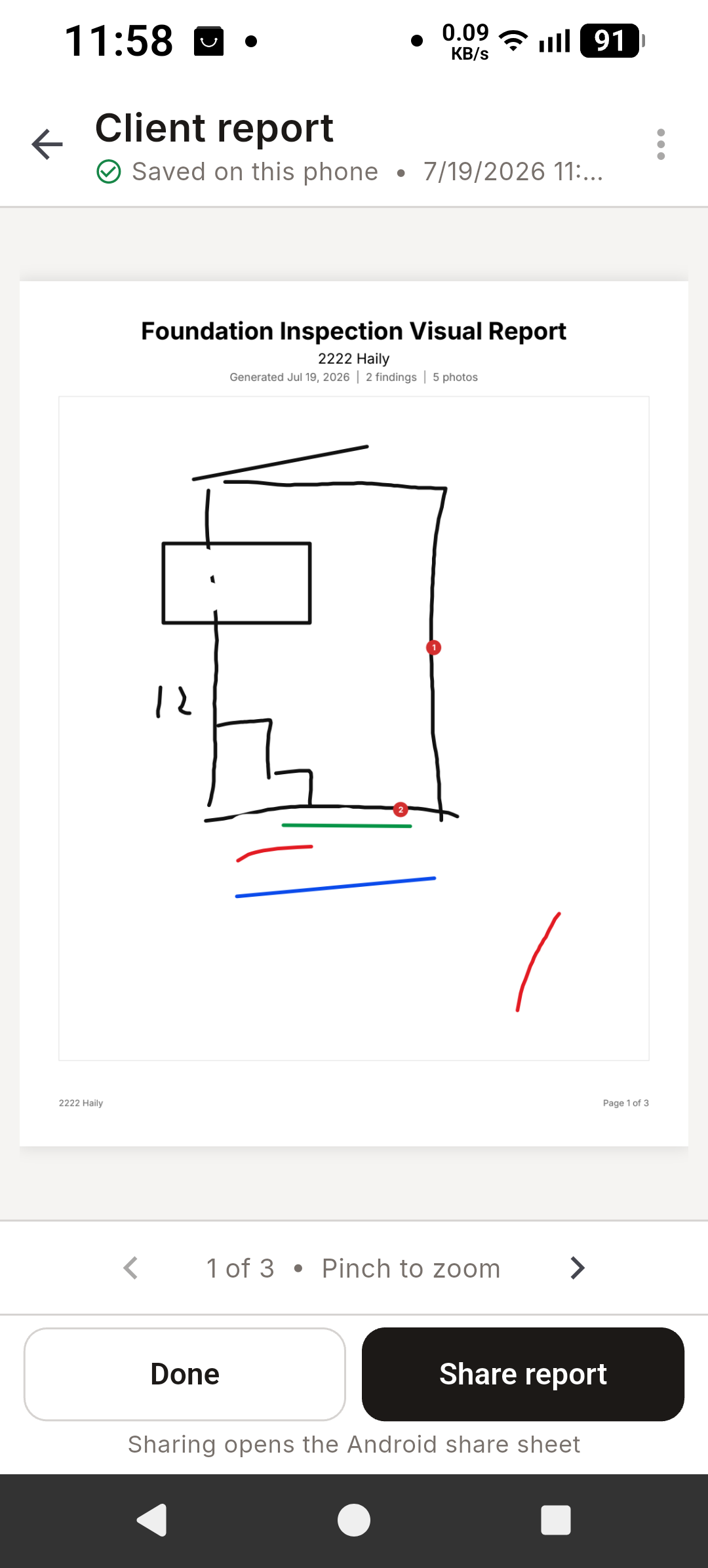
PDF report page 1
-
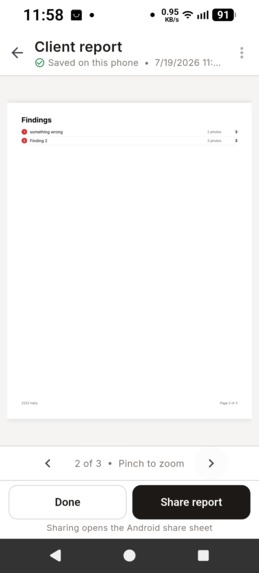
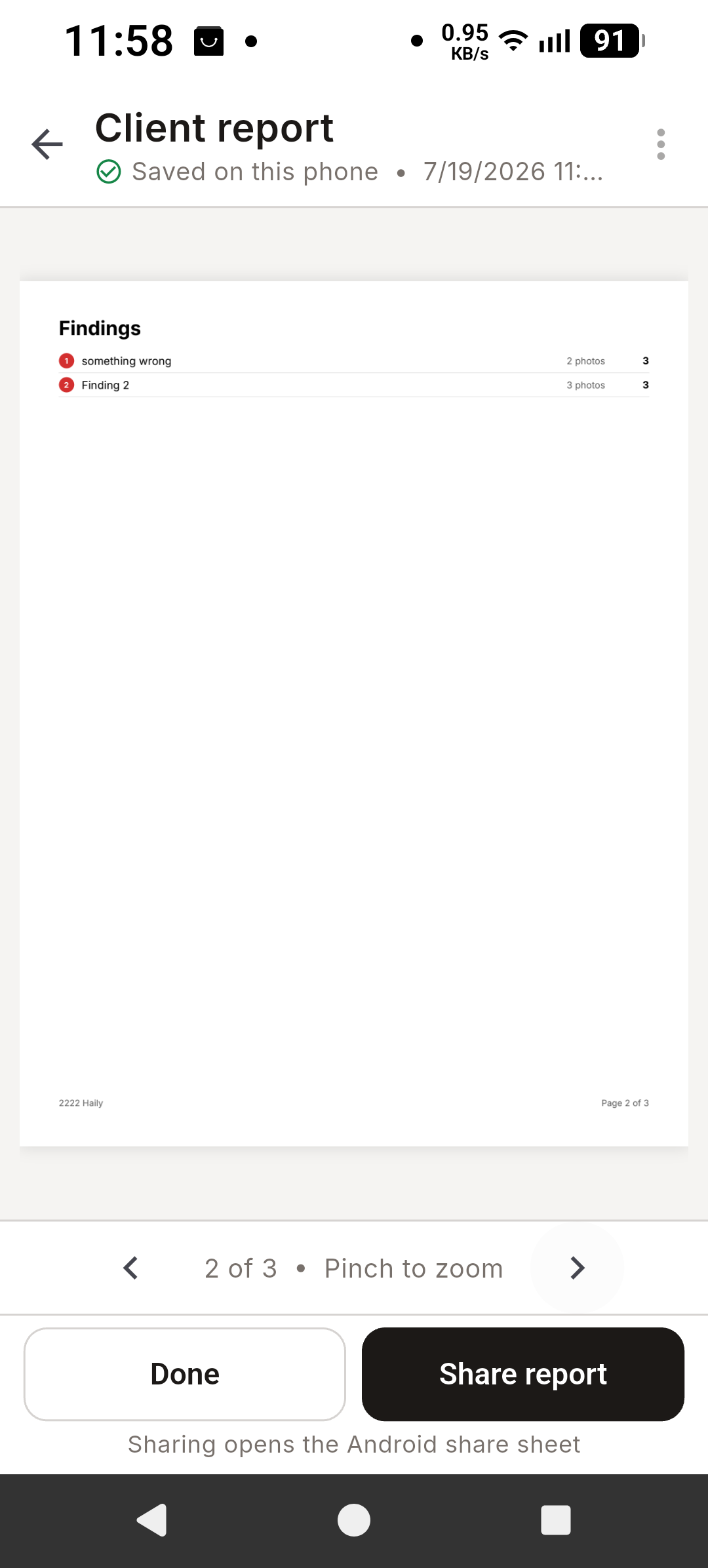
PDF report page 2
-
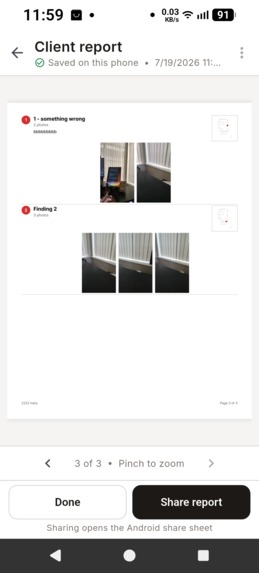
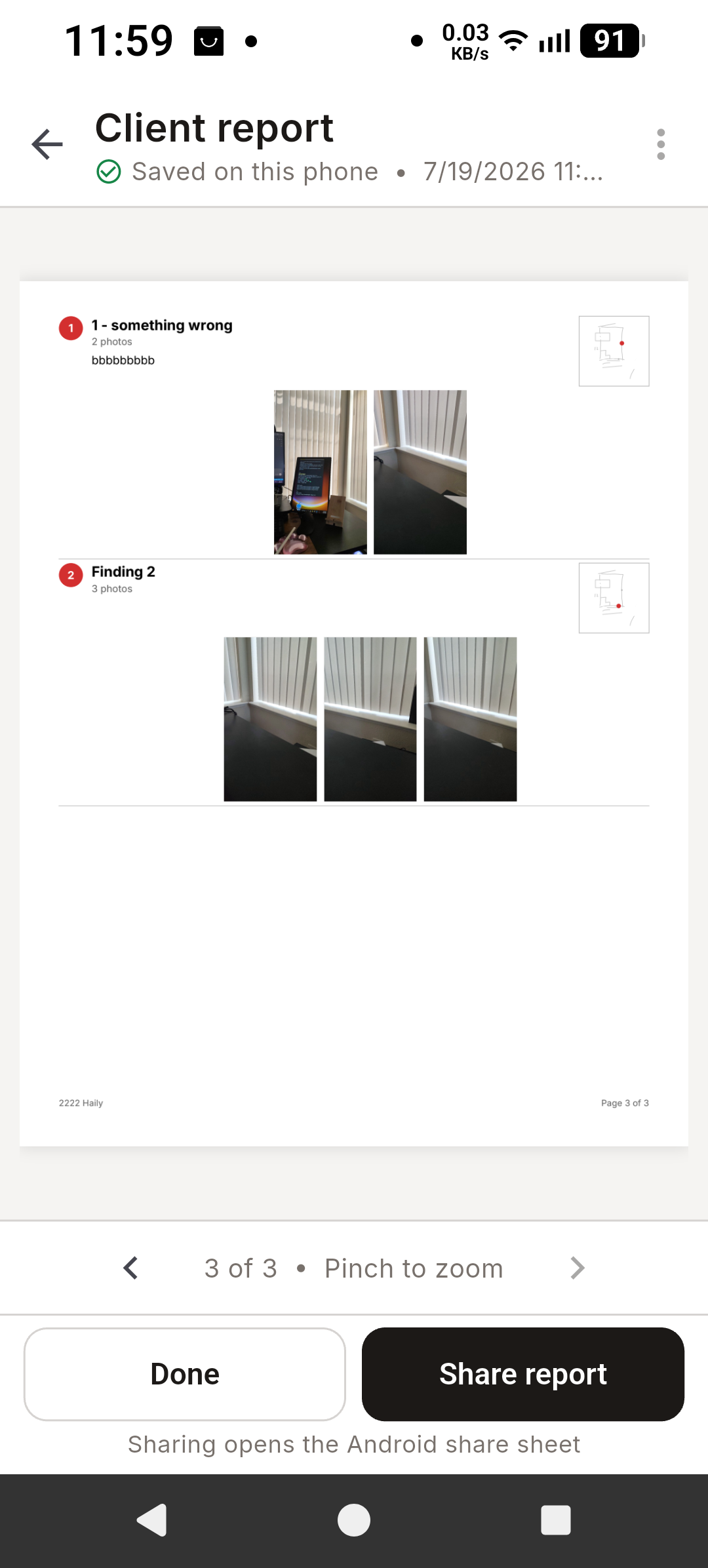
PDF report page 3
Inspiration
My husband works in the construction industry. Part of his job is crawling into the tight, dangerous spaces underneath houses to find cracks and spots that need repair. The inspection itself is risky and slow, and then comes the harder part: explaining it. Clients have never been under their own house, and most know little about construction. He'd end up flipping through photos with one hand while sketching joints with the other, trying to describe a space they couldn't picture. Watching this, I realized the whole process was inefficient at both ends: dangerous during the inspection and hard to communicate afterward. I wanted to give him something streamlined so he can inspect easily, capture what he finds, and present it in a way anyone can visually understand.
What it does
Groundmarker is an offline-first Android app designed around the real inspection process. While he's in the crawl space, he sketches the layout on an editable vector canvas and drops numbered markers showing exactly where each crack or needed fix is, up to 50 findings per inspection, each with up to three photos tied to that exact spot, with a persistent 16-step undo so nothing is ever lost to a stray tap in the dark.
Afterward, everything comes together for the clients. They may know nothing about construction and have never seen the space under their own home. Quick View lets him show the photos and mark the problems directly when he presents to the client. A Prepare & Send flow lets him reorder findings, reassign photos, and choose what appears in the report. The final export is an immutable, timestamped PDF with a one-page overview cover, a linked findings index, and locator mini-maps showing where each finding sits on the sketch, attached directly to his proposals. Everything runs on the phone: no account, no cloud, no analytics.
And while Groundmarker was born in foundation inspection, it isn't limited to it. The same flow: inspect, sketch, mark, photograph, report — works for any job where someone has to document what they found and explain it to a client, with construction and home-inspection professionals as the core audience.
How we built it
I'm a solo developer (vibe coder) without an engineering background, but I worked at a software company before, so I knew that before any code existed, I needed to conceptually understand what the app should be and how it would actually help its users.
So I started by talking with ChatGPT (GPT-5.6) in natural language — building out the vision, the requirements, the constraints, and every edge case we could think of. Then I had it turn all of that into Markdown documents: a PRD, a technical spec, a UX spec, a UI design doc, a data model, a decisions log, and a phased build plan. It also created nine wireframes covering the full user journey, from the inspections list to the client report preview.
From there, Codex took over. I had it read the full set of markdowns and implement the build plan phase by phase: 10 phases in total, from the project baseline through the vector sketch canvas, camera and photo storage, report review, PDF generation, backup hardening, and final polish. Every phase ended the same way: dart format, flutter analyze, flutter test, an installable APK, a manual walkthrough of the real user trajectory on my test phone, and my explicit approval before the next phase began. When I hit problems, I'd screenshot them straight from the device for Codex to fix; for the stubborn ones, I'd turn up the reasoning effort and occasionally bring in a second AI reviewer to double-check. By the end, the app ships on Flutter with a Drift (SQLite) database, Riverpod and a suite of 209 automated tests, all passing.
Challenges we ran into
One of the biggest challenges was defining the app's true USP. On the surface, Groundmarker helps an inspector map the house and attach photos and comments easily, but its real purpose is to close more sales. A homeowner will often hire 3–5 companies to inspect and then choose just one to go with. A visual report becomes the differentiator: it helps clients understand the problem more thoroughly and leaves a lasting professional impression. That means the visual representation of the report isn't a nice-to-have. It's crucial.
Originally, I thought a sketch with photos attached underneath, categorized under each marked finding, was good to go until I did the math. A sketch can hold up to 50 marks, and each mark can carry up to 3 photos, so a maximum report means 150 photos and a PDF a homeowner could easily get lost in. And from our field experience, when the homeowner is a family, two or more people usually make the decision, but the inspector typically only meets one of them during the visit. The report has to speak for itself to someone who was never there. So we stress-tested a maximum-size report and redesigned the client PDF around navigation: a one-page overview cover, a linked findings index, locator mini-maps for every finding, and PDF outlines, keeping even the worst-case report at around 20 pages. Refining that visual representation further is exactly what our field testing is for.
Another challenge was learning to steer a very capable model. Working with GPT-5.6 Sol with Ultra reasoning effort, it sometimes made decisions and implemented functions I didn't actually need; I wasn't expecting it to build them, so I had to go back, test them, and selectively remove them. Powerful agents don't just follow the plan; they extend it, and part of my job became deciding what stays.
Accomplishments that we're proud of
GPT-5.6 in Codex could read my entire Markdown set and implement a whole phase in one go. That amazed me. Before Codex, implementing a single phase with an AI agent took me about three full days, because I kept a strict "two-file policy": only two files at a time, since I assumed I'd need to double-check everything and I worried about what the agent might break. With this agentic system, the mistakes were fewer, and the speed was faster, and I grew comfortable handing it much bigger pieces of the project at once.
The other accomplishment came from my user. My husband told me the touch interaction was easier to use than the well-known CAD software he normally works with. That meant a lot. It made me realize that software built from a real-life process, for one specific person's pain, might be a new way to get software: not downloading someone else's tool, but creating your own.
What we learned
Coding is no longer something a person without an engineering background should be afraid of. Coding is a tool for expressing creativity. And to create anything out of that creative space, I also needed to learn how AI thinks and how it turns an idea into reality. I learned the fun of creating something with a partner, and I think that's invaluable to anyone who wants a solution aimed at their own specific pain.
I also learned that as a non-engineer vibe coder working with powerful AI coding tools, I could lean on behavioural testing—such as checking what the app actually does by flashing along the way to catch errors I couldn't spot in the code myself. Groundmarker's suite grew phase by phase to 209 automated tests, and those tests caught structural problems before I ever installed a build.
What's next for Groundmarker
Right now, the report exports as a PDF and rides along with any proposal as an attachment. The immediate next stage is field testing: my husband will use Groundmarker on real inspections, and I'll measure its stability, its user experience, customer feedback, and most importantly, his actual closing rate to refine the entire flow of the app.
After that, AI goes into the loop. I intend to add a voice memo function so that in the future, he can dictate what he found during the inspection and have AI, such as ChatGPT, generate the report automatically. And if Groundmarker proves itself in his hands, his colleagues are next.


Log in or sign up for Devpost to join the conversation.