-
-
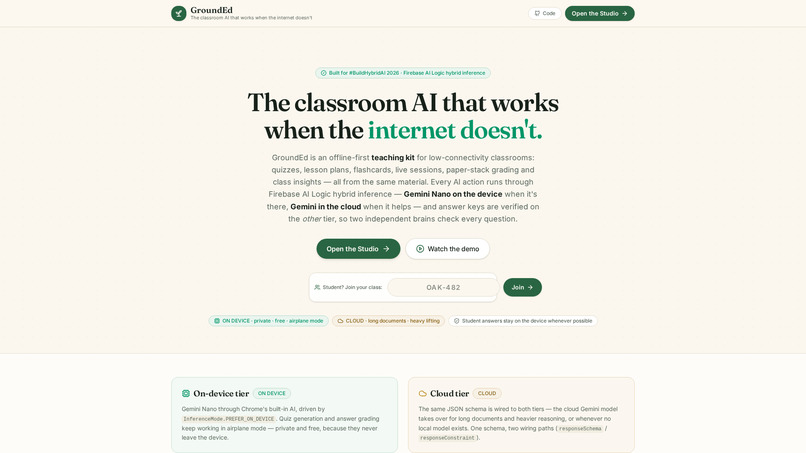
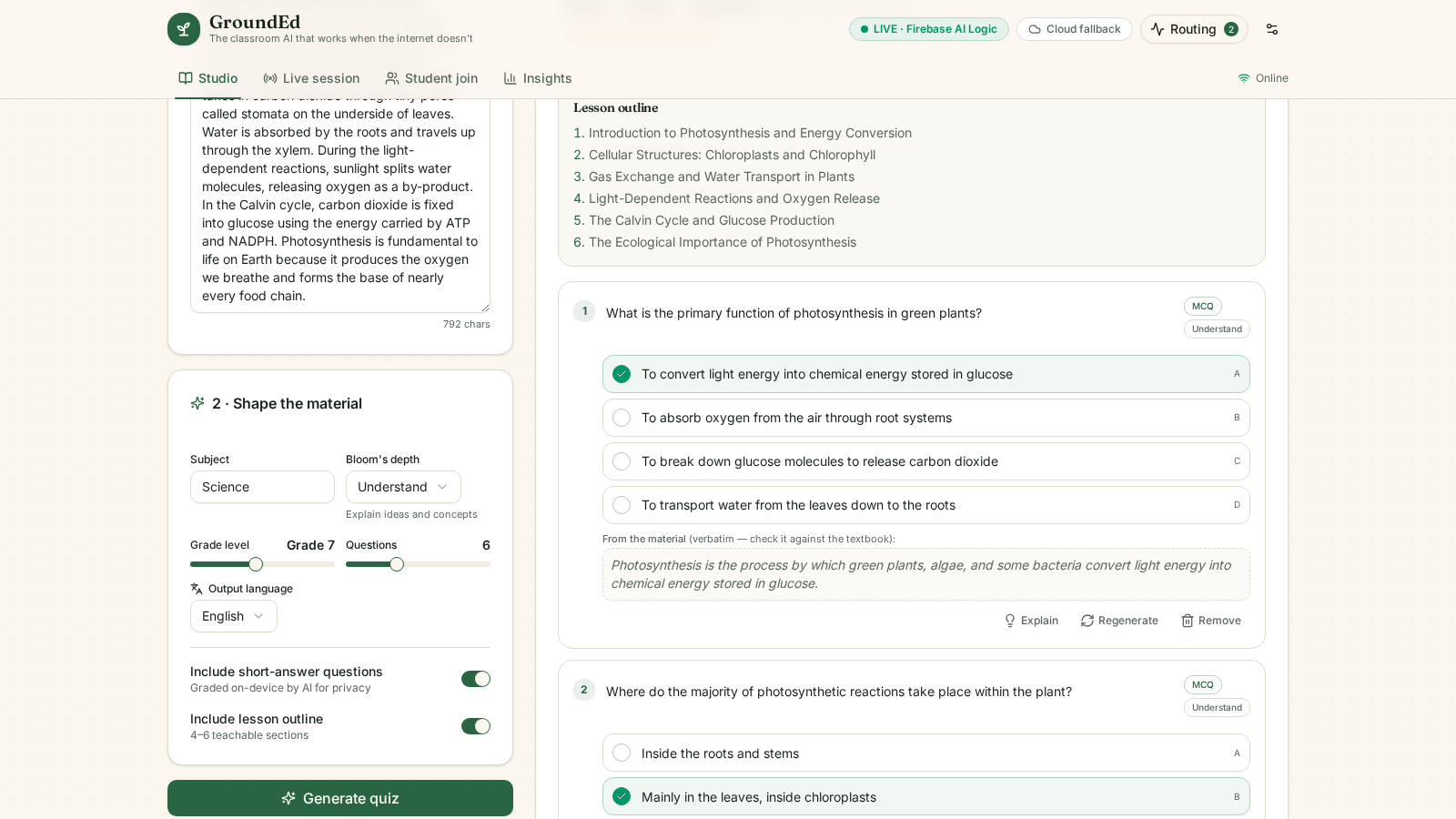
Bring any textbook page — get an interactive classroom
-
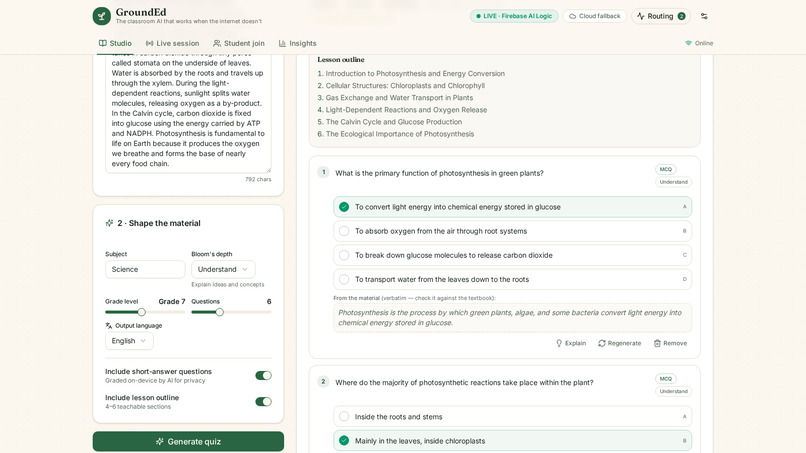
Every question carries its source quote from the teacher's material — checkable against the textbook
-
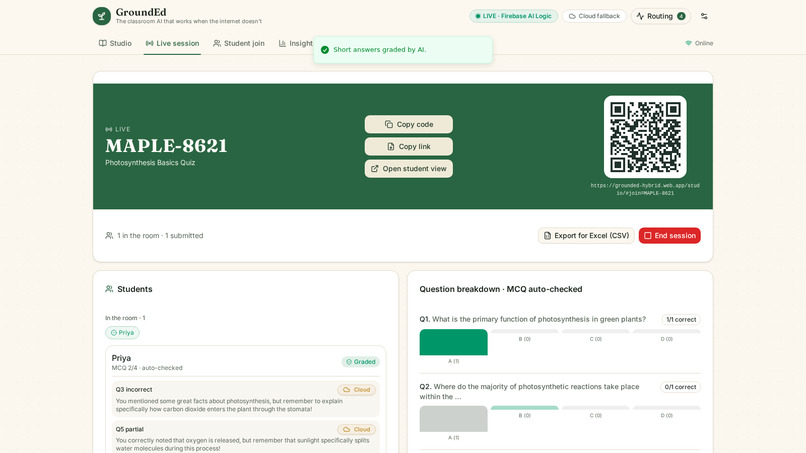
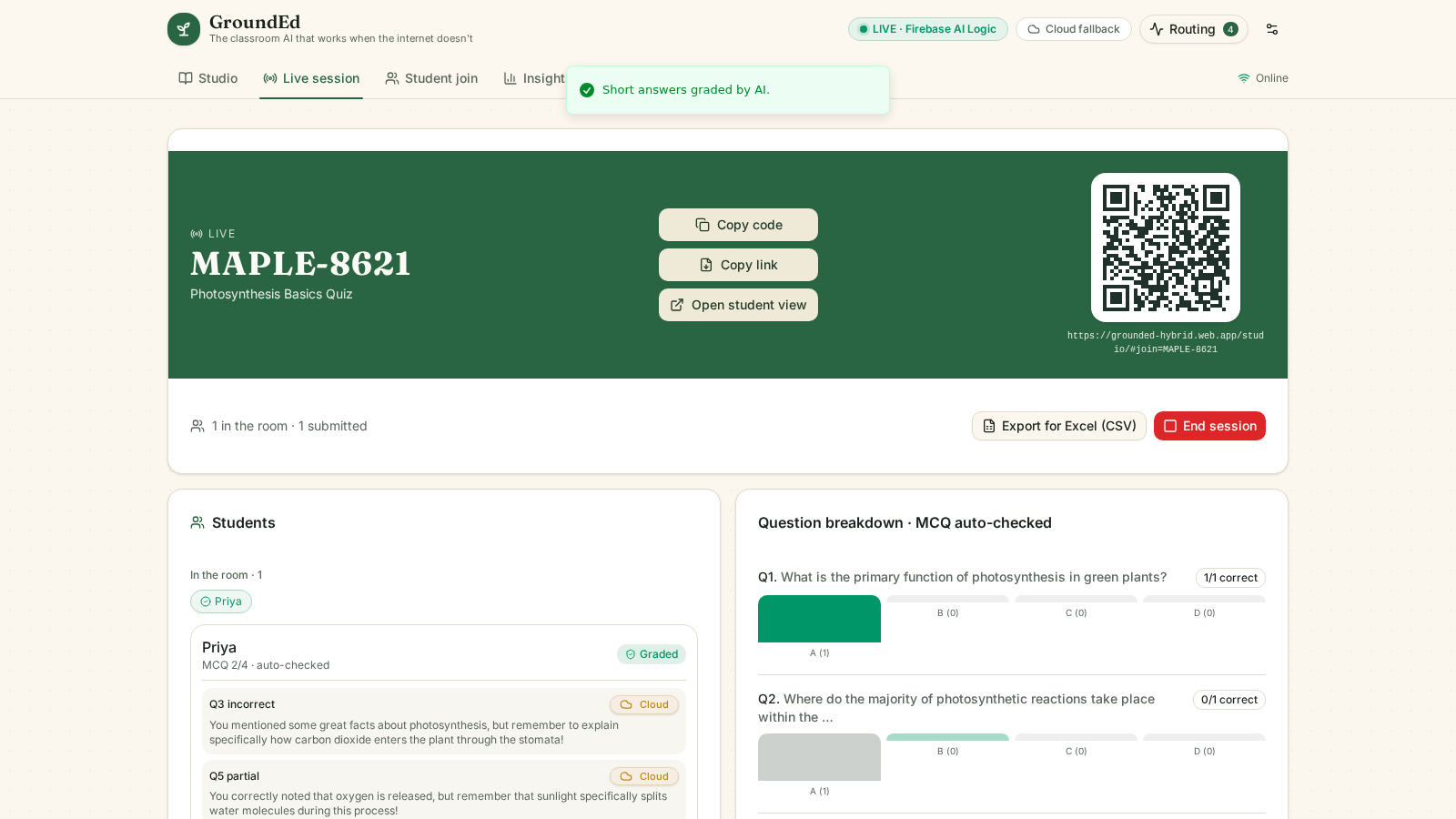
Live class roster — AI grading runs on the student's device
-
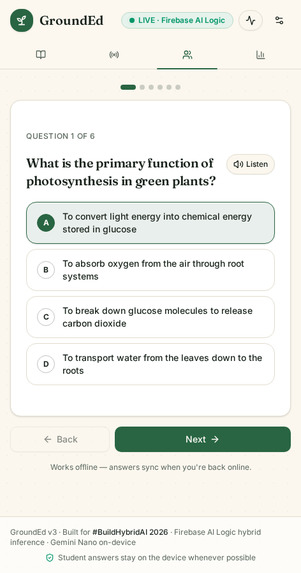
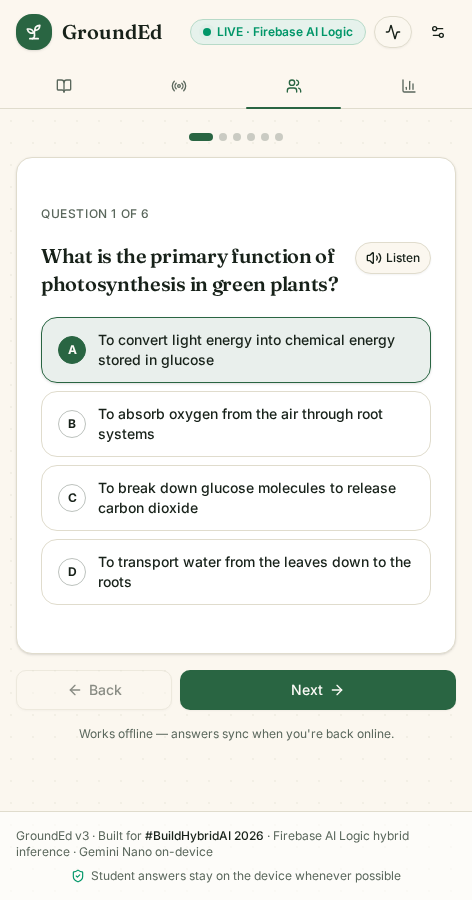
Students join with a code, on any phone
-
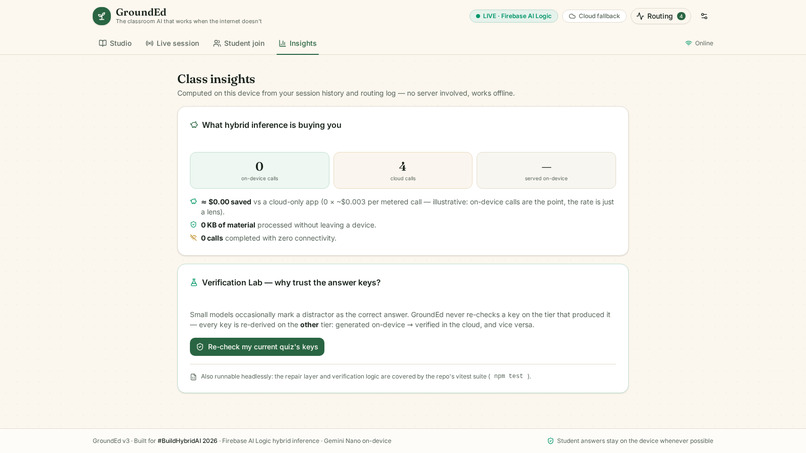
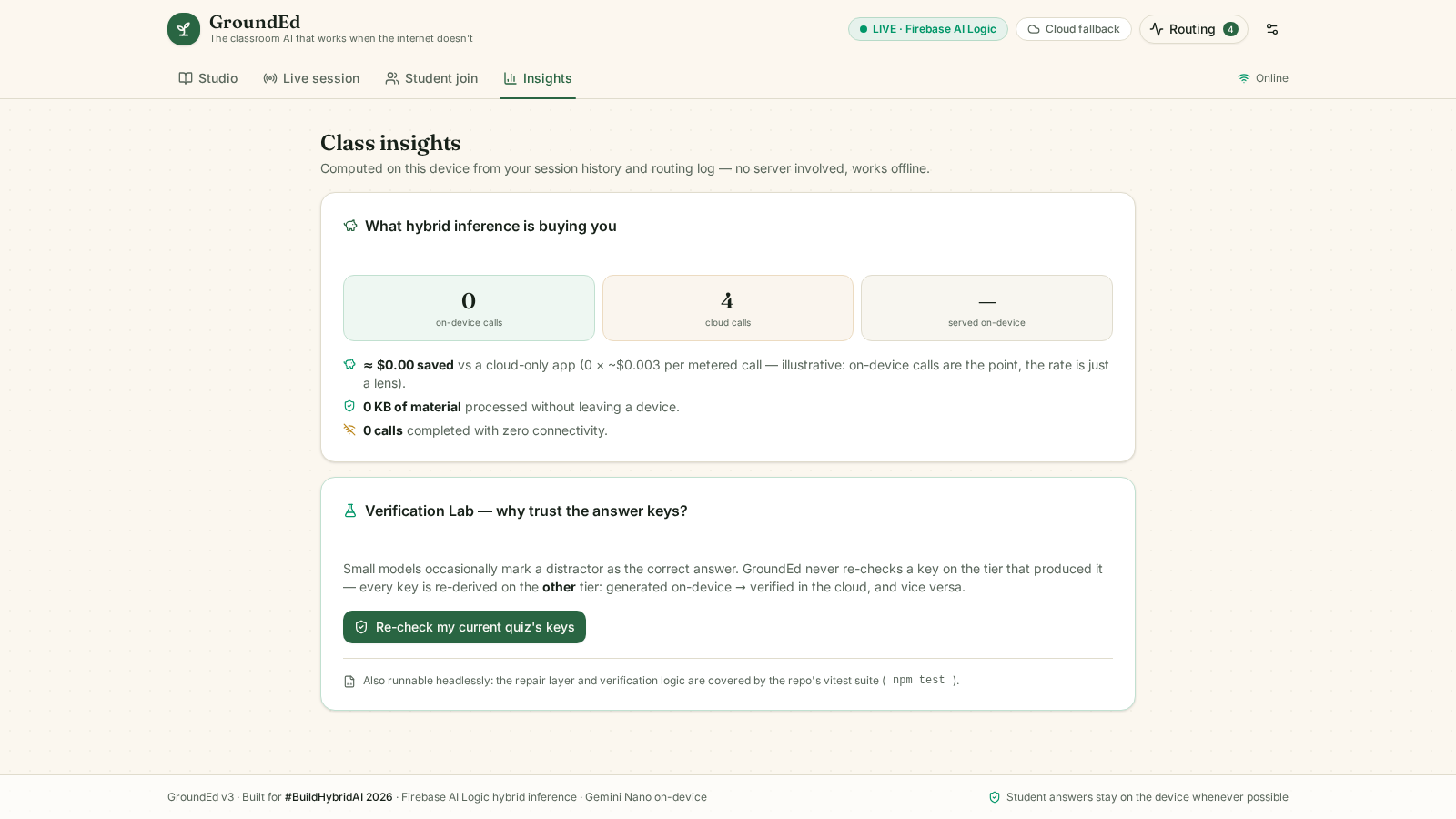
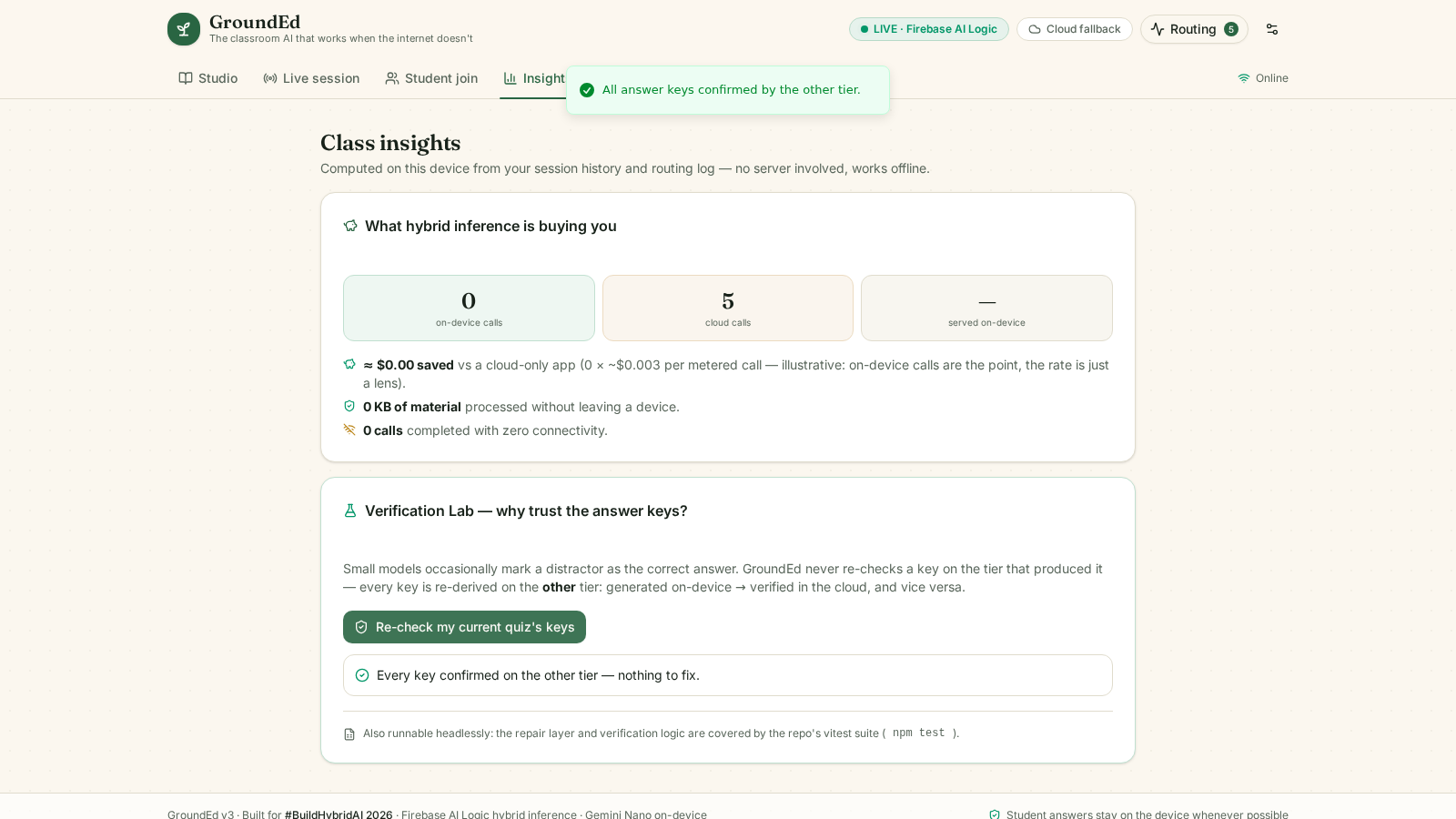
Class insights and the hybrid-value meter — what on-device routing saved
-
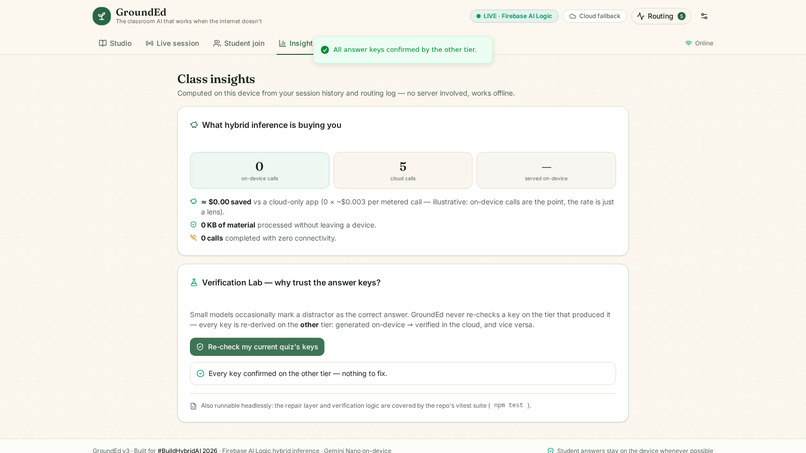
Verification Lab — plant a wrong answer key, watch the other tier catch it
-
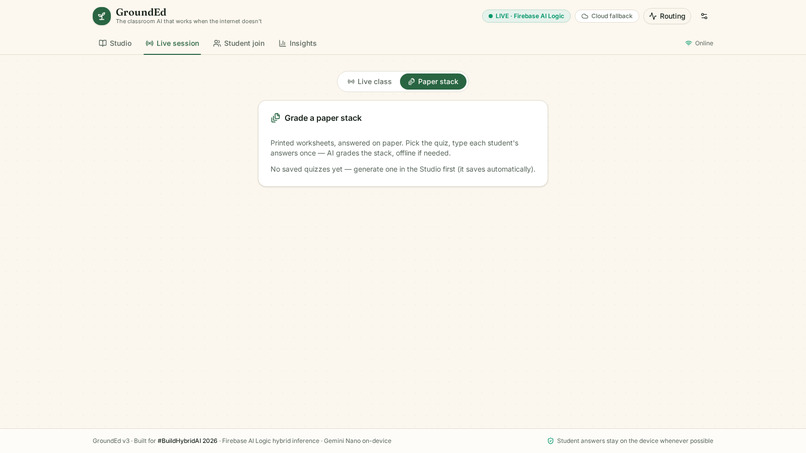
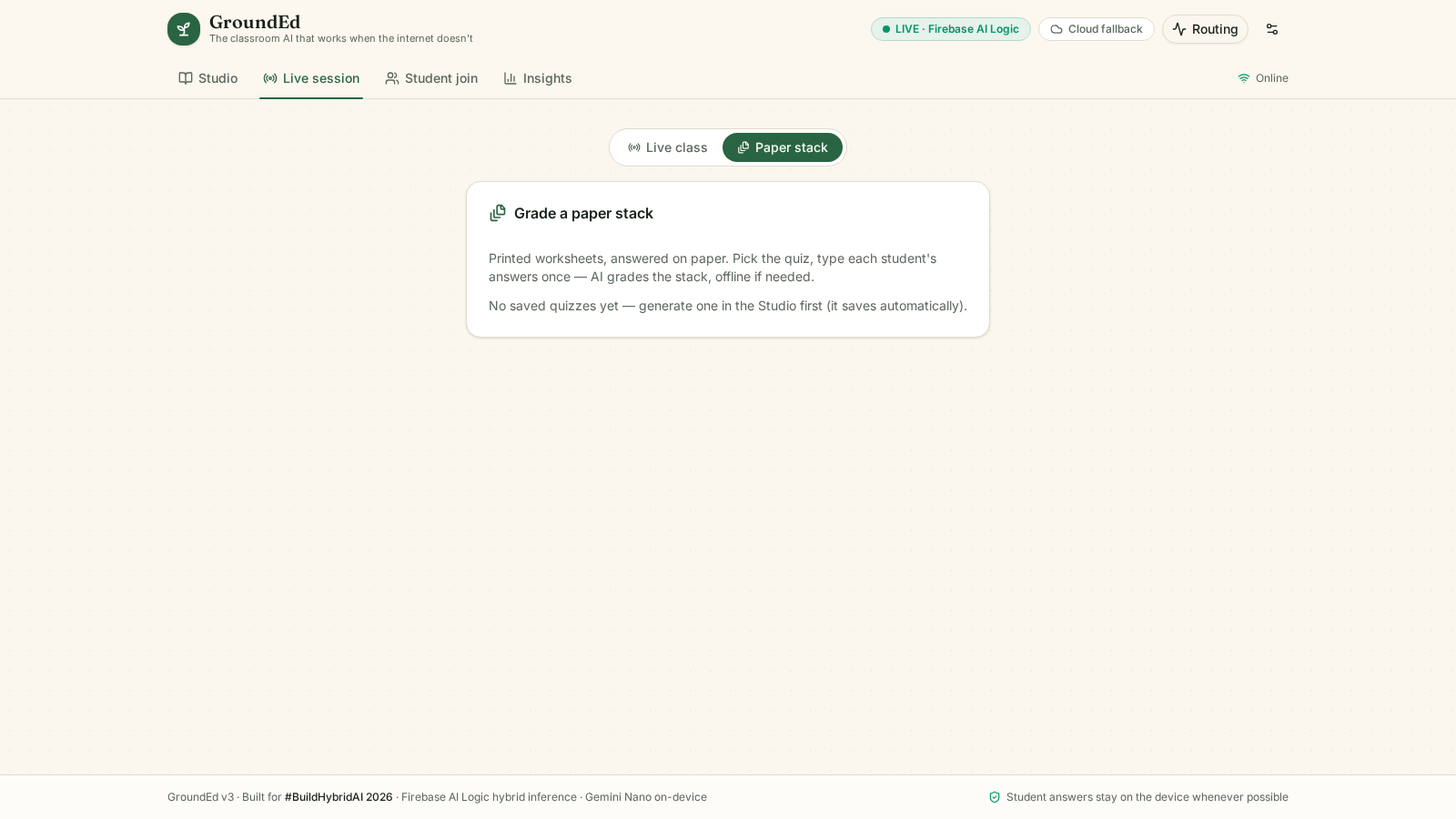
Paper mode — grade a whole class with zero student devices
Inspiration
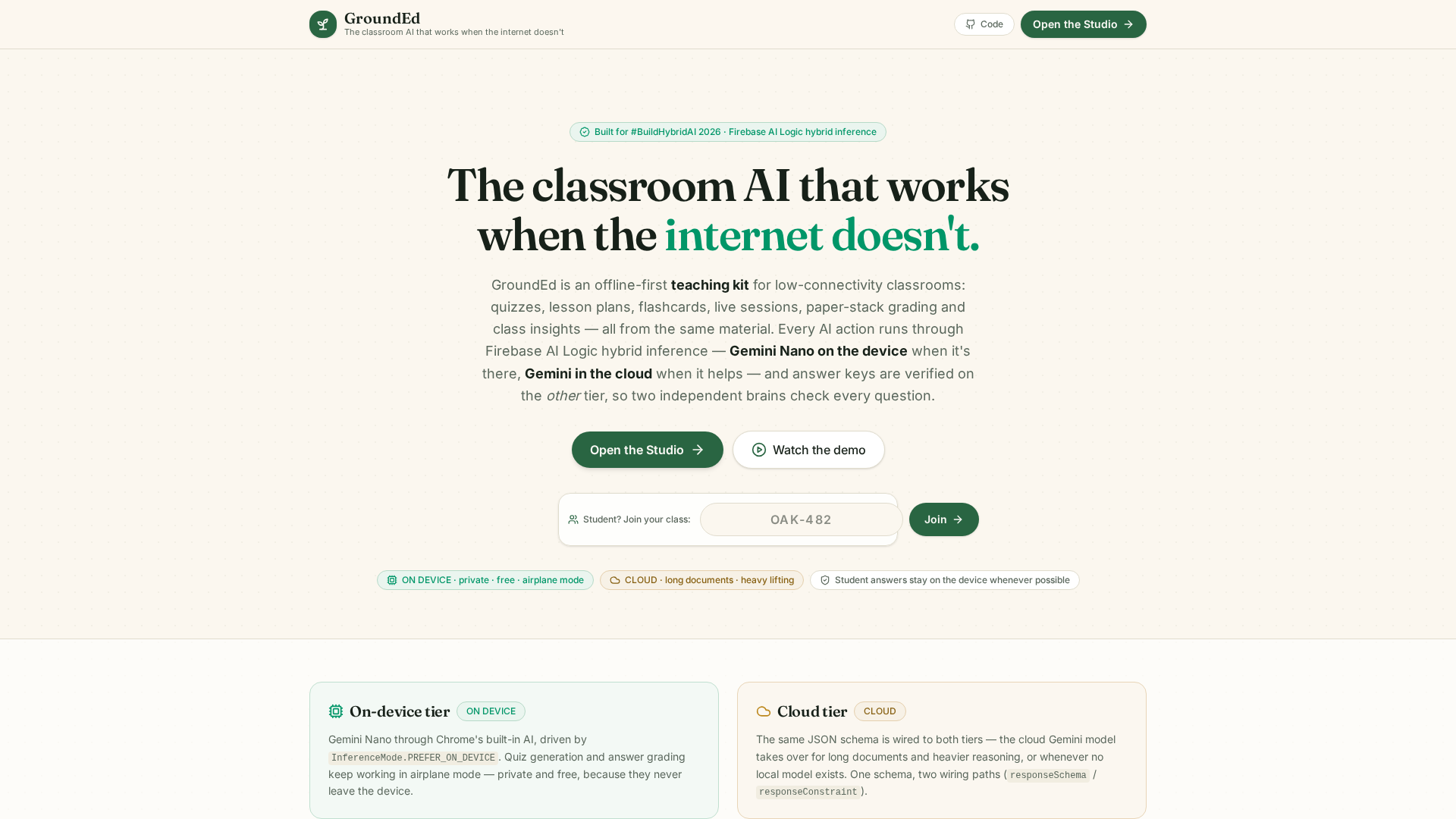
A classroom doesn't need the internet to be intelligent.
Only half of the world's primary schools have internet access for teaching (UNESCO UIS, 2025), and 2.2 billion people are still offline (ITU, 2025). In those classrooms, every "AI teaching assistant" on the market quietly stops working — and even where connectivity exists, per-call API pricing is impossible on a school budget.
Existing tools fail these classrooms twice. Offline modes (where they exist at all) are solo-study features: the teacher-led live class simply stops. And AI grading tools ship students' written answers to third-party clouds.
GroundEd is built for the classroom that has a teacher, a textbook, and thirty students — and no reliable internet.
What it does
GroundEd turns any textbook page into an interactive, AI-powered classroom — the whole teacher workflow, offline-first:
1. Bring your material. Pasted text, a photograph of a textbook page, or a PDF (text extracted in the browser — nothing uploaded). Pick grade level (3–12), Bloom's depth, question mix, and output language (English, Hindi, Tamil, Telugu, Bengali, Marathi).
2. Get a grounded quiz — with evidence. GroundEd generates an editable quiz, a timed lesson plan, and an SM-2 spaced-repetition flashcard deck. Every question carries a verbatim sourceQuote: the exact sentence from YOUR material it is based on, shown under the question ("From the material — check it against the textbook") and cited on the printed answer key. A judge — or a skeptical teacher — can verify every question against the textbook page in seconds.
3. Run the class — live, or on paper. Students join on their phones with a code (MCQs auto-checked instantly; short answers graded by AI on the device, so student writing never leaves the room), or with zero student devices, Paper mode prints the worksheet and grades the whole stack from one typed-in sheet.
4. See what the class learned. The Insights tab shows per-question class performance, the weakest questions, live-vs-paper session history — and a hybrid-value meter showing what on-device routing actually saved (cloud calls, illustrative $, KB kept local, offline completions).
Every AI action displays a routing badge: on-device (Gemini Nano — private, free, works in airplane mode) or cloud (Gemini fallback), driven directly by the SDK's response.inferenceSource — never a guess.
Where offline works — and where it doesn't
We'd rather tell judges the truth than oversell:
| Capability | Airplane mode? | Requirements |
|---|---|---|
| App shell, saved quizzes, flashcards, Insights | Yes | First visit needs one online load (service worker caches everything after) |
| Quiz generation & AI grading | Yes — on Chrome with Gemini Nano prepared | One-time model download inside Chrome (Settings → "Prepare offline AI", live progress). Chrome 139+ desktop/Android with sufficient resources |
| Quiz generation & AI grading (cloud tier) | No | Any modern browser, needs connectivity |
| Students answering a live quiz | Yes | Session created while online; answers queue on-device (Firestore offline persistence) |
| Offline submissions | Yes — sync on reconnect | Syncs automatically; if the browser closes first, the queued write survives and syncs on the next visit |
| Creating/joining a live session | No | Firestore needs connectivity for the teacher's session create and student join |
If you're offline with no on-device model, GroundEd says exactly that — in words — instead of hanging or pretending. Honesty is a feature here.
Pedagogical safeguards
- Source grounding: questions carry verbatim quotes from the teacher's material; the prompt forbids invented or paraphrased quotes (the field is omitted, never faked, when exact words can't be quoted). The quote is editable like everything else.
- Cross-tier answer-key verification: answer keys generated on-device are independently re-derived in the cloud (and vice versa). Two different models check every key; the Verification Lab lets you plant a wrong key and watch the other tier catch it.
- At the right level: grade 3–12 calibration, Bloom's-tagged questions, differentiated Support/Extension versions (±2 grades), and an Explain tool that re-explains any question at any reading level with an everyday analogy.
- Fair grading, stated rules: generous with partially-correct phrasing, strict on wrong facts — judged against a teacher-editable reference answer, preferentially on the student's own device.
- Accessible by design: every question, flashcard, and explanation can be read aloud with on-device speech synthesis.
How we built it
All inference runs through Firebase AI Logic hybrid inference — getGenerativeModel with InferenceMode.PREFER_ON_DEVICE / ONLY_ON_DEVICE, the same JSON schema passed to both tiers (responseSchema for the cloud model, responseConstraint for the on-device model), initializeDeviceModel() with live download progress, the routing badge reading the SDK's own response.inferenceSource, and a second focused hybrid call that asynchronously re-verifies every answer key.
Around the hybrid core: App Check (the provider performs the official exchangeDebugToken flow for a short-lived attestation token), Authentication (optional Google for teachers, anonymous for students), Firestore with offline persistence for sessions, presence, and queued answers, Remote Config for hot-updatable prompts and routing policy, and Hosting. The app is a Next.js static export with a service worker — the entire product ships as static files, loads fast on 3G-class connections, and keeps working offline. Installable as a PWA (Add to Home Screen).
Challenges we ran into
- Nov 20, mid-hackathon: Firebase's AI endpoint stopped accepting raw debug-token secrets (401 "Firebase App Check token is invalid" on every cloud call — on our already-submitted live app). We root-caused it, re-registered the project's App Check debug token via the REST API, and rewired the App Check provider to perform the official token-exchange flow. Cloud inference was back within hours; the full E2E suite confirms it. Full story in the repo's CHANGELOG.
- A student-join race: the join promise resolved on the first Firestore emit, but the submissions/students streams require auth and error before the (not-yet-authenticated) joiner's session read lands — reading as "No active session". Joins now settle only on the session-document stream.
- The SDK returns the enum values of
InferenceSource("on_device"/"in_cloud"), not the enum keys — normalize this wrong and the routing badge lies. - Structured output across two tiers: cloud takes
responseSchema, on-device takesresponseConstraint— one schema, two wiring paths. - The quiz task is multimodal: the on-device session must declare
expectedInputswith image support or photo parts are rejected. - Firestore rejects
undefinedat any depth while localStorage tolerates it — every document passes a recursive sanitizer. - Firestore's
set()resolves on server acknowledgement, so an offline submission would hang the UI — writes now race their local echo. - Firebase Auth is a network call: awaiting it inside an offline submit dead-queues the write; students authenticate at join time.
Accomplishments that we're proud of
- The routing badge is honest by construction — it reads what the SDK reports; simulated demo responses are always labeled.
- Questions you can verify against the textbook — verbatim source quotes on every question and on the printed answer key.
- A teacher can go from raw textbook page to a printable, answer-keyed, source-cited quiz without the internet ever being required — and grade a whole class of paper worksheets with zero student devices.
- The submission is verified, not asserted: 50 unit tests in CI, a 31-check end-to-end suite against the deployed production app (cloud generation, live session + join + lobby gating + submit + AI grading, offline submit → reconnect → sync, offline reload with zero page errors), a REST rules E2E, and five maximally hostile zero-context tester agents whose entire finding list was fixed and shipped.
- A production incident found and fixed mid-hackathon — with the receipts in the changelog.
What we learned
Hybrid inference isn't a feature you bolt on at the end — the on-device tier changes product decisions: privacy becomes a routing decision, cost becomes a routing policy, and resilience becomes the default. And an offline-first claim is only credible when you show exactly where it works — and where it doesn't.
Validation status & what's next
- Classroom pilots: scheduling 2–3 teacher pilots in the final week of the hackathon; results (time-to-quiz, edit counts, teacher quotes) will be added here before the deadline.
- Cross-device library & rosters on Firestore (rules already reserved)
- A per-student topic-mastery model fusing quiz results and flashcard reviews
- Android companion on the same Firebase project (Gemini Nano via AI Logic)
Try it
- Live app: https://grounded-hybrid.web.app (best in Chrome — the on-device tier uses Chrome's built-in Gemini Nano; cloud fallback works everywhere)
- Code (Apache-2.0): https://github.com/mir-ashiq/GroundEd
- Demo video (2:45, all live footage, real airplane-mode arc): https://youtu.be/xlsjWtR_9-Q
Built for #BuildHybridAI 2026. Statistics cited: UNESCO Institute for Statistics (2025) on school connectivity; ITU Facts and Figures 2025 on the offline population.
Built With
- app-check
- chrome-built-in-ai
- cloud-firestore
- css
- firebase
- firebase-ai-logic
- firebase-hosting
- gemini-nano
- google-cloud
- html
- hybrid-inference
- javascript
- next.js
- react
- remote-config
- tailwind-css
- typescript

