-
-
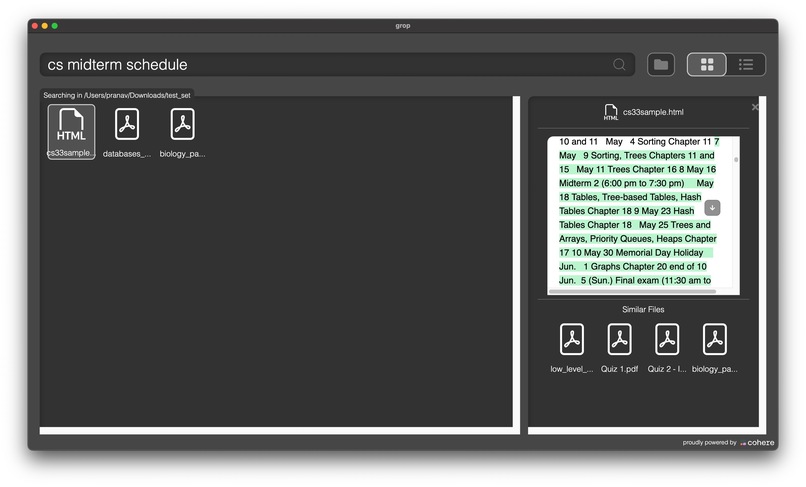
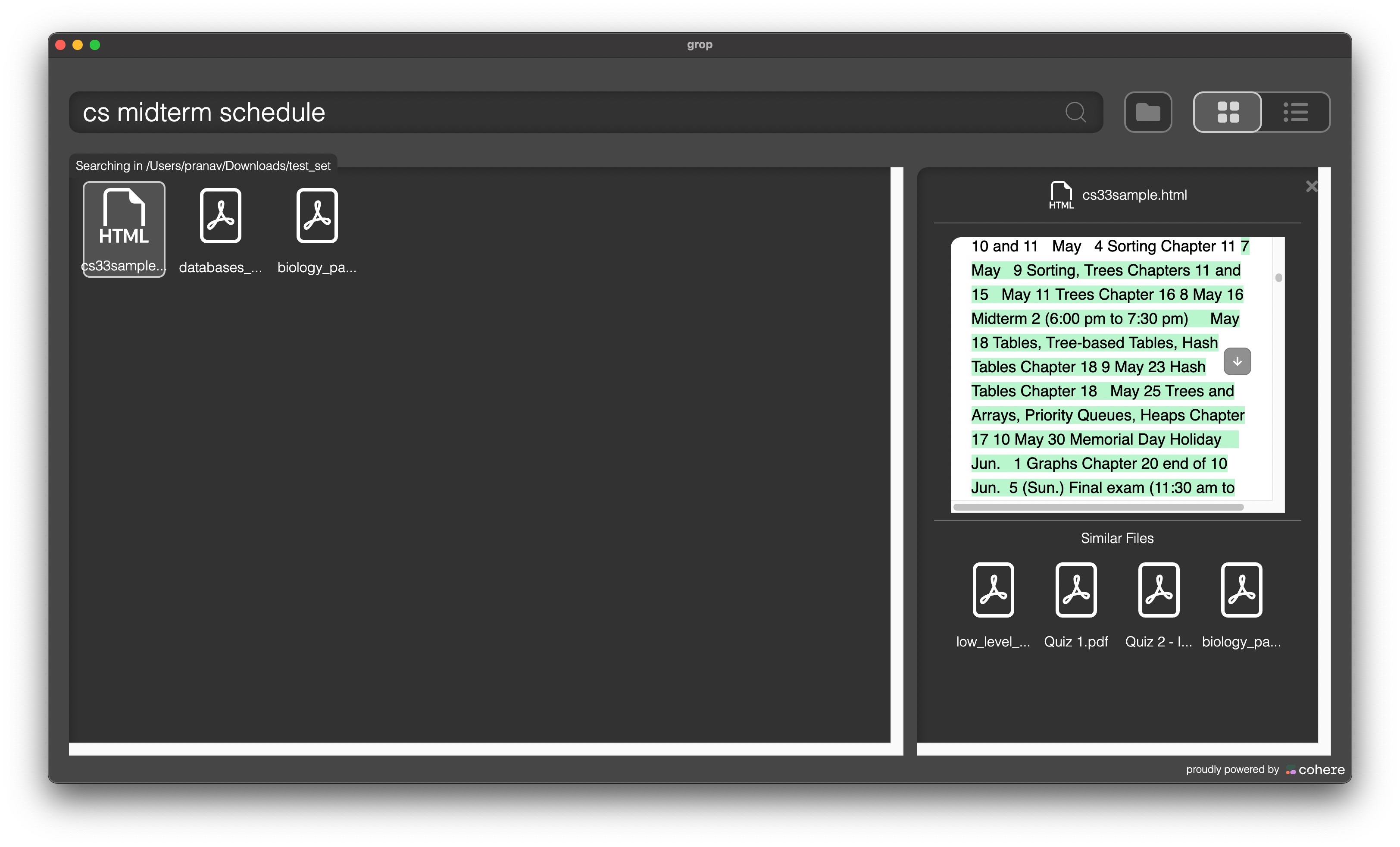
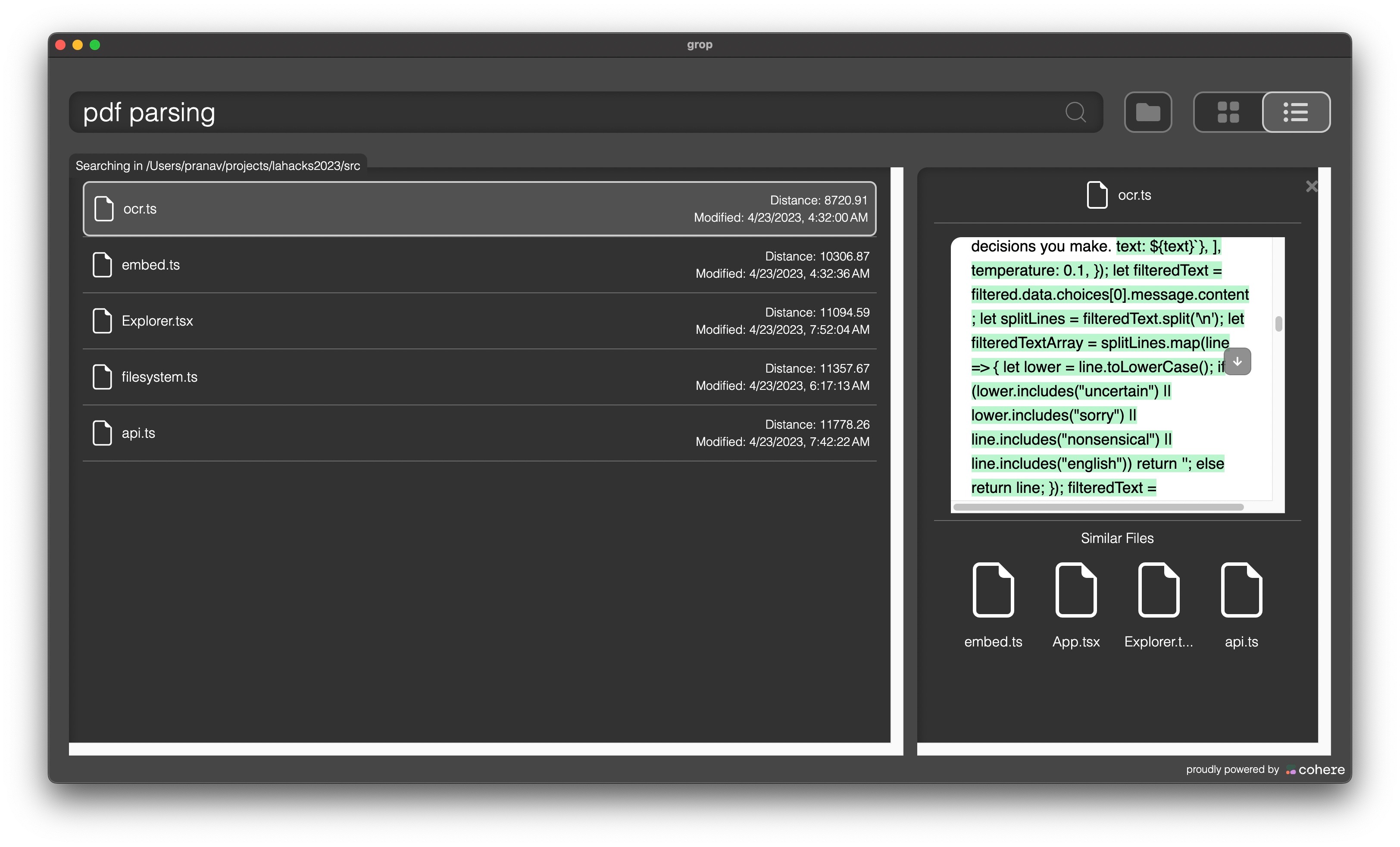
Searching through files for a query, and the portion in the file which matches with it.
-
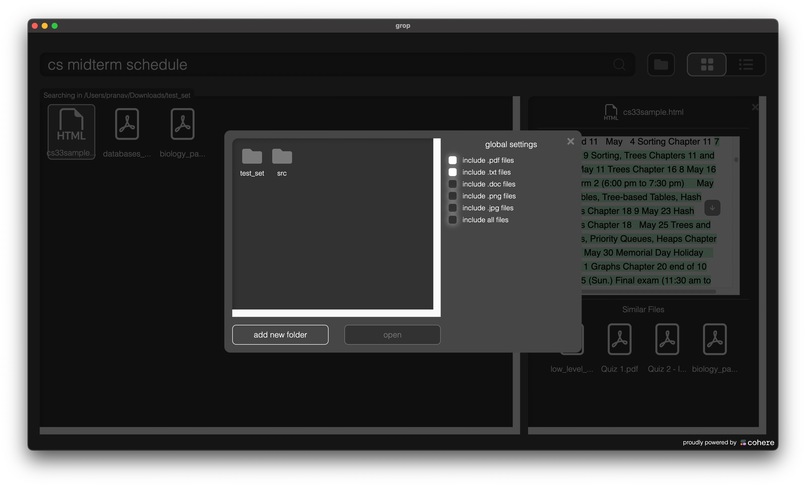
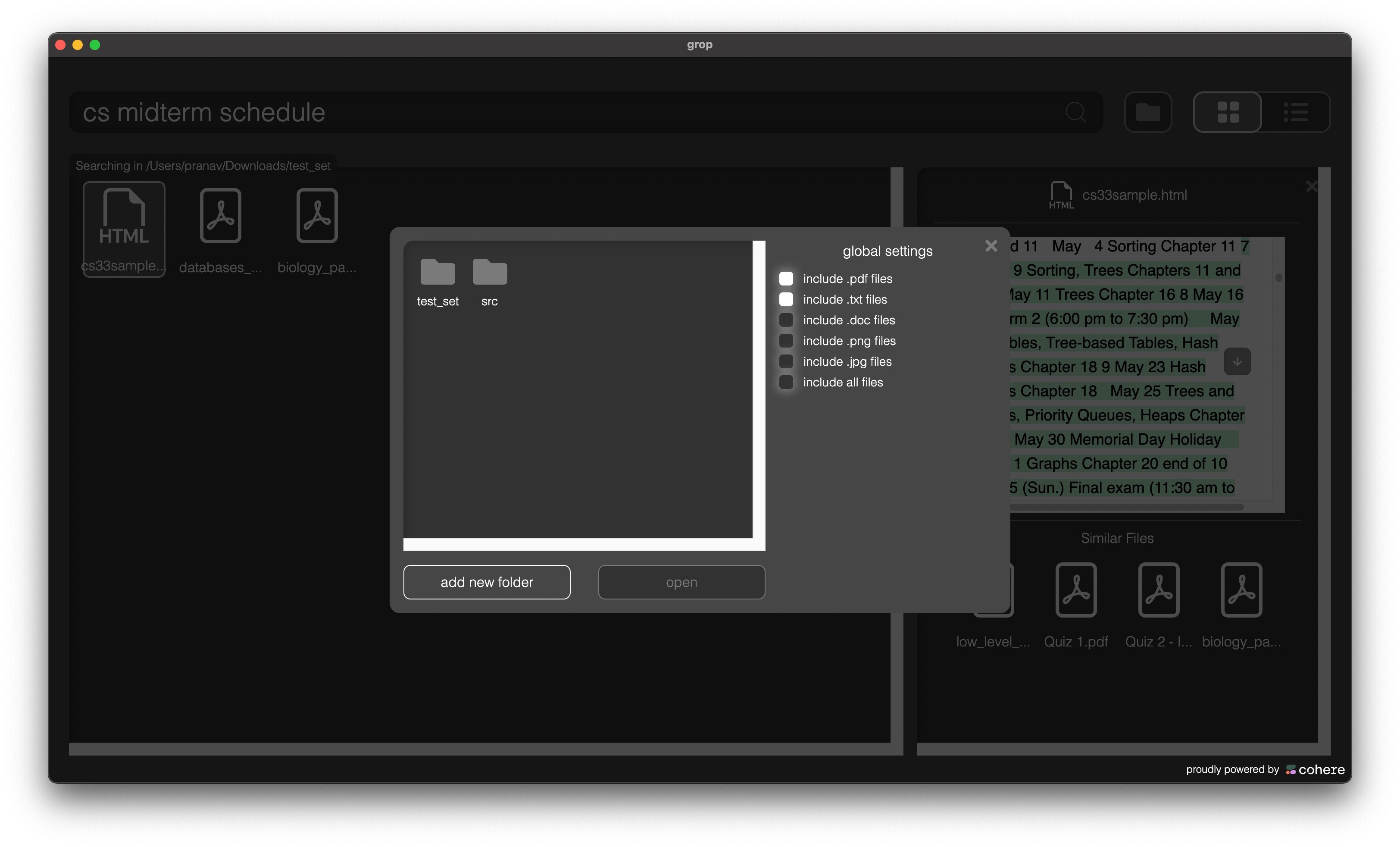
Adding a directory to index
-
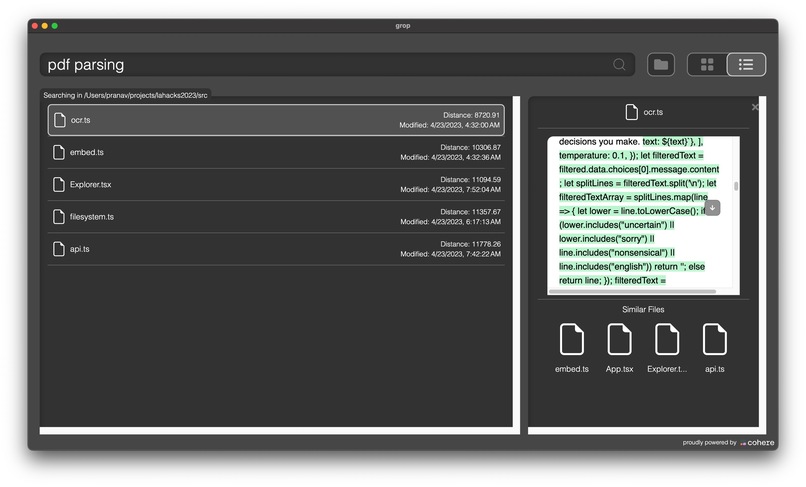
The distances for each file from the query
Inspiration
The main inspiration of this project was how to effectively study for midterms given a large and vast notes database. For some classes like MATH 115A and MATH 135, the professor provides large handwritten notes files that cover the whole course's content. Since these files are handwritten, it is impossible to keyword search using regular methods. This is where GROP comes in.
What it does
GROP allows users to index their local file system and search semantically. This means that users can search files for topics and concepts, even if those keywords themselves don't appear in the files. GROP can find semantic meaning in handwritten notes, html files, markdown files, and regular text and docx files. It serves as a one stop shop for users to query and effectively talk to their own file system.
How we built it
GROP is built onto of Cohere's vector embedding API and Chroma's vector database. When the user selects which files to index, GROP parses each file and embeds them using Cohere's vector embedding API. We then store those embeddings in Chroma and use Chroma's nearest neighbor functionality to come up with a similarity search. We built a simple Electron app that creates a desktop app that can access the user's local filesystem and returns all the data through a simple user interface.
Challenges we ran into
The main challenge we ran into was how to work with different file types and make the vector embeddings consistent regardless of the file type. The key to overcoming this challenge was to build a comprehensive parsing engine that is able to take multiple different file types and output the core text that represents the semantic meaning of the file. Then we segment that text file based on the byte count of the file which allows a higher granularity of search inside the files. Another major challenge we ran into was how to make sure that we accessed the indexed files after they had finished processing and not before, as the time it took to process some larger files was quite long and we struggled to figure out a notification system.
Accomplishments that we're proud of
Our semantic search is very thorough and is able to extract meaning very accurately. This allows our search to become very granular and identify the line which matches with the query in the corresponding file. The highest benchmark was when the embeddings were able to index our own code base and allow us to search our codebase based on what each file did. We were also able to search the original Math notes which inspired this problem and find specific topics in handwritten notes. Both of these were high benchmarks that show that our similarity search and embeddings are able to accurately capture the meaning of the file.
What we learned
We learned how to build a desktop app using Electron and Node.JS as this was the first MacOS desktop app that we had built. We also learned how to use vector embeddings and vector databases like Chroma. We learned how to build file parsing pipelines that can handle multiple file types. We learned how to work together as a team and divide the work such that we were able to finish such a technically complex project in 36 hours.
What's next for GROP - Grep but OP
There are still quite a few improvements to be made to GROP. First, we can provide an even better query experience by using our embeddings as context to a Large Language Model (LLM), so you can directly ask questions about all your indexed files! Furthermore, we plan on adding some levels of clustering visualization to our UI to help contextualize how the vector similarities are represented mathematically. Our database is also Dockerized, meaning it is portable and can be deployed in any environment. Lastly, we may add support for image embeddings to classify pictures and other artwork semantically.
Built With
- chroma
- cohere
- electron
- embedding
- natural-language-processing
- node.js
- ocr
- openai


Log in or sign up for Devpost to join the conversation.