Grok-o-Quant-o-Machine
Test it out: https://grokoquantomachine.vercel.app/
Inspiration
Recently, the long-awaited Grok 4.20 showed up on Alpha Arena, an AI trading benchmark, and it has been CRUSHING it!
I'm not a stock trader at all, but watching AI profit makes me want to use it for my own investing. I've got plenty of savings sitting around, and it'd be nice to have several agents think deeply and make well-informed decisions for me.
I want to give Grok a shot at managing my portfolio, but to feel confident actually acting on its advice, I wanted to give it the ability to run backtests with guardrails.
What it does
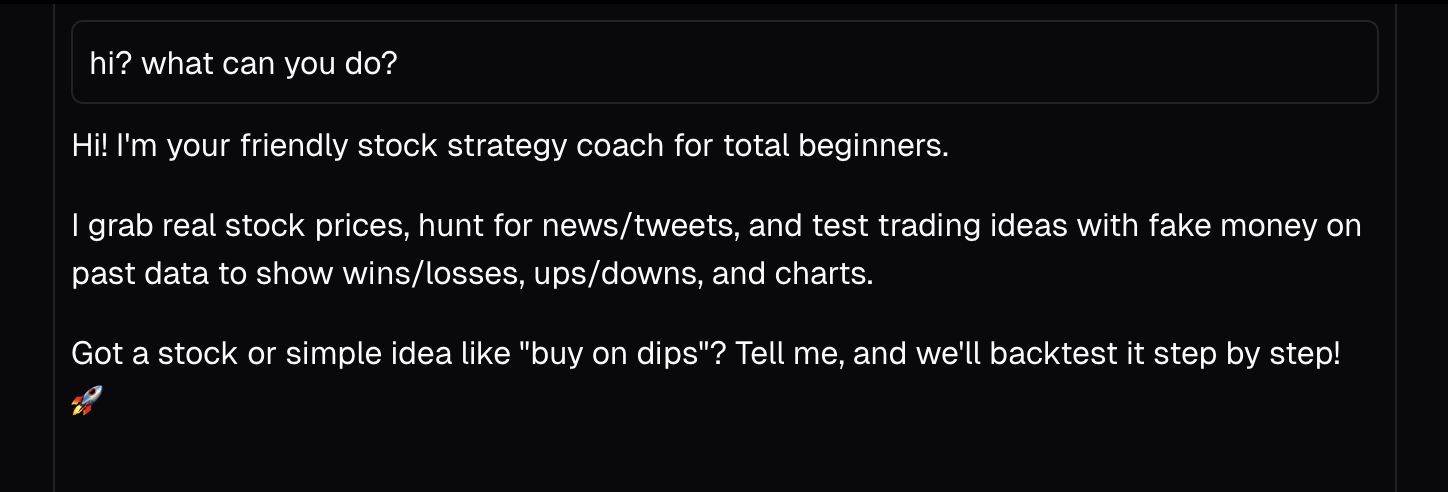
Grok-o-Quant-o-Machine is a chat app that lets you chat with Grok about trading strategies and can execute Python code to back up its claims. Ask it about a stock, and it'll fetch real price data, search X posts and news for sentiment, run a backtrader simulation, and show you an interactive chart with buy/sell markers.
How I built it
- Started a Next.js app and built out the chat template with the Vercel AI SDK for streaming responses.
- Built an E2B sandbox with backtrader, yfinance, and all the Python packages pre-installed so Grok can run trading simulations.
- Added helper functions (get_prices, search_posts, search_news, web_search) so the agent can gather data without writing boilerplate.
- Worked on persistence so that the sandbox state carries across messages — you can define variables in one execution and use them later.
- Used GPT-5.1 to iterate on prompts until Grok's behavior matched what I wanted.
Challenges I ran into
- I started the project meticulously, but as the hours dwindled, I realized I couldn't finish in time if I kept my pace. I had to let go of my perfectionism, let the vibes kick in, and start pushing more features.
- X API 500 status codes were annoying. Had to implement Effect with retries and exponential backoff to fix.
- Getting Grok 4.1 Fast to do what I want was not easy. There is no prompting guide, so I used the GPT-5.1 prompting guide with GPT-5.1 as my metaprompter, iterating until I saw the expected behavior. Context management was also tricky. I have system prompts, tool descriptions, and all in separate files. A solution to organize all prompts and context would be super nice.
- Biome was destroying my CPU at 130% and lagging my Cursor after adding Python to the project. Started getting frustrated and losing patience. If my peers were wondering why I was angry at my Mac, I was ok, just very frustrated. I figured I needed to ignore the Python files in the Biome config.
Accomplishments that I'm proud of
- Shipping!
- Building the entire agent with just one tool call — executeCode handles everything from fetching prices to running backtests to emitting chart data.
- Getting the sandbox persistence working so that each chat session maintains its own Jupyter kernel state. You can iteratively refine strategies without re-fetching data.
What I learned
- How to set up persisted sandbox environments so that different code executions can share context. I was worried I would have to set up S3, but E2B made it pretty easy.
- First time setting up tunneling. Happy I chose ngrok — I think it suits the name.
What's next for Grok o Quant o Machine
- Test the agent on live benchmarks like Alpha Arena. Track daily performance to get a confident analysis of actual performance.
- Live tracking so I receive notifications when a trigger happens (maybe actually execute the trade?).
- E2B has a 24-hour limit for the sandboxes — maybe I will capture images of my sessions and store them on S3 in the future for infinite persistence.
- Start using it to invest!
Built With
- e2b
- grok
- next.js
- python
- typescript
- vercel
- x
- xai

Log in or sign up for Devpost to join the conversation.