-
-
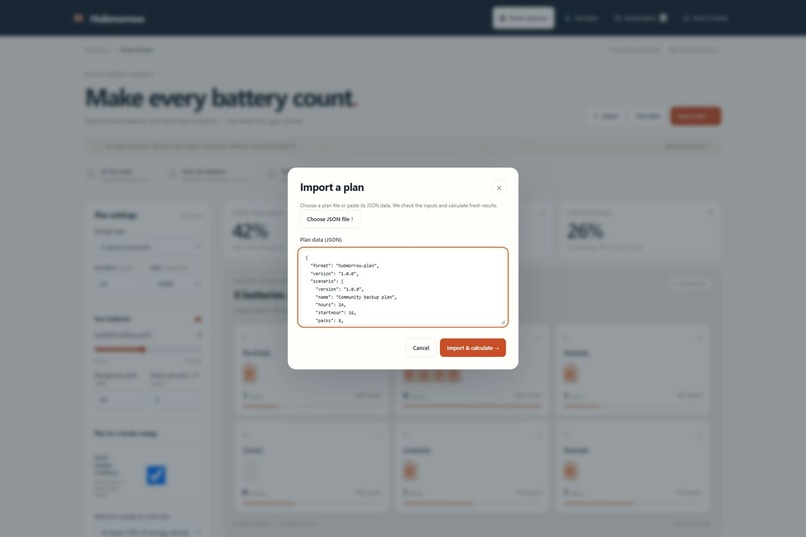
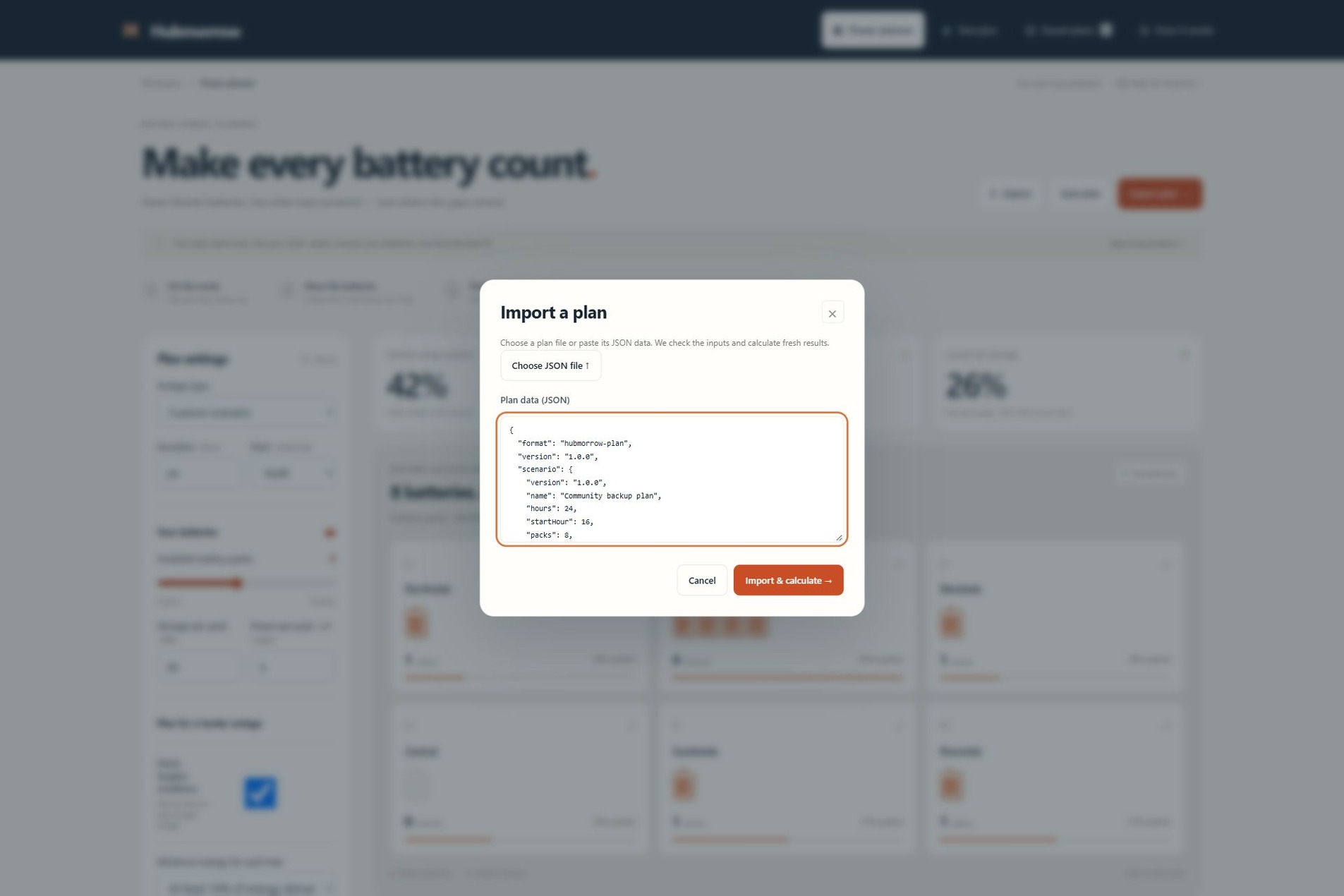
Import a saved plan from JSON. Inputs are validated and the results are calculated again.
-
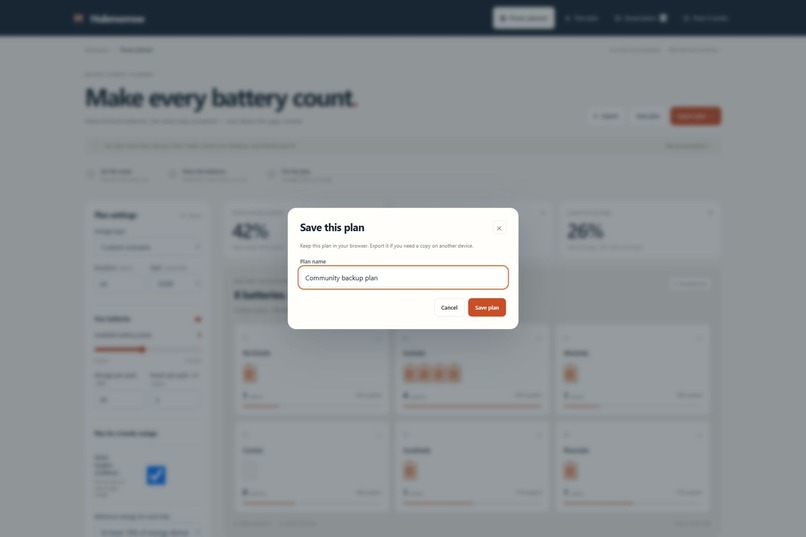
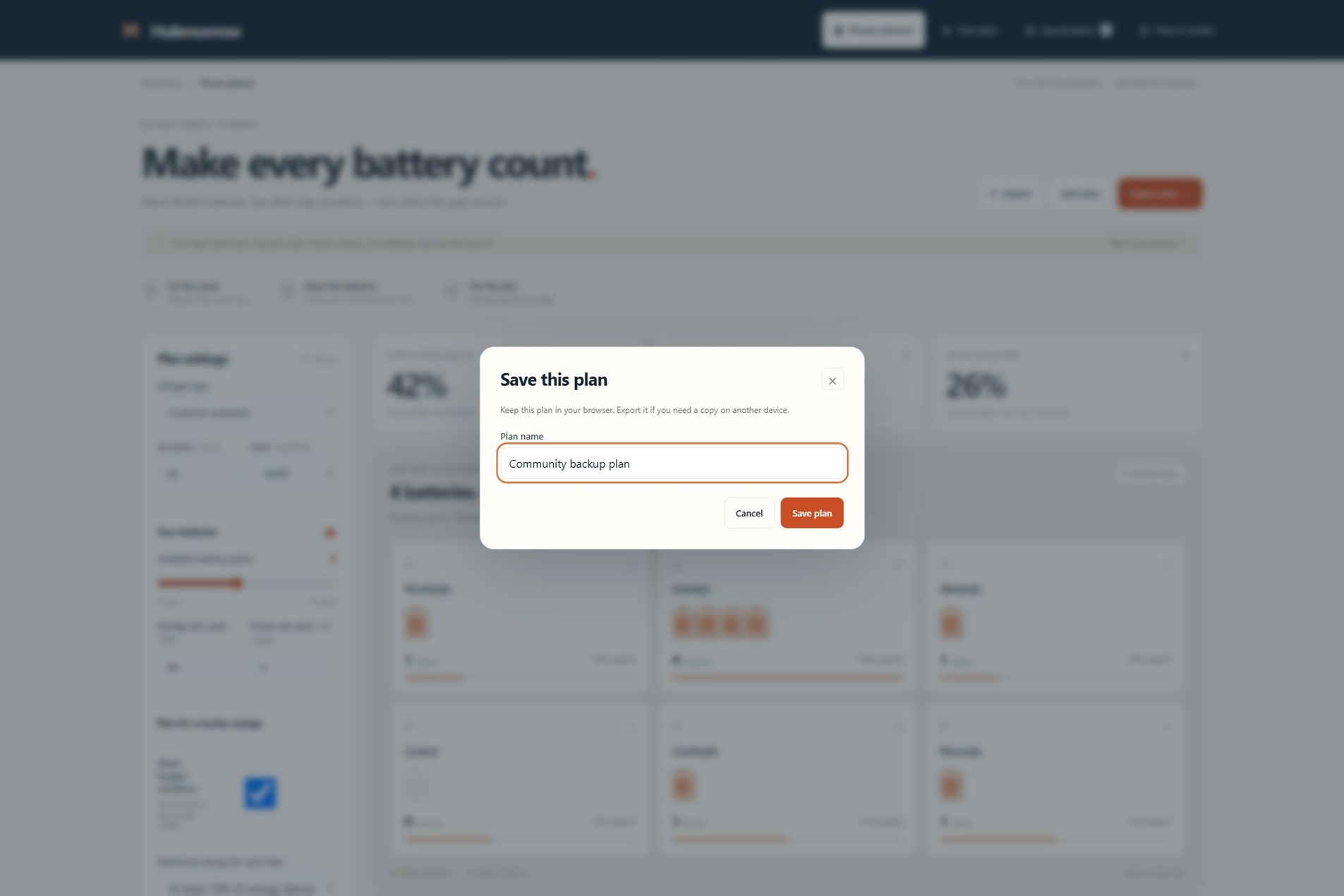
Save a named plan in this browser so you can reopen it and compare different assumptions.
-
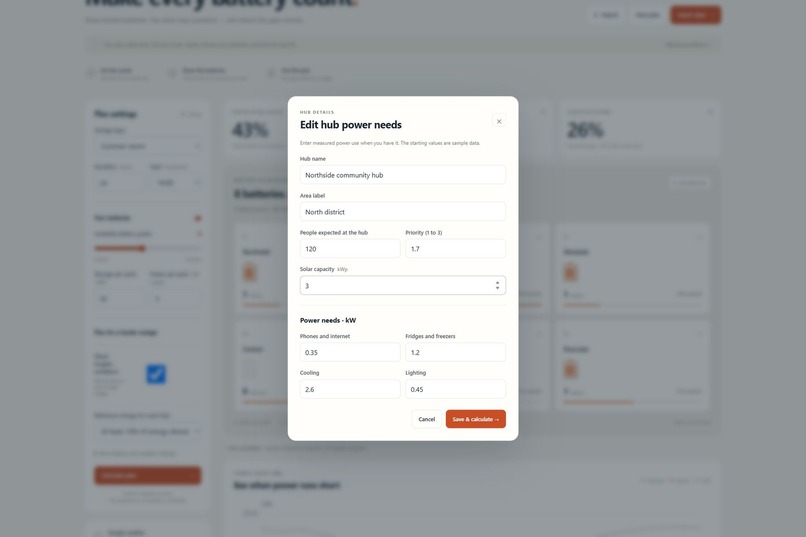
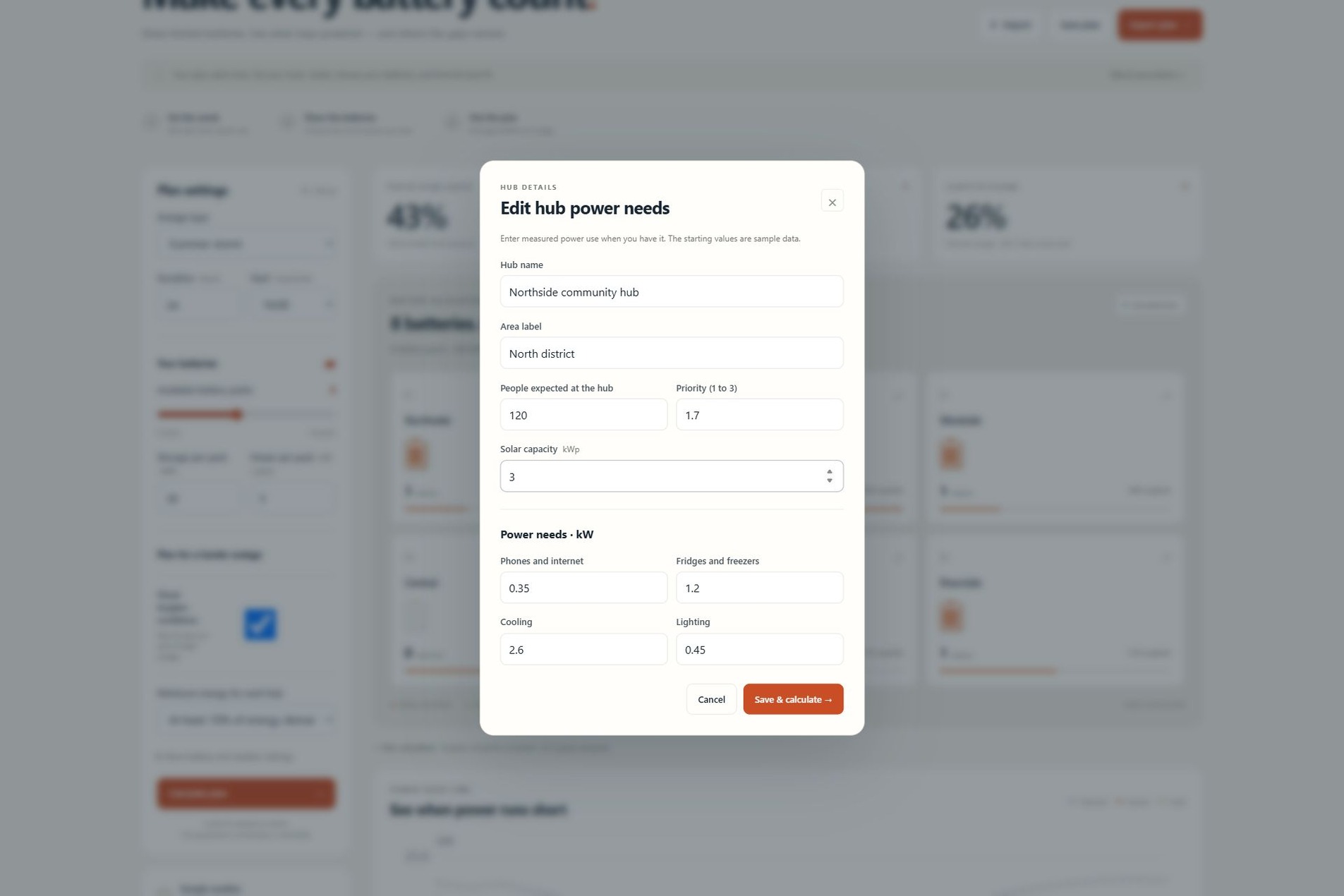
Edit each hub's power needs, solar capacity, expected occupancy and priority.
-
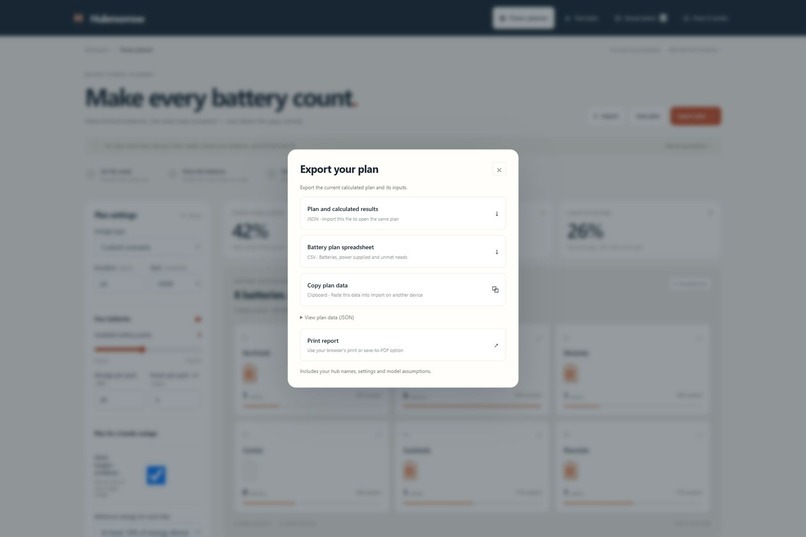
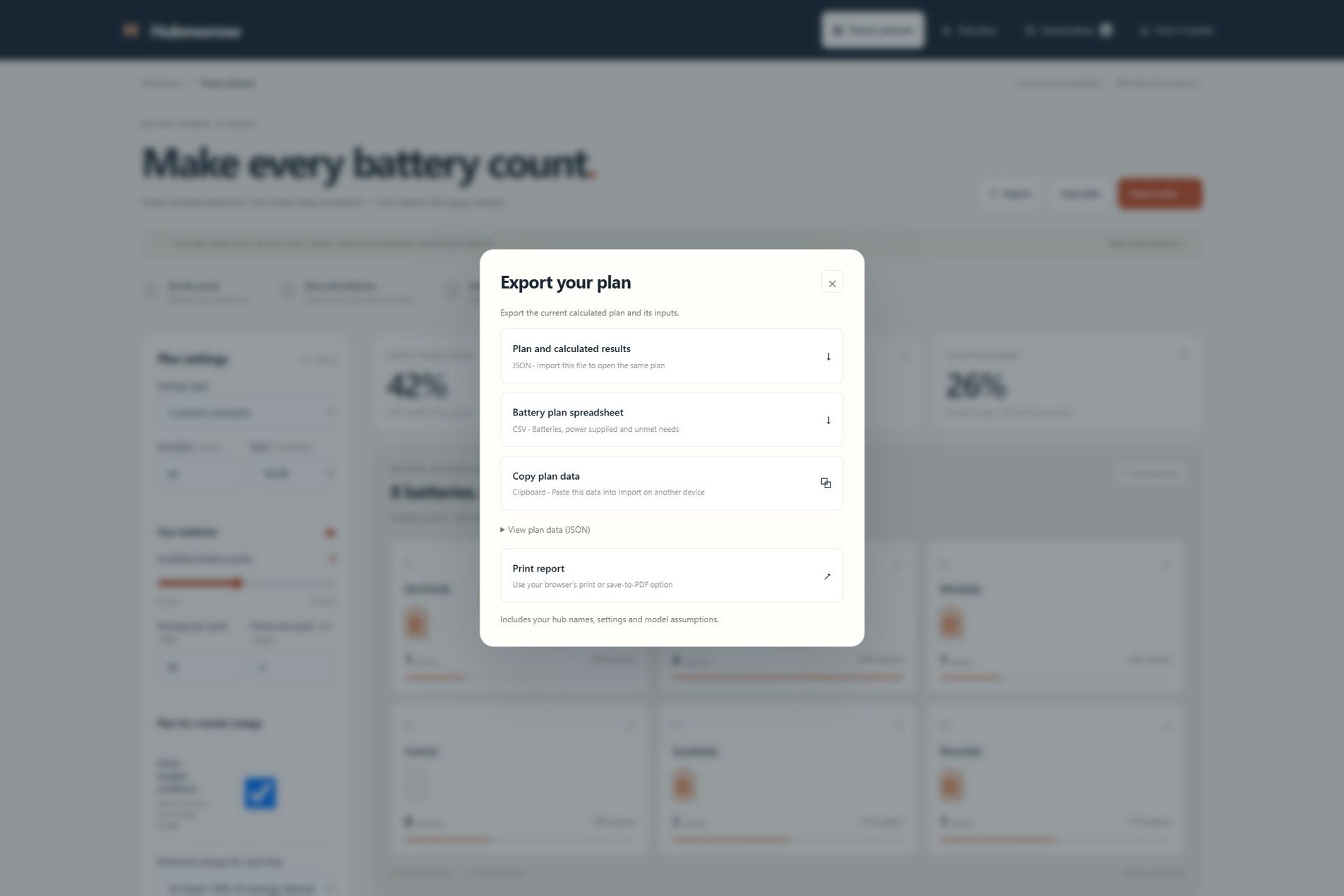
Export JSON or CSV, copy plan data, or print a report with the assumptions and battery assignments.
-
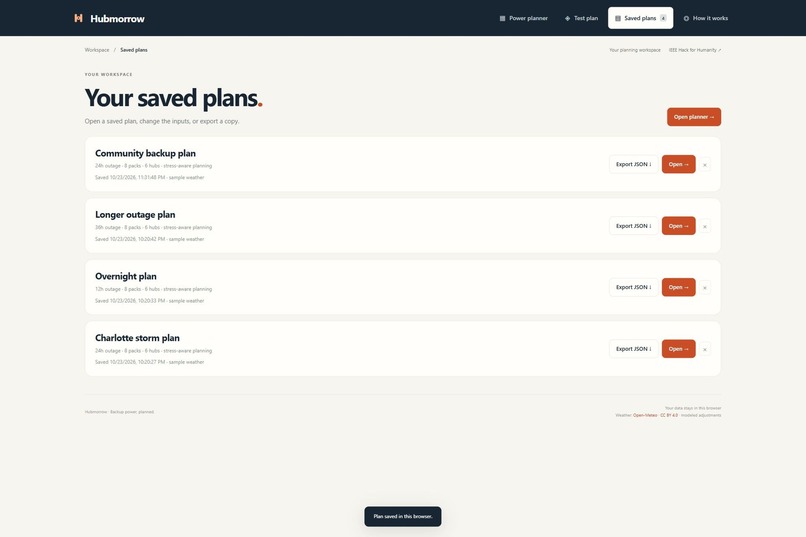
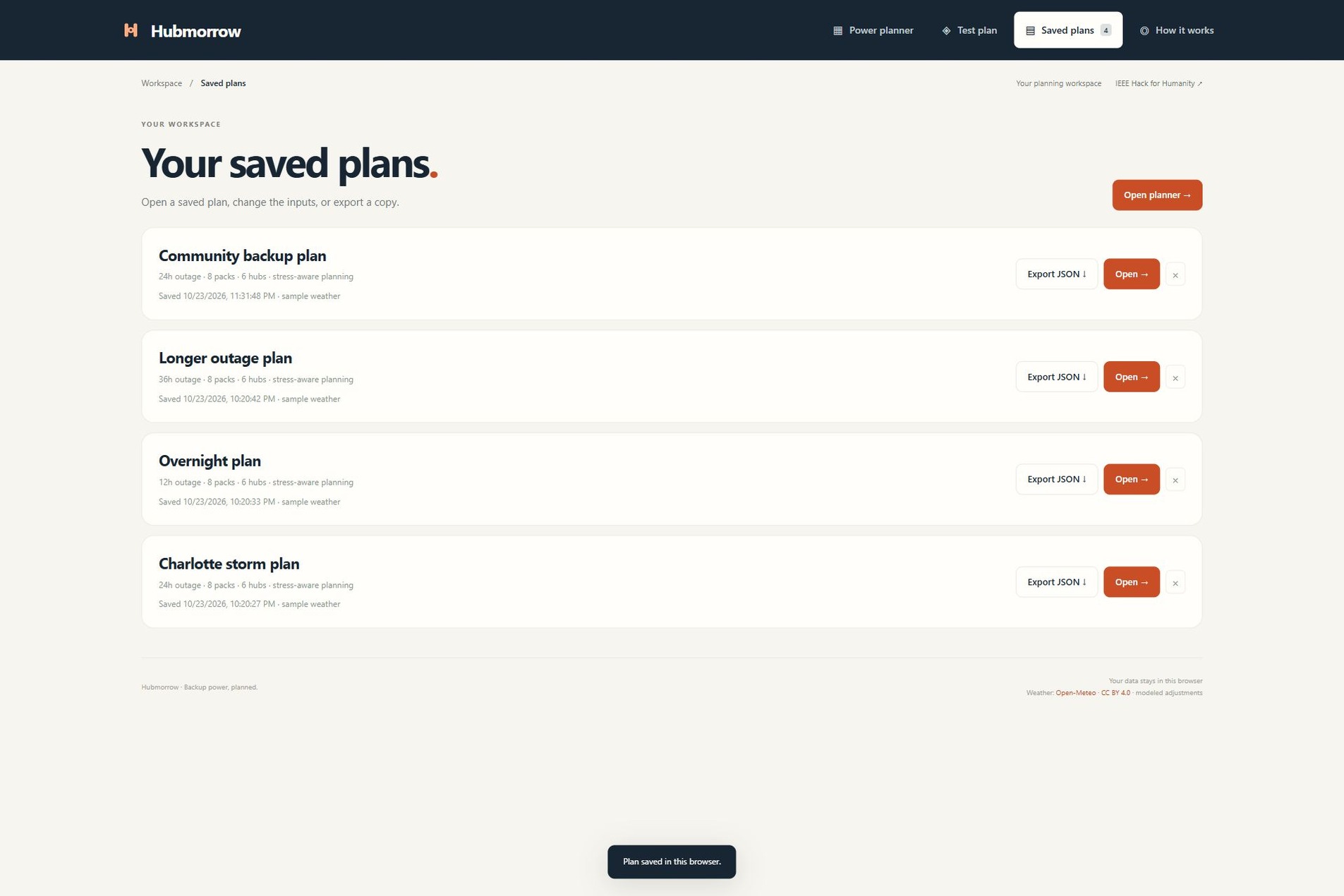
Reopen saved plans and compare options for different outage conditions.
-
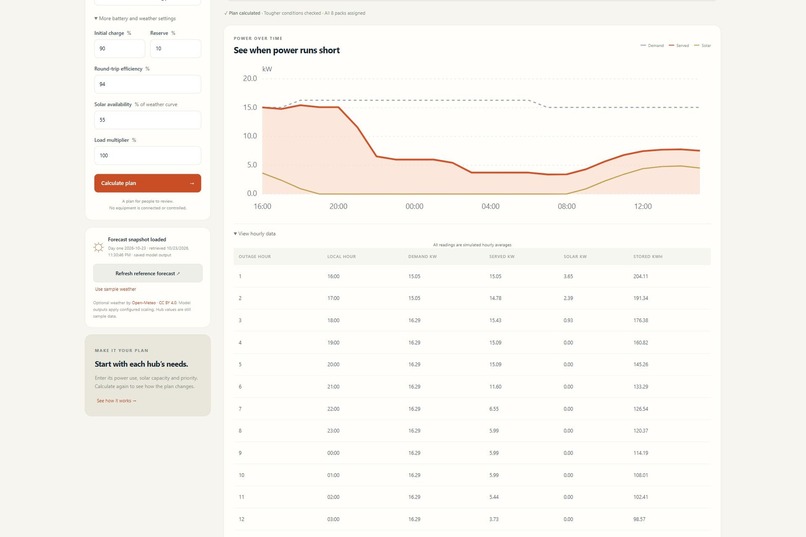
Load optional Open-Meteo weather for the reference location, with the forecast date and source shown.
-
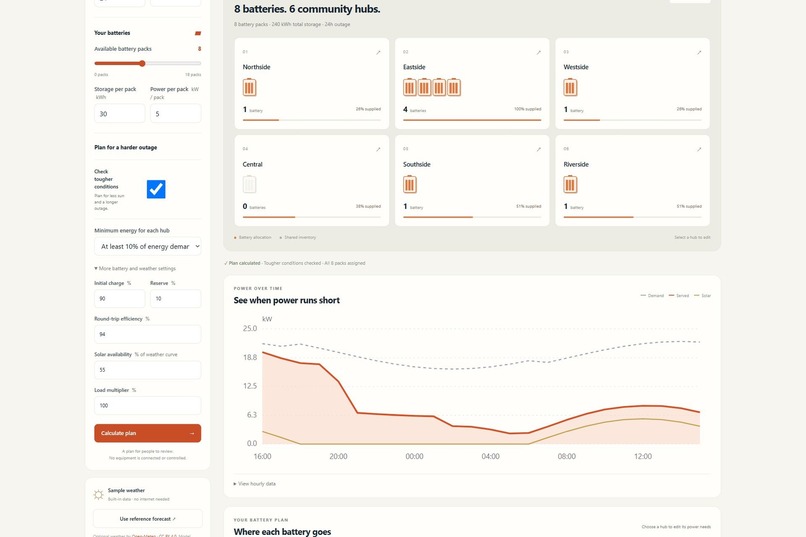
Set battery charge, reserve, efficiency, sunlight and load assumptions before calculating.
-
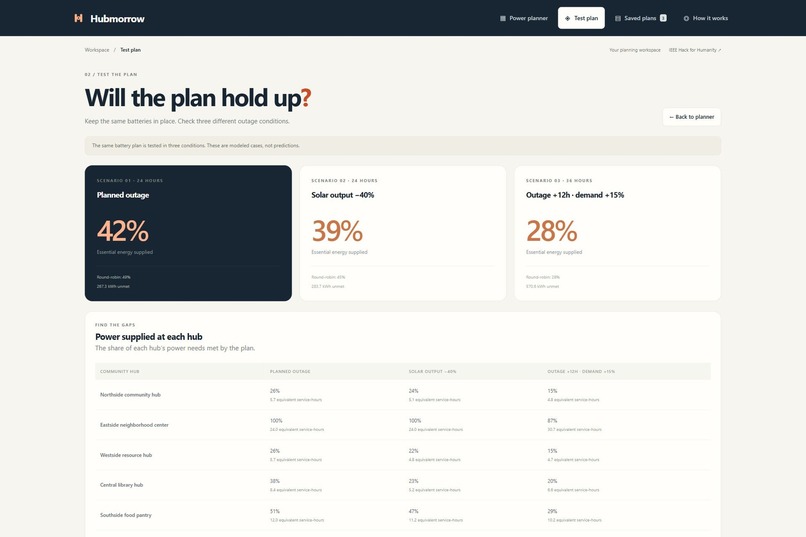
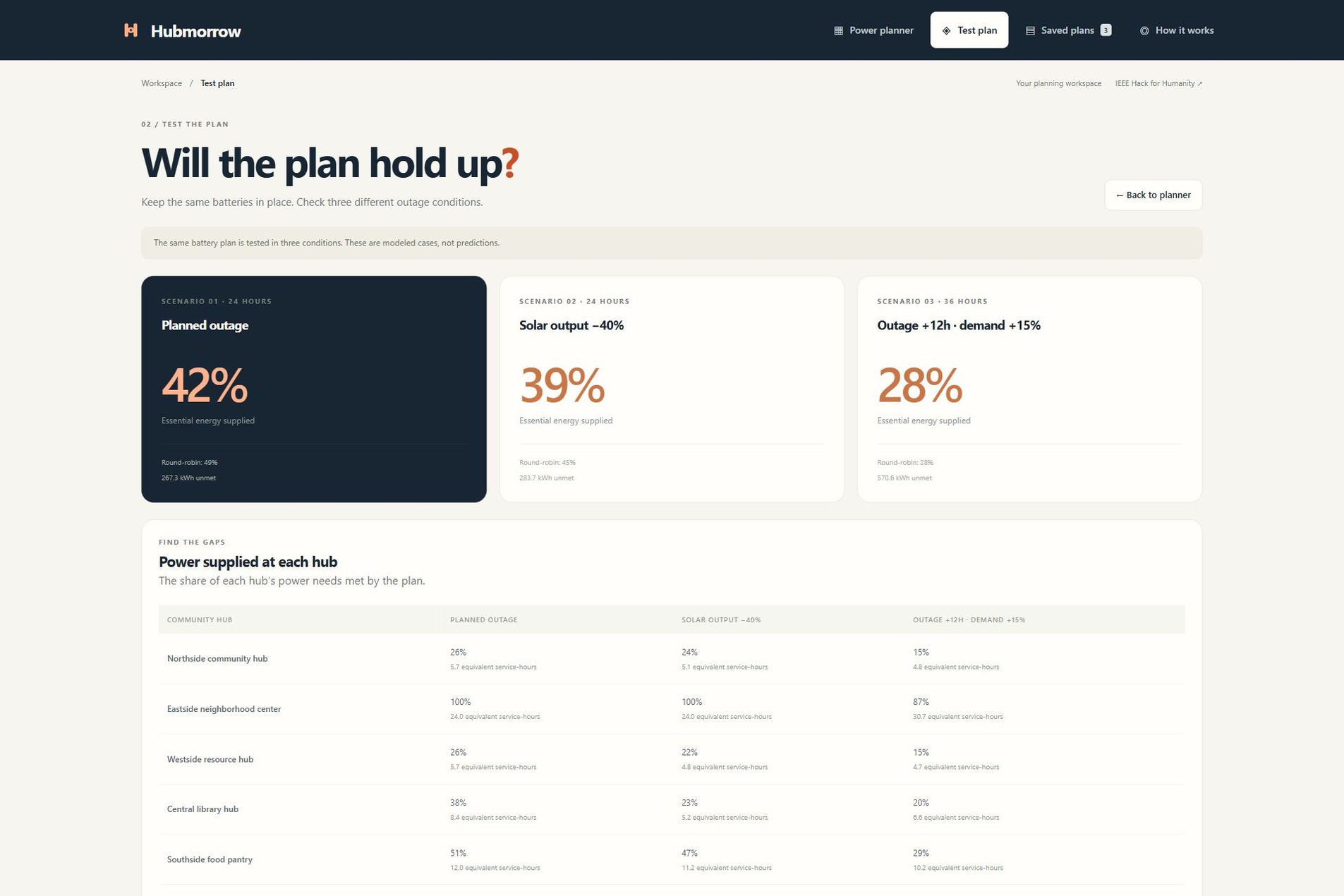
Test the same allocation with less sunlight or a longer outage and higher demand.
-
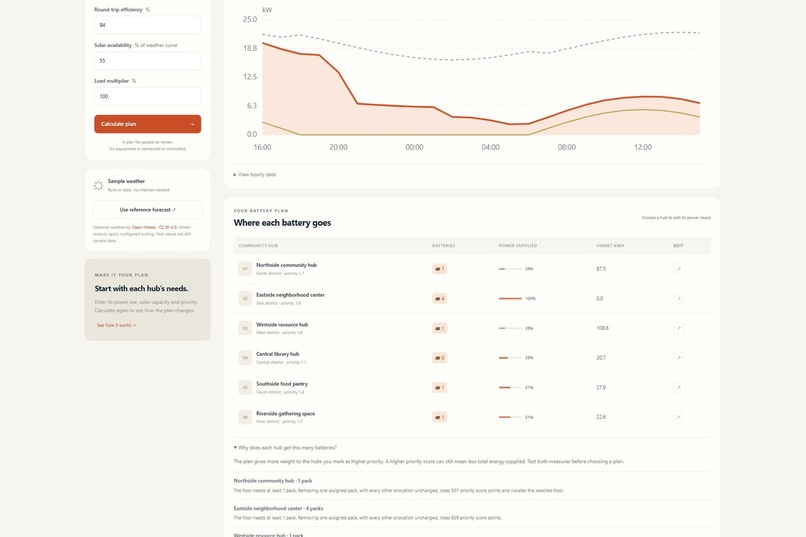
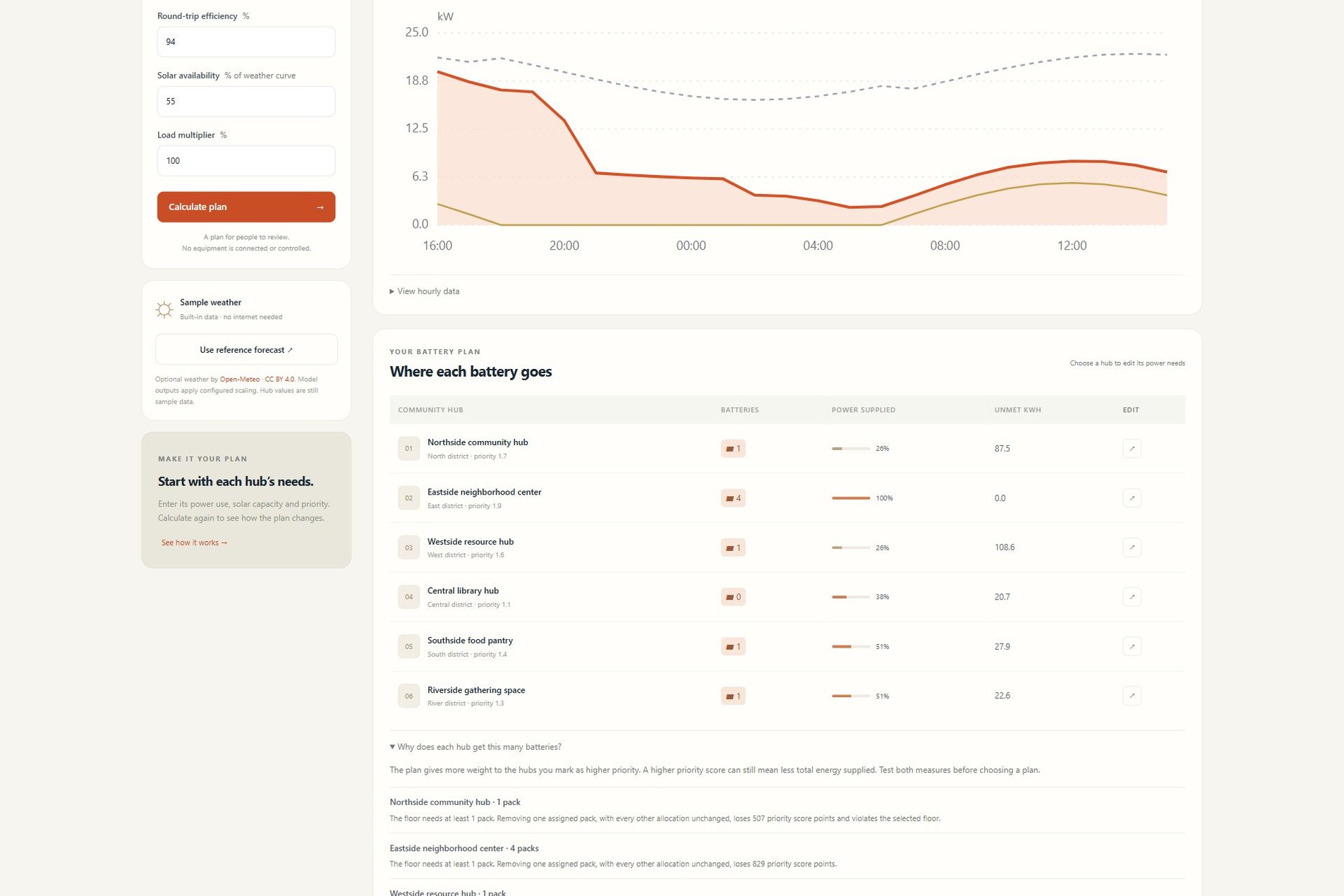
Understand each battery assignment with minimum needs and the effect of removing one pack.
-
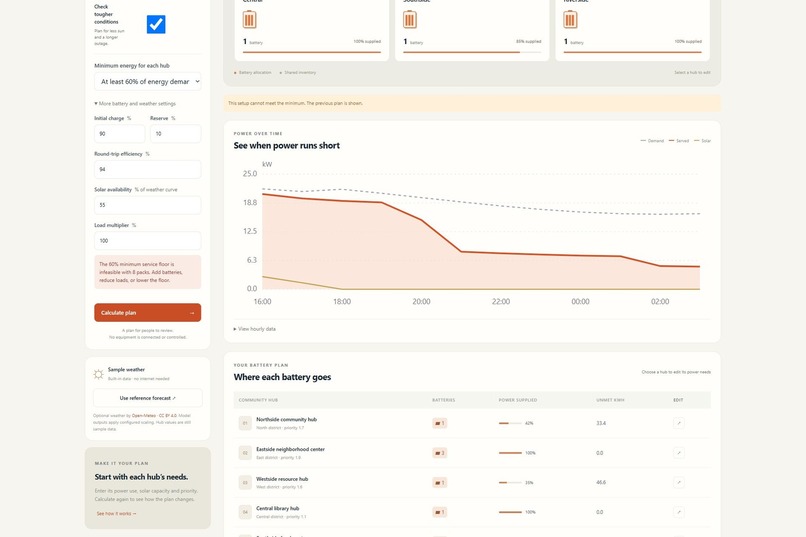
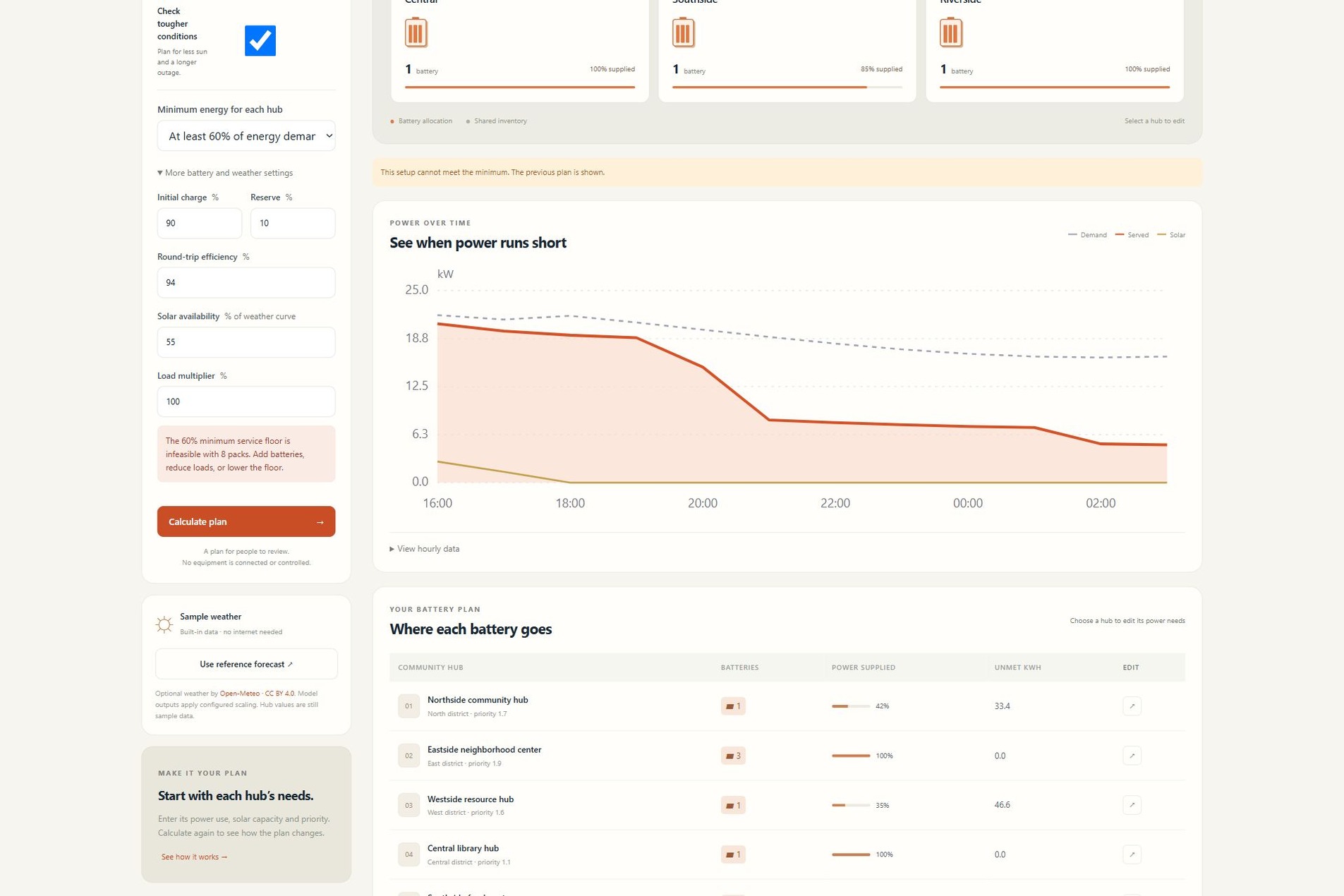
See a clear warning when the available batteries cannot meet every hub's minimum.
-
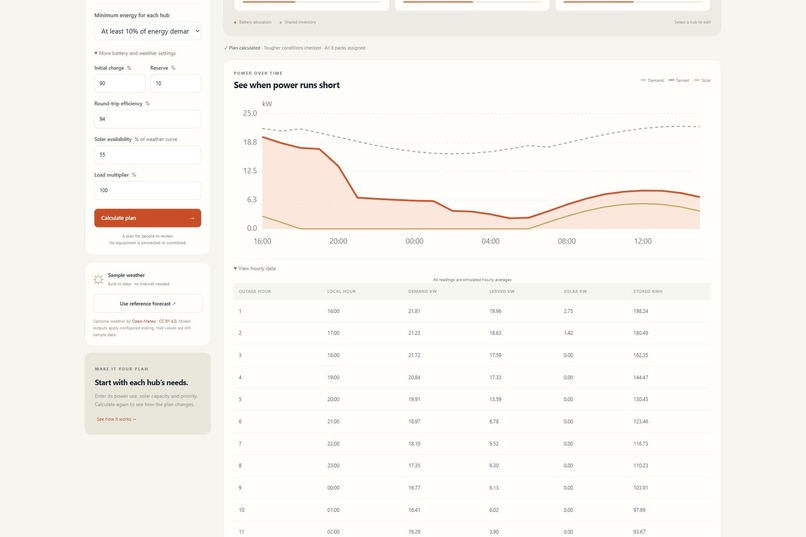
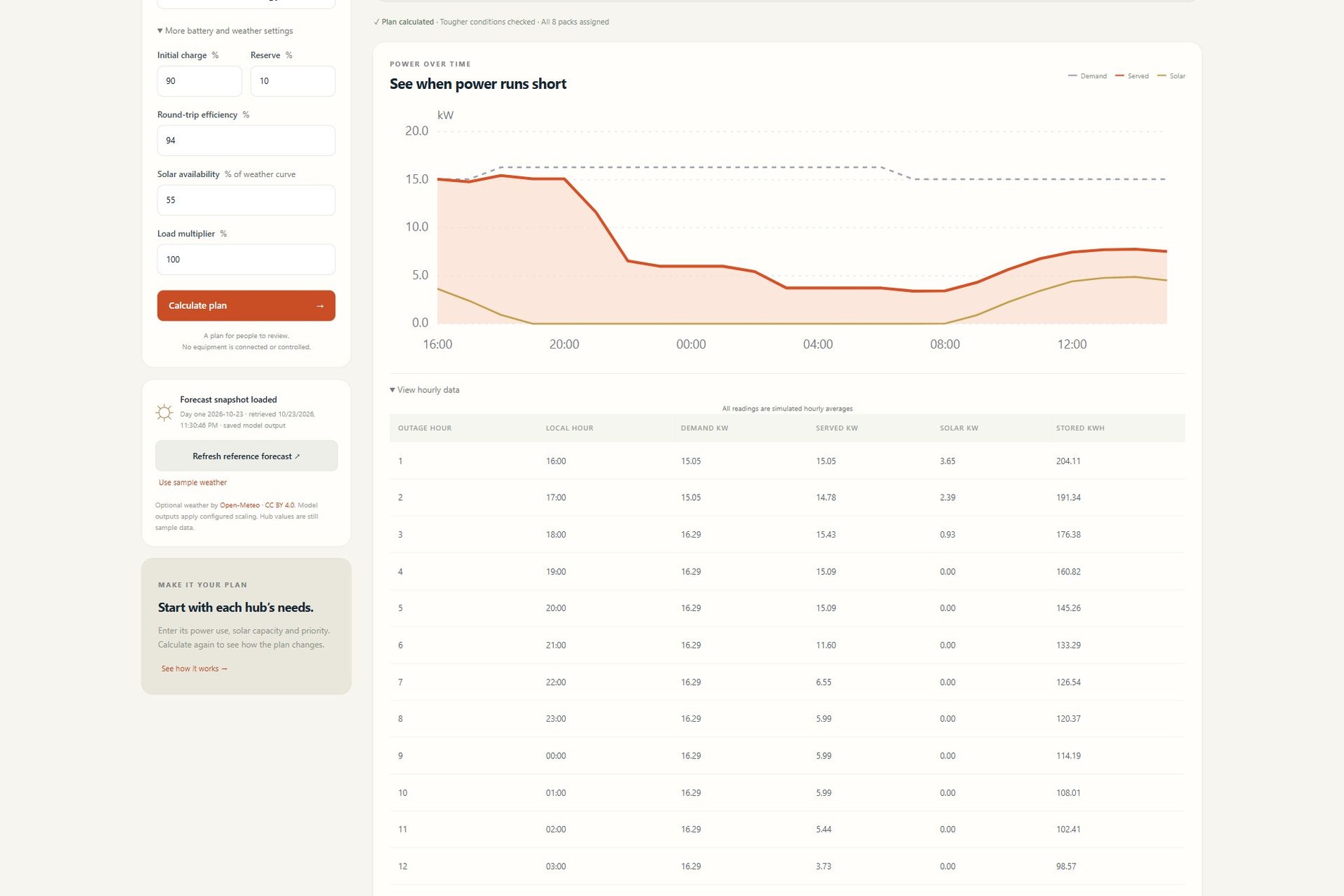
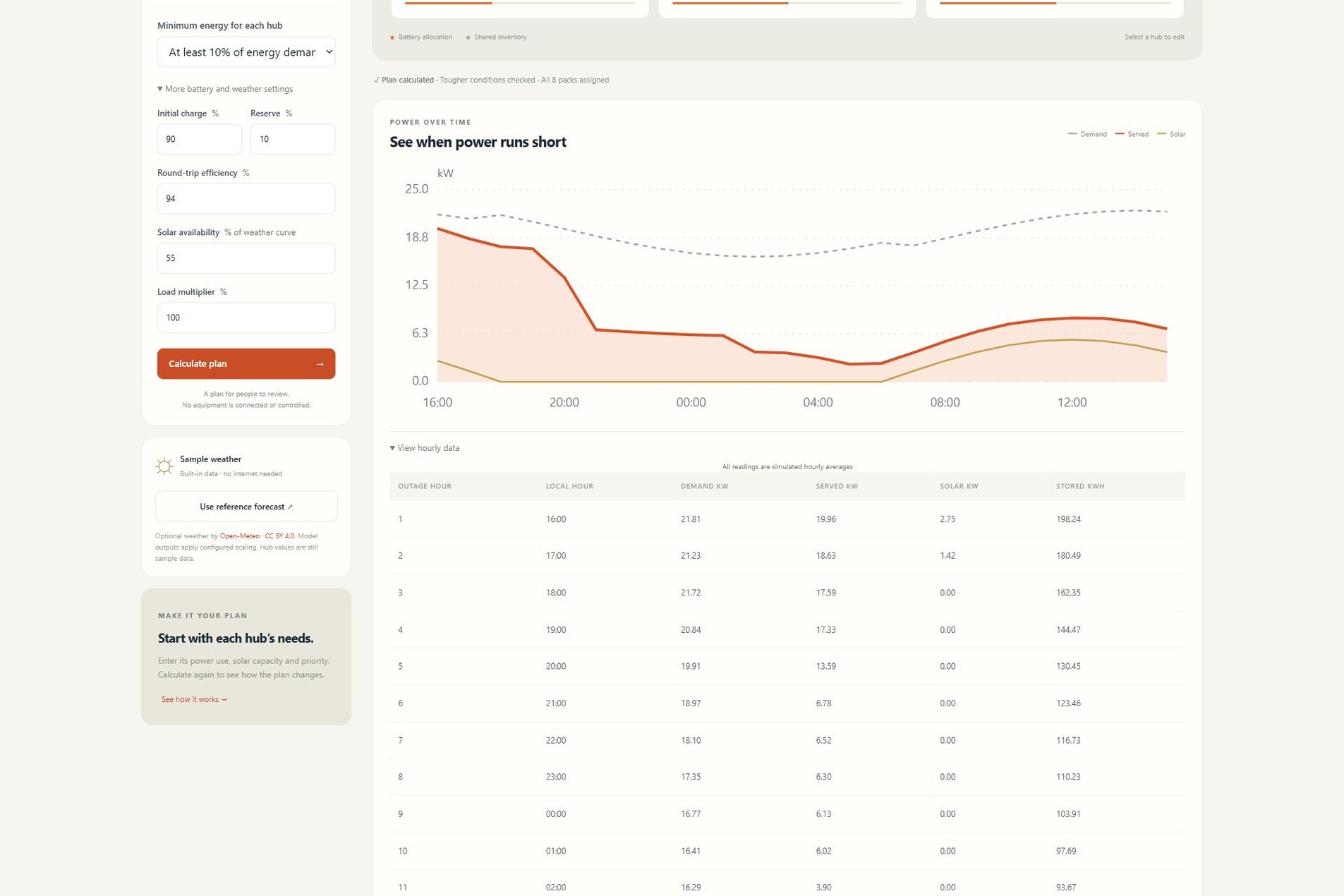
Inspect hourly demand, supplied power, solar output and stored energy behind the chart.
-
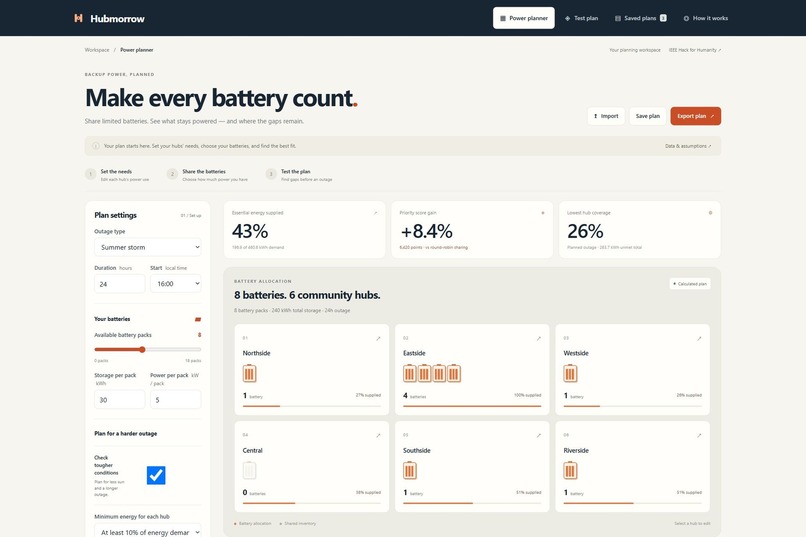
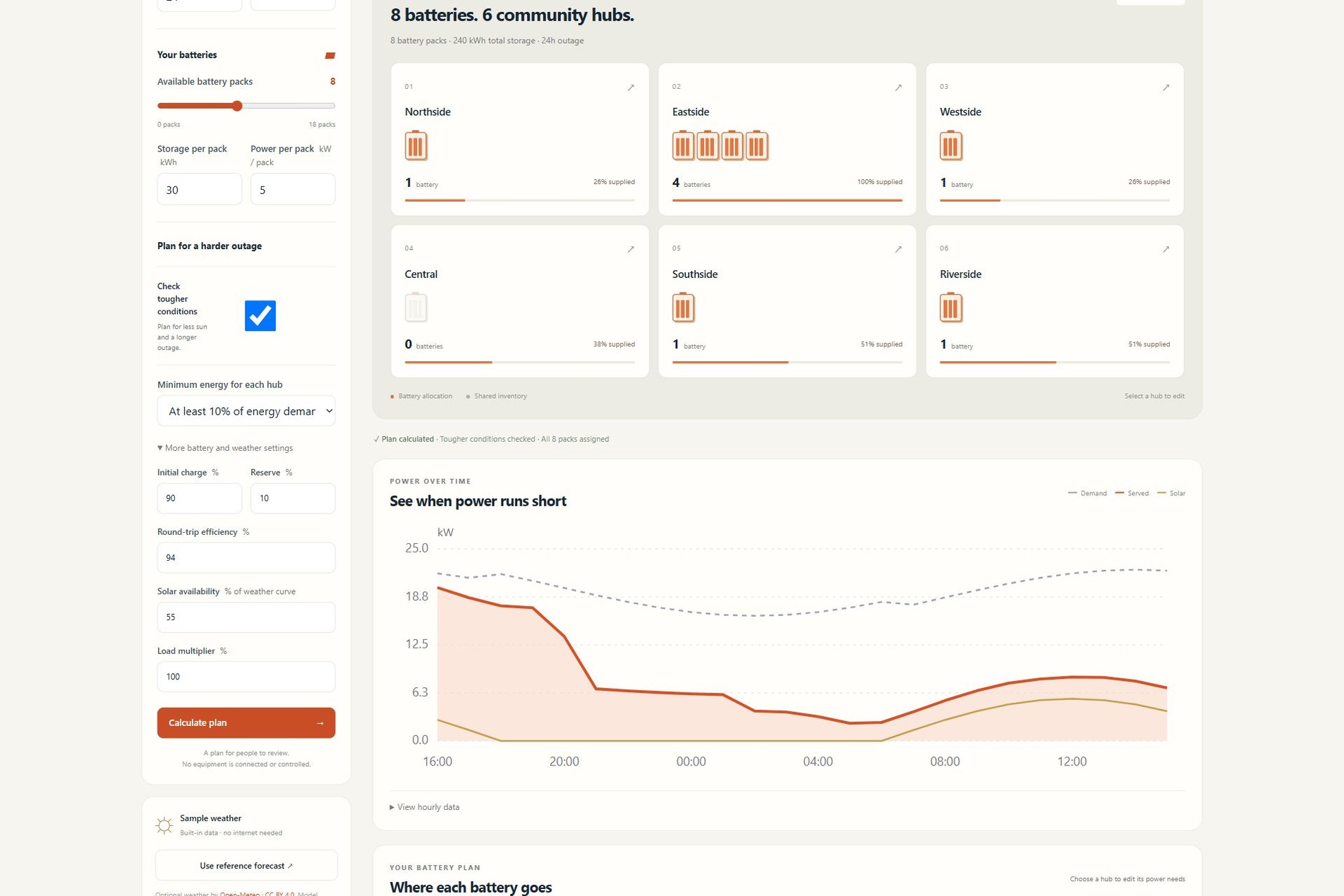
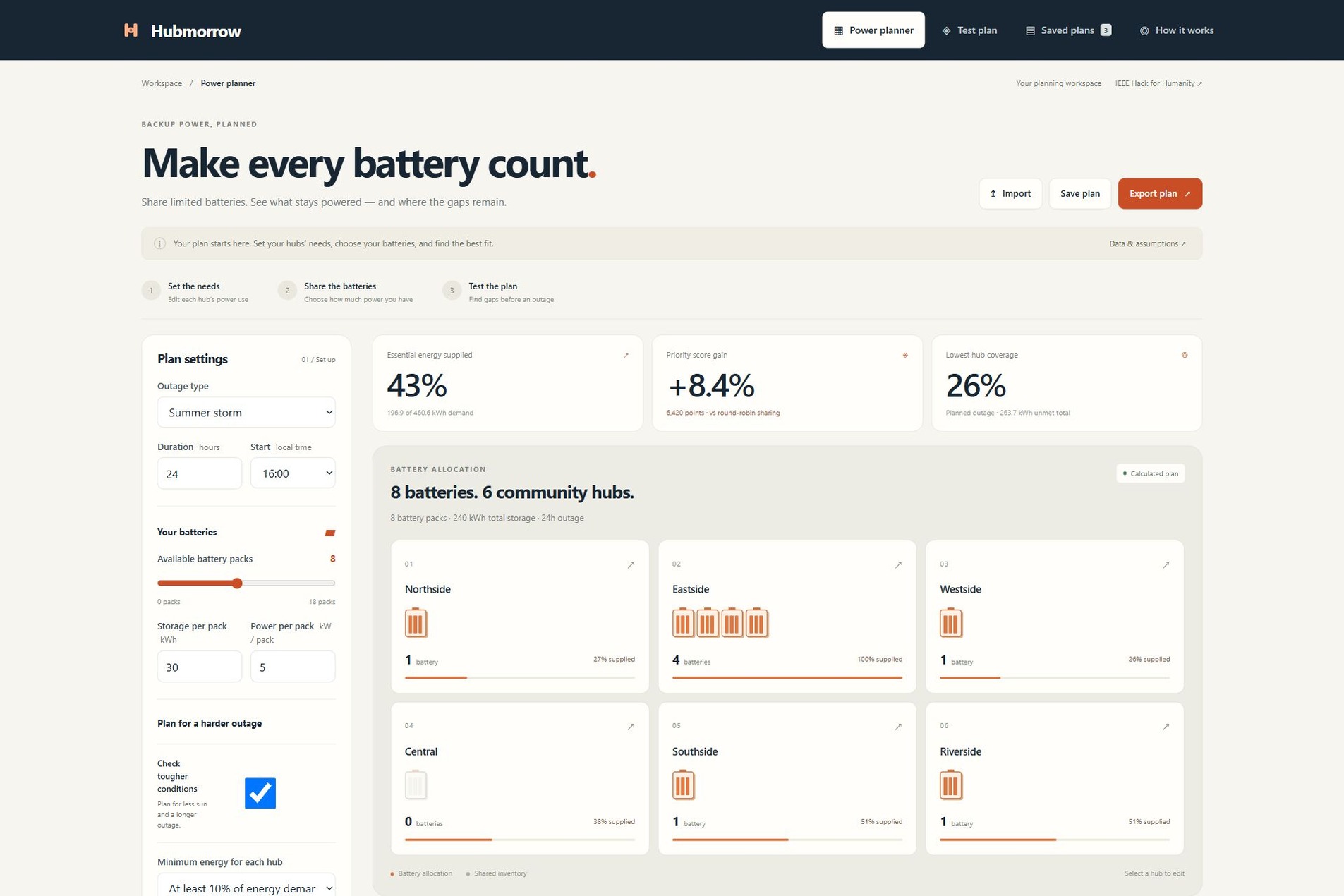
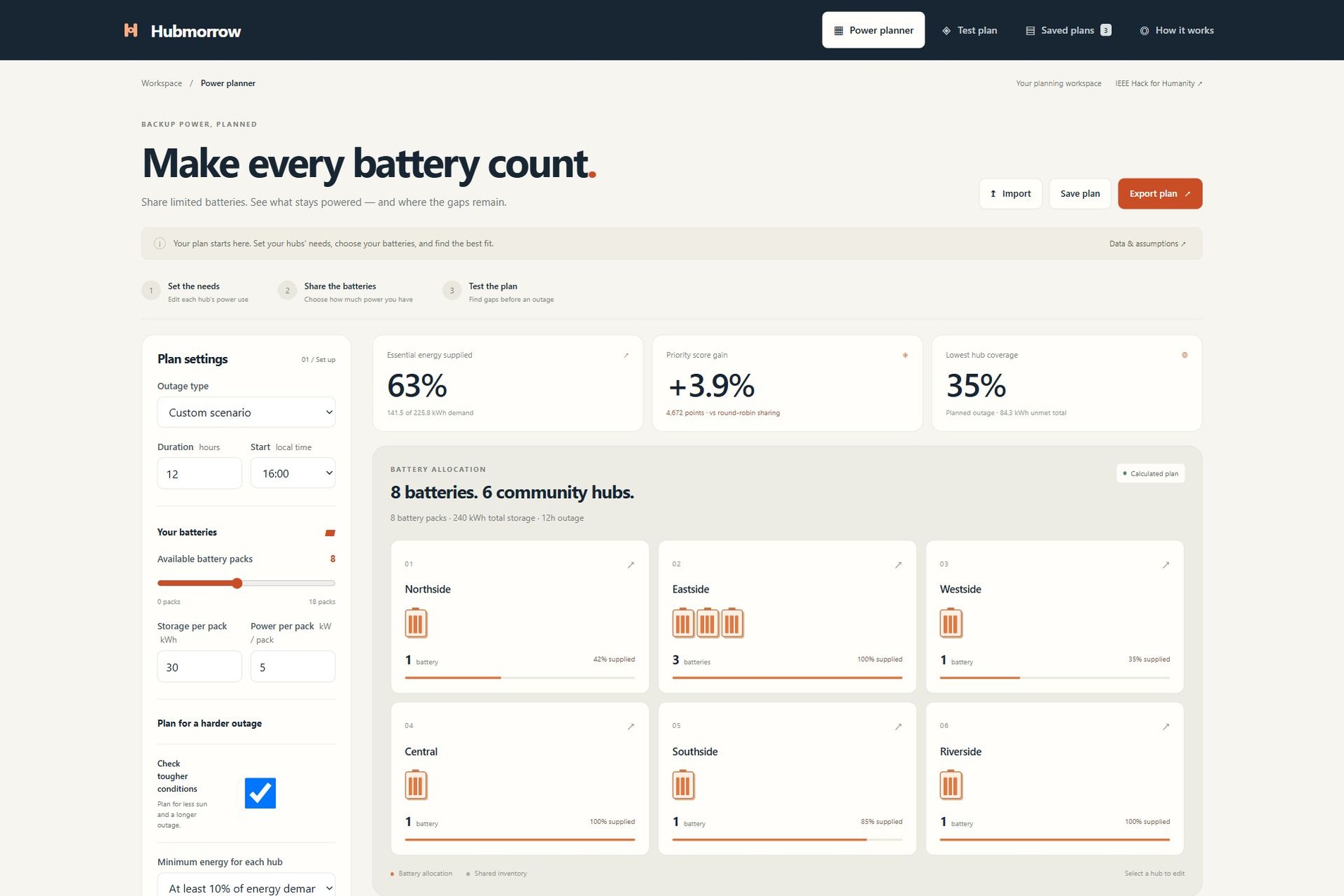
Share eight batteries across six community hubs and see energy coverage and remaining gaps.
-
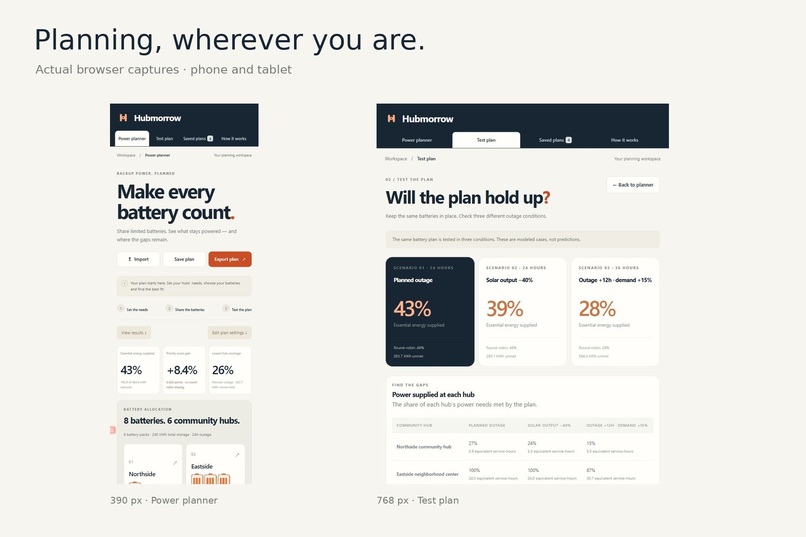
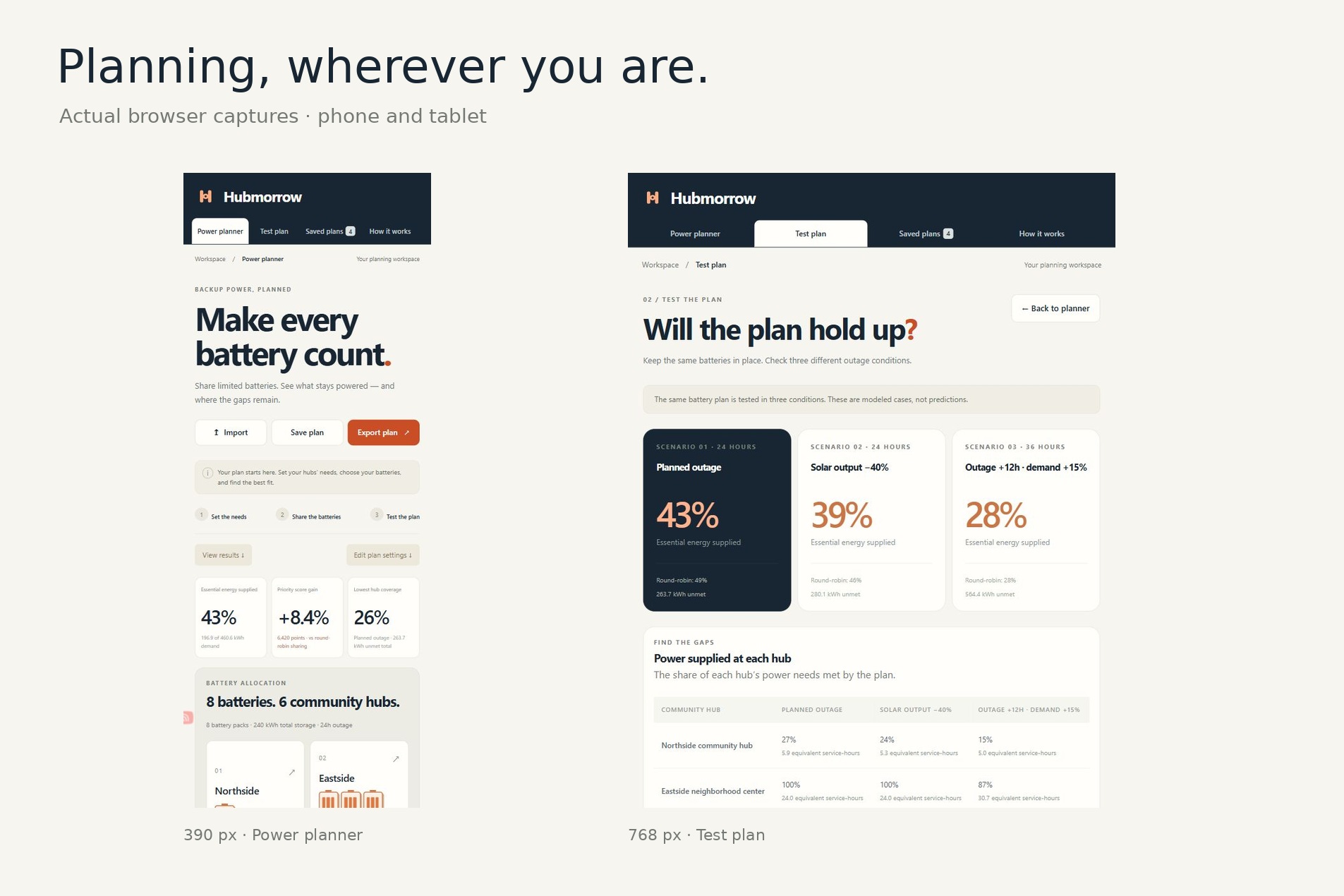
Plan on phone and tablet, with readable results and editable hub controls.
-
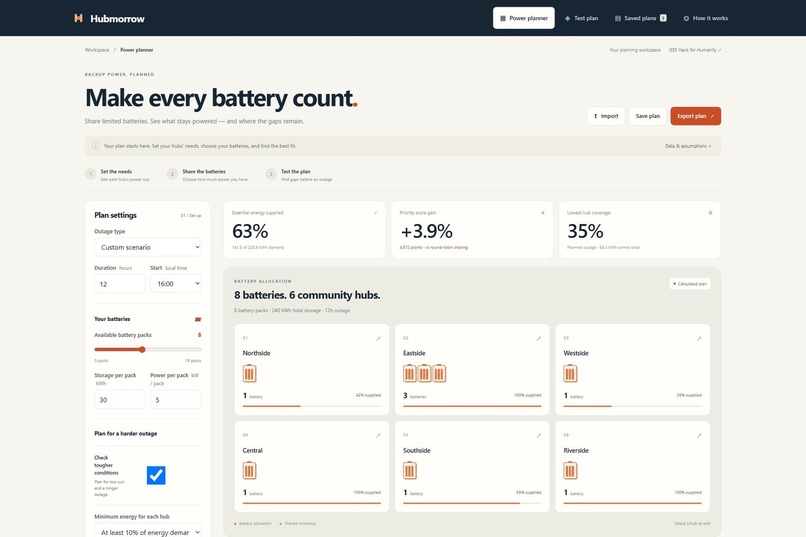
Change the outage duration to 12 hours and recalculate the allocation and energy coverage.
-
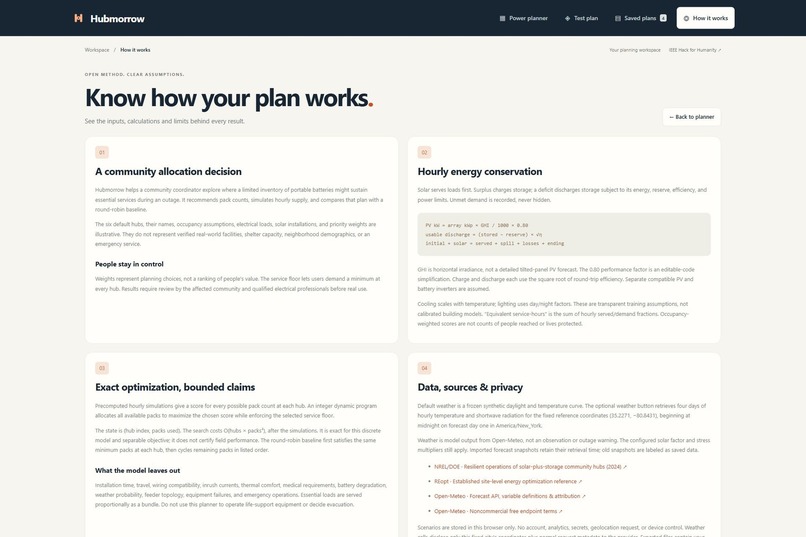
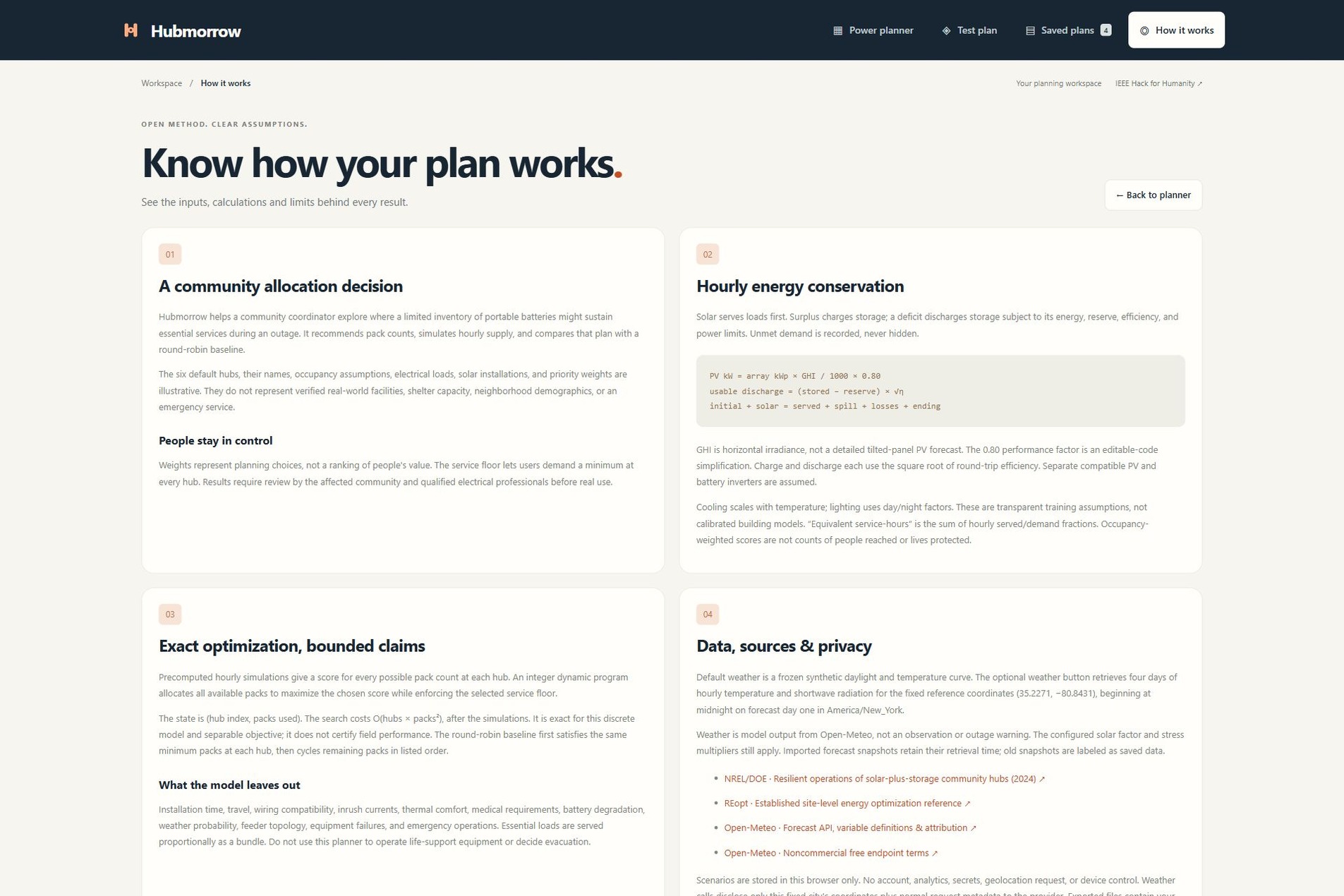
Review the calculation method, data sources, privacy choices and practical limits.
Primary challenge track: Power & Energy: Engineering a Sustainable Future
Inspiration
A community can have several hubs that support residents during a power outage, but only a few portable batteries. Giving every hub the same number of batteries ignores its power needs, available solar and local priorities.
Research from NREL/DOE on solar-plus-storage resilience hubs helped frame the problem. Hubmorrow asks a practical question: where should these batteries go, and where will power still run short?
What it does
Hubmorrow is a working backup-power planning application for community coordinators.
- Set the needs. Edit each hub's phones/internet, refrigeration, cooling and lighting loads. Add solar capacity, expected occupancy and a priority.
- Share the batteries. Set the available pack count, storage, output limit and outage duration. Choose a minimum share of energy for every hub, then calculate the plan.
- Test the plan. Keep the same batteries in place and check less sunlight or a longer, higher-demand outage. Compare the result with a round-robin plan that follows the same minimum.
The app shows whole battery assignments, hourly supply and demand, unmet energy, and the reason behind each hub's allocation. Users can save plans in their browser, export JSON or CSV, copy plan data, import it again, and print a report.
The six starting hubs and their load values are sample data. An optional Open-Meteo integration loads real hourly forecast model output for a fixed reference location. Each snapshot records its date and retrieval time. Built-in sample weather keeps the core planner usable without a forecast request.
How we built it
The interface uses HTML, CSS, SVG and browser-native JavaScript. A module Web Worker runs the calculations away from the interface. There are no third-party runtime packages, required API keys or paid services.
The model first simulates every possible battery count at each hub, hour by hour. Solar serves loads first. Batteries charge or discharge within their storage, power, reserve and efficiency limits. Every unmet kWh is recorded.
An integer dynamic program then searches the bounded allocation choices. It assigns the available whole packs while enforcing the selected minimum. With tougher-condition planning enabled, each hub is scored using its worst service fraction across the three defined cases. Expected occupancy and the user's priority weight scale that score. The solver maximizes the sum of these per-hub scores.
This search is exact for this discrete model. It does not claim to find the best field plan for every possible outage. The repository explains the equations, schema, architecture and data flow.
No account is needed to try the app. Saved inputs stay in the visitor's browser. Forecast calls use a fixed city location and do not request the visitor's location.
Challenges
Energy and power are different. A battery may store enough kWh but still lack the kW output needed at a hub. The model checks both and tests that energy balances close.
A better score is not automatically more total energy. Giving more weight to one hub can improve the priority score while reducing aggregate energy supplied. Hubmorrow shows both measures and a baseline so users can review the trade-off.
Plans need to travel. Clipboard export and pasted JSON import provide a way to move the exact inputs even when browser file downloads are unavailable. Imported results are recalculated from validated inputs.
Small labels made the first interface harder to use. The design review raised type sizes, simplified instructions and introduced top navigation, settings beside results, and readable, editable battery cards.
Accomplishments
- A public app with a complete edit, calculate, test, save and export journey.
- Thirteen passing automated tests covering hand calculations, energy conservation, power/reserve limits, infeasible minimums, validation, CSV formula injection protection and agreement with exhaustive small-case search.
- Tested deployed-browser flows for recalculation, hub editing, save/restore, stress comparisons, forecast loading/reset and clipboard export/import.
- Desktop and phone layouts checked, including six editable mobile hub rows.
- A reproducible sample allocation of [1, 4, 1, 0, 1, 1]. Its priority score is about 8.37% above the same-floor round-robin baseline in this sample case. This is modeled evidence, not measured community impact. Total energy coverage can be lower.
The production dependency audit reported zero vulnerabilities with no third-party runtime packages. That is an audit result, not a security certification.
What we learned
The objective must be visible. A plan can raise a weighted service score while supplying less energy overall. A useful planning tool lets people see that choice, change its assumptions and reproduce its result.
Clear error messages matter too. If there are too few batteries to meet every hub's minimum, the app explains the conflict instead of presenting an impossible plan.
Practical use and limits
Hubmorrow supports planning and human review. It does not predict outages, control equipment or certify a facility's safety. The model leaves out travel and installation time, surge currents, detailed solar geometry, battery aging, equipment failures and electrical-network topology. Essential loads are served proportionally as a bundle.
Expected occupancy is an assumption, not a count of people helped. Priorities need agreement with the affected community. Real use needs measured loads, compatible certified equipment, an electrical professional and approved operating procedures. Browser storage is not encrypted; sensitive household or medical details should not be entered.
What's next
Review the workflow with a community hub coordinator and an electrical professional. Add measured load profiles, equipment compatibility, transport constraints and field validation before operational use.
Team
Adeel Falak Sher and Raouf Khalid — project co-creators.
Sources and disclosure
- NREL/DOE: Ensuring Resilient Operations of Solar-Plus-Storage Community Resilience Hubs (2024).
- REopt user manual, a reference for established site-level energy optimization; it is not an integrated service or dependency.
- Open-Meteo forecast data under CC BY 4.0. Raw snapshots are retained; derived outputs apply configured solar and stress adjustments.
- Original sample hub fixtures and interface assets. Original code is MIT licensed.
AI assistance was used for research, design, coding, testing and submission preparation.
Built With
- chatgpt-sites
- css3
- dynamic-programming
- html5
- javascript
- node.js
- open-meteo
- svg
- web-workers

Log in or sign up for Devpost to join the conversation.