Inspiration
At Super Bowl 60, the NFL gave about 10 blind and low-vision fans a haptic device called OneCourt so they could feel where the ball was on the field. It was a great moment, and it showed how big the gap is. Ten fans got that experience, at one game, on special hardware.
The Australian Open tried something similar with Action Audio, which turned ball-tracking data into 3D sound for blind tennis fans and won at Cannes Lions. But it ran on Hawk-Eye's camera system, which costs millions and only exists at a few stadiums.
We kept asking: what if you didn't need any of that? Every NFL game already publishes a free play-by-play feed. Hidden in that text is everything that happened on every snap. If we could read it accurately enough, we could rebuild the game for anyone: fans who can't see it, fans who can't afford cable (this weekend's Paris game is only on NFL Network), and fans who don't speak English.
What it does
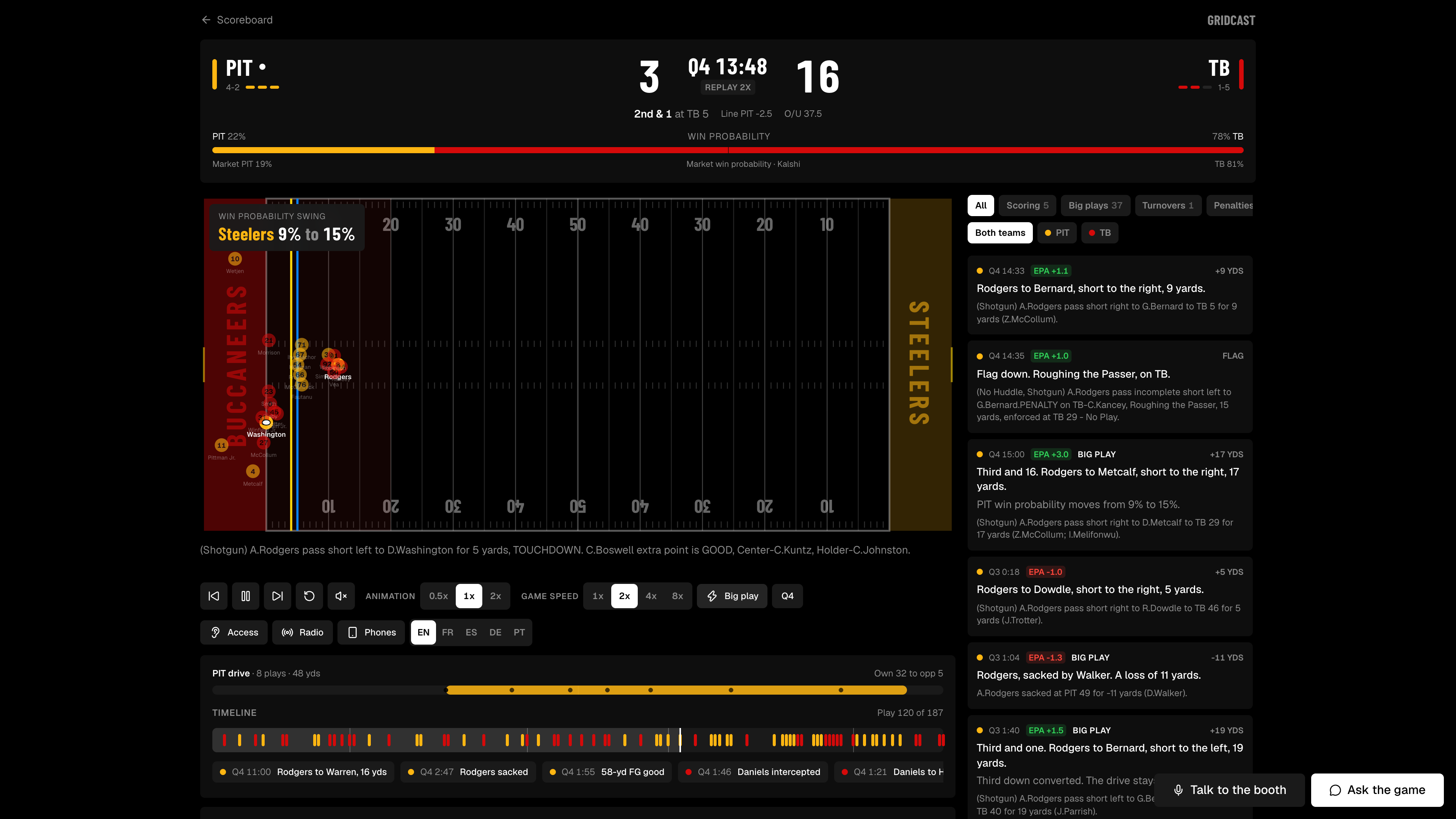
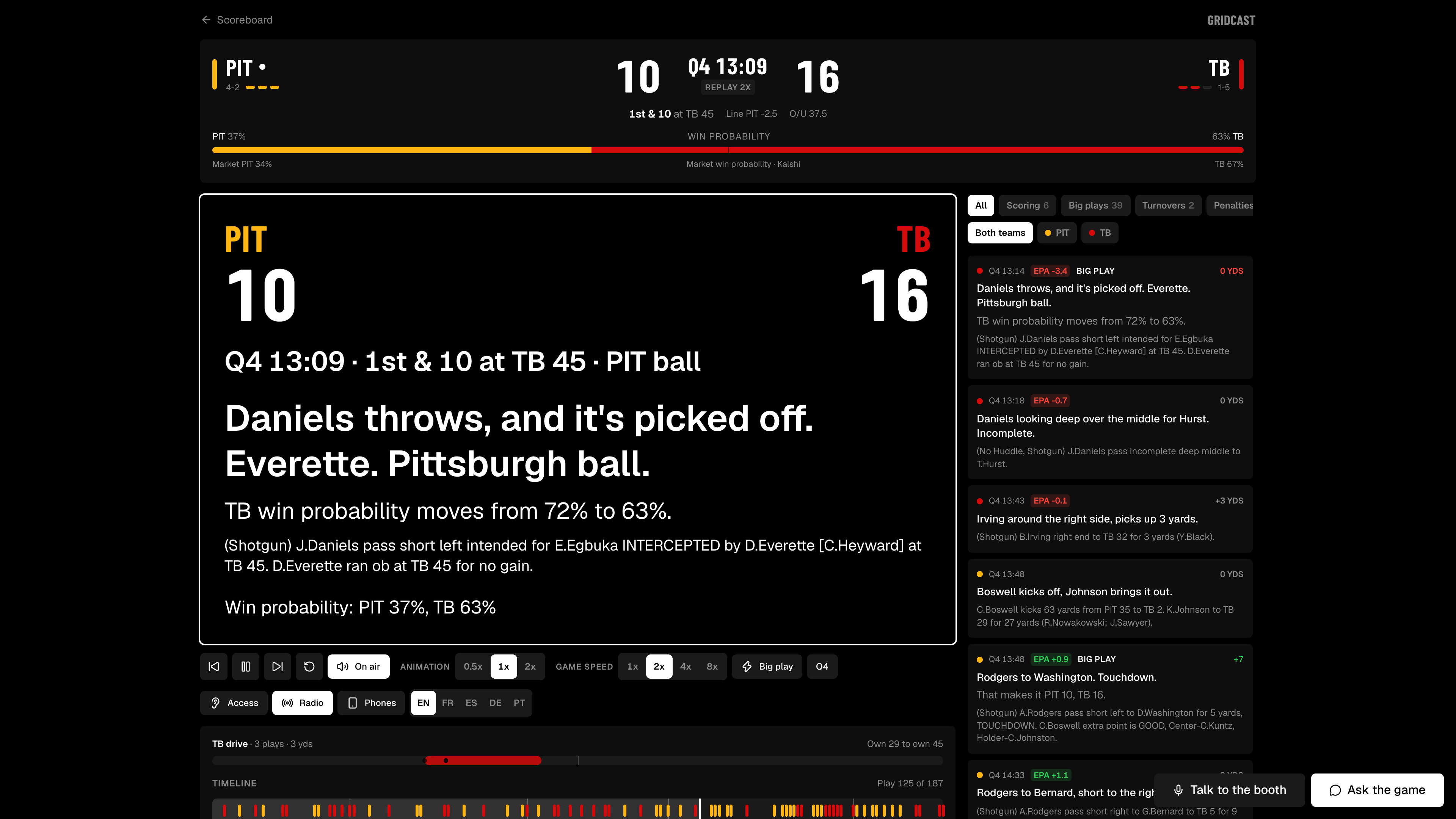
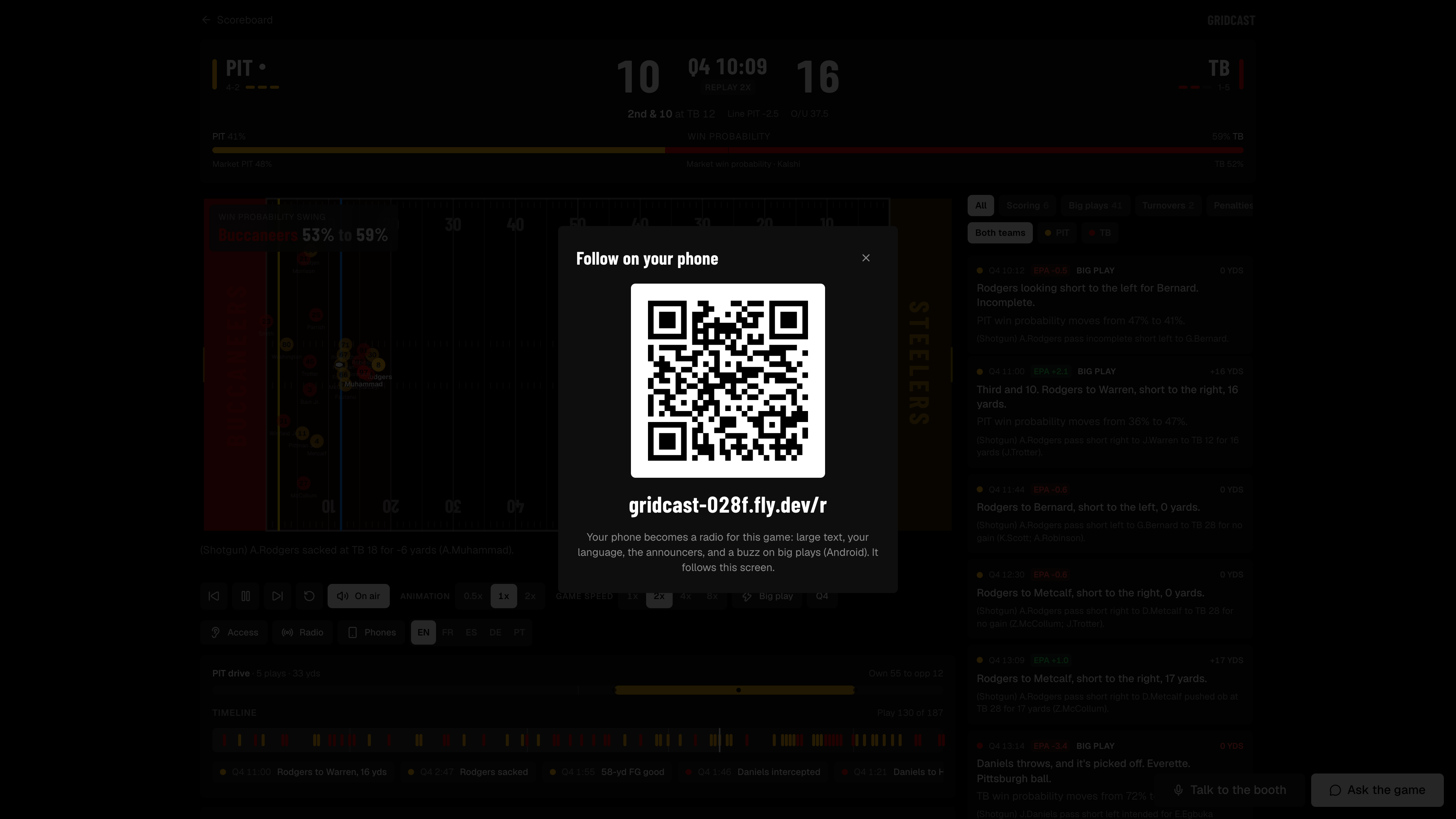
Gridcast turns the free NFL play-by-play feed into a live, accessible broadcast you can see, hear, feel and talk to.
- See it: every play is animated on a 2D field with all 22 players, the ball's path, the line of scrimmage and the first-down line. It works live during the game or as a replay of any finished game.
- Hear it: in Access mode, the field becomes 3D sound. The ball pans left and right as it moves, its pitch rises as the offense nears the end zone, a tone marks the first-down line, and every catch, tackle, turnover and touchdown has its own sound.
- Feel it: phone vibration patterns for big moments: a touchdown, a turnover, a first down.
- Talk to it: ask the booth out loud, "why did they punt there?", and the AI color analyst answers in voice using the real game data, then replays that play on the field.
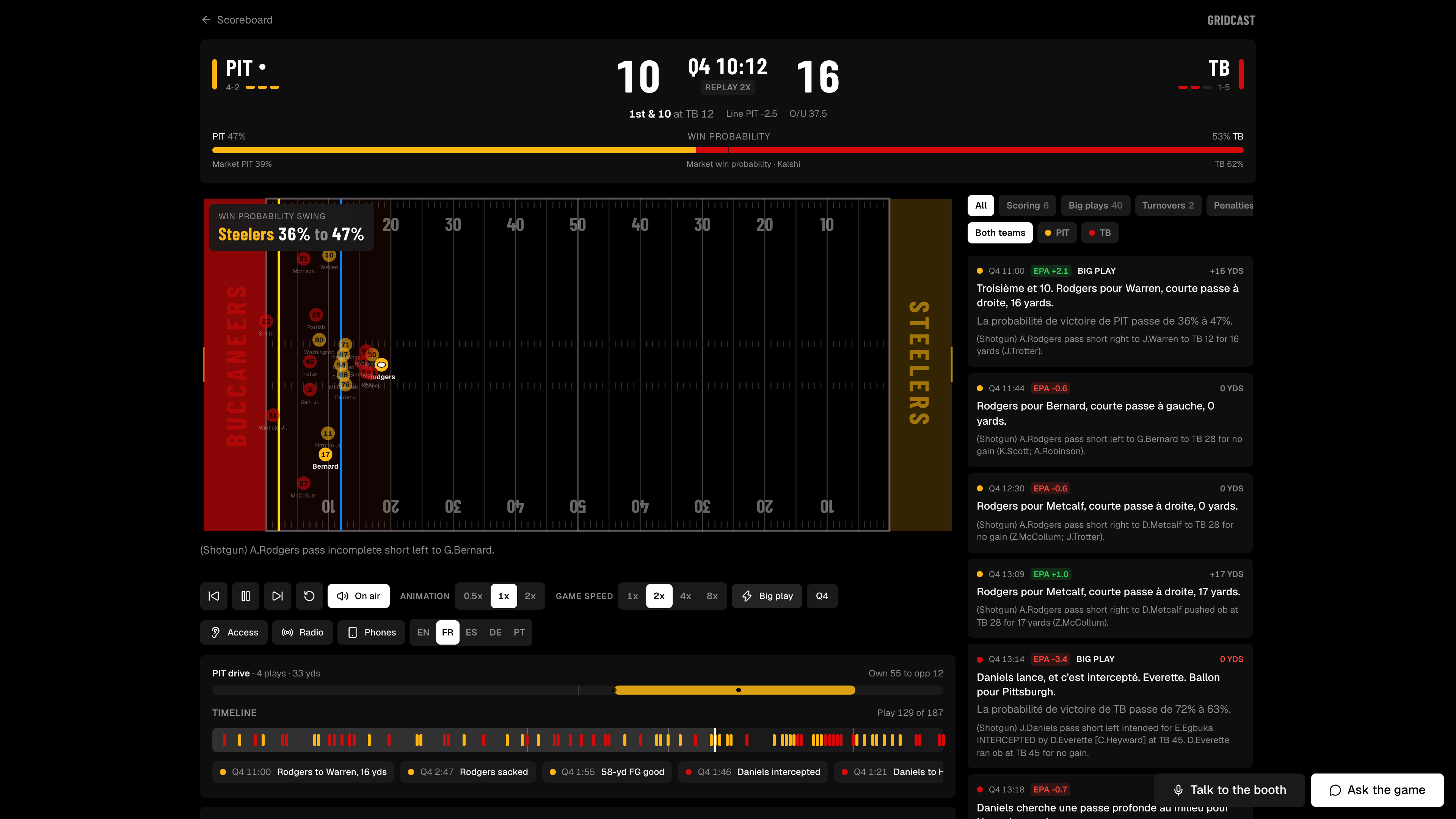
- In any language: two AI announcers call every play, and you can switch the commentary to French, Spanish, Mandarin, Hindi and more mid-game.
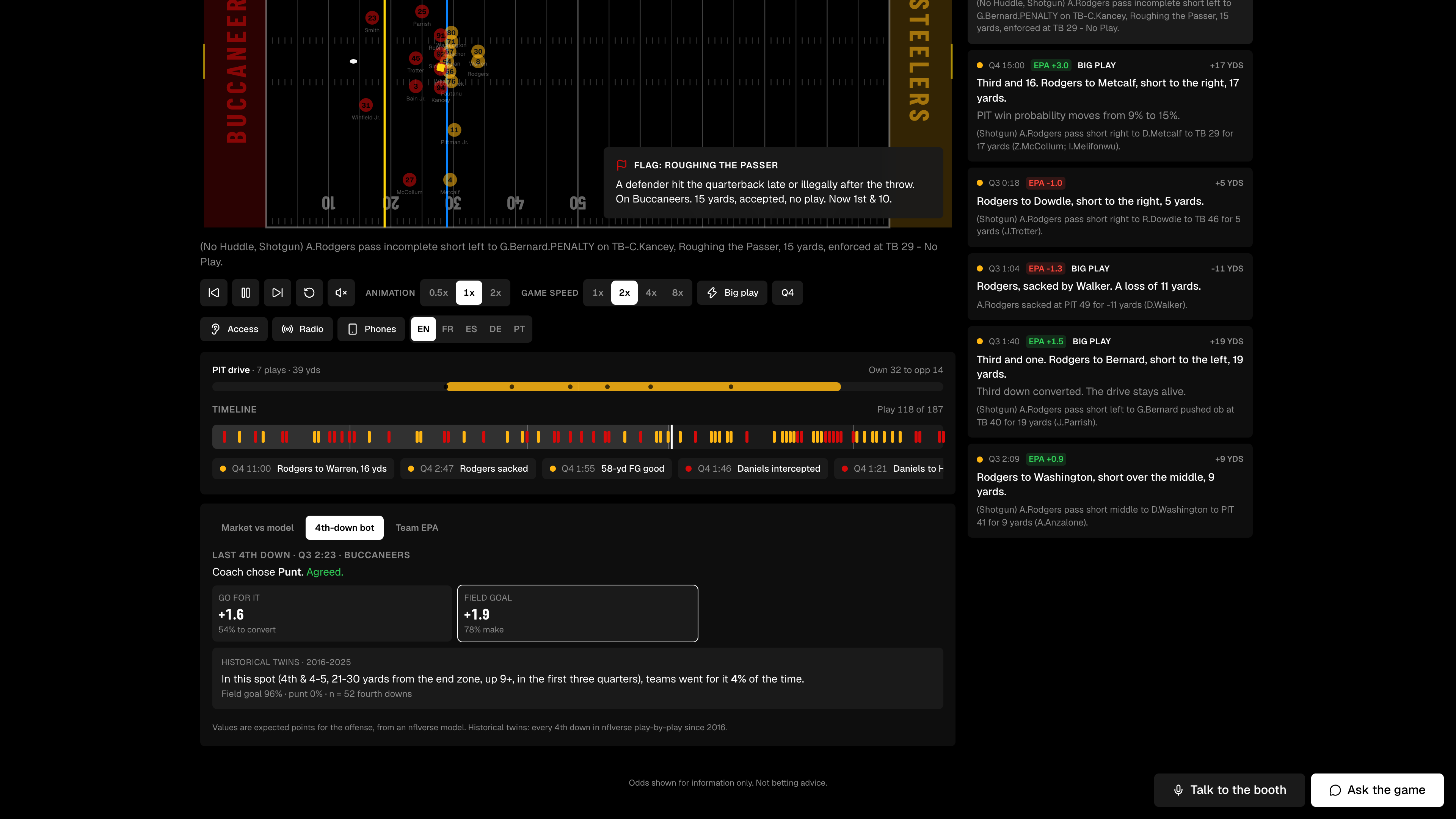
- Understand it: plain-English cards explain every timeout, penalty, review and quarter break. Win probability, market odds and expected points show how much each play mattered, and a 4th-down bot says what the numbers recommend. Historical twins show how teams in the same situation did across past seasons.
Everything works with a screen reader and a keyboard, and the commentary is checked against the game data so the AI can't invent facts.
How we built it
- Play parser (TypeScript): code that reads ESPN's play text and turns it into structured plays: type, players, direction, yards, result and penalties. It doesn't use AI at all, so the AI never decides what happened on the field. We tested it against 111,442 labeled plays from three seasons of nflverse data and it scored 99.8% on play type and 99.3% on yards.
- Server (Node + Hono): polls ESPN every 10 seconds and Kalshi every 5, turns everything into one stream of game events, logs it, and streams it to the browser with Server-Sent Events. Live games and replays use the exact same code; only the playback clock changes.
- Field (React + GSAP): an SVG football field animated from 10 play templates (run, pass, sack, punt, kickoff, field goal, penalty and more), with formations and real names filled in from team depth charts.
- Access mode (Web Audio API): spatial sound driven by the same animation timeline, so what you hear always matches what's on the field. Vibration uses the browser's Vibration API on Android.
- AI announcers: commentary lines generated per play with a fact-check that rejects any line naming a player or number not in the game data. [check: which AI you used for commentary] ElevenLabs gives the two announcers their voices, and ElevenLabs sound effects add the crowd roar.
- Voice booth: an ElevenLabs Agent running on Gemini, with tools that read the live game log and replay plays on the field.
- Translation: Gemini translates each line; ElevenLabs reads it in a native-sounding voice.
- Tiger Data: game events, win probability and odds are stored as time-series data, alongside 10 seasons of nflverse plays used for the historical-twin comparisons.
- Deployed on Vultr, at [check: your domain].
- AI coding tools: we used [check: list the coding agents and AI tools you used] to help write code, following a written plan (PRD, AGENTS.md) and reviewing every change.
Challenges we ran into
- ESPN's real feed didn't match our test data. We first built against test data generated from nflverse, because ESPN was unreachable from our build environment. When we switched to the real feed, 13 tests broke. Two were serious bugs: ESPN combines a touchdown and its extra point into one play, so our parser read every touchdown as an extra point, including the overtime game-winner in our demo game. ESPN also lists TV breaks as "Official Timeout", and we were charging them to teams, which created fake timeout cards and wrong timeout counts.
- Turning text into motion. There's no public live player-tracking data, so every animation is rebuilt from a sentence like "pass short right to G.Bernard for 6 yards". Getting that to look believable for every play type took a lot of tuning.
- Making sound readable. Our first sound design was just noise. We had to work out what a blind fan actually needs to know (where the ball is, which way it's going, how close to the first-down line and the end zone) and design sounds that carry that without being tiring to listen to.
- iPhone haptics. Safari ignores the Vibration API, and the workaround people used was patched in iOS 26.5, so vibration only works on Android. Sound and voice cover iPhone users.
- Keeping the AI honest. Commentary that invents a stat or an injury is worse than none at all, so every line is checked against the game data before it's shown or spoken.
- Live data is slow. ESPN's free feed runs about 30–60 seconds behind TV, so we built the replay engine and a switch to flip between live and recorded playback in case the live feed failed during judging.
Accomplishments that we're proud of
- A play parser that's 99.8% accurate on 111,442 real NFL plays, with no AI involved.
- Running the real Steelers vs Saints game from Paris live during judging, not a mockup.
- Making a football game something you can follow with your eyes closed.
- One code path for live and replay, so the demo can't fall over if the Wi-Fi does.
- Commentary that's checked against the data, so the AI can't make things up.
- [check: anything else you're proud of, e.g. how many tests pass, or feedback from a blind or low-vision tester if you had one]
What we learned
- Free sports data is messier than it looks. Test against the real feed as early as possible, not data that looks like it.
- Accessibility is design work, not a checkbox. Making a game understandable through sound alone forced us to decide what actually matters on every play.
- The best way to use AI here was to keep it away from the facts: plain code decides what happened, and AI only explains and narrates it.
- How to build real-time systems: polling, event logs, streaming and keeping audio in sync with animation.
- [check: personal learning per teammate. Judges score Learning, so name what each of you was new to.]
What's next for Gridcast
- Testing with blind and low-vision fans, and working with groups like the American Council of the Blind, which already advises the NFL on accessibility.
- Real player motion from NFL Big Data Bowl tracking data, so animations show real routes instead of templates.
- iPhone haptics through a native app.
- More sports: basketball, soccer and college football all publish similar play-by-play feeds.
- A low-bandwidth audio-only mode for fans abroad or on slow connections.
- Shareable highlight clips of the animated field with commentary.
Built With
- claude
- elevenlabs
- elevenlabs-agents
- espn
- gemini
- gsap
- hono
- javascript
- node.js
- postgresql
- python
- react
- recharts
- shadcn-ui
- svg
- tailwindcss
- tanstack-query
- tanstack-router
- tiger-data
- timescaledb
- typescript
- vibration-api
- vite
- web-audio-api
- zustand

Log in or sign up for Devpost to join the conversation.