Gravisonde — OpenCV 5 on AWS Graviton + COOL Performance Benchmark
yes
Built for the OpenCV AI Competition 2026 — targets the COOL Award ($1,000).
⚠️ Sandbox notice: This sandbox blocks network access to npm registry and PyPI.
npm install,pip install,tsc, andnext buildcannot run inside this environment. Run those steps on your own machine (see §3.2). Docker Compose local development (make local-up) works inside the sandbox because it builds images from already-cached layers.
What Gravisonde Does
| Component | Tech | Role |
|---|---|---|
| Dashboard | Next.js 16 (App Router), React 19, Tailwind v4 | Live metrics UI via Server-Sent Events (SSE) |
| Pipeline | Python 3.11 + OpenCV 5 + ONNX Runtime | Object detection (YOLO11n) + features (ALIKED/LightGlue) on video |
| COOL runtime | AWS Marketplace COOL AMI (Arm KleidiCV) | Graviton-optimized OpenCV 5 on EC2 c8g.xlarge |
| Mock AWS | LocalStack | CloudWatch + S3 emulator for local dev (no AWS credentials needed) |
| Infra | AWS CDK (TypeScript) | VPC, EC2, IAM, S3, CloudWatch, ALB |
The pipeline captures frames from a video source, runs inference, measures per-frame latency and detection counts, and streams metrics to CloudWatch. The dashboard renders live FPS, latency percentiles (p50/p95/p99), cost per fps, and a downloadable benchmark CSV.
Repository Structure
gravisonde/
├── apps/
│   ├── dashboard/              # Next.js 16 frontend (App Router, React 19, Tailwind v4)
│   └── cv-pipeline/            # Python OpenCV 5 pipeline (DNN + Features2D)
├── infra/                      # AWS CDK (TypeScript) — VPC, EC2, IAM, S3, CloudWatch
├── scripts/                    # bench_runner.py, stub_api.py
├── docs/
│   ├── technical-report.mdx    # Competition entry write-up
│   ├── architecture.mmd        # Mermaid architecture diagram
│   ├── reproduction-guide.md   # Step-by-step reproduction guide
│   └── demo-script.md          # Judge demo walkthrough
├── docker-compose.yml          # Local dev stack (dashboard + pipeline + LocalStack)
├── Makefile                    # All automation targets
├── DECISIONS.md                # Build decisions log
├── TODO.md                     # Remaining deliverables
├── .env.example                # Environment variables template
└── sample_video.mp4            # Test video (generate if 0 bytes — see §3.3)
Prerequisites
| Tool | Minimum Version | Purpose |
|---|---|---|
| Docker | >= 24.0 | Local dev stack (docker compose) |
| Node.js | >= 22 | Dashboard build and dev server |
| Python | >= 3.10 | CV pipeline dependencies |
| AWS CLI | >= 2.x | AWS deployment (optional) |
| AWS CDK | v2.x | Infrastructure deployment (optional) |
| ffmpeg | any | Generate sample video if missing |
Quick Start — Local Development (Recommended)
The fastest way to run Gravisonde is with Docker Compose. It spins up the Next.js dashboard, a stub OpenCV pipeline, and LocalStack (mock AWS) — no AWS credentials required.
Step 1 — Clone the repository
git clone <your-fork-url>
cd gravisonde
Step 2 — Create the environment file
cp .env.example .env.local
# Edit .env.local if you need to override any defaults
Step 3 — Ensure a sample video exists
docker-compose.yml mounts ./sample_video.mp4 read-only into the pipeline container at /data/sample.mp4. If the file is missing or 0 bytes, the pipeline will fail to open a video source.
Generate a 30-second test video with ffmpeg:
ffmpeg -f lavfi -i testsrc=duration=30:size=640x480:rate=30 \
  -c:v libx264 -preset fast sample_video.mp4
Or download a CC0 test video:
wget https://commondatastorage.googleapis.com/gtv-videos-bucket/sample/ForBiggerBlazes.mp4 \
  -O sample_video.mp4
Step 4 — Start the local stack
make local-up
This builds and starts three services:
| Service | Port | Purpose |
|---|---|---|
| Dashboard (Next.js) | 3000 | Live metrics UI |
| Pipeline (OpenCV) | N/A | Stub CV pipeline emitting metrics |
| LocalStack | 4566 | Mock AWS (CloudWatch, S3) |
Step 5 — Open the dashboard
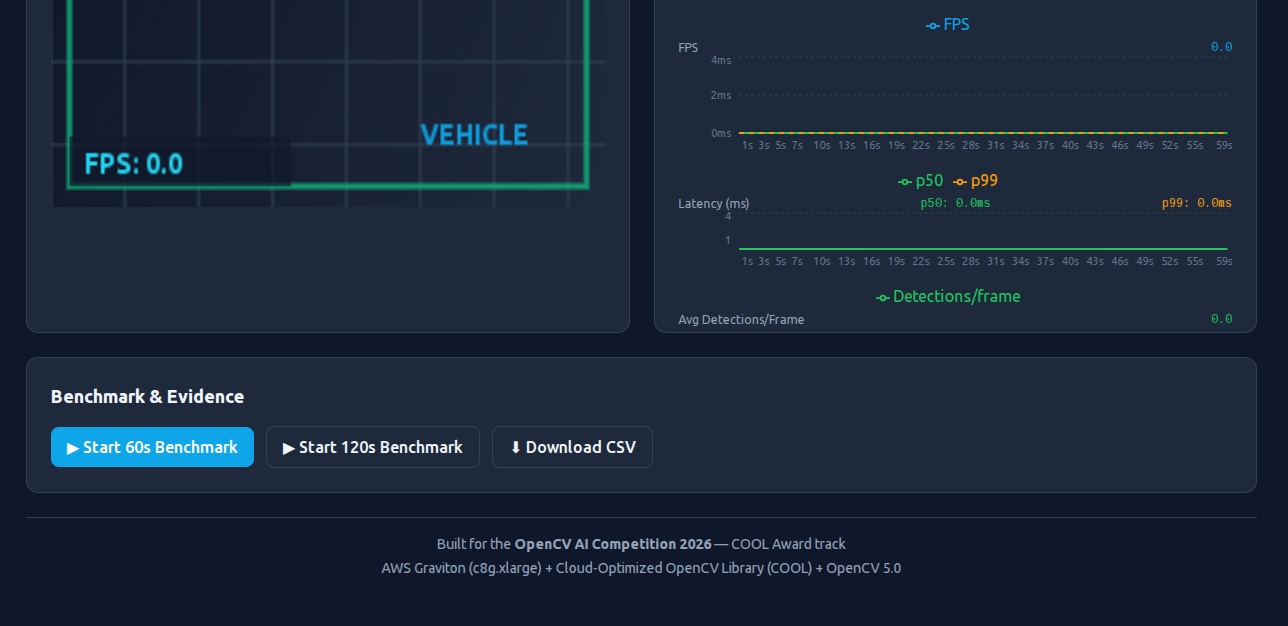
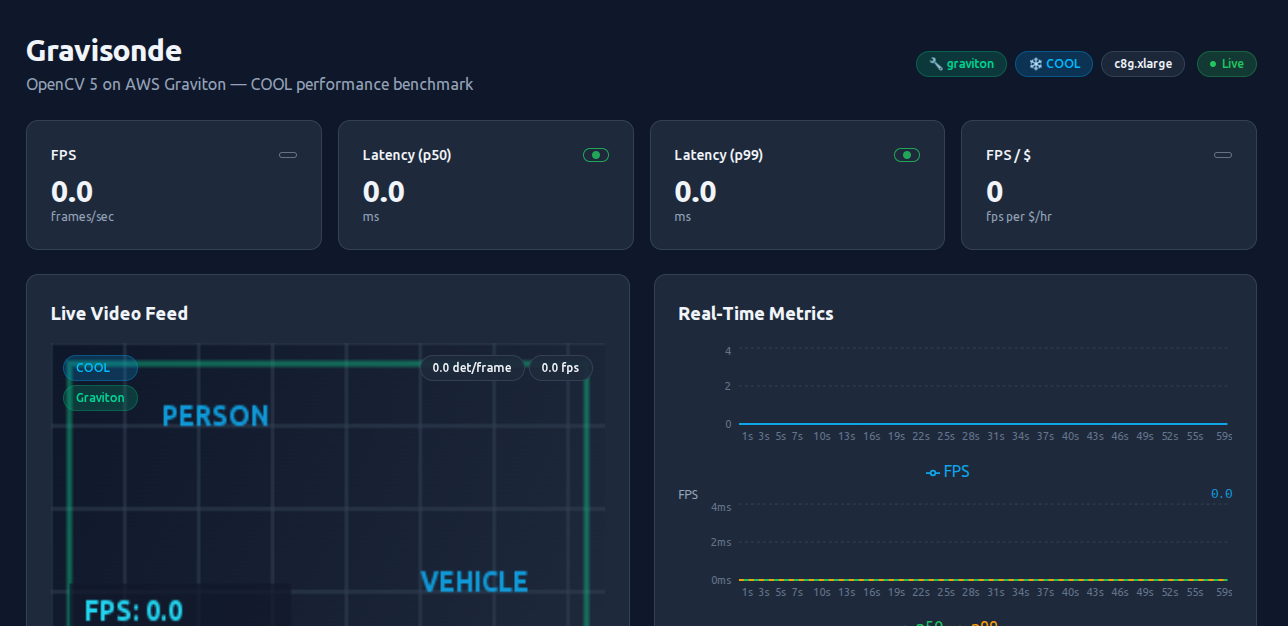
Visit http://localhost:3000 in your browser. You should see:
- Live metric cards (FPS, latency p50/p99, fps-per-dollar)
- A live video feed with bounding-box overlays
- Real-time charts updating via SSE
- A "Download Benchmark" button for the per-frame CSV
Step 6 — Stop the stack
make local-down
Verification Checklist (Run After Booting Back Up)
Because the sandbox blocks npm/PyPI, run these on your own machine:
1. Verify the dashboard compiles
cd apps/dashboard
npm install
npm run typecheck
npm run build
Expected: tsc --noEmit exits cleanly and next build produces a .next/ folder.
2. Verify the pipeline dependencies resolve
cd apps/cv-pipeline
pip install -r requirements.txt
python -c "import cv2; print(cv2.__version__)"
Expected: prints 5.0.0.93 (or whichever OpenCV 5 version is installed).
3. Verify the full local stack
cd gravisonde
make local-up
# → http://localhost:3000
make local-down
AWS Deployment (Production / Hackathon Demo)
Deploy to real AWS for the COOL-vs-stock benchmark on actual Graviton hardware.
Step 1 — Bootstrap CDK (once per account/region)
cd infra
make bootstrap   # runs: npx cdk bootstrap
Step 2 — Deploy infrastructure
make deploy-infra # runs: npx cdk deploy --require-approval never
CDK stack outputs:
InstanceId— EC2 instance IDInstancePublicIp— Public IP of the pipeline serverBenchmarkBucketName— S3 bucket for CSV artifactsCwLogGroup— CloudWatch log group path
Step 3 — Build pipeline Docker images
make build-pipeline # builds cv-pipeline:cool and cv-pipeline:stock
Step 4 — Push images to ECR
make push-pipeline # requires ECR repos created by the CDK stack
Step 5 — Start the pipeline on EC2
make start-pipeline # launches the container via AWS SSM
Step 6 — Run the COOL vs Stock benchmark
make benchmark # runs 300s per pipeline, uploads CSV to S3
Step 7 — Clean up
make destroy-infra    # removes all CDK resources
make local-down       # stops Docker compose (if running locally)
Make Target Reference
| Target | Description |
|---|---|
make local-up |
Start dashboard + pipeline + LocalStack at localhost:3000 |
make local-down |
Stop and remove the local stack |
make bootstrap |
CDK bootstrap (once per account/region) |
make deploy-infra |
Deploy EC2, S3, CloudWatch, ALB via CDK |
make destroy-infra |
Destroy all AWS resources |
make build-pipeline |
Build COOL + stock Docker images |
make push-pipeline |
Push images to ECR |
make deploy-dashboard |
Deploy Next.js to Vercel (or ALB) |
make start-pipeline |
Launch pipeline container on EC2 via SSM |
make benchmark |
Run COOL vs stock comparison, upload CSV to S3 |
make test |
Run Python + TypeScript tests |
make lint |
Run linters (ruff + next lint) |
make typecheck |
TypeScript + CDK type checking |
make clean |
Remove build artifacts and containers |
Project Details
What's Built
- Dashboard (
apps/dashboard/) — Next.js 16 App Router page with live SSE metrics, video canvas overlay, metric cards, charts, and benchmark CSV download. - CV Pipeline (
apps/cv-pipeline/) — Python package withVideoCapture,Detector(YOLO11n DNN + ALIKED/LightGlue),MetricsCollector, andrun_pipelineentrypoint. - Benchmark runner (
scripts/bench_runner.py) — Runs the pipeline for a fixed duration and writes per-frame metrics to CSV. - Stub API (
scripts/stub_api.py) — Minimal in-process AWS emulator (CloudWatch + S3) for local development. - Infra (
infra/) — AWS CDK stack: VPC, EC2c8g.xlarge(Graviton4), IAM role/profile, S3 bucket, CloudWatch log group, security group, ALB. - Docs (
docs/) — Technical report, architecture diagram (Mermaid), reproduction guide, demo script.
Known Constraints
- Sandbox network limits:
registry.npmjs.organdpypi.orgare blocked from this environment.npm install,pip install,tsc, andnext buildmust run on your local machine. sample_video.mp4may be 0 bytes in the repo. Generate one beforemake local-up(see §3.3).- COOL AMI: The COOL-optimized OpenCV 5 build is only available as an AWS Marketplace AMI. Local development uses stock OpenCV 5 via
Dockerfile.local. - Python version: Local Python 3.10.12. Docker images use Python 3.11/3.12. The COOL AMI ships its own Python at
/opt/cool.
Further Reading
docs/technical-report.mdx— Competition entry write-up (problem, solution, differentiation, MVP, stretch features, responsible use)docs/architecture.mmd— Mermaid diagram of the full architecturedocs/ARCHITECTURE_OVERVIEW.mmd— High-level overview diagramdocs/reproduction-guide.md— Step-by-step local + AWS reproduction stepsdocs/demo-script.md— 4–5 minute judge demo walkthroughdocs/COOL_EVIDENCE.md— Additional evidence for Best Use of COOL Awarddocs/AGENTIC_VISION_NOTE.md— Gap analysis for Agentic Vision AwardDECISIONS.md— Build decision logTODO.md— Remaining deliverables
Built With
- amazon-web-services
- cdk
- cli
- docker
- ffmpeg
- nextjs
- node.js
- python

Log in or sign up for Devpost to join the conversation.