-
-

Meet grasshopper's mascot, Grace Hopper the grasshopper!
-
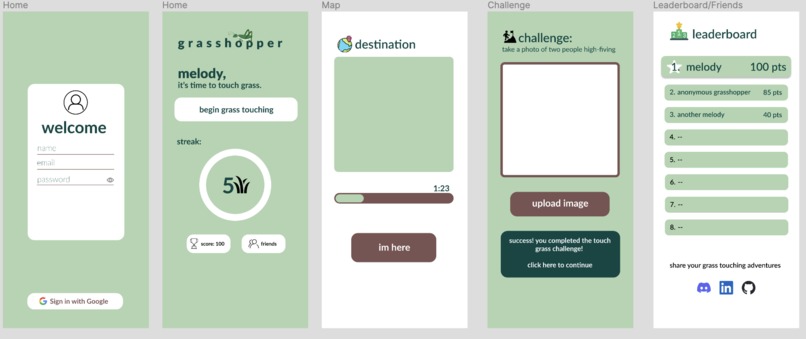
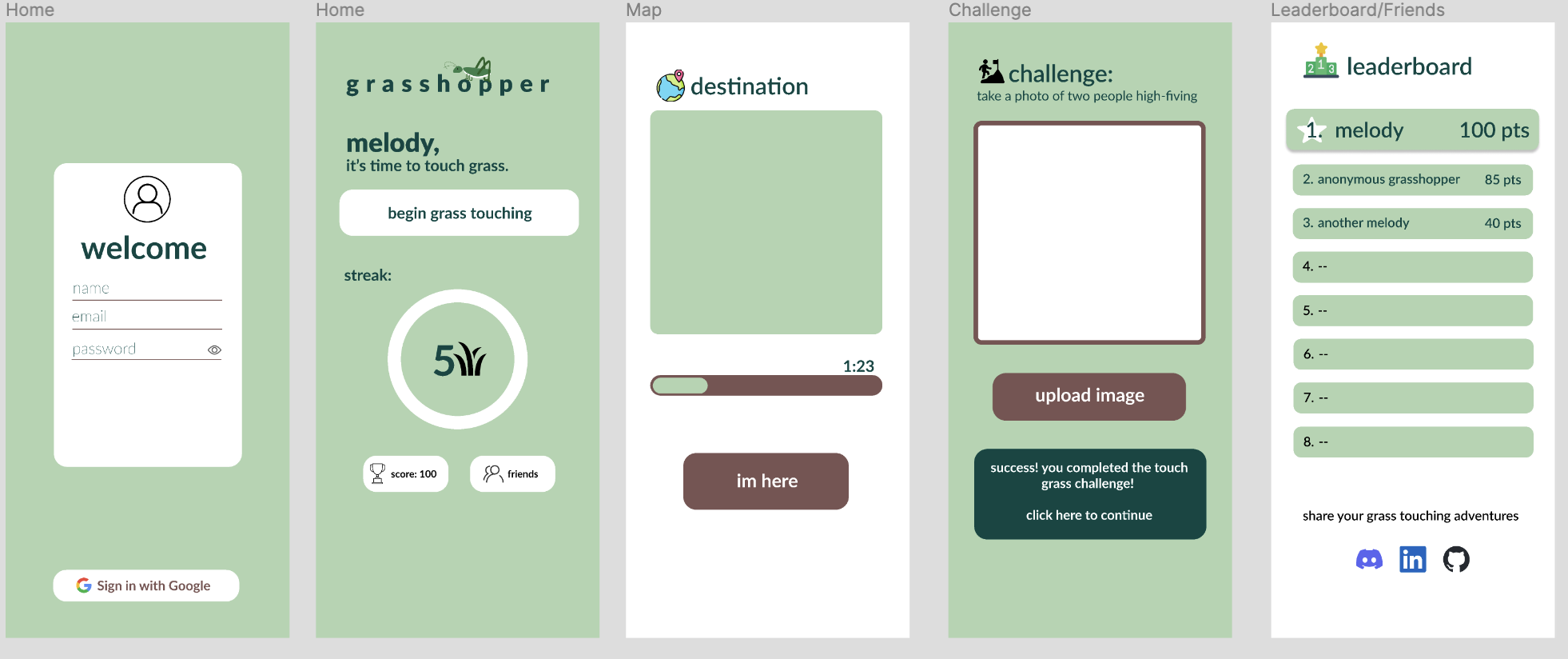
Our initial Figma prototype that we accomplished by the first night
-
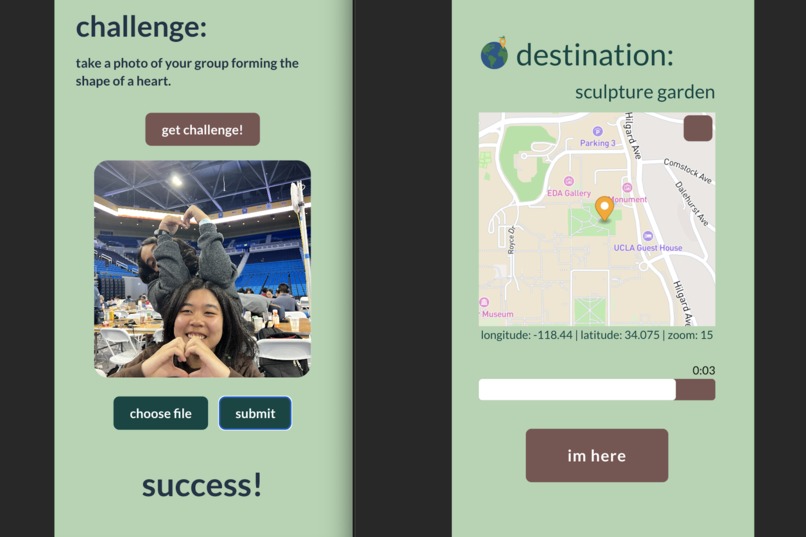
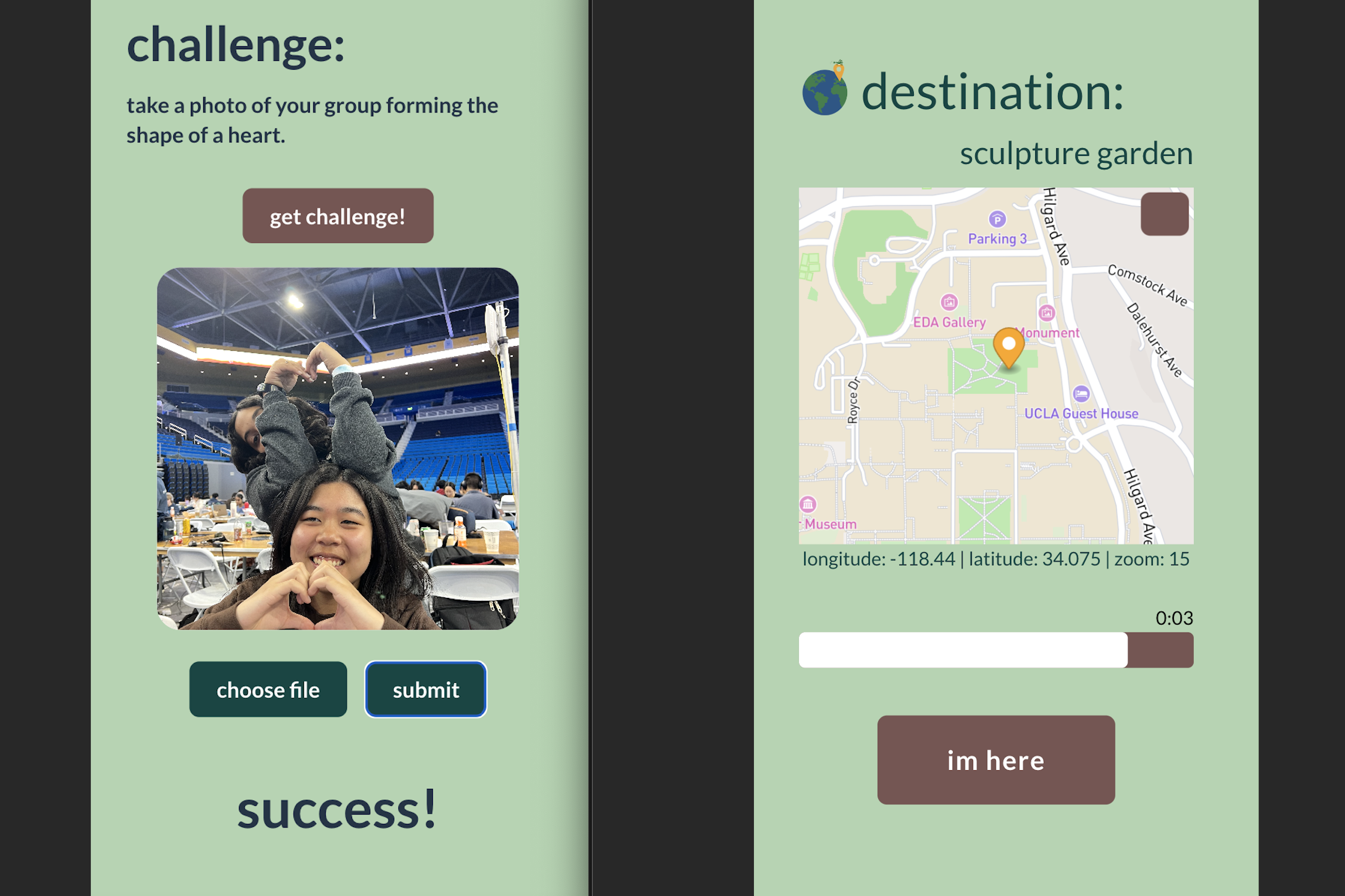
A closer look at our map and challenge pages

Inspiration
In a world where college students spend every waking moment on their laptops in carefully scheduled activities, it is clear now more than ever that social interaction, exploration, and spontaneity are critically lacking. Understanding the profound impact of this issue on physical and mental well-being, our team set out to devise a solution and thus dreamed up grasshopper, an app inspired by the impromptu social phenomena of BeReal. grasshopper aims to empower and connect young individuals by encouraging them to engage and interact with nature through exploration of nearby outdoor spaces together.
What it does
grasshopper operates by sending a timely notification at a random time of the day, urging users to explore an outdoor area selected by Google Gemini and connect with fellow participants, then engage in a challenge curated by Gemini. After completing the task, users provide photo evidence of the completed task. Gemini then assesses the submissions, rewarding points based on successful completion. Additionally, grasshopper leverages positive peer influence through a dynamic leaderboard, enabling users to track their friends' scores and rankings, fostering friendly competition and motivation to go out and about.
How we built it
- Designed a high-fidelity prototype of our product with Figma
- Built an interactive webpage using ReactJS and Firebase
- Integrated Google Gemini API to generate unique outdoor challenges and evaluate user-submitted photos for success or failure
- Learned Mapbox API, Google Gemini API, Firebase, and React to bring grasshopper to life
Challenges we ran into
- Many of us were unfamiliar with ReactJS, but we persisted in developing new skills on the spot to successfully launch our web app.
- Working with Firebase for sending game notifications to users. As a workaround, we transitioned to a client-side solution to ensure our alerts for players went through.
- Utilizing Mapbox API to show our users where to meet up and their own location. Adding the map to our web app caused other components we created to sometimes not function correctly. It was difficult to get certain subcomponents in the mapbox-gl package to respond to our style customizations.
- We all set to work on building different aspects of grasshopper in parallel for the greater part of the hackathon (which was a good strategy and helped play to our strengths), but figuring out how to merge everything together at the end was intimidating. We successfully resolved all the conflicts!
Accomplishments that we're proud of
- Guided by the amazing mentors, we asked away all our questions with no hesitance and learned SO much!
- Coming up with an innovative idea
- We learned how to make a prototype of our ideas using Figma
- We gave life to all the key features we wanted to include in our webpage within the 48-hour time crunch
- This is the very first hackathon for 3 out of 4 of us, so we’re proud of making it through and submitting!
What we learned
- Utilize Figma to make a prototype of our product
- Use React, CSS, and Firebase to incorporate key features on our website
- Work with Google Gemini’s API and Mapbox’s API
- Tie everything together into an all-around functioning product
What's next for grasshopper
- Revamp design and enhance frontend for a more engaging user experience
- Introduce user authentication and profile management features
- Improve challenge prompts to be more detailed and relevant to the location
- Implement after challenge functionality that suggests nearby places to keep exploring
- Explore public hosting options to extend accessibility
All in all, we were surprised by how good Gemini was at coming up with these fun, silly challenges and deciphering our photo submissions, and we definitely had a lot of fun playing with that in the development process! And with more time and resources, grasshopper truly has the potential to make a long-lasting and tangible impact on the physical and mental well-being of students by helping them touch grass 🌻


Log in or sign up for Devpost to join the conversation.