Inspiration
"Touch grass" is usually an insult. I wanted it to be a checkbox. I spend most of my day next to a terminal and wanted a small, slightly smug reason to leave it.
Brainstorming and design process
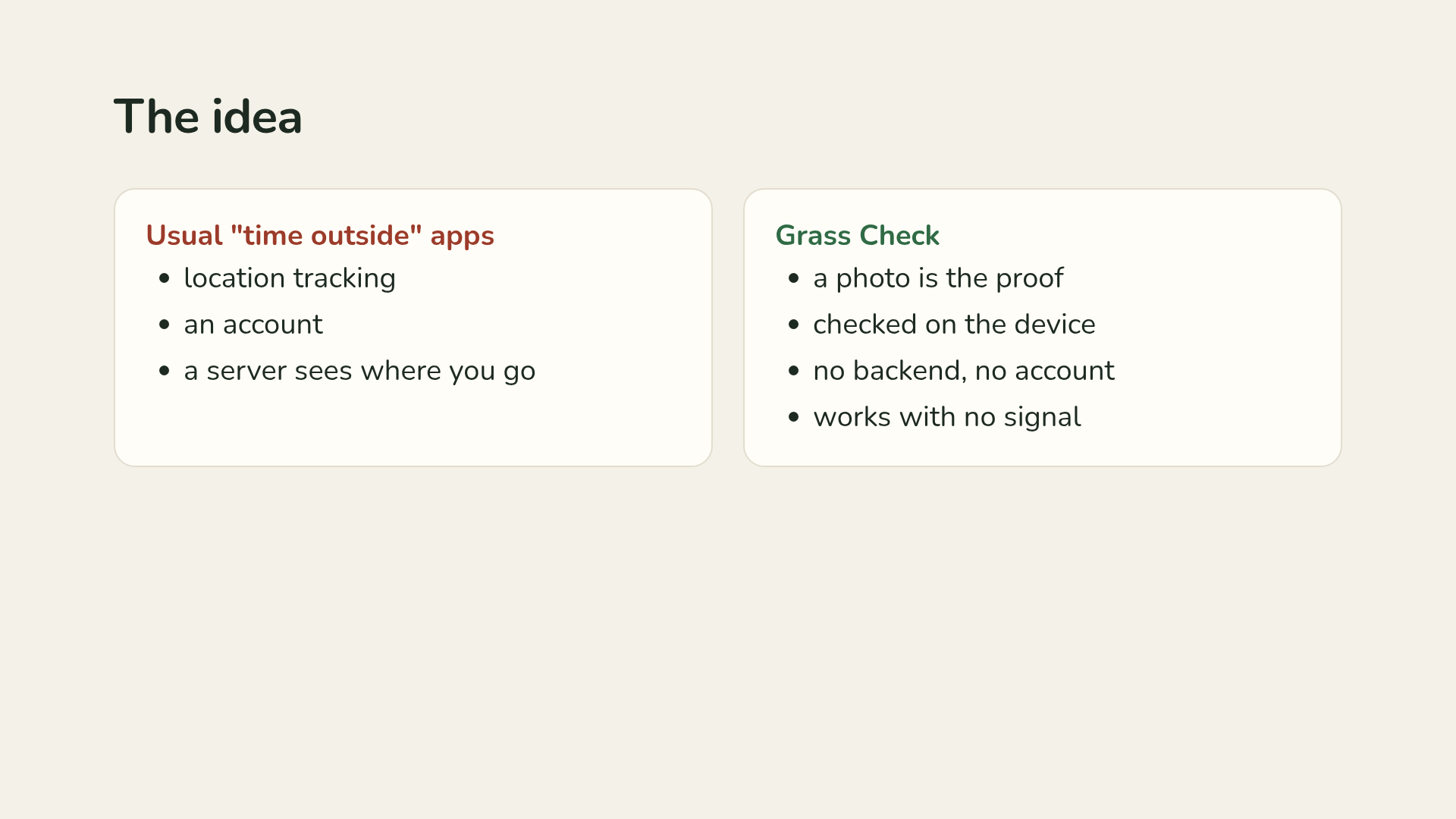
Apps that track time outside usually want location tracking, an account, and a server that sees where you go. I wanted the opposite: the photo is the proof, the check runs on the device, and the photo never leaves it. That gave me three design rules: no backend, no account, and it has to work on a trail with no signal. The screen is the shortest part of the experience on purpose: open, read the quest, go, snap, close.
What it does
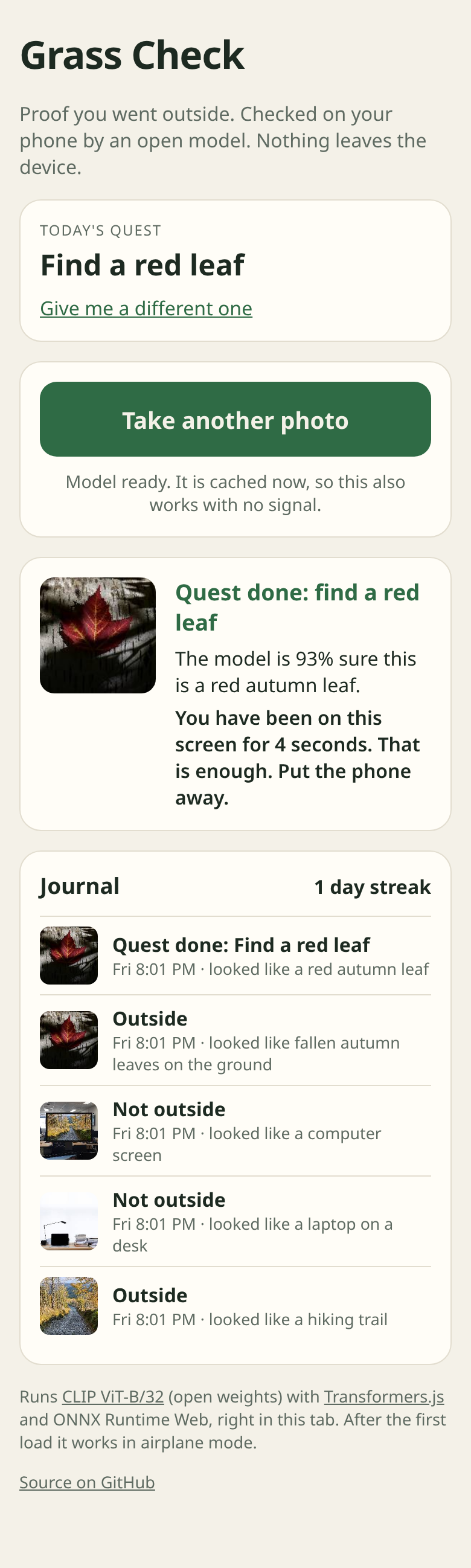
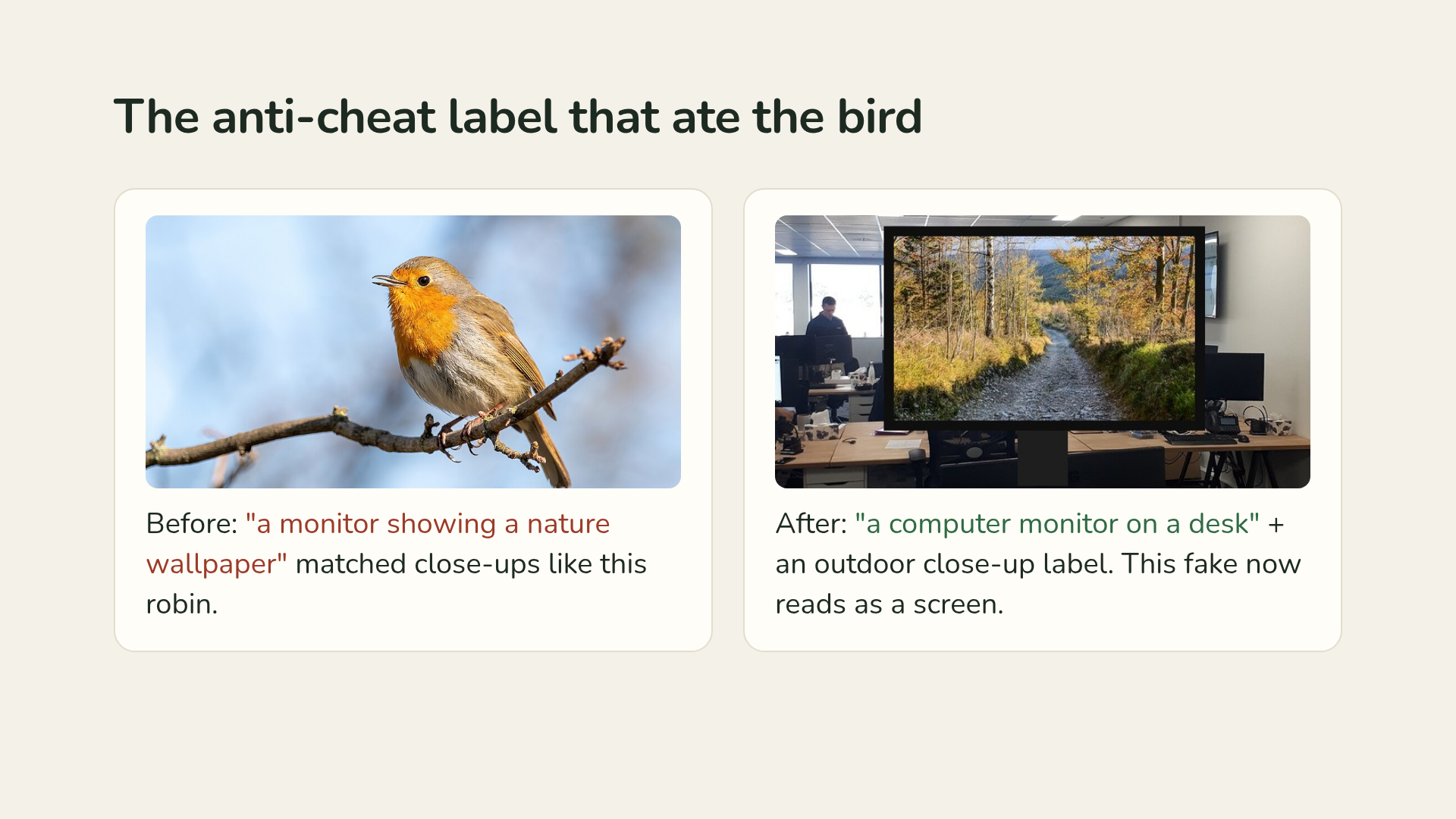
Grass Check gives you a quest for the day (find a red leaf, spot a squirrel, catch the sunset). Everyone gets the same quest on the same day, so a family or a run club can compare finds. You take a photo outside and an open image model running in your browser decides whether you did it. If you went outside, it tells you how many seconds you have spent on the screen and asks you to put the phone away. A photo of a laptop says "That looks like inside". A trail photo shown on an office monitor is still rejected. Every check goes into an on-device journal with a streak. After the first visit it works in airplane mode.
How I built it
- Model: CLIP ViT-B/32 (Xenova/clip-vit-base-patch32), an open-weight model that maps images and text into the same vector space, so it works as a zero-shot image classifier. A new quest is a new sentence, not a new training run.
- Runs in the browser with Transformers.js on ONNX Runtime Web (WebAssembly).
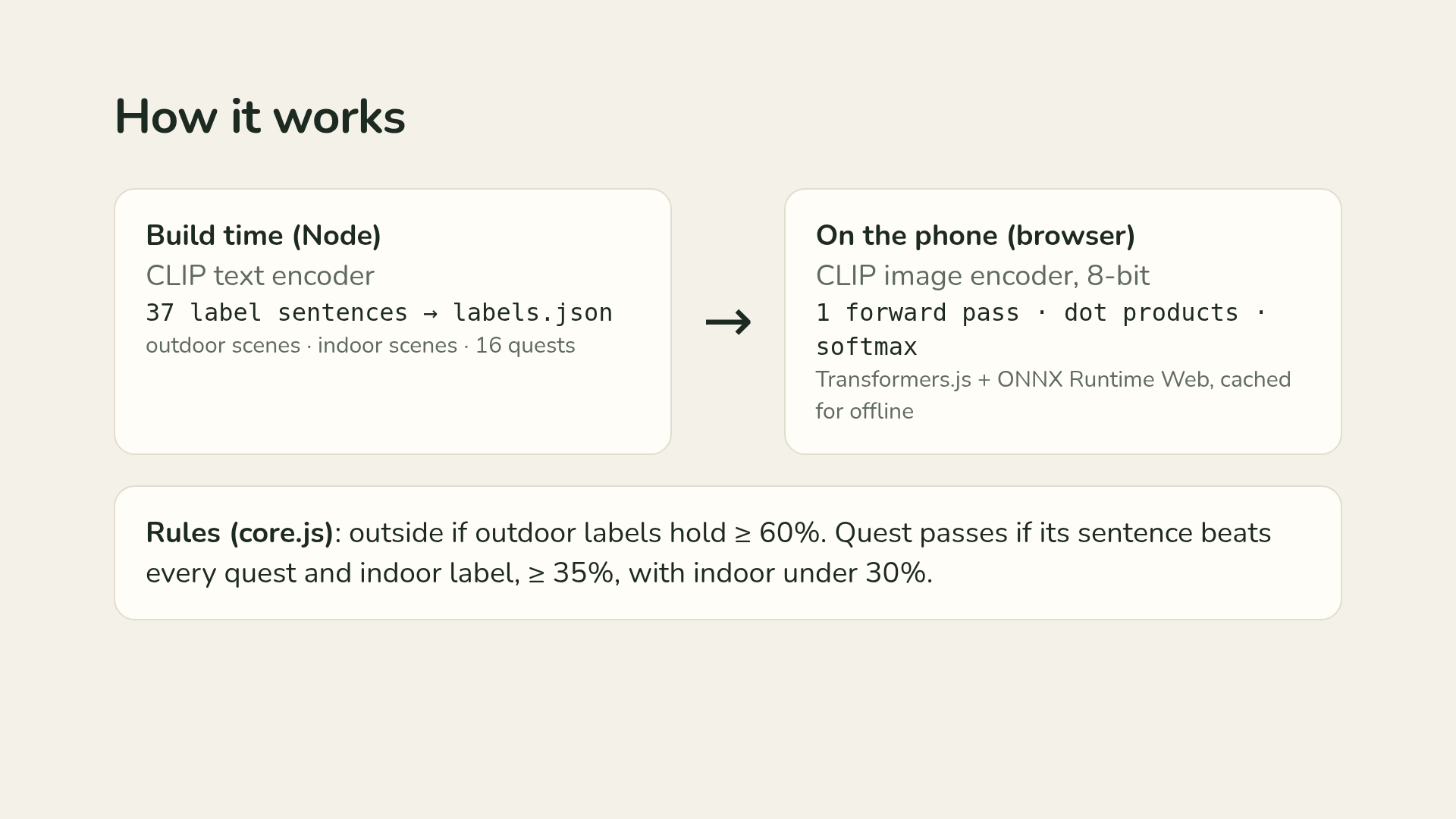
- I split the model in half. The label sentences never change, so a build script runs the text encoder once in Node over all 37 labels (11 outdoor scenes, 10 indoor scenes, 16 quests) and saves the vectors to labels.json. The phone only downloads the 8-bit image encoder. Checking a photo is one forward pass, 37 dot products and a softmax.
- The judgment lives in core.js, shared by the app and the tests: outdoor labels must hold at least 60% of the probability to count as outside; a quest passes only if its sentence beats every quest and indoor label, holds at least 35%, and indoor stays under 30%.
- Static files plus a service worker that caches the app, the library and the model for offline use. No backend.
Challenges I ran into
My first anti-cheat label, "a photo of a monitor showing a nature wallpaper", ate every close-up: a robin and an acorn both came back as wallpaper, because a sharp subject on a soft green background looks like a desktop background to CLIP. I fixed it by describing the hardware ("a photo of a computer monitor on a desk"), adding an honest outdoor close-up label, and building a test photo with a trail pasted inside a monitor bezel. My browser test also caught two bugs: offline mode failed on the first visit because the service worker installed after the model files were already fetched, and picking the same photo twice did nothing.
Accomplishments that I'm proud of
npm test runs the same 8-bit model in Node on 17 labeled photos and every expectation passes, including a photo of a band called Moss that is correctly rejected for the "find some moss" quest. A headless Chrome test uploads photos through the real page, then reloads with the network cut and checks the model still loads.
What I learned
CLIP looks at the whole frame, so how you word a label matters as much as the model. I also learned to make the tests use the real model, so every claim about what the app does comes from a test, not from eyeballing a demo.
Resources used
CLIP ViT-B/32 weights from Hugging Face, Transformers.js, ONNX Runtime Web, test photos from Wikimedia Commons (credits in the repo and the video), sharp for building the cheat test photo, and an AI coding agent, with every behavior checked by tests.
What's next for Grass Check
Seasonal and birding quest packs and other languages, which are one edit to scripts/labels.mjs plus npm run embed.
Code lives on the grasscheck branch of my taskfm repo.
Built With
- clip
- css
- html
- hugging-face
- javascript
- node.js
- onnx-runtime-web
- service-worker
- transformers.js
- webassembly
