-
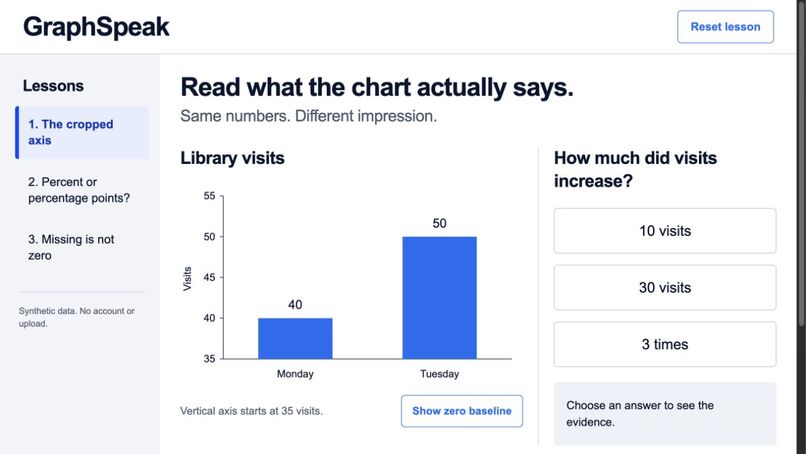
Working prototype with synthetic library-visit values: a cropped axis, answer choices and lesson navigation.
-
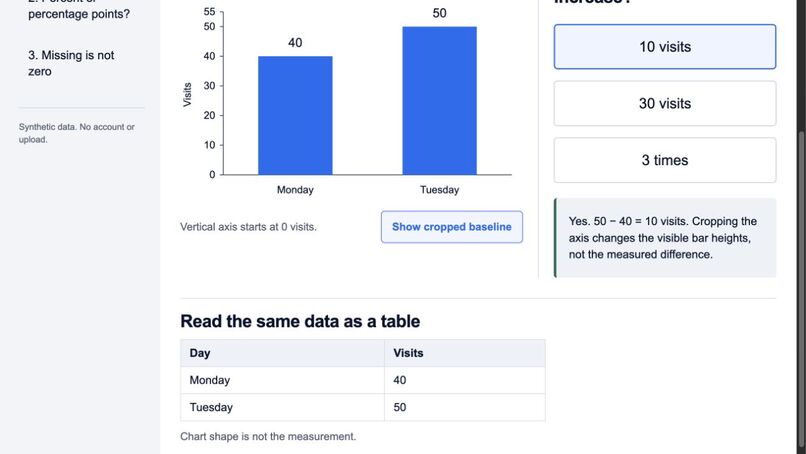
Actual public demo after a correct answer and switching to a zero baseline; the recorded table remains 40 and 50.
GraphSpeak
Tagline: Read the same data as a chart, table and explanation—without confusing cropped axes, percentage points or missing values.
Problem and intended learner
A learner can read the height of a bar or a percentage label while answering a different question from the one the numbers support. GraphSpeak focuses on three specific interpretation barriers using original synthetic examples. It does not claim that a particular learner has been studied or that the prototype improves test scores.
What works
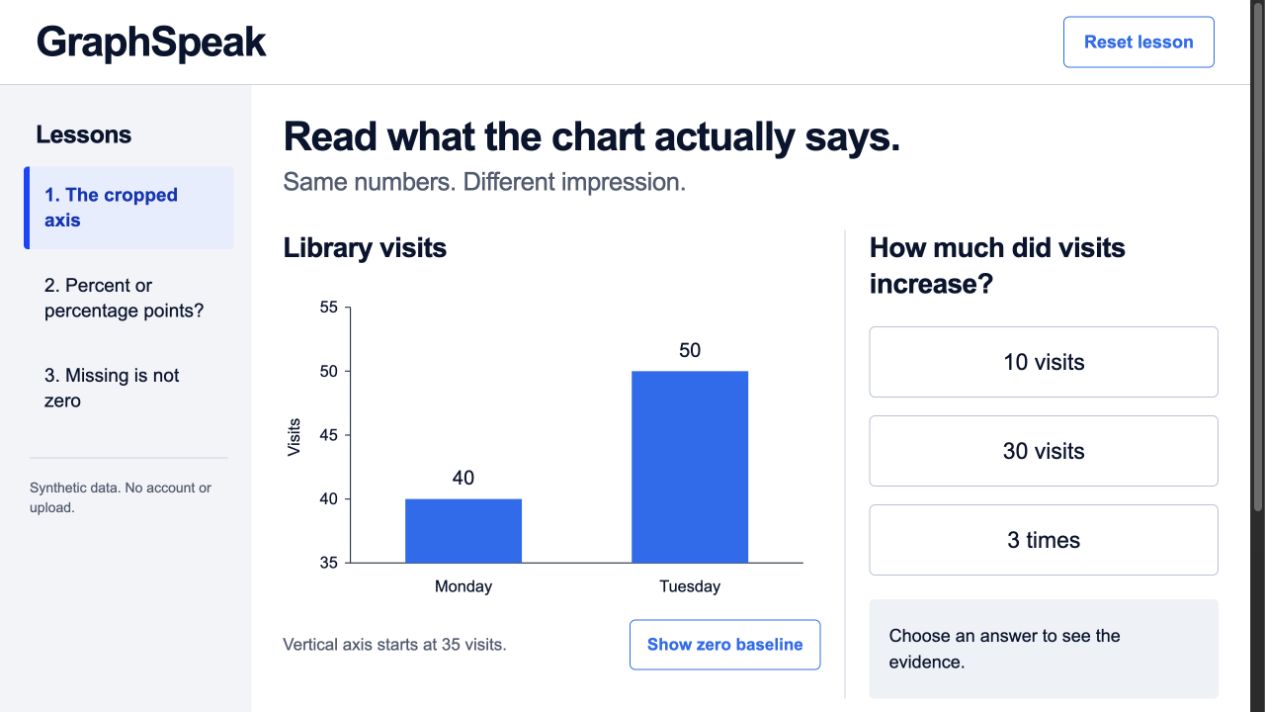
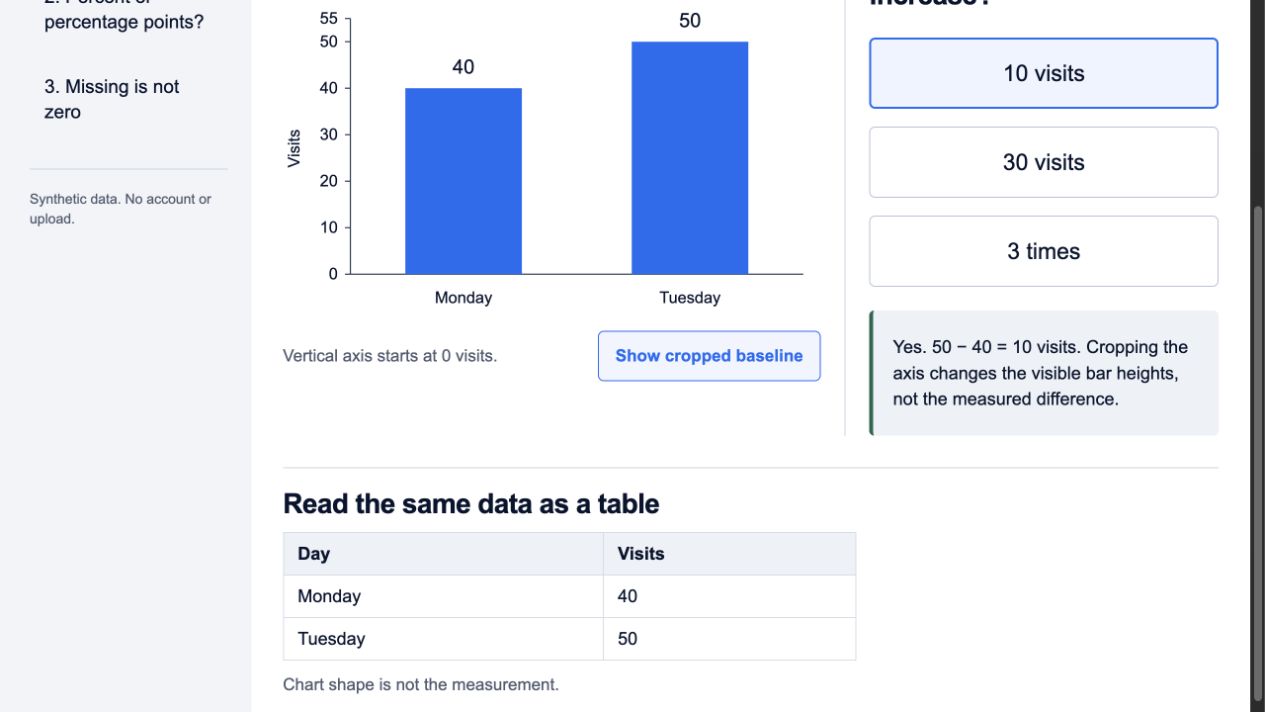
The learner chooses a lesson, reads a chart and the same recorded values in a semantic table, and answers a question. Wrong and correct choices produce different explanations. Presentation controls change the axis or show an explicitly hypothetical missing-value substitution; they do not change the recorded dataset.
- Library visits: 40 to 50 means 10 additional visits, even when a cropped axis makes the second visible bar three times as tall.
- Lesson completion: 84% to 90% is 6 percentage points; relative change is about 7.14%, a different quantity.
- Reading time: Tuesday was not recorded. Zero and an interpolated guess are not observations. An optional hypothetical-zero marker is explicitly labeled while the table retains “Not recorded.”
Three lesson choices, answer feedback, presentation changes and reset are implemented. State is in the current tab; there is no account, learner-data collection, external AI runtime or paid API. There is no audio/speech feature.
Build and provenance
New static HTML/CSS/JavaScript implementation on October 19, 2026. SVG and table content are generated from the same lesson data. Controls and text are code, not an image of a user interface. Browser CSP forbids application network connections. Hosting still requests static assets from the chosen host.
Codex generated implementation, deterministic tests, synthetic lessons and copy. Image Gen supplied the visual reference. No source or assets from the other contest projects were copied. No claim of sole manual authorship or unobserved personal learning by the participant is made.
Observed validation
Nine engine checks passed, including exact numeric identities, percentage-point/relative-change separation, axis-invariant recorded values, null observations remaining null, explicit hypothetical-zero labeling, deterministic answer feedback and invalid-request rejection.
The actual embedded browser exercised all three lessons, wrong-to-correct recovery, axis changes, missing-data comparison, reset, focus after lesson navigation, Tab to the presentation control and Tab/Enter to an answer. A 390 CSS-pixel iframe was inspected at the top and lower question/table region, including an actual answer selection. This is not a physical-device or screen-reader test.
The complete primary-screen concept and the rendered app were compared with image inspection. A QA iframe used the concept's 1505×1045 layout dimensions, displayed at 0.68 scale inside the available 1280×720 browser. It was not a native full-size screenshot. No user study, accessibility certification, retention improvement or learning gain is claimed.
Design findings and limits
Presenting a table is insufficient if a second chart view silently changes its data. Here the hypothetical missing-value comparison changes only the plotted marker and keeps the original null visible in text and table. Similarly, the percent lesson distinguishes two mathematically valid operations before offering feedback.
The prototype contains three fixed lessons, no arbitrary chart import, no automated tutoring and no speech. Intended next work is independent mathematical/accessibility review and a small consented learning evaluation with a declared method. Those results do not exist yet.
Try the prototype
Source: https://github.com/estona815/graphspeak
Live demo: https://estona815.github.io/graphspeak/ . The public HTTPS deployment was exercised in the browser, and all four runtime files were downloaded and compared byte-for-byte with the source.
- In lesson 1, choose “30 visits,” read the explanation, then choose “10 visits.” Toggle the zero baseline and compare the unchanged table.
- In lesson 2, compare “6 percent relative increase” with “6 percentage points.” Read the different operations.
- In lesson 3, choose “0 minutes,” compare the explicit hypothetical zero, then choose “Nothing was recorded.” Check the table still says “Not recorded.”

Log in or sign up for Devpost to join the conversation.