-
-
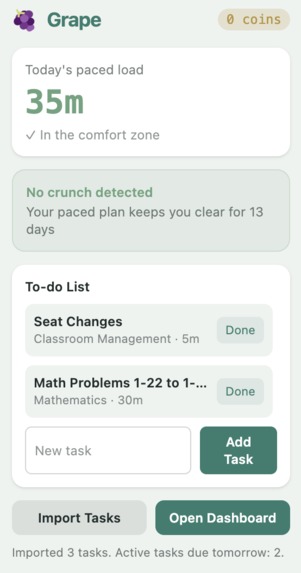
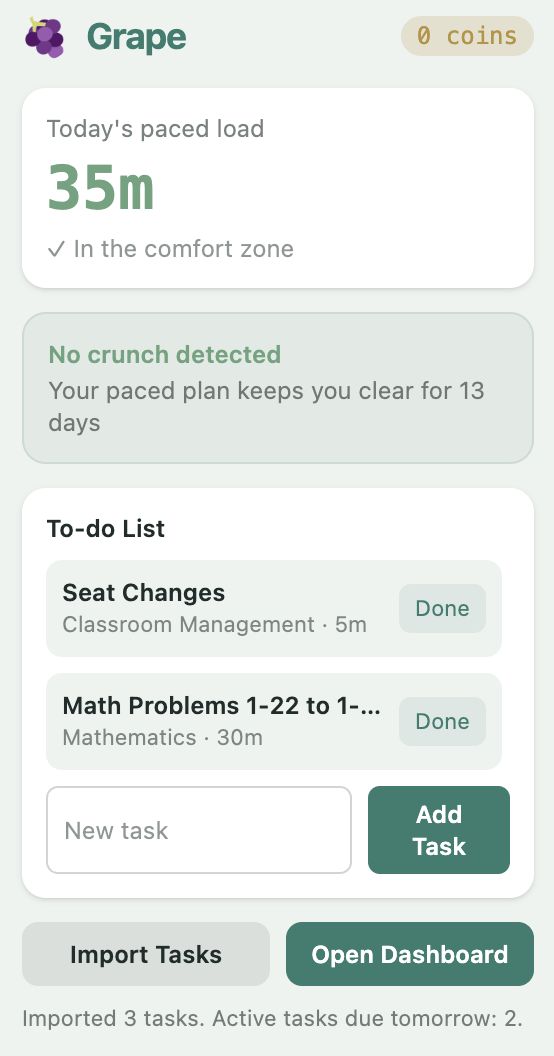
Popup
-
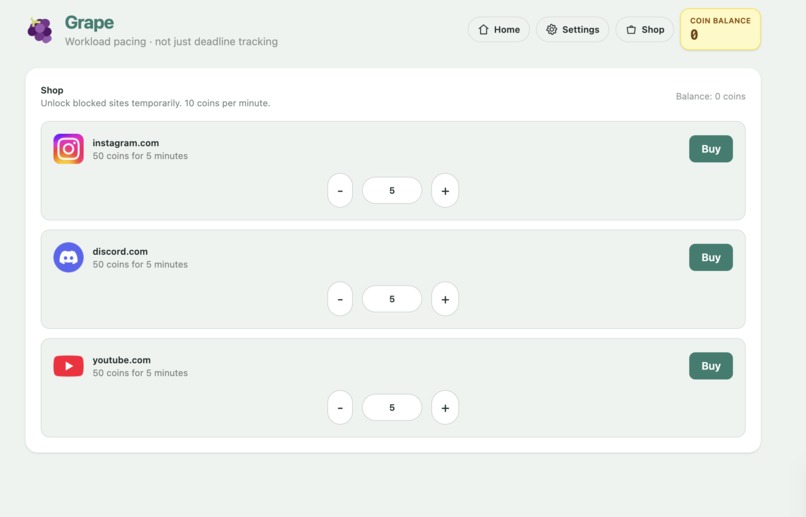
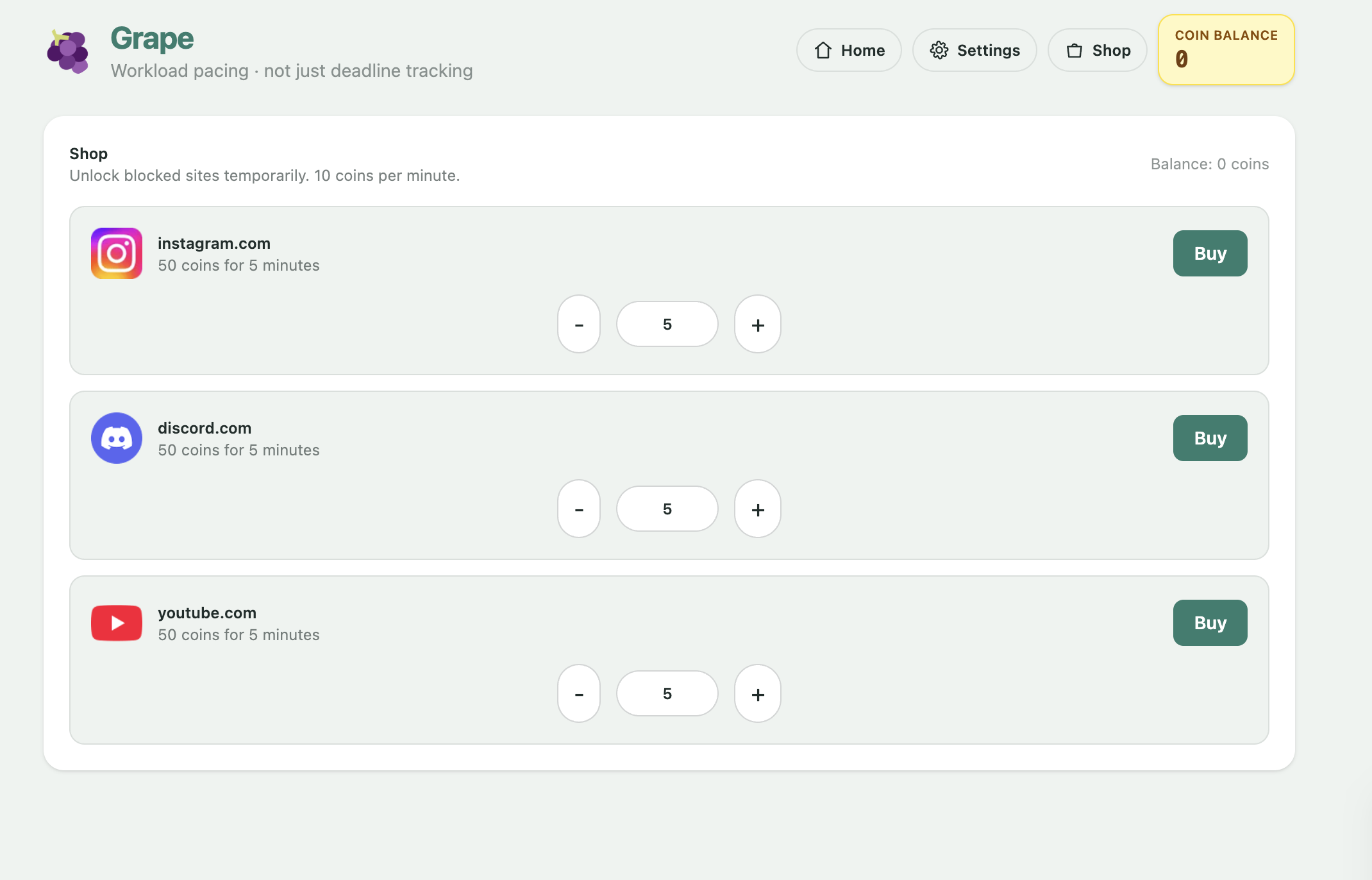
Shop
-
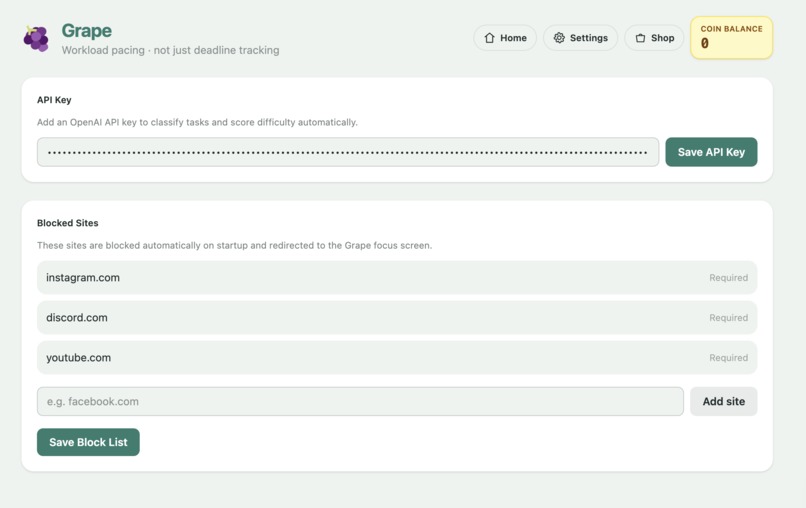
Settings
-
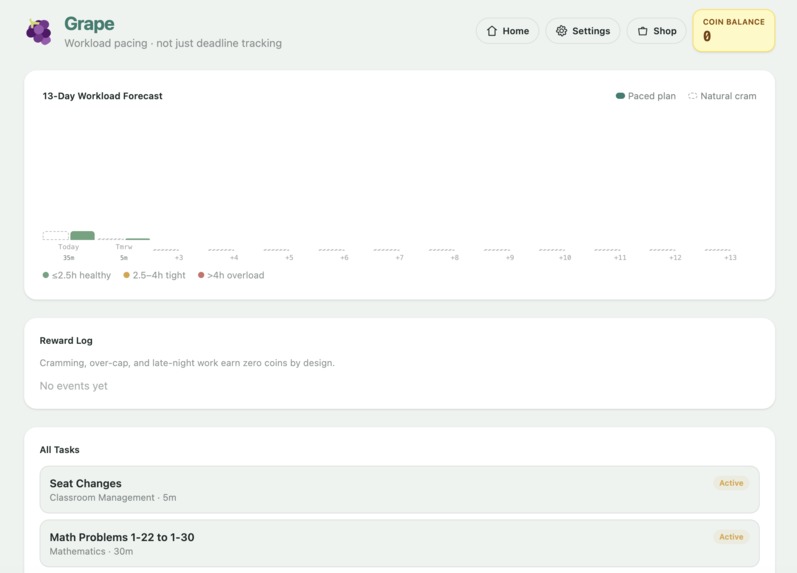
Dashboard
-
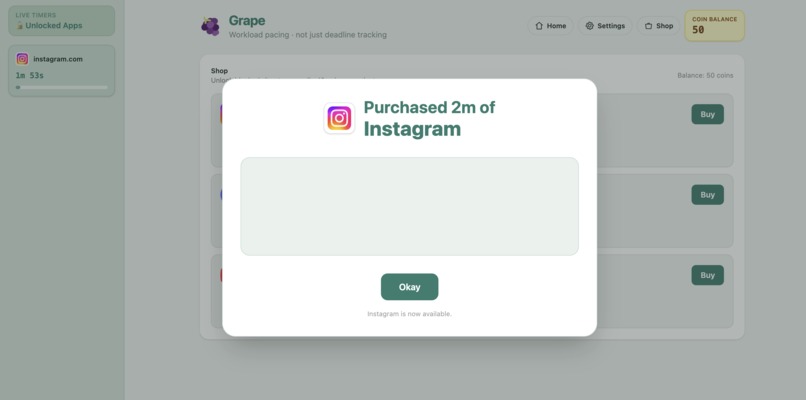
Purchase
-
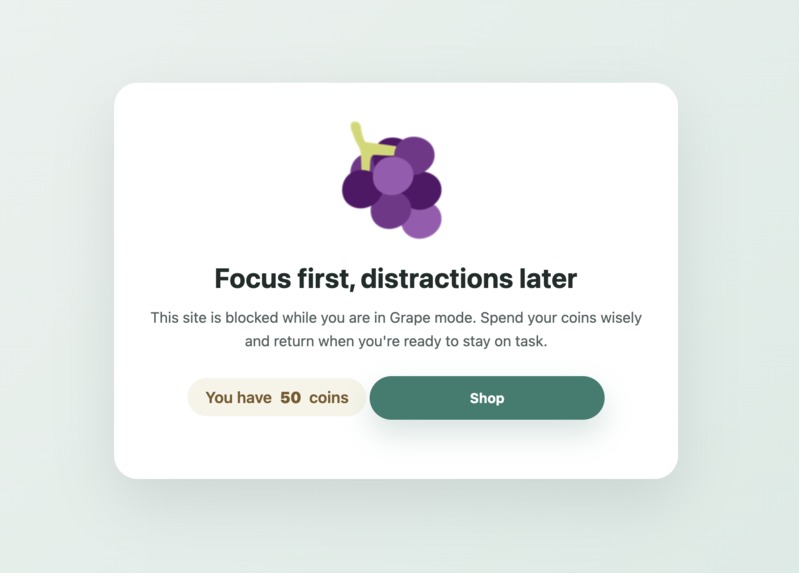
Block
Grape, the Workload Pacing Tool for Students
Inspiration
Academic burnout is a very real problem that a lot of students face everyday. This is sometimes due to the fact that most students don't know how much work they actually have to complete until it's far too late and they are forced to cram last minute. In response, we build Grape, a tool that shows students whats coming and helps pace their work before the cram session ever occurs. Preventing a burnout is more affective than fighting it
The problem: task management tools focus on what you need to do. They don't help you when to do it, or show you when you're overloaded.
The solution: a Chrome extension that:
- Auto-imports your Classroom assignments
- Uses AI to estimate how long each task really takes
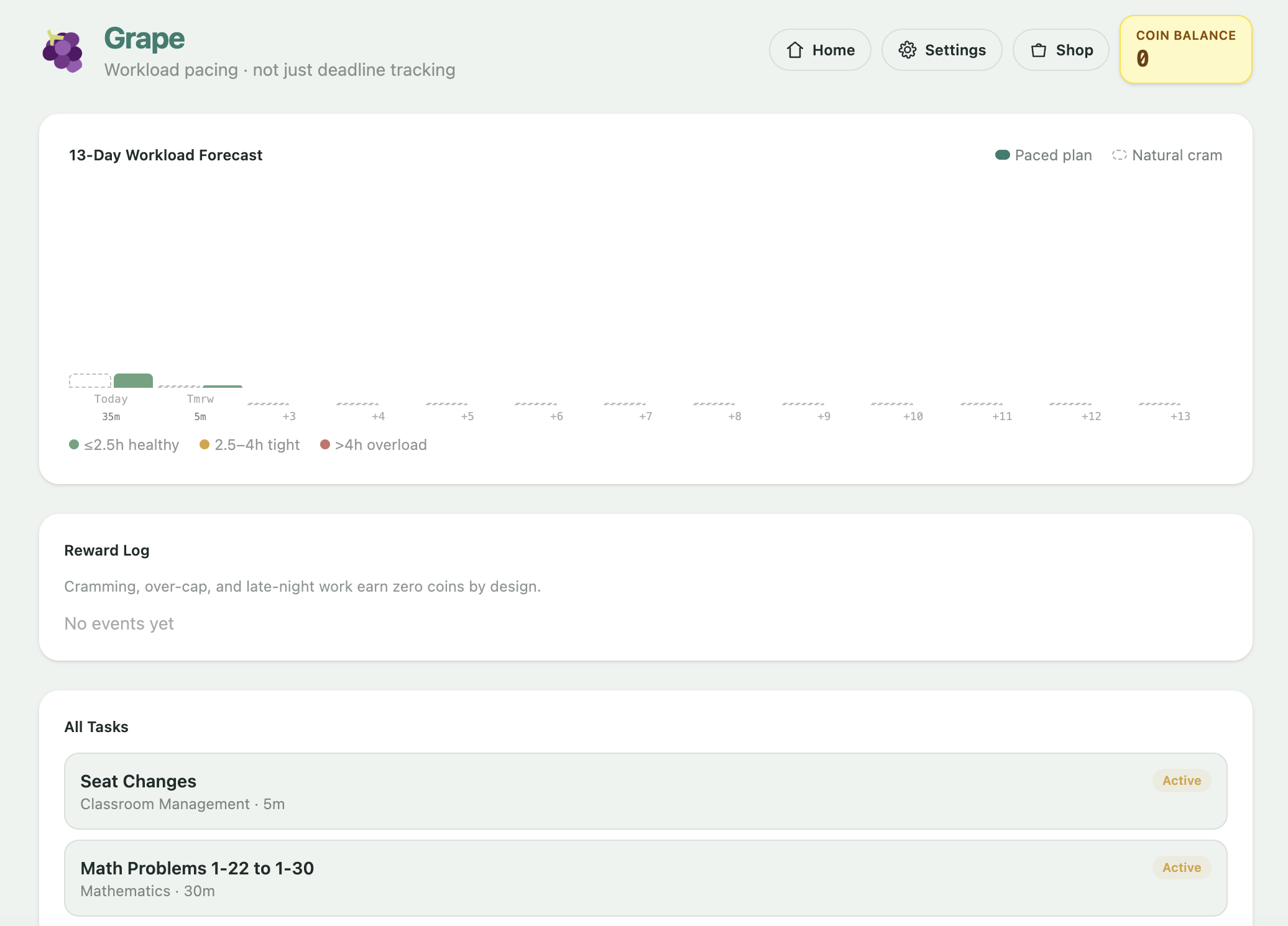
- Shows you a 13-day workload forecast
- Gamifies sustainable pacing by letting you "unlock" distracting sites only if you stay on pace
What it does
Grape is a Chrome extension that prevents academic burnout through intelligent workload pacing.
Core features:
Auto-import from Google Classroom
- One-click import of your assignments
- Automatic parsing of titles, due dates, and assignment types
- Fallback manual task creation
AI-powered task estimation
- Uses OpenAI to clean task titles and estimate realistic completion time
- Better than generic defaults: it knows a "reflection form" takes 5 minutes, not 2 hours
- Extracts task type (essay, project, quiz, reading, exam, homework)
13-day workload forecast
- Shows two paths:
- Paced plan: spreads work evenly before due dates
- Natural cram: simulates the last-minute student pattern
- Detects overload streaks and warns you when crunch is coming
- Color-coded zones: healthy, tight, overload
- Shows two paths:
Behavioral monitoring
- Tracks whether you're cramming or staying on pace
- Builds a "drift score" from recent behavior
- Warns you if stress levels are rising
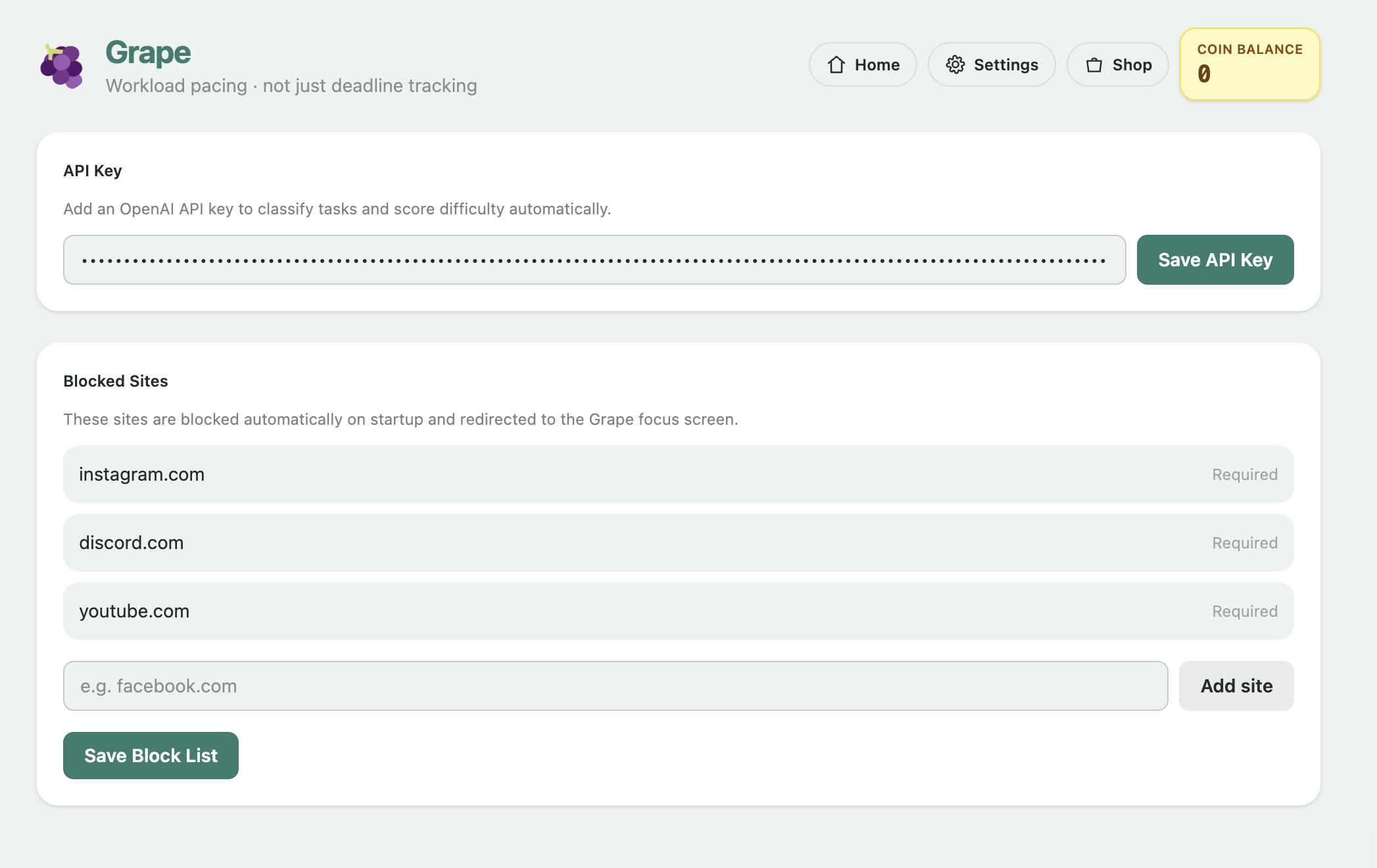
Coin-based site blocking
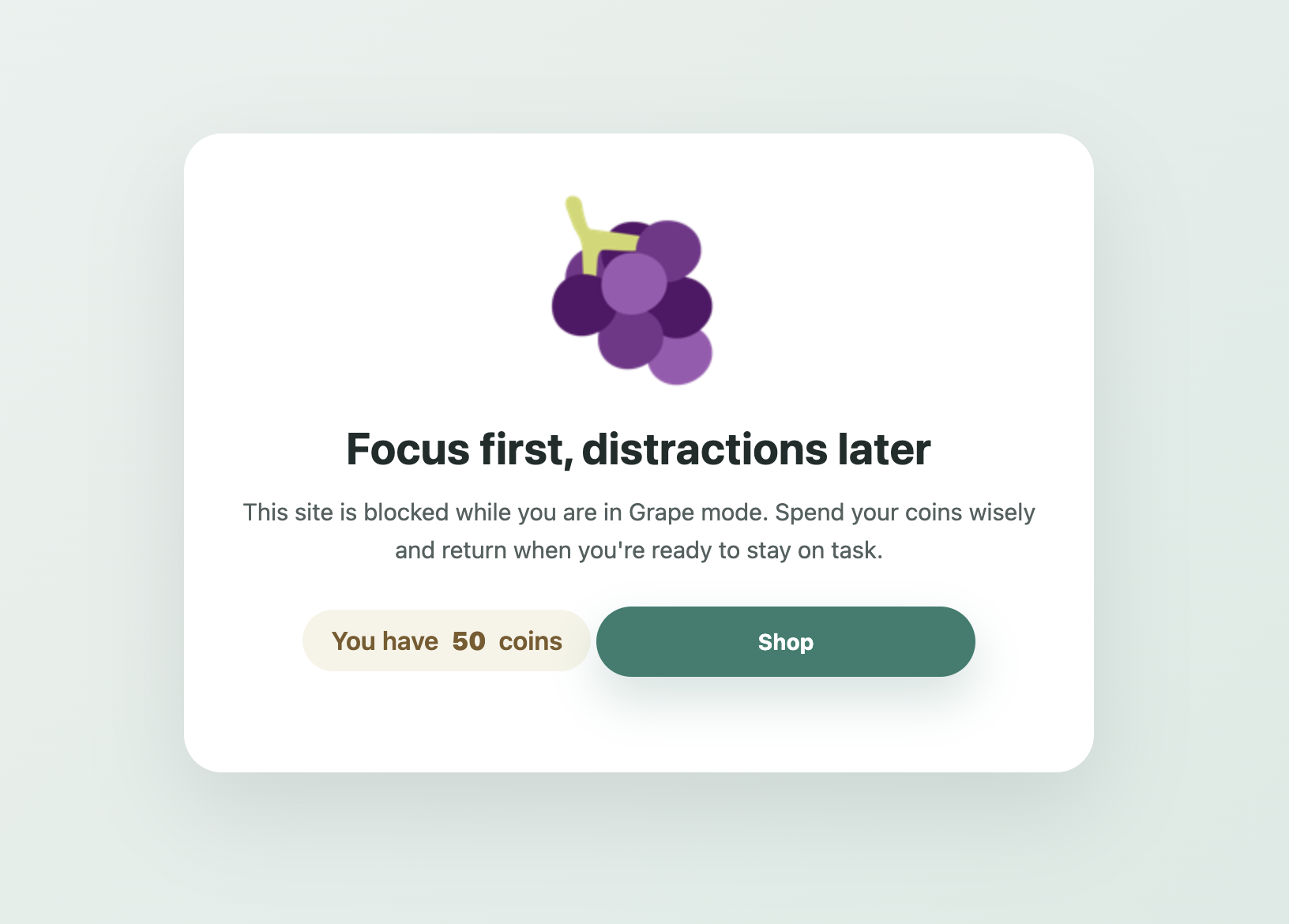
- Blocks distracting sites (Instagram, Discord, YouTube) by default
- Complete tasks to earn coins
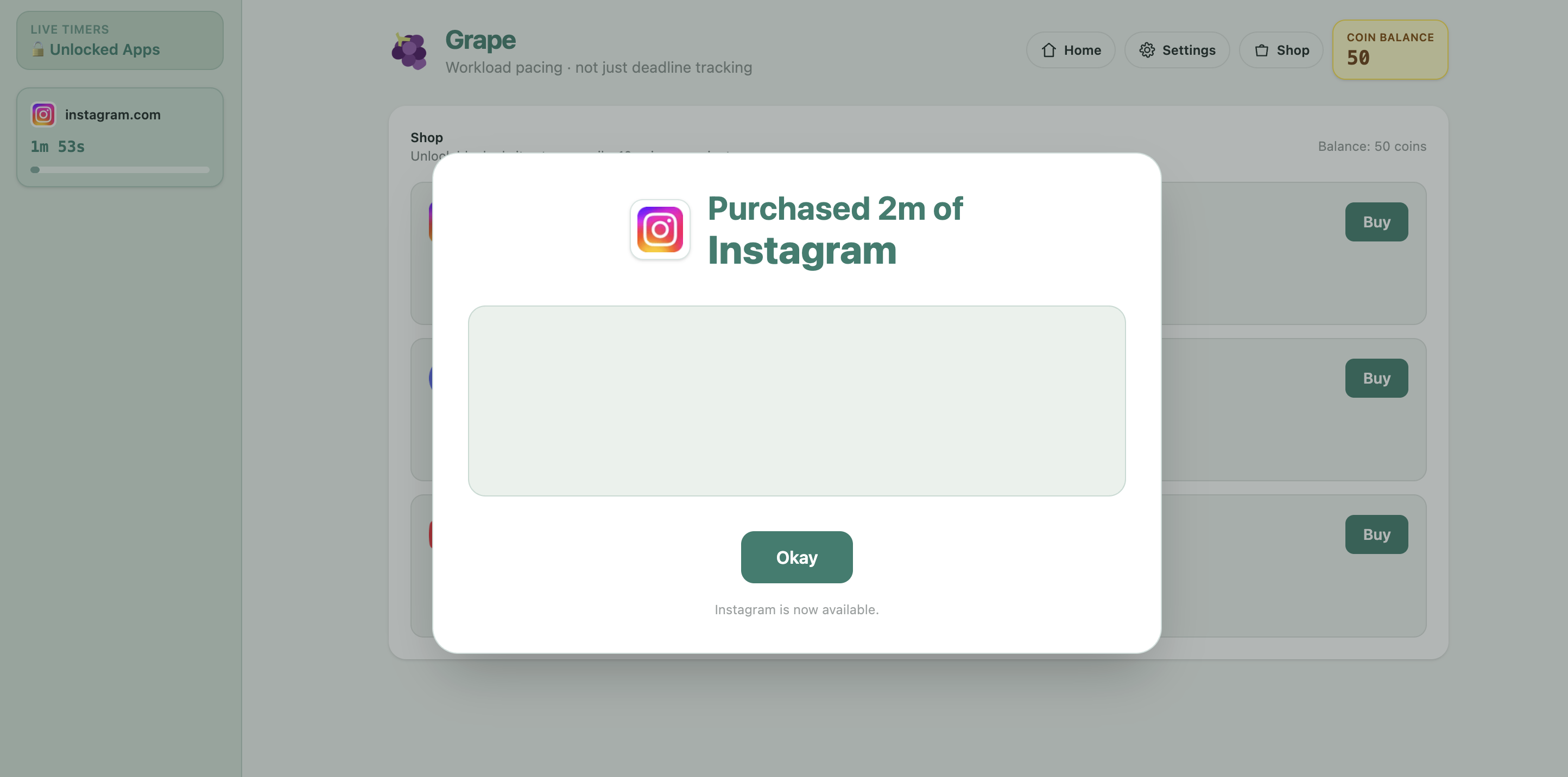
- Spend coins in the shop to temporarily unblock sites
- Timer countdown shown on dashboard
- Sites auto-reblock when time expires
Real-time timer sidebar
- Shows active unlocks with live countdown
- Auto-removes expired unlocks
- Visual shopping cart animation on purchase
How we built it
Tech stack
- Frontend: React + TypeScript + Tailwind CSS
- Backend: Chrome Service Worker (MV3)
- Web scraping: DOM-based parsing (no API needed)
- AI: OpenAI API (gpt-4o-mini)
- State: Chrome Storage API
- Build: Vite + @crxjs/vite-plugin
Architecture
Three independent modules:
src/engine/— pure TS business logicscheduler.ts: workload forecasting and crunch detectiondrift.ts: behavioral pattern detectionrewards.ts: coin economy rulesestimator.ts: task duration calculation- All tested independently; no Chrome APIs
src/background/service-worker.ts— the extension brain- Manages all state in
chrome.storage.local - Runs classroom scraping and OpenAI enrichment
- Controls the blocking rules via
chrome.declarativeNetRequest - Handles messages from popup and dashboard
- Runs a 30-second alarm to re-block expired unlocks
- Manages all state in
UI layers
src/popup/— quick import and task completionsrc/dashboard/— full workload view, settings, and shopsrc/content/— page scripts for classroom scraping
Web scraping
- Content script runs only on
classroom.google.com - Finds assignment cards with DOM selectors:
[data-stream-item-id][data-course-id] - Extracts title from
.y9bEQb, headings, aria-labels - Parses due dates from
time[datetime]or text patterns ("today", "tomorrow", "in 3 days") - Deduplicates by assignment ID
- Returns list of
Assignmentobjects with type guess
Blocking mechanism
- Uses Chrome MV3
declarativeNetRequestAPI (not content scripts) - Creates redirect rules that point blocked domains to
/src/blocked.html - Maintains
unblockedSites: Record<domain, expiryTimestamp> - Before applying rules, removes expired unlocks
- On unlock purchase: stores
unblockedSites[domain] = now + minutes*60*1000, reapplies rules - Background alarm re-applies rules every 30 seconds to catch expiries
AI integration
- User provides OpenAI API key in settings
- For each task, we send the title to OpenAI Chat Completions
- Prompt asks for JSON with:
isValidTask,cleanTitle,estMinutes,type,difficultyScore - Bounds results (1-720 minutes, type normalized)
- Special handling: micro-tasks like "attendance check" capped at 5 minutes
- Results merged into assignment estimate for forecast
State management
All state lives in chrome.storage.local:
{
  assignments: Assignment[],
  coinBalance: number,
  rewardEvents: RewardEvent[],
  openAiApiKey: string,
  blockedSites: string[],
  unblockedSites: Record<domain, expiryMs>,
  multipliers: Record<type, number>
}
UI sends messages to background worker; background broadcasts storage changes back to UI.
Challenges we ran into
Classroom DOM is fragile
- Google updates selectors frequently
- Solution: multiple fallback selectors (by class, by aria-label, by text)
- Content script runs in page context, has direct DOM access
Chrome extension blocking APIs
- MV3 phased out content script-based blocking
- Solution: switched to
declarativeNetRequest(official MV3 approach) - Tricky part: rules are global; we rebuild them on every unlock/expiry
Expiry handling
- Timestamp-based expiry is fragile if extension isn't running
- Solution: background alarm every 30 seconds + storage listener in UI
- Dashboard also polls storage every 1 second for timer accuracy
Separating logic from UI
- Easy to bake Chrome APIs directly into React
- Solution:
src/engine/modules are pure TS, no Chrome deps - Scheduler, drift, rewards logic all testable standalone
Shopping animation timing
- Needed to show purchase feedback without blocking flow
- Solution: state-driven animation with auto-dismiss timeout
Site detection and normalization
- Users might enter "Instagram", "instagram.com", "https://instagram.com"
- Solution: normalize all domains to lowercase, strip protocol/www, deduplicate
Accomplishments that we're proud of
Decoupled, testable engine
- 100+ lines of unit tests for scheduler, drift, rewards
- Pure TS means we can export logic to other platforms later
Intelligent task estimation
- AI recognizes micro-tasks and caps them appropriately
- Cleans messy Classroom titles automatically
- Provides both human-readable and calendar estimates
Reliable blocking system
- No data loss: expiries survive extension reload
- Automatic re-blocking: users don't need to remember to block themselves
- Works across all tabs instantly (MV3
declarativeNetRequestis synchronous)
Smooth UX
- Real-time timer updates (1-second refresh)
- Shopping cart animation with confetti
- Visual zones (healthy/tight/overload) make patterns obvious
- Sidebar auto-hides when no unlocks active
Flexible architecture
- Added adapters (
ClassroomSource,DataSource) to prepare for Canvas, calendar, etc. - Multipliers system lets users weight task types
- Settings page for API key, blocked sites, analysis
- Added adapters (
Minimal dependencies
- No heavy analytics or tracking
- Just React, Tailwind, TypeScript, and Vite
- Workload forecast runs entirely client-side
What we learned
MV3 is different, but better
- Service workers are more robust than background pages
declarativeNetRequestis the right tool for blocking- Message passing is the only way to talk across contexts
Gamification works
- Tying site access to task completion creates real behavior change
- Students compete with their own history (drift score)
- Visual feedback (coins, timers, animations) matters
DOM scraping is viable but needs resilience
- Multiple selectors + fallbacks can handle Google's DOM churn
- Deduplication prevents duplicate imports
- Type guessing from task title is surprisingly accurate
Students have context that tools don't
- Generic estimates (essay = 3 hours) miss the mark
- AI can improve if you give it just the title
- But even AI needs bounds (5-720 minutes is reasonable)
State persistence is critical
- Users expect unlocks to survive crashes/reloads
- Timestamps in storage are the source of truth
- Background alarms bridge gaps when extension isn't running
Privacy matters
- We store API keys locally, never send task data to our servers
- Only OpenAI sees task titles (for estimation)
- Extension works offline except for AI analysis
What's next for Grape
Short-term (next sprint)
- [ ] Canvas LMS support (same scraper pattern)
- [ ] Bulk import from syllabus/calendar exports
- [ ] Weekly recap emails (optional, opt-in)
- [ ] Customizable block list and messaging
Medium-term (next semester)
- [ ] Shared workload view (see classmates' assignments, anonymized)
- [ ] Study buddy groups (optional partner accountability)
- [ ] Integration with Google Calendar (show workload vs. free time)
- [ ] Mobile app (cross-platform sync)
Long-term (research)
- [ ] Machine learning on historical data (learn individual pace patterns)
- [ ] Predictive alerts (warn 1 week before crunch is detected)
- [ ] Self-care coaching (suggest break times based on drift score)
- [ ] Integration with wellness apps (Headspace, Calm, etc.)
- [ ] Institution partnerships (professors can see class-level pacing health)
Open questions
- How do we handle courses without Classroom (syllabus PDFs, email assignments)?
- Can we detect when students ignore warnings (and why)?
- Should we enforce breaks, or just warn?
- How do we make this useful for graduate students and working professionals?
The Big Picture
Grape solves a real problem: students don't know how much work is coming until it's too late.
By combining:
- Automatic task import (no manual entry)
- Realistic estimation (AI-powered)
- Visual forecasting (see 13 days ahead)
- Behavioral incentives (coins for on-time work)
- Automatic enforcement (sites reblock on their own)
...we give students both the knowledge and the motivation to pace sustainably.
The extension is already handling real Classroom data, blocking sites, and rewarding completion. The next phase is scale: more platforms, institutions, and students. But the core insight is proven: when students see their workload spread out, they plan better. And when site access is tied to task completion, they follow through.
Built With
- chrome-extension-manifest
- google-favicon-api
- javascript
- node.js
- react
- tailwind
- typescript
- vite


Log in or sign up for Devpost to join the conversation.