-
-
-
-
-
-
-
-
-
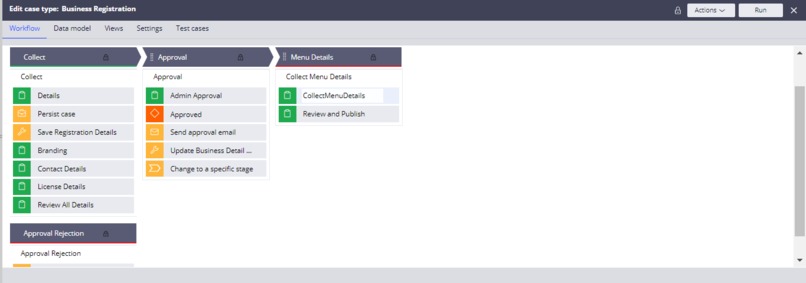
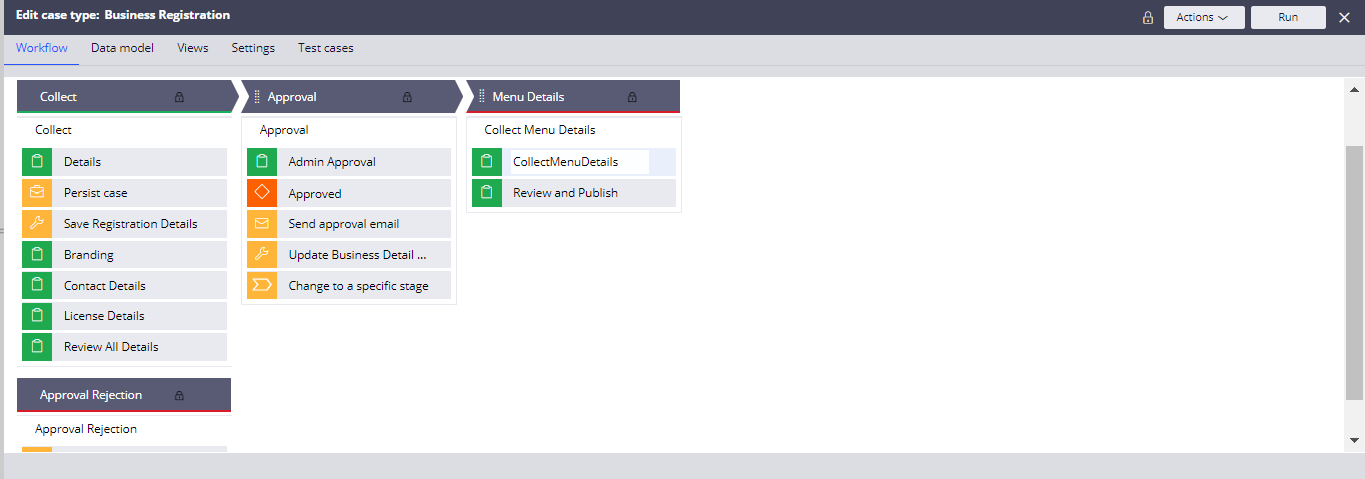
Business Registration Case type
-
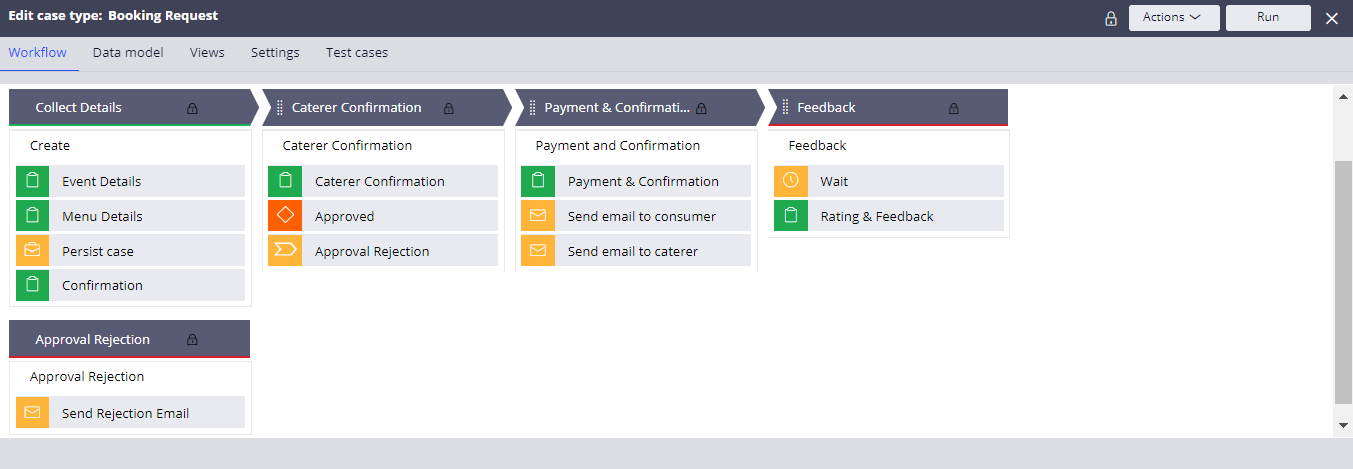
Booking Request Case type
-
-
-
-
Chatbot
Inspiration
"ONE THING PEOPLE REMEMBER ABOUT ANY EVENT IS THE FOOD" For an Event, How can we find the best caterer? How do we know their experience? How do we know their past history? How do we make sure the cost they are mentioning for the menu is worth it? How do we know the customer ratings for that caterer?
To answer all these questions, I thought nowadays we have a web portal for everything why not a portal that minimizes the gap between caterer and consumer, that inspired me to build this application. And also there are a lot of young entrepreneurs interested in the catering business but they don't know where to start and where to find customers, so this portal will help the caterers to find customers.
What it does
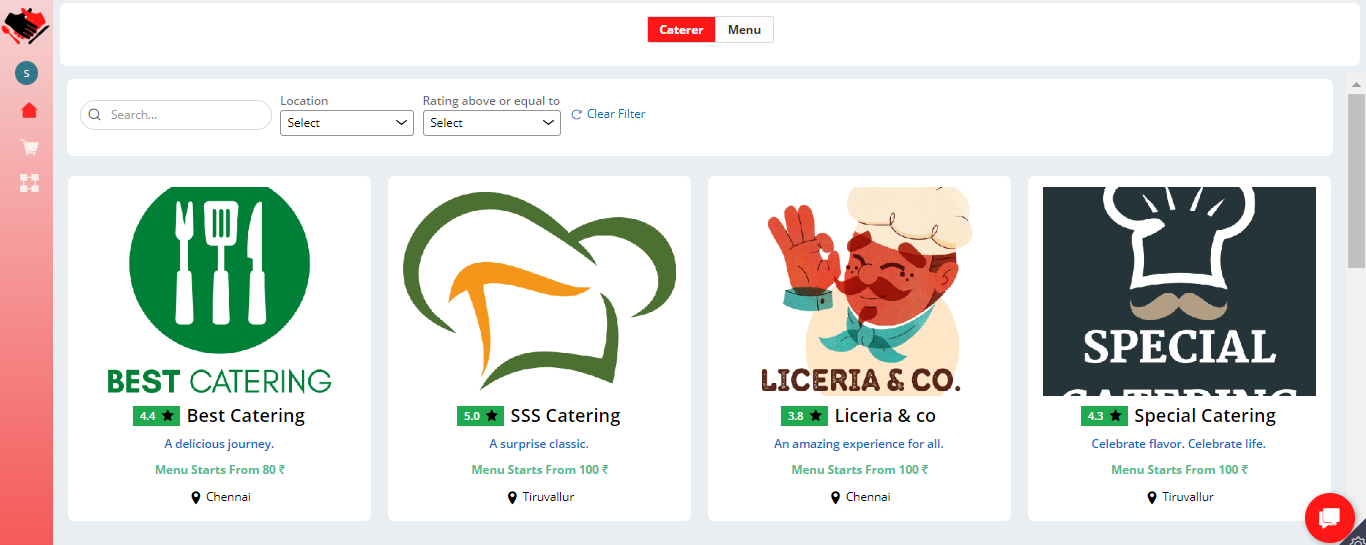
The solution sources the customers and connects them with the caterer. In this platform, a caterer can register their business for approval by providing all the necessary documentation and once it is approved they can configure the menu options with the image and price details. The customers can browse through the available caterers and see their ratings and all the menu options and book the menu as per their requirements.
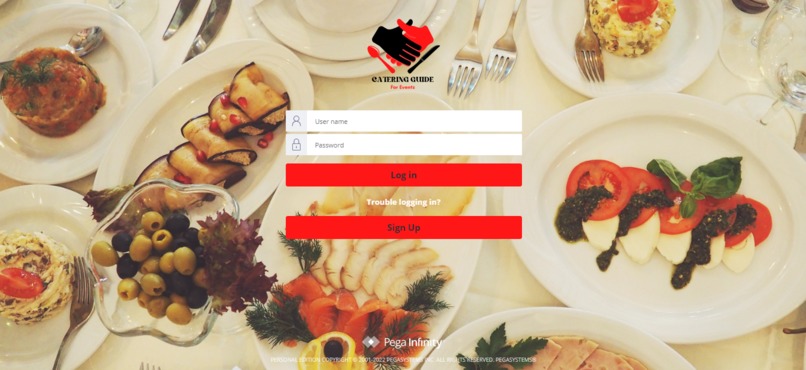
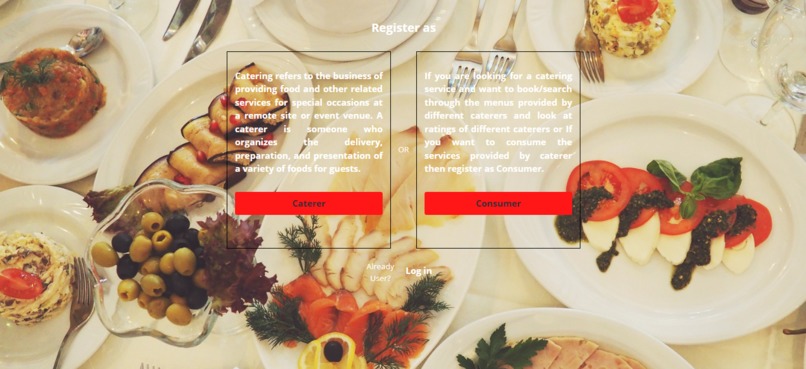
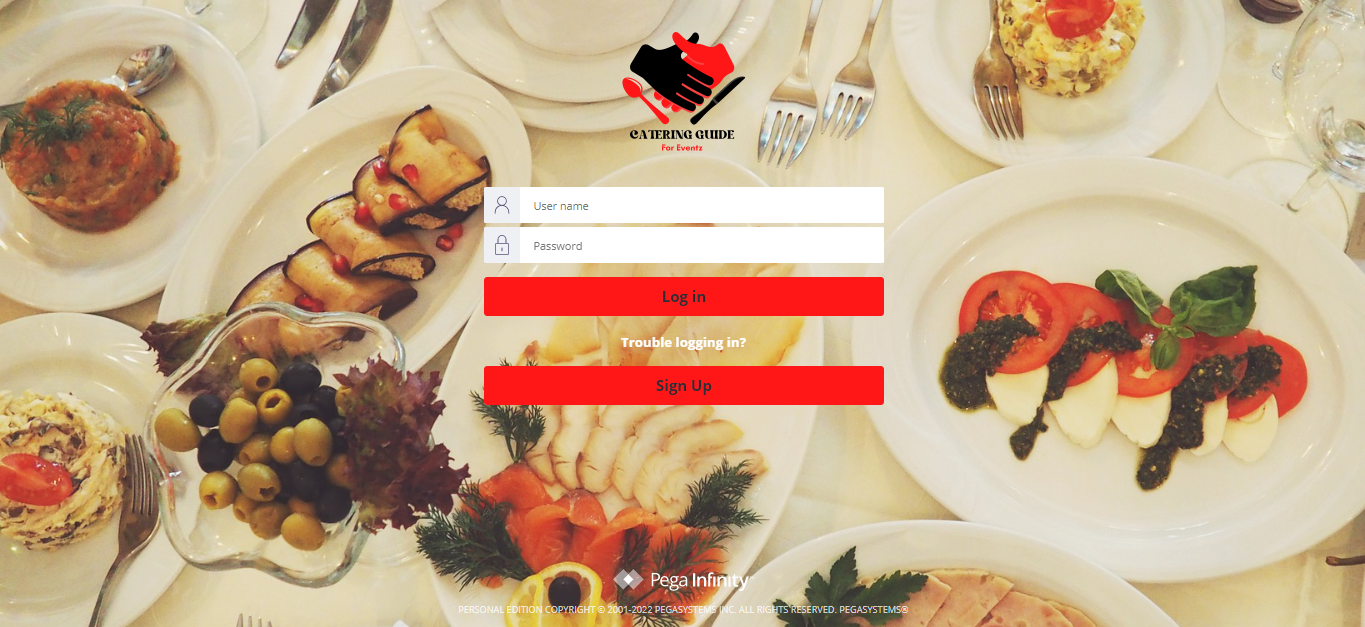
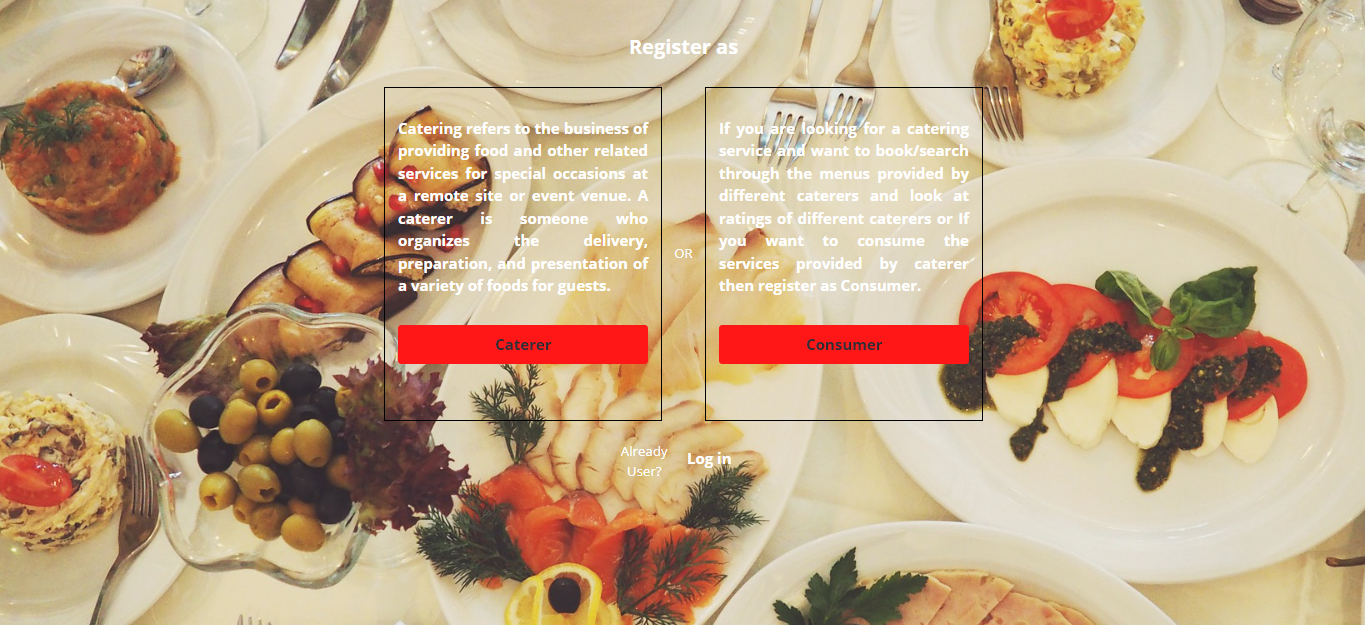
Sign Up Users will have a signup option on the login screen. On click of signup, users will be navigated to the view where they can select the type of user as caterer or consumer. On selection, it will ask for basic details like name, email, password, and phone number, the view will have an option to create an account. Once the account is successfully created the user can log in with the email id and password they have provided. After login, they will be directed to the respective portal based on the user type selection.
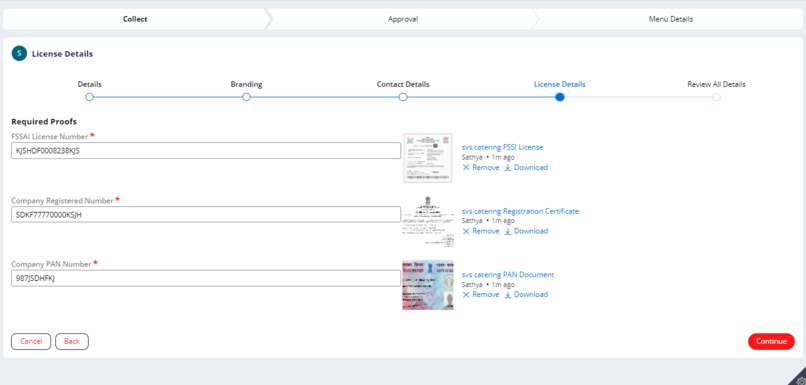
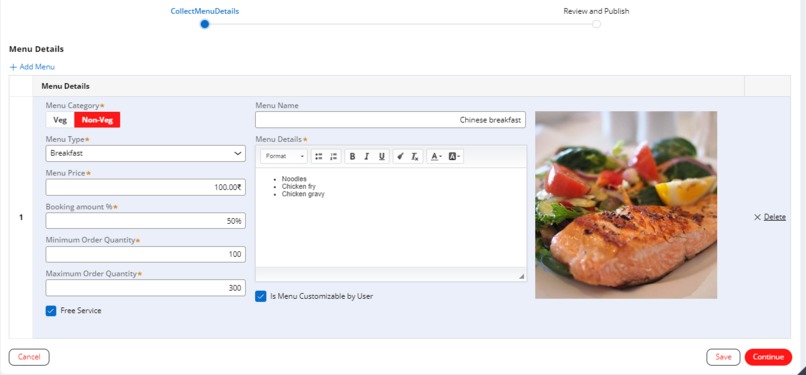
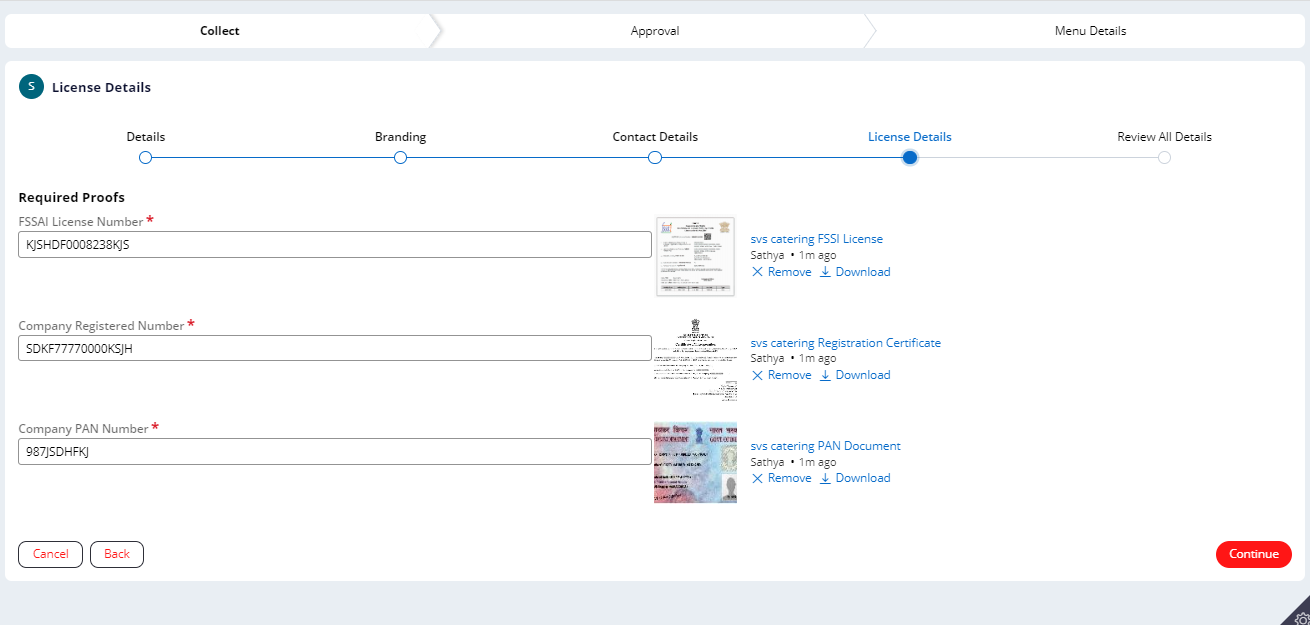
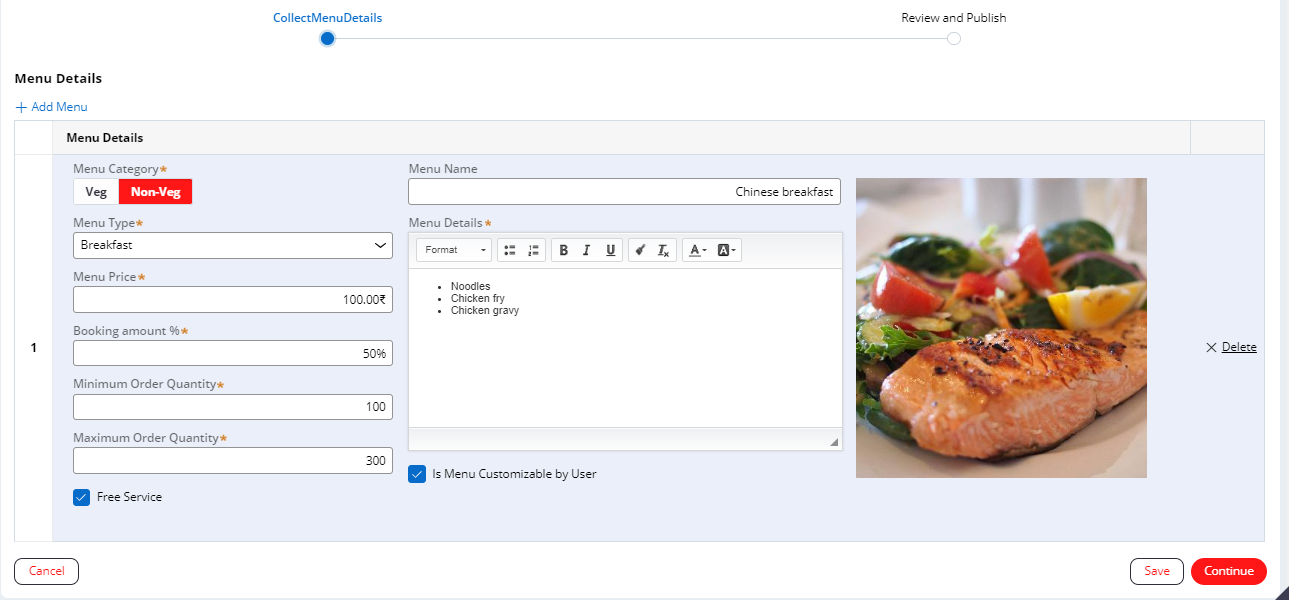
Business Registration The caterer will have a "Register Business" option in his portal to register the business. During registration, the caterer needs to provide the business name, logo, address, contact information, and all the license and registration details. Once he has provided all the mandatory details, he can review and submit it for admin approval. Admin will have an option to review all the details and documents then he can approve or reject. Once approved, the caterer will get an email for approval and now he can configure the menu details. In menu details, he can configure all the detail related to the menu including service and whether the menu is customizable by the user or not.
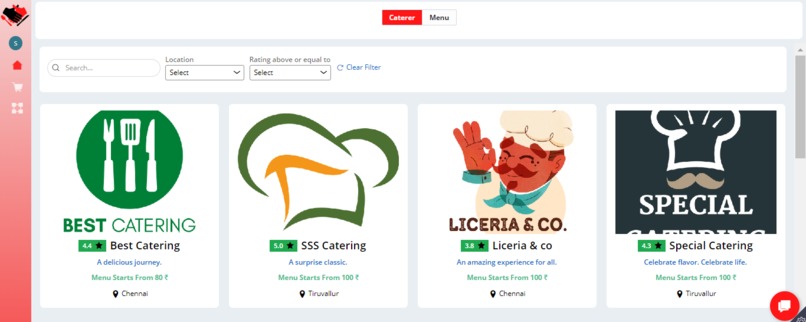
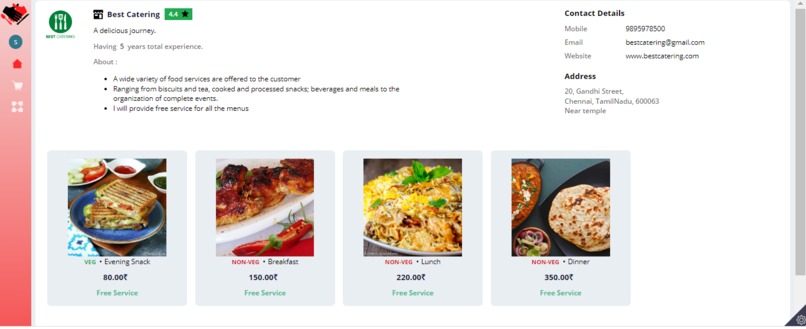
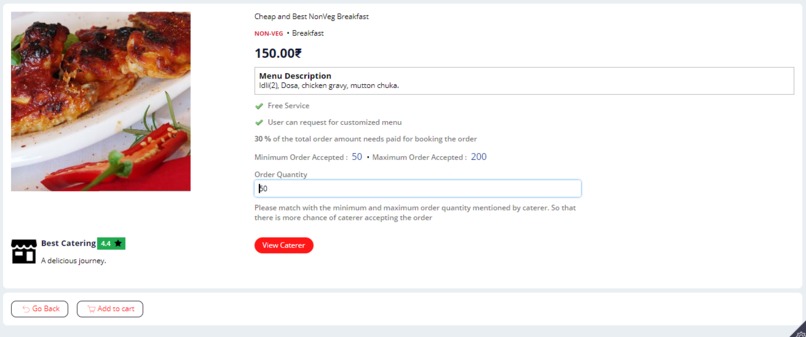
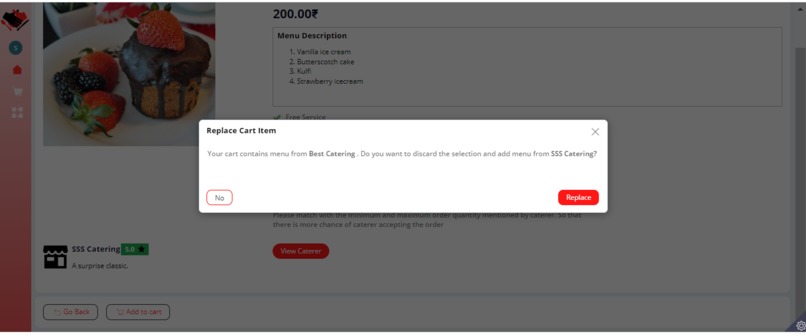
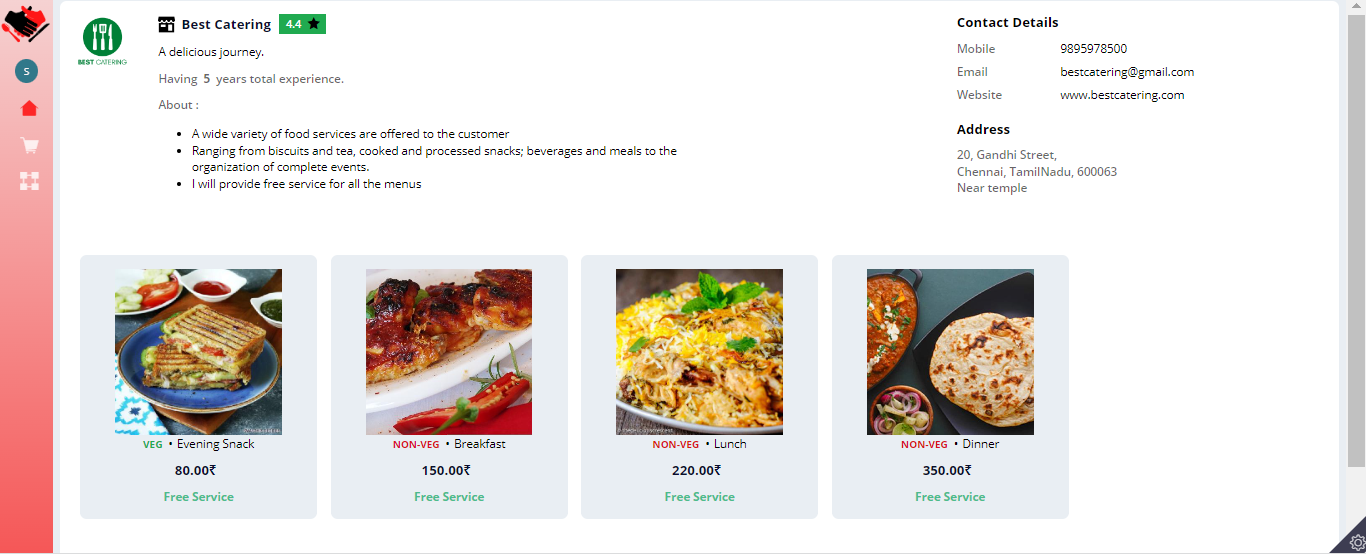
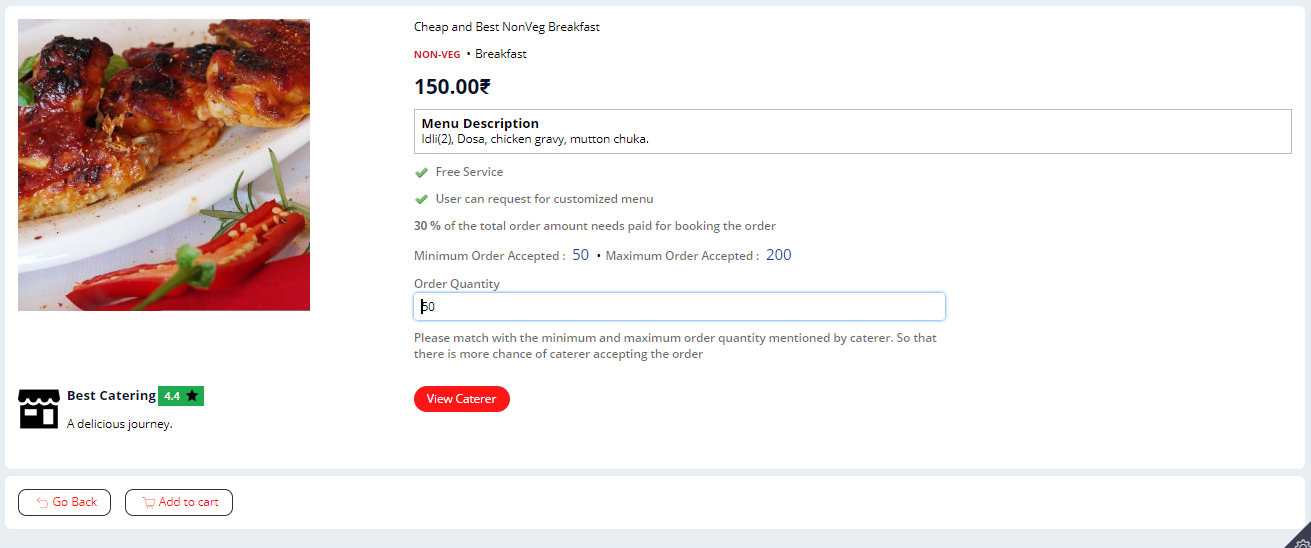
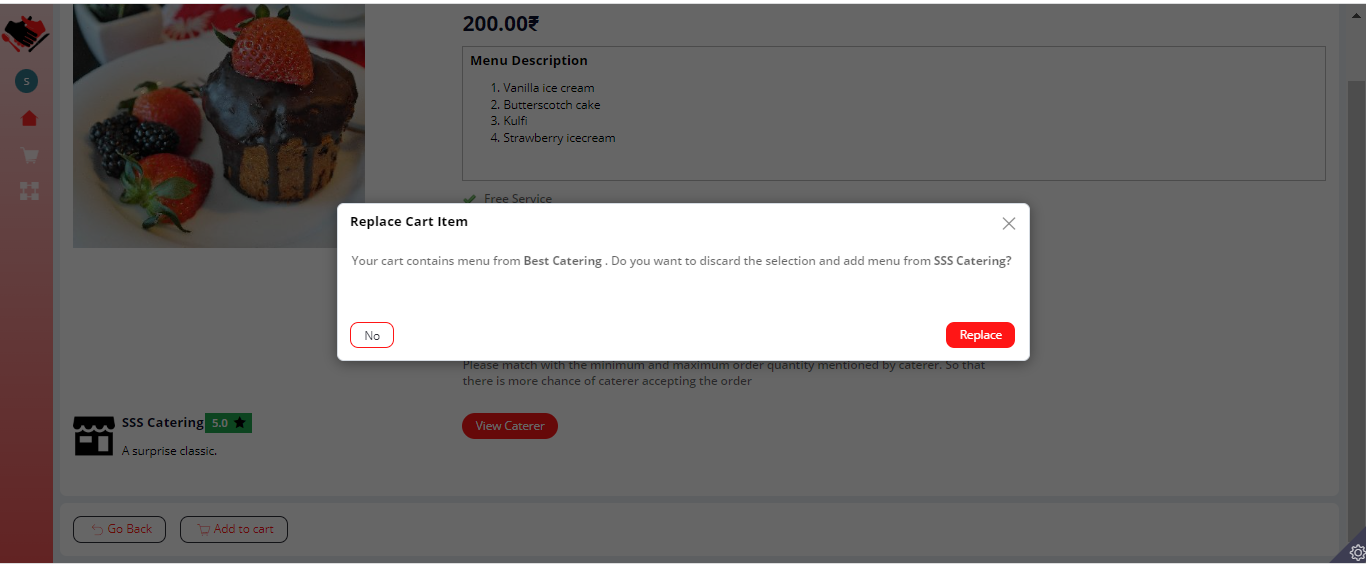
Consumer Portal On his home page, he can see all the registered caterers and menus. On click of any caterer, the system will show all the details for that caterer including rating, contact info, and all the menus. He can add the selected menu with the required quantity to the cart. He can add 'n' number of menus from the same caterer to the cart.
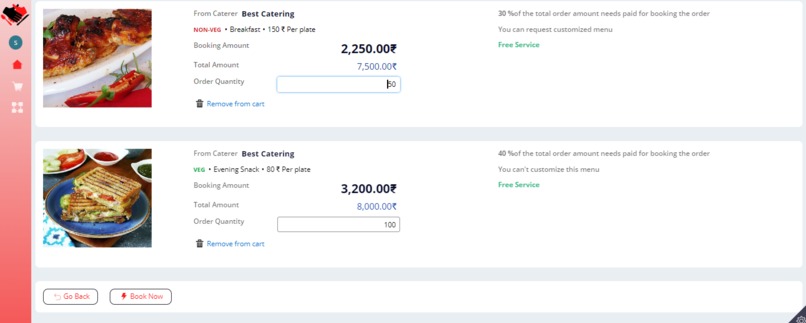
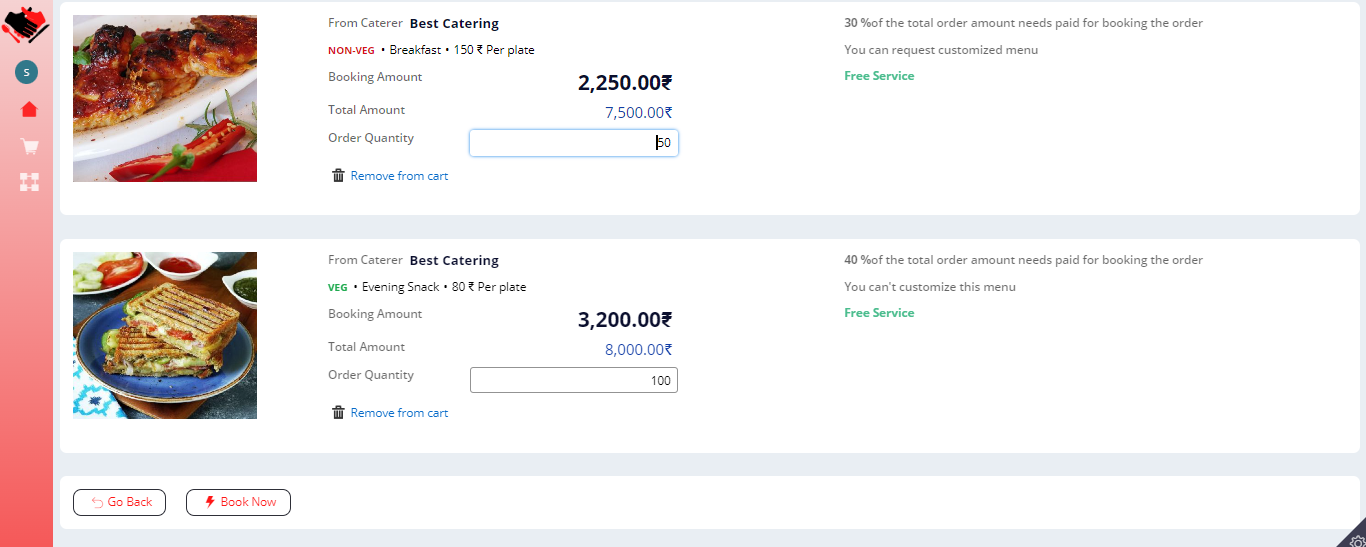
User Cart Users can update the quantity from the cart at any point and will have the option to delete the menu from the cart. In the cart he is having the "Book Now" option to raise the request to book the menu.
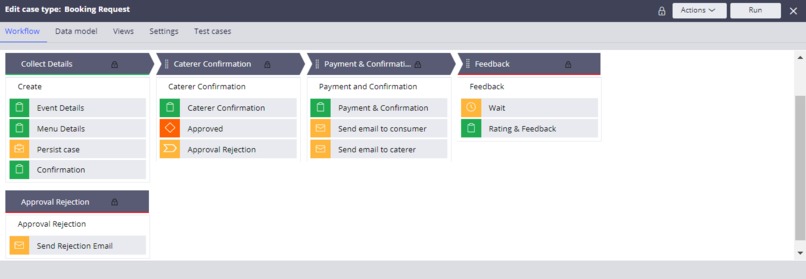
Booking Request The Stages involved are Collect Details, Caterer Confirmation, Payment, and Feedback.
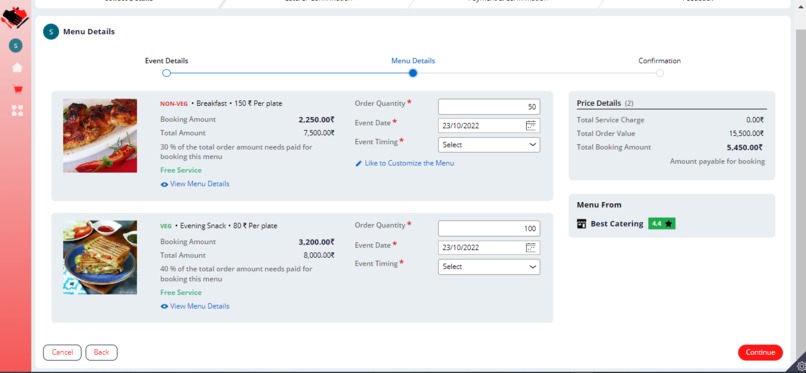
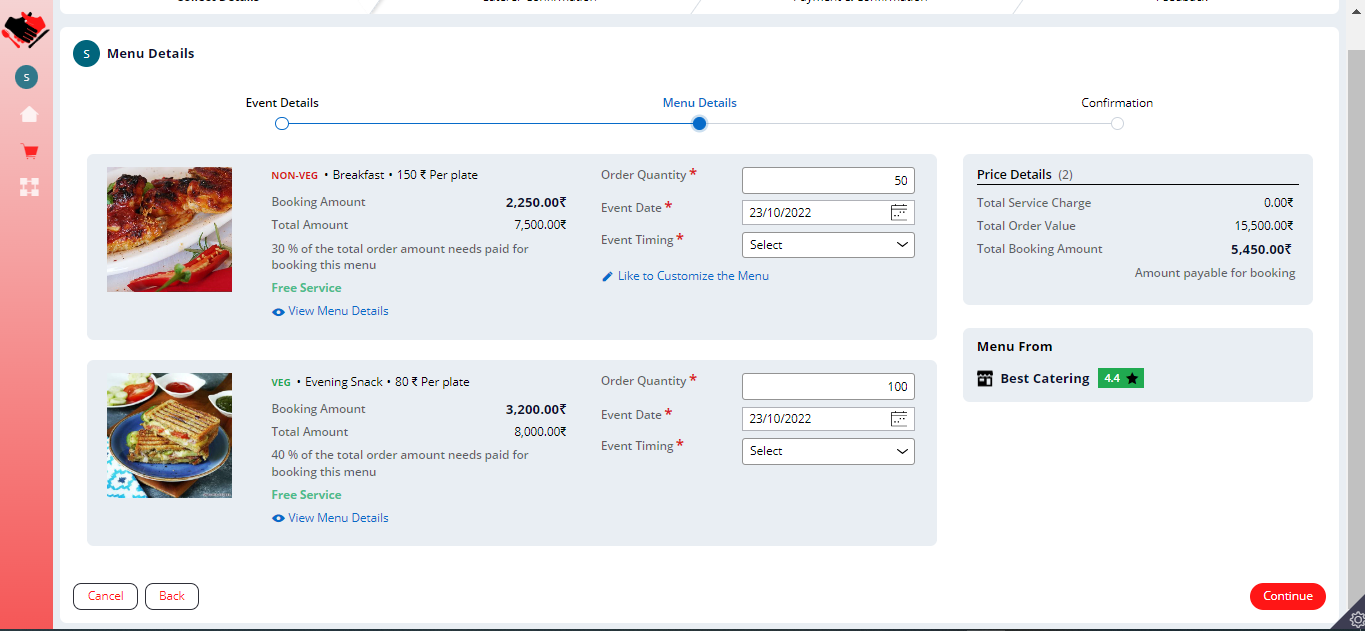
Collect Details For booking the menu, the user needs to provide the event details, contact information, and event address on the first screen. On the second screen, the user can update the quantity of the respective menu, can select the timing for the menu and he can change the event date for any menu. If the caterer is allowing the user to customize the menu, then the user will have an option to edit the description of the menu. Users can review all the details including the booking amount, and total order value then can submit it to the caterer for confirmation.
Caterer Confirmation Here caterer can see all the details given by the customer and if the customer customized the menu then the caterer is allowed to change the menu price and if it is not a free service then he can mention the service amount on this screen. Once he confirms the order, it will go back to the consumer for payment
Payment If there is any change in total order value changed due to the caterer then the consumer will be indicated so that he can review the price again and do the payment. Once the payment is done, order is confirmed and both the consumer and caterer will receive an email of order confirmation
Feedback This is to collect the rating and reviews from customers. This will wait till the event date but anyhow user is allowed to do the rating before the event date. The rating will be added to the caterer rating and the case will be resolved.
How we built it
The proposed application is built on Pega 8.7.3 version and we have utilized Theme Cosmos: 04-01 built on the workflow components and user interface.
Sign Up Customized the web-login and Browse requestor to have the signup button on the login screen
App Studio
I have built the complete case life cycle and basic UI using Pega App Studio’s simple drag-and-drop interface. We have two case types in this application one is to register a caterer and another one for consumers to book the menu.


Data Types Created the data types to store the Business details, Menu details, Cart Info, Rating
Challenges we ran into
- Building the Signup Feature was a bit challenging
- I started this application only on 21 Sep so it was a bit challenging to build all the planned features on time since Pega is built in a way to have low code, it becomes possible to build all the planned features.
Accomplishments that we're proud of
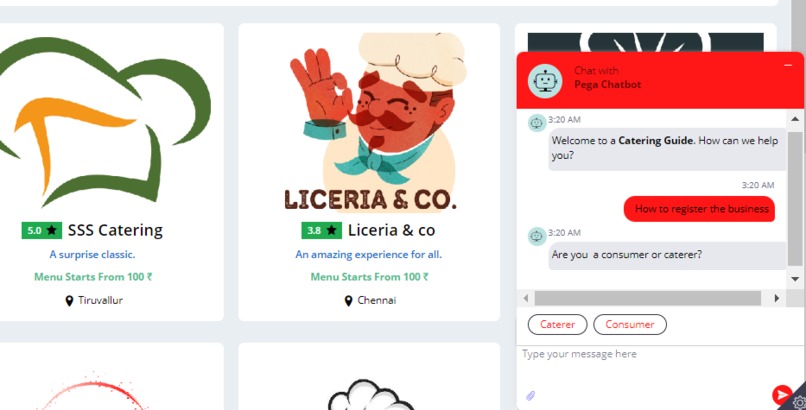
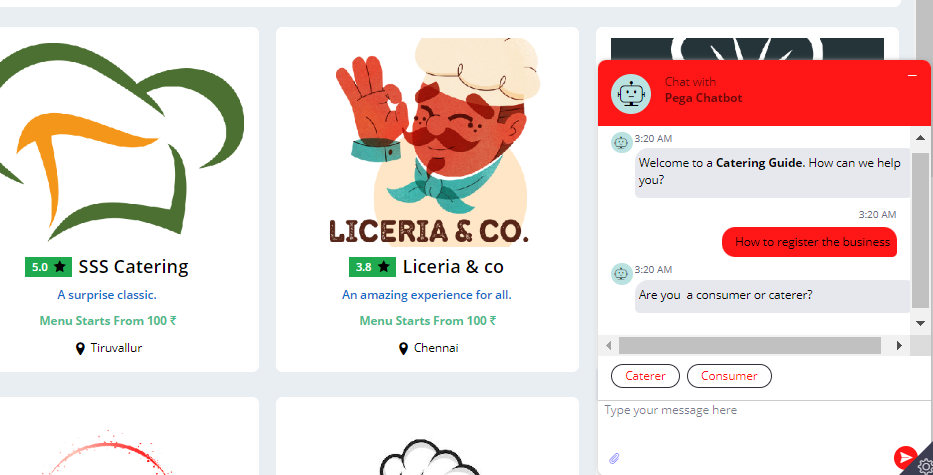
Signup feature - Signup feature collects the user type and user details and created operator Chatbot Configuration - Configured the chatbot to support users through a chatbot The Application - I have completed the planned features on time and the idea is completely new, this app has the ability to create a new marketplace.
What we learned
Developing Applications on Pega PRPC from end to end has been good learning. Pega features like Cosmos, Dynamic operator creation on Signup/Login, and Chatbot Integration. Designing the UI/UX for the application to provide the best user interface was fun.
What's next for Catering Guide
- Payment gateway integration for customers to make real payment easy
- This application can be extended to other businesses like Event Management, Decoration, etc.
- User's wishlist
- Booking from different caterers at the same time
- Reports to help caterers what to be improved.
- Customizing the emails to have a better email look and feel


Log in or sign up for Devpost to join the conversation.