-
-
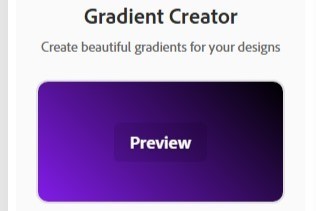
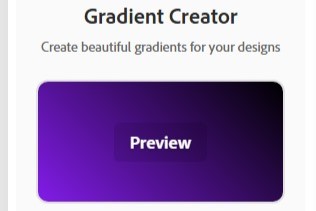
Preview
-
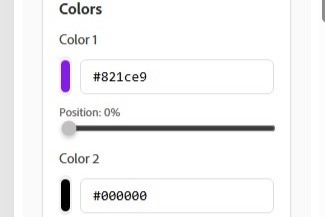
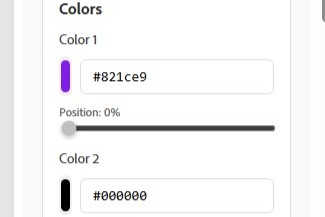
Color Picker
-
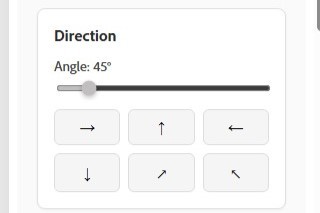
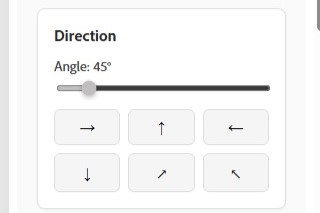
Direction of gradient
-
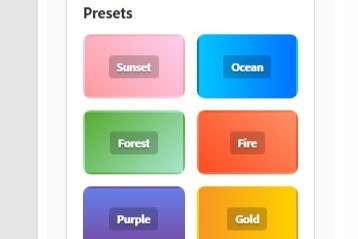
Presets
-
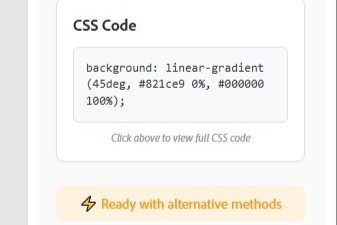
CSS Code


Inspiration
As a designer and developer, I’ve often faced the hassle of switching between external gradient tools and my design workflow. This inspired me to build Gradientify—a seamless gradient generator that empowers Adobe Express users to create stunning gradients without leaving their workspace.
What it does
Gradientify brings an intuitive gradient creation tool directly into Adobe Express.
- Pick colors with live preview
- Adjust angles, directions, and positions
- Choose from preset themes like Sunset, Ocean, Forest
- Instantly export CSS for developers
How I built it
I built Gradientify as an Express Add-on using:
- HTML/CSS/JavaScript/React/Typescript for the frontend UI
- Adobe Express Code Playground for integration testing
- Modular components for color picker, angle controls, and live preview
- Responsive design for a smooth user experience
Challenges I ran into
- Capturing live color picking UI in screen recordings (solved with creative workarounds)
- Optimizing for Adobe Express Add-on APIs and ensuring compatibility
- Keeping the UI minimal yet feature-rich
Accomplishments that I'm proud of
- Delivered a functional and elegant proof-of-concept within a tight timeline
- Designed a modern, user-friendly interface that blends with Adobe Express
- Created a unique value-add for millions of Express users
What I learned
- In-depth understanding of Adobe Express extensibility and add-on development
- How to balance minimalism with functionality in UI design
- Strategies for rapid prototyping and integrating with third-party platforms
What's next for Gradientify – Elegant Gradient Generator for Adobe Express
- Add advanced gradient types (radial, conic, etc.)
- Support multi-stop gradients for more complex designs
- Integrate Adobe Express asset libraries for even faster workflows
- Ship as a production-ready add-on to empower millions of Adobe Express users
Built With
- add-on-platform
- adobe-express
- css3
- html5
- javascript
- react
- typescript

Log in or sign up for Devpost to join the conversation.