-
-
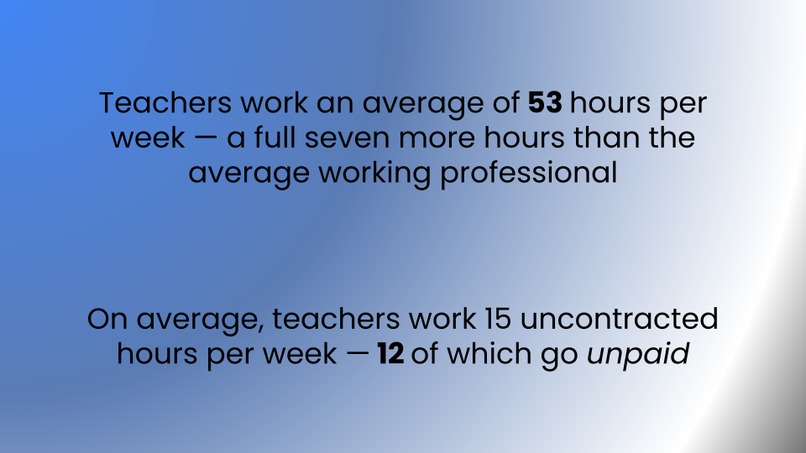
Teachers are overworked and underpaid
-
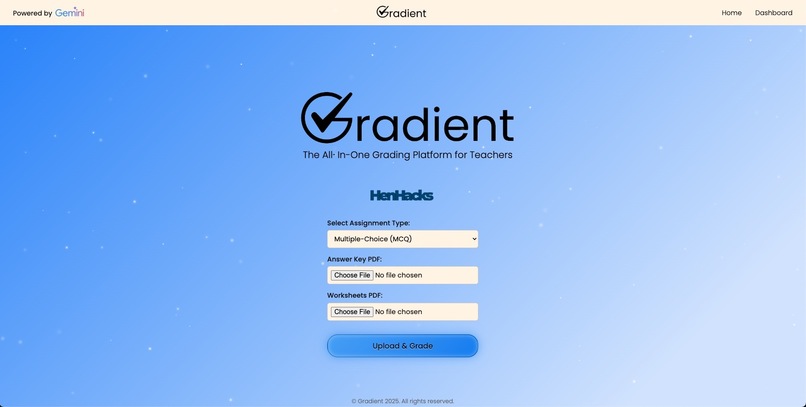
Home Page
-
Loading Page
-
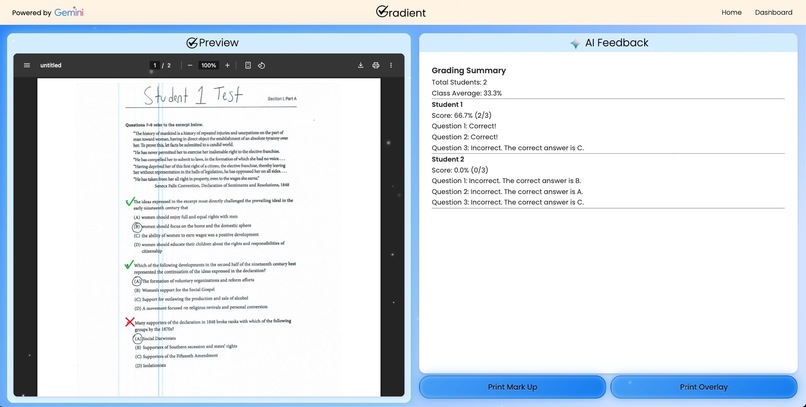
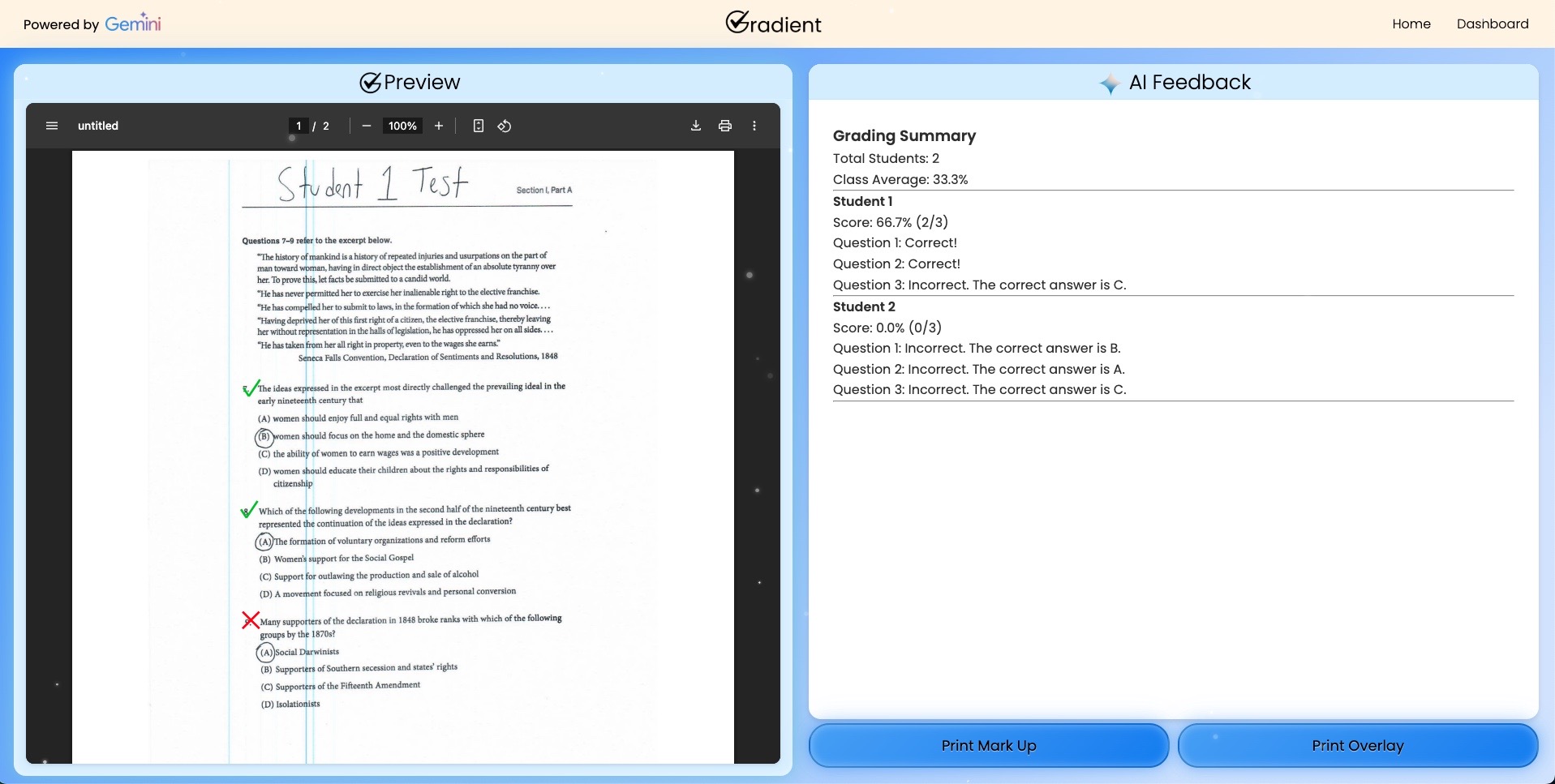
Dashboard
-
-
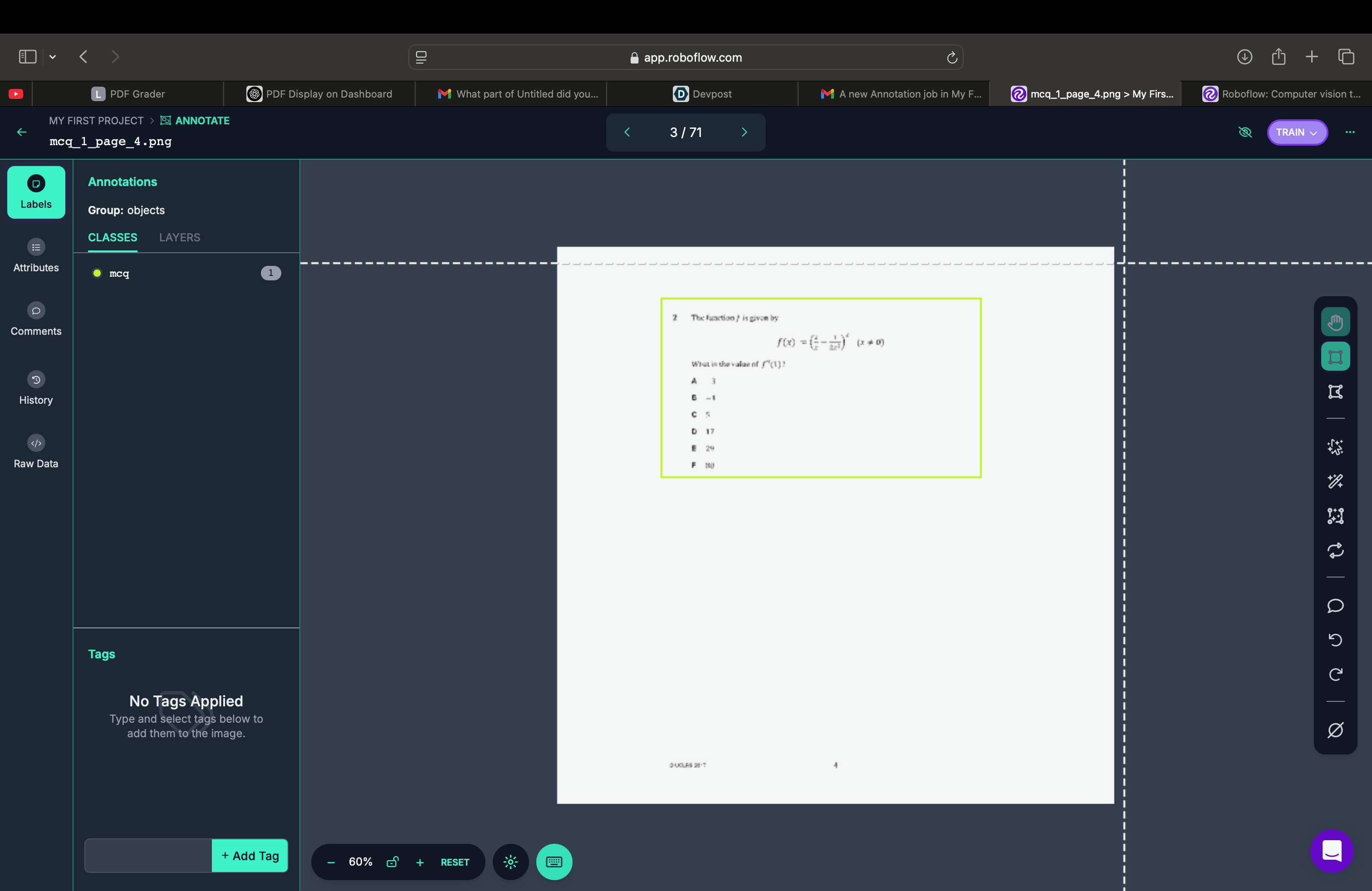
Classifying the computer vision data
-

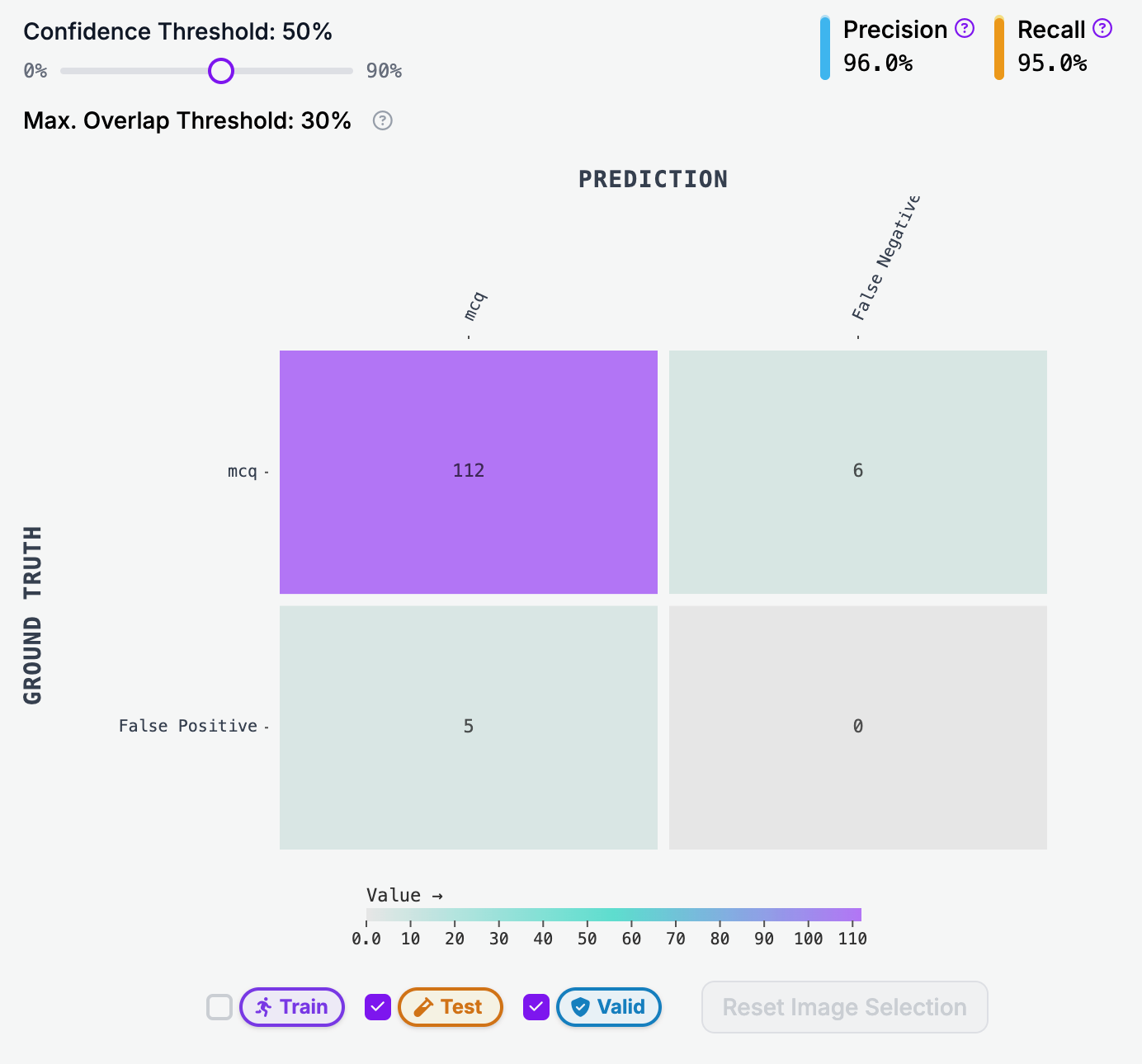
Computer vision model summary statistics
Inspiration
It's no secret: teacher are overworked. According to the RAND Corporation, teachers work an average of 53 hours a week — a full seven more hours than the average working professional. Even with their increased working hours, teachers still don't see full compensation for their labor. On average, teachers work 15 uncontracted hours per week — 12 of which go unpaid. With increasing class sizes, a higher demand for in-depth grading, and increasing teacher-to-pupil ratios, the need for efficient grading systems is paramount for the future of education.
What it does
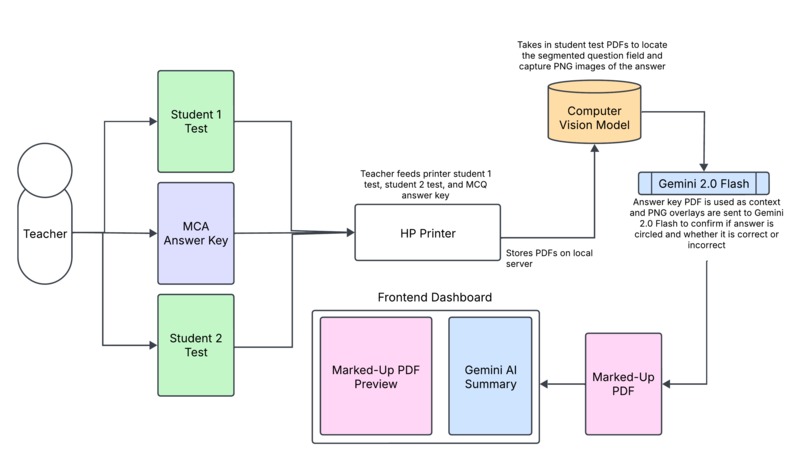
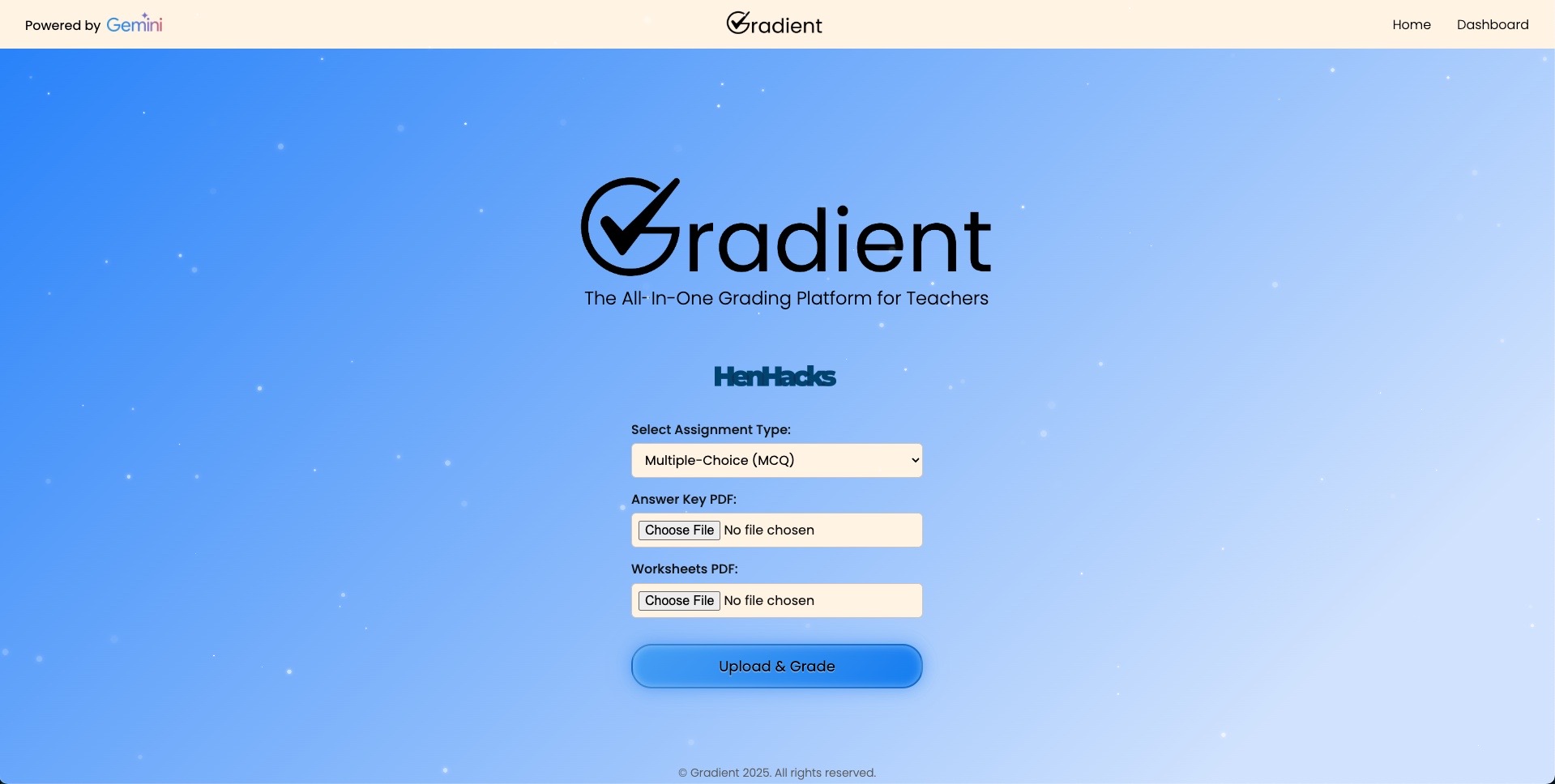
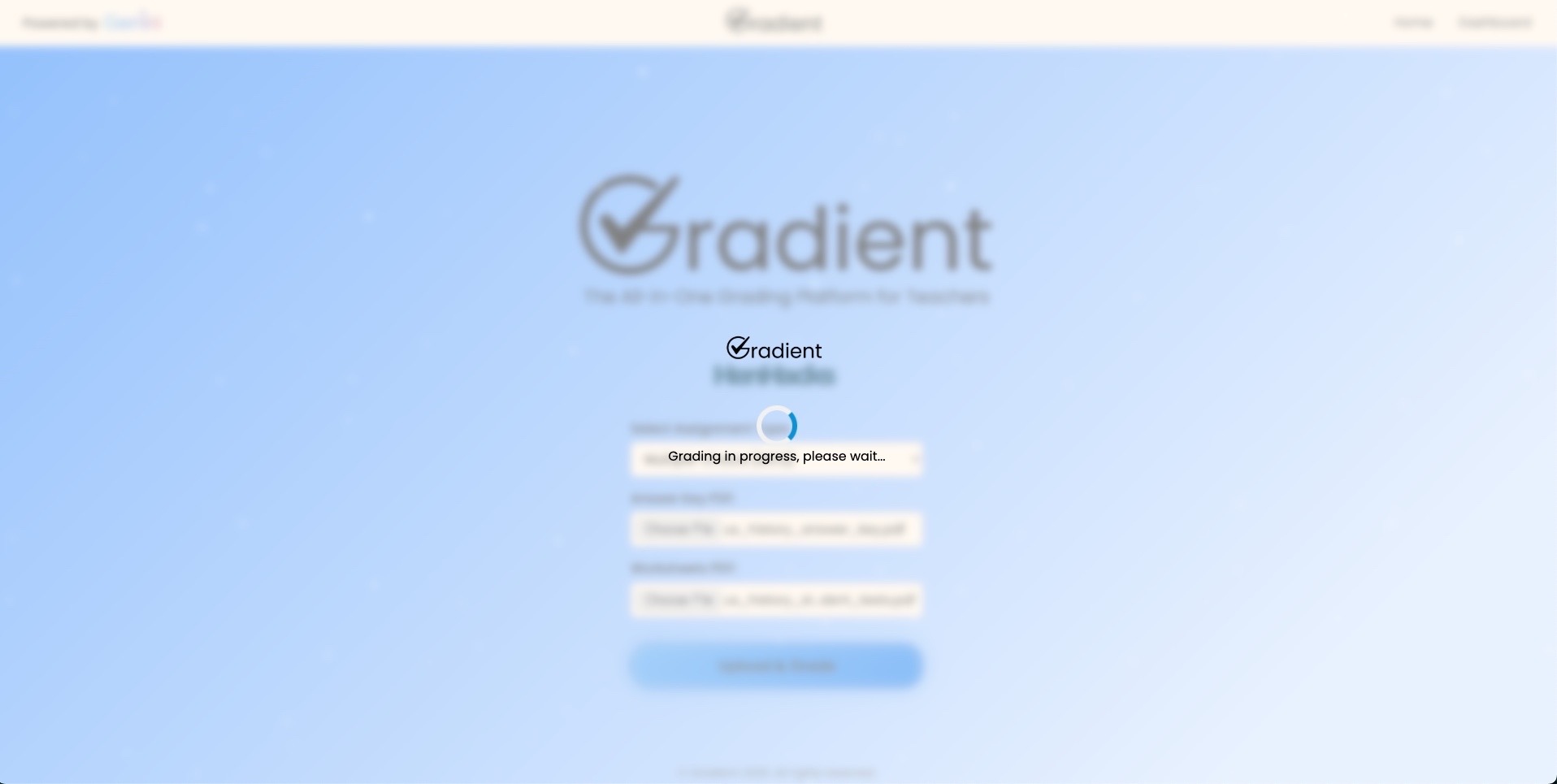
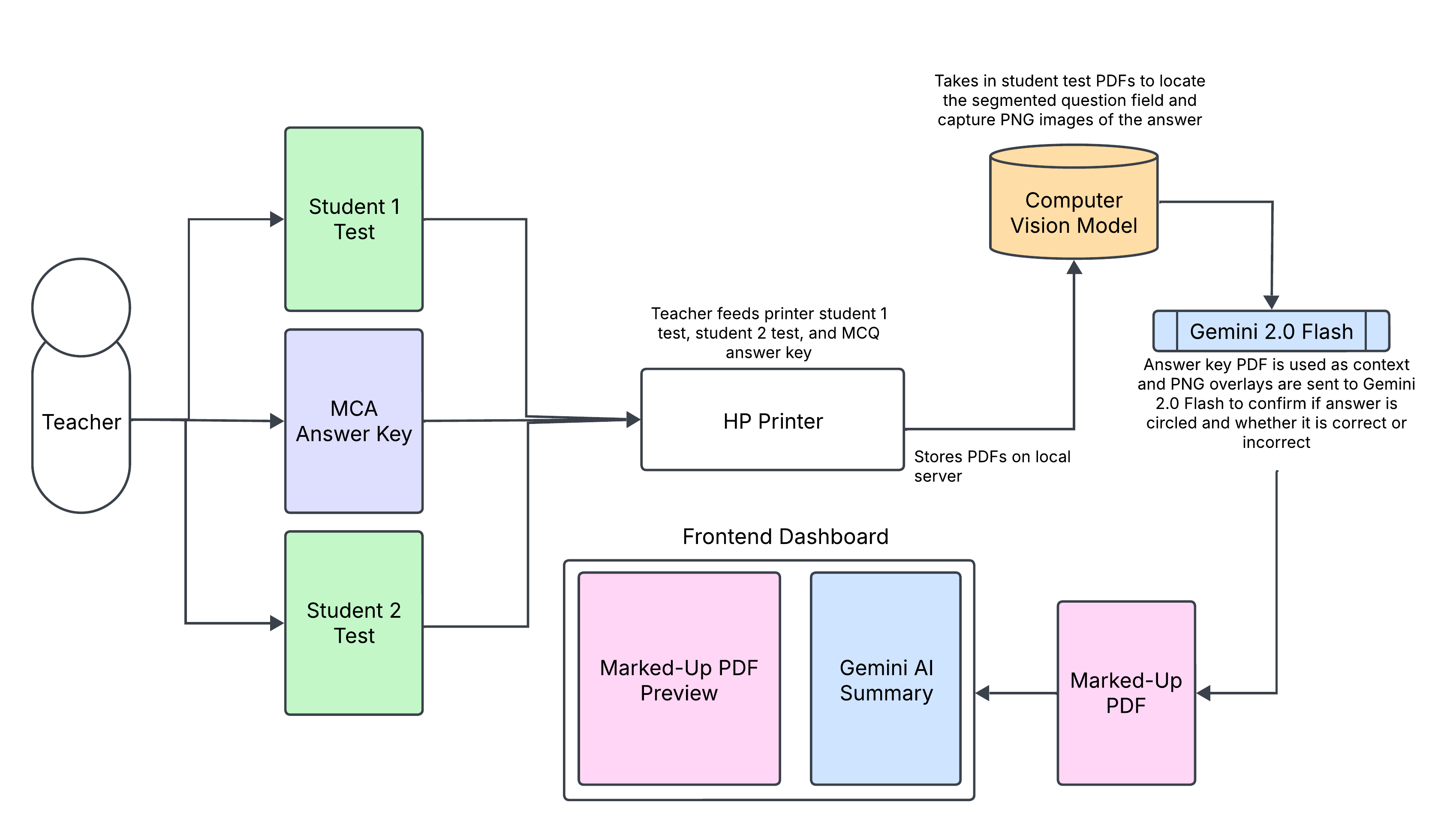
Gradient is a fully integrated all-in-one grading platform that leverages the power of AI to grade student work efficiently and accurately. By using a custom computer vision machine-learning model and Gemini 2.0 Flash, Gradient analyzes an uploaded student PDF via local download or by printer scan to identify what the student wrote versus what the actual answer is. By feeding Gradient an answer key PDF and a student's work, Gradient draws up a marked-up PDF that overlays "check marks" and "Xs" onto the student's work, then printing that marked-up PDF as a graded document. For answers that aren't multiple choice, Gradient analyzes the student's written work versus a free response rubric and uses Gemini 2.0 Flash to grade the written work.
How we built it
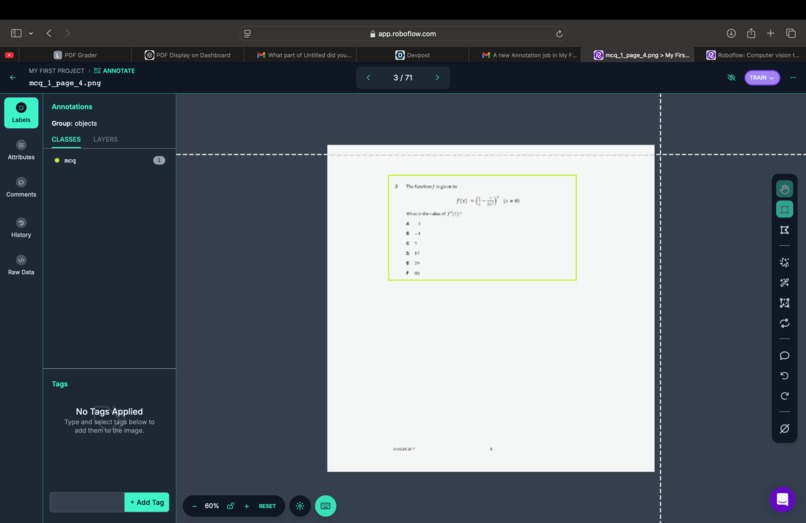
To make the custom computer vision machine-learning model, we first gathered thousands of pages of multiple-choice question PDFs and free-response question PDFs from a host of different sources. We gathered data from AP tests, grade school tests, and middle school tests. We then used Roboflow to manually overlay color coded boxes (green for MCQ and purple for FRQ) onto the responses and questions for these uploaded PDFs. We then trained a computer vision model to recognizes the location of these questions, eventually achieving 99.7% accuracy in recognizing the location of the answer choices ("A," "B," "C," "D") along with the questions. By segmenting these recognized questions as individual PNGs, we created two PNGs for each question: one PNG for the answer key and one PNG for the student answer. We then feed these two PNGs into Gemini 2.0 Flash's built-in OCR model to detect if there are circling discrepancies between the answer key PNG and the student answer PNG. If there is no discrepancy, a "check mark" is overlayed, and if there is a discrepancy, an "x" is overlayed. These overlayed "xs" and "check marks" are pasted on top of the original PDF to create a graded marked up PDF. The user can either print the marked up PDF or just the PDF overlay just in case they want to print on top of the original student's test. Finally, an AI summary to the right calculates scores, class statistics, and what answer was right or wrong.
Challenges we ran into
The main challenge was API configuration and training the computer vision model, as labeling and sorting the data proved quite difficult. After working out some API configurations and server integration issues, we eventually got the UI to a working state. Another challenge was implementing the AI summary JSON to be accurate with question numbering.
Accomplishments that we're proud of
We're proud of being able to integrate Gemini fully into an all-in-one grading platform, especially given the time constraints. We're also proud of making a UI that is user-friendly and fully-integrated with printing software.
What we learned
We learned that to truly make a model accurate, you need a lot of data and accurate sorting and categorizing.
What's next for Gradient
We plan on adding a more robust editing dashboard in the future so that teachers can double check the output of the AI and grade themselves what they believe to be errors. We also plan on building out a more robust computer vision model that can more accurately overlay the PNGs on top of the marked-up PDF. We also plan on using Mistral's new OCR model as it is significantly more accurate than Gemini's OCR.


Log in or sign up for Devpost to join the conversation.