-
-
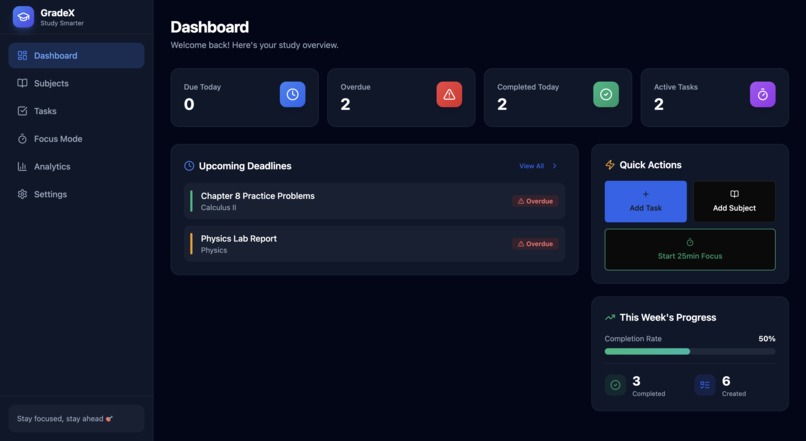
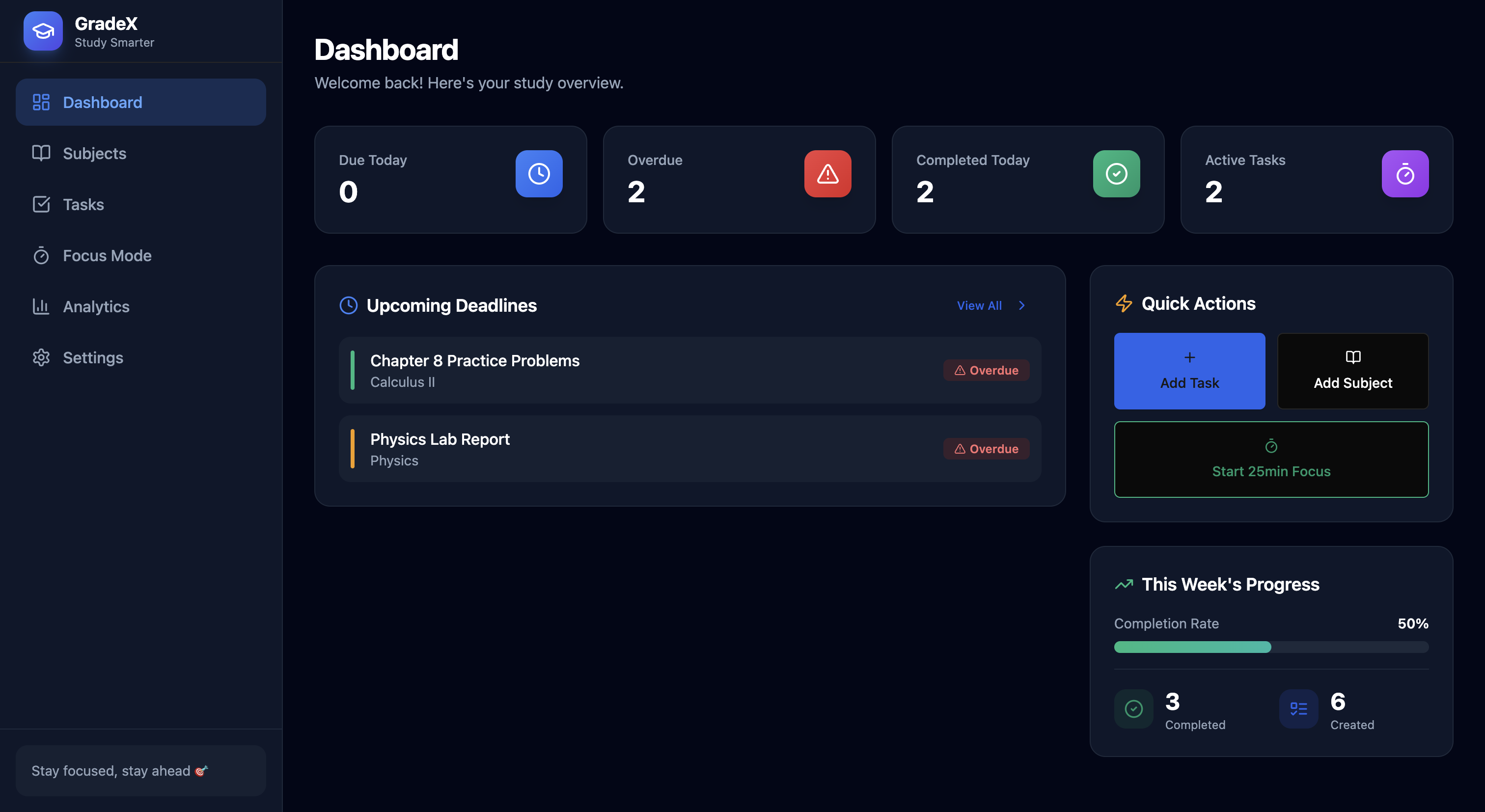
Dashboard
-
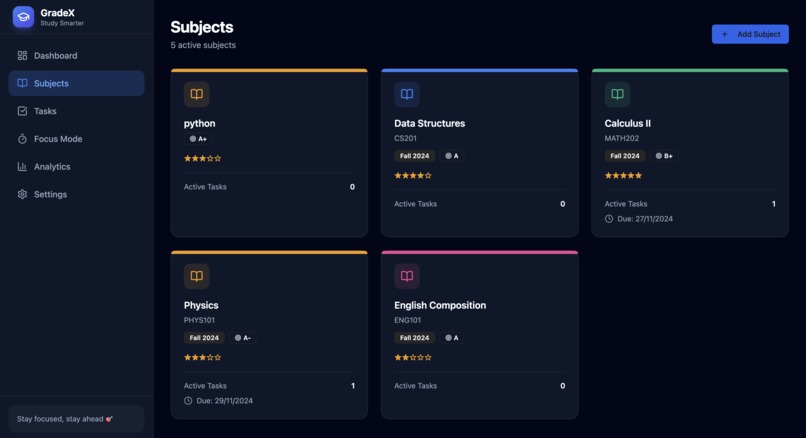
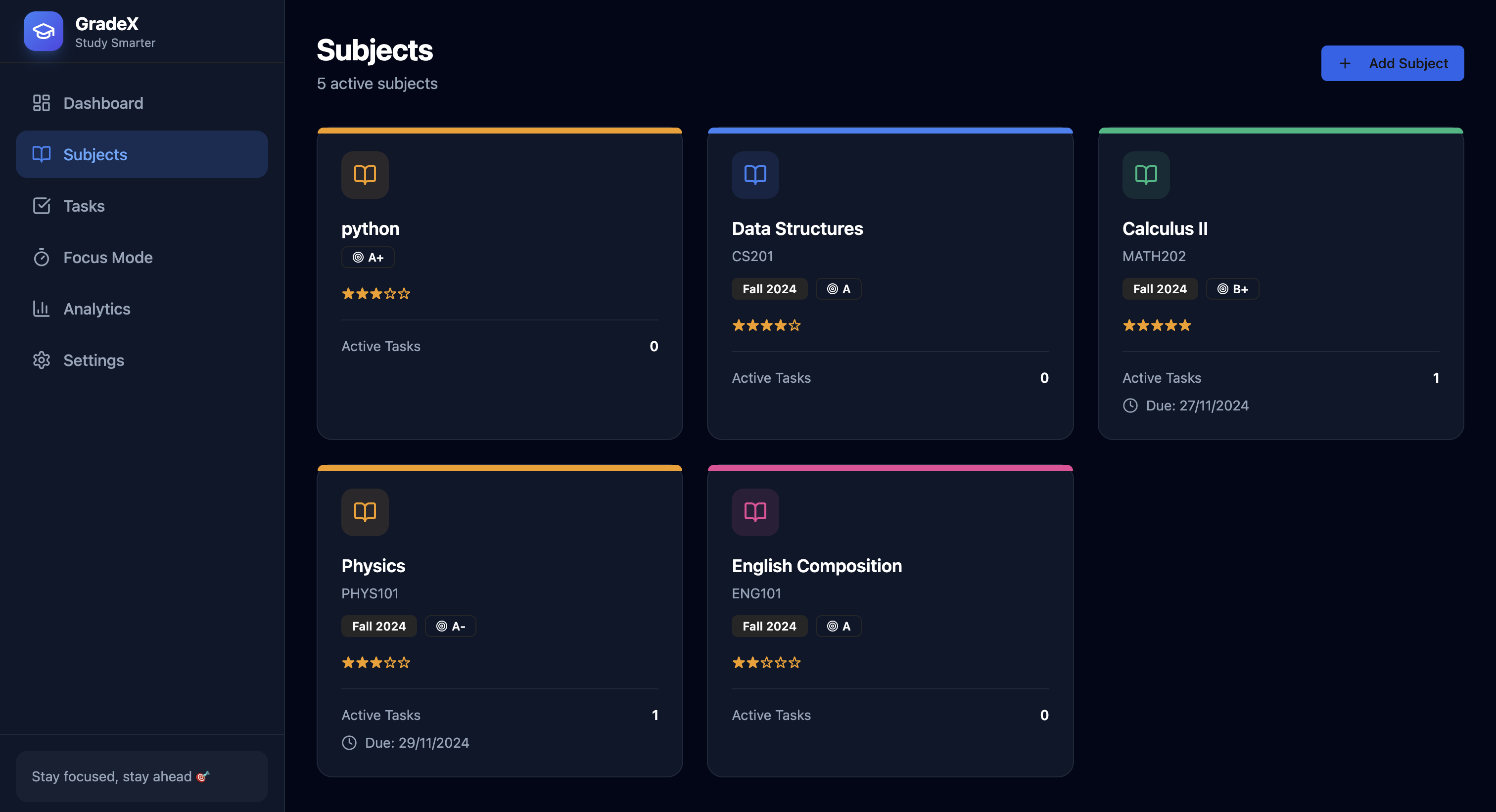
Subject
-
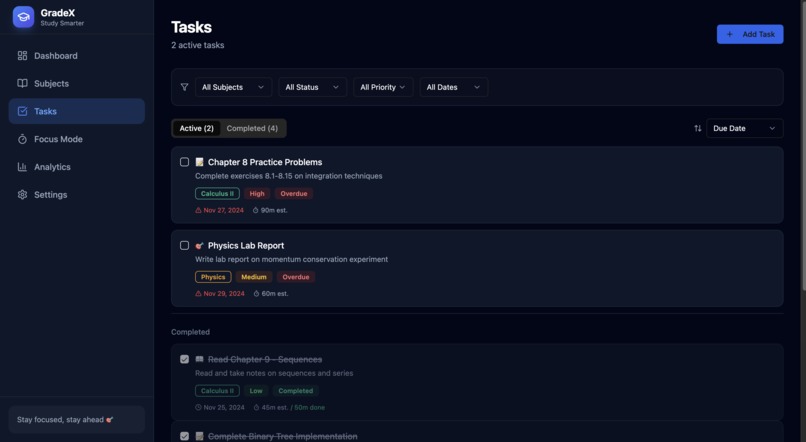
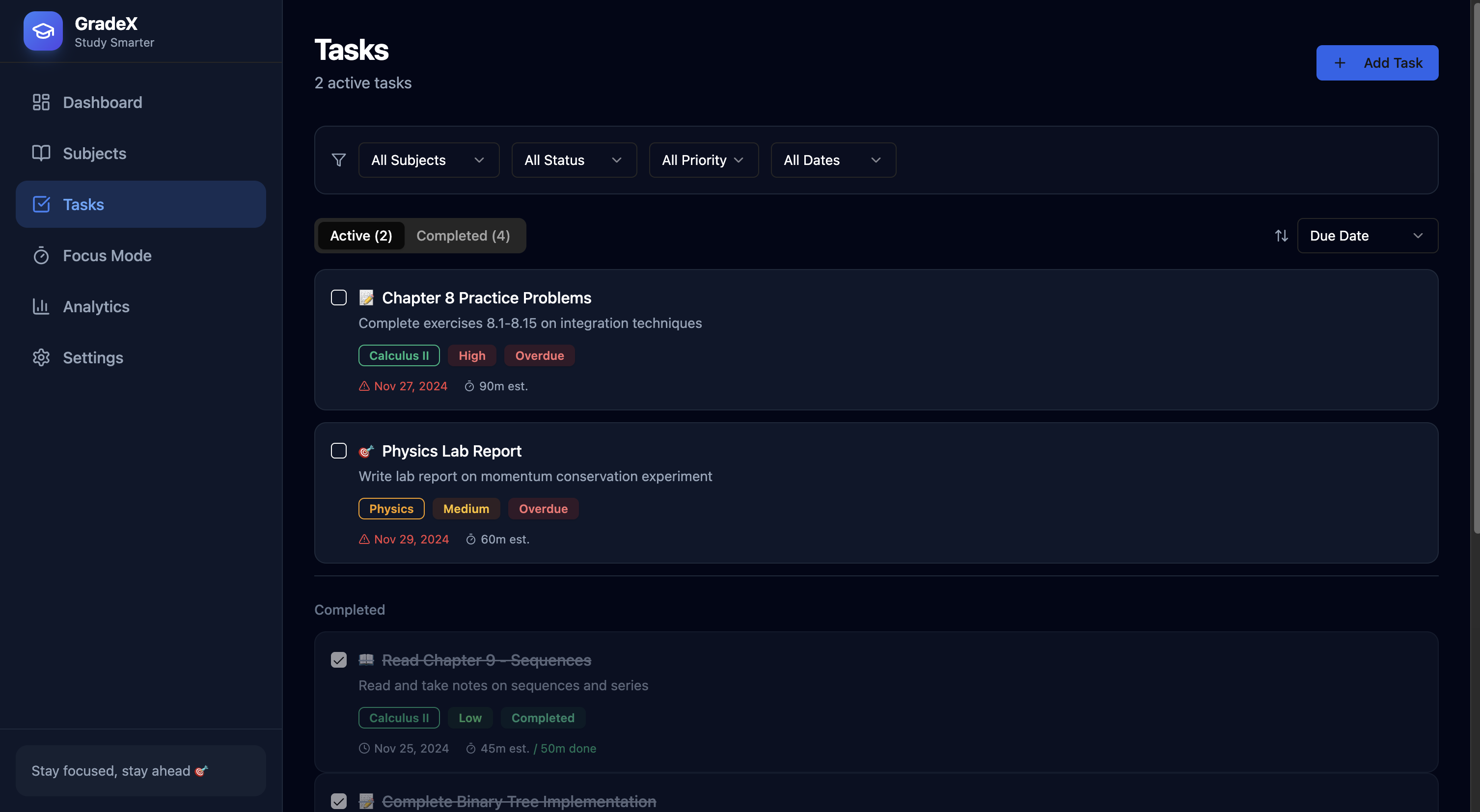
Task
-
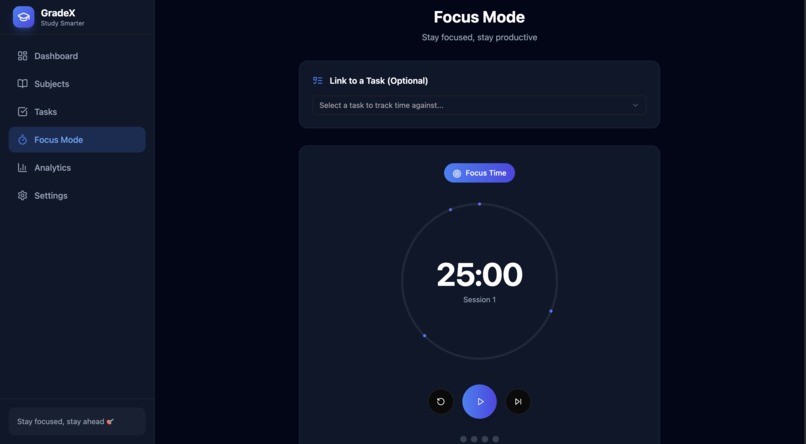
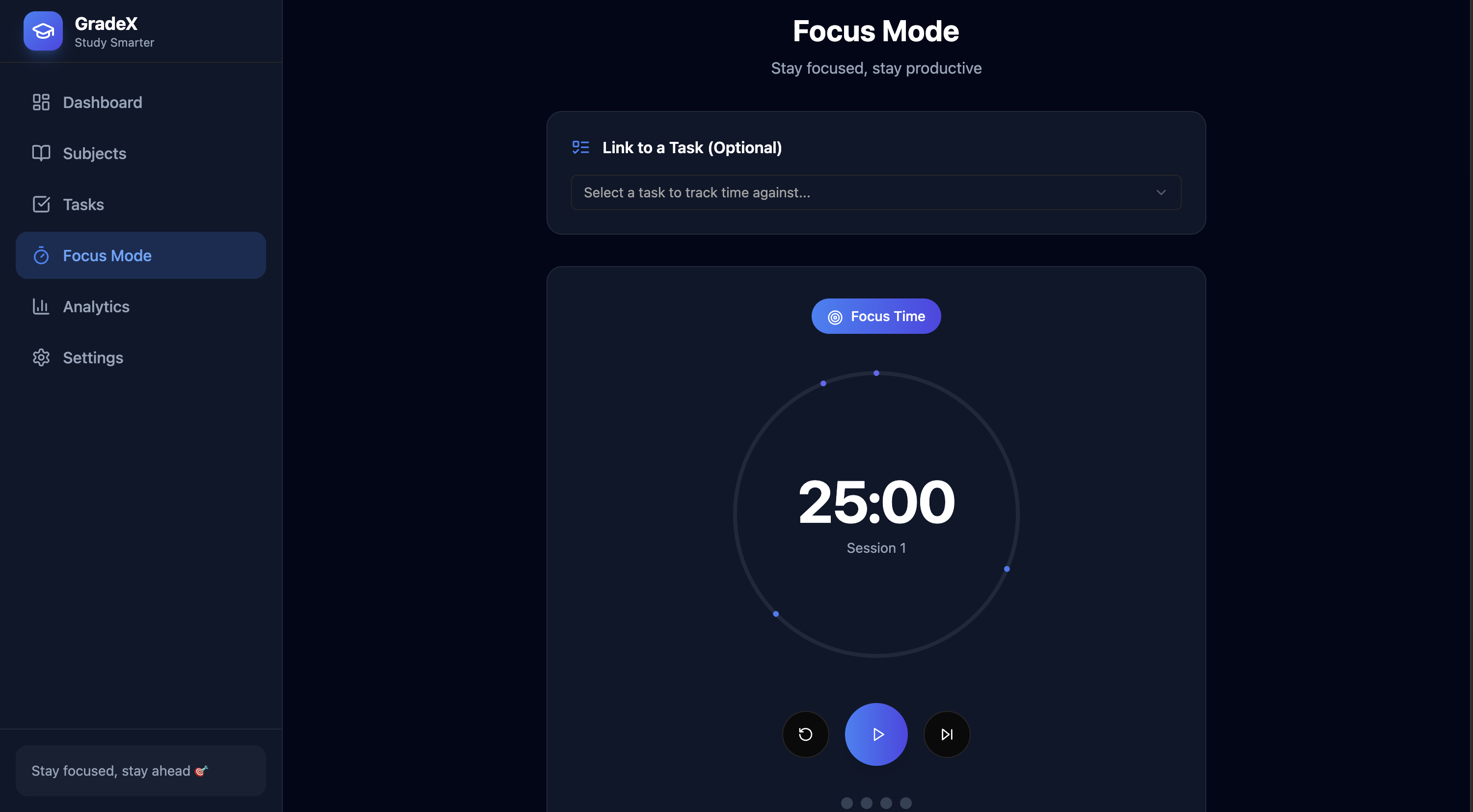
Focus Mode
-
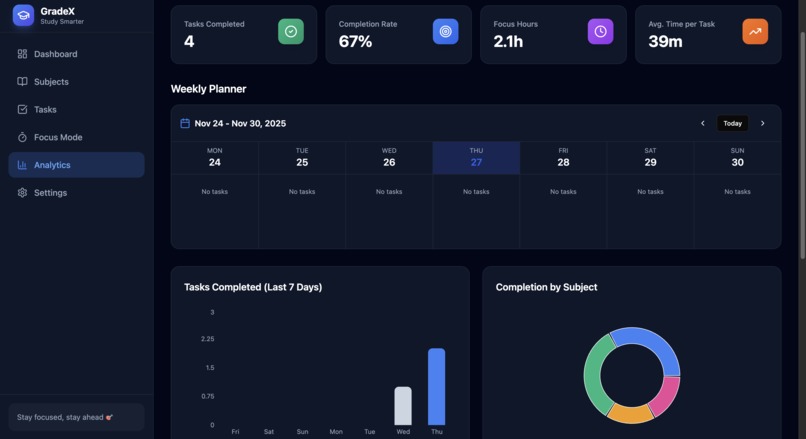
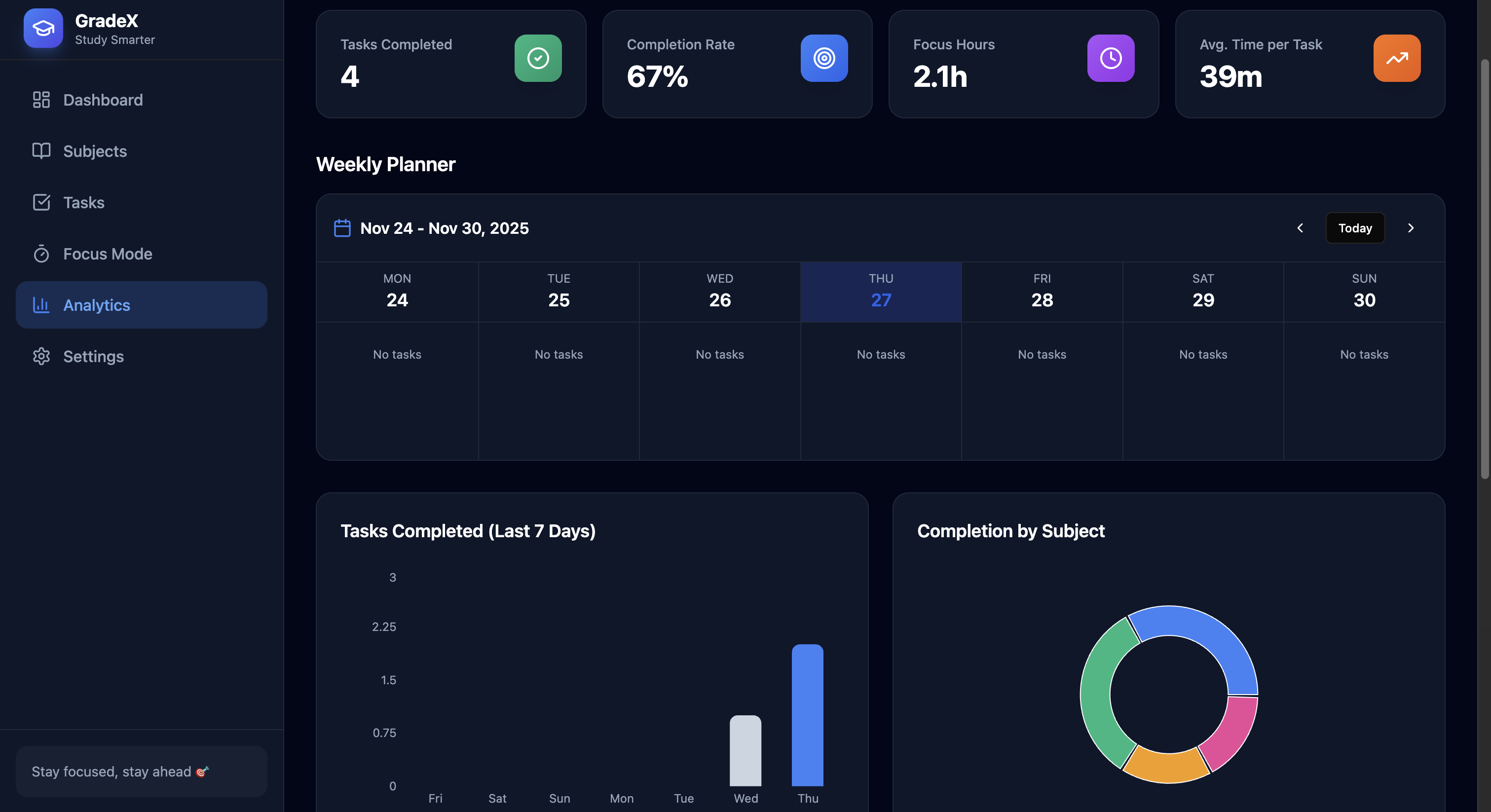
Analytics
-
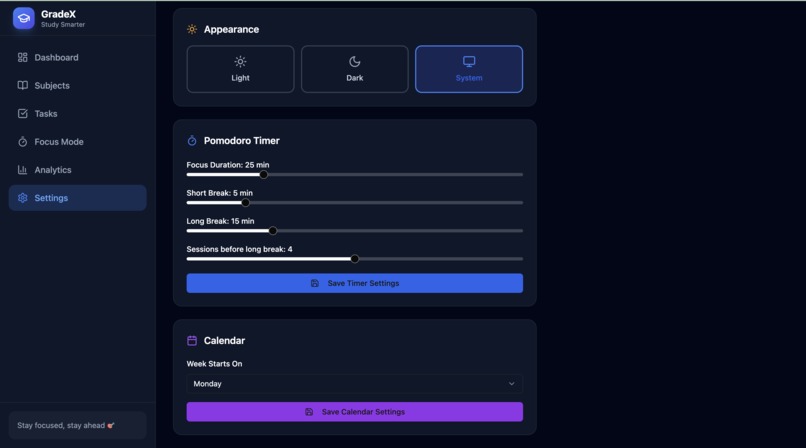
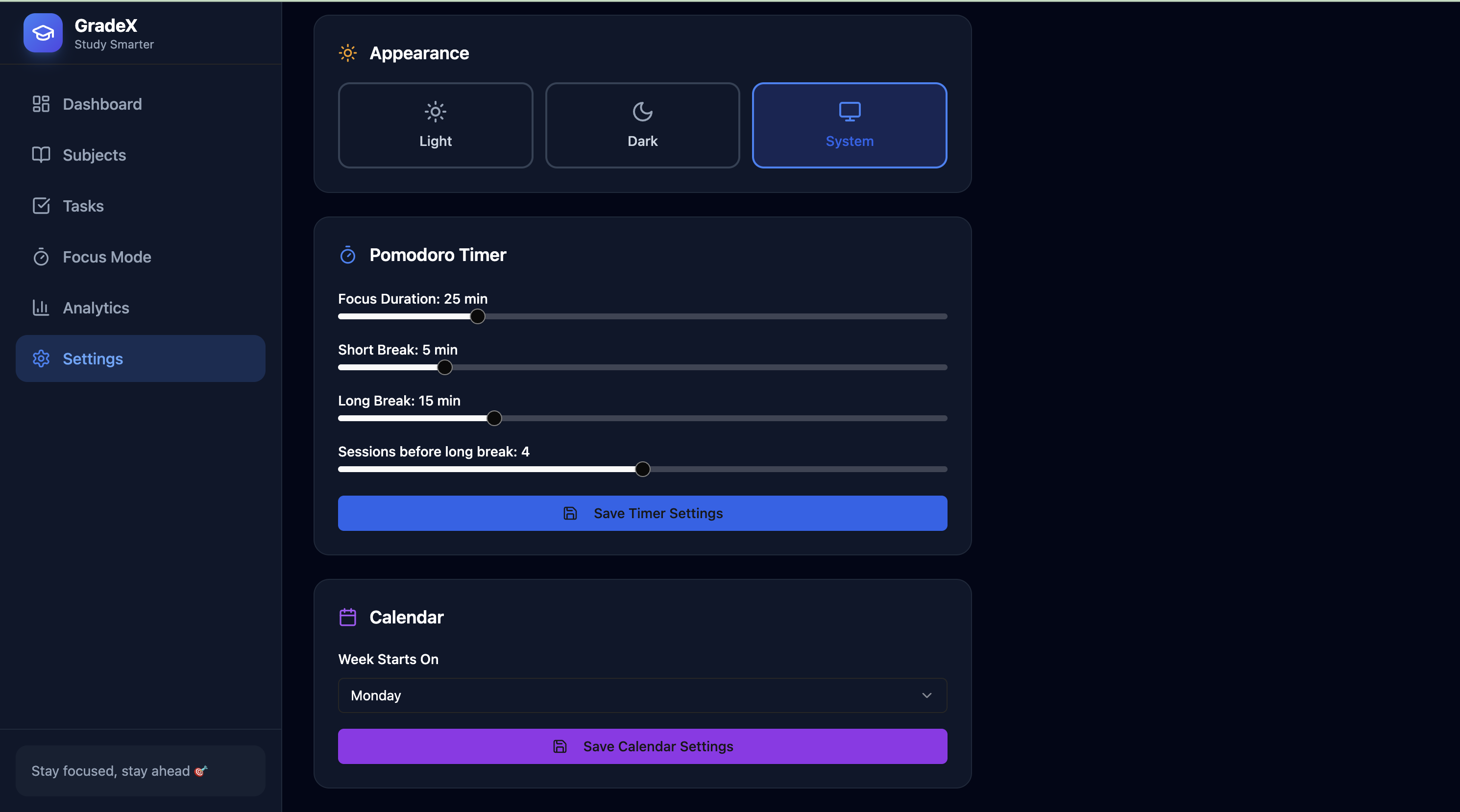
Settings
-
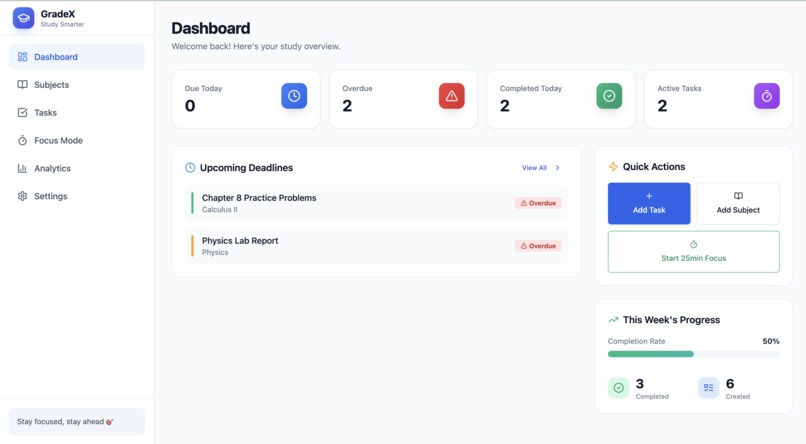
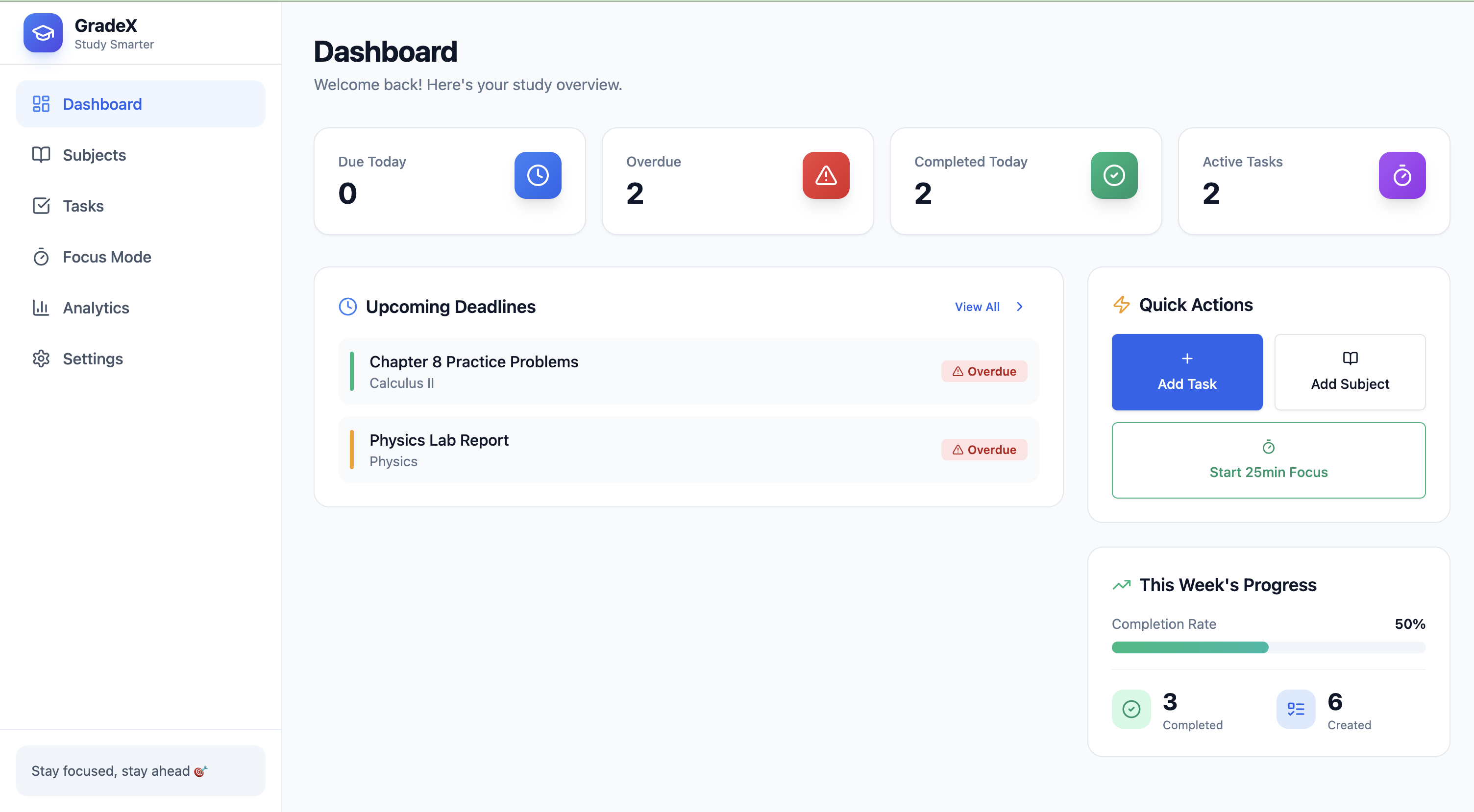
Dashboard Light Theme
Inspiration
Managing studies today is chaotic — multiple subjects, deadlines scattered across apps, and no unified space that gives a student clarity. We wanted to build something that actually feels like a command center for students: clean, fast, minimal, and smart. Most productivity apps focus on professionals, not students. So we created a platform that helps students track tasks, understand progress, stay consistent, and avoid burnout — all in one dashboard.
What it does
Student Command Center is an all-in-one study management platform where students can:
- Track tasks, deadlines, and subjects from a single dashboard
- View overdue, upcoming, and completed tasks instantly
- Enter immersive Focus Mode with a built-in Pomodoro timer
- Analyse weekly progress with visual completion analytics
- Organize subjects and manage workload easily
Use quick-action shortcuts for instant task creation and focus sessions
The UI is built to feel like a modern productivity console — minimal, dark, aesthetic, and distraction-free.
How we built it
We built the platform using Base44, focusing on clean UI components and a modular layout:
- Dashboard showing real-time task stats
- Subject Manager for organizing coursework
- Task Manager with status tracking
- Focus Mode using a Pomodoro timer
- Analytics View for weekly performance insights
Every section is designed to load instantly and maintain a consistent design system across the app.
Challenges we ran into
- Getting all pages to stay consistent with Base44’s UI components
- Dynamic updates across pages (tasks → dashboard → analytics)
- Managing real-time state sync without backend access
- Designing a layout that stays clean even with many tasks
- Implementing a smooth focus mode without distractions
Accomplishments that we're proud of
- Built an entire student command center without a backend
- Achieved a strong, modern, industry-level UI
- Clean separation between dashboard, tasks, subjects, analytics, and focus
- Created a workflow that genuinely improves student productivity
- Made the app structured enough to scale with future features
What we learned
- How to design student-centric workflows that reduce friction
- Building modular UI architecture using Base44
- Structuring a productivity tool that maintains clarity even with many features
- Designing for usability, not just aesthetics
- Planning an app that feels professional even without backend infrastructure
What's next for Gradex
- Integrating real-time cloud sync with a backend
- Advanced analytics like performance prediction
- AI Study Assistant to auto-categorize tasks, suggest schedules, and summarize study material
- Cross-device support and user accounts
- Timetable generator + revision planner
- Habit tracker & long-term goal planner
- Exportable study reports for students
Built With
- base44
- chatgpt


Log in or sign up for Devpost to join the conversation.