
Inspiration
As a student, keeping track of deadlines is important, especially with everything being virtual. Unfortunately, Gradescope, a website that allows professors to grade with ease, does not remind you about upcoming assignments. But, Google Calendar does. By creating this application, we are able to keep track of our Gradescope assignments using google calendar, effectively saving our grades.
What it does
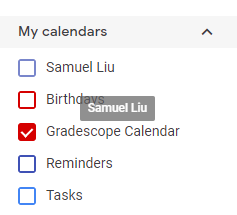
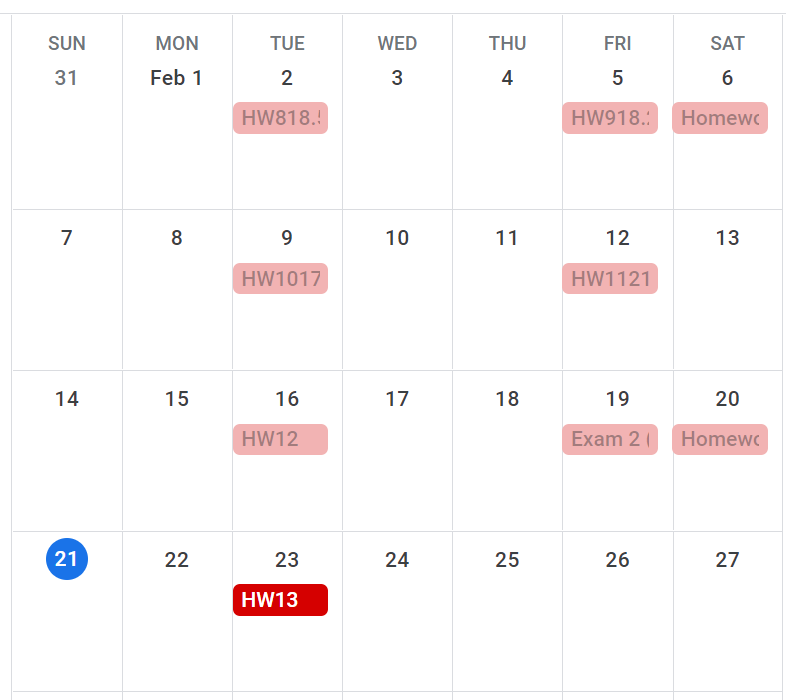
The application creates a new Google Calendar for the user called Gradescope Calendar. The Gradescope Calendar adds the assignment dates to the calendar and titles them as the assignment name. This allows the user to view their assignments on a monthly, weekly, and daily calendar, and gives them the opportunity to plan and utilize their time effectively. Google calendar also sends notifications before the event occurs, giving the students time to complete their assignment before the due date.
How we built it
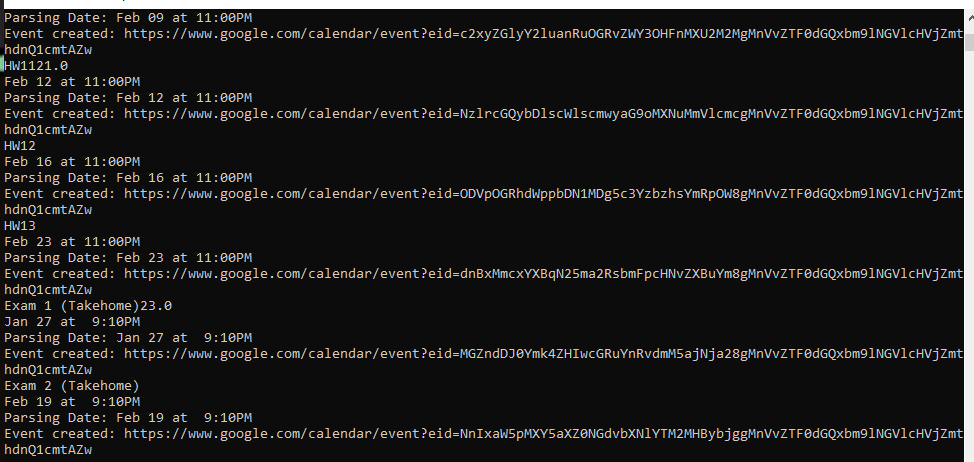
We built it by scraping data such as course ids, assignment names, due dates, and times from the Gradescope website. We parsed through all of the data to return an object that contained the strings with the assignment name as well as the due date/time. Separately, we connected our application to Google Calendars with the Google Calendars API. We created a function that would process through each single assignment and create an event with the assignment name and due date as its attributes. After creating the event, we insert it into the calendar we just created and print a success message. The application should create new events for every assignment until every assignment has been completed.
Challenges we ran into
One of the challenges we ran into was our team’s unfamiliarity with Python. To overcome this, we utilized the internet and various websites to help us with syntax and Python methods. Another challenge we had to overcome was that half of our team did not have laptops that would work with Python and Google Calendar API. To solve our problem, we used zoom’s screen share function so everyone was able to still work together.
Accomplishments we’re proud of
One of the greatest accomplishments that we are proud of was the fact that we could actually log into Gradescope based on our user. At first, we did not know if it was even possible to log in to Gradescope but with a little searching and reading online, we were able to figure out how to use the post method to virtually sign into Gradescope from our python script. Further, we were very proud of our ability to parse through a huge amount of data in order to retrieve the little bits of information that we needed. For example, we parsed through the entire HTML of the Gradescope website to find all of the assignment information for a given course. Not only that, we were able to filter the results to only include classes that were relevant to this quarter so no assignments from previous quarters would be considered.
What we learned
Many of us were unfamiliar with Python at the beginning of this project, so we learned Python syntax as well as methods such as datetime and requests. We also learned how to utilize the Google Calendar API within our application, which is something many of us have not done before. Using the Google Calendar API, we learned how to create a new calendar and new events for existing calendars using the Calendar methods. We also learned a great deal about how to scrape information from websites by using the Beautiful Soup Library and filtering our results based on certain names of classes and id's.
What’s next for Gradescope Scheduler
As of right now, Gradescope Scheuler is a bit difficult to set up. It requires that each user must obtain their own Google credentials in order to connect the application to their Google Calendar. We hope to be able to make the application more user friendly so that everyone would be able to use the application.
Built With
- beautiful-soup
- google-auth-oauthlib.flow
- google-calendar-api
- googleapiclient.discovery
- python
- requests


Log in or sign up for Devpost to join the conversation.