-
-
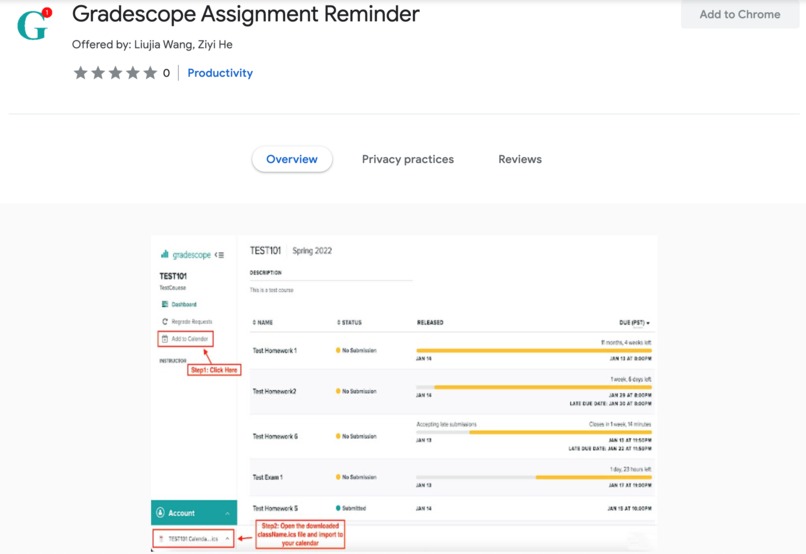
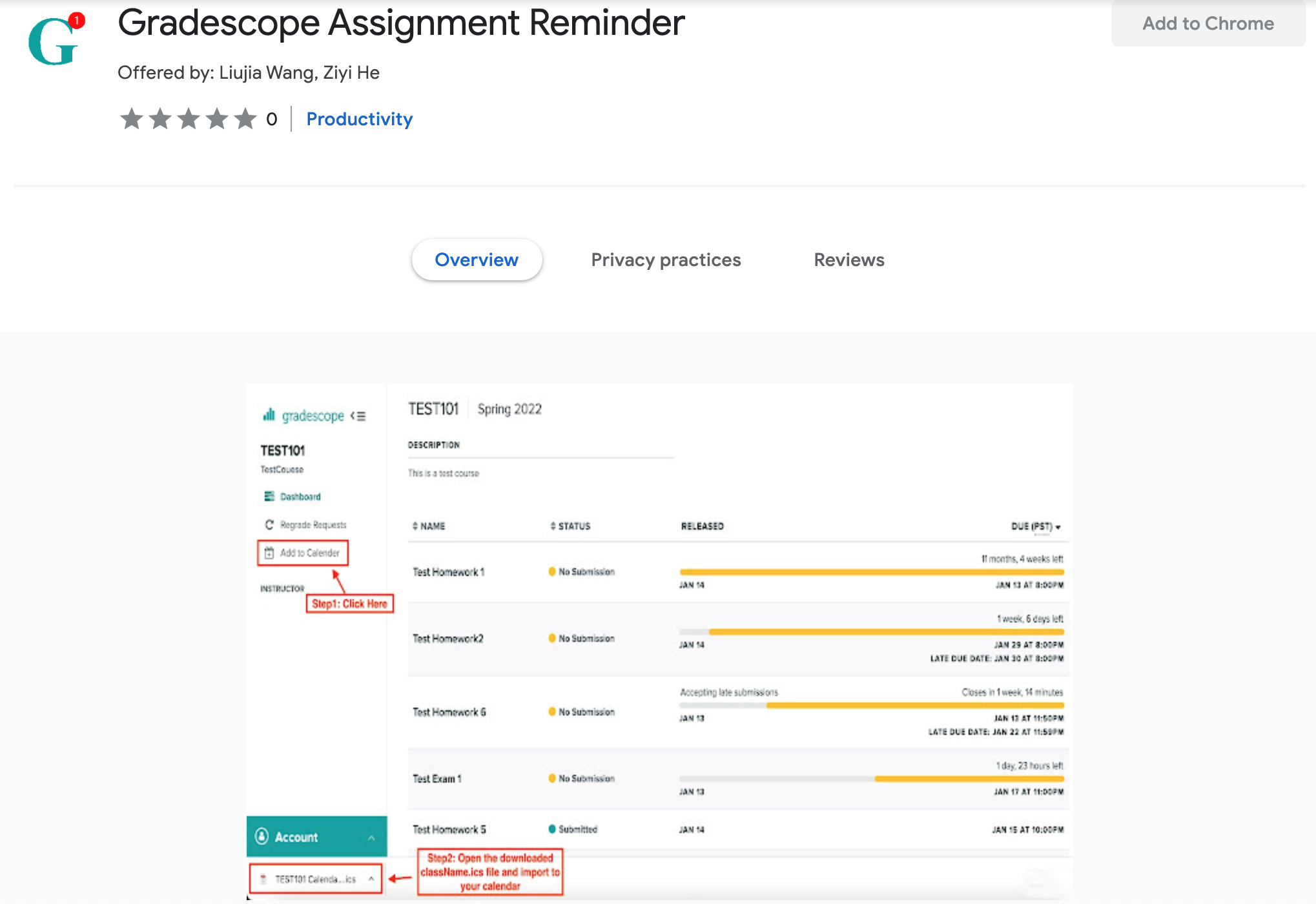
Chrome Store Screenshot
Inspiration
Currently, Gradescope.com doesn’t have the option to send notifications for approaching deadlines. We want to develop a chrome extension that allows users to add their assignment due dates from Gradescope.com to calendars.
What it does
When the extension is installed in Chrome browser, an "add to calendar" button will appear on Gradescope.com courses page. After clicking on the button, a courseName.ics file will be downloaded. This is an iCalendar file that can be imported to any calendar of your choice (including Apple Calendar, Google Calendar, Outlook Calendar etc. ). After importing, you should be able to see new reminders added to your calendar.
How we built it
Our Chrome Extension contains the following files:
a. Manifest [JSON]
Provides all necessary information about the Chrome extension
b. Background script [JavaScript]
Runs upon Chrome launch and listens to global browser events
c. Content script [JavaScript]
Runs in the context of the web page the user is currently on and is capable of retrieving details from web pages or make changes to them
d. Popup page [HTML]
The page that the user sees when clicking on the extension icon
Challenges we ran into
a. Parse HTML in JavaScript
Solution: Understood the structure of a DOM (Document Object Model) tree and learned how to retrieve specific information from the page by calling methods such as querySelector(), getElementById(), etc.
b. Maintain UI Consistency
Solution: Dived into the original HTML and extended using the same CSS class structure and matching Font Awesome icons
c. Format ICS File
Solution: Understood the specification of a ICS file, such as file structure, date and time formatting, multiple events handling, etc.
d. Handle Edge Cases
Solution: Brainstormed and tested different scenarios and drew flowcharts to identify the outcomes of each step and how to proceed based on the outcomes
What we learned
- How to use JavaScript, JSON and HTML for front-end Chrome Extension App design
- How to generate a iCalendar file that can be imported to various calendars
- How to collaborate with a partner on a full project using GitHub
What's next for Gradescope Assignment Reminder
a. Improve user flexibility
- Users choose which assignments to add to the calendar
- Users decide whether to add late due dates of the assignments
- Users choose the alert method
b. Direct integration with Google Calendar and Microsoft Outlook
- Instead of downloading the ICS file and importing manually, prompt users to log in their accounts, and the due dates reminders will be automatically imported


Log in or sign up for Devpost to join the conversation.