-
-
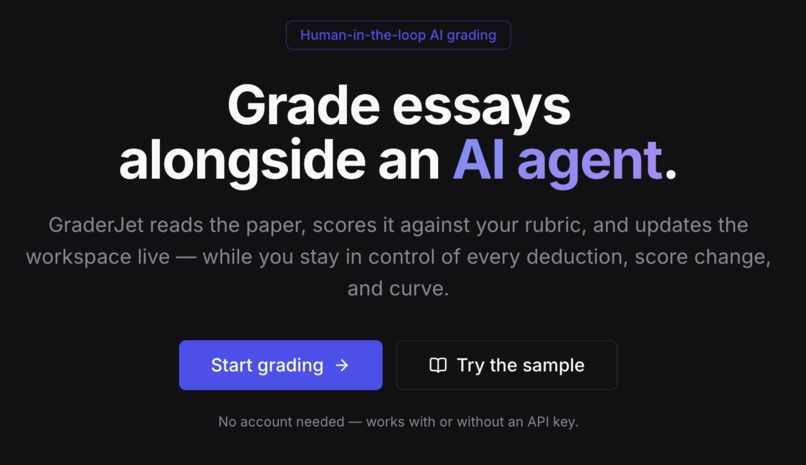
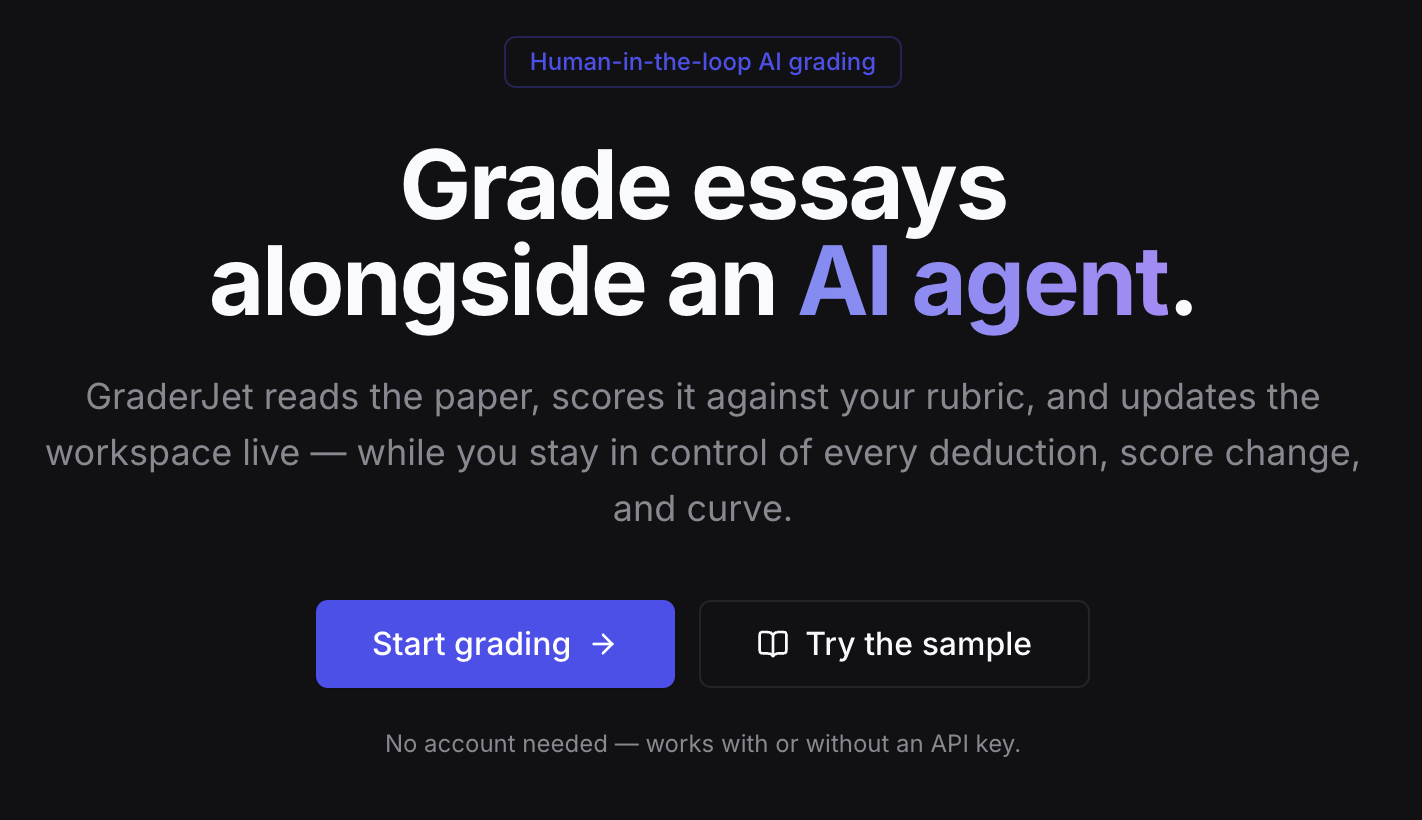
The main landing page.
-
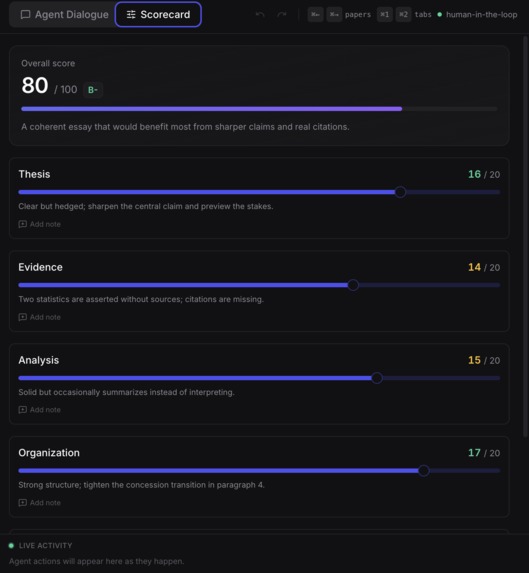
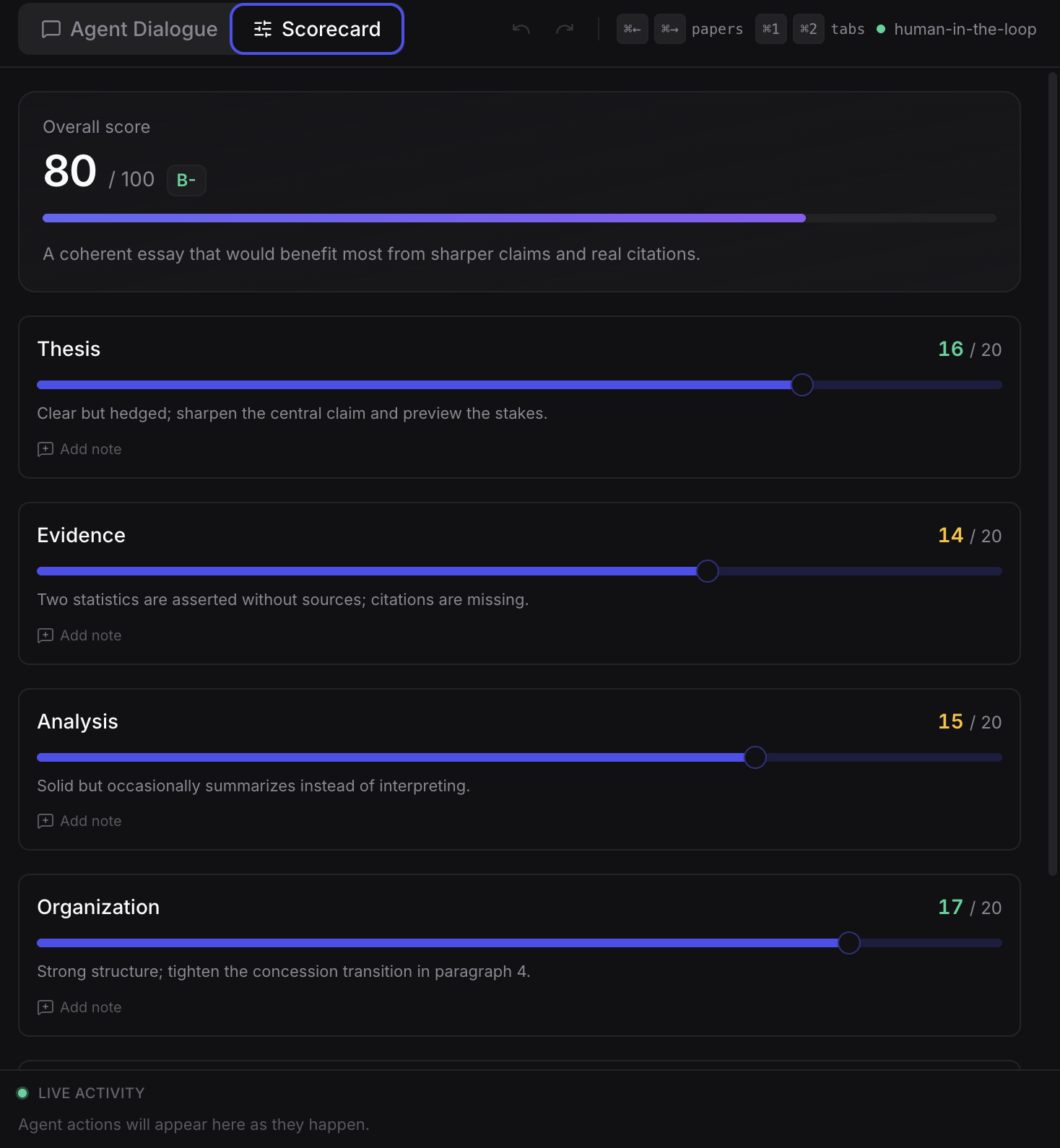
The scores and grades.
-
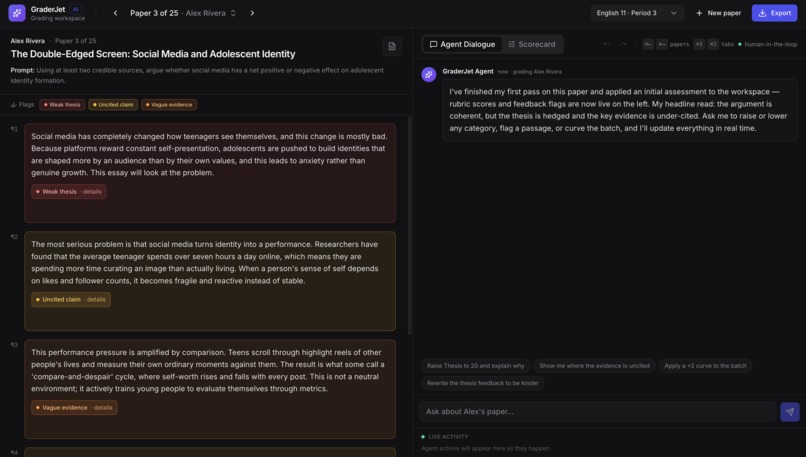
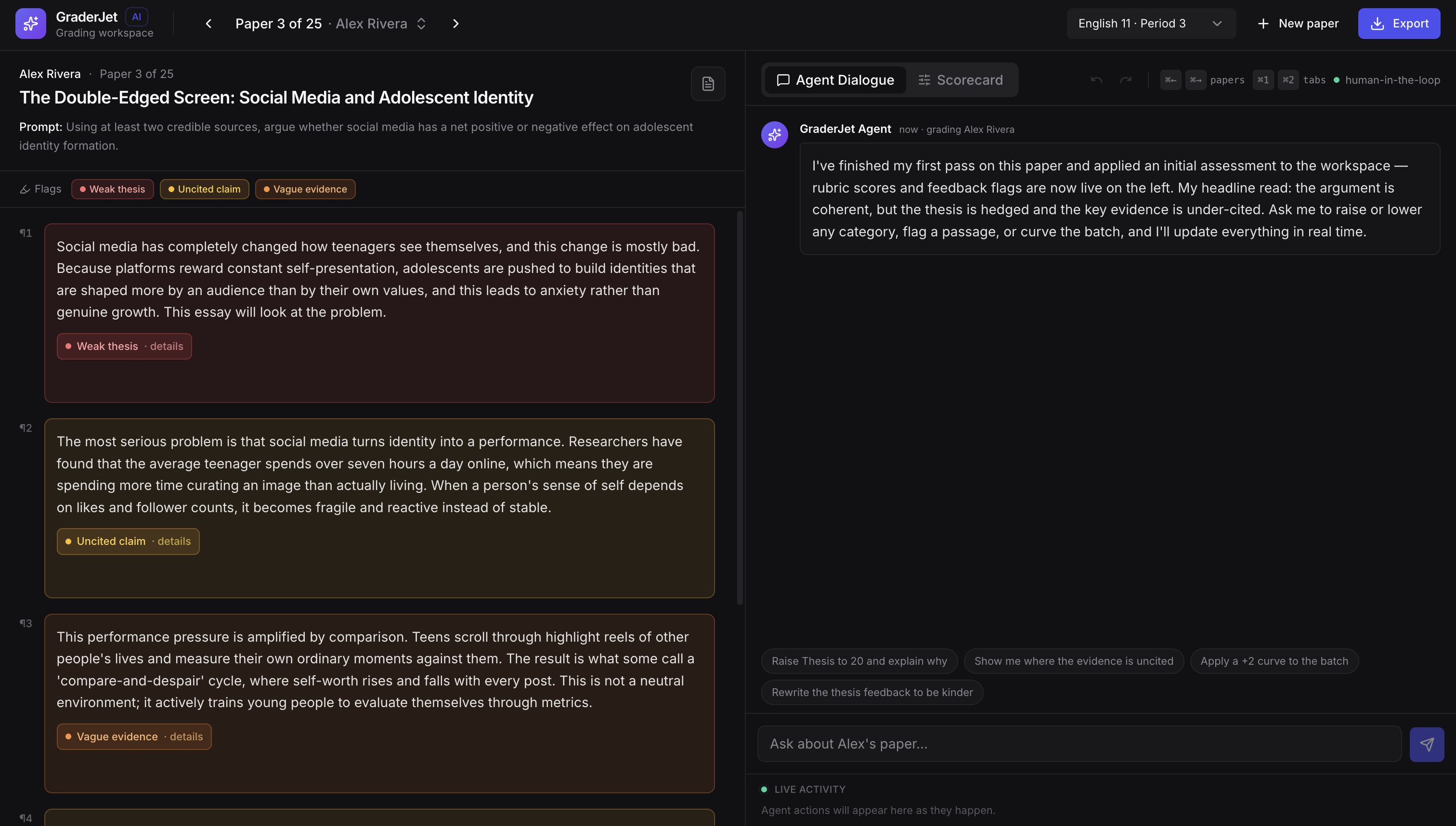
The main agentic chat grading dashboard.
GraderJet — The AI Teaching Assistant That Grades With You, Not For You
Elevator Pitch
GraderJet is an AI workspace where teachers grade alongside an agent. AI streams cited feedback; teachers interrogate reasoning and adjust scores in real time. AI proposes, teacher disposes.
Inspiration
Teachers spend 10–15 hours every week grading papers, caught between two flawed options:
- Fully automated AI tools: Black-box screeners that issue unexplainable scores with zero transparency or pedagogical justification.
- Digitized paper annotators: Basic PDF viewers that offer zero intelligence or assistance.
Neither approach respects an educator's expertise or the subtle nuances of student writing. We built GraderJet to establish a collaborative workspace guided by one core philosophy: AI proposes, teacher disposes. Every score, highlight, and note should be an interactive conversation, not an unyielding verdict.
What It Does
GraderJet creates a human-in-the-loop grading workspace where teachers grade papers alongside an AI agent:
- Agent Reviews: Streams an initial assessment with cited evidence tied directly to specific passages in the document viewer.
- Teacher Interrogates: Enables a split-screen chat dialogue where teachers can challenge claims, refine feedback, or override deductions in real time.
- Live Workspace: Automatically updates scorecards, document line highlights, and activity feeds using browser-executed tool calls.
- Batch Adjustments: Curves class grades in one click and logs clear reasoning for transparency.
- Export & Share: Saves the entire session—including chat dialogue, rubric adjustments, and notes—into a single file for peer calibration, moderation, or co-teaching.
Key Differentiators
- Transparent Reasoning: Traditional tools issue unexplainable grades with zero transparency. GraderJet cites specific text passages for every single score deduction.
- Dynamic Curves: Rather than relying on rigid static rubrics that require tedious manual updates, GraderJet applies batch score shifts across an entire assignment set with one click.
- Shareable Sessions: Instead of isolated, uncalibrated evaluation, GraderJet exports complete grading sessions (notes, chat history, curves) as single files for peer calibration.
- In-Process Dialogue: Rather than typing manual post-hoc feedback, teachers co-write, challenge, and refine student notes live alongside the AI agent.
How We Built It
- Framework & UI: Built with Next.js 14 (App Router), TypeScript, Tailwind CSS, shadcn/ui, and Radix UI primitives.
- Agentic AI Pipeline: Powered by the Vercel AI SDK (
useChat), streaming from/api/chatusing@ai-sdk/openaiand@openrouter/ai-sdk-provider(gpt-4o-mini). - Browser Tool Execution: Defined tools (
update_scores,highlight_passage,apply_batch_curve) without server-sideexecutefunctions. The client'sonToolCallhandler executes tool calls directly in React state and resubmits context usingsendAutomaticallyWhen. - File Extraction & State: Document parsing via
mammoth(.docx) andpdfjs-dist(PDF), persisted locally inlocalStoragesession stores. - Testing & CI/CD: Playwright end-to-end smoke tests (
scripts/verify-flow.mjs) running against local builds and live Vercel deployments, automated via GitHub Actions CI and nightly production smoke tests.
How the Agentic Loop Works
useChat(Vercel AI SDK) streams the conversation from/api/chat.- The agent emits browser-executed tool calls alongside its text response:
update_scores(category, new_score, reasoning)— mutates the live scorecard.highlight_passage(start_line, end_line, reason)— flags text in the document viewer.apply_batch_curve(points, reason)— shifts the grading scale across the batch.The client's
onToolCallhandler applies each tool directly to React state (scorecard, highlights, activity log).sendAutomaticallyWhenresubmits the context for agent acknowledgement.
Challenges We Ran Into
- Client-Side Tool Call Integration: Wiring Vercel AI SDK client tools directly to React state without server-side execution required precise handling of
addToolOutputand automatic chat resubmissions to prevent infinite loops or state sync drops. - Dual Execution Modes: Creating a zero-dependency offline fallback mode using a scripted mock agent that mirrors the real model's tool calls out-of-the-box, while ensuring the production route fails loudly on invalid API keys rather than silently degrading.
- Real-Time Synchronized UI: Ensuring live streaming output cleanly synchronized interactive document highlights, scorecard point values, and the activity feed in real time.
Accomplishments That We're Proud Of
- Built a functional, responsive human-in-the-loop AI workspace where LLM tool calls directly drive application UI state.
- Achieved an out-of-the-box zero-API-key fallback experience so anyone can test the complete agentic flow instantly offline.
- Implemented a continuous integration pipeline featuring Playwright E2E verification that tests both mock and real-model production deployments automatically.
What We Learned
- Designing effective AI tools for education requires keeping human authority at the center—LLMs excel when acting as transparent assistants rather than automated decision-makers.
- Client-side tool execution in the Vercel AI SDK provides a powerful pattern for building rich, interactive web applications where language models trigger direct UI state mutations.
What's Next for GraderJet
- Class-Wide Analytics: Aggregating session data across assignment batches to identify common student misconceptions and skill gaps.
- LMS Integrations: Direct gradebook sync with platforms like Canvas, Google Classroom, and Schoology.
- Custom Rubric Templates: Allowing teachers to save, share, and fine-tune custom AI agent grading personas and rubric criteria across subjects.
Workspace Layout
- Top Nav: Brand header, paper navigator (
Paper N of M), class selector, curve badge, and session export tools. - Left Panel: Document viewer featuring paragraph-level, interactive highlights.
- Right Panel: Dual-tab workbench (
Agent Dialogue+Scorecard) paired with a live activity feed.
Repository Structure
app/
  api/chat/route.ts     # Streaming agent route (real model or offline mock)
  page.tsx              # Landing page
  setup/page.tsx        # Setup flow: student, essay, rubric -> session
  workspace/page.tsx    # Interactive grading workspace
components/             # Workbench, document viewer, scorecard, tool cards
hooks/                  # use-grading-workspace.ts state wiring
lib/agent/              # Agent tools, API key guard, offline mock script
scripts/verify-flow.mjs # Playwright E2E smoke tests
Quick Start & Environment
# Install dependencies
npm install

# Run locally (runs offline out-of-the-box with no API key)
npm run dev
Real Model Configuration: To switch from the offline deterministic mock agent to gpt-4o-mini:
cp .env.example .env.local
# Set OPENROUTER_API_KEY=sk-or-... or OPENAI_API_KEY=sk-...
npm run dev
Verification & Deployment
Live production deployment: graderjet.vercel.app
# Local Playwright E2E Smoke Test
npm run build
PORT=3100 npm start &
node scripts/verify-flow.mjs

# Production Real-Model Smoke Test
BASE_URL=https://graderjet.vercel.app REAL_MODEL=1 node scripts/verify-flow.mjs
Video Script (90-Second Demo)
- Scene 1: The Hook (0–10s)
- Visual: Teacher opens GraderJet landing page.
Narrator: "What if your grading assistant showed its work — and let you argue with it?"
Scene 2: Setup (10–25s)
Visual: Setup page — dragging & dropping a
.docxessay, pasting a rubric, or loading a sample.Narrator: "Drop in a student essay. Paste your school's rubric. Or try the built-in demo."
Scene 3: The Agent Starts (25–45s)
Visual: Workspace loads split-screen — left panel document, right panel Agent Dialogue + Scorecard. Passages highlight in real time as scores pop up.
Agent (streaming): "Thesis: 14/20 — claim is present but underspecified. Evidence: 12/20 — two citations, both from the same source."
Narrator: "The agent grades live. Every score cites the text. You see exactly why."
Scene 4: Human-in-the-Loop (45–70s)
Visual: Teacher types in chat: "Thesis is actually stronger — raise to 18 and explain." Score updates live; teacher adds a paragraph note: "Great transition here."
Agent: "Updated. Thesis now 18/20 — the claim previews the argument structure in paragraph 2."
Narrator: "You don't just accept — you converse. Challenge. Refine. The agent learns your standard."
Scene 5: Batch & Curves (70–80s)
Visual: Multi-paper batch view. Teacher clicks "Apply curve +3 — class struggled with evidence."
Narrator: "One click curves the whole class. Reasoning logged for transparency."
Scene 6: Export & Share (80–90s)
Visual: Teacher exports session file; a colleague opens the exact state on their machine. Logo and tagline end card appear.
Narrator: "Share the full session — grades, notes, chat, curve — as one file. Calibration meetings just got real. GraderJet — Grade With Confidence."
Built With
- actions
- css
- eslint
- hooks
- husky
- localstorage
- logging
- mammoth
- next.js
- node.js
- pdf.js
- playwright
- prettier
- radix
- react
- runner
- sdk
- shadcn/ui
- structured
- tailwind
- test
- typescript
- ui
- vercel
- zod


Log in or sign up for Devpost to join the conversation.