-

Secure Canvas login using access token to sync all enrolled courses automatically
-
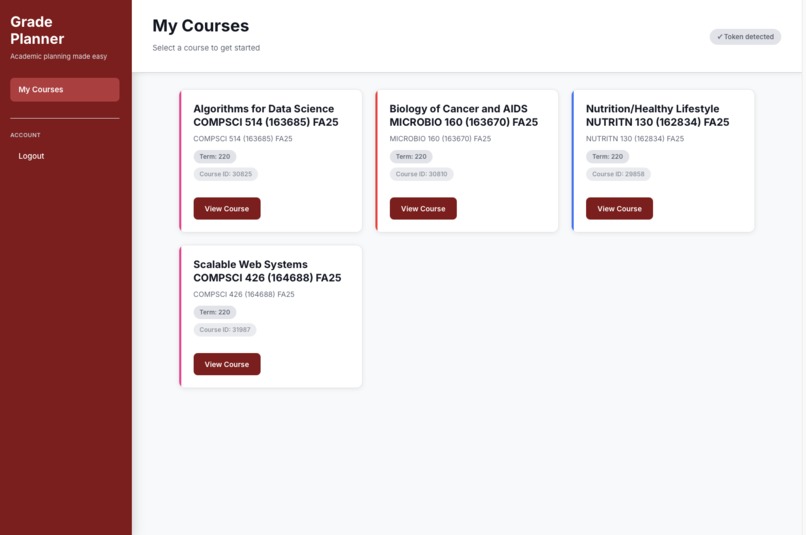
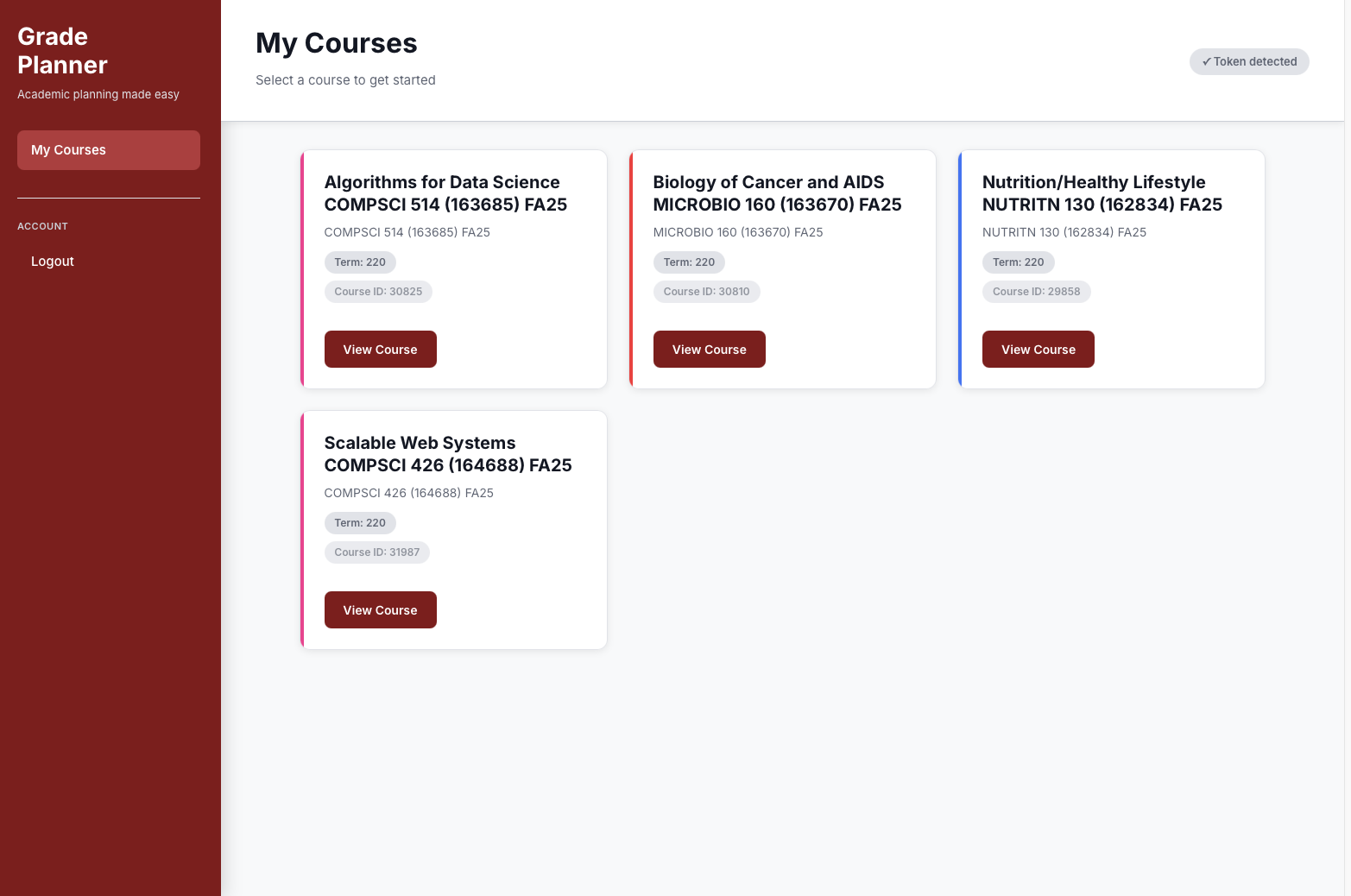
View all synced Canvas courses instantly and select one to start grade planning
-
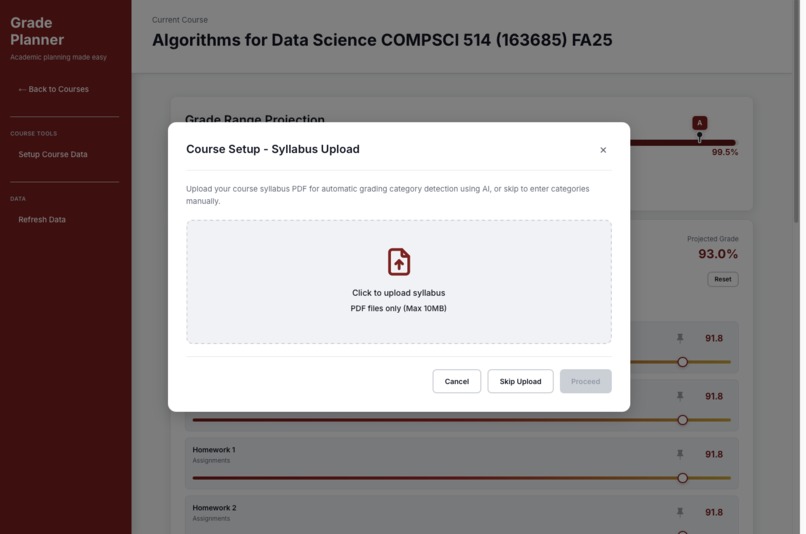
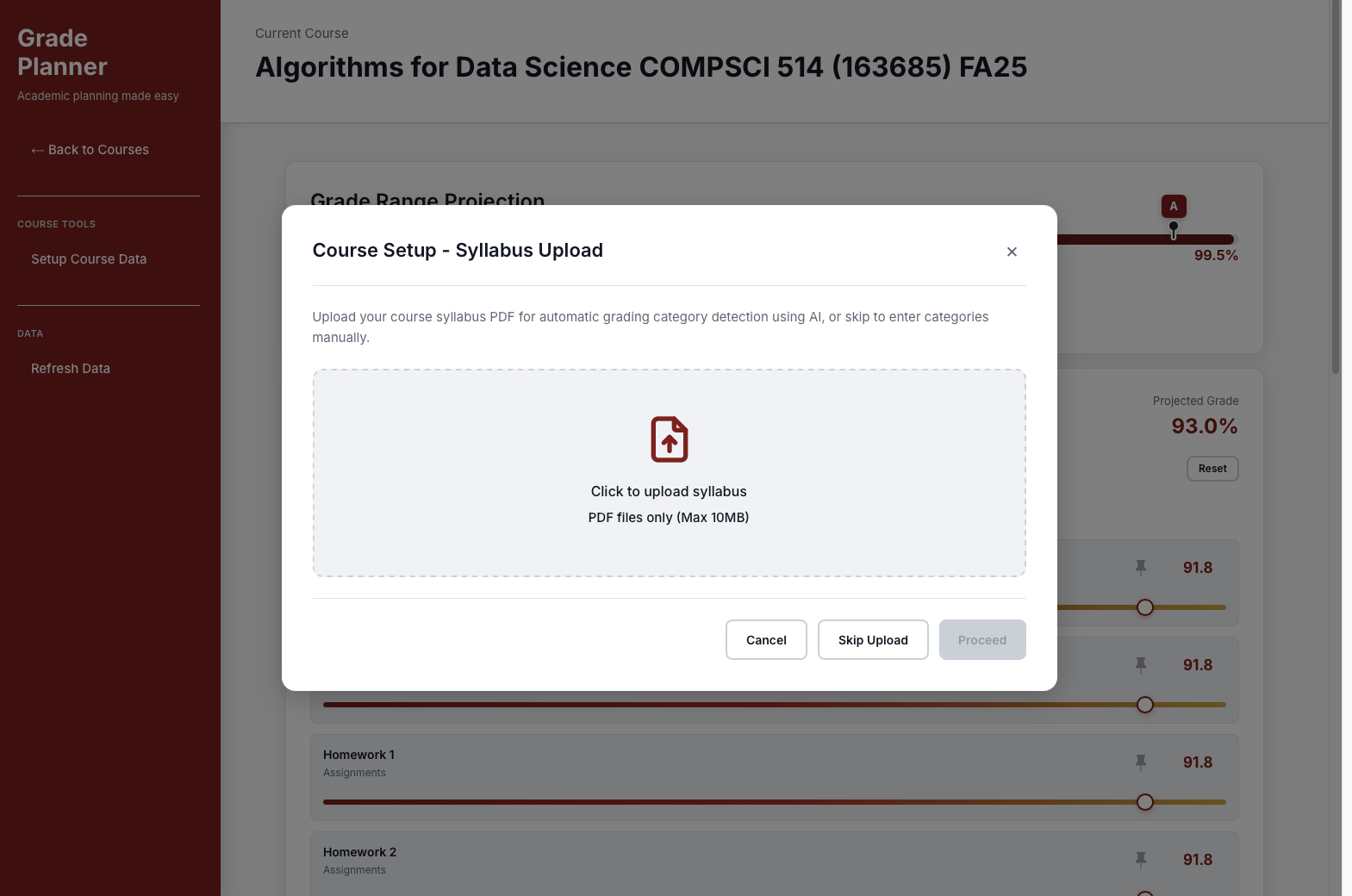
Upload course syllabus PDF for AI to auto-detect grade categories and weights
-
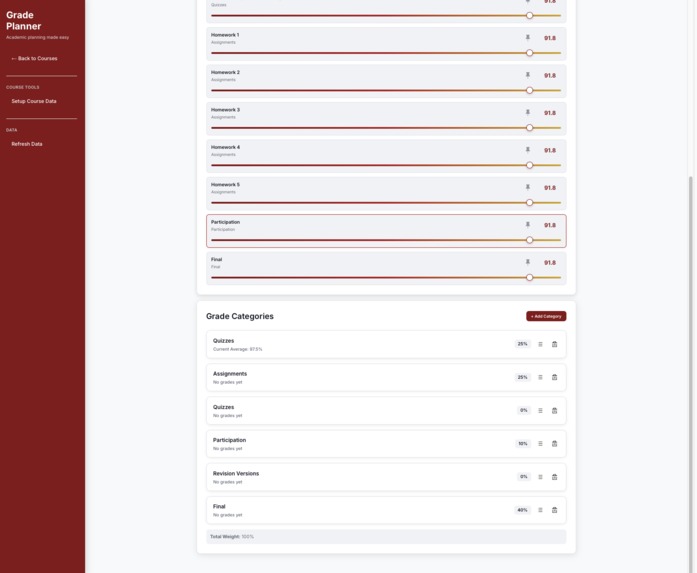
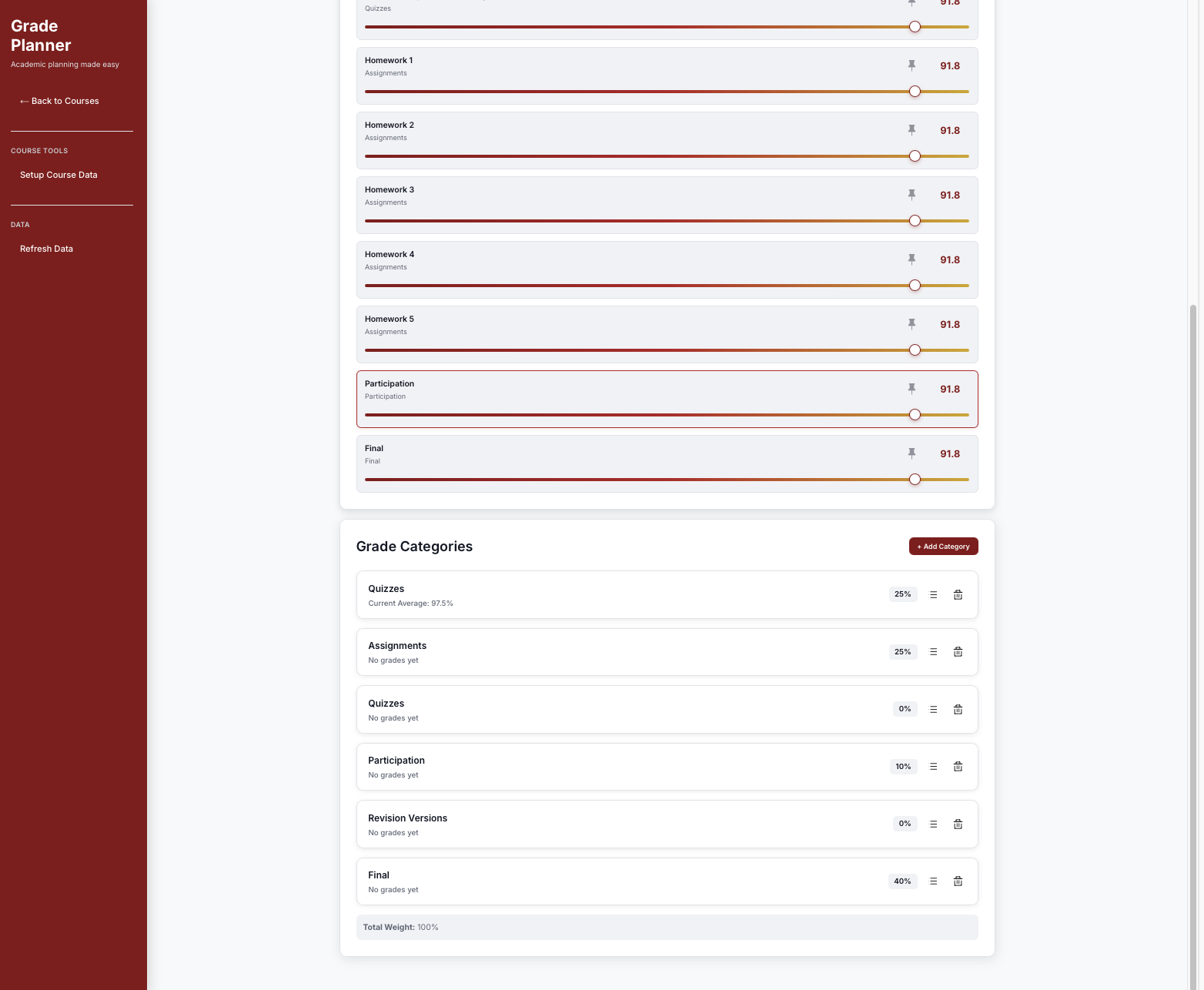
Visualize total grade weight distribution and calculated percentages at a glance
-
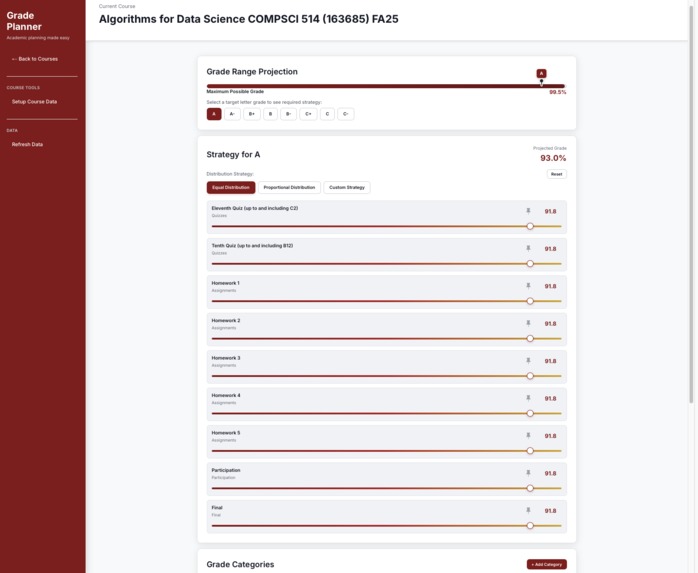
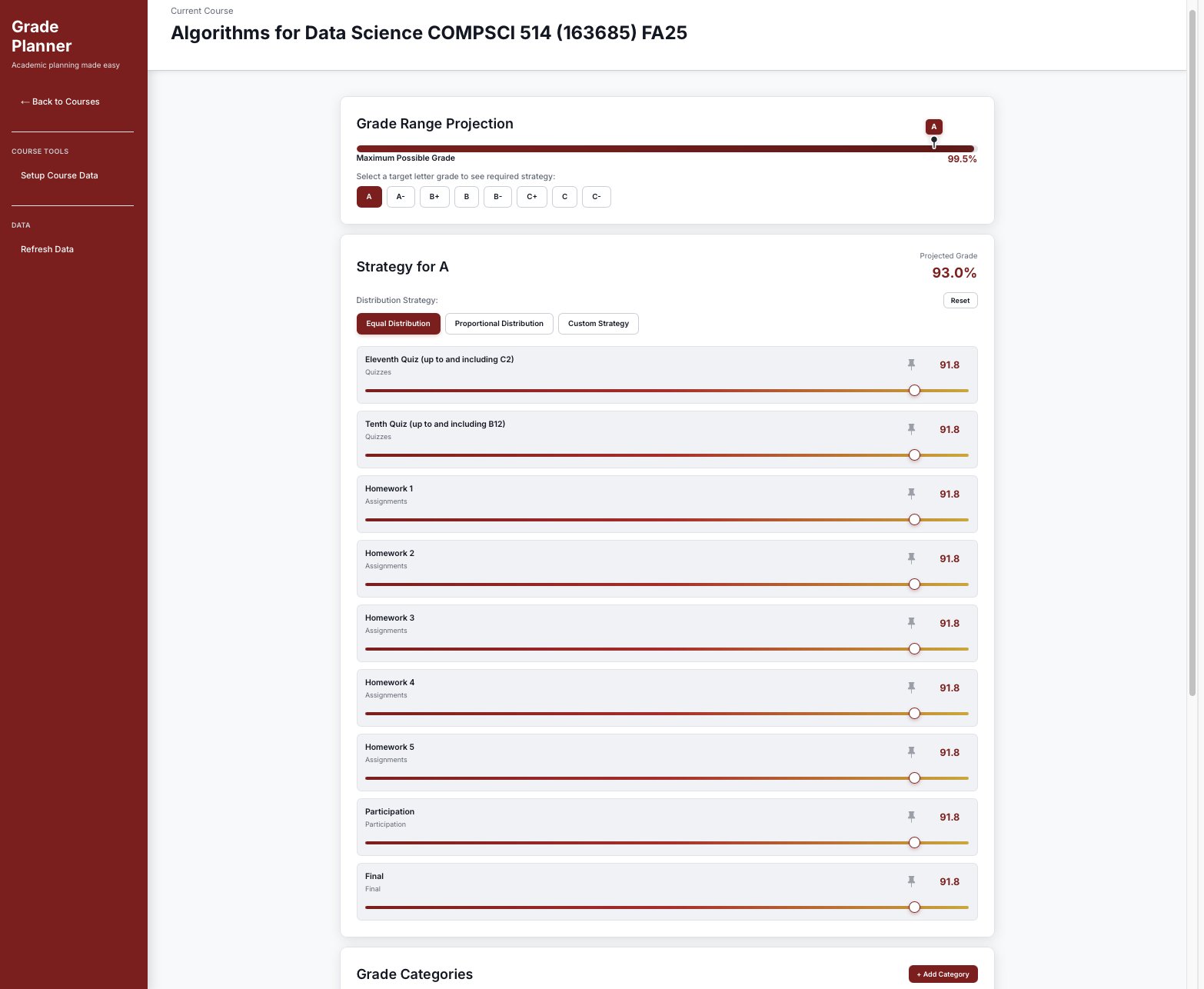
Provides an equal strategy that evenly splits required points to achieve the target grade
-
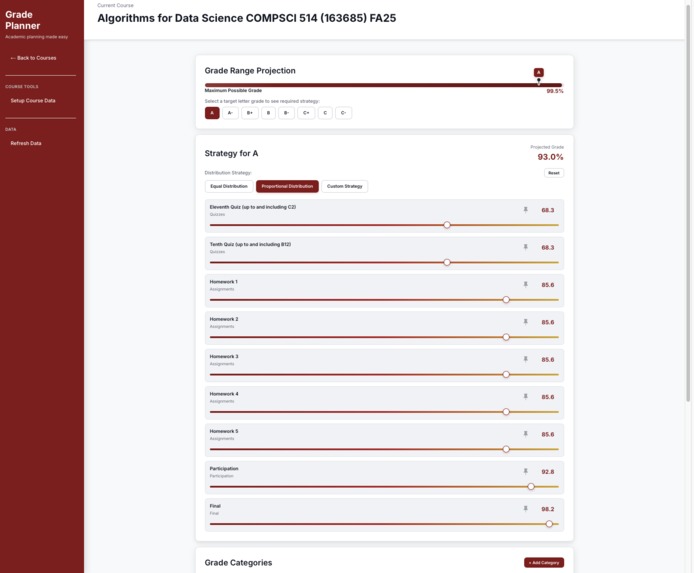
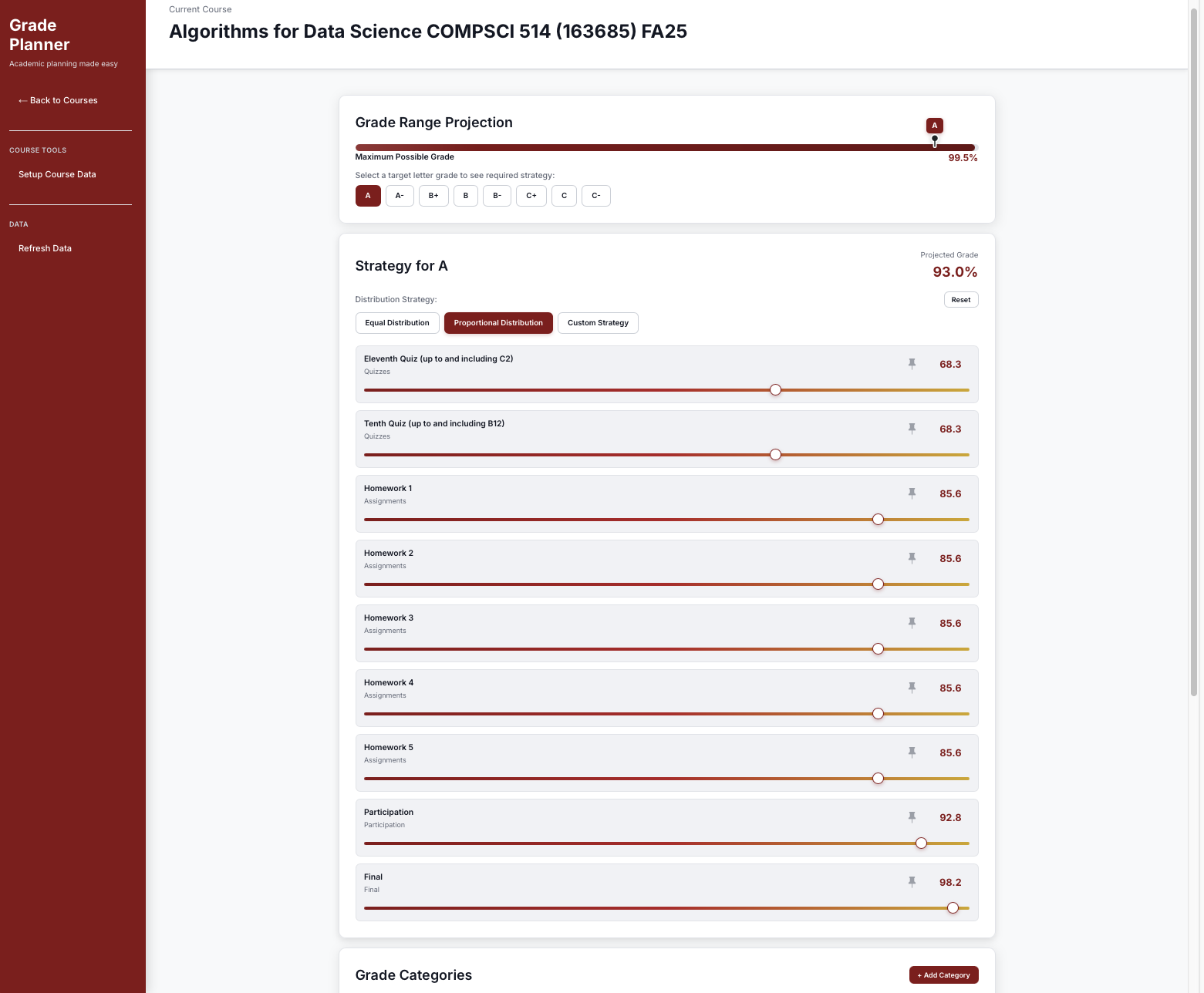
Provides a proportional strategy that allocates required points by item weight for balance
-
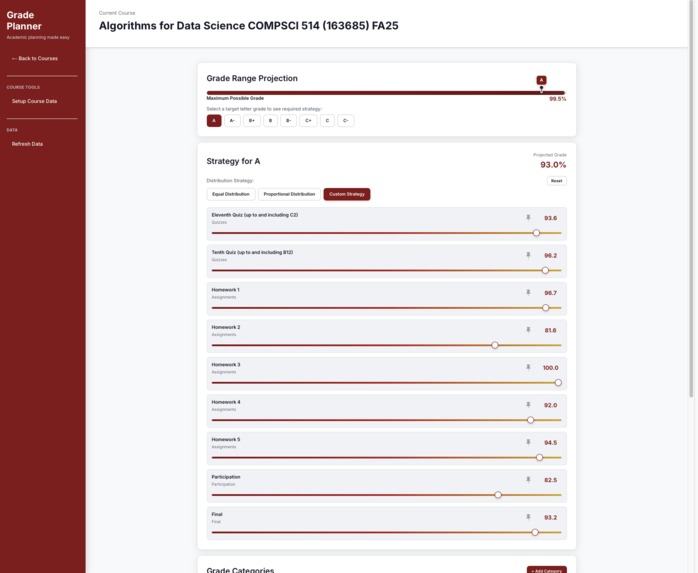
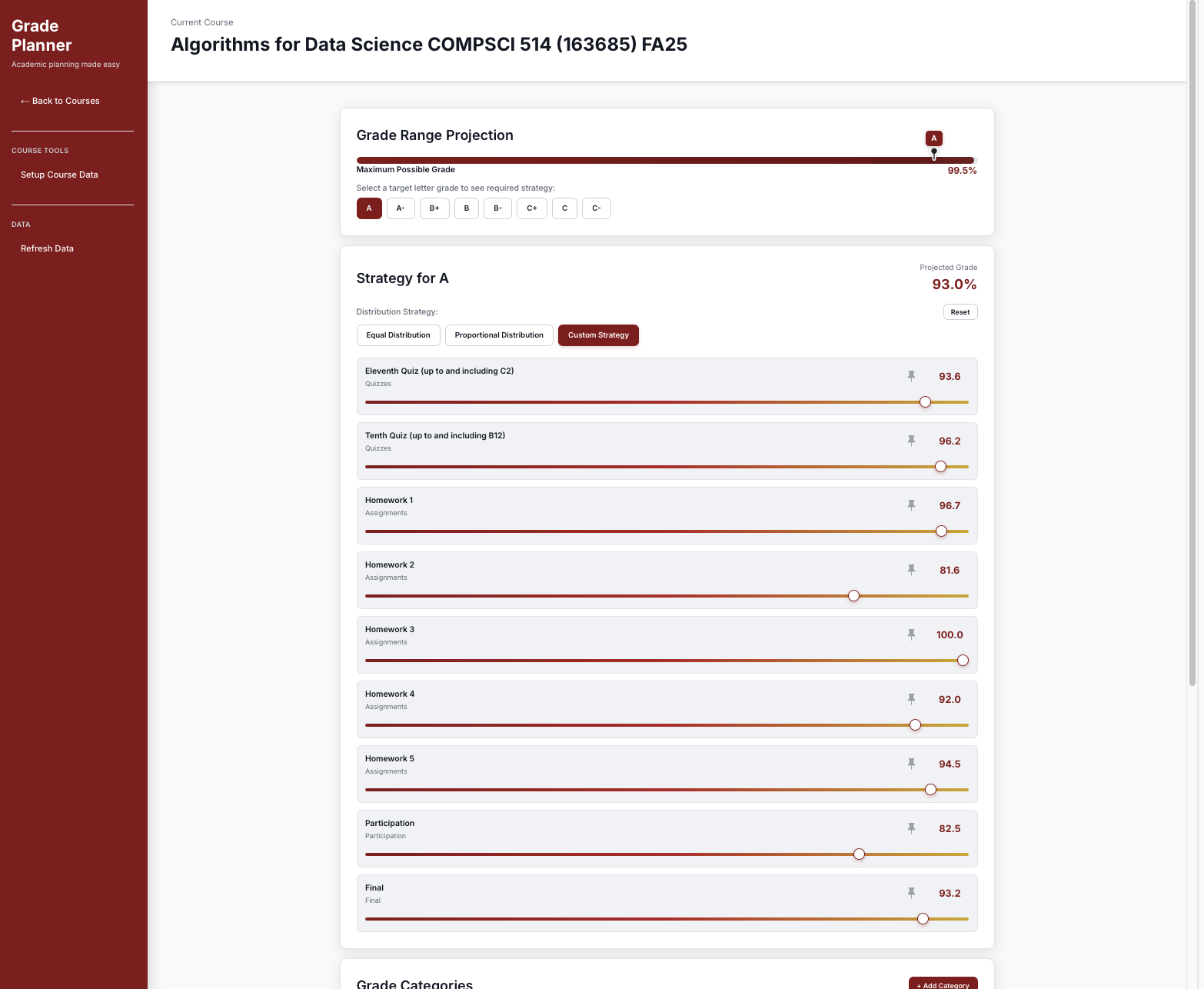
Provides a custom strategy allowing users to set expected scores to plan target achievement

Project Overview: Canvas GradePlanner
GradePlanner is an AI-powered tool for Canvas LMS that helps students predict and plan their final grades.
Once authenticated, it automatically retrieves all current grades and assignments from Canvas and keeps them up to date in real time.
Students can then upload a syllabus for analysis and instantly see what scores they need on upcoming assignments or exams to reach their target grade.
Inspiration
This project started during HackUMass XIII (2025) from a question every student has asked at least once:
“What do I need on the final to get an A?”
While Canvas shows your current grades, it doesn’t clearly tell you what’s needed to reach your goal. We wanted to make that process easier by building a planner that turns uncertainty into clear, actionable insight.
The idea came from our own experiences as students constantly calculating grades manually or guessing how much an exam would affect the final outcome.
What We Learned
Building GradePlanner taught us how to connect multiple systems into one cohesive experience. It wasn’t just about the technical parts, but about thinking from a student’s perspective: what kind of information truly helps reduce stress and bring clarity.
Here’s what we learned:
- How to use the Canvas API to securely access course and assignment data
- How to parse complex or inconsistent PDF syllabi with the Claude API (Sonnet 4.5)
- How to create a responsive, real-time interface with Next.js and TypeScript
- How to manage data efficiently with Zustand and SWR
- How to apply mathematical reasoning to turn grades into meaningful predictions
To test our logic, we used a real example.
Suppose a course has the following grade breakdown:
Homework: 40%
Exam 1: 20%
Exam 2: 20%
Exam 3: 20%
A student earned:
Homework = 38 / 40
Exam 1 = 18 / 20
Exam 2 = 19 / 20
Now they want to know what they need on Exam 3 to achieve a final grade of 93% (A).
We can set up the equation: $$ 0.4 \times 38 + 0.2 \times 18 + 0.2 \times 19 + 0.2 \times x = 93 $$
Solving for (x): $$ x = \frac{93 - (0.4 \times 38 + 0.2 \times 18 + 0.2 \times 19)}{0.2} = 22 $$
Even a perfect 20/20 wouldn’t reach 93%.
That realization showed us why GradePlanner matters: it gives students a clear, realistic understanding of their situation early enough to make changes that actually help.
How We Built It
Frontend: Next.js 14, TypeScript, Tailwind CSS
State Management: Zustand and SWR for real-time caching and persistence
Backend: Next.js API Routes integrated with Claude API for PDF analysis
Deployment: Vercel
Key Features
Canvas LMS Integration: Token-based course and assignment synchronization
AI Syllabus Parser: Claude Sonnet 4.5-powered PDF extraction
Smart Calculation Modes: Equal and Proportional distribution strategies
Real-Time Simulation: Slider-based grade adjustment and recalculation
Persistent State: Local storage with Zustand for smooth UX
Interactive Dashboard: Visual representation of grade outcomes
Challenges We Faced
The hardest parts of this project were less about code and more about consistency and design.
Each syllabus had a different structure, so extracting grading information accurately was a challenge. We spent time refining our Claude API prompts to handle a wide variety of layouts.
We also had to balance performance with precision. Grade calculations had to update instantly while staying accurate across different weighting systems.
Lastly, designing an interface that felt simple yet powerful was a constant learning process. We wanted students to feel in control, not overwhelmed.
How It Works
- Authenticate: Log in with your Canvas Personal Access Token
- Automatic Sync: GradePlanner automatically imports your current grades, assignments, and progress from Canvas
- Select Course: Choose from your active courses
- Setup: Upload a syllabus for AI parsing or manually adjust grading weights
- Plan: View two calculation strategies
- Equal Distribution: Spread deductions evenly across remaining items
- Proportional Distribution: Distribute deductions based on assignment weights
- Equal Distribution: Spread deductions evenly across remaining items
- Adjust: Use sliders to set target scores and instantly see updated grade predictions
All grade data stays synchronized automatically, so users don’t have to refresh or reimport anything.
Whenever a new assignment is graded in Canvas, GradePlanner updates predictions in real time.
Future Improvements
- Support for “drop lowest/highest” grading policies
- Export grade plans as PDF or CSV
- Automate Canvas token generation and authentication to make the login process easier for users
Built With
- canvasapi
- claudeapi
- next.js
- react


Log in or sign up for Devpost to join the conversation.