-
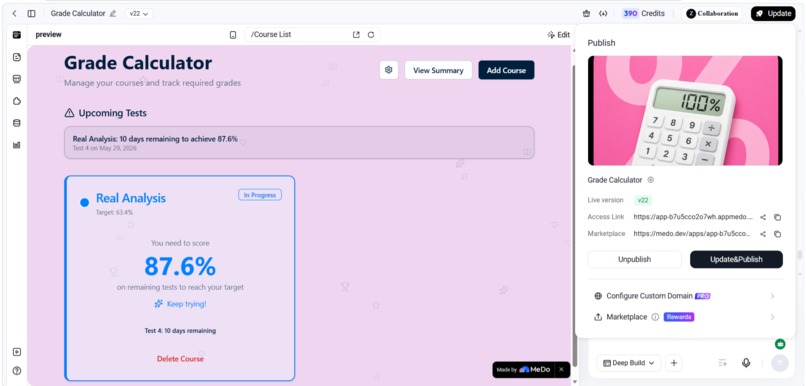
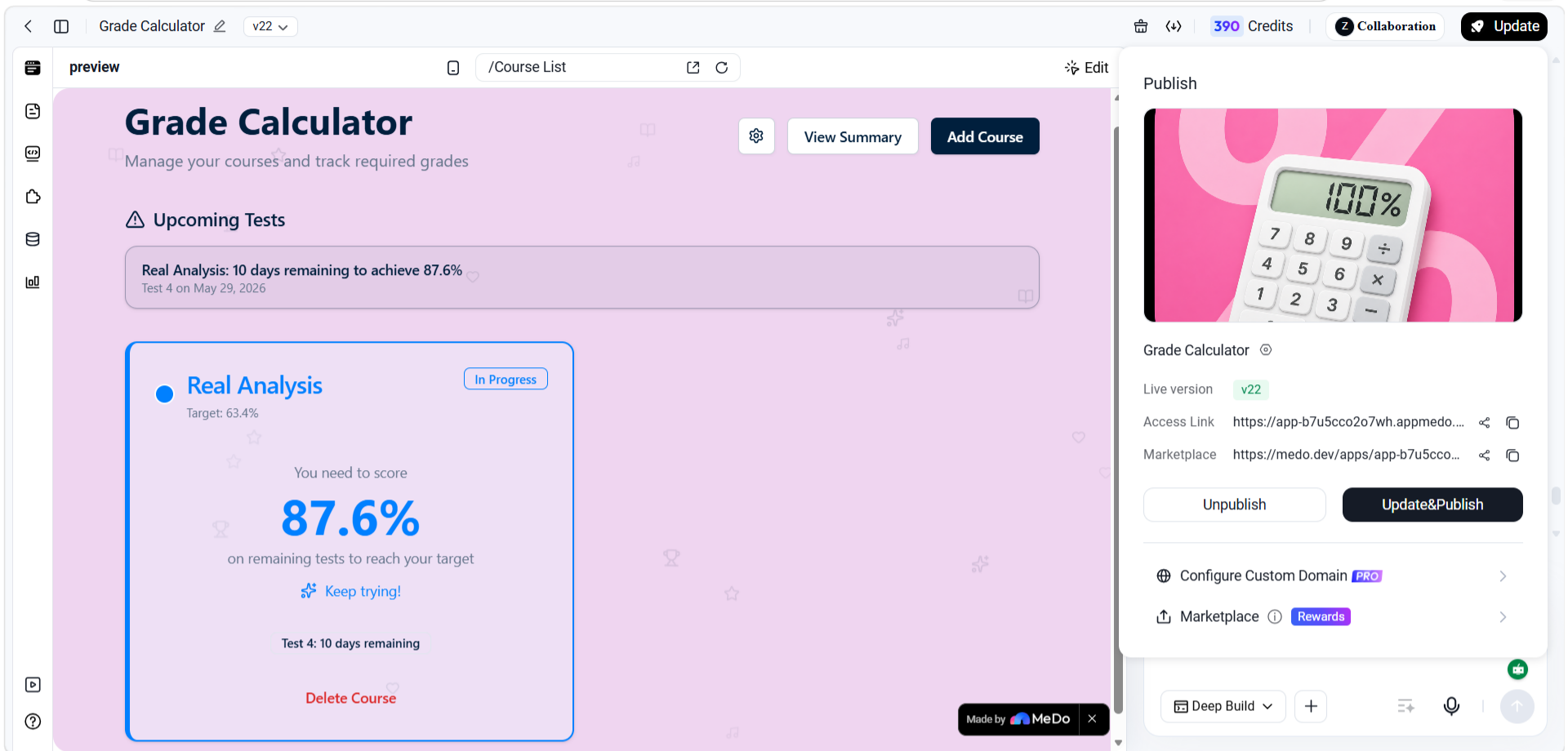
Dashboard of the app shows all recorded courses with basic information
-
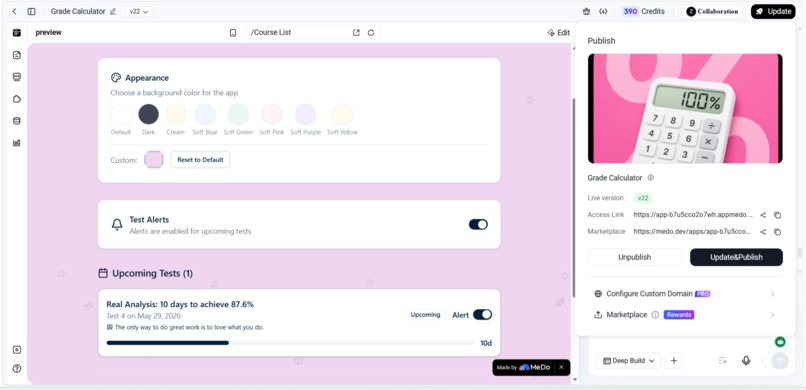
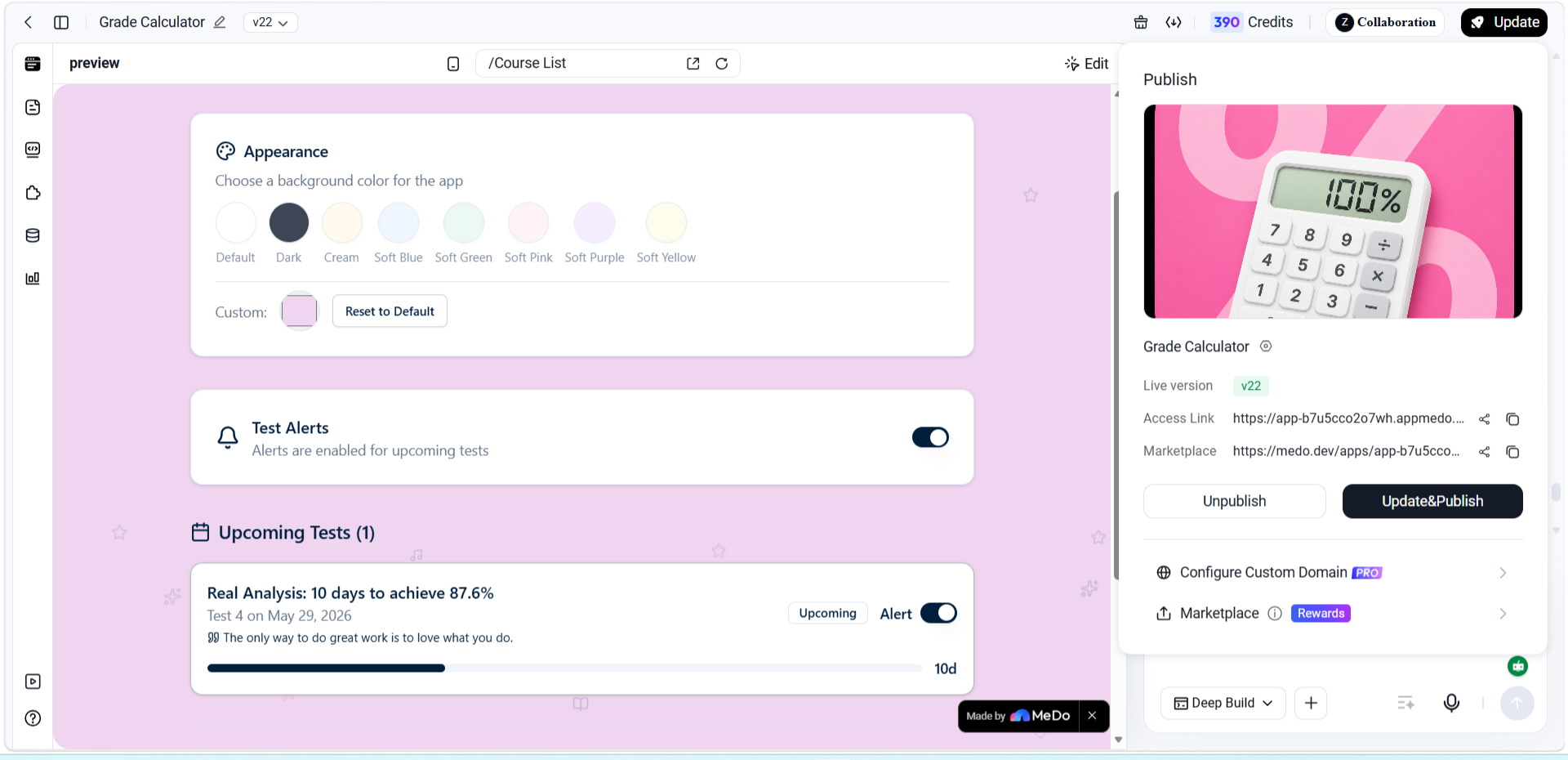
Under Settings the user can turn off alerts and change the background color of the app.
-
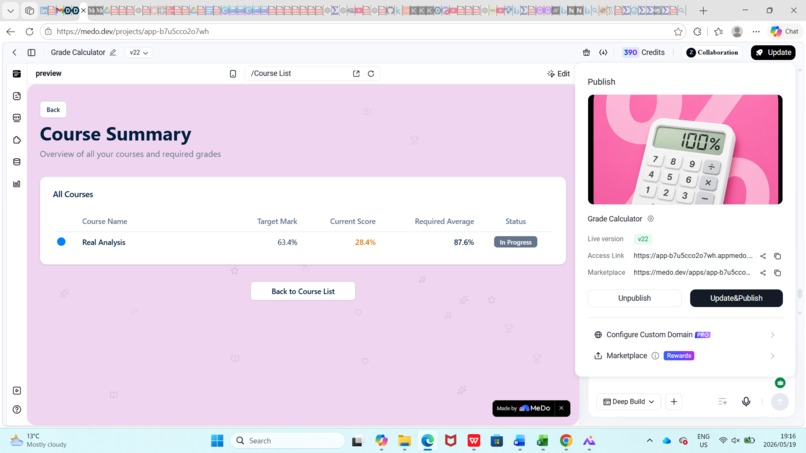
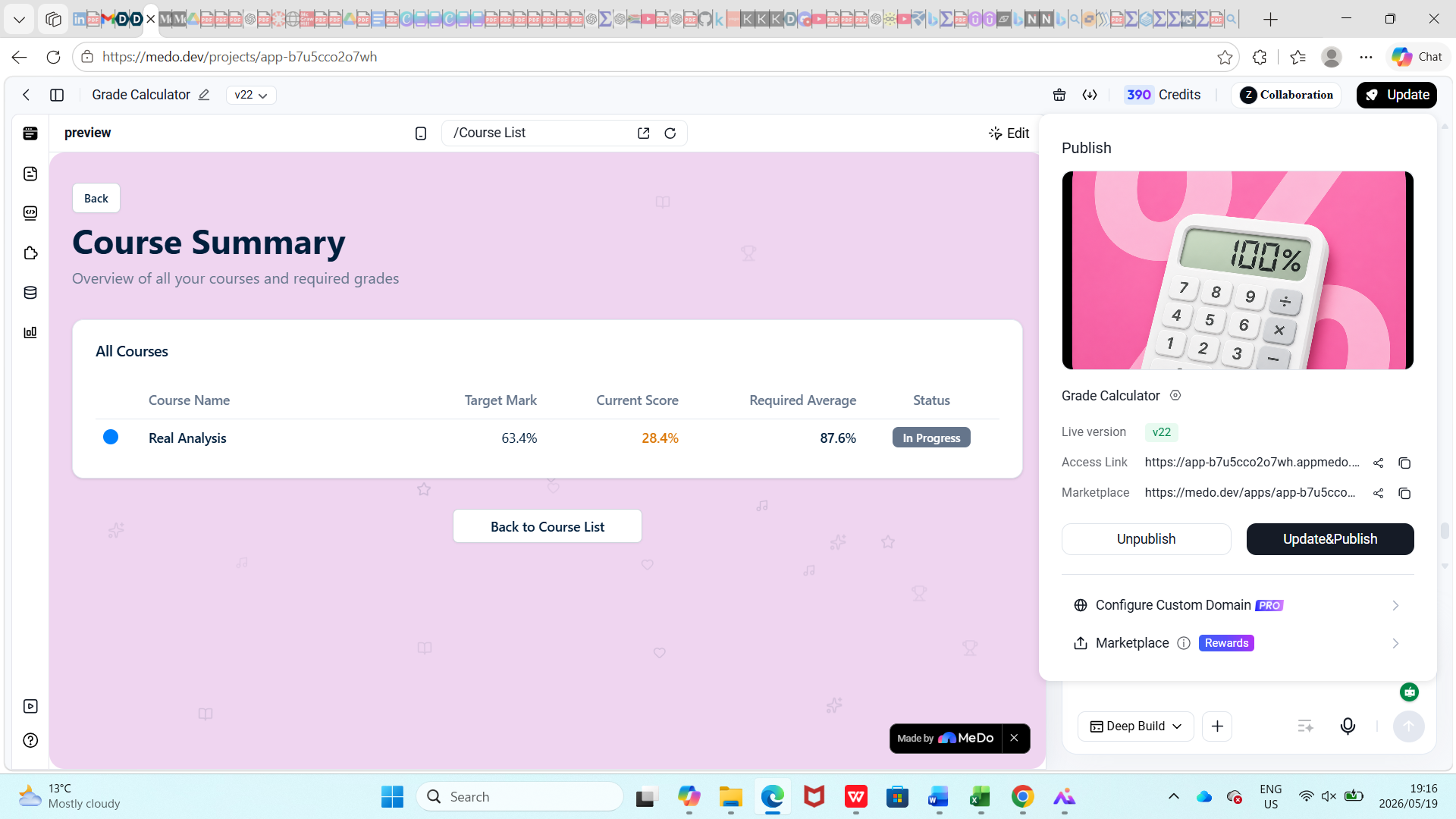
Summary table shows all the important about the course for each course saved
-
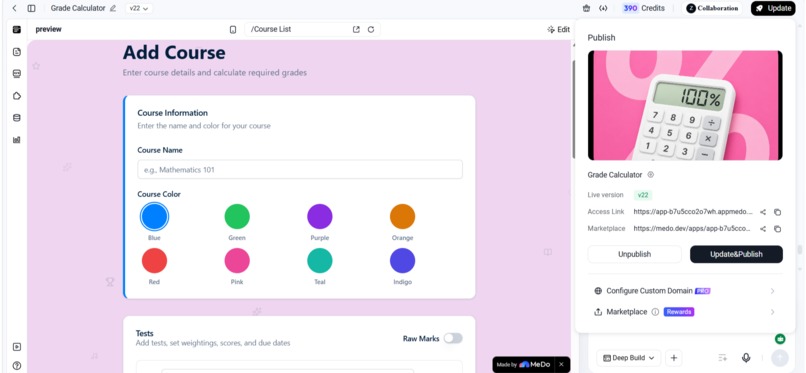
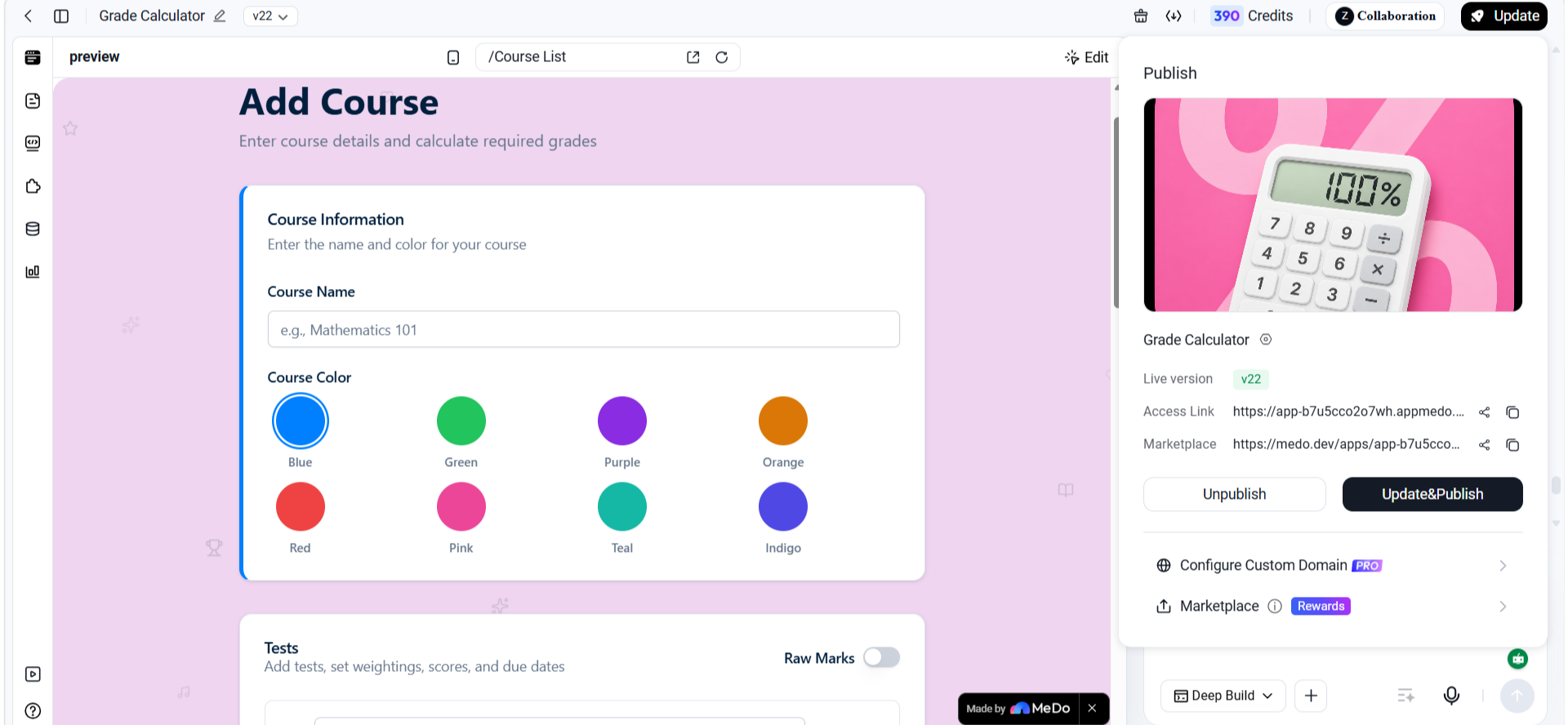
After pressing "Add Course" this is what the user sees, and they can enter the course name and pick a color for it
-
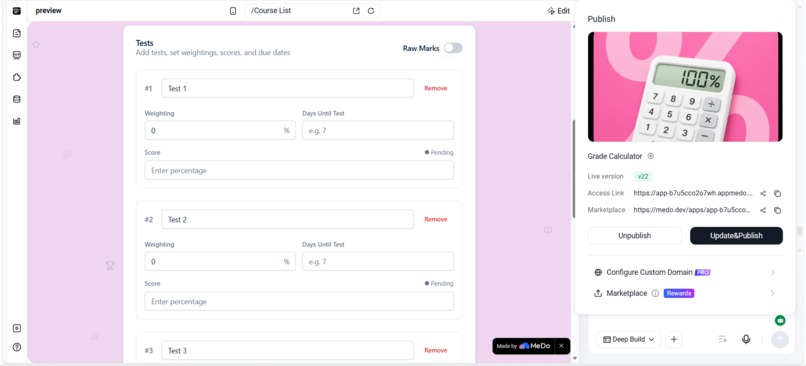
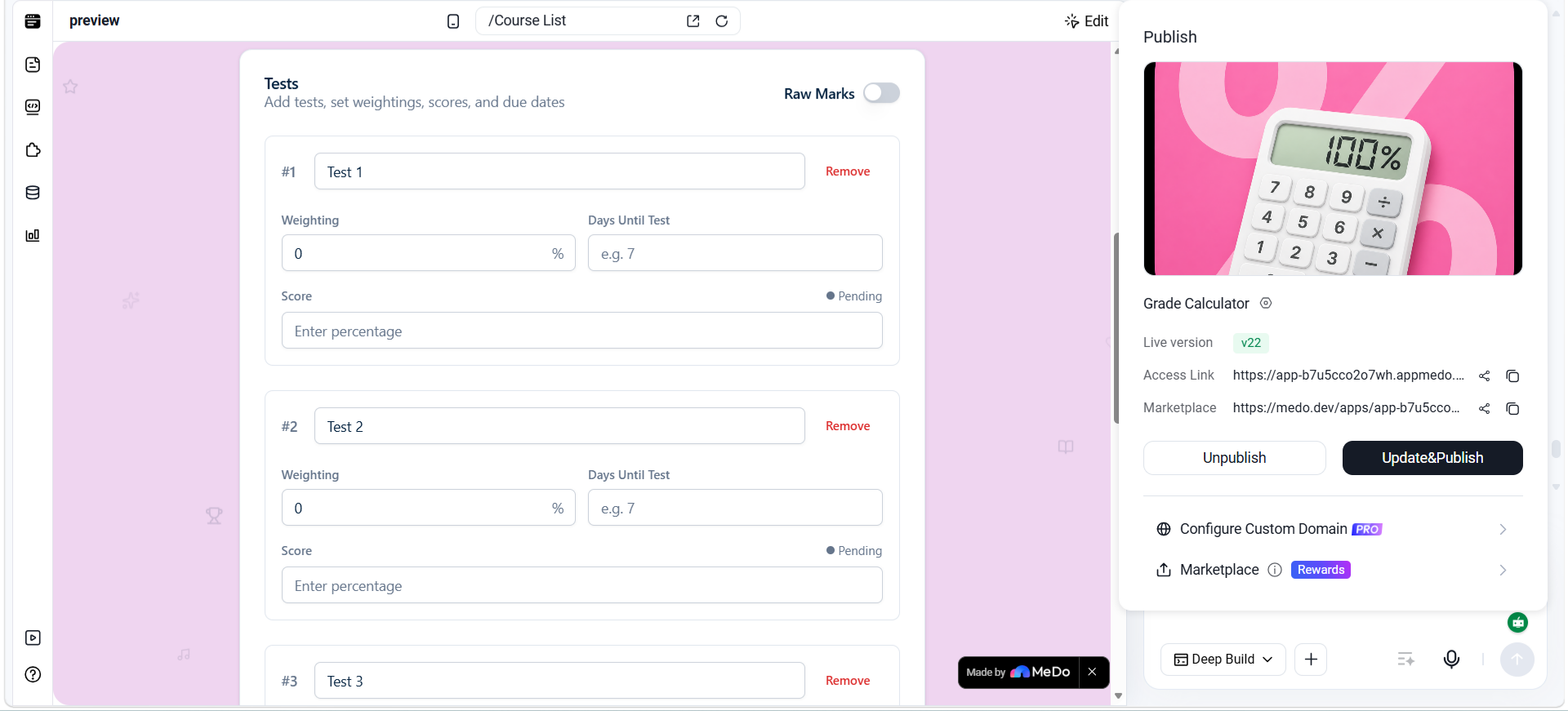
The user can input the relevant test information and also manage the number of tests for that course
-
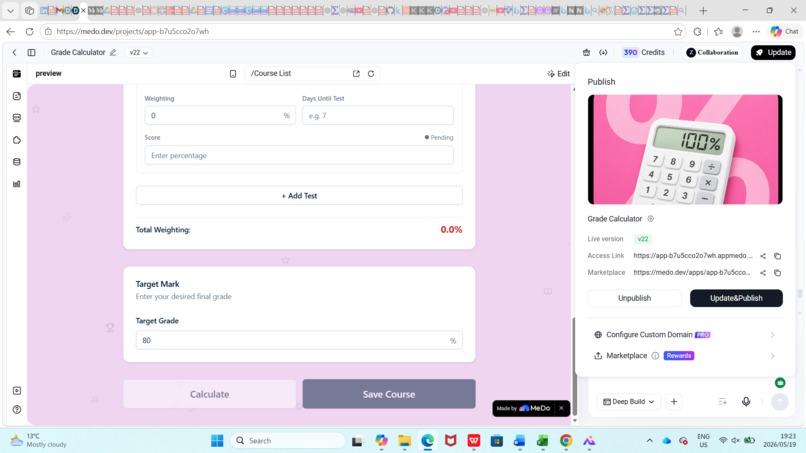
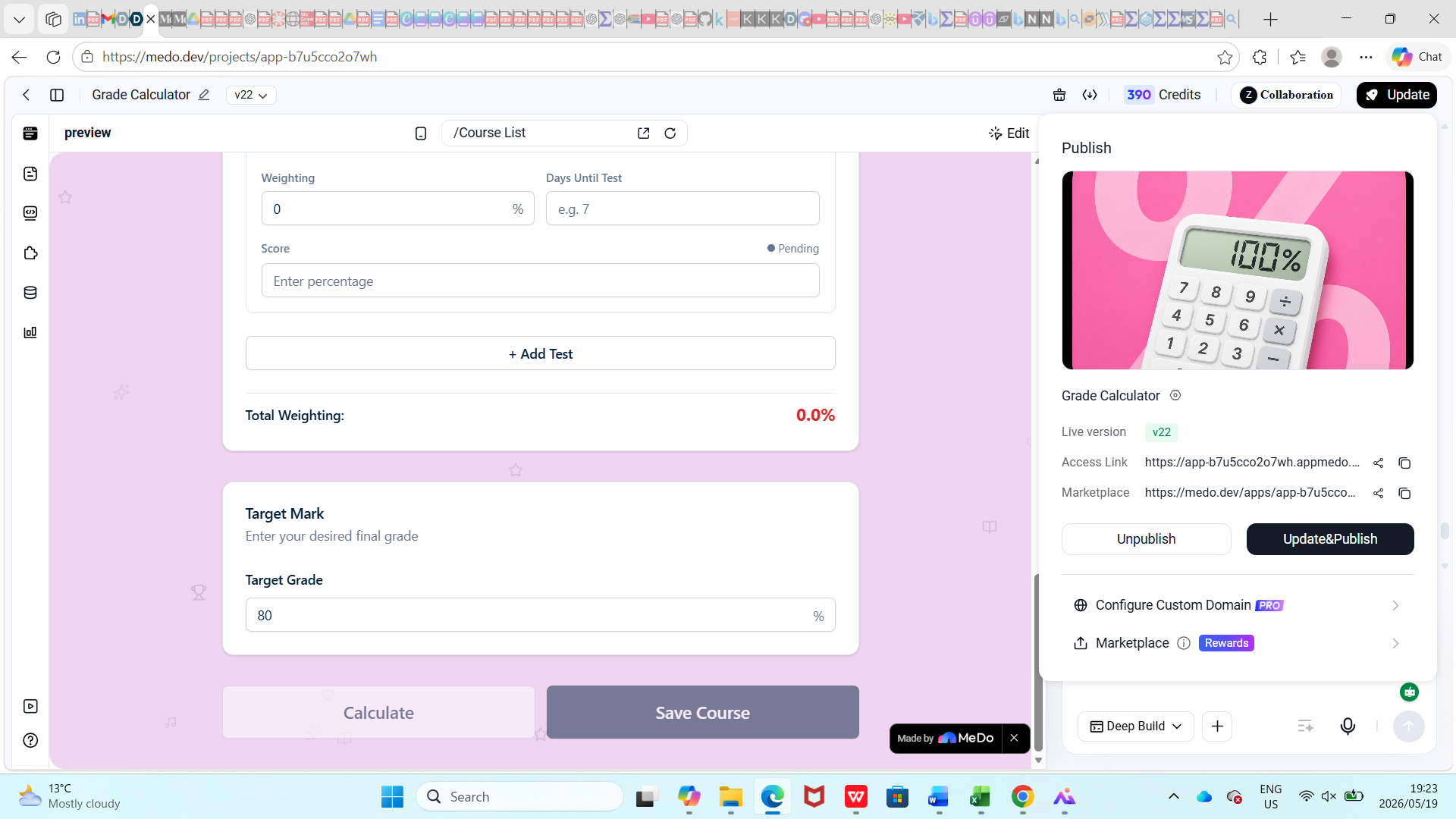
The user can enter their target mark and press calculate and save the course
Inspiration
The inspiration behind Grade Calculator came from my own experience as a student. I realized that while it’s easy to keep track of exam dates and assignments, the academic goals we set for ourselves at the start of the year are often the first to be neglected. University life is full of highs and lows, and when the workload gets heavier, recalculating how far you are from your target and how much you need on your next test, especially with changing course weightings, can feel tedious and overwhelming. I wanted to remove that mental burden. Grade Calculator only needs the information once, and then it adapts as you update your marks or weightings. It transforms what used to be a stressful, repetitive calculation into a simple, motivating process.
What it does
Grade Calculator allows students to input the course name, the number of tests in that course, and how much each test contributes to their semester or year mark. After setting a target grade, the app calculates, once at least one test is completed, the average score needed on upcoming assessments to reach that target. It also includes a scenario analysis feature, letting users play around with potential marks to see how different outcomes affect their progress. To keep students engaged and accountable, the app has an alert system where users enter the number of days until their next test, triggering countdown reminders. The user can also use colors of their choice for the background and to color-code their courses, and there is a summary table for easy access to information that is not available in the dashboard. Finally, motivational quotes and celebratory animations provide encouragement when targets are achieved, making the experience both practical and inspiring. Grade Calculator is more than a calculator; it's a motivational academic planning tool built with MeDo AI.
How we built it
Grade Calculator was built using an AI tool called MeDo. I began by instructing MeDo to generate an app with the core features I had outlined and then gradually added new elements as the project evolved. Throughout the process, I tested the app both on my PC and on my phone to ensure it worked consistently across devices. Since I have no coding experience, I relied heavily on MeDo’s AI Quality Analysis feature to identify and resolve issues in the code.
Challenges we ran into
One of the main challenges I faced was implementing a feature that allowed users to input the actual date of their test. Despite repeated attempts and pointing this out to MeDo, the functionality failed to work as intended. To overcome this, I redesigned the feature to use the number of days until the next test instead. This workaround still delivers the intended outcome, as the app automatically displays the corresponding date underneath once the user enters the countdown. In the end, the feature remains effective and ensures students receive timely reminders, even though the implementation differs from my original plan.
Accomplishments that we're proud of
One accomplishment I am proud of is that the app was successfully published on MeDo a few weeks ago, and a handful of people have already started engaging with it. This early traction not only validated the idea but also earned me additional credits on MeDo, which allowed me to quickly update and republish the app whenever I had new improvements in mind. Seeing real users interact with the app made me realize that it genuinely helps students simplify their academic journey, which was the original goal behind building Grade Calculator.
What we learned
I learned just how powerful AI can be in making life easier and expanding access to resources for a wide range of people. Before this project, I had many ideas for apps but couldn’t pursue them because I don’t know how to code. Working with MeDo showed me that those limitations don’t have to hold me back; with the right tools, ideas can quickly become reality. More than anything, this journey has revealed what the human mind is capable of when paired with AI: turning creativity into solutions that make a real difference.
What's next for Grade Calculator
Next, I plan to expand Grade Calculator by factoring in different countries’ grading systems, making it adaptable to students worldwide. Using the code provided by MeDo, I also aim to bring the app onto more accessible platforms so that students can use it seamlessly wherever they are. While usability is already strong, I see potential to grow it into a more comprehensive exam prep tool, offering features that go beyond grade tracking. For example, the summary table of completed tests could evolve into an unofficial prediction of a student’s likely final mark during the period between exams and the release of official results. This would give students a clearer picture of where they stand and help them prepare more strategically.
Built With
- medo

Log in or sign up for Devpost to join the conversation.