-
-
Grabium app icon on Vega
-
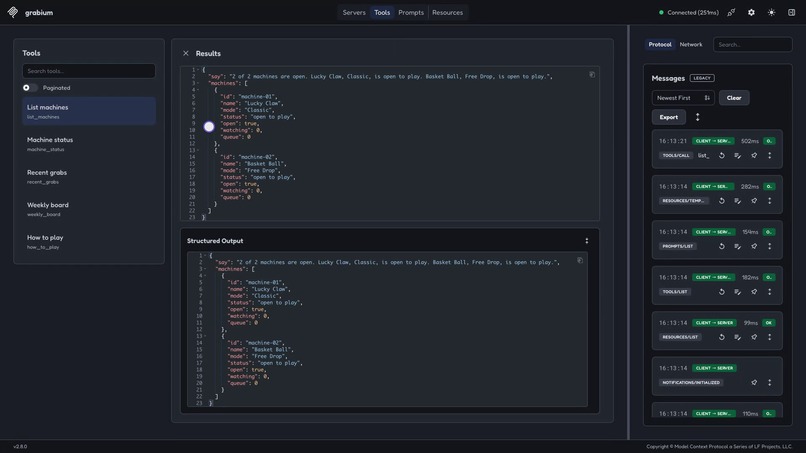
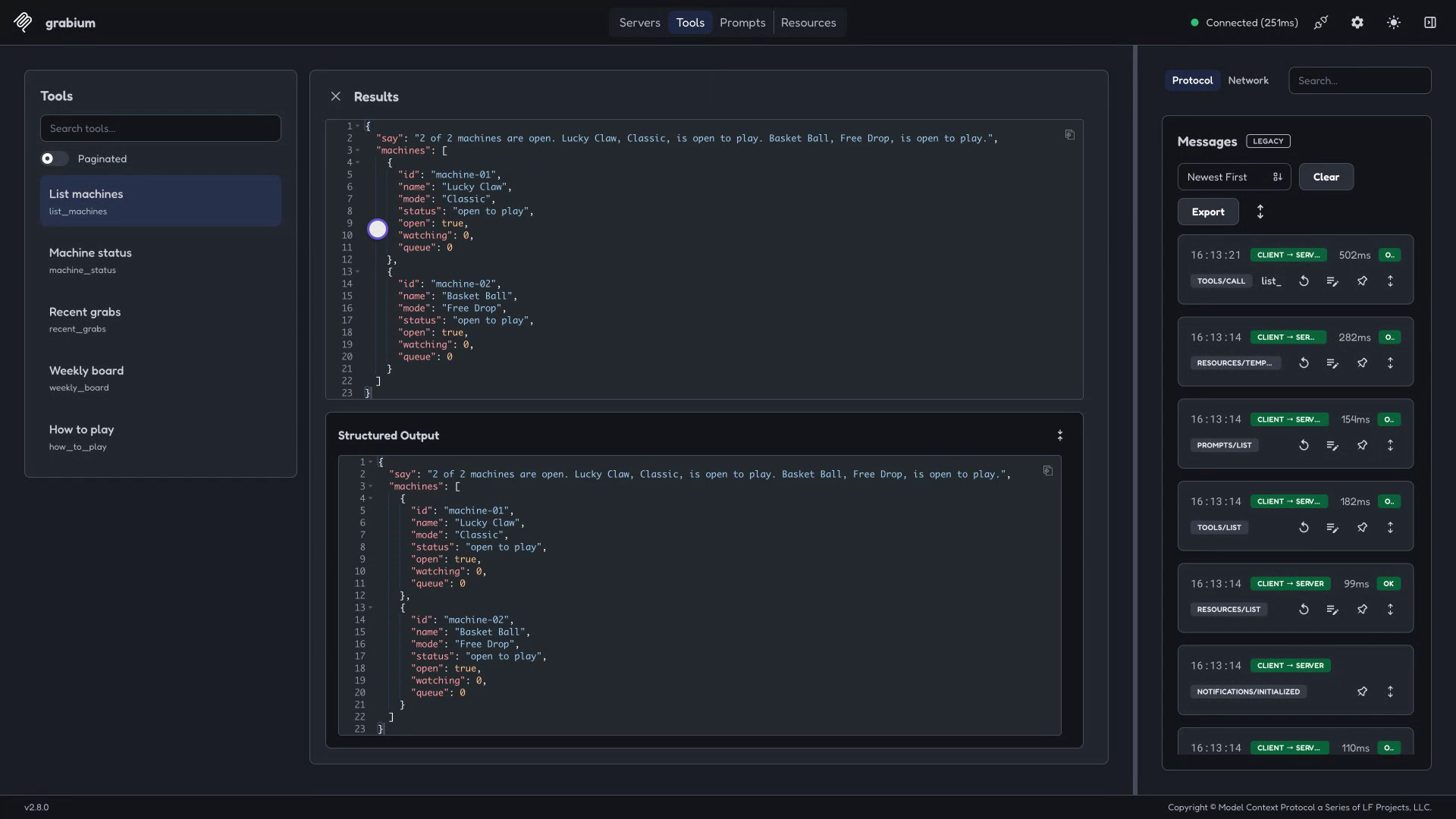
Read-only MCP server for Alexa+
-
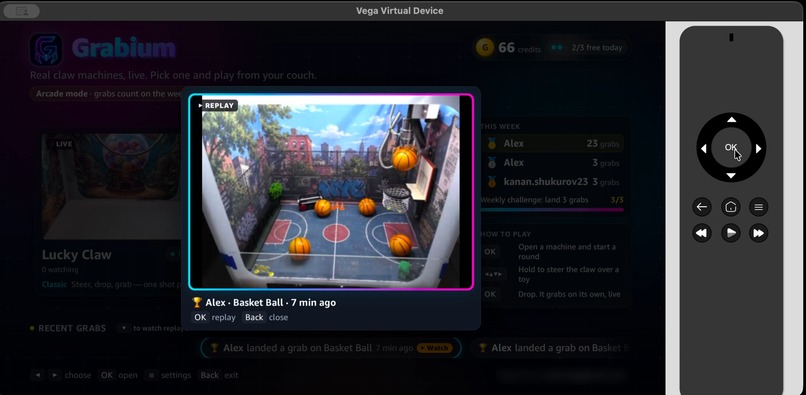
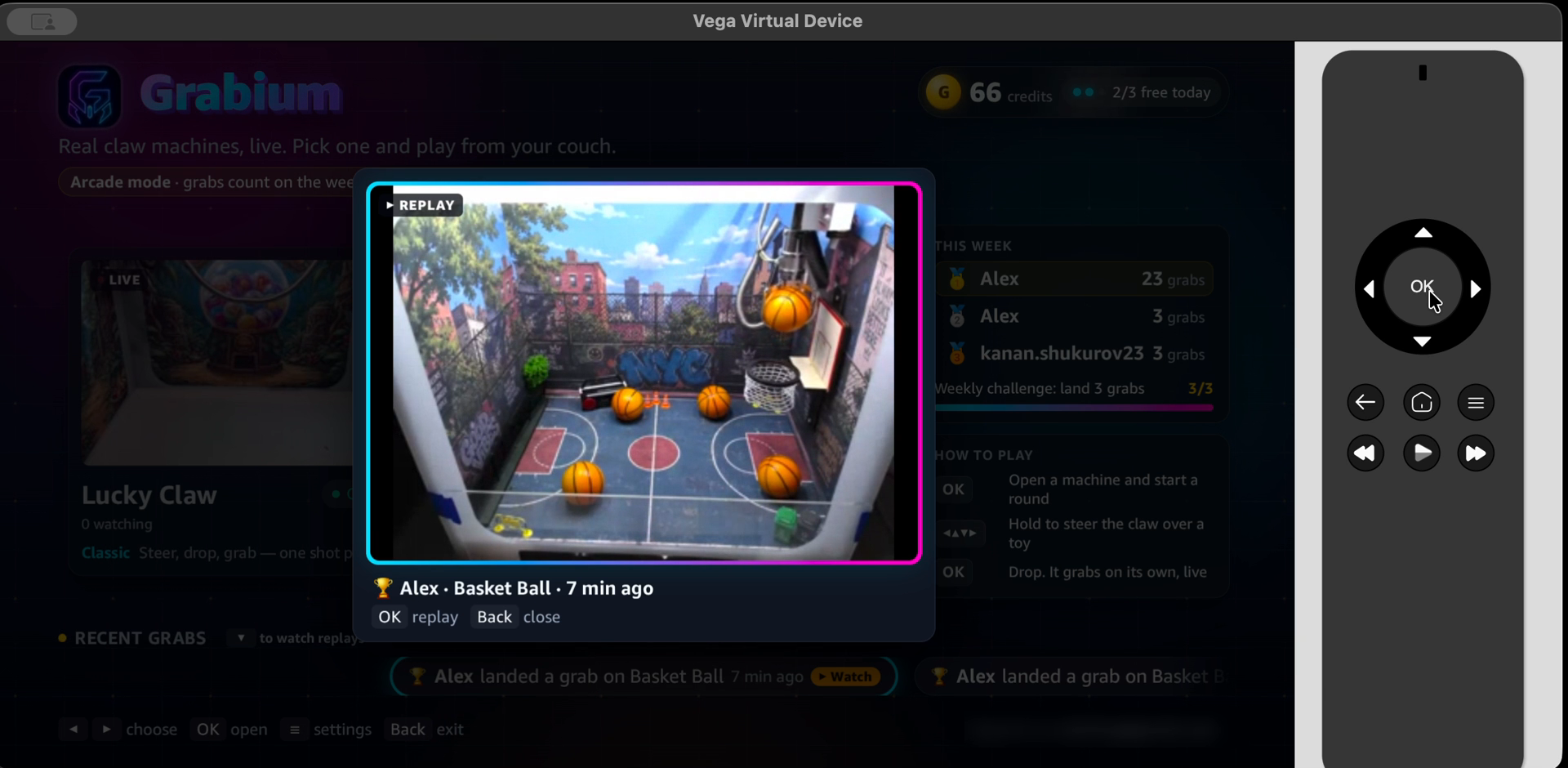
Win replay viewer, built with Kiro Crew
-
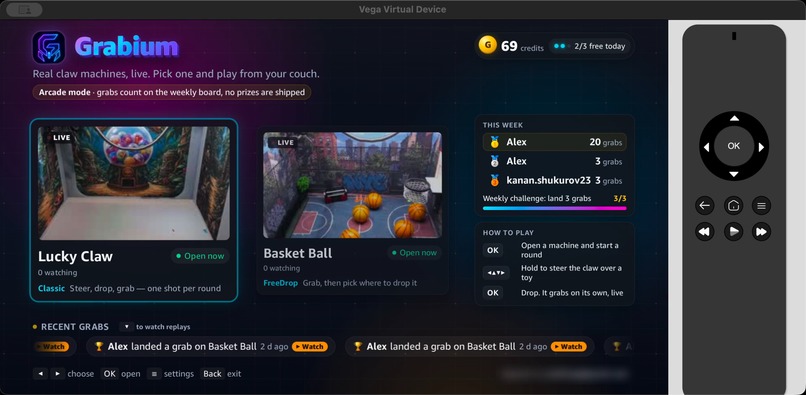
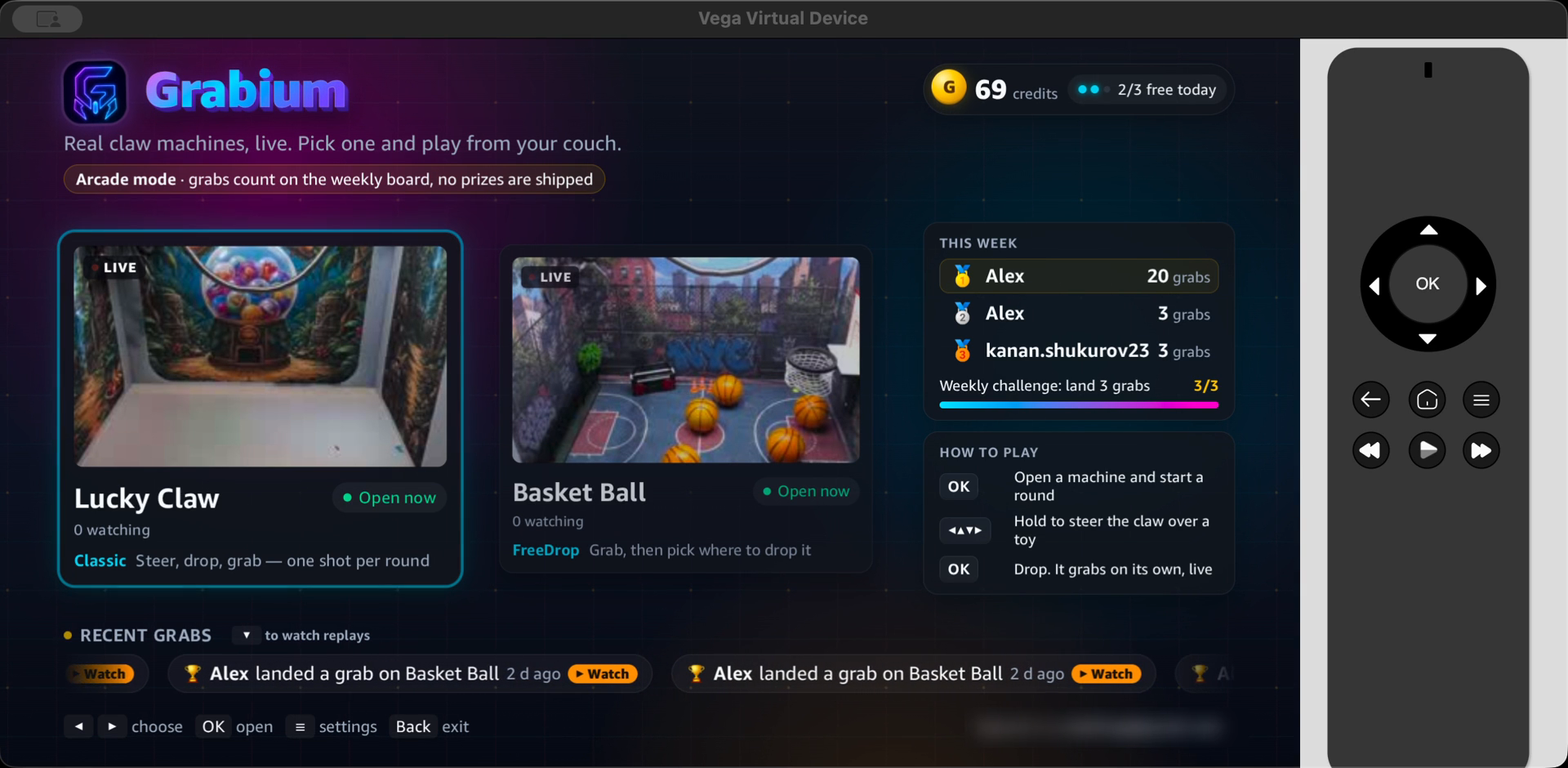
Lobby: live cameras on real cabinets
-
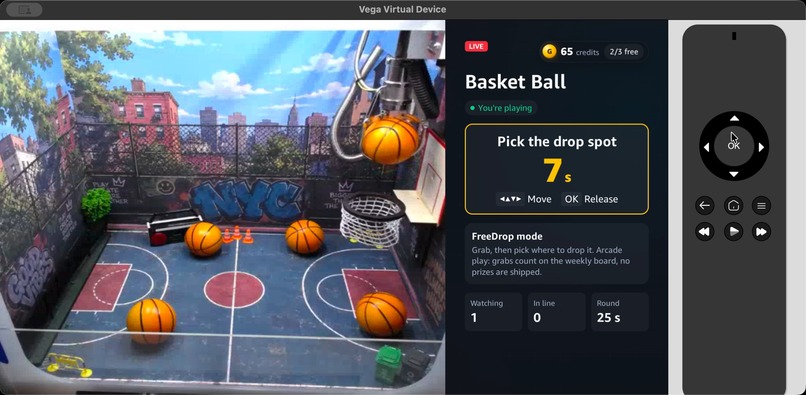
FreeDrop: steer the grabbed ball to the hoop
-
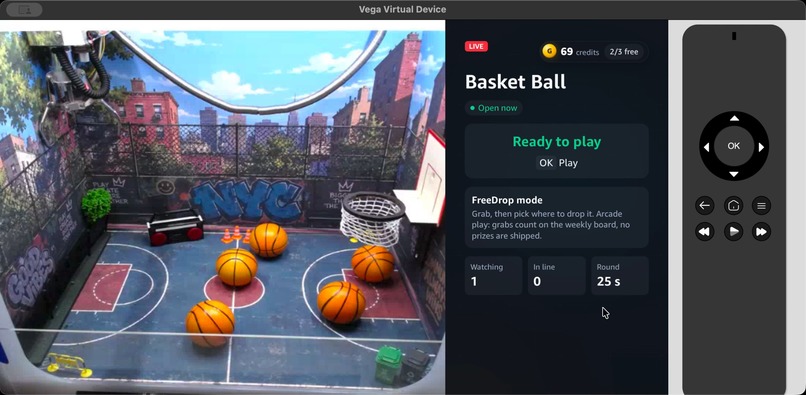
Play screen with the live WebRTC stream
-
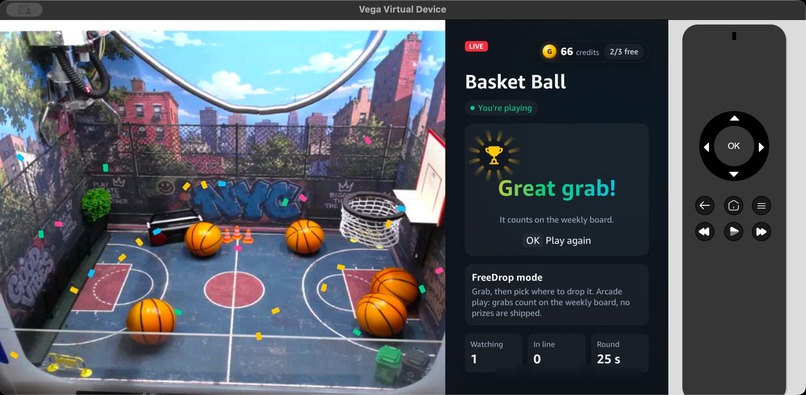
Result after the claw parks
-
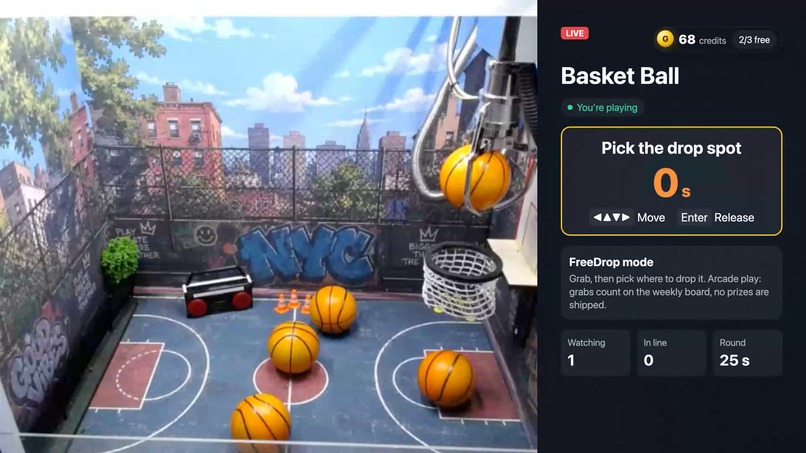
Same app in a browser for judges
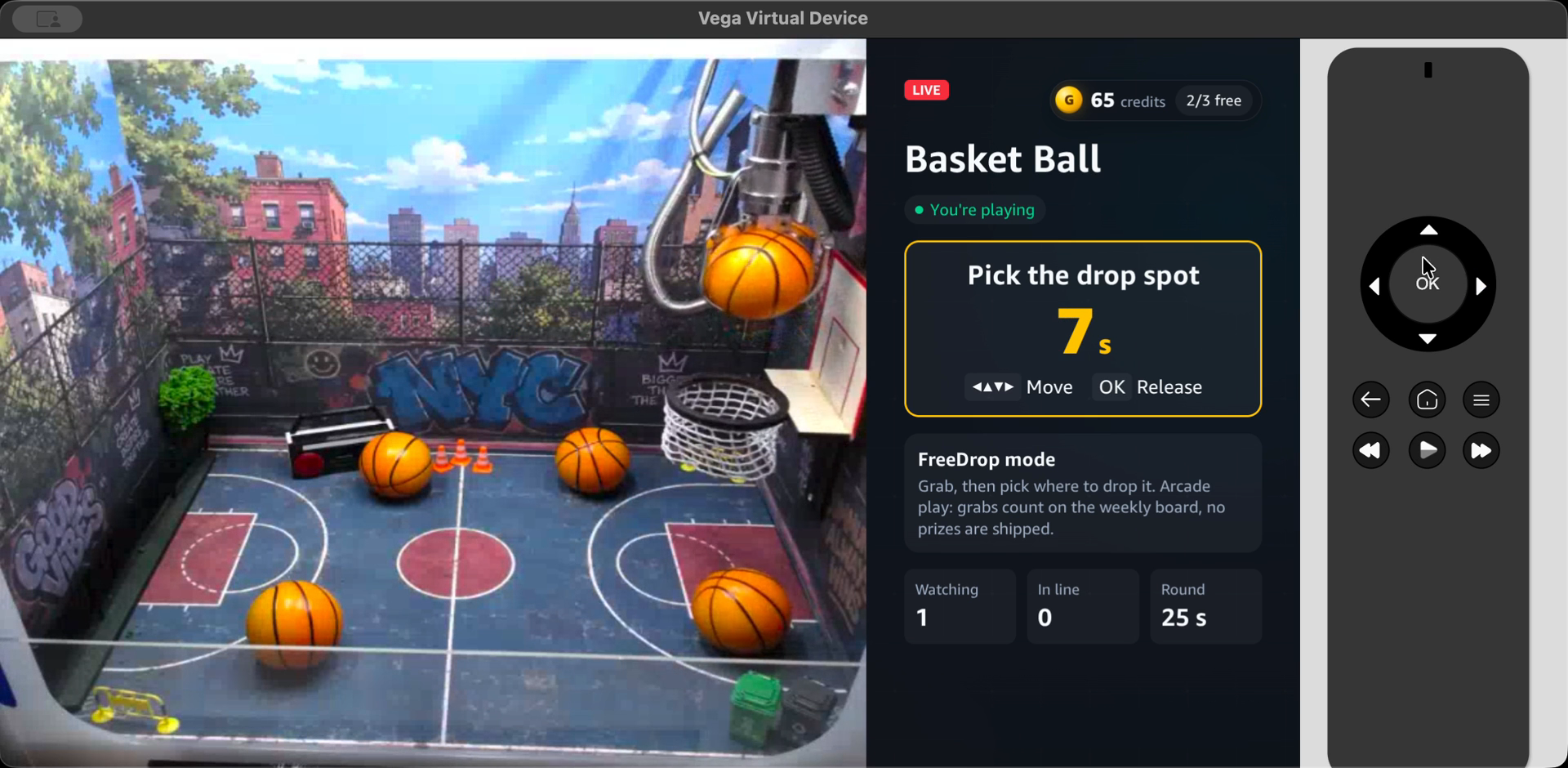
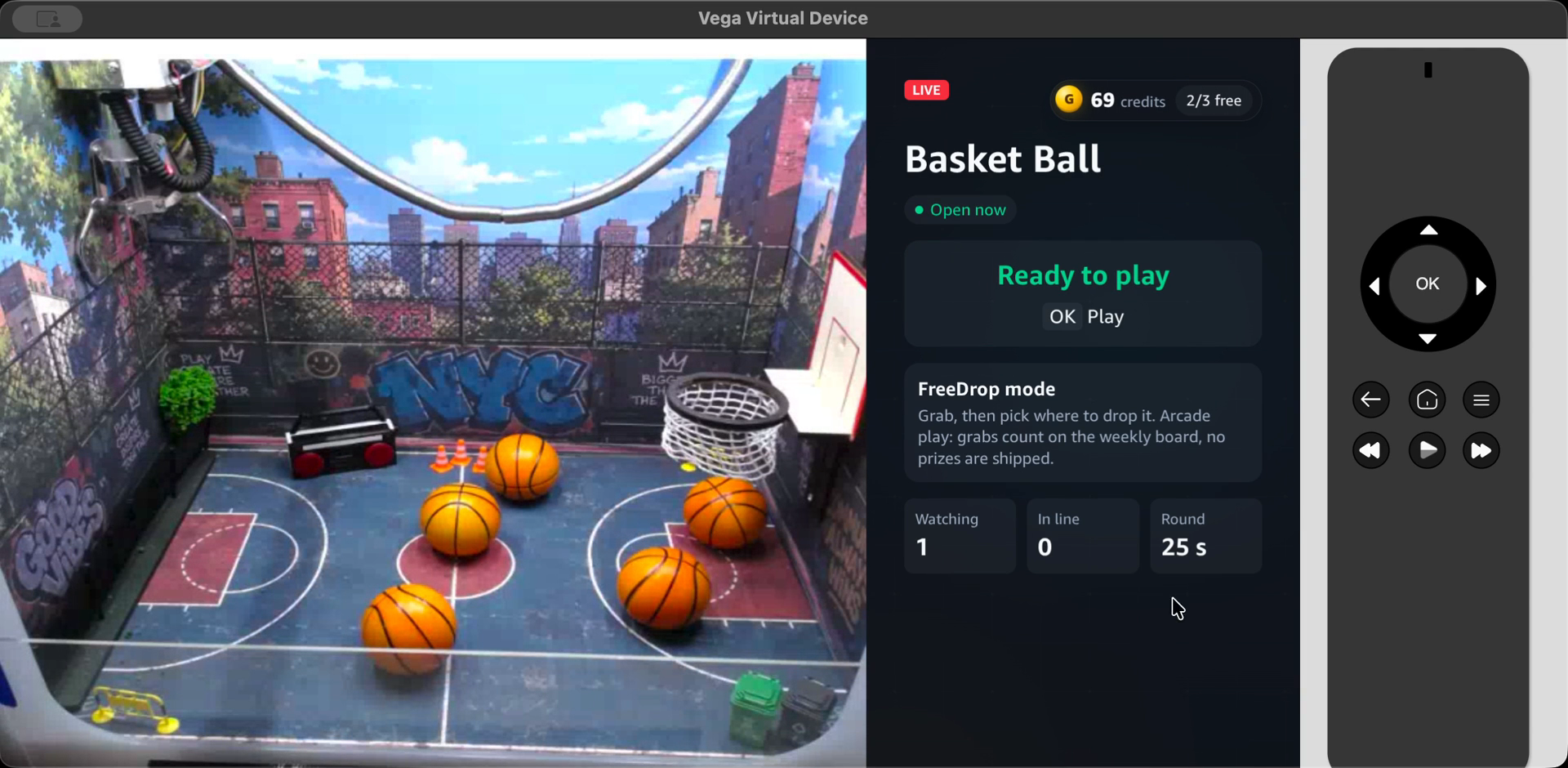
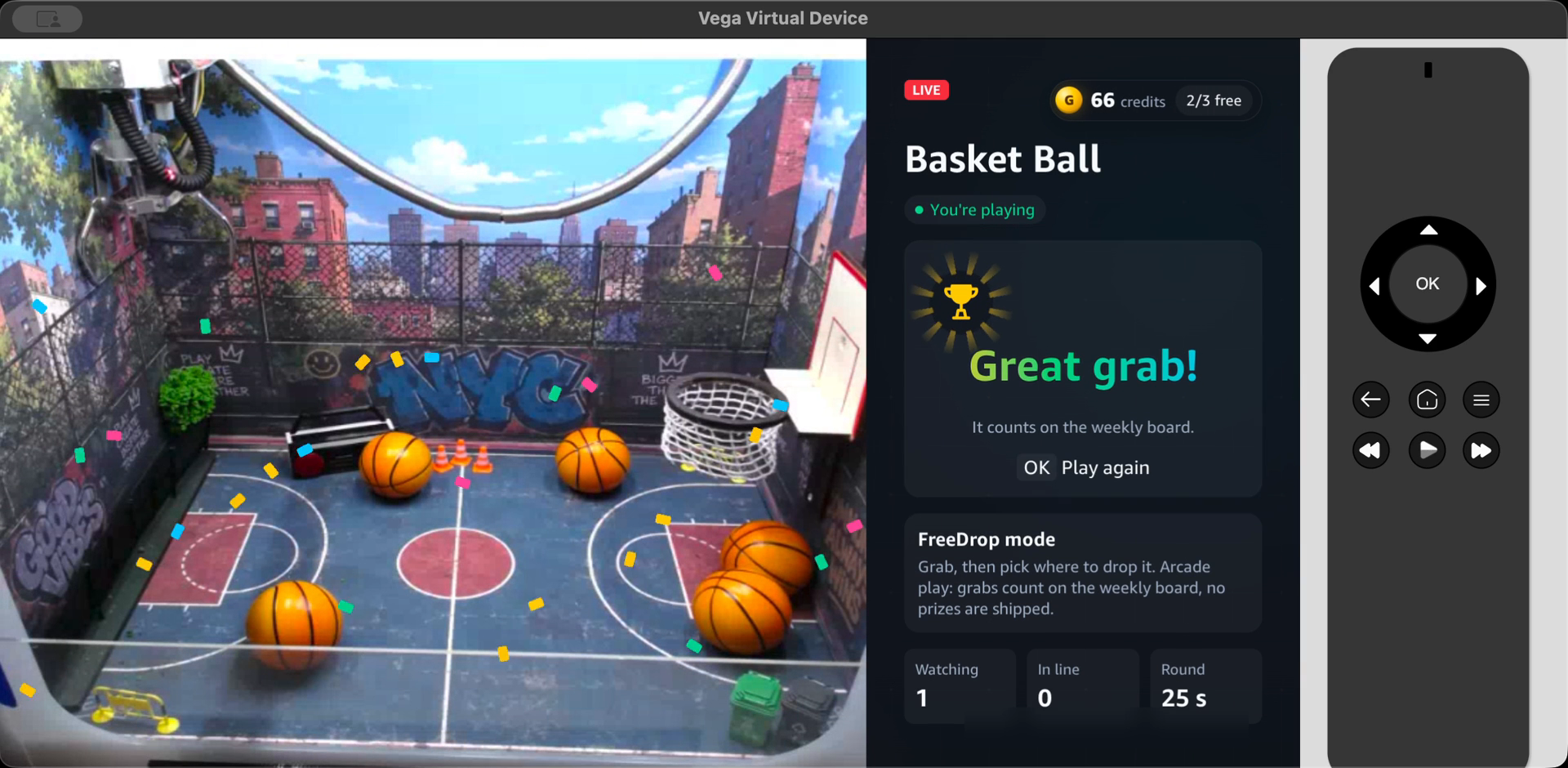
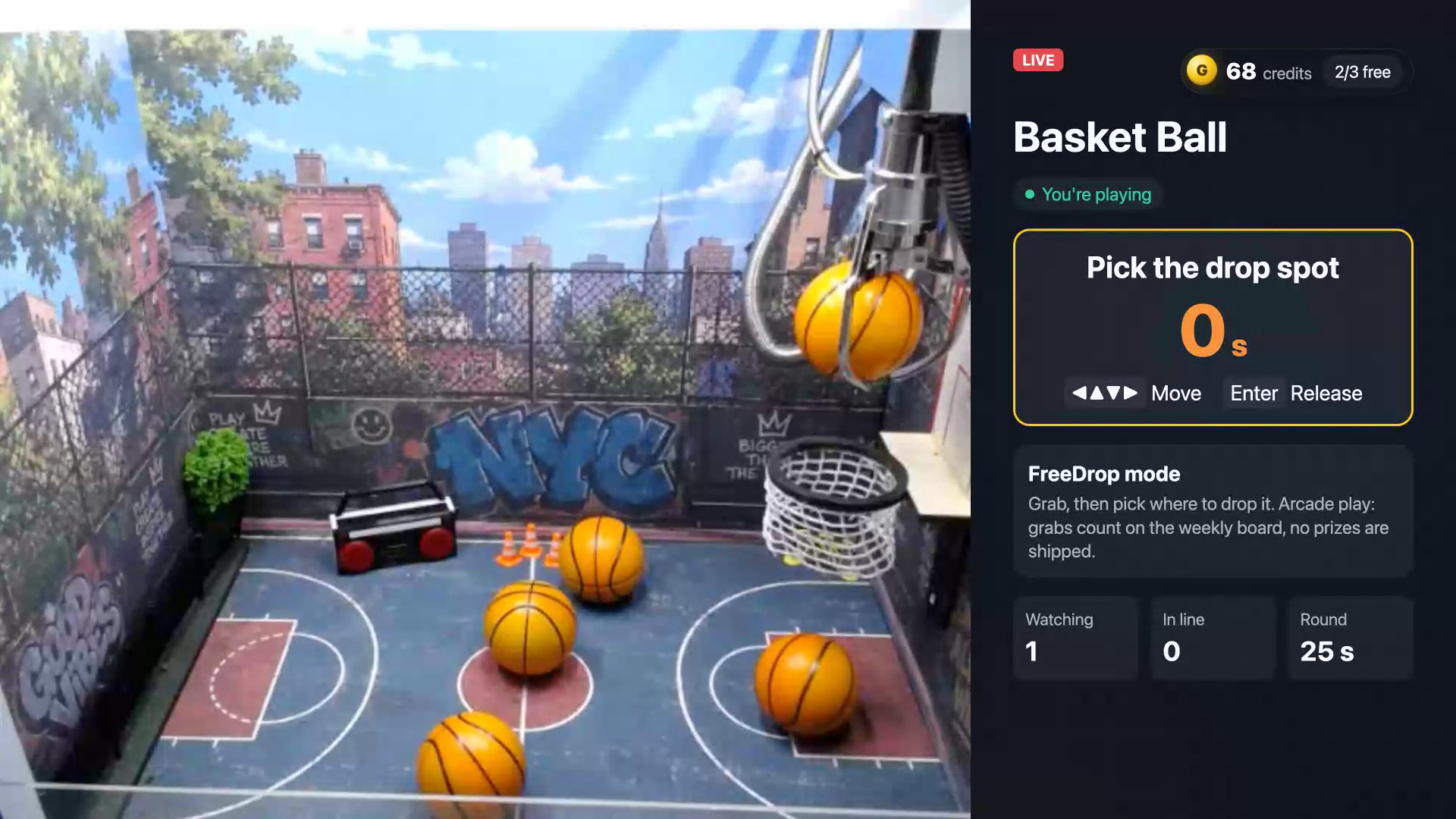
Inspiration Grabium runs real claw machines that people play remotely. The cabinets stream live, and a player steers a physical claw over the internet. So far that happened on phones, in a Telegram Mini App. A claw machine belongs on a big screen, though, and a TV remote's D-pad is a natural joystick. We wanted the living-room version.
What it does Lobby. It shows every cabinet as a live card with its status, game mode, viewer count and line length. A side panel has the weekly board, the weekly challenge and how to play, and a ticker scrolls the latest grabs. Play. OK opens a machine and live WebRTC (WHEP) video fills the screen. Holding an arrow moves the real claw and letting go stops it; a red laser dot on the floor shows where it will land. OK drops the claw once. On FreeDrop machines the claw lifts the prize and the player steers it to the hoop and releases it. The round timer and the wallet update live, and the result is shown once the claw is home: a trophy and confetti for a grab, "So close!" otherwise. Account. The player signs in with a one-time email code, the same Grabium account as on the web. New players get 10 free credits (one round each) plus free daily Classic plays. It is an arcade: grabs count on the weekly board, no prizes are shipped, and the app says so wherever prizes would appear. Settings (the ≡ button). Sound, music, three themes (Grabium Dark, Parlor Light, Candy Toy), account and sign-out, QR codes for the rules, and the version. Alexa+ MCP server. A read-only server answers "which machine is free?", "what's on Basket Ball?", "who's winning this week?" and "how do I play Free Drop?". Every answer carries a ready-to-speak say line. Voice cannot move a claw: a round needs a signed-in player who is watching the camera. Win replays. In the lobby, Down moves to the Recent grabs row; any grab with a clip shows a Watch badge, and OK plays the real camera replay of that grab: the last 10–15 seconds before the claw parked, where the grab is. Offline, clearly. If the machines' PC is off, the lobby shows a "Machines offline" card that reconnects by itself, and the web and Mini App get an offline page instead of a black screen. Browser build. Judges without a Fire TV can play the same UI at tv.freeskillclaw.cc: arrows move, Enter is OK, Esc is Back. How we built it Vega OS app. Amazon's vegaWebview template (React Native 0.83 on Kepler) hosts a Svelte 5 TV UI, bundled into a single HTML file so that it loads from file:// without a local server. A small React Native bridge, which does three jobs: It relays HTTP from the WebView. The page runs on file://, so our APIs, which send no CORS headers, would be blocked; RN fetch has no CORS. An allowlist limits it to our own routes. It carries the sign-in refresh credential. It replays the remote's Menu and Back keys into the page, because Vega delivers them to RN, not to the WebView. Video is WHEP (WebRTC) straight into the WebView, falling back to HLS. On the Vega Virtual Device it connected without TURN. Controls reuse the protocol of our existing web client over a WebSocket. A held direction is re-sent every 100 ms as a dead-man switch and released with a safe stop. We track held keys ourselves, because Vega auto-repeats keydown with repeat: false. MCP server: the official Python mcp SDK, Streamable HTTP (protocol 2025-11-25, and 2026-07-28 when the client offers it), stateless, every tool annotated readOnlyHint. It runs in Docker behind a Cloudflare tunnel. Replay viewer, built with Kiro Crew: we wrote the feature request, Kiro generated a spec (.kiro/specs/replay-viewer/: requirements, design and tasks). We reviewed it and changed six points, including moving the ticker with transforms instead of scrollIntoView and making Back return to the cards instead of exiting. Kiro then implemented the tasks, and a review caught one bug (a paused CSS animation overriding the inline transform), which Kiro fixed. AI coach: a small aiohttp service that sends the current camera frame to Claude on Amazon Bedrock (Anthropic SDK, Mantle client) for a one-line aiming tip and a round recap. Answers are shared per machine for a few seconds, requests are rate-limited, and the service fails soft. It is built, tested and deployed, but switched off; see Challenges. Challenges we ran into We logged all of these in a 17-entry friction log (docs/friction-log.md). The biggest:
Adding an RN input listener for the Menu key silently rerouted Back away from the WebView, and the app backgrounded itself from every screen. No console output from the WebView or RN in device logs, so we debugged with an on-screen probe page and with server-side checks. file:// origin and CORS, solved with an allowlisted bridge instead of changing the backend. Every dev install wipes WebView storage, which masked a real sign-in refresh bug for a while. The VVD WebView shows H.264 clips above about 400x300 as a black frame, with no error event, and seeking a clip left it black too. Our replays were 640x480, so they never played on the VVD. The edge now records replays at 320x240 and trims them server-side to the last seconds. Bedrock in a new-experience AWS project: models are listed as available, but every call fails (403, zero quotas) until "advanced features" are activated. So the AI coach ships switched off rather than pretending with canned lines. Accomplishments that we're proud of A full, playable round of a physical claw machine from a TV remote on the Vega Virtual Device: live video, steering, drop and result. A safe split of responsibilities: voice can only read, a round needs a signed-in player who sees the camera, and the arcade economy never promises prizes. The TV is a new client of the existing platform protocol. The platform changes we made along the way are small, tested fixes that also help the Mini App (see "Built during the hackathon"). What we learned Vega's WebView is a capable Chromium, and WebRTC just works in it. The friction is at the edges: key routing, logs, origin and storage. Building an honest friction log while you build is cheap, and it made the Bedrock dead end easy to explain. What's next for Grabium TV Test on a physical Fire TV stick and publish to the Appstore. Turn the AI coach on once Bedrock access is sorted. Sign in with a code shown on the TV and confirmed on a phone, instead of typing an email with the remote. Hook the MCP server into Alexa+ once there is access. Built during the hackathon Grabium's platform (the edge server, machine firmware and the Telegram Mini App) existed before the hackathon. It lives in a separate, private repository. While building the TV app we made four small, tested fixes to it, all found through the TV work:
win replays keep only the last 10–15 seconds before the claw parks; leaving a FreeDrop round releases the grabbed prize and parks the claw at once, instead of hanging for 12 seconds; a machine renamed in the ops hub keeps its name after a restart; the public origin shows an offline page when the machines' PC is off. Everything in the grabium-tv repository was built during the submission window, starting on 2026-09-23:
the Vega OS app and its RN bridge; the Svelte TV UI; the browser build and its host; the MCP server; the AI coach service; the friction log (17 entries).
Built With
- aiohttp
- amazon-bedrock
- anthropic
- docker
- fire-tv
- hls
- javascript
- kepler
- kiro
- mcp
- nginx
- python
- react-native
- svelte
- typescript
- vega-os
- vega-virtual-device
- vite
- webrtc
- whep


Log in or sign up for Devpost to join the conversation.