-
-
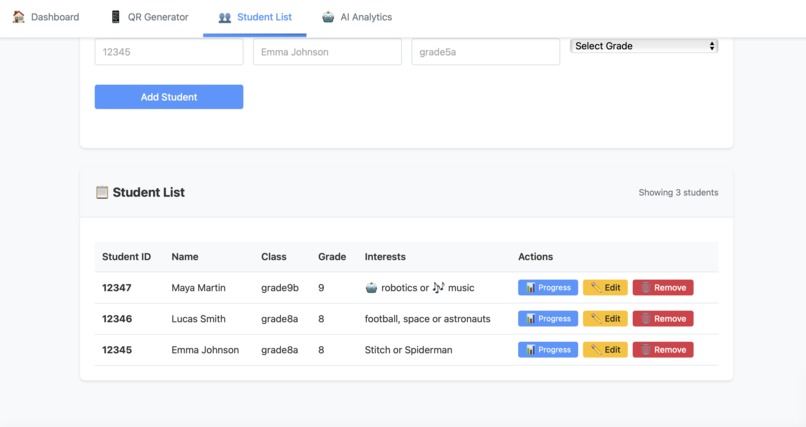
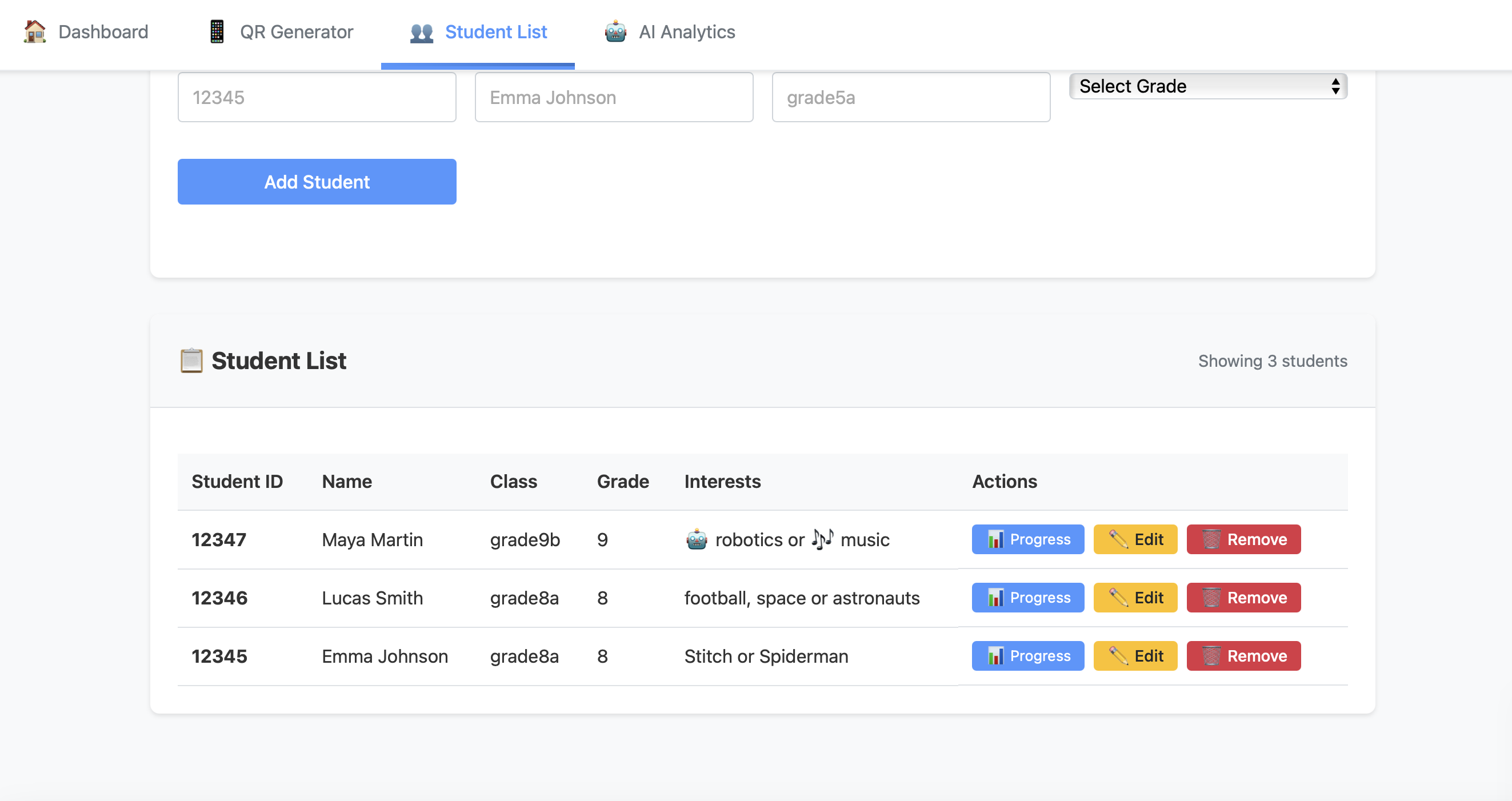
Admin interface showing student info including interests fields, enabling personalized responses when content is blocked by Nemo Guardrails.
-
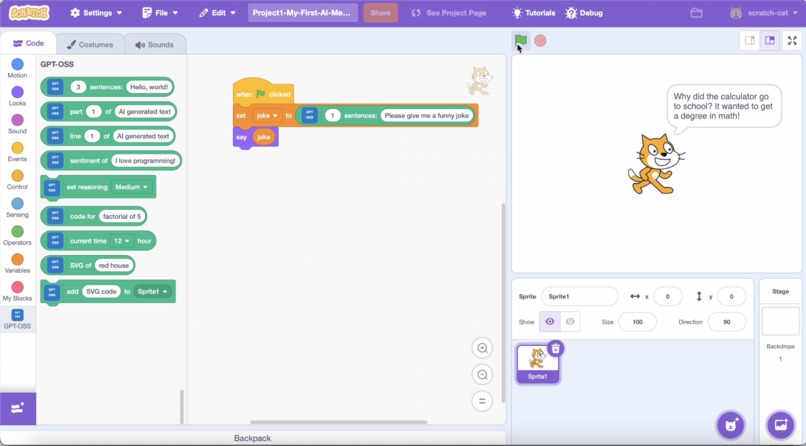
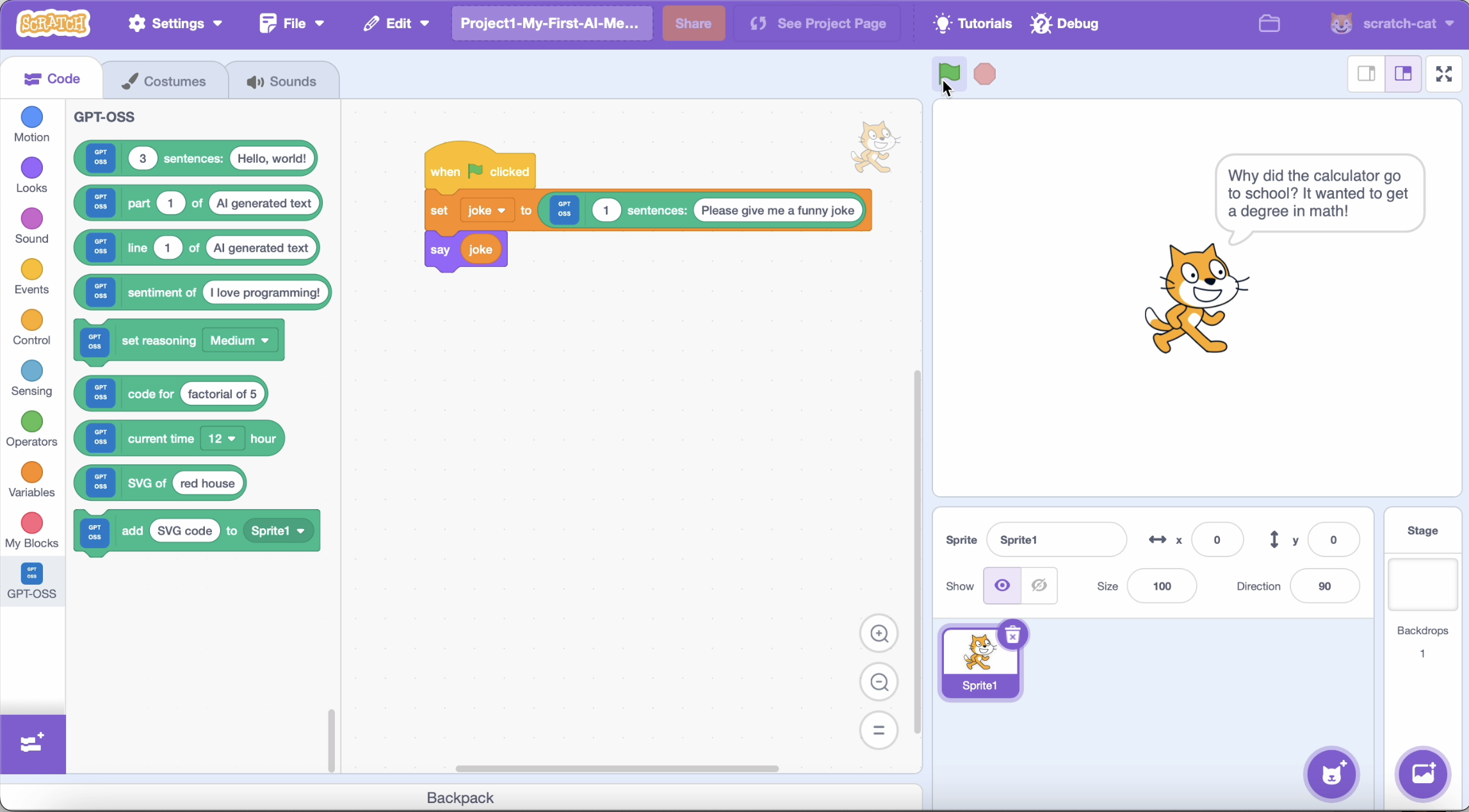
Example project 1 - Generate jokes, facts, or stories with one AI block.
-
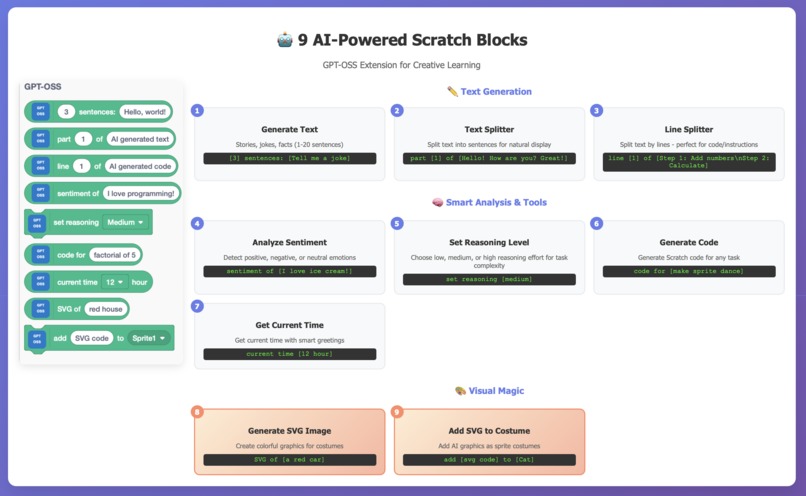
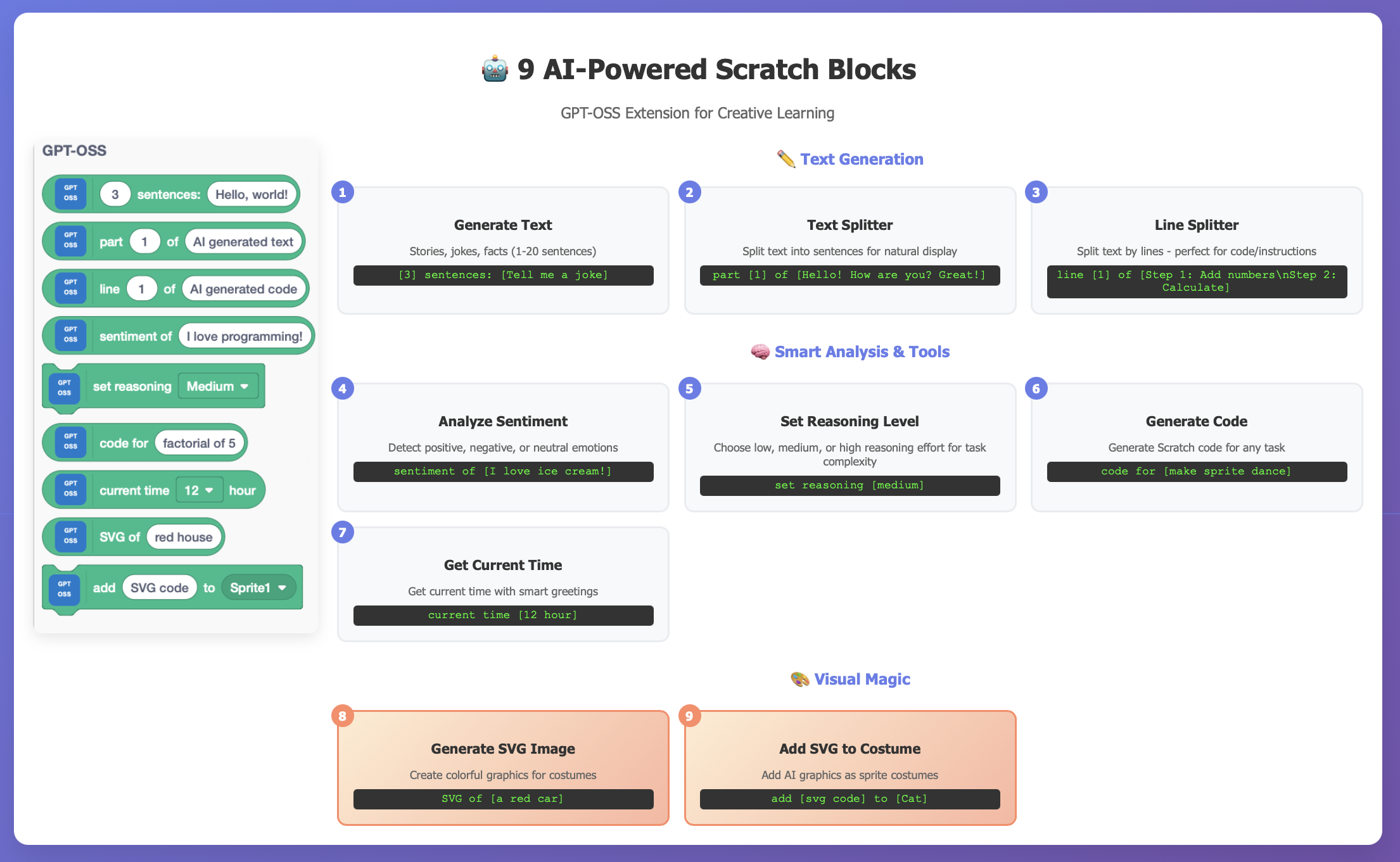
9 AI Scratch blocks added in this GPT-OSS extension
-
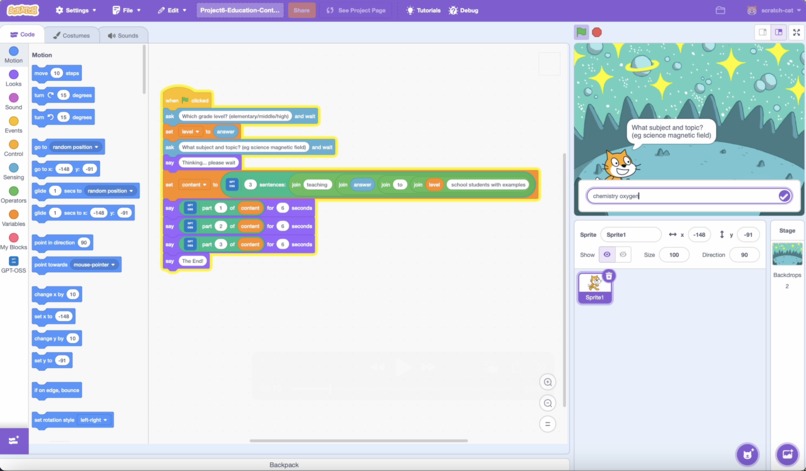
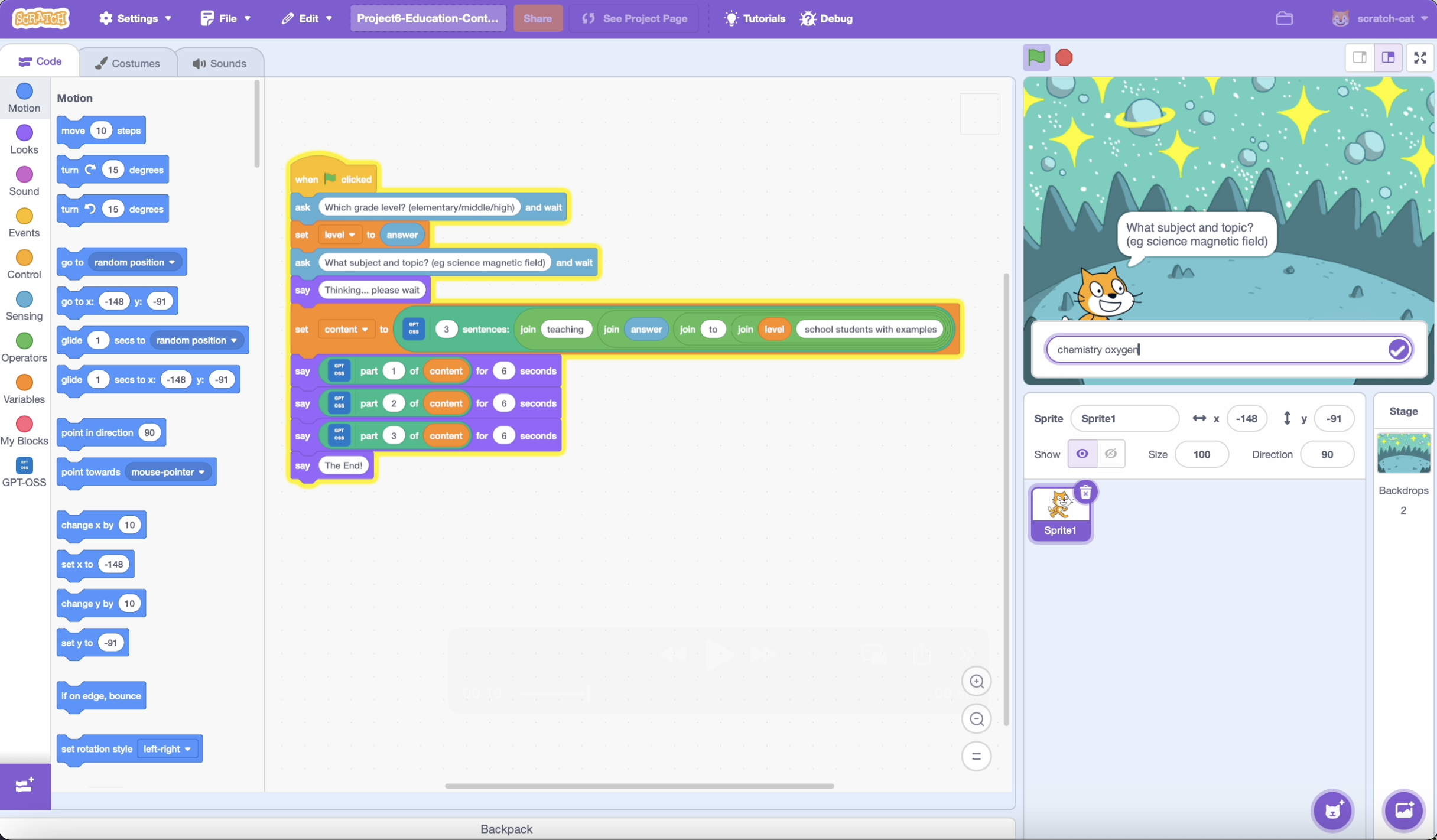
Example project 6 - Educational content generator for various subjects and grades.
-
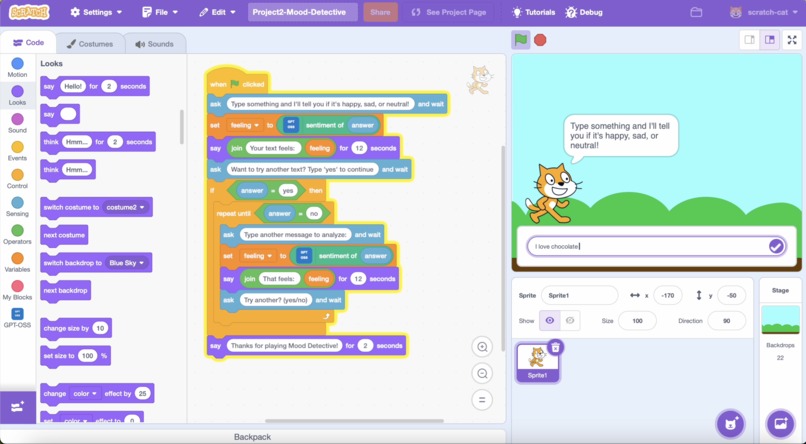
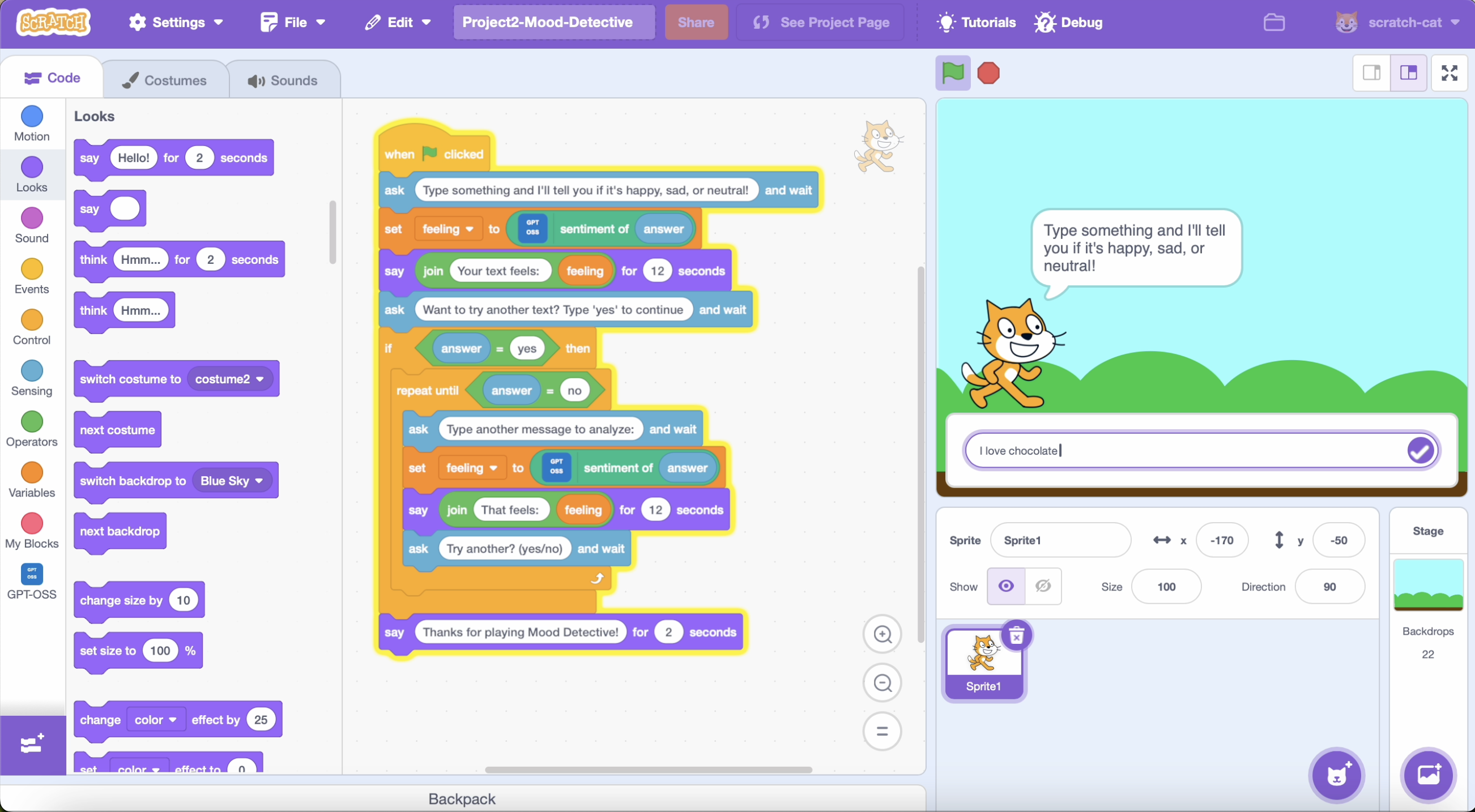
Example project 2 - AI analyzes text emotions - happy, sad, or neutral.
-
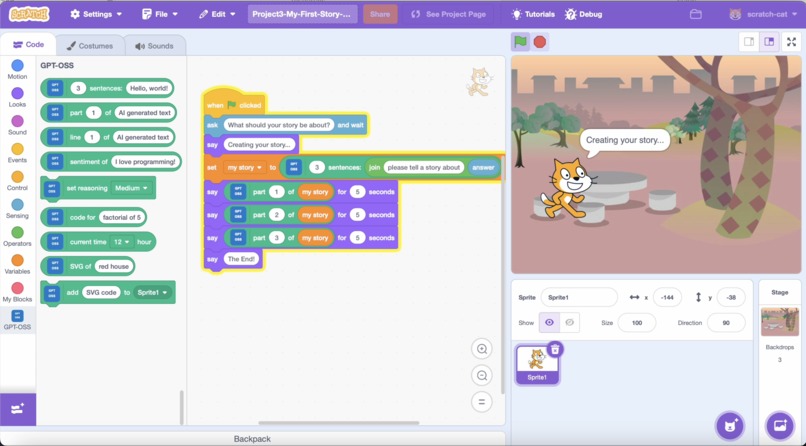
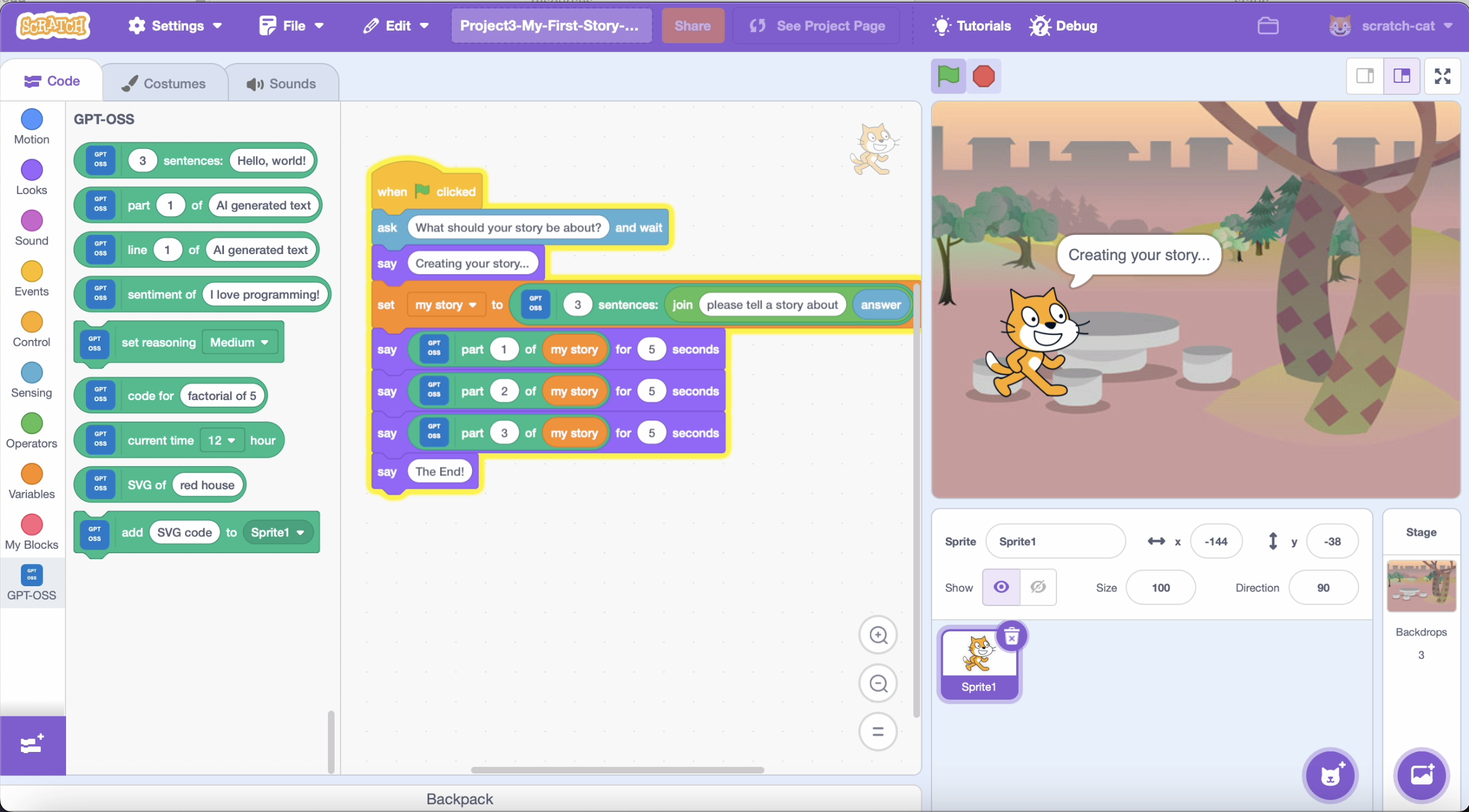
Example project 3 - Generate stories and display them with text splitting.
-
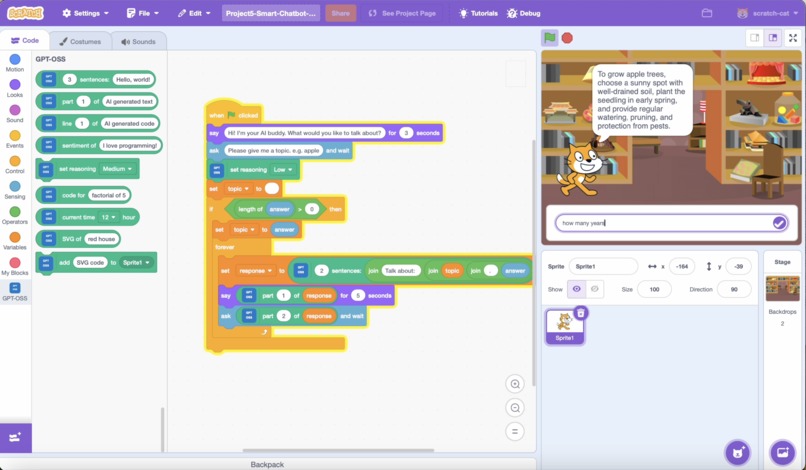
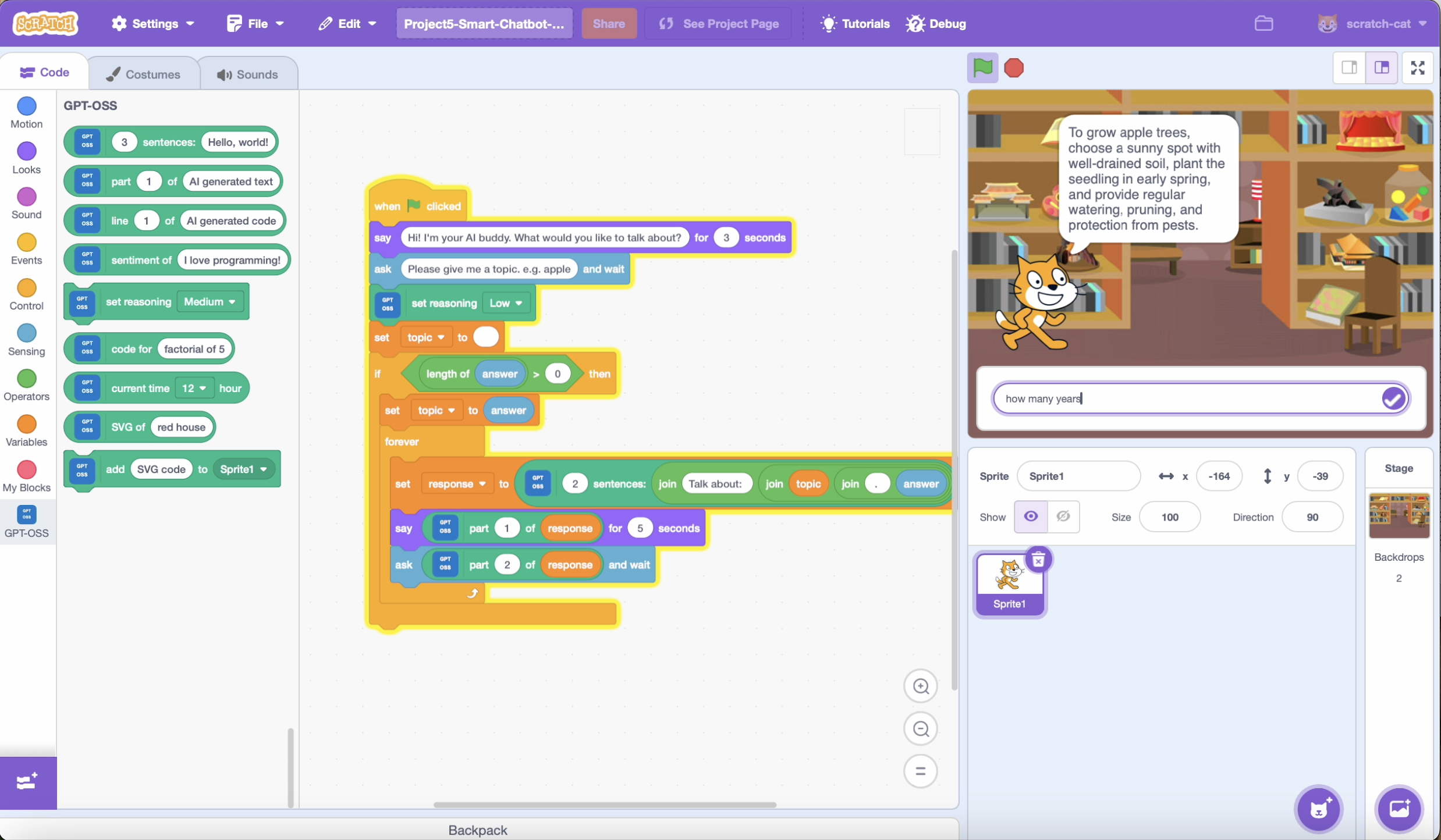
Example project 5 - Build a simple AI chatbot using Scratch.
-
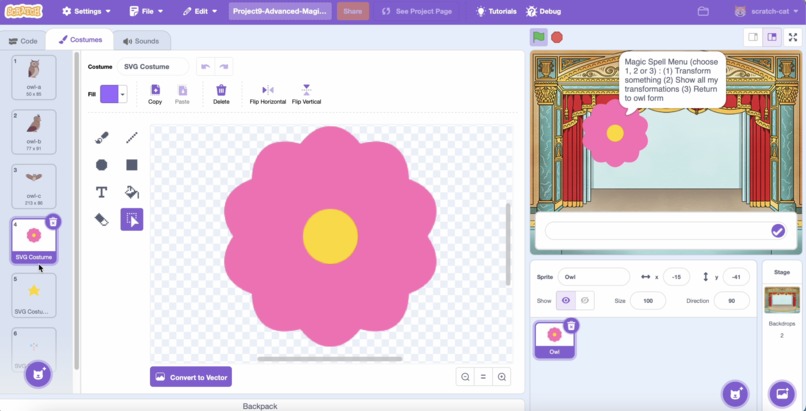
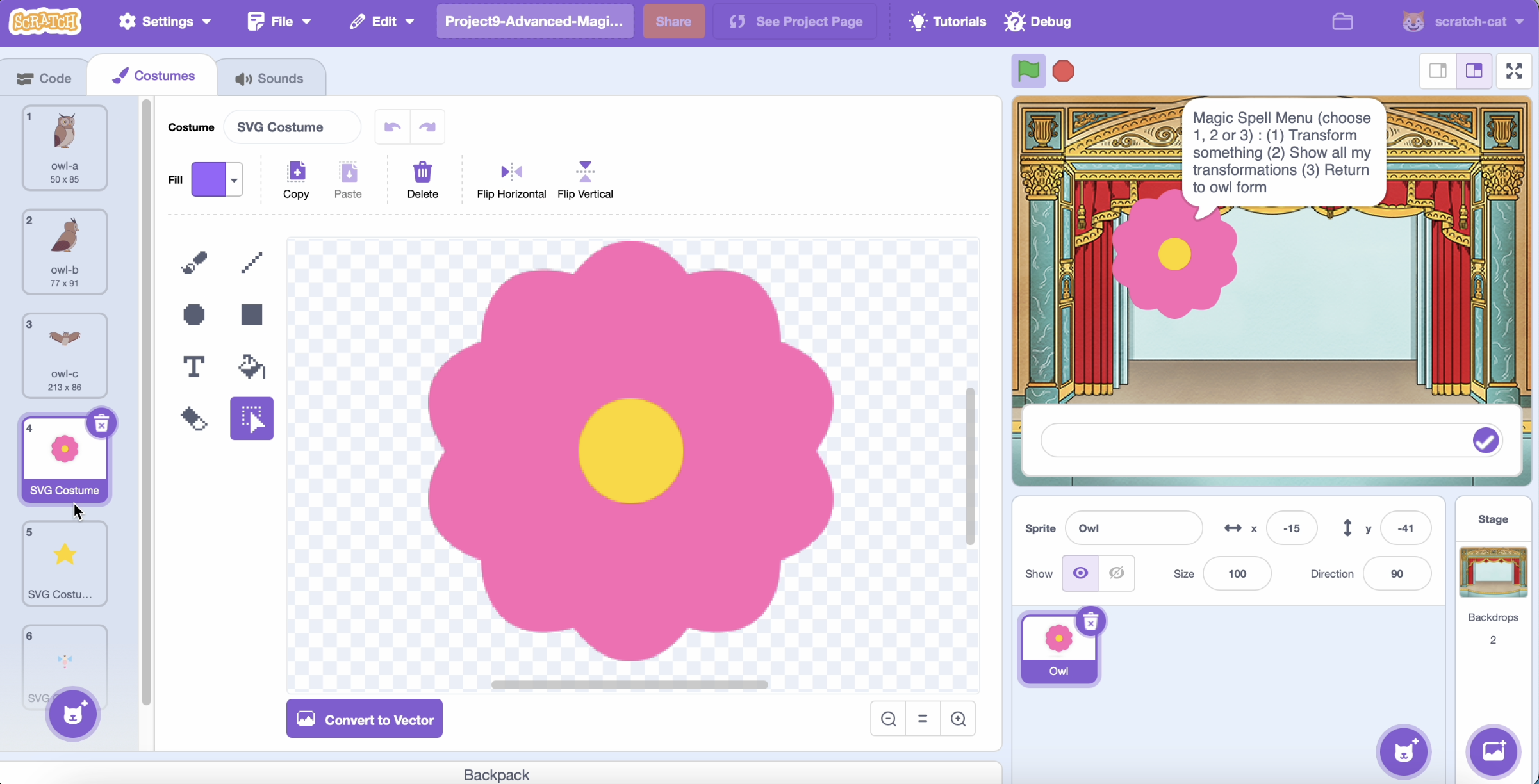
Example project 9 - Advanced transformation with menu system and costume gallery
-
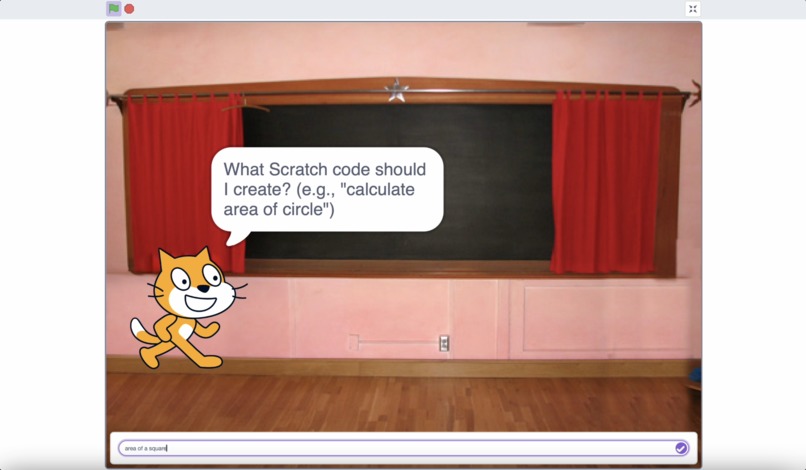
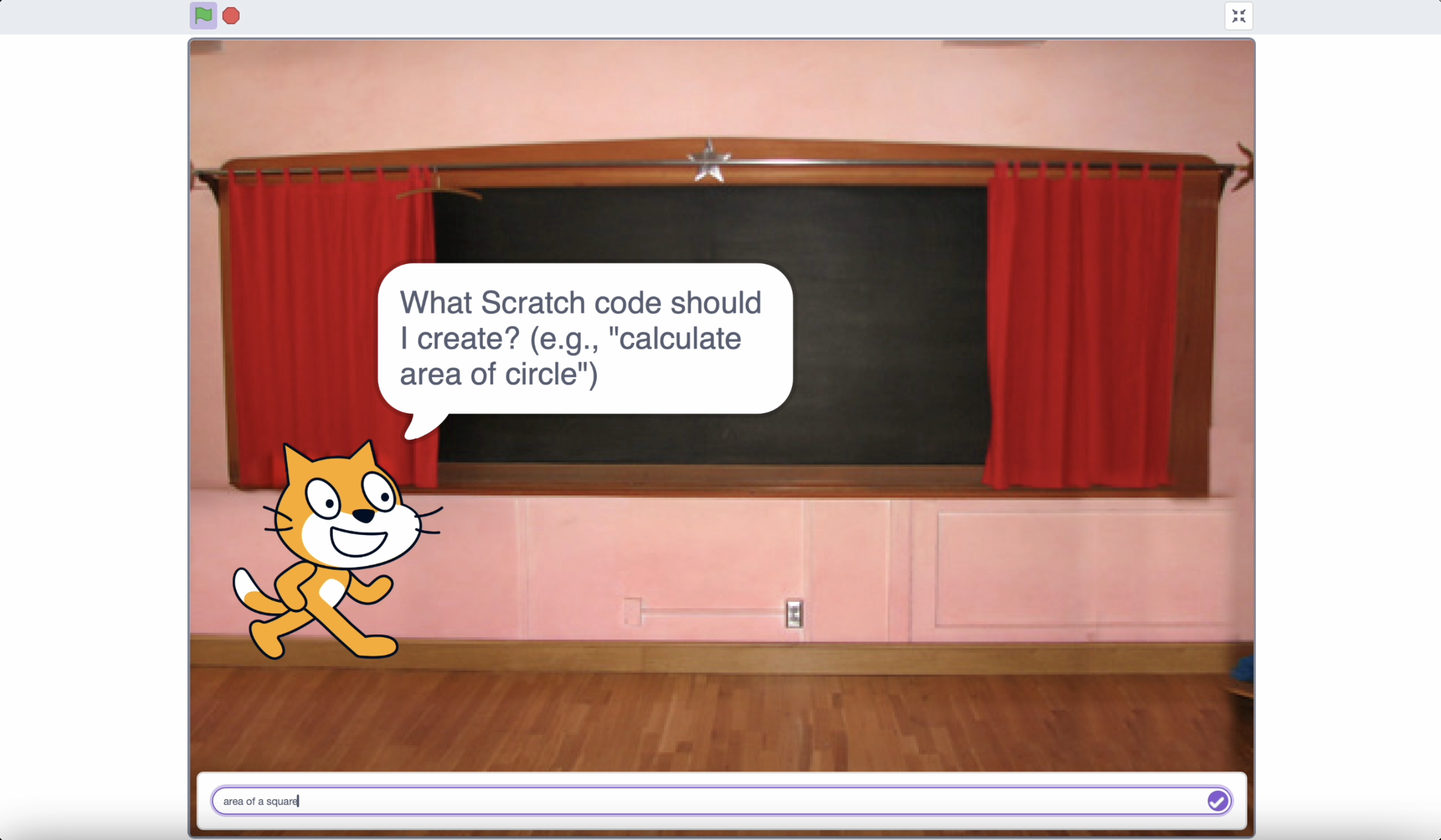
Example project 7 - Generate Scratch code for programming tasks, acts as AI coding assistant.
-
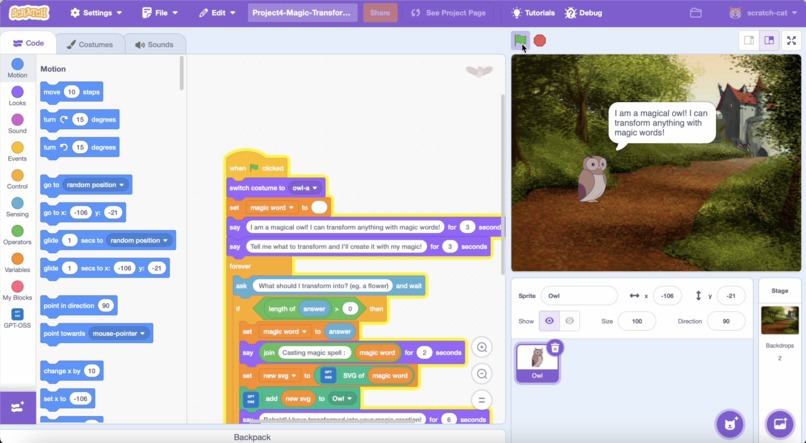
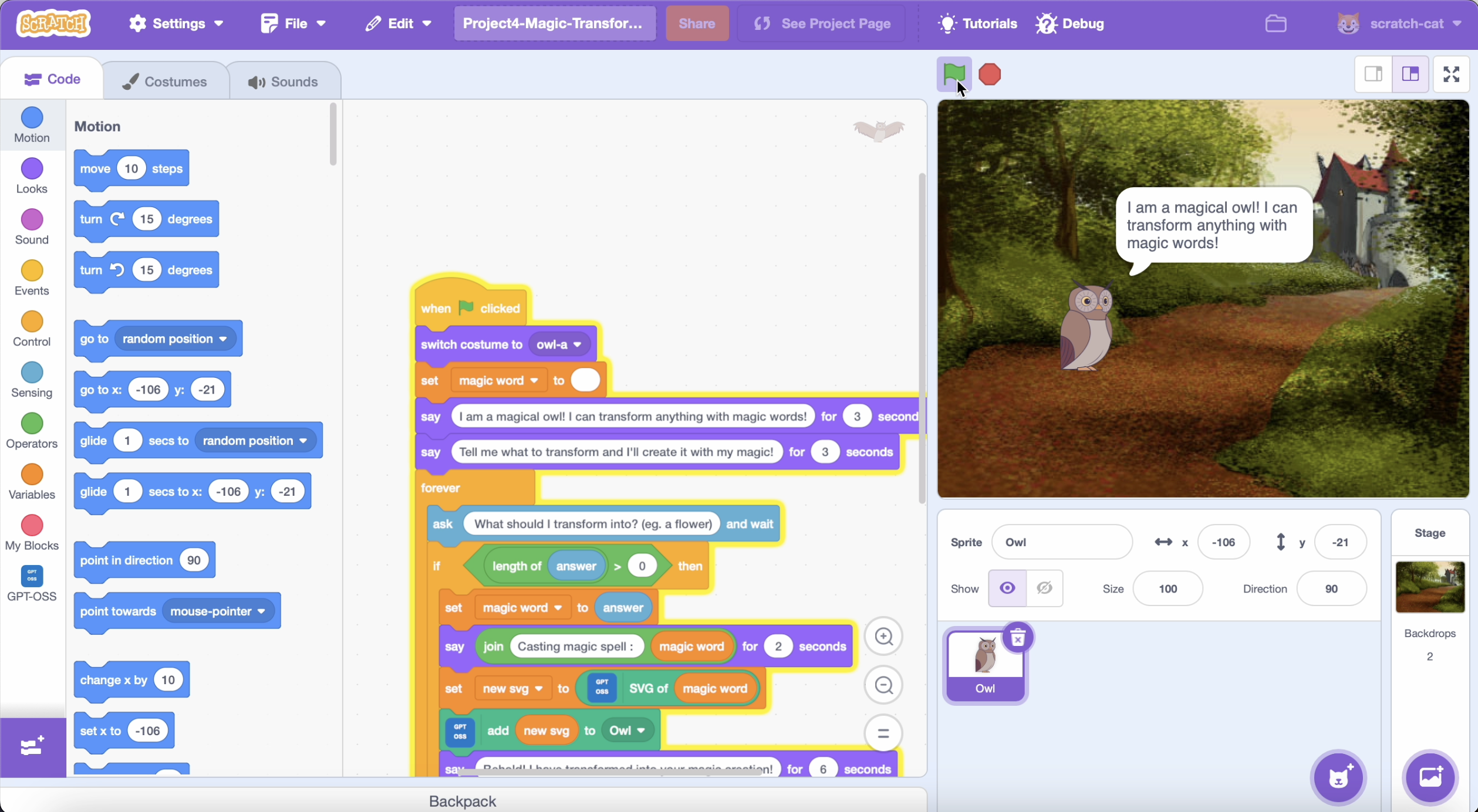
Example project 4 - Owl transforms into any object with AI-generated costumes.
-
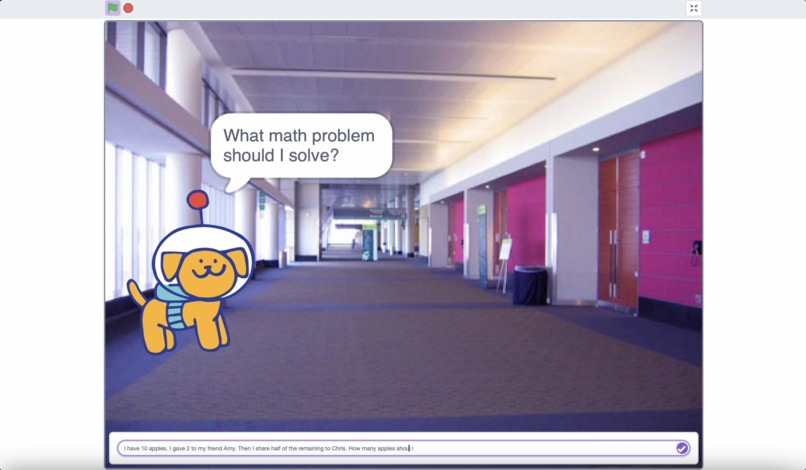
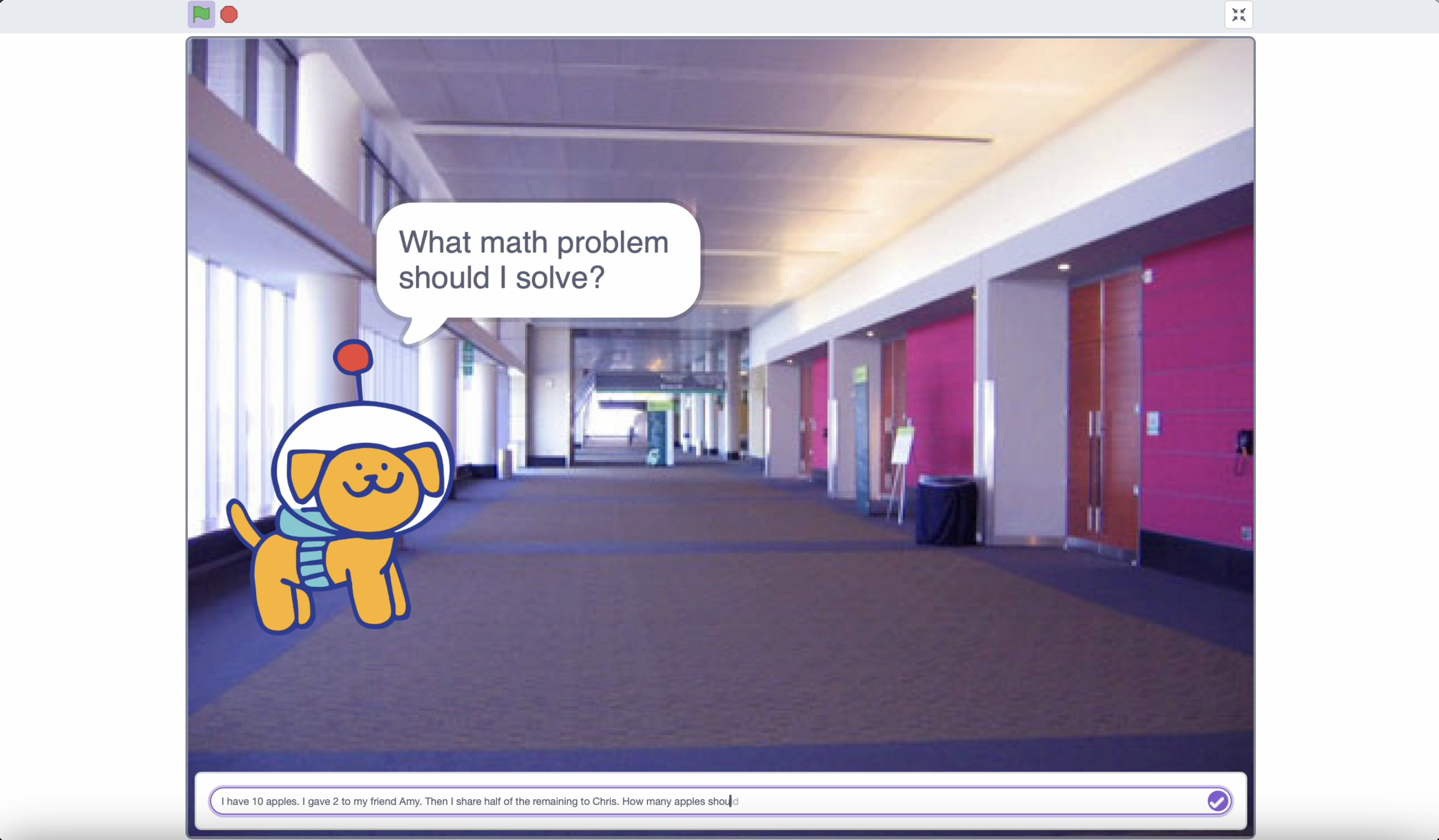
Example project 8 - AI solves math problems with step-by-step explanations.
-
Inspiration
The inspiration for this project came from my child learning Scratch programming at school. I noticed some students are using AI at home, and that parents have interests in introducing AI into education. However, the most accessible AI tools available today connect to the internet, creating privacy concerns and harmful content risks that we want to avoid for children. This sparked the idea to combine the familiar, safe environment of Scratch with local AI capabilities, creating a bridge between traditional programming education and AI literacy while maintaining complete privacy control for schools. Activities can be logged so schools can manage AI usage by their students.
What it does
🌐 Project Overview Web Page: https://cindyhuen.github.io/scratch-gpt-oss/
The GPT-OSS Scratch Extension adds 9 AI blocks to Scratch, enabling students to:
Text Generation:
- Generate Text - Stories, jokes, facts
- Text Splitter - Split text into sentences for natural display
- Line Splitter - Split text by lines for code/instructions
Smart Analysis & Tools:
- Analyze Sentiment - Detect positive, negative, or neutral emotions
- Set Reasoning Level - Choose low, medium, or high reasoning effort based on task complexity
- Generate Code - Generate Scratch code for programming tasks, acts as AI coding assistant
- Get Current Time - Get current time with smart greetings using function calling capabilities
Visual Creation:
- Generate SVG Image - Create graphics for costumes
- Add SVG to Costume - Add AI graphics as sprite costumes
The platform runs entirely on school servers, ensuring complete data privacy while providing multi-layer safety through the extra layer of NVIDIA NeMo Guardrails. Students learn both coding and AI literacy simultaneously, creating projects from simple stories to complex interactive experiences.
How we built it
I built the extension using a modular architecture within the Scratch platform:
System Architecture:
- GPT-OSS Server: GPT-OSS model server using Ollama
- NeMo Guardrails: Optional content filtering server with school-configurable keywords
- Scratch Extension: AI blocks extension for Scratch
// Core extension structure
scratch-vm/src/extensions/scratch3_gptoss/
├── index.js                    // Main extension coordinator
├── api/gpt-client.js          // Local GPT-OSS communication
├── operations/text-operations.js // AI text processing
├── svg/svg-generator.js       // Image generation
└── utils/block-definitions.js // Visual block definitions
Request Flow Implementation:
- With NeMo: Student Input → NeMo Filter → GPT-OSS → Safe Response
- Direct Mode: Student Input → GPT-OSS → Unfiltered Response
Key technical components:
- Centralized Configuration: Single config.js file controls the endpoints and safety settings
- Nemo Safety System: NeMo Guardrails local keyword filtering
- Local Model Integration: Support for both gpt-oss:20b and gpt-oss:120b models
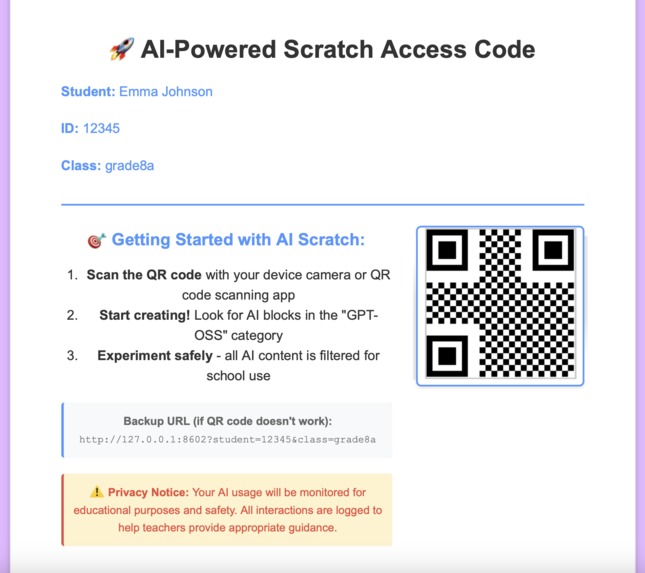
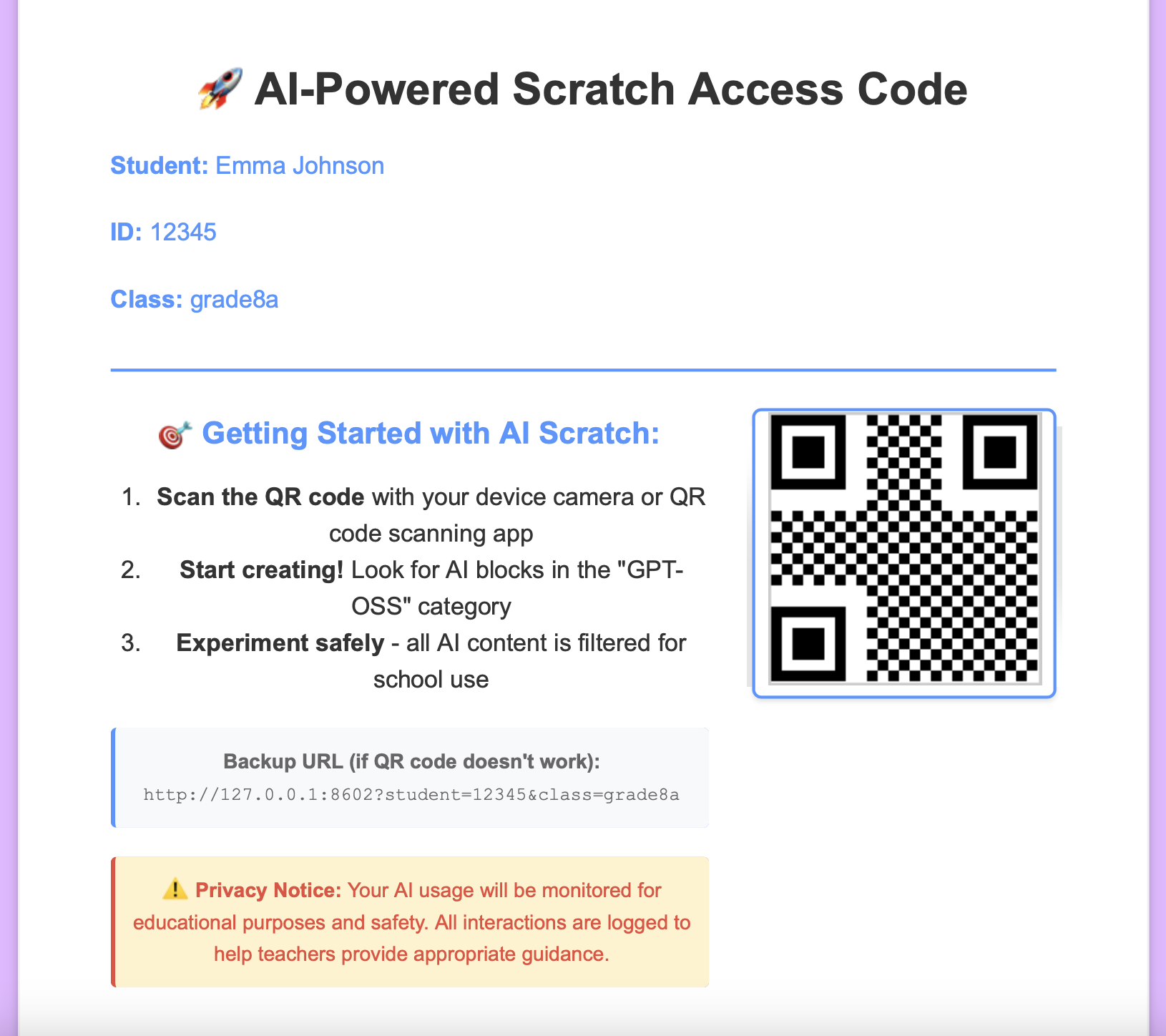
- Admin Dashboard: Real-time monitoring, QR code generation, and student activity tracking
The system supports deployment across different school network environments through centralized configuration management.
Challenges we ran into
Scratch Version Compatibility: I experienced compatibility issues where sprites and backdrops could not be added in newer Scratch GUI versions. After investigation, I discovered that Scratch GUI versions 5.1.24+ had reported issues where sprites and backdrops would not load properly after selection. The solution was to use Scratch GUI version 5.1.23 and Scratch VM version 5.0.300, which my development platform now uses to ensure stable sprite and backdrop functionality.
NeMo Keyword Filtering Accuracy: Developing appropriate content filtering required careful keyword list preparation and extensive testing to avoid false positives. For example, marking "die" as a harmful keyword would incorrectly filter educational words like "studies" or "diet". The solution involved using precise keyword matching with spaces (e.g., " die " and "die ") and thorough testing to balance student safety with educational content accessibility.
Hackathon Time Constraints: I had many additional features that I wanted to implement (detailed in the future improvements section), but meeting the hackathon deadline required prioritizing core functionality and safety features over these enhancements within the time limit.
Accomplishments that we're proud of
✅ Complete Offline AI System: Built a fully offline AI-enabled educational platform that operates entirely without internet connectivity, ensuring data sovereignty and enabling AI education in any environment regardless of network constraints.
✅ Bringing AI to Schools Safely: Successfully implemented AI directly into Scratch, which is commonly used in schools, addressing the growing demand for AI literacy education while solving the content safety and privacy concerns that make schools hesitate to use AI tools. With AI usage monitoring and open source transparency, schools are more willing to adopt it in their educational environment. Students can have their first step to use AI in education safely and can see AI implemented visually through drag-and-drop blocks.
✅ Multi-Layer Safety System: Built upon GPT-OSS's robust built-in content filtering (including CBRN threat filtering and deliberative alignment), I implemented additional NeMo Guardrails that allow schools to easily add, modify, or remove custom keywords based on their specific policies. This flexible filtering system increases school confidence and provides administrators with precise control over content filtering tailored to their educational environment.
✅ Global Educational Impact: Enable global deployment potential, leveraging Scratch's existing worldwide adoption by millions of users. With Apache 2.0 open source licensing, students globally can benefit from accessible AI education regardless of geographic or economic barriers.
What we learned
The combination of coding + AI literacy creates powerful learning synergies that prepare students for an AI-enhanced future. When visualized through Scratch blocks, AI concepts become tangible and engaging, especially with AI-generated graphics that make learning fun and creative.
Teacher oversight is crucial for educational AI: When observing harmful content being blocked during AI interactions, I realized teachers need visibility into these events to provide appropriate guidance to students. As a parent, I also recognized that sometimes I'm not comfortable with my child using AI because I don't know what has been asked and what has been responded. Beyond just filtering harmful content, parents and teachers need to see what interactions occurred and what content was filtered so they can provide appropriate guidance. This insight led to developing the admin portal with transparent monitoring capabilities, where students are informed that their AI usage is monitored for educational purposes.
What's next for GPT-OSS Scratch Extension
Future improvements:
Technical Enhancements:
- Implement authentication system for the admin site to ensure secure access control
- Multi-language support for global deployment
Educational Content & Curriculum:
- Create lesson plans for teachers to effectively integrate AI blocks into their curriculum
- Teacher user guides, training documentation, and teaching curriculum for classroom instruction
Analytics & Reporting:
- Improved admin portal with advanced reporting, bulk student management, and classroom scheduling tools
- Enhanced AI-powered analytics to generate detailed improvement plans for individual students and expand teacher curriculum planning assistance
Advanced Safety Features:
- Enhanced intelligent custom suggestions for blocked content: AI-generated personalized responses based on not only individual interests, but also students' recent usage patterns and teacher suggestions to redirect them to appropriate educational channels
The goal is to leverage AI technology to enhance student engagement and learning effectiveness while maintaining the highest standards of privacy, safety, and educational effectiveness.


Log in or sign up for Devpost to join the conversation.