-
-
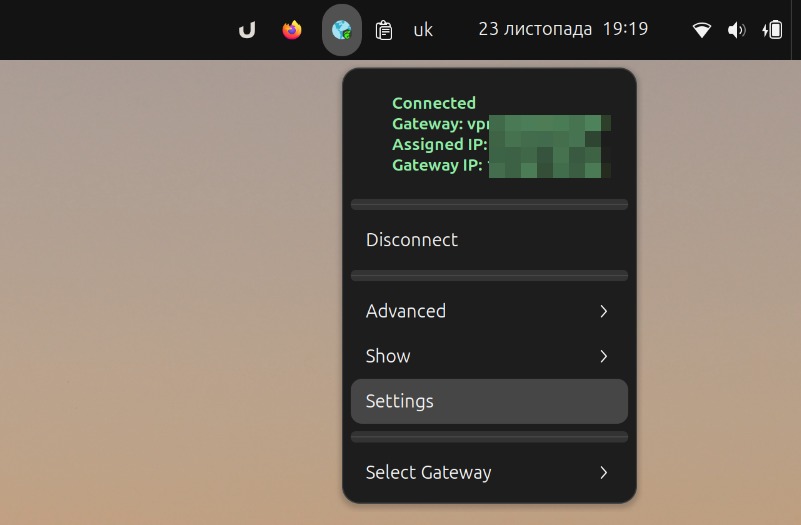
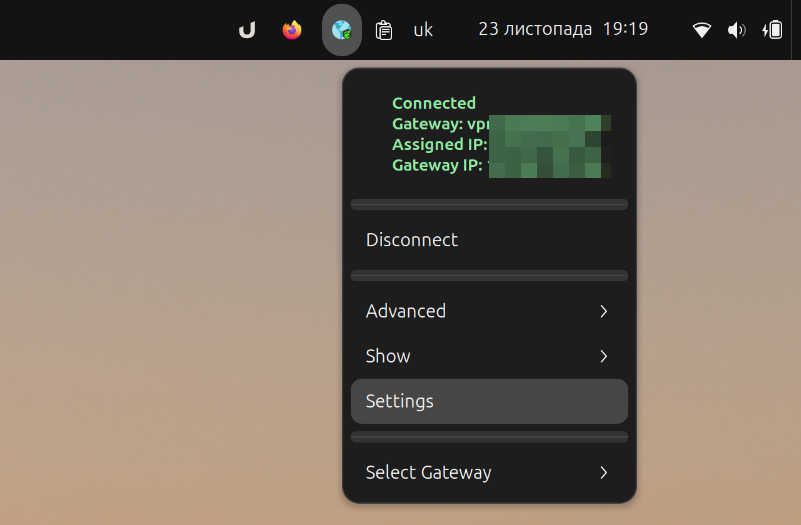
connected
-
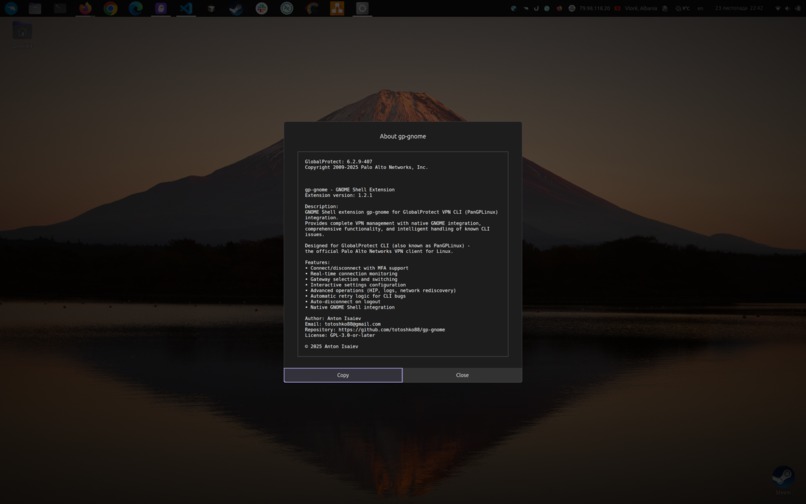
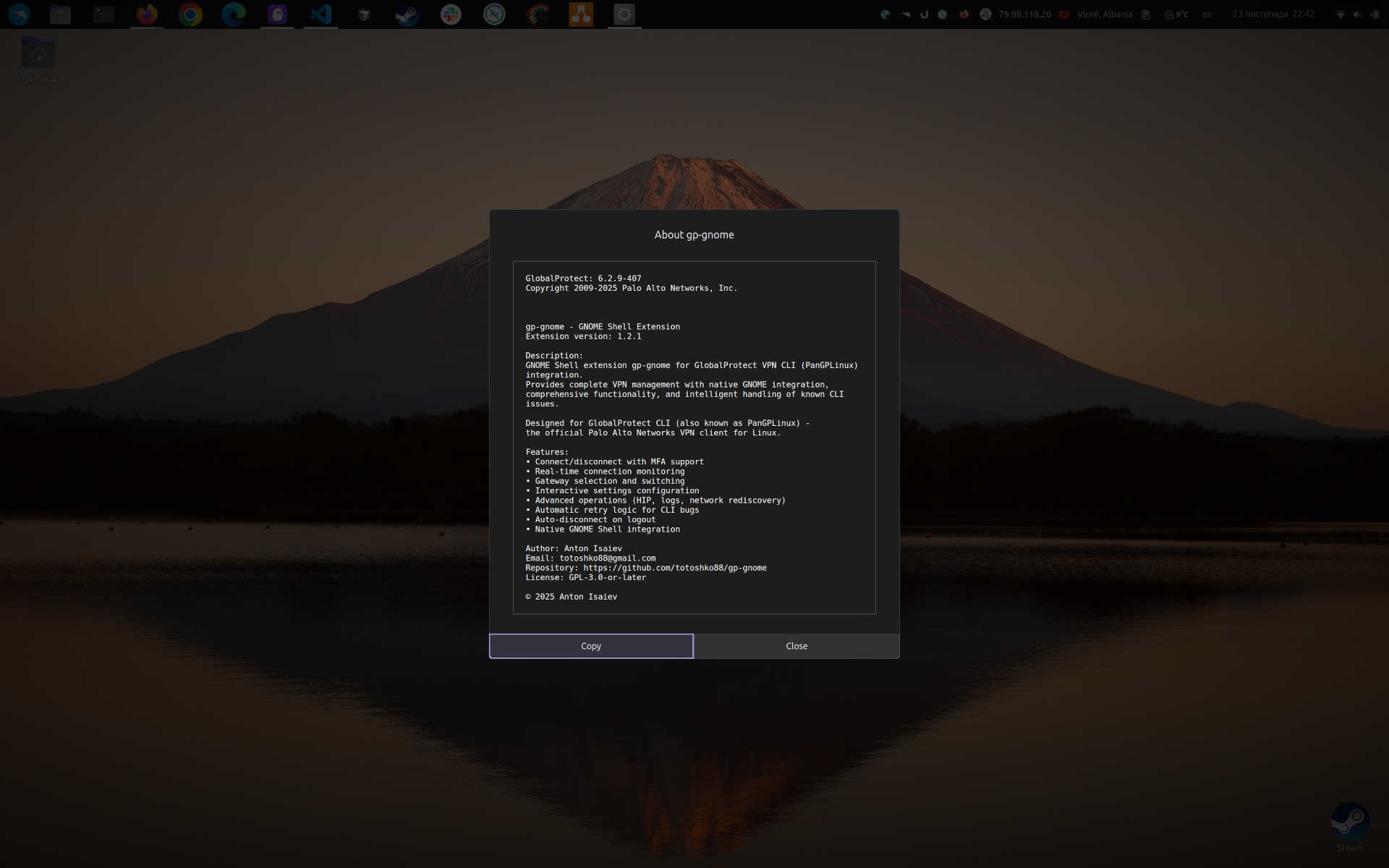
about
-
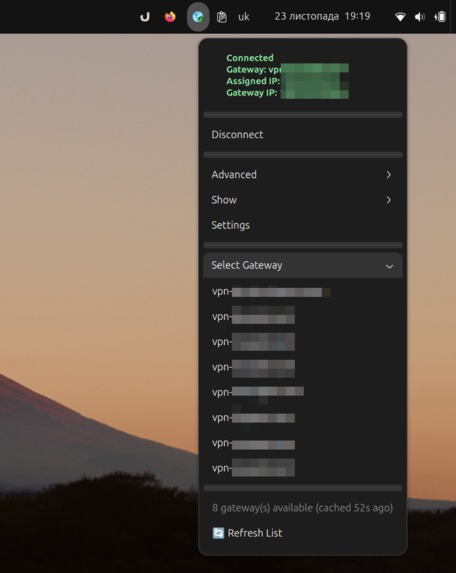
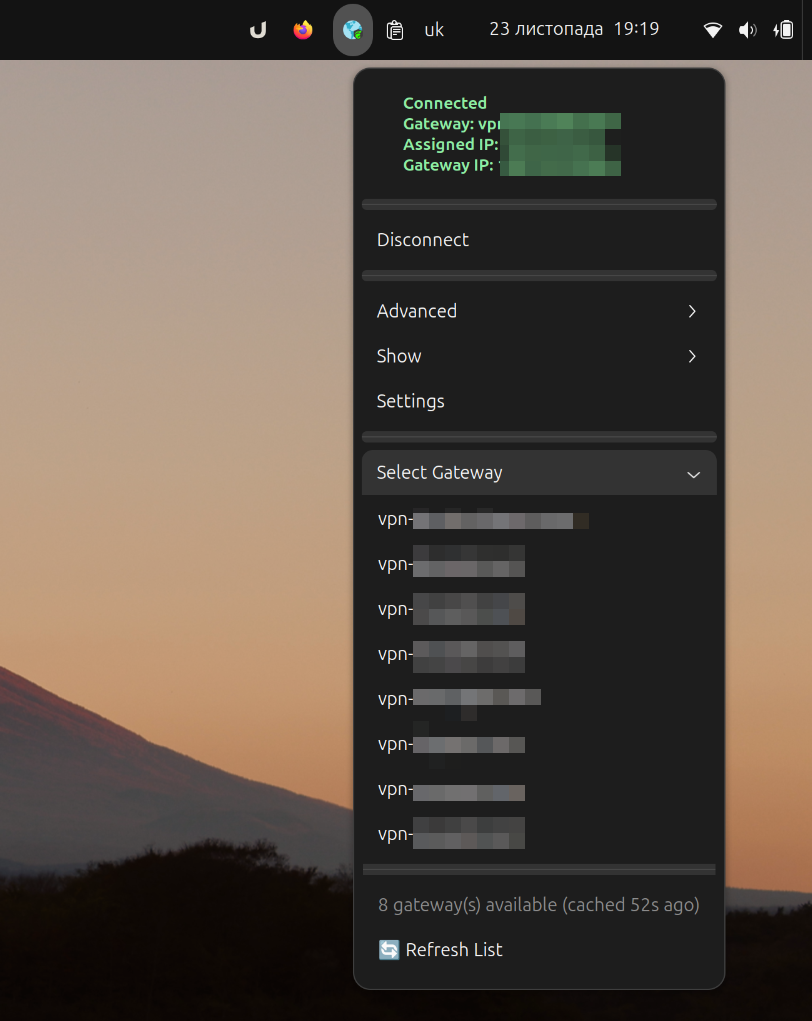
gateway select
-
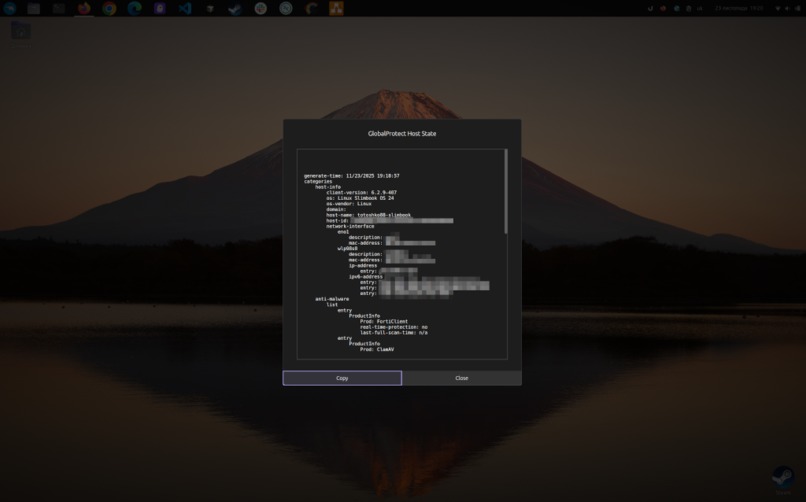
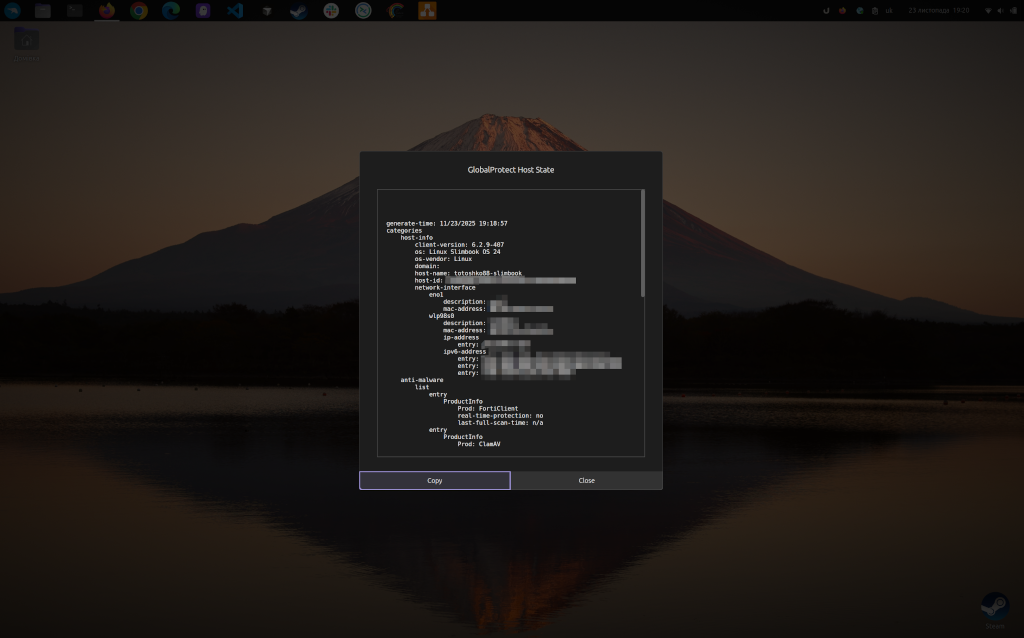
hip info
Inspiration Working with GlobalProtect VPN on Linux through command-line tools was tedious and error-prone. Every connection required opening a terminal, typing commands, handling MFA in the browser, and manually checking status. I wanted to bring the same seamless VPN experience that Windows and macOS users enjoy to GNOME Shell users. The goal was to create a native, polished extension that makes GlobalProtect VPN management as simple as clicking an icon in the system tray.
What it does gp-gnome is a full-featured GNOME Shell extension that provides complete GlobalProtect VPN management directly from your desktop. It offers:
- One-click VPN connection/disconnection with MFA support
- Real-time status monitoring with visual indicators in the system tray
- Gateway selection and switching without command-line hassles
- Advanced operations like HIP resubmission, network rediscovery, and log collection
- Interactive settings dialogs for portal configuration, SSL mode, and log levels
- Smart notifications with throttling to prevent spam
- Auto-disconnect on logout for security
- Certificate import with validation
- Comprehensive error handling that sanitizes sensitive data
- The extension transforms the GlobalProtect CLI from a developer tool into a user-friendly desktop - application that integrates seamlessly with GNOME Shell.
How I built it I built gp-gnome using JavaScript with GJS (GNOME JavaScript bindings) and followed a modular architecture with clear separation of concerns:
- Extension lifecycle management handles enable/disable with proper resource cleanup
- GlobalProtectClient wraps all CLI commands with async operations using Gio.Subprocess
- StatusMonitor polls VPN status at configurable intervals without blocking the UI
- GlobalProtectIndicator manages the system tray UI with custom SVG icons for each state
- ErrorHandler provides centralized error handling with sensitive data sanitization I implemented comprehensive testing with Jasmine for unit tests and fast-check for property-based testing (100+ iterations per property). All operations are fully asynchronous with Gio. Cancellable support, preventing UI freezes and enabling proper cancellation. The extension follows all GNOME Extension Review Guidelines, including proper timeout tracking, signal cleanup, and memory management.
Challenges I ran into The biggest challenge was handling the GlobalProtect CLI's quirks and known bugs. The CLI sometimes returns inconsistent status information, requires retry logic for certain operations, and has timing issues during state transitions. I implemented intelligent retry mechanisms and operation locks to prevent race conditions.
Another major challenge was ensuring proper resource cleanup. GNOME Shell extensions must meticulously track and clean up all timeouts, signals, and subprocess operations to prevent memory leaks. I implemented reverse-order cleanup and comprehensive cancellation support.
Handling MFA authentication flow was tricky since it involves browser interaction outside my control. I had to implement robust timeout handling and clear user feedback for the multi-step authentication process.
The most significant challenge was passing the official extensions.gnome.org review process. This isn't my first GNOME extension, but gp-gnome solves the most complex problems I've tackled - managing external CLI processes, handling async operations with proper cancellation, preventing race conditions, and ensuring zero memory leaks. The review process required:
- Replacing all deprecated APIs (log() → console.*)
- Converting PNG icons to scalable SVG format
- Implementing Gio.Cancellable for all subprocess operations with proper signal handling
- Adding comprehensive input validation on all public methods
- Ensuring proper timeout tracking and cleanup in all destroy() methods
- Removing the compiled GSettings schema from the repository
- Fixing race conditions with operation locks
- Preventing icon flickering during non-connection operations
- Implementing proper cleanup order (reverse of creation) Achieving 100% compliance with all GNOME Extension Review Guidelines while maintaining functionality and user experience was demanding but ultimately made the extension significantly more robust and professional.
Accomplishments that I'm proud of
- Official Publication: Successfully published on extensions.gnome.org after passing a comprehensive review
- 100% Review Compliance: Met all GNOME Extension Review Guidelines requirements
- Most Complex Extension: While not my first extension, this solves the most challenging technical problems - async subprocess management, state synchronization, and resource lifecycle
- Zero Memory Leaks: Proper resource tracking and cleanup in all code paths
- Comprehensive Testing: Property-based tests validate universal properties across 100+ iterations
- Robust Error Handling: Sensitive data sanitization prevents credential leaks in logs
- Race Condition Prevention: Operation locks ensure safe concurrent access
- Modern Architecture: Fully async operations with cancellation support
- User Experience: Smooth, responsive UI that never blocks or freezes
- Security First: Command injection prevention, auto-disconnect on logout, no credential storage
What I learned I gained deep expertise in GNOME Shell extension development, particularly around async operations, resource management, and the GJS runtime. I learned the importance of proper lifecycle management and how critical it is to clean up resources in the correct order.
The extensions.gnome.org review process taught me that attention to detail matters immensely. Every timeout must be tracked, every signal must be disconnected, every subprocess must be cancellable. These aren't just guidelines - they're essential for creating stable, production-ready extensions.
Property-based testing proved invaluable for catching edge cases I never would have thought to test manually. Testing universal properties like idempotency and state consistency revealed subtle bugs in my state management.
I also learned that user experience matters just as much as functionality. Small touches like preventing icon flickering during info operations, throttling notifications, and providing clear error messages make a huge difference in daily use.
What's next for gp-gnome I have several exciting features planned:
- Multiple Portal Support: Manage connections to different VPN portals
- Connection Profiles: Save and switch between different VPN configurations
- Statistics Tracking: Monitor connection duration, data usage, and connection history
- Certificate Expiration Warnings: Proactive notifications before certificates expire
- Additional Language Translations: Make the extension accessible to more users worldwide
- Connection History: Track and analyze VPN usage patterns I'm also exploring integration with GNOME's network settings and investigating ways to provide even tighter desktop integration. The goal is to make gp-gnome the definitive GlobalProtect VPN solution for Linux desktop users.


Log in or sign up for Devpost to join the conversation.