
About GovBridge AT
Inspiration
Dealing with government services should not mean deciphering confusing forms, switching between portals, and maintaining your own spreadsheet just to know where things stand. Yet that is often the experience with legacy e-government systems.
We wanted to explore whether WebMCP could make these services easier to use without waiting for institutions to rebuild them.
As a first example we tested the reimbursement process of the Austrian public health insurance (OEGK), which is the first step before chasing the remaining amount through your private insurer.
The individual systems work. The workflow between can be improved. Keeping track of "Which invoices have I submitted? Which claims are still being processed? How much was reimbursed? What can go to private insurance next?" is manual spreadsheet work across multiple portals.
At the same time, AI agents are getting genuinely useful at everyday tasks. But the services that create the most administrative burden are legacy applications, and no government can rewrite them overnight.
WebMCP offered a third path: add the agent layer from the user's browser instead of waiting for the institution. And it forced a second question we cared about: how can an agent help without getting a screenshot of your entire health insurance account? That privacy boundary became the core of the design.
What it does
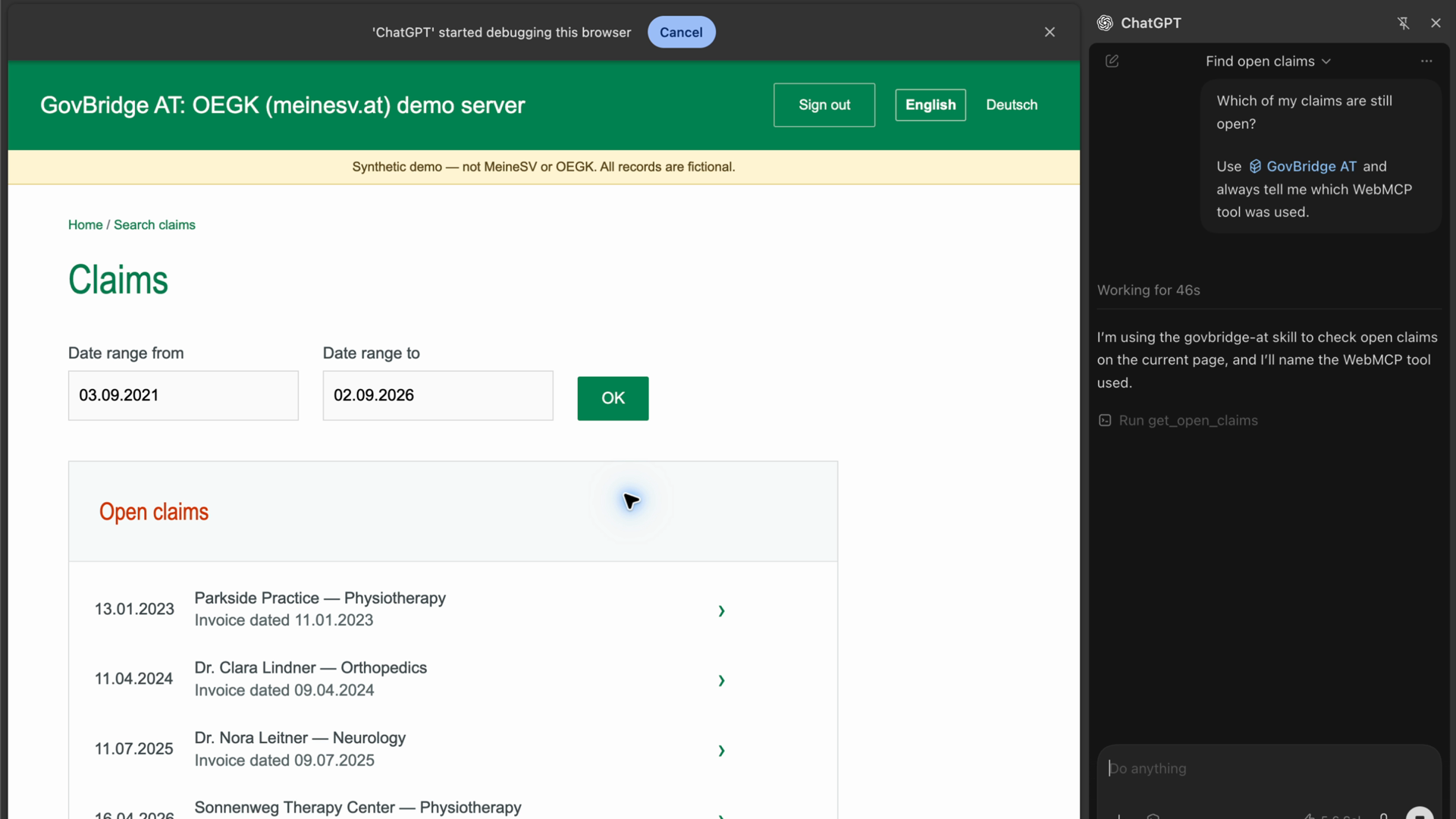
GovBridge AT is an open source Chrome extension that adds a WebMCP layer to the existing Meine SV (OEGK) claims pages. The site itself does not change.
On supported pages the extension registers:
three read-only query tools:
list_claims,get_open_claims, andget_claim, which return normalized claims rendered on the current pageone bounded action for convenience:
search_claims, which fills and submits the page’s own date-range form (never a claim application)
So an agent can answer "Which of my claims are still open?" or "How much was reimbursed this year?" through structured tool calls. No screenshots, no unrestricted page access.
Only allowlisted claim fields cross the boundary. Person, social security number, bank account, and claim reference fields are never exposed, even when visible on the page. The extension’s claim processing runs locally in the browser, with no claim-processing backend, telemetry, or claim persistence. The demo has its own server, and normalized tool results are returned to the connected agent. Reads are strictly current-page and results carry explicit environment provenance.
For the hackathon we run the demo against a hosted synthetic replica of the Meine SV claims area (20 fictional claims, public demo login, English/German). Not everybody has an account for the Austrian public insurance site or speaks German, so the demo is fully self-contained.
How we built it
Spec-driven development with automated regression coverage. We built the whole project with Codex (SOL, Luna), using the Codex Google Chrome extension for browser control.
A Manifest V3 Chrome extension in TypeScript, built with esbuild, with no additional extension API permissions, explicitly scoped page access, and no service worker.
A MAIN-world content script registers tools via the experimental
document.modelContextAPI, with a pinned, locally bundled polyfill as fallbackA separate demo server, built with OpenAI Sites, replicates the site's routes, forms, and landmarks with fictional data, served bilingually
A reusable agent skill handles the workflow: external Chrome, user-operated ID Austria login, and WebMCP-only reads and summaries within the user’s requested scope.
Challenges we ran into
The Codex in-app browser does not support extensions, and we found no good way to inject our own code. So we used the early WebMCP support in current Chrome instead. The ChatGPT app's Chrome extension does not yet expose WebMCP tools directly, so our integration currently requires CDP to discover and call them. This dependency is outside our control. We expect direct WebMCP access to become available in the future, which would remove the need for CDP in this workflow.
The selected e-government service requires a 2FA account from an Austrian citizen and supports only German. For the hackathon judging process and for faster development, we built a synthetic replica of the site.
Accomplishments that we're proud of
An end-to-end WebMCP story: extension, hosted bilingual demo, and a reusable agent skill
A better privacy story than browser-use or computer-use approaches, and more efficient as well
What we learned
WebMCP is still fresh and experimental
Spec-driven development with automated regression coverage kept the codebase verifiable even while the architecture pivoted mid-project.
What's next for GovBridge AT
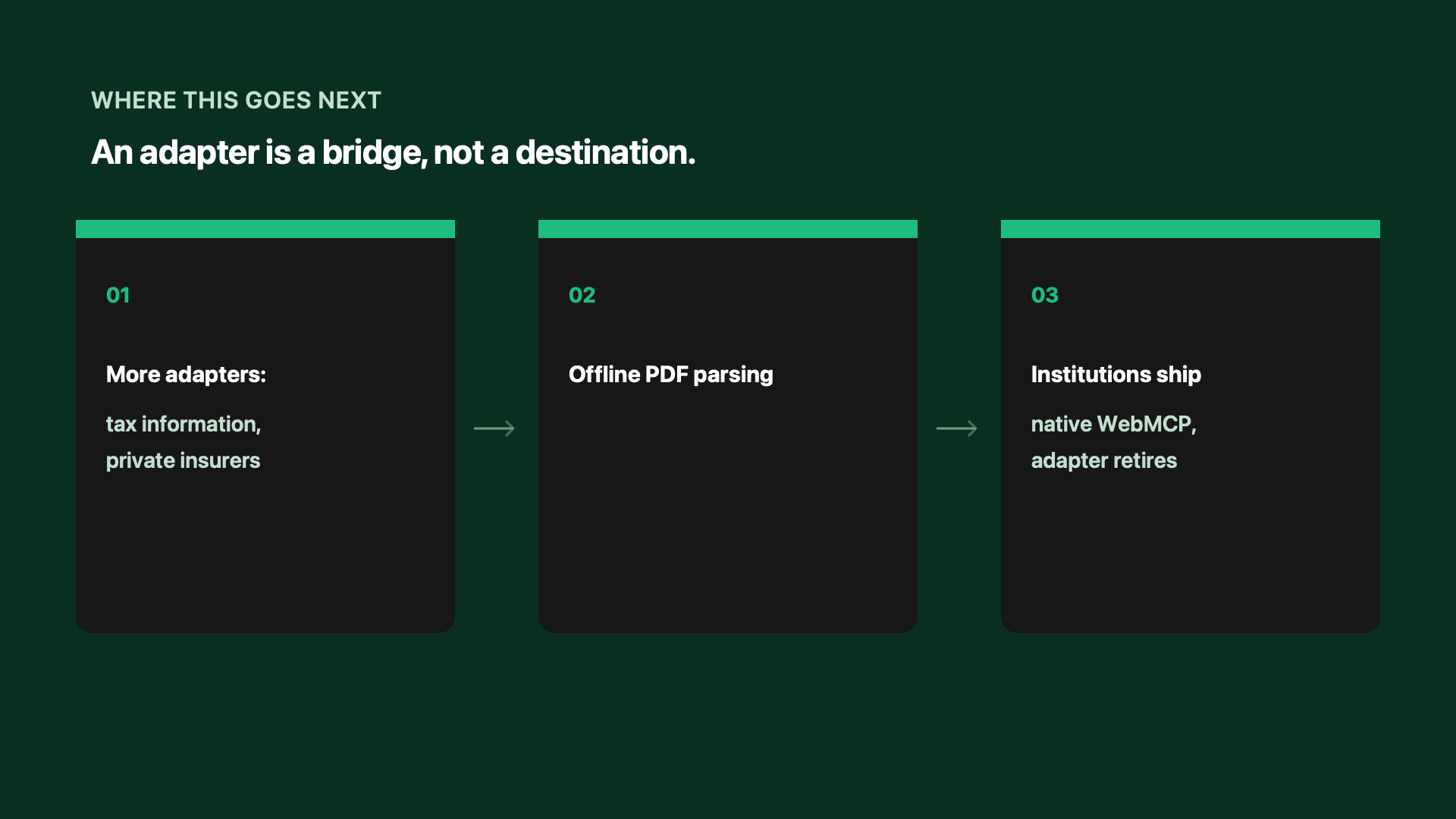
More adapters on the same bridge and privacy model: private health insurers, the tax office, and other Austrian services
The private-insurance half of the workflow: comparing remaining costs against private coverage is on the roadmap, explicitly not implemented
Local PDF response parsing, behind the already-specified parser boundary: responses are commonly attached as print-ready PDFs
The adoption path: show institutions real evidence of which WebMCP capabilities citizens use, so they can implement them natively
Success means the extension gets smaller: when an institution ships native WebMCP tools, its adapter retires
Built With
- chrome
- codex
- sites
- webmcp


Log in or sign up for Devpost to join the conversation.