-
-
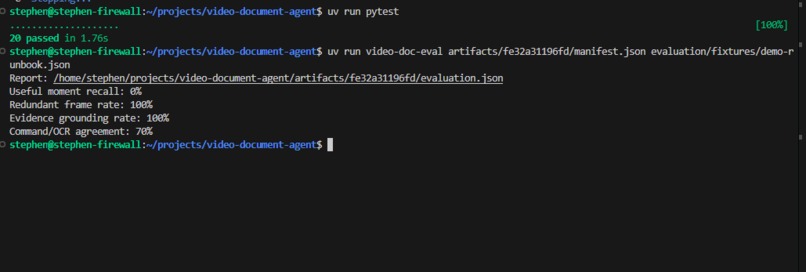
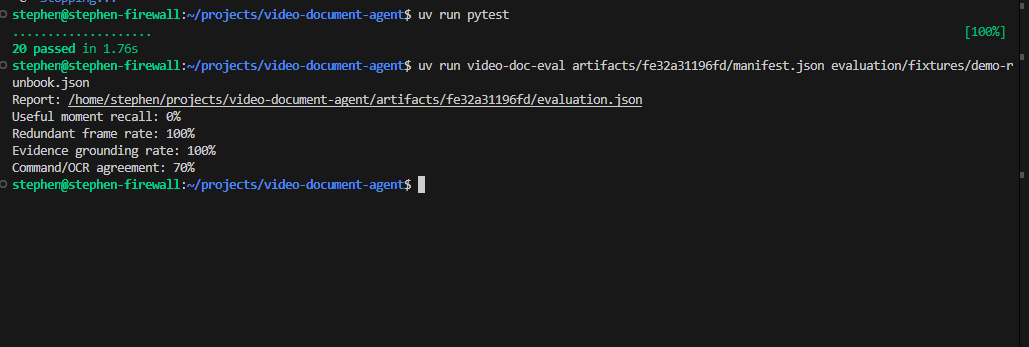
PyTest and Evaluation of Manifest
-
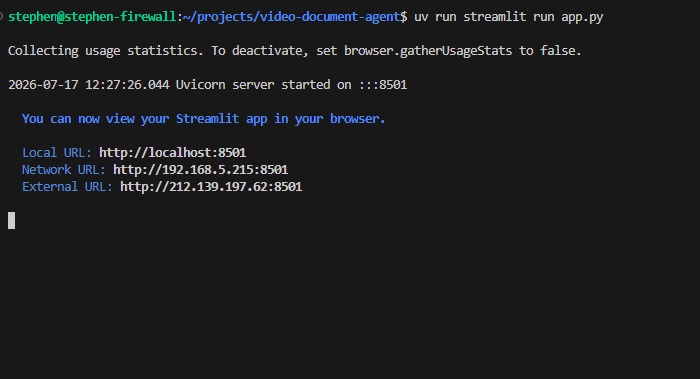
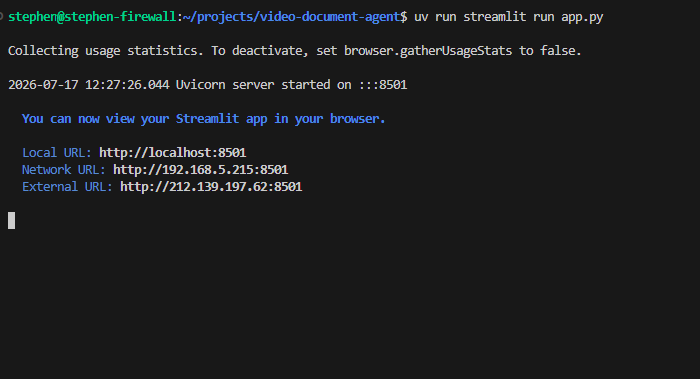
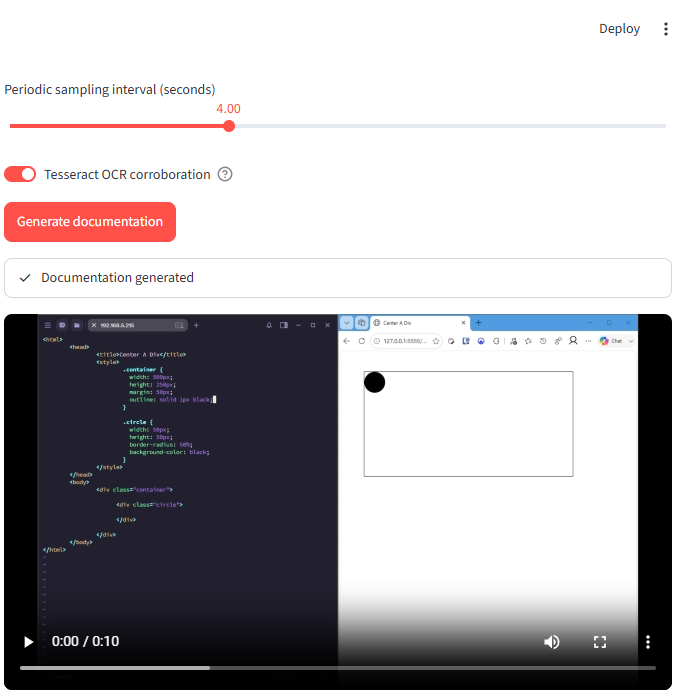
streamlit review ui startup in CLI
-
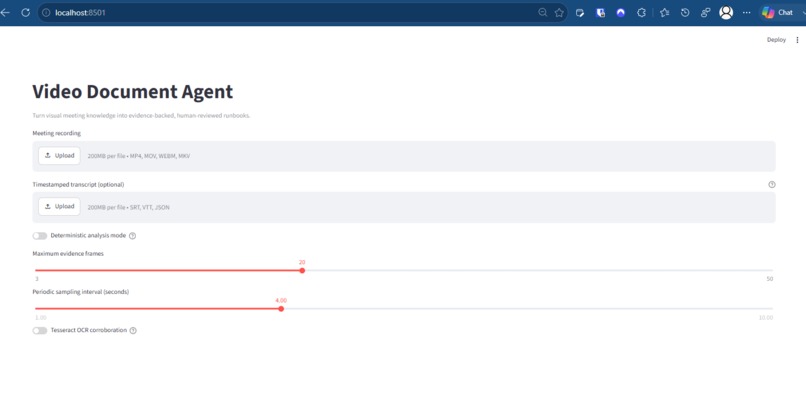
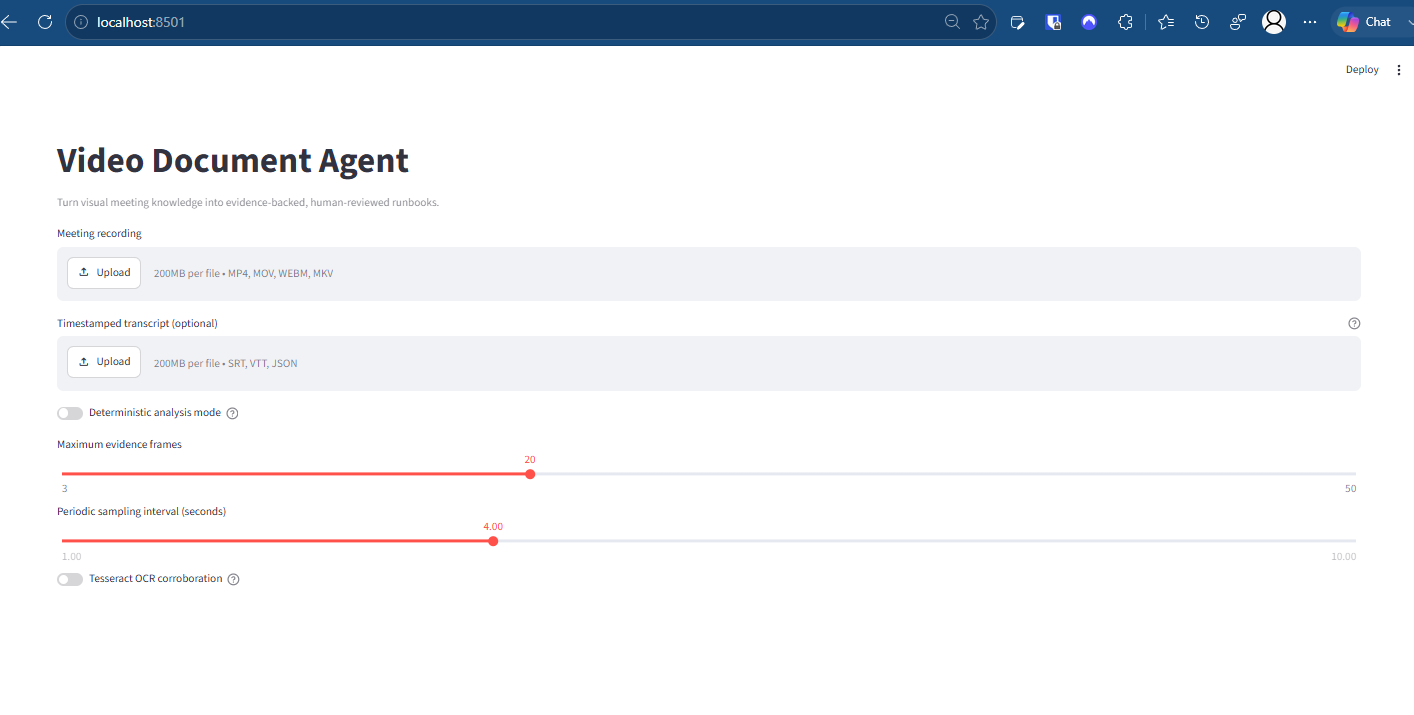
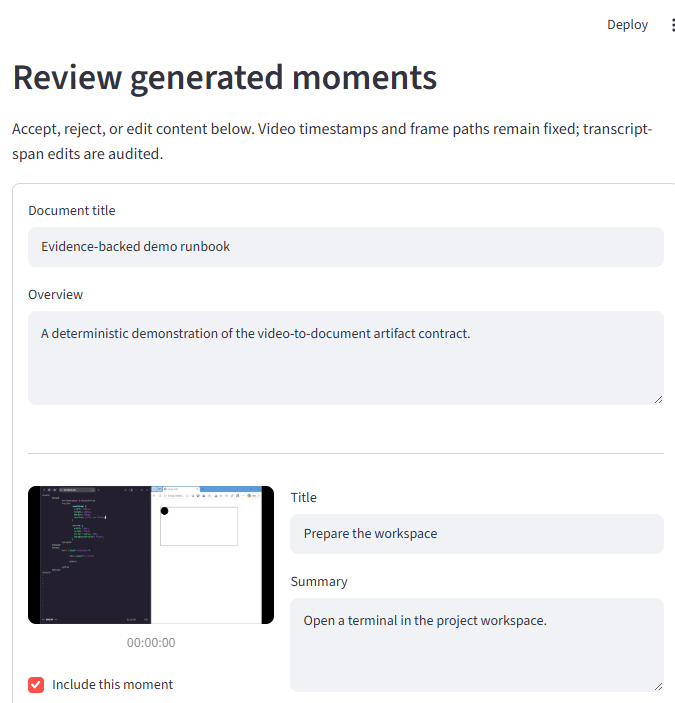
streamlit review ui 1
-
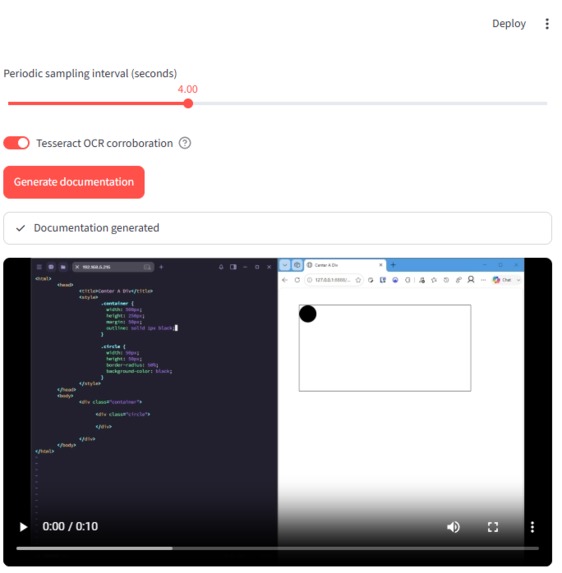
streamlit review ui 2
-
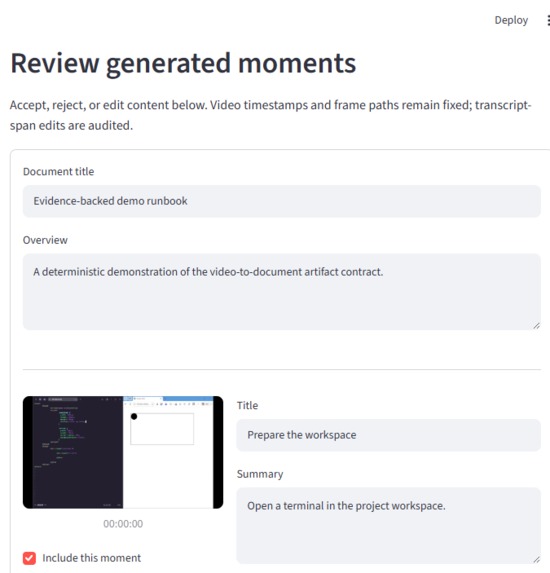
streamlit review ui 3
-
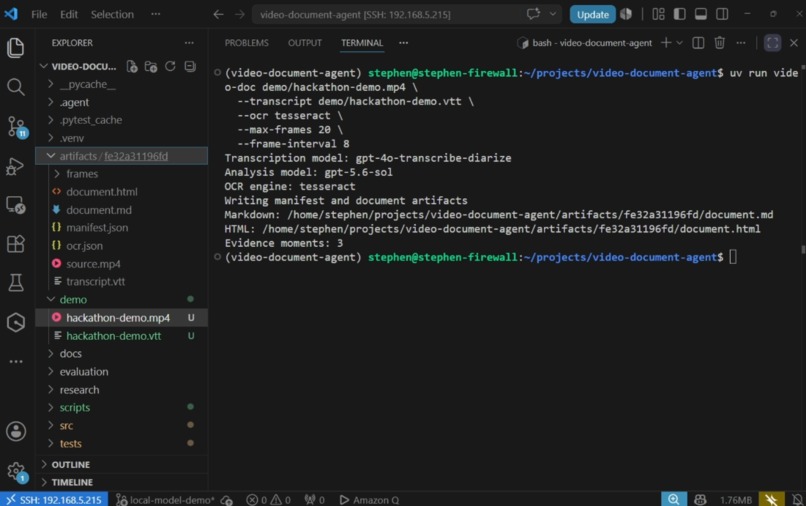
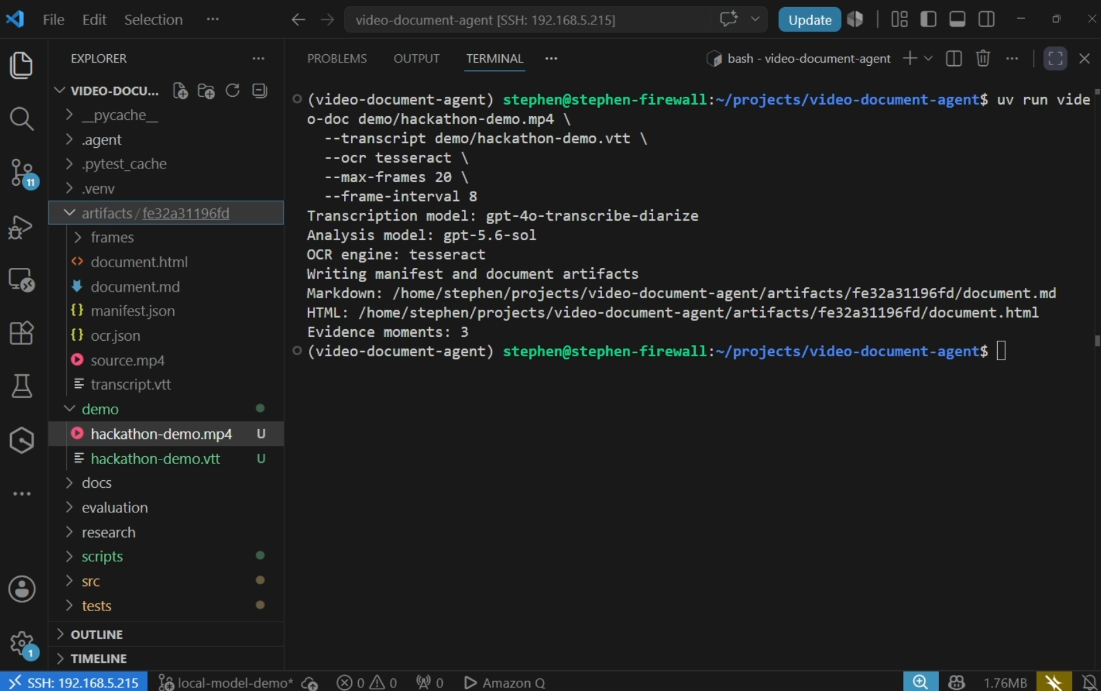
Frames doc live run
-
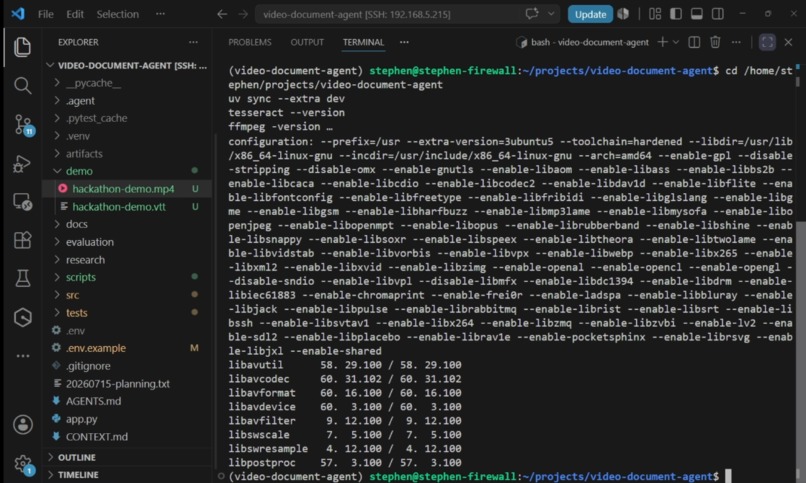
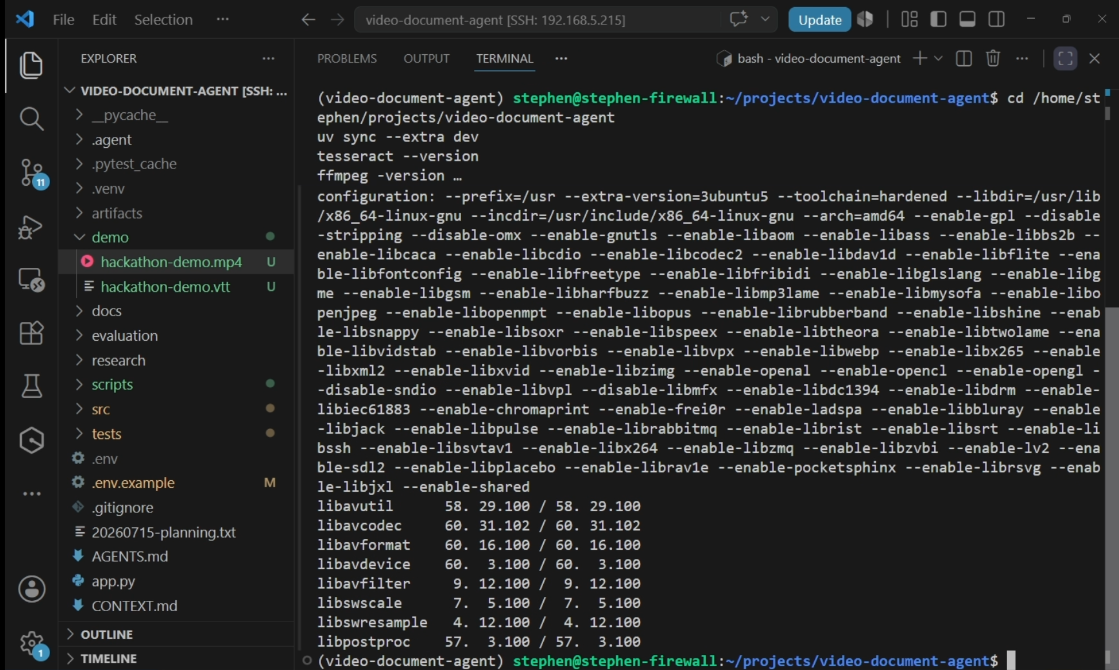
Initial terminal and run setup and environment checks
-
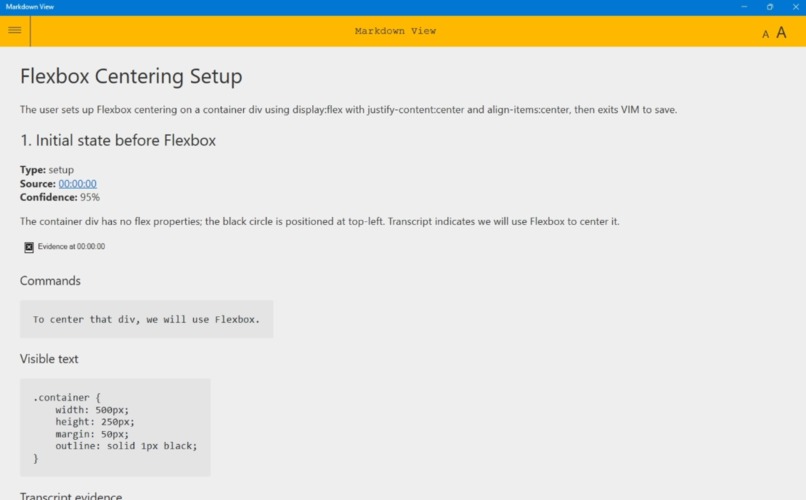
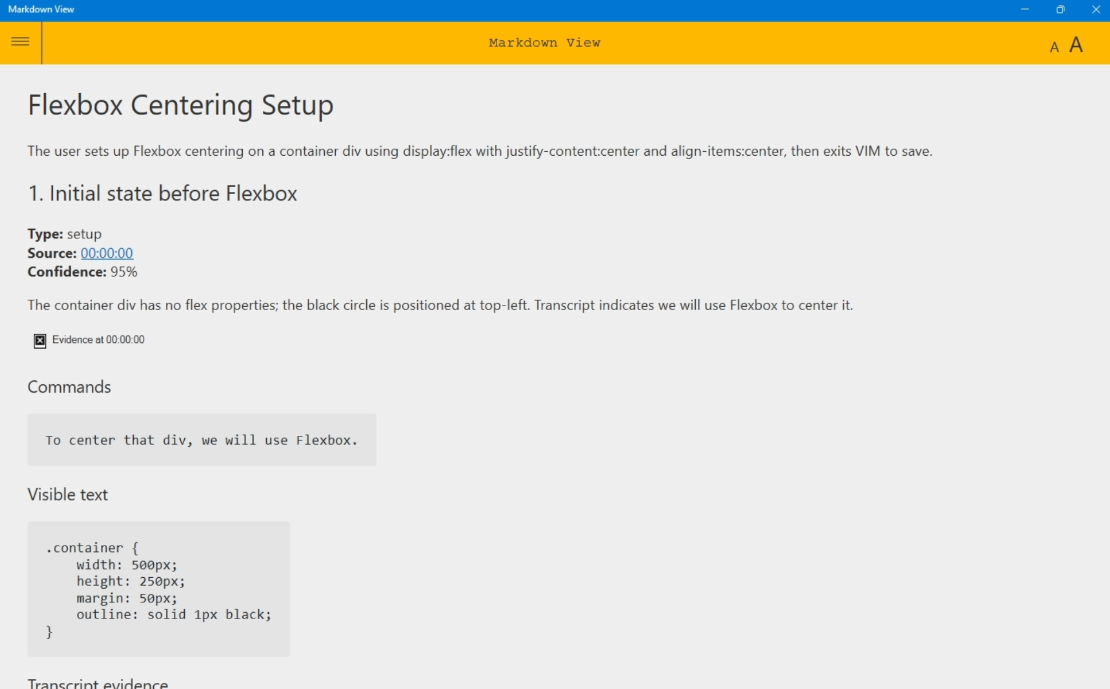
Generated Markdown report
-
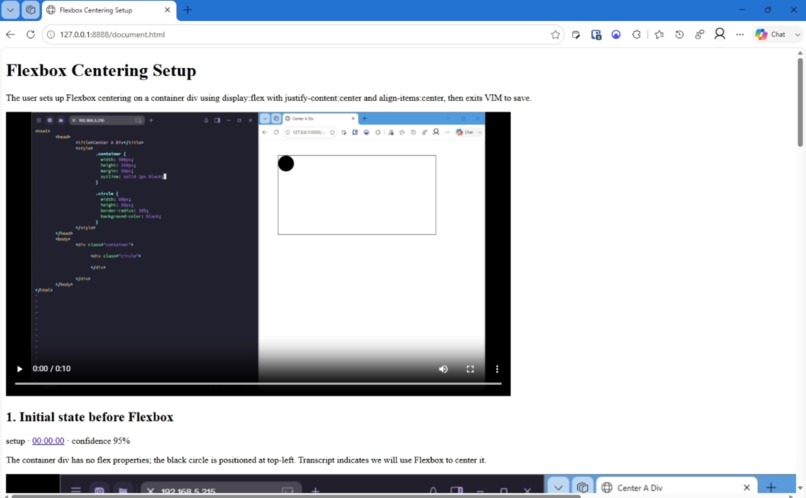
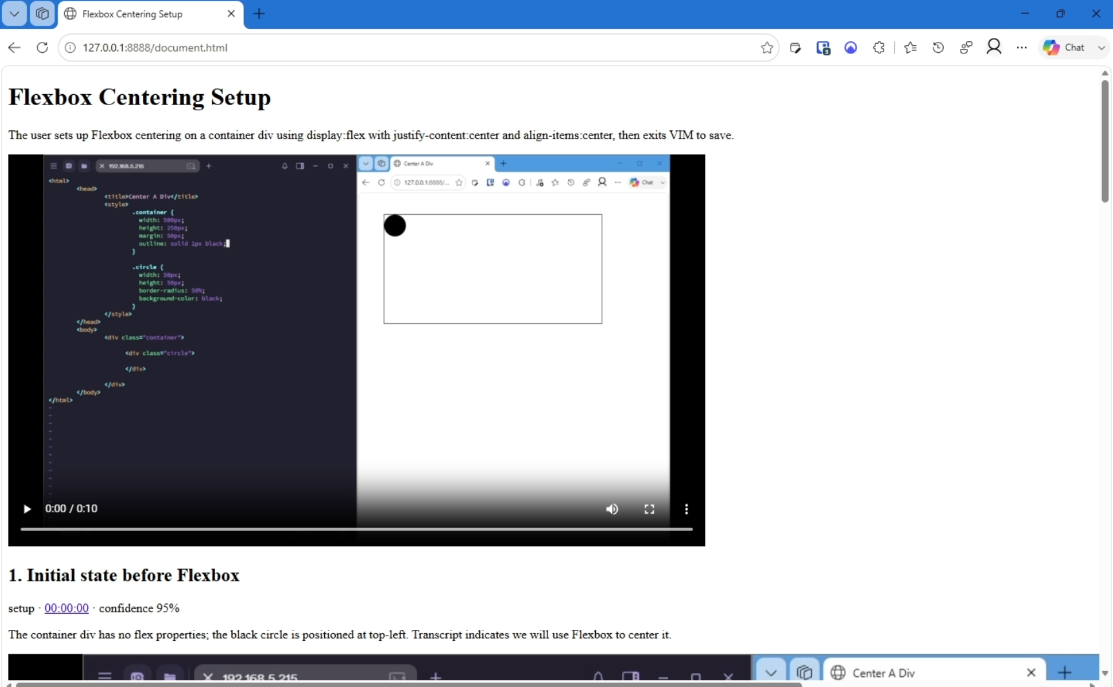
Deliberately unstyled HTML runbook and evidence with timestamps
Inspiration
Teams constantly lose important knowledge inside meeting recordings. A teammate might demo a deployment step in a terminal, explain how to use a new internal system, or walk through a critical configuration screen — but that information is nearly impossible to find later without scrubbing through the video manually. Meeting summaries help, but they miss the visual and technical detail that makes the knowledge actually useful.
What it does
FramesDoc (Video Document Agent) turns meeting recordings into searchable, timestamped documentation. It analyses the transcript and key visual frames from a recording, identifies moments that are likely to matter later — setup steps, terminal commands, UI walkthroughs, key decisions — and generates structured documentation artifacts with screenshots, summaries, OCR text, and deep links back to the relevant timestamp in the source video.
The output is not a meeting summary. It is a set of documentation artifacts: a typed JSON manifest, a Markdown knowledge page, and a portable HTML runbook — the kind teams can actually come back to weeks later. A Streamlit review UI lets a human accept, edit, or reject individual moments before exporting reviewed versions.
How we built it
FramesDoc is built in Python 3.12 with the OpenAI SDK, and Codex was used throughout Build Week to accelerate the entire development workflow — product research, architecture, implementation, test generation, debugging, documentation, and demo planning.
The system works in a staged pipeline:
- Media probing — ffprobe inspects duration, dimensions, frame rate, and audio availability
- Audio extraction — FFmpeg produces a mono 16 kHz WAV for transcription
- Transcript loading — a timestamped SRT/VTT/JSON sidecar is imported, or GPT-4o-transcribe-diarize produces diarized speaker segments via the OpenAI API
- Hybrid keyframe selection — PySceneDetect scene boundaries, periodic sampling, transcript cues, and perceptual novelty hashing (OpenCV + NumPy) combine to select candidate frames
- OCR corroboration — optional Tesseract TSV analysis retains word-level confidence, bounding boxes, and command-text agreement scores alongside each frame
- Vision + structured synthesis — GPT-5.6-Sol receives numbered frames plus nearby transcript context and returns typed documentation moments (setup, command, warning, decision, workflow, reference) via Pydantic Structured Outputs
- Evidence reattachment — the application locally grounds model output to source frame paths and transcript spans; model output cannot override timestamps or file paths
- Rendering — Markdown and portable HTML are emitted with media-fragment timestamp links (e.g. source.mp4#t=12.500)
- Human review — the Streamlit UI persists generation across reruns and collects accept/edit/reject decisions, writing separate reviewed artifacts while keeping original outputs intact
- Evaluation — video-doc-eval compares a generated manifest against independent human-labelled fixtures and reports useful-moment recall, visual redundancy, evidence-grounding rate, and command/OCR agreement
Codex accelerated every phase: scaffolding the multi-stage architecture, writing the hybrid frame-scoring logic, generating the Pydantic evidence contracts, building the Streamlit reviewer, and iterating on the prompt structure for GPT-5.6-Sol.
Challenges we ran into
The hardest problem was signal vs. noise. Meeting recordings contain a lot of filler — small talk, scheduling, tangents — and we had to design the pipeline so GPT-5.6-Sol distinguishes actionable knowledge (setup steps, terminal commands, process walkthroughs, key decisions) from conversational filler.
Frame selection was also non-trivial. Too few frames and you miss important moments; too many and the documentation becomes noisy and expensive. We iterated extensively on the hybrid scoring heuristics that combine scene detection, perceptual novelty, and transcript cues to decide which frames are worth including.
Another challenge was evidence grounding: keeping model-generated content traceable back to real source frames and timestamps, rather than letting the model invent or rewrite evidence paths. The evidence contract (frame_path, timestamp, transcript_quote, visible_text, commands, kind, confidence) is enforced by the application layer, not left to the model.
Accomplishments that we're proud of
- A working end-to-end pipeline that transforms an unstructured meeting recording into structured documentation artifacts
- GPT-5.6-Sol used as a genuine multimodal reasoning layer over transcript, vision, and OCR — not just a summariser
- A typed evidence contract where every documentation moment retains its source timestamp, frame path, transcript span, visible text, commands, classification, and confidence
- Timestamped deep links in both Markdown and HTML that jump directly to the source moment in the original video
- A Streamlit human-review workflow that supports accept/edit/reject decisions while keeping video timestamps and frame paths immutable
- An evaluation framework with four diagnostic metrics (recall, redundancy, grounding, OCR agreement) and independent human-labelled fixtures
- The complete local pipeline runs keyless in deterministic demo mode — verifiable without credentials
- Built entirely during Build Week with Codex accelerating every phase of development
What we learned
Codex accelerated the complete development workflow far beyond just writing code — it contributed to architecture decisions, evidence contract design, test strategy, evaluation metric selection, and documentation. The most effective pattern was giving Codex the full context (pipeline stage, evidence contract, typing requirements) rather than asking it to write isolated functions.
GPT-5.6-Sol was strongest when given rich multimodal context (numbered frame + nearby transcript segment + OCR text) rather than any single input alone. The combination of modalities is what makes the output genuinely useful — OCR catches text the vision pass might skim, and transcript context disambiguates what is happening on screen.
Keeping the application layer in control of evidence paths and timestamps — rather than trusting model output to define them — was essential for making the documentation trustworthy enough for real team use.
What's next for FramesDoc
The immediate next step is running live mode on real 3–5 minute recordings to measure useful-moment recall and redundant-frame rate on genuine team knowledge. After that: adding multi-video retrieval so teams can search across their entire meeting history, team-specific templates for engineering runbooks, onboarding guides, and internal tutorials, and publishing integrations to tools like Confluence and Notion. Longer term, FramesDoc becomes an always-on knowledge layer that sits on top of a team's recorded communication.

Log in or sign up for Devpost to join the conversation.