-
-
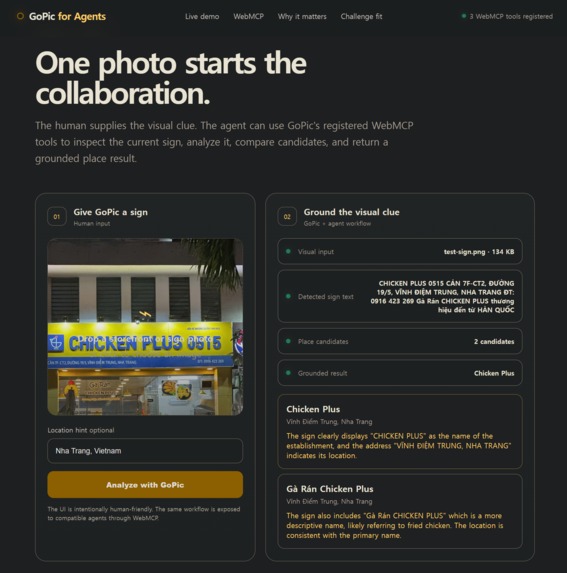
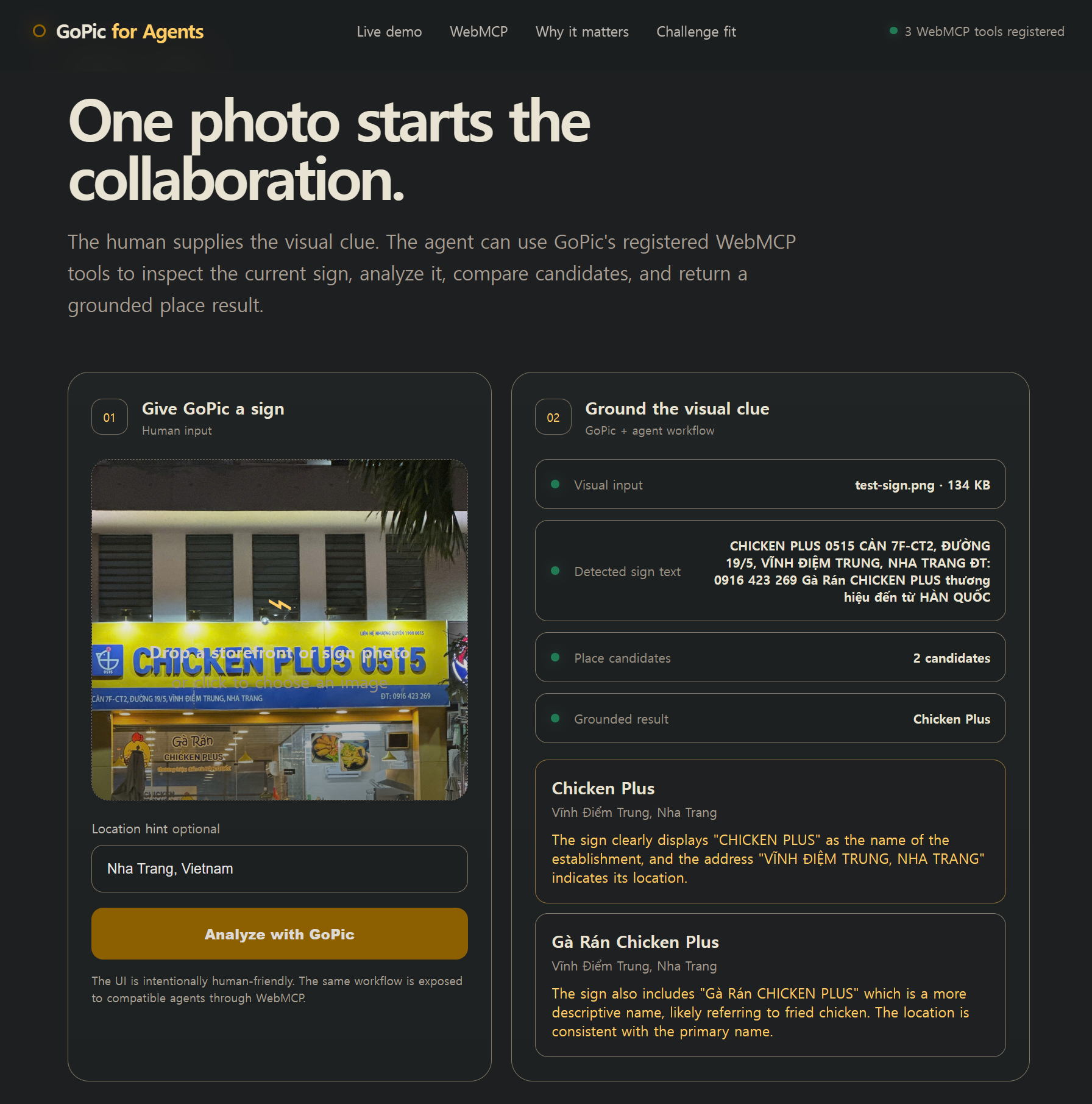
GoPic turns a storefront photo into structured OCR, place candidates, and a grounded result for WebMCP agents.
What it does
Inspiration
Travelers constantly see useful information in the physical world — storefronts, restaurant signs, shop names, addresses — but turning that visual clue into the correct place on the web is still surprisingly awkward.
OCR can read text, but reading text is not the same as identifying the right real-world place. Businesses can share the same name, signs can use unfamiliar scripts, and users may not know what to type into search.
GoPic already explored this problem as a mobile visual-search product. For the WebMCP Challenge, I wanted to take the next step: expose that visual sign-to-place workflow directly to AI agents.
What it does
GoPic for Agents lets a human provide a storefront or sign photo and an optional location hint.
GoPic then:
- analyzes the visible sign text,
- combines the visual evidence with location context,
- returns structured place candidates,
- identifies the strongest grounded result when the evidence is sufficient.
The same workflow is exposed to compatible agents through three WebMCP tools:
gopic_get_sign_contextgopic_analyze_signgopic_get_place_candidates
This allows an agent to discover and invoke GoPic's capabilities directly from the webpage instead of guessing how to interact with the UI.
How I built it
The challenge website is a lightweight HTML, CSS, and JavaScript experience designed for both humans and WebMCP-enabled agents.
WebMCP tools are registered using document.modelContext.registerTool().
The analysis flow is:
Human photo → WebMCP tool → Supabase Edge Function → visual analysis → structured OCR and place candidates → grounded result
The backend runs as a Supabase Edge Function. API credentials are stored only as server-side secrets and are never exposed to the browser or committed to the public repository.
The public demo endpoint also includes origin checks, image type and size validation, and rate limiting.
Challenges I ran into
One challenge was separating simple OCR from actual place grounding. A sign may contain a business name, branch information, an address, phone number, and descriptive text, and not all of it should be treated as a place name.
Another challenge was making the same workflow useful to both humans and agents. The page needed to remain understandable as a normal website while also exposing structured actions that an agent can discover and execute.
I also spent time tightening the public demo architecture so that API credentials were not exposed and the live implementation matched the public source repository.
What I learned
WebMCP changes the role of a website.
Instead of being only a visual interface that an agent has to interpret, the page can explicitly describe the actions it offers and the structured data those actions return.
That makes it possible to combine human intent — "this is the sign I care about" — with an agent's ability to act quickly on the web.
What's next
The larger vision for GoPic is to make real-world visual information directly actionable.
A traveler should be able to point at a sign, menu, storefront, product label, or other physical-world clue and let an agent understand what it is, identify the relevant real-world entity, and continue the task on the web.
For this challenge, the focus is intentionally narrow:
See the sign. Find the real place.
How we built it
Challenges we ran into
Accomplishments that we're proud of
What we learned
What's next for GoPic for Agents
Built With
- ai
- computer-vision
- css
- deno
- gemini-api
- html
- javascript
- ocr
- supabase
- supabase-edge-functions
- webmcp

Log in or sign up for Devpost to join the conversation.